
Guest WiFi Session Timeouts: Balance zwischen UX und Sicherheit
Dieser Leitfaden bietet einen praktischen Rahmen für die Konfiguration von Guest WiFi Session Timeouts, um eine nahtlose Benutzererfahrung mit robuster Sicherheit in Einklang zu bringen. Er behandelt Idle Timeouts, Absolute Timeouts, Re-Authentifizierungsstrategien und branchenspezifische Bereitstellungsszenarien für IT- und Betriebsleiter von Veranstaltungsorten.
Diesen Leitfaden anhören
Podcast-Transkript ansehen
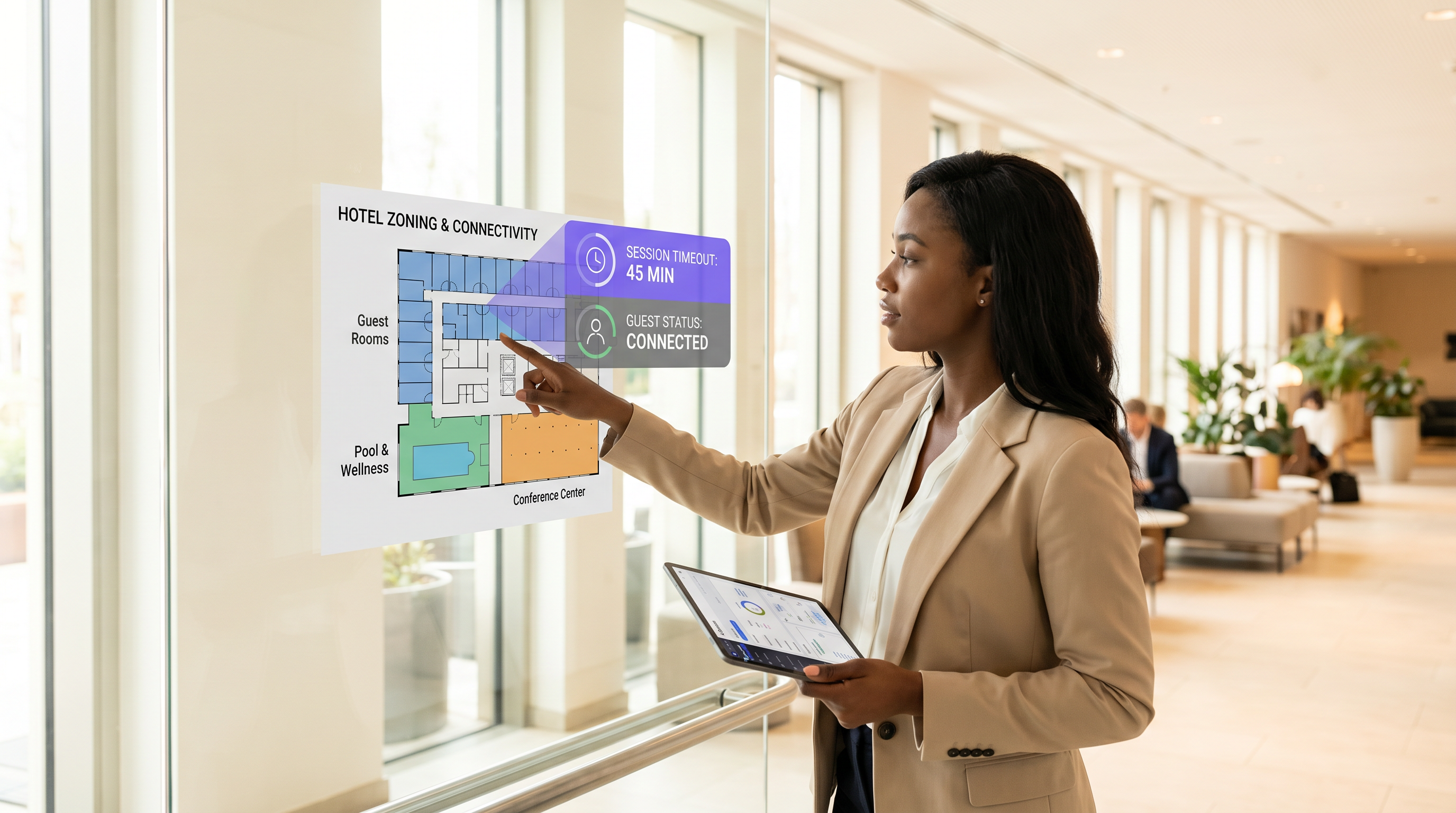
Zusammenfassung für Führungskräfte
Für moderne Veranstaltungsorte ist das Guest WiFi-Netzwerk ein entscheidender Berührungspunkt für das Kundenerlebnis und die Betriebsanalysen. Die Festlegung der richtigen Session Timeouts wird jedoch oft zu einem Tauziehen zwischen IT-Sicherheitsteams und Managern für das Gästeerlebnis. Sind die Timeouts zu kurz, müssen Benutzer frustrierende, wiederholte Captive Portal-Anmeldungen durchführen. Sind sie zu lang, leidet das Netzwerk unter der Erschöpfung des IP-Pools, veralteten Analysedaten und erhöhten Sicherheitsrisiken durch nicht authentifizierte Geräte.
Dieser Leitfaden bietet einen praktischen Rahmen für die Konfiguration von Guest WiFi Session Timeouts. Wir untersuchen die unterschiedlichen Rollen von Idle Timern, Absolute Timern und Re-Authentifizierungsrichtlinien und geben umsetzbare Empfehlungen für Hospitality , Retail und Umgebungen des öffentlichen Sektors. Durch die Abstimmung der Timeout-Strategien auf das Benutzerverhalten und die Sicherheitsanforderungen können Netzwerkarchitekten eine nahtlose Konnektivität gewährleisten und gleichzeitig eine robuste Compliance und genaue WiFi Analytics aufrechterhalten.
Technischer Einblick: Die Mechanik von Session-Timeouts
Ein "Session Timeout" ist keine einzelne Einstellung, sondern eine Kombination verschiedener Timer, die auf unterschiedlichen Ebenen des Netzwerk-Stacks arbeiten. Das Verständnis dieser Mechanik ist entscheidend für eine effektive Bereitstellung.
1. Idle Timeout (Inaktivitäts-Timer)
Der Idle Timeout überwacht die aktive Datenübertragung. Wenn ein Client-Gerät für eine bestimmte Dauer keine Daten sendet oder empfängt, beendet der Netzwerk-Controller die Session.
- Zweck: Rückgewinnung von IP-Adressen (DHCP-Leases) und AP-Speicher, die Geräten zugewiesen wurden, die den Veranstaltungsort verlassen haben, ohne sich formell abzumelden.
- Herausforderung: Moderne Smartphones gehen häufig in den Schlafmodus, um Batterie zu sparen, wodurch die Datenübertragung unterbrochen wird. Aggressive Idle Timeouts (z. B. 5 Minuten) trennen schlafende Geräte, wodurch Benutzer gezwungen werden, sich erneut zu authentifizieren, wenn sie ihre Telefone aufwecken.
- Empfehlung: Setzen Sie Idle Timeouts für typische Umgebungen zwischen 30 und 60 Minuten.
2. Absolute Timeout (Fester Timer)
Der Absolute Timeout legt die maximale Gesamtdauer einer Session fest, unabhängig von der Aktivität. Sobald dieser Timer abläuft, wird die Session zwangsweise beendet, und der Benutzer muss sich erneut authentifizieren.
- Zweck: Erzwingt tägliche Nutzungslimits, stellt sicher, dass Benutzer aktualisierte Geschäftsbedingungen akzeptieren, und erzwingt eine regelmäßige Sicherheits-Revalidierung.
- Herausforderung: Unterbricht aktive Sessions, was VoIP-Anrufe oder große Downloads stören kann, wenn dies nicht klar kommuniziert wird.
- Empfehlung: Richten Sie den Absolute Timeout an der typischen Verweildauer am Veranstaltungsort aus (z. B. 12 Stunden für ein Krankenhaus, 2 Stunden für ein Café).
3. Captive Portal und Re-Authentifizierung
Wenn eine Session abläuft, wird der Benutzer zum Captive Portal weitergeleitet. Moderne Implementierungen verwenden oft MAC authentication bypass (MAB) oder nahtloses Roaming, um Geräte für einen bestimmten Zeitraum (z. B. 30 Tage) zu speichern. In diesen Setups erfordert eine abgelaufene Session möglicherweise keine manuelle Anmeldung; das System authentifiziert die erkannte MAC-Adresse stillschweigend erneut, vorausgesetzt, das Gerät hat sie nicht randomisiert.
Für fortgeschrittene Netzwerktopologien ist die Integration mit Tools wie Sensors und die Sicherstellung einer robusten Backend-Infrastruktur – wie z. B. eine ordnungsgemäße RADIUS সার্ভার হাই অ্যাভেইলেবিলিটি: Active-Active বনাম Active-Passive – unerlässlich, um Authentifizierungsspitzen zu bewältigen, ohne legitime Benutzer zu verlieren.
Implementierungsleitfaden: Branchenspezifische Strategien
Es gibt keine Einheitskonfiguration für Timeouts. Die Strategie muss die operativen Ziele und das Gästeverhalten des Veranstaltungsortes widerspiegeln.
Szenario A: Das Einzelhandelsgeschäft mit hoher Fluktuation
Im Retail besteht das Ziel darin, genaue Besucherfrequenzanalysen zu erfassen und gezieltes Marketing zu liefern, während gleichzeitig das Verweilen verhindert wird.
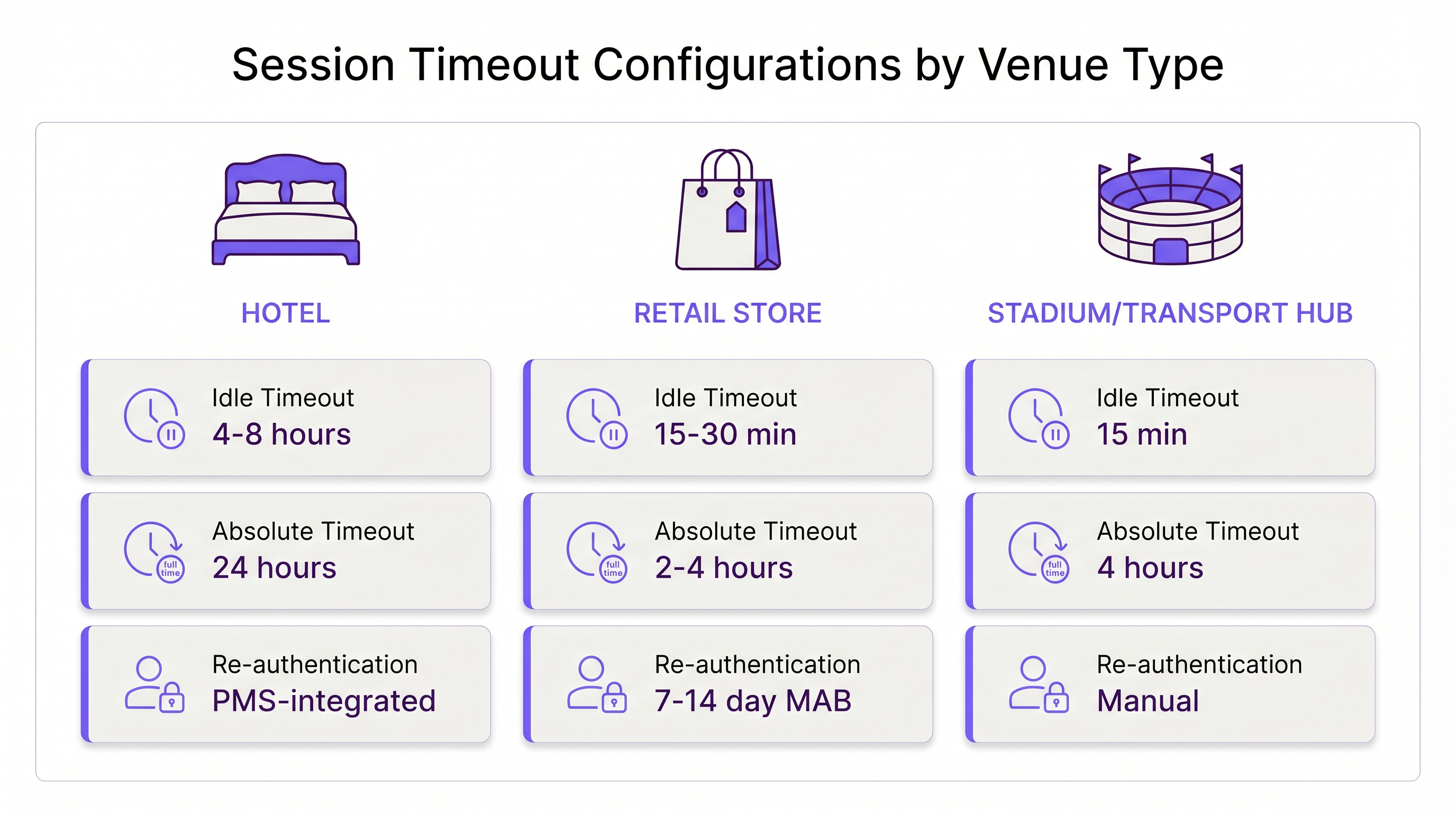
- Idle Timeout: 15–30 Minuten. Käufer bewegen sich schnell. Wenn ein Gerät 30 Minuten lang still ist, hat der Benutzer das Geschäft wahrscheinlich verlassen.
- Absolute Timeout: 2–4 Stunden. Dies deckt den längsten typischen Einkaufsbummel ab.
- Re-Authentifizierung: Stille MAC-Re-Authentifizierung für 7–14 Tage, um wiederkehrende Kunden reibungslos zu verfolgen.
Szenario B: Die Enterprise Hospitality Umgebung
In der Hospitality erwarten Gäste ein "heimeliges" WiFi-Erlebnis. Eine Anmeldung alle 4 Stunden zu erzwingen, ist inakzeptabel und führt zu Beschwerden an der Rezeption.
- Idle Timeout: 4–8 Stunden. Gäste lassen Geräte in ihren Zimmern, während sie am Pool sind; diese Geräte sollten verbunden bleiben.
- Absolute Timeout: 24 Stunden oder an das Check-out-Datum gebunden (z. B. über PMS-Integration).
- Re-Authentifizierung: Nahtloses Roaming über das gesamte Anwesen für die Dauer des Aufenthalts.
Szenario C: Der belebte Verkehrsknotenpunkt
In Transport -Drehkreuzen wie Flughäfen sind die Verweildauern sehr variabel, und die Erschöpfung von IP-Adressen ist aufgrund des massiven Volumens transienter Geräte ein ernstes Risiko.
- Idle Timeout: 15 Minuten. Eine aggressive Rückgewinnung ist notwendig, um den DHCP-Pool verfügbar zu halten.
- Absolute Timeout: 4 Stunden (die typische maximale Zwischenlandung vor einem Flug).
- Re-Authentifizierung: Manuelle Re-Authentifizierung nach dem Absolute Timeout erforderlich, um Bandbreitenfresser zu verwalten.
Best Practices für die Balance zwischen UX und Sicherheit
- DHCP-Leases mit Session Timeouts abstimmen: Eine häufige Fehlkonfiguration ist die Einstellung eines 2-stündigen Session Timeouts bei einem 8-stündigen DHCP-Lease. Dies erschöpft den IP-Pool. Ihre DHCP-Lease-Zeit sollte eng mit Ihrem Absolute Session Timeout übereinstimmen oder diesen leicht überschreiten.
- MAC-Randomisierung berücksichtigen: iOS und Android verwenden standardmäßig private MAC-Adressen. Wenn Ihr Netzwerk stark auf MAC-basierte Re-Authentifizierung angewiesen ist, informieren Sie die Benutzer auf der Splash Page, die MAC-Randomisierung für die SSID des Veranstaltungsortes zu deaktivieren, wenn sie ein nahtloses mehrtägiges Erlebnis wünschen.
- Analysen nutzen: Verwenden Sie WiFi "Analytics , um die Sitzungslängen zu überwachen. Wenn 90 % Ihrer Nutzer innerhalb von 45 Minuten das Netzwerk verlassen, ist die Festlegung eines absoluten Timeouts von 12 Stunden unnötig riskant.
- WPA3-Open (OWE) implementieren: Für verbesserte Sicherheit in offenen Gastnetzwerken setzen Sie Opportunistic Wireless Encryption (OWE) ein. Es bietet eine individualisierte Verschlüsselung für jede Sitzung und mindert das Risiko des passiven Sniffings, unabhängig von der Timeout-Dauer.
Fehlerbehebung & Risikominderung
- Symptom: Ständige Beschwerden über erneute Authentifizierung.
- Ursache: Das Idle-Timeout ist zu kurz und trennt schlafende Smartphones.
- Lösung: Erhöhen Sie das Idle-Timeout auf mindestens 30 Minuten.
- Symptom: Erschöpfung des IP-Pools (Benutzer können keine Verbindung herstellen).
- Ursache: Geister-Sitzungen belegen IPs, weil das Idle-Timeout deaktiviert oder zu lang ist.
- Lösung: Implementieren Sie ein striktes Idle-Timeout von 15-30 Minuten und reduzieren Sie die DHCP-Lease-Zeiten.
- Symptom: Veraltete Analytics-Daten.
- Ursache: Geräte bleiben lange nach dem Verlassen des Standorts durch den Benutzer „verbunden“ aufgrund langer Idle-Timer.
- Lösung: Passen Sie den Idle-Timer an die tatsächliche Verlassenszeit des Standorts an.
ROI & Geschäftsauswirkungen
Die Optimierung von Sitzungs-Timeouts wirkt sich direkt auf das Geschäftsergebnis aus. Eine gut abgestimmte Konfiguration reduziert Helpdesk-Tickets im Zusammenhang mit Konnektivitätsproblemen um bis zu 40 %. Darüber hinaus fließen genaue Sitzungsdaten direkt in Wayfinding und Marketingplattformen ein. Wenn Timeouts korrekt konfiguriert sind, erhalten Marketingteams präzise Verweildauer-Metriken, die zu Kampagnen mit höherer Konversionsrate führen.
Wenn Unternehmen ihre Infrastruktur modernisieren – vielleicht durch die Realisierung von Die wichtigsten SD WAN-Vorteile für moderne Unternehmen – wird die Standardisierung dieser Timeout-Richtlinien über alle Zweigstellen hinweg zu einem wichtigen Treiber für die betriebliche Effizienz und ein konsistentes Gasterlebnis.
Schlüsseldefinitionen
Idle Timeout
The duration a network connection is maintained while no data is being transmitted by the client device.
Crucial for reclaiming network resources from devices that have physically left the venue without disconnecting.
Absolute Timeout
The hard limit on how long a session can last from the moment of authentication, regardless of activity.
Used to enforce daily usage limits and mandate periodic re-acceptance of Terms & Conditions.
Captive Portal
A web page that a user of a public access network is obliged to view and interact with before access is granted.
The primary interface for guest WiFi authentication, branding, and data capture.
MAC Authentication Bypass (MAB)
A process where the network authenticates a device using its MAC address against a database, bypassing the need for a manual captive portal login.
Essential for creating seamless 'return visitor' experiences in retail and hospitality.
DHCP Lease Time
The amount of time a network device retains an assigned IP address before it must request a renewal.
Must be carefully aligned with session timeouts to prevent IP pool exhaustion in high-density venues.
MAC Randomization
A privacy feature in modern mobile OSs that generates a fake MAC address for each WiFi network the device connects to.
Complicates MAB and analytics, requiring venues to adjust their tracking and re-authentication strategies.
Opportunistic Wireless Encryption (OWE)
A WiFi Alliance standard that provides individualized encryption for devices on open, unpassworded networks.
Improves the security posture of guest WiFi without requiring users to enter a pre-shared key.
Dwell Time
The average amount of time a guest or customer spends physically present within the venue.
The foundational metric used to determine appropriate absolute and idle timeout configurations.
Ausgearbeitete Beispiele
A 200-room hotel is experiencing high volumes of helpdesk calls because guests have to log back into the WiFi every time they return from the pool. The current setup has an idle timeout of 30 minutes and an absolute timeout of 8 hours.
- Increase the idle timeout to 8 hours. Devices left in rooms or sleeping in bags by the pool will not be prematurely disconnected.
- Change the absolute timeout to 24 hours, or ideally, integrate the WiFi controller with the Property Management System (PMS) to set the absolute timeout to the exact time of the guest's checkout.
- Enable MAC-based seamless re-authentication for 7 days so returning guests bypass the captive portal entirely.
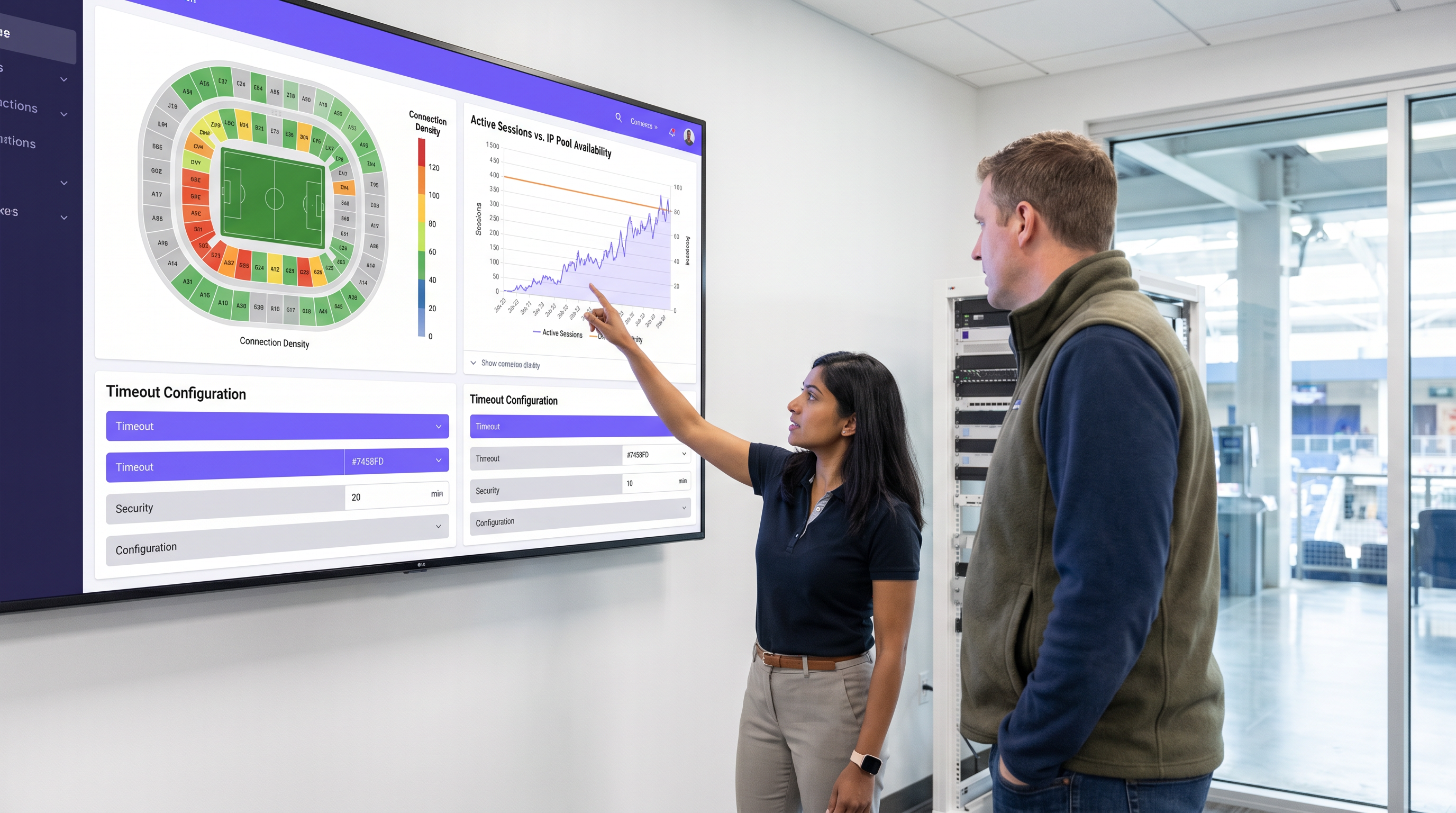
A large sports stadium (capacity 50,000) is running out of IP addresses during the first quarter of games. Users report full WiFi signal but cannot connect to the internet. Current settings: Idle timeout 4 hours, Absolute timeout 12 hours.
- Drastically reduce the idle timeout to 15 minutes. This immediately reclaims IPs from fans who have walked out of range or turned off WiFi.
- Reduce the DHCP lease time to 20 minutes to align with the new idle timeout.
- Reduce the absolute timeout to 5 hours (the maximum duration of a game plus egress time).
Übungsfragen
Q1. A hospital IT director wants to ensure that visitors in the waiting room don't have to log in multiple times, but also needs to ensure that devices belonging to discharged patients are removed from the network promptly to free up IPs. The average wait time is 3 hours, and the average patient stay is 2 days.
Hinweis: Differentiate between the transient waiting room users and the long-term admitted patients. Can you apply one policy to both?
Musterlösung anzeigen
The hospital should deploy two separate Guest SSIDs or utilize role-based access control via the captive portal. For the 'Visitor' tier, set an absolute timeout of 4 hours and an idle timeout of 30 minutes. For the 'Patient' tier (perhaps authenticated via an admission code), set an absolute timeout of 48 hours and an idle timeout of 8 hours. This balances the high turnover of the waiting room with the UX needs of admitted patients.
Q2. Your retail client complains that their returning customer analytics are dropping significantly, even though footfall remains steady. They currently have a 30-day MAB re-authentication policy.
Hinweis: Think about recent changes in mobile operating system privacy features.
Musterlösung anzeigen
The drop in analytics is likely due to MAC randomization (Private Wi-Fi Addresses) in iOS and Android. Because devices rotate their MAC addresses, the 30-day MAB policy fails to recognize returning devices, treating them as new visitors. The solution is to update the captive portal splash page to instruct users to disable Private Addresses for the store's network to receive loyalty benefits, or shift analytics reliance toward application-level tracking rather than purely Layer 2 MAC data.
Q3. A conference center hosts events ranging from 1-day seminars to 5-day conventions. The network team currently uses a static 24-hour absolute timeout for all events, leading to complaints during multi-day conventions.
Hinweis: How can the timeout policy become dynamic rather than static?
Musterlösung anzeigen
The network team should integrate the WiFi authentication backend (RADIUS) with the venue's event management system, or utilize dynamic vouchers. Instead of a static 24-hour timeout, the captive portal should issue session lengths based on the specific event code entered by the attendee. A 1-day seminar code grants a 12-hour absolute timeout, while a 5-day convention code grants a 120-hour absolute timeout, eliminating mid-event disconnects.
Weiterlesen in dieser Reihe
Die Zukunft der Wi-Fi-Sicherheit: KI-gesteuertes NAC und Bedrohungserkennung
Dieser maßgebliche Leitfaden beleuchtet die Entwicklung der Unternehmens-Wi-Fi-Sicherheit von veraltetem WPA2 zu KI-gesteuerter Netzwerkzugangskontrolle (NAC) und Bedrohungserkennung. Er wurde für IT-Führungskräfte entwickelt und bietet umsetzbare Bereitstellungsstrategien zur Sicherung von Umgebungen mit hoher Dichte wie Einzelhandel, Gastgewerbe und Stadien mithilfe der identitätsbasierten Netzwerke von Purple.
Verwaltung der IoT-Gerätesicherheit mit NAC und MPSK
Dieser technische Leitfaden beschreibt, wie Unternehmen ihre Headless-IoT-Geräte mithilfe der Multiple Pre-Shared Key (MPSK)-Architektur und Network Access Control (NAC) sichern können. Er bietet umsetzbare Implementierungsschritte zur Erreichung von Mikrosegmentierung, zur Eindämmung von Sicherheitsrisiken und zur Einhaltung von Vorschriften, ohne die Skalierbarkeit zu beeinträchtigen.
RadSec: Wie RADIUS über TLS die Sicherheit der WiFi-Authentifizierung verbessert
Diese maßgebliche technische Referenz erklärt, wie RadSec (RFC 6614) die Sicherheit der Unternehmens-WiFi-Authentifizierung verbessert, indem es den traditionellen RADIUS-Verkehr in TLS-Verschlüsselung einhüllt. Für IT-Manager und Netzwerkarchitekten konzipiert, behandelt sie Architektur, Bereitstellungsstrategien und praktische Schritte zur Minderung der Risiken von unverschlüsseltem UDP RADIUS-Verkehr in Unternehmens- und Gastnetzwerken.