Let's be honest, the days of getting by with a single router shoved in a cupboard are long gone. If your home is anything like mine, it's a battleground for bandwidth, with 4K streaming, competitive gaming, and a whole army of smart devices all demanding a slice of the Wi-Fi pie. The best home access points are no longer a luxury; they're the foundation of a modern, connected home.
This guide isn't just another list of top-rated products. My goal is to help you understand what actually makes a great network tick, starting from the ground up.
Building a Home Network That Actually Works
To really get your home network ready for the future, you need something that can handle the relentless demands we now place on it. That single box your internet provider gave you? It’s often the weak link, struggling to push a signal through thick walls or across multiple floors. This is what causes those dreaded dead zones, glitchy video calls, and the infuriating buffering symbol.
We're going to cut through the marketing fluff and technical jargon together. I'll walk you through the core technologies that power today's best Wi-Fi, look at the different ways you can set up your network, and give you a practical way to choose the right gear. Whether you're in a small flat or a rambling house, getting these fundamentals right is the secret to flawless connectivity.

Why You Can't Afford to Ignore Your Network Anymore
The push for a better home network has never been more urgent, especially here in the UK. We're in the middle of a massive full-fibre (FTTP) rollout, which is brilliant news. The market is set to hit USD 43.72 billion by 2031, and by the end of 2024, alternative network operators will have expanded their coverage to 16.7 million premises. That's a staggering 57% jump since 2022.
But here's the catch: to actually use those incredible gigabit speeds you're paying for, your Wi-Fi inside the house has to be just as good. If you've got a fantastic new fibre connection but an old, underpowered router, you've created a bottleneck. A proper access point system makes sure that lightning-fast connection reaches every corner of your home, giving you the stable, speedy experience that modern life demands. For a deeper dive into this growth, check out the insights from Mordor Intelligence.
The whole idea is to shift from a single point of failure—your classic all-in-one router—to a distributed system that blankets your home in reliable, high-speed Wi-Fi. Think of it like this: you're upgrading from a single, dim lightbulb in the hallway to a proper lighting system that illuminates every single room perfectly.
Getting to Grips with Modern Wi-Fi Technology
To choose the right home access points, you first need to speak the language of modern Wi-Fi. It’s not about memorising acronyms, but understanding what these technologies actually do for you. Think of it like looking under the bonnet of a car—you don’t need to be a mechanic, but knowing the difference between a petrol and an electric engine helps you pick the right one.
This section will demystify the core features that define a great wireless network. We'll break down the concepts that really affect your day-to-day experience, from streaming 4K films to keeping a house full of smart gadgets online.
Upgrading to the Wi-Fi Superhighway
The biggest leap in recent years has been the jump to Wi-Fi 6 and its even more advanced sibling, Wi-Fi 6E. Comparing them to older standards is like swapping a congested, single-lane country road for a brand-new, multi-lane motorway.
Wi-Fi 5 (802.11ac): The old standard. It’s reliable but can really struggle in a modern home filled with connected devices, creating digital traffic jams.
Wi-Fi 6 (802.11ax): This is the modern motorway. It’s not just about a higher top speed; its real genius is efficiency. It’s built from the ground up to handle dozens of devices at once without grinding to a halt. You can dig deeper into this in our detailed guide on the benefits of Wi-Fi 6 .
Wi-Fi 6E: This is the exclusive, members-only express lane on that motorway. It opens up a completely new 6 GHz frequency band, a pristine space that very few devices currently use. This means almost zero interference and a huge amount of room for your newest gadgets to get blazing-fast, rock-solid connections.
Think of Wi-Fi 6E as having a private, uncongested road just for your most important traffic. Your gaming console or 4K streaming box can cruise along this clear path, leaving the other bands free for your smart lights and thermostats.
The Art of Managing Your Network's Traffic
A wide-open motorway is great, but you also need an expert traffic controller to make sure all the vehicles get where they're going efficiently. This is where two critical technologies, MU-MIMO and OFDMA, come into play.
Imagine your access point is a delivery van. With older Wi-Fi, the van could only deliver one parcel to one house before having to return to the depot for the next one. It was slow and clunky, especially with lots of deliveries to make.
MU-MIMO (Multi-User, Multiple Input, Multiple Output) was a big step up. It let the van deliver to a few different houses on the same trip. A huge improvement, but each delivery still took up the whole van's capacity for that brief moment.
OFDMA (Orthogonal Frequency-Division Multiple Access), the real star of Wi-Fi 6, takes it to another level. It lets the delivery van be cleverly packed with parcels for multiple houses, all dropped off at the same time in one highly organised trip. This is precisely why Wi-Fi 6 is so much better at handling all the small data requests from dozens of smart home devices.
To make these concepts a bit clearer, here's a quick breakdown of the key technologies you'll see on the box of any modern access point.
Key Wi-Fi Technologies at a Glance
These features all work together to create a network that feels fast, responsive, and reliable, no matter how many gadgets you throw at it.
Directing the Signal Where It Matters Most
Wi-Fi signals naturally spread out from an access point like ripples in a pond. This is fine, but it’s not very efficient. A lot of that signal energy gets wasted broadcasting into empty space where there are no devices.
That’s where beamforming comes in. Instead of just blasting the signal out everywhere equally, beamforming intelligently detects where your devices are and focuses the signal directly towards them. It’s like switching from a floodlight that illuminates the entire garden to a powerful spotlight aimed right at the person you want to see. The result is a stronger, more stable, and faster connection for that specific device.
Finally, we have security. WPA3 is the latest and most robust security protocol available for Wi-Fi networks. It provides far stronger encryption and better protection against common hacking methods, making it much harder for unauthorised people to snoop on your network. For any modern home setup, WPA3 isn't just a nice feature—it's an essential shield for your entire digital life.
Choosing Your Ideal Network Layout
Deciding on the best layout for your home access points isn't a puzzle with a single right answer. The ideal setup is completely dependent on your home's size, its construction materials, and how you and your family actually use the internet. A solution that works perfectly in a modern, open-plan flat will almost certainly fall short in a multi-storey house with thick, signal-killing brick walls.
This section will walk you through the most common strategies for building a robust home network. We'll explore everything from a simple, single access point to more advanced multi-AP setups, giving you the clarity to choose the right foundation for flawless Wi-Fi coverage.

The Single Access Point Approach
For smaller homes, flats, or open-plan spaces (think under 1,500 square feet), a single, high-quality access point can be a surprisingly powerful and cost-effective solution. The key here is all about strategic placement. Positioning it in a central location, away from thick walls or large metal objects like fridges, maximises its reach and gives you the best shot at even coverage.
This setup is the simplest to manage by far, but it's also the least flexible. If you discover a dead zone in a corner bedroom or out in the garden, your only options are to try moving the AP or just live with the weak signal. It’s a great starting point, but it quickly shows its limits as your property size and the number of connected devices grow.
The Rise of Mesh Wi-Fi Systems
Mesh systems have exploded in popularity, and for good reason—they offer a user-friendly way to blanket your home in Wi-Fi and eliminate dead zones. A typical mesh kit comes with two or three identical units, often called "nodes", that you place around your home. They talk to each other wirelessly, creating a single, unified Wi-Fi network that covers your entire property under one network name.
Think of a mesh system like a team of signal relay runners. The main node plugs into your modem, and the others intelligently pick up the signal and pass it along, extending coverage into previously unreachable areas.
- Pros: They are incredibly easy to set up, usually via a simple mobile app. They provide excellent coverage in most standard homes and are a fantastic choice for renters or anyone who can't (or doesn't want to) run physical network cables.
- Cons: The wireless connection between nodes can reduce your overall speed. Each "hop" the signal makes from one node to the next can introduce latency and cut your available bandwidth, sometimes by as much as 50% per hop.
For most medium-to-large homes, especially those with multiple floors or tricky layouts where running wires is off the table, a mesh system is an excellent choice.
The Gold Standard: Multi-AP with PoE
For large homes, properties with very thick walls, or anyone demanding the absolute best performance, a multi-AP setup using wired connections is the ultimate solution. This involves installing several dedicated access points throughout the home and connecting each one back to a central network switch with an Ethernet cable.
This professional-grade architecture is often powered by Power over Ethernet (PoE). PoE is a clever technology that allows a single Ethernet cable to carry both data and electrical power to the access point. This gets rid of the need for a separate power adaptor at each location, making for a much cleaner and more flexible installation, especially for ceiling-mounted APs.
The most crucial concept to understand here is backhaul. Backhaul is the network's backbone—it’s the connection that links your access points back to the main router and the internet. In a mesh system, the backhaul is wireless. In a multi-AP PoE setup, the backhaul is a dedicated, high-speed Ethernet cable.
A wired backhaul guarantees that each access point gets the full, uncompromised speed from your internet connection. There's no signal degradation or bandwidth loss between APs, which is why this is the go-to method for achieving rock-solid stability and maximum performance. While it requires more planning and the effort of running cables, the payoff is a network that can handle almost anything you throw at it.
To get a better idea of how many APs your space might require, a tool like this access point calculator can help you estimate your needs based on area and user density.
Ultimately, the best network layout is the one that directly meets your specific coverage and performance demands.
How to Configure and Tune Your Network
Unboxing and plugging in your access point is just the start. Real, sustained performance comes from smart configuration that actually matches your environment. This section gives you actionable steps to fine-tune your network, turning that new hardware into a high-speed, reliable system.

We'll walk through the essential tweaks that make a genuine difference, like picking the right channels to dodge interference and setting power levels for seamless device roaming. Getting these settings right is what separates a frustrating network from one that just works.
Master Your Wi-Fi Channels
Think of Wi-Fi channels like lanes on a motorway. If too many people try to use the same lane, you get a traffic jam. In dense urban areas, it’s not uncommon for dozens of networks to be broadcasting nearby, often all crowded onto the same default channels.
This is a massive cause of slow speeds and dropouts. To fix it, you need to find the least congested channels for your access points. Most modern APs have a "channel scanner" or "RF environment" tool built right into their software.
Running this scan will show you which channels your neighbours are using most heavily. For the 2.4 GHz band, you really want to stick to channels 1, 6, or 11, as these are the only ones that don’t overlap. For the 5 GHz and 6 GHz bands, you have a lot more options, so simply choose the clearest ones the scan points out.
A quick channel audit is one of the single most effective optimisations you can perform. It's like finding an open road during rush hour—everything suddenly moves much faster and more smoothly.
Set Smart Power Levels for Seamless Roaming
It might sound backwards, but cranking your access point's transmit power to the maximum is often a bad idea, especially in a multi-AP setup. When power is too high, your phone or laptop will stubbornly cling to a distant AP with a weak signal, even when a much closer one is available.
This "sticky client" problem is a common culprit behind poor performance as you move around your home or office. The goal is to encourage your devices to roam intelligently to the nearest, strongest signal.
To make this happen, try setting the transmit power on your APs to "Medium" or "Auto" instead of "High". You're aiming for just enough overlap in coverage for a smooth handover, but not so much that devices get confused. This creates a much more fluid and responsive network experience.
Secure and Segment Your Network
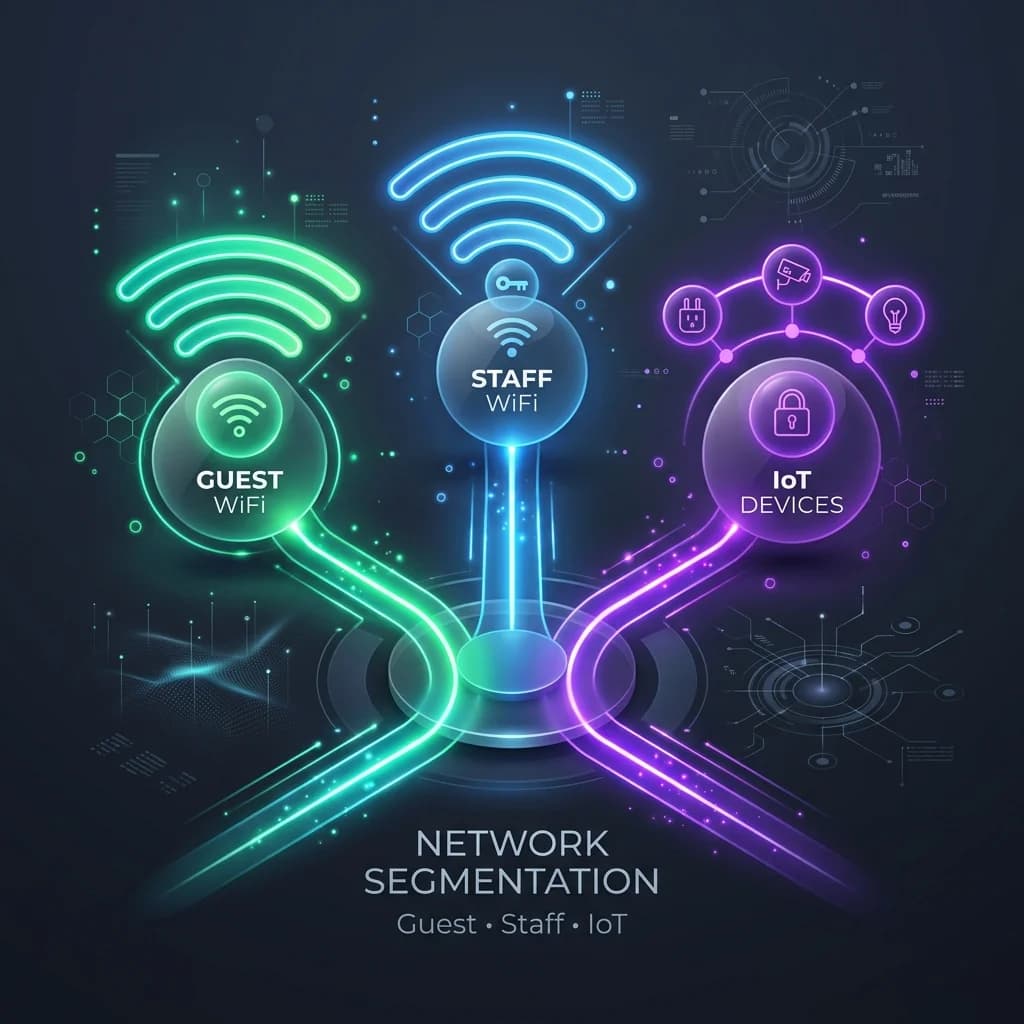
A flat network, where every single device can see every other device, is a security risk. Your smart TV or internet-connected thermostat simply doesn't need to communicate with your work laptop. Creating separate virtual networks is a crucial step in building a secure system.
This is typically done using VLANs (Virtual Local Area Networks). Most quality access points let you create multiple Wi-Fi networks (SSIDs) and assign each one to a different VLAN. A common and highly effective strategy is to create three distinct networks:
- Main Network: For trusted devices like your laptops, phones, and computers. This is your primary, high-security zone.
- Guest Network: For visitors. This network provides internet access but is completely isolated from your main devices and files.
- IoT Network: For all your "smart" gadgets like cameras, speakers, and thermostats. These devices are often less secure, so isolating them prevents a vulnerability in one from affecting your entire network.
This segmentation dramatically improves security and is a core principle of good network hygiene. Effective network segmentation is also key for managing internet usage, which you can read more about in our guide to improving bandwidth management .
The demand for this level of performance is surging across the UK. In fact, the UK commands a solid 25% share of the European Gigabit Wi-Fi Access Point market. This market, valued at €350.0 million, highlights the growing need for high-speed connectivity in homes and businesses alike. Discover more insights about this trend from Market Research Future's detailed forecast .
Taking Your Network from Home-Grade to Pro-Grade
When your network needs to serve more than just your immediate family—think a home business, a block of flats, or a shared community space—the game changes. Standard consumer-grade security and management tools just don't cut it anymore. You need something that offers robust protection and effortless control, but without the headache of enterprise-level complexity.
This is the point where you elevate your setup from a simple home network to a professionally managed asset. It’s about ditching the single, shared password scrawled on a piece of paper and adopting a much smarter, more secure approach based on who is actually using the network.
Moving Beyond the Shared Password Problem
Let's be honest: the traditional shared Wi-Fi password is fundamentally broken in these environments. It’s insecure, a pain to manage when people come and go, and it offers zero accountability. A far better way is to give each person their own secure, individual login.
Modern platforms let you create a secure access system where each resident or guest connects with their own unique credentials, just like they would for any online service. This immediately boosts security by making sure only authorised people can get onto your network.
This simple shift means you can grant or revoke access for a specific person in seconds, without affecting anyone else. It transforms your network from an insecure free-for-all into a controlled, accountable, and professional service.
This isn't just a model for big businesses. It's a critical feature when you're looking for the best home access points for build-to-rent properties, co-living spaces, or even large households that want better control over who gets online.
The Magic of Automatic, Secure Connections
Imagine a Wi-Fi experience as seamless as your phone connecting to a mobile network. You connect once, and from then on, your device is automatically and securely recognised every time you're in range. This isn't science fiction; it’s a reality with technologies like Passpoint and OpenRoaming.
These are industry standards built to get rid of the friction of logging into Wi-Fi. Instead of fumbling with network lists and passwords, devices that have a Passpoint profile can connect automatically and securely.
- For Residents: They enrol their devices just once. After that, their connection is seamless every time they come home, letting them move between common areas and their flat without a single drop-out.
- For Guests: Visitors can be given temporary, secure access without you ever having to share your main network password.
- For You: Management becomes a breeze. No more forgotten password requests or the security risk of old, shared passwords still floating around.
Tying It All Together with Simple Integration
Adopting these advanced features doesn't have to mean ripping out all your hardware and starting from scratch. Many modern, cloud-based platforms are designed to work with the leading access point manufacturers you already know and trust.
This means you can often layer these powerful identity and management tools right on top of the high-performance hardware you either already have or plan to buy. For instance, Purple's platform integrates smoothly with popular brands like Meraki, Aruba, and UniFi, allowing you to deploy a sophisticated, secure network in weeks, not months.
By combining the right access points with an identity-based management layer, you create a system that is:
- More Secure: Individual credentials and strong encryption protect everyone.
- Easier to Manage: Centralised, cloud-based control makes adding or removing users simple.
- Vastly More Professional: It delivers the kind of seamless, high-quality connectivity that people now expect.
This approach really does bridge the gap, offering home-like simplicity with enterprise-grade security. It’s proof that advanced network management is no longer just for the big corporations.
Making the Right Choice for Your Home
Picking the best home access point isn't about finding a single 'best' product. It's about choosing the right system for your unique space. We've waded through the tech and the different ways to set things up; now it’s time to pull it all together so you can make a smart, confident decision.
Forget generic top-10 lists. Instead, we'll use a simple checklist and a comparison matrix to cut through the noise. This approach gets straight to the point, guiding you from your specific challenges—like those pesky brick walls or a house full of smart gadgets—to the ideal setup.
Your Personalised Network Checklist
Before you pull the trigger, take a moment with these questions. Your answers will point you directly to the tech and layout that will actually work for you, saving you from overspending on features you'll never use or underinvesting and being stuck with dreaded dead zones.
- Property Size: Are you in a small flat (under 1,500 sq ft), a medium-sized house with a few floors, or a larger property where you need Wi-Fi in the garden?
- Construction: What are your walls made of? Mostly plasterboard, or are you dealing with signal-killers like brick, stone, or concrete?
- Device Density: How many gadgets are online at any given time? Is it a handful of phones and a laptop, or are we talking over 50 smart home devices, cameras, and computers?
- Performance Needs: Is your main goal just browsing and streaming? Or do you need rock-solid, low-latency performance for competitive gaming and glitch-free 4K video calls?
- Security and Management: Do you just need simple, family-friendly security? Or are you running a home business or renting out rooms, requiring separate, isolated networks for tenants?
This decision tree gives you a quick visual on how network needs evolve from a typical family home to a more complex small business or multi-tenant setup.

The takeaway is simple: as your network's job gets more complicated, the more you need proper, structured security and management features to keep things running smoothly and safely.
Which Network Setup Is Right for You?
Now, let's turn your checklist answers into a practical choice. This matrix is designed to help you quickly match your property type and user needs with the best deployment strategy, so you can be confident you're picking the right tool for the job.
By mapping your needs to one of these columns, you ensure the hardware you buy is perfectly suited to both your physical environment and your digital lifestyle.
Choosing the right network layout is the single most important decision for achieving whole-home coverage. A powerful access point in the wrong type of house will always be outperformed by a well-planned system.
This final step transforms all those technical specs into a practical, tailored recommendation. It’s the difference between just buying a box and building a high-performance network that simply works. Match your real-world needs to the right architecture, and you'll end up with a reliable, fast, and secure connected home for years to come.
Frequently Asked Questions
Diving into the world of home networking can definitely bring up a few questions. Let's tackle some of the most common ones that pop up when you're trying to choose and set up the best access points for your home.
What Is the Difference Between a Router and an Access Point?
This is easily the most common point of confusion, and for good reason. Think of your router as the brain of your home network—it's the traffic controller that manages all your devices, hands out local IP addresses, and connects your whole house to the internet.
An access point, or AP, has a much more specific job. It takes the wired internet connection from your router and turns it into a powerful wireless signal. While the all-in-one box your internet provider gave you has a basic AP built-in, a dedicated access point is a specialist, designed from the ground up to deliver better Wi-Fi performance, range, and capacity.
Can I Mix and Match Access Point Brands?
Technically, you can. You can have APs from different brands broadcasting the same Wi-Fi network name (SSID) and password. But in practice, it's not a great idea if you want a smooth, reliable experience.
Features like fast roaming, which lets your phone seamlessly switch from one AP to the next as you walk around, often rely on proprietary tech. For these systems to work properly, all the APs need to speak the same language, either with each other or with a central controller. Sticking with a single brand ensures everything works together as a cohesive system.
When you mix brands, you lose the "system" benefit. Each AP acts as an independent island rather than part of a coordinated team, which can lead to "sticky client" problems and a less stable connection overall.
How Many Access Points Do I Need?
There’s no magic number here; it really comes down to your home’s size, layout, and what it’s made of. But we can use a solid rule of thumb to get you started:
- Small Flat/Open Plan (Under 1,500 sq ft): One high-quality, centrally located access point will often do the trick.
- Medium House (1,500 - 3,000 sq ft): You’re likely looking at two access points, maybe one for each floor or at opposite ends of the house.
- Large House (3,000+ sq ft): Plan for at least three access points, placed strategically to cover the main living areas, offices, and any important outdoor spots.
Don't forget that building materials like brick, concrete, and even certain types of insulation are Wi-Fi signal killers. You might need an extra AP in an older or more solidly built home. Once you've upgraded to your new high-performance access points, it's crucial to understand how to master home electronics waste disposal responsibly.
At Purple, we specialise in creating secure, seamless, and manageable Wi-Fi solutions that elevate any network. Our platform integrates with leading hardware to replace insecure shared passwords with powerful, identity-based access for any environment, from multi-tenant properties to large-scale venues. Learn more at https://www.purple.ai .