
Comment améliorer l'expérience client dans les restaurants
Ce guide de référence technique présente en détail comment les directeurs IT et les exploitants de restaurants peuvent exploiter le WiFi invité d'entreprise, les analyses et l'intégration CRM pour transformer l'expérience de restauration. Il aborde l'architecture, les stratégies de capture de données et le ROI réel pour stimuler les visites répétées et la fidélité.
Écouter ce guide
Voir la transcription du podcast
📚 Fait partie de notre série principale : WiFi Marketing Guide →
Synthèse
Pour les établissements de restauration modernes, le WiFi invités n'est plus un centre de coûts - c'est un canal d'acquisition de données critique et un pilier fondamental de l'expérience client. Les responsables informatiques, les CTO et les directeurs de l'exploitation des établissements sont confrontés à un double défi : fournir une connectivité sécurisée à haut débit tout en capturant des données de première main exploitables. Ce guide détaille comment améliorer l'expérience client en restaurant en transformant l'infrastructure réseau standard en un moteur d'analyse générateur de revenus. En intégrant le guest WiFi aux systèmes CRM et aux programmes de fidélité, les restaurants peuvent proposer un engagement personnalisé, optimiser les opérations de l'établissement et augmenter considérablement les réservations récurrentes.
Analyse Technique Approfondie : Architecture et Capture de Données
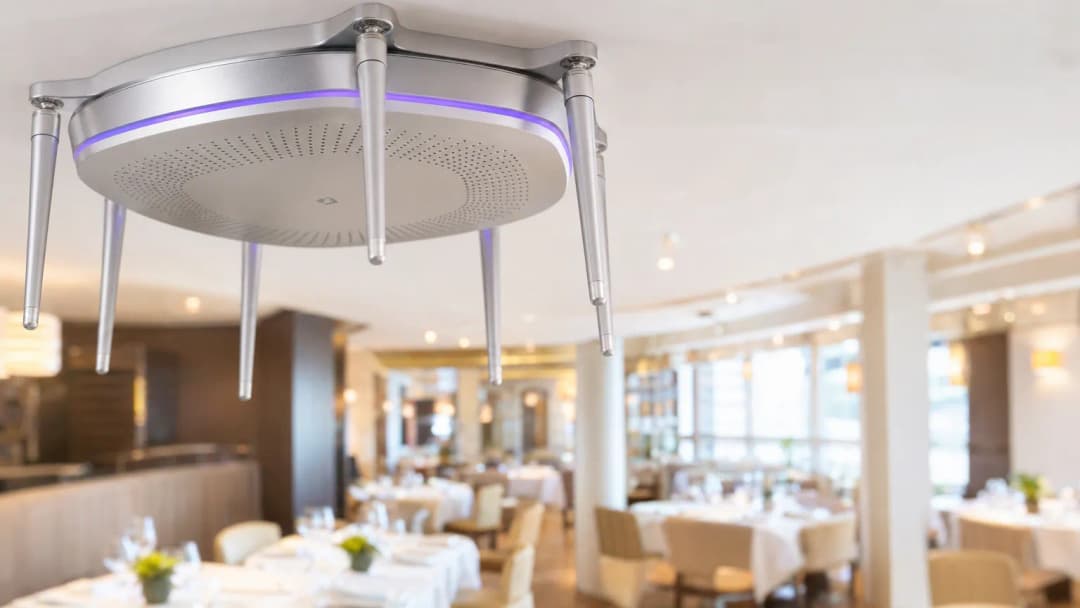
Pour comprendre comment améliorer l'expérience client dans l'environnement d'un restaurant, nous devons d'abord examiner l'architecture technique sous-jacente. Un déploiement robuste nécessite des points d'accès haute densité capables de gérer des connexions simultanées sans dégradation des performances. La transition vers le Wi-Fi 6 (IEEE 802.11ax) est essentielle pour réduire la latence dans des environnements denses comme une salle de restaurant animée.
Le Captive Portal comme Passerelle de Données
Le Captive Portal est l'interface principale pour l'interaction avec les invités. Lorsque les utilisateurs se connectent, ils sont redirigés vers une page de connexion personnalisée. C'est le cœur même du marketing WiFi pour restaurants. Au lieu d'un mot de passe WPA3 partagé, les invités s'authentifient par e-mail, numéro de téléphone ou réseaux sociaux. Cet échange de connectivité contre des données permet aux établissements de créer des profils d'invités complets.
Authentification Transparente et OpenRoaming
Pour réduire les frictions, les solutions de classe entreprise s'appuient sur une authentification transparente. Des technologies telles que Passpoint (Hotspot 2.0) et OpenRoaming permettent aux appareils de se connecter automatiquement après la configuration initiale. Purple agit comme un fournisseur d'identité gratuit pour OpenRoaming sous la licence Connect, garantissant une expérience sécurisée et fluide tout en permettant la capture de données.

Guide d'Implémentation : Déploiement et Intégration
Le déploiement du WiFi à des fins de marketing nécessite une approche stratégique de la planification radioélectrique et de l'intégration des systèmes.
Planification Radioélectrique et Cartographie Thermique
Avant le déploiement, effectuez une étude de site approfondie. Les environnements de restauration présentent des défis RF uniques, notamment les interférences causées par les équipements de cuisine (fours à micro-ondes) et l'atténuation du signal due aux murs épais ou aux installations métalliques. La cartographie thermique (heatmapping) garantit un positionnement optimal des points d'accès afin d'éliminer les zones mortes et de garantir un débit constant.
Intégration CRM et Analytics
La valeur du WiFi invité pour la restauration réside dans les données. Le Captive Portal doit s'intégrer de manière transparente via API avec les plateformes de CRM et d'automatisation du marketing existantes. Lorsqu'un invité se connecte, son adresse MAC est liée à son profil. Cela permet des analyses de présence - suivi du temps de séjour, de la fréquence des visites et des déplacements entre les différents établissements. Pour une vision complète de la connectivité, consultez Qu'est-ce qu'une ligne louée ? Internet dédié pour les entreprises afin de garantir un réseau de backhaul fiable.
Meilleures pratiques pour le WiFi dans l'hôtellerie et la restauration
- Personnalisez le portail aux couleurs de la marque : Veillez à ce que le Captive Portal reflète l'identité de marque du restaurant. Utilisez des éléments d'interface utilisateur épurés et évitez les formulaires trop complexes.
- Priorisez la sécurité : Implémentez l'isolation des clients sur l'SSID invité afin d'empêcher tout mouvement latéral entre les appareils connectés. Assurez la conformité avec PCI-DSS pour les réseaux de paiement et avec le GDPR pour le traitement des données.
- Personnalisez l'expérience : Tirez parti des données capturées pour proposer des offres ciblées. Si un client est un habitué, déclenchez un e-mail ou un SMS automatisé contenant une récompense de fidélité. Consultez Comment la personnalisation augmente la fidélité des clients et les ventes pour des informations plus approfondies.
- Gérez la bande passante : Implémentez une mise en forme du trafic (traffic shaping) au niveau de la passerelle afin de donner la priorité aux applications critiques (telles que les systèmes de point de vente) par rapport au streaming vidéo des invités.
Dépannage et atténuation des risques
Principaux modes de défaillance
- Interférence co-canal : Un mauvais positionnement des points d'accès ou une configuration de canal incorrecte peuvent provoquer des interférences et dégrader les performances. Utilisez la gestion radio dynamique pour optimiser la sélection des canaux.
- Abandon sur le Captive Portal : Si le processus de connexion est trop long ou ne parvient pas à se charger, les invités abandonneront la connexion. Surveillez les taux de réussite d'authentification et optimisez le portail pour les appareils mobiles.
- Randomisation des adresses MAC : Les systèmes d'exploitation modernes (iOS, Android) utilisent des adresses MAC aléatoires pour renforcer la confidentialité. Bien que cela complique le suivi, les appareils conservent généralement la même adresse MAC aléatoire pour un SSID spécifique. Encourager les utilisateurs à installer une application de fidélité fournit une identité persistante, ce qui atténue ce problème.
ROI et impact commercial
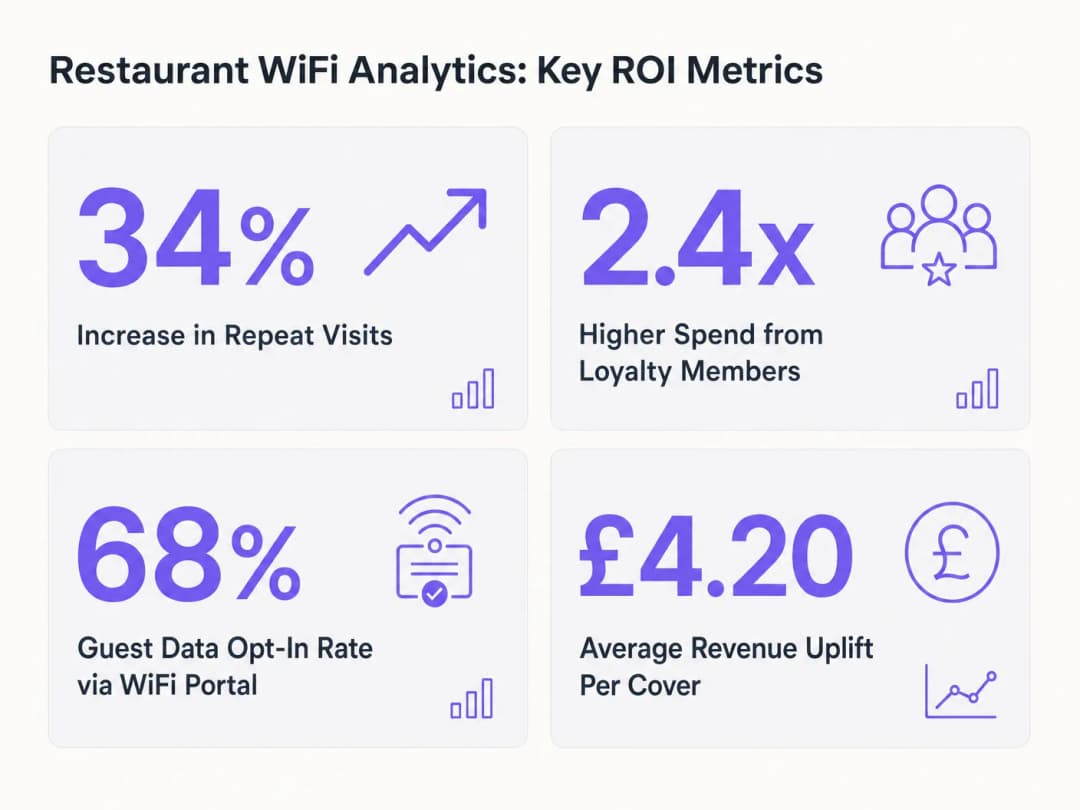
L'objectif ultime du déploiement d'une plateforme d' analyses WiFi de niveau entreprise est un ROI mesurable. En analysant les données de présence et les performances des campagnes, les établissements peuvent quantifier l'impact de leur stratégie WiFi. Les indicateurs clés incluent la croissance des visites répétées, les taux d'inscription aux communications marketing et l'augmentation du chiffre d'affaires moyen par couvert. Par exemple, une campagne d'e-mailing ciblée destinée aux clients qui ne sont pas venus depuis 30 jours - déclenchée par leur absence du réseau - peut stimuler de manière significative la fréquentation de retour.
Définitions clés
Captive Portal
Une page web que l'utilisateur d'un réseau public est obligé de consulter et avec laquelle il doit interagir avant d'obtenir l'accès.
Le mécanisme principal de capture de données dans les déploiements WiFi de restaurants.
Analyses de présence
L'utilisation des données du réseau WiFi (comme les requêtes de sonde et les adresses MAC) pour suivre la position physique et les déplacements des appareils au sein d'un établissement.
Utilisées par les directeurs des opérations pour mesurer le temps de séjour, les comportements de fréquentation et les taux de visites répétées.
Randomisation MAC
Une fonctionnalité de confidentialité dans les OS modernes où l'appareil utilise une adresse MAC temporaire et aléatoire au lieu de sa véritable adresse matérielle lors de la connexion aux réseaux.
Une considération importante pour les équipes IT lors de la conception de systèmes de suivi et de fidélisation, nécessitant des stratégies telles que des SSID persistants ou des intégrations d'applications.
Isolation des clients
Une fonction de sécurité qui empêche les appareils connectés au même réseau sans fil de communiquer directement entre eux.
Cruciale pour protéger les appareils des invités contre les menaces potentielles provenant d'autres appareils compromis sur le réseau public.
OpenRoaming
Un service de fédération d'itinérance permettant une expérience Wi-Fi automatique et sécurisée à l'échelle mondiale.
Réduit les frictions pour les clients en permettant une connexion transparente et automatique au réseau du restaurant sans connexion manuelle, tout en prenant en charge une authentification sécurisée.
Limitation du trafic
Le contrôle du trafic d'un réseau informatique afin d'optimiser ou de garantir les performances, d'améliorer la latence ou d'augmenter la bande passante utile pour certains types de paquets en retardant d'autres types.
Utilisée pour garantir que les opérations critiques du restaurant (comme les systèmes POS) ne sont pas impactées par une utilisation intensive du WiFi invité.
Données de première partie
Informations qu'une entreprise collecte directement auprès de ses clients et dont elle est propriétaire.
Le résultat principal d'une stratégie marketing WiFi réussie, très précieuse pour les campagnes CRM personnalisées.
Temps de séjour
La durée de temps qu'un visiteur passe dans une zone ou un établissement spécifique.
Une mesure clé dérivée des analyses de présence, utilisée pour comprendre l'engagement des clients et optimiser les taux de rotation des tables.
Exemples concrets
Un restaurant gastronomique de 150 couverts situé dans un bâtiment historique aux murs de pierre épais souffre d'une mauvaise couverture WiFi et de faibles taux de complétion du Captive Portal.
- Réaliser une étude sur site RF prédictive et active pour identifier l'atténuation causée par les murs en pierre. 2. Déployer des points d'accès Wi-Fi 6 supplémentaires dans des zones stratégiques, en utilisant potentiellement des antennes directives pour des zones spécifiques. 3. Simplifier le Captive Portal pour ne demander qu'une adresse e-mail ou une connexion via les réseaux sociaux, réduisant ainsi les frictions. 4. Implémenter OpenRoaming pour permettre une reconnexion transparente aux clients fidèles.
Une chaîne de restauration rapide de 50 établissements souhaite comprendre la fidélité multi-sites et standardiser sa collecte de données marketing.
- Déployer une plateforme de gestion WiFi d'entreprise unifiée sur l'ensemble des 50 établissements. 2. Configurer un Captive Portal unique et standardisé qui alimente les données dans un CRM centralisé. 3. Utiliser les analyses de présence pour suivre les adresses MAC dans les différents établissements, afin d'identifier les clients qui visitent plusieurs points de vente. 4. Créer des campagnes marketing segmentées basées sur la fréquence des visites et les préférences d'emplacement.
Questions d'entraînement
Q1. Un nouveau directeur marketing souhaite capturer 15 points de données différents (y compris l'adresse physique et la date de naissance) sur le Captive Portal pour créer des profils détaillés. En tant que responsable informatique, comment devez-vous lui conseiller ?
Conseil : Considérez la relation entre la longueur du formulaire et les taux de conversion.
Voir la réponse type
Déconseillez cette approche. Les formulaires longs entraînent des taux d'abandon élevés. Recommandez de ne capturer que les données essentielles (par exemple, l'e-mail ou le numéro de téléphone) dans un premier temps. Utilisez le profilage progressif - en capturant des points de données supplémentaires lors des visites suivantes ou via des enquêtes par e-mail après la visite - pour enrichir le profil au fil du temps sans créer de friction au moment de la connexion.
Q2. Votre chaîne de restaurants rencontre des problèmes intermittents de connectivité POS pendant les heures de pointe. Le POS et le WiFi invité partagent la même infrastructure physique. Quelle est la mesure corrective technique immédiate ?
Conseil : Examinez l'allocation de la bande passante et la ségrégation du réseau.
Voir la réponse type
Implémentez des règles de lissage du trafic et de qualité de service (QoS) au niveau de la passerelle pour donner la priorité au trafic POS par rapport au SSID invité. De plus, assurez-vous que le système POS se trouve sur un VLAN distinct et masqué, avec une allocation de bande passante dédiée pour éviter que l'utilisation des invités n'impacte les opérations critiques.
Q3. Un exploitant de site craint que la randomisation des adresses MAC dans les appareils iOS plus récents ne perturbe complètement ses analyses de présence et son suivi de la fidélité. Comment lui expliquez-vous la réalité de la situation et la stratégie d'atténuation ?
Conseil : Comment les appareils gèrent-ils la randomisation des adresses MAC pour les réseaux connus ?
Voir la réponse type
Expliquez que, bien que la MAC soit randomisée, les appareils utilisent généralement la même adresse MAC randomisée pour un SSID spécifique lors de leur retour. Par conséquent, les visites répétées sur un même site peuvent toujours être suivies. Pour créer une identité multi-sites plus robuste, recommandez d'intégrer l'authentification WiFi à une application de fidélité ou d'utiliser OpenRoaming, qui fournit une identité persistante au-delà de la MAC matérielle.
Continuer la lecture de cette série
Comment exploiter le SMS en marketing pour augmenter les visites de retour
Ce guide de référence technique décrit comment les sites d'entreprise peuvent intégrer les analyses WiFi aux moteurs de marketing par SMS pour stimuler les visites répétées. Il détaille l'architecture requise pour capturer les données de présence en temps réel, déclencher des campagnes SMS automatisées basées sur le comportement physique et mesurer l'impact direct sur les taux de retour. En alignant l'infrastructure réseau avec l'automatisation du marketing, les équipes informatiques et opérationnelles peuvent établir un canal à haut rendement pour la fidélisation de la clientèle.
Le marketing basé sur les données first-party : un guide complet pour les entreprises
Ce guide explique comment élaborer une stratégie solide de marketing basé sur les données first-party en utilisant les réseaux WiFi invités d'entreprise. Il couvre l'architecture technique pour la capture sécurisée des données via les portails captifs, les flux de consentement conformes au GDPR, les modèles d'intégration CRM et le déploiement de campagnes automatisées. Les exploitants de sites dans les secteurs de l'hôtellerie, du commerce de détail, de l'événementiel et des environnements publics y trouveront des conseils pratiques pour transformer des visiteurs passifs en une audience marketing qualifiée et propriétaire.
Plateforme de gestion des données clients : un guide complet pour les entreprises
Ce guide explique comment les exploitants de sites peuvent déployer une plateforme de gestion des données clients pour unifier les données visiteurs fragmentées. Il couvre l'architecture technique, les stratégies d'intégration et le rôle crucial du Guest WiFi dans la création de profils de données de première partie.