जब कोई गेस्ट आपके WiFi से कनेक्ट होता है, तो आपका स्प्लैश पेज सबसे पहली चीज़ होती है जो उन्हें दिखाई देती है। अक्सर यह उनके कॉफी ऑर्डर करने, अपने कमरे में चेक-इन करने या किसी शेल्फ को देखने से पहले ही सामने आ जाता है। यह इसे आपके स्वामित्व वाली सबसे अधिक देखी जाने वाली ब्रांड संपत्तियों में से एक बनाता है, और इसे अनदेखा करना सबसे आसान होता है।
एक साफ-सुथरा, ऑन-ब्रांड स्प्लैश पेज गेस्ट को बताता है कि वे सुरक्षित हाथों में हैं। एक सामान्य या खराब पेज इसके विपरीत प्रभाव डालता है। अच्छी खबर यह है कि इसे सही करने के लिए अब किसी डिज़ाइनर, डेवलपर या पूरी दोपहर के समय की आवश्यकता नहीं होती है। यहाँ बताया गया है कि वह पहली स्क्रीन क्यों मायने रखती है, और AI हर बार एक बेहतरीन छाप छोड़ने में आपकी कैसे मदद कर सकता है।
आपका स्प्लैश पेज एक ब्रांड मोमेंट है, न कि कोई एडमिन काम
WiFi लॉगिन को एक बुनियादी व्यवस्था के रूप में सोचना आसान है, जिसे बस काम करना चाहिए। लेकिन कनेक्ट होने वाला हर गेस्ट इसे देखता है, जो इसे एक वास्तविक ब्रांड टचपॉइंट बनाता है, न कि कोई बैक-ऑफिस सेटिंग।
एक अच्छी तरह से डिज़ाइन किया गया स्प्लैश पेज एक साथ कई काम करता है। यह गेस्ट को आश्वस्त करता है कि कनेक्शन वैध और सुरक्षित है। यह ठीक उसी समय आपके ब्रांड को मजबूत करता है जब आपका ध्यान किसी पर होता है। और यह उनकी बाकी यात्रा के लिए टोन सेट करता है, चाहे वह होटल में रुकना हो, भोजन करना हो, उड़ान हो या खरीदारी की यात्रा हो। इसे सही तरीके से करें और यह बिल्कुल सहज महसूस होता है। इसे गलत करें और यह उस ब्रांड का पहला संकेत है जो बारीकियों पर ध्यान नहीं देता है।
सबसे कठिन काम: ऑन-ब्रांड बने रहना
अधिकांश टीमें जानती हैं कि उनका स्प्लैश पेज ब्रांड के अनुरूप दिखना चाहिए। चुनौती इसे वहां तक पहुंचाने में शामिल काम की है।
स्क्रैच से एक पेज बनाने का मतलब आमतौर पर एक खाली कैनवास से शुरू करना और हर एलिमेंट को हाथ से जोड़ना है। इसे किसी ब्रांड से मिलाने का मतलब है ब्रांड बुक खोलना, एक-एक करके हेक्स कोड कॉपी करना, सही फोंट चुनना और एक उपयोगी लोगो की तलाश करना। इसमें से कुछ भी कठिन नहीं है, लेकिन यह जटिल और धीमा है, और जब आप कई स्थानों को प्रबंधित कर रहे होते हैं या नियमित रूप से नए ग्राहकों को सेटअप कर रहे होते हैं, तो यह तेजी से बढ़ता है।
यही वह घर्षण है जहां ब्रांड की निरंतरता अक्सर डगमगा जाती है। जो पेज पूरी तरह से ऑन-ब्रांड होना चाहिए था, वह अंततः "काफी करीब" बनकर रह जाता है, और इससे ब्रांड की छाप प्रभावित होती है।
AI आपको तेजी से एक बेहतरीन छाप छोड़ने में कैसे मदद करता है
Purple स्प्लैश पेज एडिटर में दो AI फीचर्स इस घर्षण को दूर करने के लिए बनाए गए हैं, ताकि एक पॉलिश और ऑन-ब्रांड पेज बनाना समय लेने वाले विकल्प के बजाय एक आसान विकल्प बन जाए।
विवरण से एक कस्टम HTML पेज बनाएं
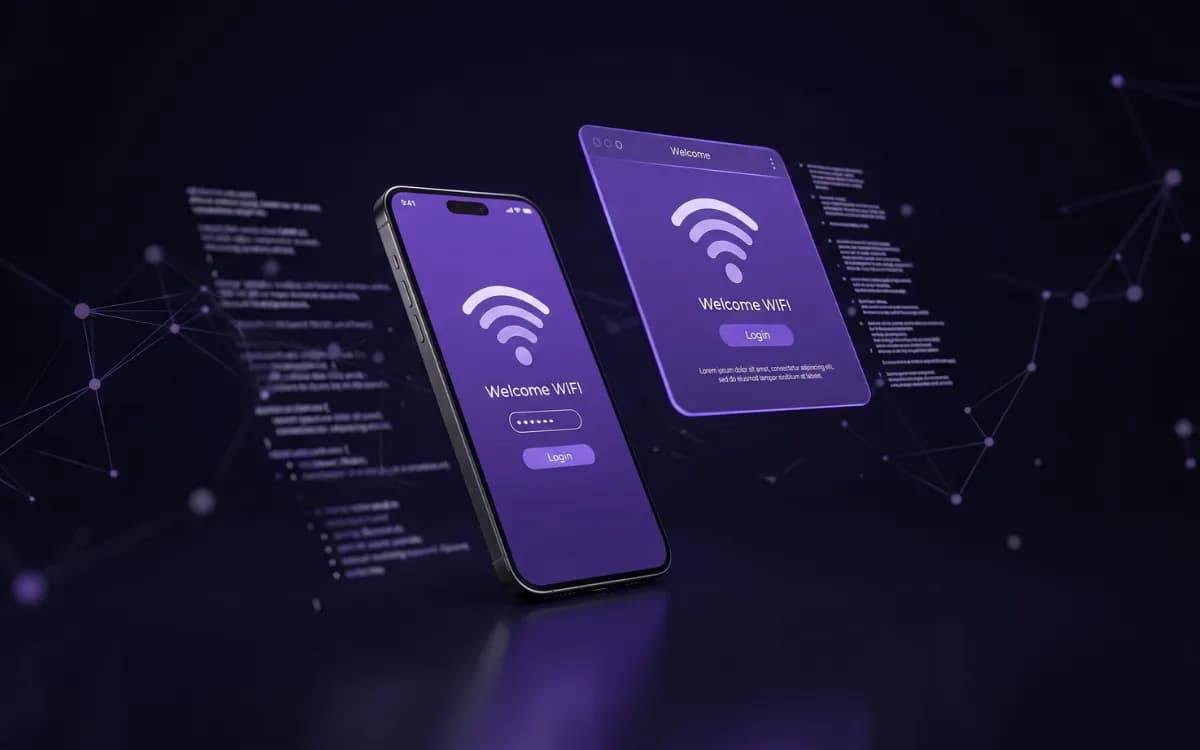
यदि आप पूरी तरह से बेस्पोक पेज चाहते हैं, तो कस्टम HTML स्प्लैश पेजों के लिए Create with AI है। आप जिस पेज को चाहते हैं उसका विवरण सीधे शब्दों में लिखें, जैसे आप किसी डिज़ाइनर को निर्देश देते हैं: अपने ब्रांड, रंगों, लेआउट और अपनी ज़रूरत के फीचर्स जैसे लॉगिन विकल्प या डायनेमिक वेन्यू विवरण को शामिल करें। अपना लोगो जोड़ें, और AI लगभग 60 सेकंड में एक पूरा, पूरी तरह से रिस्पॉन्सिव पेज बना देता है।
आप इसका पूर्वावलोकन करते हैं, और जब आप संतुष्ट होते हैं, तो यह HTML एडिटर में पूरी तरह से संपादन योग्य टेम्पलेट के रूप में खुलता है। चूंकि यह वास्तविक कस्टम HTML है, इसलिए आप इसे अपनी पसंद के अनुसार परिष्कृत करने के लिए पूरा नियंत्रण रखते हैं। शुरू करने के लिए किसी कोडिंग कौशल की आवश्यकता नहीं है, और एक बार शुरू करने के बाद कोई सीमा नहीं है।
एक मानक स्प्लैश पेज पर किसी भी ब्रांड का तुरंत मिलान करें
यदि आप कुछ त्वरित चाहते हैं, तो Style with AI हमारे मानक स्प्लैश पेजों पर काम करता है, जो किसी पेज को लाइव करने का सबसे तेज़ तरीका है। यदि आपकी ज़रूरत की ब्रांडिंग पहले से ही किसी वेबसाइट पर मौजूद है, तो यह आपके लिए मिलान का काम करता है। किसी ब्रांड का होमपेज URL पेस्ट करें और AI रंग, फोंट और लोगो निकाल लेता है, फिर उन्हें सुझावों के रूप में वापस पेश करता है। आप एक-एक करके उनका पूर्वावलोकन करते हैं, जो आप चाहते हैं उसे टिक करते हैं और लागू करते हैं। जब तक आप इसे लागू करना नहीं चुनते, तक कुछ भी नहीं बदलता है, इसलिए आप पूरी तरह से नियंत्रण में रहते हैं।
यह ब्रांड-मिलान के धीमे, मैन्युअल काम को एक मिनट से भी कम समय में होने वाले काम में बदल देता है, जो एक नए वेन्यू या ग्राहक को जल्दी और सटीक रूप से सेटअप करने के लिए आदर्श बनाता है।
निरंतरता, बड़े पैमाने पर
कई साइटों पर WiFi का प्रबंधन करने वाले किसी भी व्यक्ति के लिए, ब्रांड की निरंतरता एक बार का काम नहीं है। यह कुछ ऐसा है जिसे आपको हर बार एक नया पेज लॉन्च करने या एक नए वेन्यू को ऑनबोर्ड करने पर बनाए रखना होता है।
यहीं पर AI अपनी उपयोगिता साबित करता है। निर्माण और ब्रांडिंग से मैन्युअल प्रयास को हटाकर, यह न केवल प्रमुख स्थानों बल्कि हर एक स्प्लैश पेज को समान पॉलिश और ऑन-ब्रांड फिनिश देना वास्तविक बनाता है। गेस्ट जहां भी कनेक्ट होते हैं उन्हें एक सुसंगत अनुभव मिलता है, और आपका ब्रांड हर बार ठीक उसी तरह दिखाई देता है जैसा उसे होना चाहिए।
आज ही एक मजबूत पहली छाप छोड़ें
आपका स्प्लैश पेज एक छोटा स्क्रीन है जिसका काम बहुत बड़ा है: यह कनेक्ट होने वाले प्रत्येक गेस्ट के साथ आपका हाथ मिलाना है। Create with AI और Style with AI के साथ, उस हाथ मिलाने को सार्थक बनाने में केवल कुछ मिनट लगते हैं, पूरी दोपहर नहीं।
मौजूदा ग्राहक इन्हें आज़माने के लिए Purple पोर्टल में Splash Pages पर जा सकते हैं। या यदि आप Purple के गेस्ट WiFi समाधान के बारे में अधिक जानना चाहते हैं, तो अधिक जानने के लिए हमारे विशेषज्ञों में से किसी एक से बात करें।