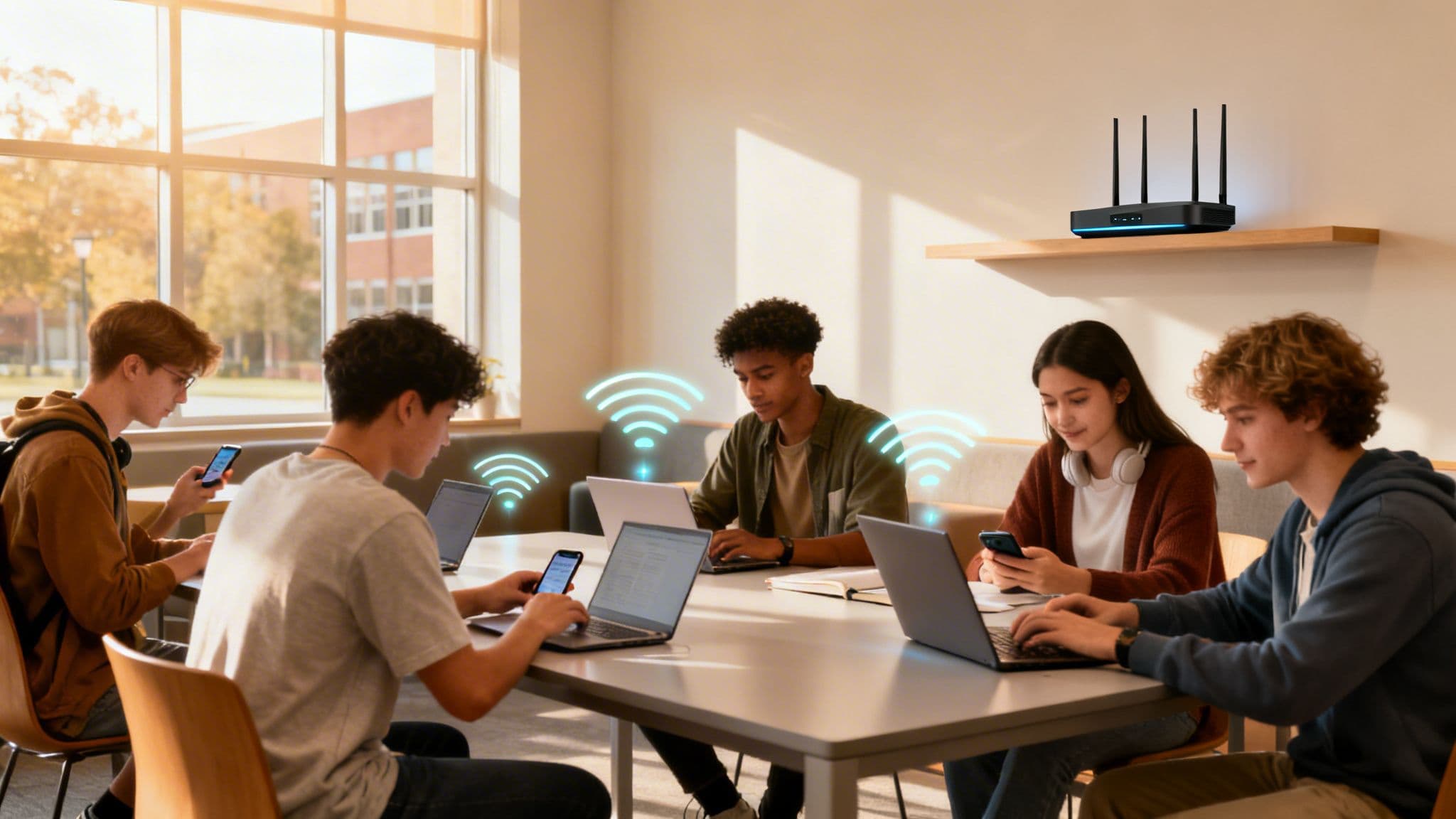
Let's be honest—for today's students, rock-solid WiFi for students isn't a perk; it's as vital as electricity. This is the one utility they simply won't compromise on, powering their entire academic and social lives. We're not just talking about streaming shows. It's the absolute foundation of modern education and a huge factor in where they choose to live.
Why Great WiFi is No Longer an Option, It's the Standard

The days when WiFi was a "nice-to-have" amenity in student accommodation are long gone. It's now the critical infrastructure that the entire student experience is built upon. From the lecture hall to the living room, every part of a student's day is tied to their digital connection.
This shift has been driven by some massive changes in higher education itself. Universities now lean heavily on:
- Live-streamed and on-demand lectures, which need a stable, high-bandwidth connection to work.
- Cloud-based research platforms and digital libraries, making slow internet a direct barrier to study.
- Global collaborative projects using tools like Microsoft Teams or Google Workspace, which are impossible with a laggy connection.
The Real Cost of a Bad Connection
Think about it from a student's perspective. A spinning loading wheel during a timed online exam or a dropped call during a virtual group presentation isn't just a small annoyance. It's a huge source of stress that directly puts them at an academic disadvantage. That frustration is real and can seriously affect their performance and well-being.
This is the reality of our digital-first society. In the UK, with 68.1 million internet users, we're looking at a 97.8% penetration rate as of late 2025. Students are right at the centre of this. This near-total connectivity has reshaped education, with median fixed broadband speeds jumping to 143.83 Mbps by the end of 2025—a 32.4% year-on-year increase—just to keep pace with demand. You can dig deeper into these numbers in DataReportal's latest UK analysis .
Providing robust WiFi isn't about ticking a box on a list of amenities anymore. It's a fundamental requirement for creating a competitive and supportive student environment. Getting this wrong is a fast track to negative reviews and empty rooms.
Your Most Powerful Competitive Edge
For property managers and purpose-built student accommodation (PBSA) providers, thinking of high-quality WiFi as just another cost is a massive business mistake. It's actually a strategic investment and one of your most powerful tools for standing out from the competition.
When prospective students and their parents tour a property, one of the first things they ask about is the internet. A confident answer detailing a fast, secure, and seamless network can be the very thing that seals the deal.
Putting money into a superior network pays off in real, tangible ways:
- Attracts and Keeps Tenants: It ticks a major box for students, making your property far more appealing.
- Boosts Academic Success: By getting rid of tech headaches, you're actively helping your residents succeed in their studies.
- Improves Your Reputation: Positive online reviews gushing about "amazing WiFi" are pure marketing gold in the student housing world.
- Cuts Down Operational Headaches: A well-designed system means fewer support tickets and complaints, freeing up your staff's time.
Ultimately, exceptional WiFi for students is a core part of the modern educational experience. It’s an investment in student success, your own operational efficiency, and your property's long-term value in the market.
Designing a Network That Actually Works for Students
Building a WiFi network that can handle the sheer intensity of student life is about more than just providing a signal. It means tearing up the old rule book. You need to stop counting users and start thinking about device density and real-world behaviour. This is the only way to build a network that doesn't just work, but excels.
The old model of one or two devices per student is completely broken. Today's students don't just bring a laptop; they bring a whole tech ecosystem. Think about it: a single student might have a laptop, a smartphone, a tablet, a games console, a smart TV, and a smart speaker. Suddenly, one person is putting the strain of six devices on your network, all fighting for bandwidth at the same time.
When you multiply that by hundreds of residents, the true scale of the challenge snaps into focus. Planning for reliable WiFi for students means designing for this high-density reality right from the start.
From Blueprint to Bandwidth
Your first, non-negotiable step is a professional site survey. Don't even think about skipping this. Student accommodation and campus buildings are notoriously complex WiFi environments, packed with signal-killing materials like concrete, steel, and insulated walls that create infuriating dead zones.
A proper site survey is a technical deep dive, not just a casual walkthrough. It maps out the entire RF landscape:
- Radio Frequency (RF) Environment: Hunting down sources of interference from neighbouring networks, microwave ovens, and even certain types of lighting that can wreak havoc on your signal.
- Building Material Impact: Analysing exactly how walls, floors, and weird layouts will absorb or reflect WiFi signals.
- Optimal Access Point (AP) Placement: Pinpointing the perfect spots for your APs to guarantee total coverage without them screaming over each other on the same channel.
This survey gives you the critical data to create a predictive model, showing you how the network will perform before you’ve spent a penny on hardware. It’s the difference between guessing and knowing.
Think of it like this: You wouldn't build a house without an architect's blueprint. A site survey is the blueprint for your network, ensuring a solid foundation for everything that comes next.
Choosing Your Hardware and Software Partners
Once your network design is mapped out, you need to pick your technology stack. This means choosing both the physical hardware and the management platform that will actually run the show.
On the hardware side, you'll want to look at enterprise-grade gear from vendors like Cisco Meraki , Aruba , and Ruckus . They all build solutions for these kinds of high-density environments. Meraki is famed for its simple cloud management, Aruba for its powerful performance features, and Ruckus for its patented antenna tech that works wonders in tough RF conditions. The right one for you will depend on your building, budget, and your IT team's comfort level.
But hardware is only half the story. The management layer is what turns a box of access points into a smart, unified system. This is where a platform like Purple becomes the brains of the operation. By integrating with these top hardware vendors, Purple gives you a central command centre for authentication, security, and analytics.
For property managers running student residences, a top-tier WiFi network is just one piece of the puzzle. Efficiency in other areas is just as important. Exploring the best property management apps can help automate and simplify daily tasks, freeing up valuable time to focus on student-facing services like connectivity.
Planning for Peak Demand
Finally, designing a network that actually works for students means planning for the inevitable chaos of peak demand. We’re not talking about average use. We’re talking about that rainy Tuesday night when everyone is streaming lectures, battling it out in online games, and video calling home—all at once.
Your network architecture has to be built for this "all-hands-on-deck" scenario without grinding to a halt. This boils down to three things:
- Sufficient Internet Backhaul: Your main internet pipe must be fat enough to handle everyone being online simultaneously. Don't skimp here.
- Intelligent Traffic Shaping: You need the ability to prioritise critical applications like video lectures over less essential traffic during those peak hours.
- Scalable Architecture: Choose a system that can grow with you. Because device counts and bandwidth demands are only going in one direction: up.
By focusing on device density, insisting on a thorough site survey, and engineering for peak demand, you create a network that is resilient, scalable, and delivers the kind of consistent performance students now see as a basic utility. This proactive approach ensures your WiFi is celebrated as a key asset, not cursed as a constant source of support tickets.
Moving Beyond Passwords for Student Onboarding
Let's be honest, the single biggest point of friction in any student WiFi network is the login. Those old-school methods—shared passwords written on a noticeboard or clunky captive portals —are a fast track to frustrated students and a mountain of support tickets. Even worse, they're a gaping security hole in an environment packed with personal data.
The goal has to be making connection both effortless and completely secure. We need to ditch any system that forces students to repeatedly type a password. It's time to embrace modern, automated onboarding that authenticates users seamlessly and safely from their very first day on campus.
The Problem with Old-School Logins
Shared passwords are a security nightmare. It’s the kind of thing you might pop in a welcome email, but they get passed around, compromised, and are never, ever changed. Every time a student leaves, you’re stuck with a massive security risk unless you go through the painful process of changing the password for every single person left.
Captive portals aren't much better, despite looking more professional. They create a terrible user experience by forcing students to constantly re-authenticate, which interrupts their work and floods your support desk with complaints. They are also a prime target for phishing attacks, where criminals create fake login pages to steal credentials. It's an administrative headache that only provides a false sense of security.
The ideal onboarding experience should be invisible. A student arrives, their device connects securely, and it stays connected across the entire campus and their accommodation—no portals, no passwords, just seamless, encrypted connectivity.
This isn't some far-off dream. It's entirely achievable today with technology designed for exactly this purpose.
Comparing Student WiFi Authentication Methods
To help you choose the right path, this table breaks down the most common authentication methods, contrasting the old with the new. It’s designed to give you a clear view of the security, user experience, and administrative effort involved with each one.
As you can see, modern methods like 802.1X with certificates and Passpoint offer a vastly superior experience for students while dramatically improving security and lowering the day-to-day burden on your IT team. They represent a fundamental shift from managing passwords to managing identities.
Embracing Modern Secure Authentication
To build a truly modern network, you have to look at authentication that automatically ties a user's identity to their access rights. This is where passwordless onboarding really shines, delivering a top-tier experience for students and a more secure, manageable network for you.
Passpoint (and OpenRoaming): This is the gold standard for seamless, secure connectivity. Once a student authenticates for the first time, their device gets a profile. From that moment on, it automatically and securely connects to any authorised network—on campus, in their halls, and even at partnered locations like local cafes that are part of the OpenRoaming federation. It’s a genuine "connect once, connect everywhere" experience.
Certificate-Based Access (802.1X): This involves installing a small digital certificate on each student's device. This certificate acts like a permanent, unforgeable ID badge, granting access without ever asking for a password. It's a core piece of a Zero Trust security model, making sure only verified users and devices can get onto the network.
As you weigh up the right approach, exploring different student authentication methods can offer valuable insights into the available technologies and how they stack up against your specific security and user experience goals.
This flowchart maps out the decision-making process for designing and deploying a student WiFi network, from the initial survey right through to final deployment.
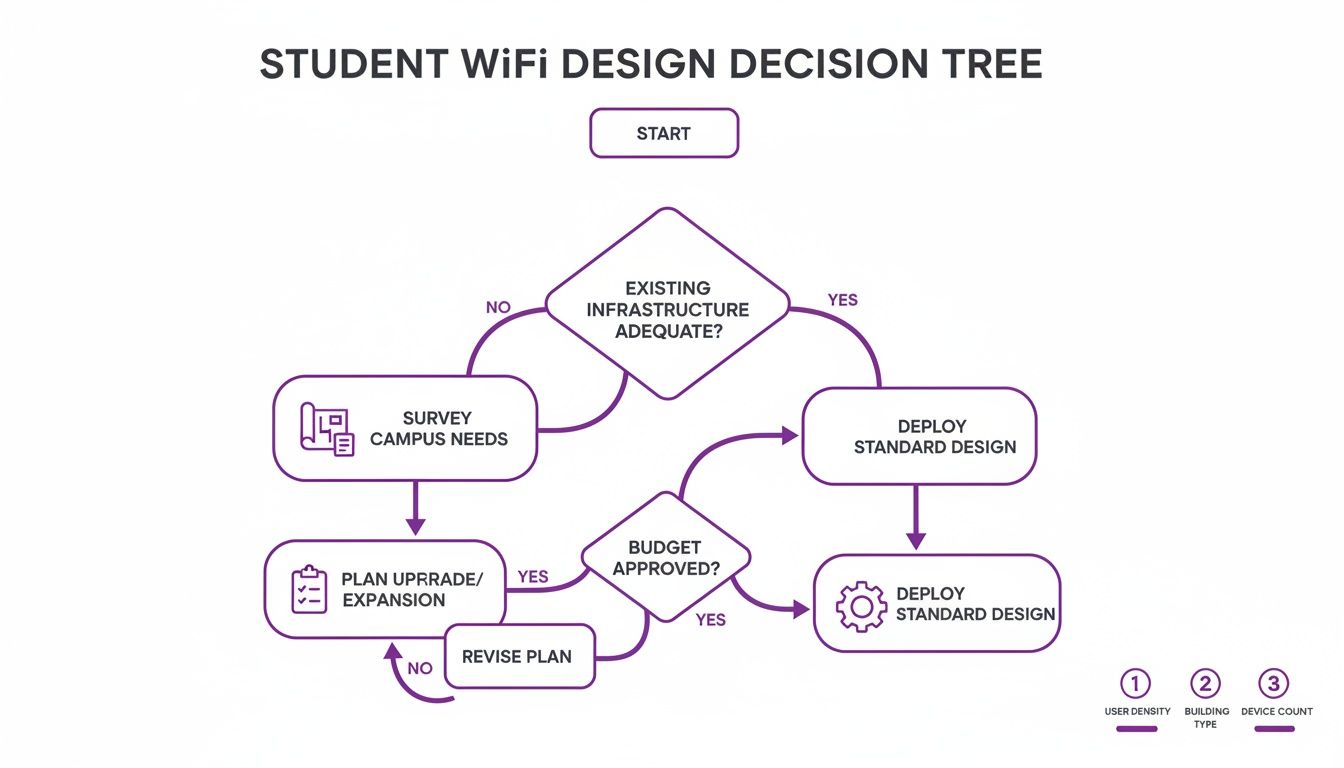
The key takeaway here is that a successful network deployment is a structured process, not a one-off task. Each stage builds on the last to ensure a reliable and robust outcome.
Integrating with Your Existing Identity Systems
The real magic happens when you connect your WiFi authentication to the university's or property's central identity provider (IdP). Systems like Microsoft Entra ID (formerly Azure AD) or Google Workspace are the single source of truth for who your students are.
By linking your network access to one of these directories, you can completely automate the entire user lifecycle.
Picture this:
A new student finishes their university registration. That single action creates their account in Entra ID. Through an integration with a platform like Purple, a secure network profile is automatically generated for them. The moment they set foot on-site, their devices connect to the WiFi instantly and securely—no support ticket needed.
Fast forward to their final year. When their status changes to "alumni" in the directory, their network access is revoked just as automatically. This Zero Trust approach guarantees that access is always current, wiping out the security risk of ex-students keeping their network privileges. This level of automation doesn't just cut down your administrative workload; it fundamentally strengthens your entire security posture.
For a deeper dive into modern authentication, you might find our guide on https://www.purple.ai/blogs/beyond-eduroam-why-ipsk-is-the-new-standard-for-student-accommodation-higher-education-wifi particularly useful.
Giving Students a Private Network Experience
When you're designing WiFi for student housing, you’re caught in a classic tug-of-war. On one side, you need enterprise-grade security and control. On the other, your residents are craving the simple, private feel of their home network. It’s a case of wanting the best of both worlds, and thankfully, today’s tech means you can actually deliver it.
This all comes down to creating a private bubble for each student or flat. A student in Flat 2A should never see their neighbour’s printer or smart speaker pop up on their device list. We achieve this with smart network segmentation and multi-tenancy, which effectively creates a Personal Area Network (PAN) for each resident within the building's wider network.
The Headache of Headless Devices
One of the biggest hurdles you’ll face is the sheer explosion of devices that can't handle enterprise-grade authentication. Just think about all the tech students bring with them today:
- PlayStation and Xbox consoles
- Smart TVs and streaming sticks like Apple TV or Chromecast
- Wireless printers
- Smart speakers like Amazon Echo or Google Home
These "headless" devices—the ones without a browser or advanced interface—simply aren't built for the secure 802.1X authentication we've talked about. Trying to connect them to a traditional enterprise network usually ends in a dead end, leaving you with frustrated students and a mountain of support tickets. This is where a more flexible approach is absolutely essential.
A Modern Solution: Identity Pre-Shared Keys
The answer to this problem lies in a technology called Identity Pre-Shared Key ( iPSK ), sometimes known as Private PSK. It’s the perfect bridge between home simplicity and enterprise security, built for the unique demands of student WiFi.
Instead of a single, shared password for the entire building, iPSK technology lets you generate a unique, personal password for every single student. They can then use this one key to connect all of their devices—from laptops and phones to those tricky headless gadgets.
An iPSK acts like a personal master key for a student's entire digital life in their accommodation. It securely ties all their devices to their identity without forcing them to navigate complex login procedures on a games console.
This approach solves several problems right away. It stops students from sharing a risky communal password and gives them a single, easy-to-remember credential for everything. For a more detailed look at creating these secure zones, you can learn more about why your residents deserve a private WiFi bubble and how to implement it.
Putting Students in Control with Self-Service
The real power of iPSK is unlocked when you pair it with a student-facing self-service portal. Platforms like Purple make this happen by giving each resident their own dashboard to independently manage their network experience.
Picture a new student moving in. They just log into a simple web portal with their university credentials. From that one dashboard, they can:
- View their unique iPSK: Their personal WiFi password is right there waiting for them.
- Add and manage devices: They can register the MAC addresses of their Xbox, smart TV, and printer directly in the portal themselves.
- Troubleshoot their own connections: The portal can even provide simple diagnostics, cutting down on calls to the support desk.
This self-service model is a massive win for everyone involved. Students get the autonomy and control they're used to at home, feeling empowered to manage their own digital world. For property managers and IT teams, it dramatically slashes the operational burden of manually onboarding hundreds of miscellaneous devices.
Ultimately, this creates a system that isn't just more secure, but also vastly more efficient. By segmenting the network into private bubbles and giving students the tools to manage their own connections, you deliver a truly premium WiFi experience. It’s the home-like simplicity they expect, backed by the robust security a high-density environment demands.
Using WiFi Analytics to Improve Student Life
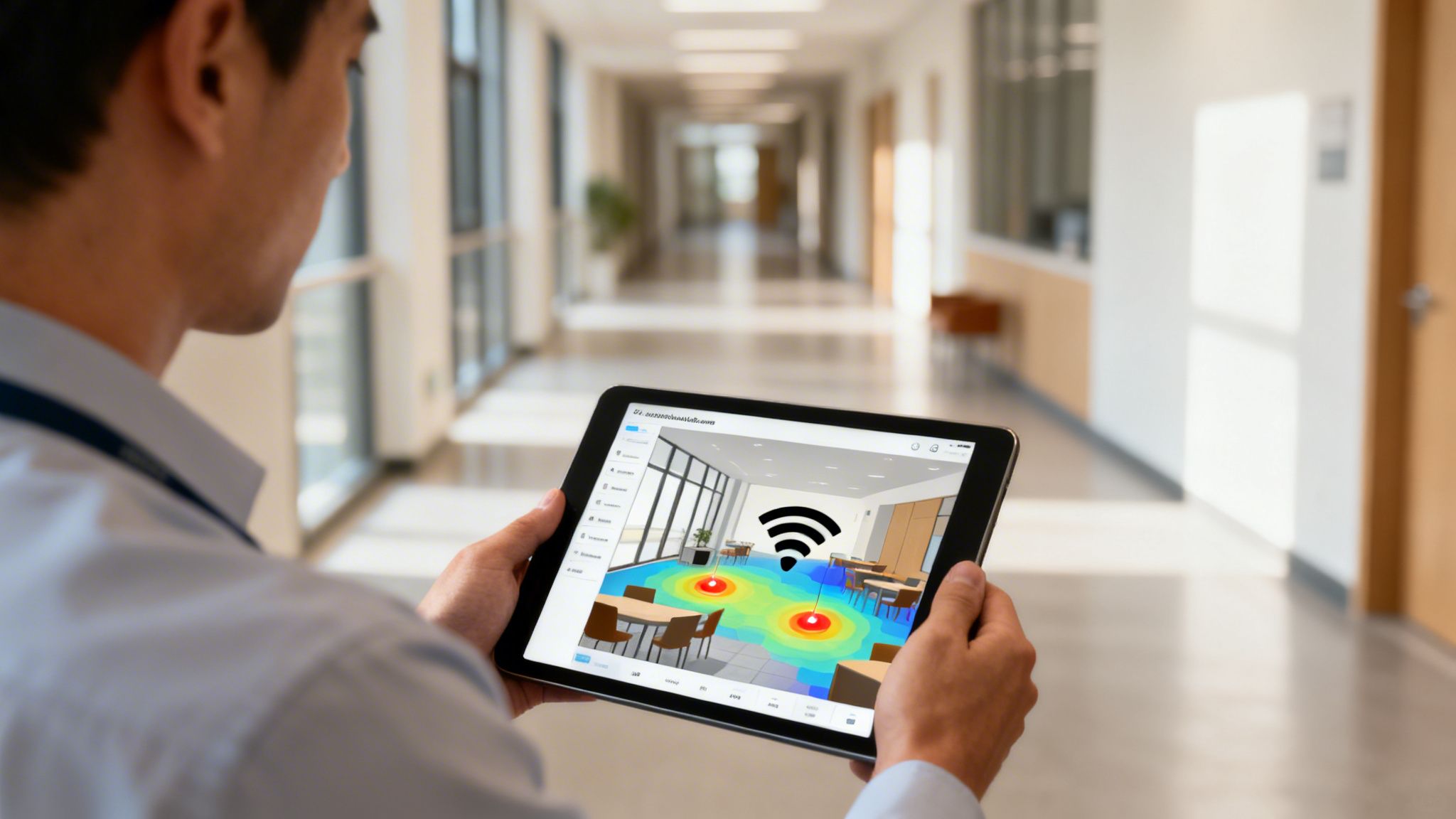
Getting your new wifi for students network up and running isn't the finish line—it’s the starting gun. The real work begins now: turning all that raw network data into actual intelligence that makes student life better. It’s time to look past basic uptime reports and start understanding the people behind the data packets.
An advanced analytics dashboard, like the one built into Purple, changes your network from a simple utility into a source of powerful insight. By visualising traffic and device connections in real-time, you can see the daily ebb and flow of student life across your properties. This is where the data starts telling stories.
For instance, a property manager might notice a newly renovated common room is always empty. The analytics make it obvious. This insight lets them dig into the why—maybe the seating is all wrong or the lighting is terrible—and make a data-backed decision to fix the space, instead of just guessing.
Turning Data into Decisions
The real-world applications for WiFi analytics are huge. When you understand how students move through and use your spaces, you can fine-tune everything from operational schedules to long-term resource planning. The data gives you a clear, unbiased picture of what’s actually happening on the ground.
These insights can help you:
- Pinpoint Peak Usage Times: See exactly when the network is slammed to manage bandwidth better and plan for future capacity needs.
- Discover Popular Hotspots: Use heatmaps to find the most-used study nooks, common areas, or library floors. This helps direct cleaning and maintenance resources where they're needed most.
- Monitor Overall Network Health: Proactively find spots with weak signal or too many devices competing for bandwidth before they turn into a flood of support tickets.
Think about a university administrator analysing student flow between lecture halls and the library. If analytics show a huge rush at one specific coffee shop right after a big lecture finishes, they could work with the shop to add staff for that 30-minute window. Shorter queues, happier students.
Good analytics don't just tell you what is happening on your network; they show you why it's happening and where you can make a difference. This transforms your IT infrastructure into a strategic asset for campus and property management.
Personalising the Student Journey
This data becomes even more powerful when you connect it to other systems. Integrating your WiFi analytics platform with a Customer Relationship Management (CRM) system lets you build a rich profile for each student, paving the way for incredibly personal and timely communication.
Imagine a student connects to the WiFi in the careers advice centre for the first time. That simple action could trigger an automated, personalised email with a link to book an appointment or browse job-seeking resources. It’s a small touch that has a massive impact, showing that you’re paying attention and responding to their needs. You can get a much deeper look into how this works by learning more about what WiFi analytics is and why it is important for your business .
Gathering Direct Feedback to Prove ROI
Finally, while analytics provide the hard numbers, they don’t always capture how students feel. This is where built-in survey tools are worth their weight in gold. After a student has been connected for a while, you can automatically pop them a short, simple survey about their WiFi experience.
This direct feedback is invaluable. It helps you:
- Quantify Satisfaction: Turn vague feelings into solid data (e.g., "85% of students rate the WiFi as 'excellent'").
- Identify Specific Pain Points: Quickly find out if a particular floor or building is a connectivity dead zone.
- Prove the ROI of Your Investment: Combine positive survey results with usage data to build a killer business case, showing exactly how the network is boosting student satisfaction and retention.
By using analytics to understand behaviour, personalising the student journey, and asking for direct feedback, you complete the loop. You're no longer just providing WiFi; you're creating a responsive, data-informed environment that constantly adapts to and improves student life.
Answering Your Top Questions About Student WiFi
No matter how well you plan, deploying and managing WiFi that can handle the demands of student life always throws up some tricky questions. As we've walked through designing, onboarding, and analysing your network, you've probably had a few practical queries pop into your head.
This is where we tackle the most common questions I hear from IT administrators and property managers on the front lines. Let's get into the practical advice for the real-world challenges you're up against.
What Is the Biggest Mistake People Make with Student WiFi?
Without a doubt, it’s underestimating device density. I still see so many plans based on an outdated "one student, two devices" model. That’s just not the world we live in anymore. Today, a single student can easily bring five or more connected devices—a laptop, phone, tablet, games console, and smart TV are pretty standard.
When you fail to plan for this from day one, you’re setting yourself up for failure. It's a surefire recipe for overwhelmed access points, painfully slow speeds, and a never-ending stream of complaints. Your entire network design, from the initial site survey to the hardware you choose, has to be grounded in the reality of a hyper-connected student population.
Another critical oversight is forgetting about the digital divide that exists even among students. We can't assume everyone has reliable internet at home. Recent research paints a stark picture: 57% of low-income families in the UK say their children struggle with poor device or internet access outside of school.
For network administrators, that isn't just a statistic. It’s a call to action. It reminds us that the WiFi we provide is a genuine lifeline for study and communication, especially when 11% of children still have no home internet access at all. You can read more about how digital exclusion affects students on edtechinnovationhub.com .
How Can We Future-Proof Our Network Investment?
Future-proofing isn't about gazing into a crystal ball. It’s about building a network that’s flexible enough to adapt to whatever comes next. The real key is to lean into scalable, standards-based technologies.
Here’s what that looks like in practice:
Invest in high-quality hardware: Don't skimp here. Opt for enterprise-grade access points from vendors like Meraki , Aruba , or Ruckus that support the latest standards, like WiFi 6E or even WiFi 7. The upfront cost is higher, but their performance, reliability, and lifespan give you a much better total cost of ownership.
Embrace cloud management: A cloud-managed network is just inherently more flexible. You can monitor performance, roll out configuration changes, and troubleshoot issues remotely without needing an engineer on-site for every small problem. This makes scaling up or tweaking policies infinitely simpler.
Adopt identity-based authentication: It's time to move on from shared passwords. Technologies like Passpoint, OpenRoaming, and certificate-based access (802.1X) tie access rights to a user's identity, not a password that can be shared or stolen. This model is far more secure and scales beautifully as your student population changes year after year.
The most future-proof decision you can make is to prioritise flexibility. Technology will always change, but a network built on an adaptable, standards-based architecture will evolve with it, protecting your investment for years to come.
Do We Really Need a Private Network for Each Student?
Yes, absolutely. In a multi-tenant environment like student accommodation, creating a personal area network (PAN) for each student or flat is no longer a "nice-to-have"—it's a fundamental requirement for security and usability.
Without it, students can see their neighbours' devices, which opens up a Pandora's box of privacy issues and creates a chaotic, frustrating user experience.
Just imagine a student trying to print a sensitive assignment, only to accidentally send it to the printer in the flat next door. Or picture someone trying to stream music and mistakenly blasting it through their neighbour's smart speaker. These aren't just minor annoyances; they're significant security and privacy risks.
Technologies like Identity Pre-Shared Keys (iPSKs) solve this problem elegantly. It effectively gives each student their own secure "bubble," letting them connect all their personal gear—including games consoles and smart TVs—as if they were on their own private home network, but with all the security of an enterprise-grade system.
Providing this private, secure experience is a massive selling point for modern student accommodation. It shows a real commitment to your residents' digital well-being and privacy, setting your property apart from competitors still relying on outdated, insecure shared networks. It proves you understand how students live and have built a service that genuinely meets their needs.
Ready to deliver a modern, secure, and seamless WiFi experience for your students? Purple replaces outdated passwords with automated, identity-based access that students love and IT teams trust. Discover how Purple can transform your student network .