একটি জনাকীর্ণ হোটেল লবি হল এমন একটি জায়গা যেখানে দুর্বল ওয়্যারলেস ডিজাইন সবচেয়ে দ্রুত প্রকাশ পেয়ে যায়। অতিথিরা ফোনে চেক-ইন করছেন, ব্যাকগ্রাউন্ডে স্ট্রিমিং করছেন, কাজের ল্যাপটপ খুলছেন, কলে যোগ দিচ্ছেন এবং আশা করছেন যে নেটওয়ার্কটি কোনো পাসওয়ার্ড প্রম্পট ছাড়াই অবিলম্বে প্রমাণীকরণ করবে যা কাজ করার আগে দুইবার ব্যর্থ হয়। একই সময়ে, কর্মীরা একই এয়ারস্পেসে প্রপার্টি সিস্টেম, পেমেন্ট ফ্লো, হ্যান্ডহেল্ড ডিভাইস এবং ব্যাক-অফিস অ্যাপ চালাচ্ছেন।
এই কারণেই 6 ghz wifi অত্যন্ত গুরুত্বপূর্ণ। এটি কেবল স্পেক শিটের জন্য আরেকটি স্পিড আপগ্রেড নয়। এটি পরিবর্তন করে যে আপনি কতটা ক্লিন ওয়্যারলেস ক্ষমতা প্রদান করতে পারেন, আধুনিক ডিভাইসগুলি কতটুকু নির্ভরযোগ্যভাবে সংযুক্ত হয় এবং ব্যবহারকারীরা অপছন্দ করে এমন ঝামেলা ছাড়াই পরিচয়-ভিত্তিক অ্যাক্সেস চালানো কতটা বাস্তবসম্মত হয়ে ওঠে।
এন্টারপ্রাইজ IT টিমের জন্য, এটি আলোচনার মোড় ঘুরিয়ে দেয়। সিদ্ধান্তটি এখন আর কেবল কোন অ্যাক্সেস পয়েন্টটি কিনবেন তা নয়। এটি কীভাবে এমন একটি ওয়্যারলেস লেয়ার তৈরি করা যায় যা ঘনত্ব পরিচালনা করতে পারে, নিরাপদ পাসওয়ার্ডহীন অ্যাক্সেস সমর্থন করতে পারে এবং হোটেল, রিটেল এস্টেট, হেলথকেয়ার সাইট, ক্যাম্পাস এবং মাল্টি-টেন্যান্ট বিল্ডিং জুড়ে পরিচালনাযোগ্য থাকে।
স্পিড আপগ্রেডের বাইরে - কেন 6 GHz WiFi এখন গুরুত্বপূর্ণ
অনেক Wi-Fi আপগ্রেড ধাপে ধাপে বিক্রি করা হয়। নতুন স্ট্যান্ডার্ড, আরও ভালো থ্রুপুট, কিছুটা ভালো ক্লায়েন্ট অভিজ্ঞতা। ঘনবসতিপূর্ণ ভেন্যুতে, এই দৃষ্টিভঙ্গি মূল বিষয়টি এড়িয়ে যায়। ওয়্যারলেসের ওপর আজকের চাপ আসে কনকারেন্সি বা সমসাময়িকতা থেকে, শুধু কাঁচা গতি থেকে নয়। আপনি প্রতি ব্যক্তির জন্য আরও বেশি ডিভাইস, আরও লেটেন্সি-সংবেদনশীল ট্রাফিক এবং আরও বেশি ব্যবসায়িক সিস্টেমের মুখোমুখি হচ্ছেন যা এয়ারটাইম ভিড় হওয়ার সাথে সাথেই ঠিকঠাক কাজ করা বন্ধ করে দেয়।

সেখানেই 6 ghz wifi কর্মক্ষমতার দিক থেকে গুরুত্বপূর্ণ হতে শুরু করে। ম্যানচেস্টারের রিটেল মলে যুক্তরাজ্যের ফিল্ড টেস্টে, এখানে উদ্ধৃত ২০২৪ ইউকে Wi-Fi অ্যালায়েন্স ফিল্ড-টেস্টের সারাংশ অনুসারে, উপলব্ধ স্পেকট্রামে ১৪টি সংলগ্ন ৮০ মেগাহার্টজ চ্যানেল দ্বারা সমর্থিত, 6 GHz বাস্তব-জগতের গতিতে ৫৬% দ্রুত পারফর্ম করেছে, যা ১৫ ফুট দূরত্বে Wi-Fi 6-এ ১.১ Gbps-এর বিপরীতে ১.৮ Gbps-এ পৌঁছেছে। গতির এই বৃদ্ধি দরকারী, তবে যেসব ভেন্যু কনটেনশন বা নেটওয়ার্কের ভিড় নিয়ে সমস্যায় ভোগে, তাদের জন্য ক্লিনার চ্যানেলের সহজলভ্যতা আরও বড় বিষয়।
ক্ষমতা ব্যবহারকারীর অভিজ্ঞতা পরিবর্তন করে
যখন একটি ওয়্যারলেস নেটওয়ার্কের স্বাচ্ছন্দ্যে চলার জায়গা থাকে, তখন এর সাথে সংযুক্ত সবকিছুই আরও ভালো কাজ করে। গেস্ট অনবোর্ডিং প্রথমবারেই কাজ করে। কোনো কনফারেন্সের ভিড় এলেও স্ট্রিমিং সেশনগুলো আটকে যায় না। পেমেন্ট ডিভাইসগুলোকে এয়ারটাইমের জন্য সাধারণ গ্রাহক ট্রাফিকের সাথে প্রতিদ্বন্দ্বিতা করতে হয় না। কর্মীদের রোমিং উন্নত হয় কারণ RF পরিবেশ ইতিমধ্যেই ওভারলোড থাকে না।
এই কারণেই 6 ghz wifi-কে শুধু "দ্রুততর Wi-Fi" বলা অত্যন্ত সংকীর্ণ ধারণা। বাস্তবে, এটি একটি ক্ষমতা এবং নির্ভরযোগ্যতার হাতিয়ার।
ব্যস্ত স্থানগুলোতে, ব্যবহারকারীদের সাধারণ অভিযোগ হলো “WiFi ধীরগতির”। মূল সমস্যাটি প্রায়শই কনজেশন, রিট্রাই এবং অসামঞ্জস্যপূর্ণ এয়ারটাইম, শিরোনামের ব্যান্ডউইথের অভাব নয়।
২০২৬ সালে এটি কেন গুরুত্বপূর্ণ
২০২৬ সালের মধ্যে, বেশিরভাগ এন্টারপ্রাইজ টিম সম্পূর্ণ নতুন নেটওয়ার্ক মূল্যায়ন করছে না। তারা মিশ্র ক্লায়েন্ট পপুলেশন, পুরানো SSID ডিজাইন এবং পাসওয়ার্ডহীন অ্যাক্সেসের ক্রমবর্ধমান প্রত্যাশার সাথে লাইভ এস্টেট আপগ্রেড করছে। WiFi 6E ছিল 6 GHz-এ প্রথম মূলধারার পদক্ষেপ। WiFi 7 আরও এগিয়ে নিয়ে যাচ্ছে, বিশেষ করে সক্ষম ডিভাইসগুলোতে লেটেন্সি এবং মাল্টি-লিংক আচরণের জন্য।
ব্যবহারিক প্রশ্নটি 6 GHz আকর্ষণীয় কিনা তা নয়। এটি হলো আপনার পরিবেশ সেই সীমাটি অতিক্রম করেছে কিনা যেখানে শুধুমাত্র 5 GHz আপনাকে মানুষের প্রত্যাশিত অভিজ্ঞতা প্রদানের জন্য যথেষ্ট পরিষ্কার স্পেকট্রাম দিতে পারছে না।
আপনি যদি হসপিটালিটি, রিটেইল, হেলথকেয়ার, স্টুডেন্ট হাউজিং, বিল্ট-টু-রেন্ট, বা মাল্টি-টেন্যান্ট অফিস পরিচালনা করেন, তবে সেই সীমাটি সম্ভবত ইতিমধ্যেই পরিবর্তিত হয়েছে।
নতুন স্পেকট্রাম 6 GHz WiFi এর মূল বিষয়গুলো বোঝা
2.4 GHz এবং 5 GHz হলো একটি ব্যস্ত শহরের মধ্য দিয়ে প্রতিষ্ঠিত রাস্তার মতো। এগুলোর এখনও গুরুত্ব আছে এবং প্রচুর ট্র্যাফিককে এগুলো ব্যবহার করতে হয়, তবে এগুলো পুরানো যানবাহন, জটিল মোড় এবং শেয়ার্ড কনজেশনে পূর্ণ। 6 GHz WiFi হলো নতুন খোলা এক্সপ্রেসওয়ে। এতে আরও বেশি জায়গা রয়েছে, কম পুরানো সীমাবদ্ধতা রয়েছে এবং এটি আধুনিক ট্র্যাফিকের জন্য তৈরি করা হয়েছে।
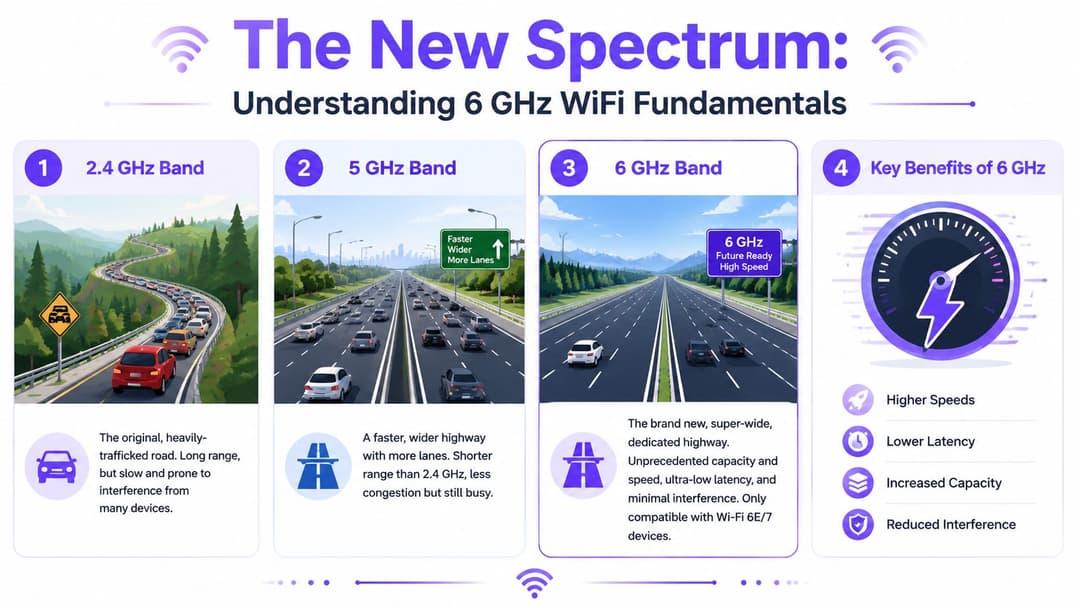
হাইওয়ের সেই উপমাটি সাহায্য করে কারণ এটি লাইভ এন্টারপ্রাইজ নেটওয়ার্কগুলোতে গুরুত্বপূর্ণ তিনটি বিষয় ব্যাখ্যা করে: ক্যাপাসিটি, পরিষ্কার এয়ারটাইম এবং কম লেটেন্সি।
আরও বেশি স্পেকট্রাম মানে আরও বেশি ব্যবহারযোগ্য ডিজাইনের বিকল্প
পুরানো ব্যান্ডগুলোর সাথে, ডিজাইন প্রায়শই আপসের একটি প্রক্রিয়া হয়ে দাঁড়ায়। আপনি চ্যানেলগুলোকে সংকুচিত করেন, ওভারল্যাপ মেনে নেন এবং কাছাকাছি সেলগুলোর মধ্যে ইন্টারফারেন্স প্রতিরোধ করার চেষ্টা করে সময় ব্যয় করেন। 6 GHz-এ, যে ডিভাইসগুলো এটি ব্যবহার করতে পারে সেগুলোর জন্য আরও চওড়া চ্যানেল তৈরি করার অনেক বেশি জায়গা রয়েছে।
এটি কেবল থাকলেই ভালো এমন কিছু নয়। এটি শপিং সেন্টার, হোটেল, লেকচার ভেন্যু এবং হাসপাতালের মতো উচ্চ-ঘনত্বের স্থানগুলোতে কী করা সম্ভব তা পরিবর্তন করে দেয় যেখানে একসাথে অনেক ব্যবহারকারী সংযুক্ত হন এবং স্থিতিশীল পারফরম্যান্স আশা করেন।
এটি বোঝার একটি সহজ উপায় এখানে দেওয়া হলো:
| ব্যান্ড | এন্টারপ্রাইজ WiFi-এ ব্যবহারিক ভূমিকা | প্রধান ট্রেড-অফ |
|---|---|---|
| 2.4 GHz | রিচ, IoT, পুরানো এবং কম-ব্যান্ডউইথ ক্লায়েন্ট | কনজেশন এবং সীমিত পরিষ্কার এয়ারটাইম |
| 5 GHz | সাধারণ-উদ্দেশ্যে এন্টারপ্রাইজ ক্লায়েন্ট অ্যাক্সেস | ভালো ভারসাম্য, কিন্তু ঘনবসতিপূর্ণ স্থানে প্রায়শই জনাকীর্ণ |
| 6 GHz | আধুনিক ডিভাইসের জন্য উচ্চ-ক্যাপাসিটি অ্যাক্সেস | সংক্ষিপ্ত পরিসর এবং কঠোর ক্লায়েন্ট সামঞ্জস্যতা |
কেন 6 GHz আরও পরিষ্কার মনে হয়
6 GHz ব্যান্ডটি এমন ডিভাইসগুলোর জন্য সংরক্ষিত যা নতুন Wi-Fi প্রজন্ম সমর্থন করে। এটি গুরুত্বপূর্ণ কারণ পুরোনো লিগ্যাসি ওভারহেড শেয়ার্ড এয়ারটাইমকে ধীর করে দেয়। যখন পুরোনো ক্লায়েন্ট, পুরোনো সিকিউরিটি আচরণ এবং জনাকীর্ণ চ্যানেল প্ল্যানগুলো সমীকরণ থেকে সরিয়ে দেওয়া হয়, তখন আপনার নেটওয়ার্ক অপ্টিমাইজ করা আরও সহজ হয়ে যায়।
আইডেন্টিটি-ভিত্তিক অ্যাক্সেসের জন্য, এই পরিষ্কার RF পরিবেশ অনেক টিমের প্রত্যাশার চেয়ে বেশি সাহায্য করে। দ্রুত অ্যাসোসিয়েশন, স্থিতিশীল অথেন্টিকেশন হ্যান্ডশেক এবং কম রিট্রাই রেট সার্টিফিকেট-ভিত্তিক এবং রোমিং-ভিত্তিক অ্যাক্সেসকে ভঙ্গুর করার পরিবর্তে তাত্ক্ষণিক করে তোলে।
ব্যবহারিক নিয়ম: 6 ghz WiFi-কে এর সর্বোচ্চ ডেটা রেট দিয়ে বিচার করবেন না। বিল্ডিং যখন পূর্ণ থাকে তখন নেটওয়ার্কটি কতটা অনুমানযোগ্য কাজ করে তা দিয়ে এটি বিচার করুন।
Wi-Fi 6E বনাম Wi-Fi 7
Wi-Fi 6E প্রথম 6 GHz-এর দরজা খুলে দিয়েছিল। Wi-Fi 7 এই ব্যান্ডটিকে আরও কার্যকরভাবে ব্যবহার করে। একটি দরকারী প্রযুক্তিগত পার্থক্য হলো মডুলেশন এবং মাল্টি-লিংক আচরণ। Wi-Fi 7-এ 4096-QAM সমর্থিত, যা Wi-Fi 6E-এর 1024-QAM থেকে বেশি, যা ২০% স্পেকট্রাল কার্যক্ষমতা বৃদ্ধি করে। ইন্টেল আরও জানিয়েছে যে মাল্টি-লিংক অপারেশনে ল্যাটেন্সি ১.৫ গুণ কম হয়, যেখানে 5 GHz-এ ৮ মিলি-সেকেন্ডের বিপরীতে মাত্র ৫ মিলি-সেকেন্ড ল্যাটেন্সি থাকে, যা আধুনিক ক্লায়েন্টদের প্রতিক্রিয়াশীল আইডেন্টিটি ওয়ার্কফ্লো এবং জিরো-ট্রাস্ট অ্যাক্সেসের জন্য অত্যন্ত গুরুত্বপূর্ণ, যেমনটি ইন্টেলের ওয়্যারলেস ব্যান্ড ওভারভিউতে উল্লেখ করা হয়েছে।
আপনার টিম যদি প্রজন্মগুলোর তুলনা করে থাকে, তবে 6E বা Wi-Fi 7-এ যাওয়ার আগে Purple-এর Wi‑Fi 6 এবং 802.11ax নির্দেশিকাটি একটি দরকারী বেসলাইন হিসেবে কাজ করতে পারে।
একটি শেষ পয়েন্ট যা প্রায়শই উপেক্ষা করা হয়। 6 GHz কিন্তু 2.4 GHz এবং 5 GHz-কে প্রতিস্থাপন করে না। এটি আপনাকে একটি ট্রাই-ব্যান্ড আর্কিটেকচার-এ আরেকটি লেয়ার প্রদান করে, যা বেশিরভাগ এন্টারপ্রাইজ ডেপ্লয়মেন্টের ক্ষেত্রে বিবেচনা করা উচিত। লক্ষ্য প্রতিটি ডিভাইসকে 6 GHz-এ ঠেলে দেওয়া নয়। লক্ষ্য হলো সঠিক ক্লায়েন্টকে সঠিক ব্যান্ডে রাখা যাতে পুরো ওয়্যারলেস এস্টেট আরও ভালো পারফর্ম করে।
UK এবং গ্লোবাল রোলআউট - নিয়ন্ত্রক ল্যান্ডস্কেপ নেভিগেট করা
UK-এর টিমদের গ্লোবাল মার্কেটিং এবং তারা যা ডেপ্লয় করতে পারে - এই দুটির মধ্যে পার্থক্য বুঝতে হবে। মার্কিন যুক্তরাষ্ট্র এবং অন্যান্য কিছু মার্কেট 6 GHz রেঞ্জের যতটা উন্মুক্ত করেছে, UK ততটা করেনি। এই পার্থক্যটি ভেন্যু প্ল্যানিংকে প্রভাবিত করে, বিশেষ করে যদি আপনি একাধিক দেশে সাইট পরিচালনা করেন এবং সব জায়গায় একটি স্ট্যান্ডার্ড ডিজাইন চান।
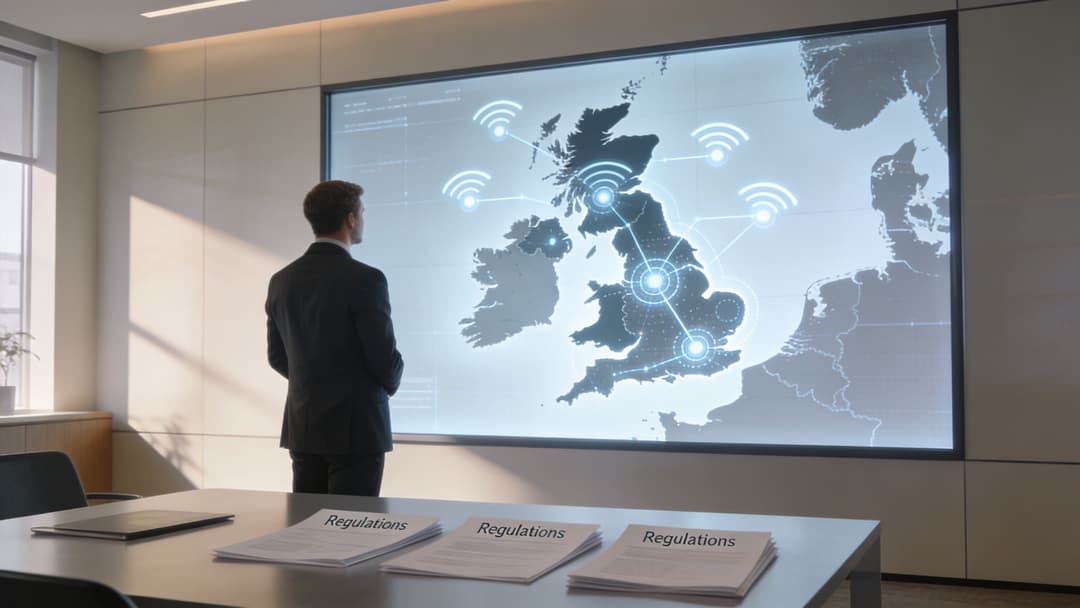
UK-তে, গুরুত্বপূর্ণ মাইলস্টোনটি স্পষ্ট। Ofcom নভেম্বর ২০২২-এ লাইসেন্সবিহীন WiFi ব্যবহারের জন্য 6 GHz ব্যান্ড উন্মুক্ত করেছে এবং কম শক্তির ইনডোর ডিভাইসের জন্য 480 MHz বরাদ্দ করেছে। Ruckus দ্বারা উল্লেখিত UK-এর ট্রায়ালগুলিতে দেখা গেছে যে এটি 5 GHz WiFi 6-এর তুলনায় ৪০% উচ্চতর থ্রুপুট প্রদান করে, যেখানে ৫৯টি নতুন 20 MHz চ্যানেল ঘন নেটওয়ার্কগুলিতে কনজেশন ৭০% হ্রাস করে, 6.0 GHz WiFi-এর এই Ruckus ওভারভিউ অনুসারে।
বাস্তবে UK নিয়মের অর্থ কী
অধিকাংশ এন্টারপ্রাইজ ক্রেতাদের জন্য, তাত্ক্ষণিক প্রভাবটি সহজ। ইনডোর কম শক্তির ডিপ্লয়মেন্টই আজ প্রধান পথ। আপনার পরিবেশ যদি কোনও হোটেল, রিটেইল ইউনিট, অফিস ফ্লোর, হেলথকেয়ার বিল্ডিং বা আবাসিক ব্লকের ভেতরে হয়, তবে সেখানে বর্তমান UK নিয়মগুলি সবচেয়ে সহজবোধ্য।
তারপরেও একটি পরিকল্পনার সমস্যা থেকে যায়। কিছু অন্যান্য দেশে উপলব্ধ সম্পূর্ণ 1200 MHz-এর পরিবর্তে UK-তে আংশিক 6 GHz অ্যাক্সেস রয়েছে। হাই-ডেনসিটি ডিজাইনের জন্য, এর অর্থ হল আপনার কাছে অর্থপূর্ণ নতুন ক্ষমতা রয়েছে, তবে সম্পূর্ণ ব্যান্ডের বিপরীতে ডিজাইন করা একজন US অপারেটরের মতো একই পরিকল্পনার সুযোগ আপনার নেই।
একটি বাস্তবসম্মত তুলনা এইরকম দেখায়:
| ডিপ্লয়মেন্ট সংক্রান্ত প্রশ্ন | আজকের UK বাস্তবতা | ব্যবসায়িক প্রভাব |
|---|---|---|
| ইনডোর এন্টারপ্রাইজ WiFi | কম শক্তির ইনডোর পরিচালনার সাথে স্পষ্ট রুট | হোটেল, রিটেইল, হেলথকেয়ার, অফিসের জন্য অত্যন্ত উপযুক্ত |
| আউটডোর উচ্চ-শক্তির ব্যবহার | আরও বেশি সীমাবদ্ধ এবং কমপ্লায়েন্স-ভারী | অতিরিক্ত পরিকল্পনার প্রয়োজন, বিশেষ করে ক্যাম্পাস এবং বাহ্যিক কভারেজের জন্য |
| গ্লোবাল স্ট্যান্ডার্ডাইজেশন | UK-তে আংশিক-ব্যান্ডের অনুমান | সমন্বয় না করে US RF প্ল্যানগুলি অনুলিপি করবেন না |
আউটডোর ব্যবহার থেকেই জটিলতা শুরু হয়
আপনি যদি 6 GHz বাইরে প্রসারিত করতে চান, তবে আপনাকে পাওয়ার ক্লাস এবং ইনকাম্বেন্ট প্রোটেকশনের দিকে মনোযোগ দিতে হবে। নির্দিষ্ট কিছু আউটডোর অ্যাক্সেস পয়েন্ট সিনারিওর ক্ষেত্রে UK-নির্দিষ্ট AFC প্রয়োজনীয়তা প্রযোজ্য হয়, এবং শহুরে পরিবেশ গ্রামীণ পরিবেশের চেয়ে বেশি সীমাবদ্ধ হতে পারে। ভেন্ডর এবং সাইট ডিজাইন অনুযায়ী বাস্তবায়নের বিশদ পরিবর্তিত হলেও প্রযুক্তিগত এবং নিয়ন্ত্রক বিষয়টি স্পষ্ট: আউটডোর 6 GHz আপনার ইনডোর প্ল্যানের একটি সহজ সম্প্রসারণ নয়।
দলগুলি সাধারণত তখনই সমস্যায় পড়ে যখন তারা ধরে নেয় যে 6 GHz নিয়ন্ত্রণ কেবল একটি চ্যানেল-পরিকল্পনার বিশদ বিবরণ। এটি সোর্সিং, বাহ্যিক কভারেজ ডিজাইন এবং রোলআউট অনুমোদনের সময়সীমা পরিবর্তন করে।
যে পরিকল্পনার ভুলটি এড়ানো উচিত
আপনার এস্টেটের প্রতিটি দেশ এটিকে একইভাবে সমর্থন করবে - এই অনুমানের ওপর ভিত্তি করে 6 GHz হার্ডওয়্যার কিনবেন না। এটি অসঙ্গত ডিজাইন, অসম ক্লায়েন্ট আচরণ এবং জটিল সাপোর্ট মডেল তৈরি করে। UK-এর ভেন্যুগুলির জন্য, আপনি এখন যে স্পেকট্রাম ব্যবহার করতে পারেন তার ওপর ভিত্তি করে ডিজাইন করুন এবং ব্যান্ডের ভবিষ্যতের সম্প্রসারণকে একটি বোনাস হিসেবে বিবেচনা করুন, কোনো নির্ভরশীলতা হিসেবে নয়।
মাল্টি - সাইট অপারেটরদের জন্য একটি কৌশলগত দিকও রয়েছে। আপনার স্বল্পমেয়াদী অগ্রাধিকার যদি আরও ভাল গেস্ট অ্যাক্সেস, সুরক্ষিত কর্মীদের অনবোর্ডিং এবং ঘন ইনডোর পরিবেশে স্বস্তি হয়, তবে যুক্তরাজ্যের বর্তমান অবস্থানটি ইতিমধ্যে দরকারী। আপনার মডেলটি যদি আউটডোর স্ট্যান্ডার্ড - পাওয়ার WiFi এর উপর ব্যাপকভাবে নির্ভর করে, তবে স্কেল করার আগে আপনার আরও বিশদ RF এবং সম্মতি পরিকল্পনা প্রয়োজন।
এন্টারপ্রাইজ ডেপ্লয়মেন্ট পরিকল্পনা আপনার 6 GHz আপগ্রেড
বেশিরভাগ 6 GHz WiFi প্রকল্প প্রথম অ্যাক্সেস পয়েন্ট মাউন্ট করার আগেই সফল বা ব্যর্থ হয়। প্রযুক্তিটি শক্তিশালী। ভুলগুলো পরিচিত। দলগুলো একটি পুরানো 5 GHz লেআউট অনুকরণ করে, ধরে নেয় যে আধুনিক ডিভাইসগুলো অলৌকিকভাবে উপস্থিত হবে, অথবা 6 GHz কে ট্রাই - ব্যান্ড ডিজাইনের অংশ হিসেবে দেখার পরিবর্তে একটি স্বতন্ত্র নেটওয়ার্ক হিসেবে বিবেচনা করে।
প্রথম কর্মক্ষম সত্যটি হলো: স্বল্প পরিসীমা স্বয়ংক্রিয়ভাবে একটি দুর্বলতা নয়। ঘন পরিবেশে, ছোট সেলগুলো কাছাকাছি থাকা অ্যাক্সেস পয়েন্টগুলোর মধ্যে হস্তক্ষেপ কমাতে পারে এবং প্রতিটি ভাড়াটে, রুম ক্লাস্টার, বিভাগ বা ফ্লোরের জন্য পরিষ্কার পরিষেবা এলাকা তৈরি করতে পারে। এটি হোটেল, মল, স্বাস্থ্যসেবা ভবন এবং পরিচালিত আবাসিক সাইটগুলোতে দরকারী যেখানে ওভারল্যাপিং এয়ারটাইম কাঁচা সিগন্যাল শক্তির চেয়ে বেশি সমস্যা সৃষ্টি করে।
বিনিময়টিও সমানভাবে বাস্তব। এমনকি কভারেজ প্রদানের জন্য 6 GHz-এর একটি শুধুমাত্র 5 GHz কৌশলের চেয়ে বেশি অ্যাক্সেস পয়েন্টের প্রয়োজন হতে পারে, বিশেষ করে দেয়াল, প্ল্যান্ট এরিয়া, লিফট কোর বা দীর্ঘ করিডোর বিশিষ্ট জটিল ভবনগুলোতে, যা এই 6 GHz ডিজাইন ট্রেড-অফ সম্পর্কিত এন্টারপ্রাইজ - ফোকাসড আলোচনায় উল্লেখ করা হয়েছে।
একটি RF চেকলিস্ট দিয়ে শুরু করুন, কোনো হার্ডওয়্যার শর্টলিস্ট দিয়ে নয়
AP মডেলগুলো দেখার আগে, এই শর্তগুলো যাচাই করুন:
- কভারেজের উদ্দেশ্য: 6 GHz কোথায় ভালভাবে কাজ করা প্রয়োজন তা নির্ধারণ করুন। গেস্ট রুম, লবি, ক্লিনিক জোন, শিক্ষার স্থান, কো - ওয়ার্কিং ফ্লোর এবং ফ্ল্যাটগুলোর জন্য প্রায়শই বিভিন্ন পরিষেবার স্তরের প্রয়োজন হয়।
- দেয়াল এবং ফ্লোরের আচরণ: 6 GHz বাধাগুলোর মধ্য দিয়ে দ্রুত হ্রাস পায়। কংক্রিট রাইজার, সার্ভিস করিডোর, ফায়ার ডোর এবং চকচকে পার্টিশনগুলো ভেন্ডর মার্কেটিংয়ের চেয়ে ডিজাইনকে বেশি প্রভাবিত করবে।
- ক্লায়েন্ট প্রস্তুতি: কোন এন্ডপয়েন্টগুলো Wi-Fi 6E বা Wi-Fi 7 সমর্থন করে তা গণনা করুন। নতুন iPhone, ল্যাপটপ এবং প্রিমিয়াম হ্যান্ডসেট প্রস্তুত থাকতে পারে। তবে পুরানো হ্যান্ডহেল্ড স্ক্যানার, মেডিকেল ডিভাইস এবং IoT সেন্সরগুলো প্রায়শই প্রস্তুত থাকবে না।
- রোমিং পাথ: করিডোর, রিসেপশন এলাকা, লিফট এবং ভবনের প্রবেশদ্বারগুলোতে মনোযোগ দেওয়া প্রয়োজন। এখানেই ব্যবহারকারীরা প্রথমে দুর্বল ব্যান্ড ট্রানজিশন অনুভব করেন।
তিনটি ব্যান্ডের জন্য তৈরি করুন, একটির জন্য নয়
সবচেয়ে শক্তিশালী এন্টারপ্রাইজ ডিজাইনগুলো প্রতিটি ব্যান্ড ইচ্ছাকৃতভাবে ব্যবহার করে।
2.4 GHz এখনও IoT, দীর্ঘ - দূরত্বের প্রান্তিক ক্ষেত্রে এবং পুরানো ক্লায়েন্টদের জন্য ভূমিকা পালন করে।
5 GHz ব্যাপক সামঞ্জস্যের জন্য মূল চালিকাশক্তি হিসেবে রয়ে গেছে।
6 GHz-এর উচ্চ - ক্ষমতাসম্পন্ন আধুনিক ক্লায়েন্ট ট্রাফিক বহন করা উচিত যেখানে আপনার পরিষ্কার এয়ারটাইম প্রয়োজন।
তার মানে আপনার SSID কৌশল, রেডিও সেটিংস এবং ক্লায়েন্ট স্টিয়ারিং নীতিগুলিকে একসাথে কাজ করতে হবে। একটি সাধারণ ভুল হলো সেইসব ক্লায়েন্টদের কাছে ৬ GHz অতিরিক্ত প্রচার করা যারা এর দ্বারা উপকৃত হয় না বা কানেকশনটি ভালোভাবে ধরে রাখতে পারে না কারণ ওই ব্যান্ডের জন্য প্লেসমেন্ট টিউন করা ছিল না।
একটি ব্যবহারিক ডেপ্লয়মেন্ট পদ্ধতি এইরকম দেখায়:
- প্রথমে সাইটটি জরিপ করুন এবং উচ্চ ঘনত্বসম্পন্ন জোনগুলো চিহ্নিত করুন।
- আধুনিক ক্লায়েন্টদের সংখ্যা কোথায় সবচেয়ে বেশি তা ম্যাপ করুন।
- প্রথম দিনেই প্রতিটি স্কয়ার মিটারে না করে, ওই জোনগুলির চারপাশে ৬ GHz কভারেজের ডিজাইন করুন।
- মিক্সড এবং লেগাসি চাহিদা মেটাতে ৫ GHz যথেষ্ট শক্তিশালী রাখুন।
- ২.৪ GHz পরিমিতভাবে এবং উদ্দেশ্যমূলকভাবে ব্যবহার করুন।
ভালো ৬ GHz ডিজাইন অত্যন্ত সিলেক্টিভ হয়। উল্লেখযোগ্য ব্যবসায়িক মূল্য পেতে আপনার সব জায়গায় নিখুঁত ব্ল্যাঙ্কেট কভারেজের প্রয়োজন নেই।
ভেন্ডর চয়েস অবশ্যই আপনার অপারেটিং মডেলের সাথে সামঞ্জস্যপূর্ণ হতে হবে
বেশিরভাগ এন্টারপ্রাইজ টিমের ইতিমধ্যেই একটি প্ল্যাটফর্ম পছন্দ থাকে। সেটা ঠিক আছে। আসল বিষয়টি হলো আপনার নির্বাচিত স্ট্যাক ট্রাই - ব্যান্ড ম্যানেজমেন্ট সঠিকভাবে সমর্থন করে কিনা, আপনার প্রয়োজনীয় টেলিমেট্রি প্রদর্শন করে কিনা এবং আপনার আইডেন্টিটি ও অনবোর্ডিং মডেলের সাথে সঠিকভাবে একীভূত হয় কিনা।
বাস্তবে, ক্রেতারা সাধারণত ৬ GHz - সক্ষম ডেপ্লয়মেন্টের জন্য Meraki, Aruba, Ruckus, Mist, এবং UniFi এর মতো প্ল্যাটফর্মগুলি বিবেচনা করেন। সঠিক পছন্দটি ব্র্যান্ডের প্রতি আনুগত্যের চেয়ে বিদ্যমান সুইচিং, ম্যানেজমেন্ট টুলিং, সাপোর্ট মডেল এবং ওয়্যারলেস লেয়ারটিকে একটি এস্টেটে গেস্ট অ্যাক্সেস, স্টাফ আইডেন্টিটি ইন্টিগ্রেশন এবং মাল্টি - টেন্যান্ট আইসোলেশন সমর্থন করতে হবে কিনা তার উপর বেশি নির্ভর করে।
আপনি যদি RF লেয়ারের পাশাপাশি ইউজার অ্যাক্সেসের দিকটিও মূল্যায়ন করেন, তবে নেটওয়ার্ক ইতিমধ্যেই প্রোডাকশনে চলে যাওয়ার পর নয়, বরং AP সক্ষমতার সাথেই enterprise WiFi solutions মূল্যায়ন করা উচিত।
কী কাজ করে এবং কী করে না
এখানে একটি সংক্ষিপ্ত সারসংক্ষেপ সাহায্য করতে পারে।
| ভালো কাজ করে | সাধারণত সমস্যা সৃষ্টি করে |
|---|---|
| প্রথমে উচ্চ - ঘনত্বের এলাকাগুলোকে লক্ষ্য করা | ৬ GHz-কে ঠিক পুরনো ৫ GHz লেআউটের মতো আচরণ করানোর চেষ্টা করা |
| একটি শক্তিশালী ট্রাই - ব্যান্ড কৌশল বজায় রাখা | ৬ GHz-কে লেগাসি ব্যান্ডের সম্পূর্ণ প্রতিস্থাপন হিসেবে বিবেচনা করা |
| শুরুতেই আসল ক্লায়েন্ট সাপোর্ট যাচাই করা | এন্ডপয়েন্ট সক্ষমতা যাচাই করার আগেই AP কেনা |
| রোমিং পাথের জন্য ডিজাইন করা | শুধুমাত্র স্ট্যাটিক কভারেজ হিটম্যাপের উপর ফোকাস করা |
যে টিমগুলো এটি সঠিকভাবে করতে পারে তারা সাধারণত রোলআউটটি পর্যায়ক্রমে করে। তারা প্রথমে সেইসব ভেন্যু বা ফ্লোর আপগ্রেড করে যেখানে কনজেশন সবচেয়ে বেশি ক্ষতি করে, ক্লায়েন্ট অ্যাডপশন পরিমাপ করে এবং তারপরে অনুমানের পরিবর্তে প্রমাণের ভিত্তিতে এটি প্রসারিত করে।
Purple এর সাথে নিরাপদ পাসওয়ার্ডহীন অ্যাক্সেস আনলক করা
একটি উন্নত RF স্তর কেবল তখনই অর্থবহ হয় যখন এটি মানুষের সংযোগের প্রক্রিয়াকে আরও উন্নত করে। এখানেই 6 ghz wifi-এর গুরুত্ব ব্যান্ডউইথ আলোচনার চেয়েও বেশি আকর্ষণীয় হয়ে ওঠে। এন্টারপ্রাইজ পরিবেশে, প্রধান লক্ষ্য হলো identity-based access যা ব্যবহারকারীর কাছে তাৎক্ষণিক মনে হয় এবং IT-এর জন্য সম্পূর্ণ নিয়ন্ত্রণে থাকে।
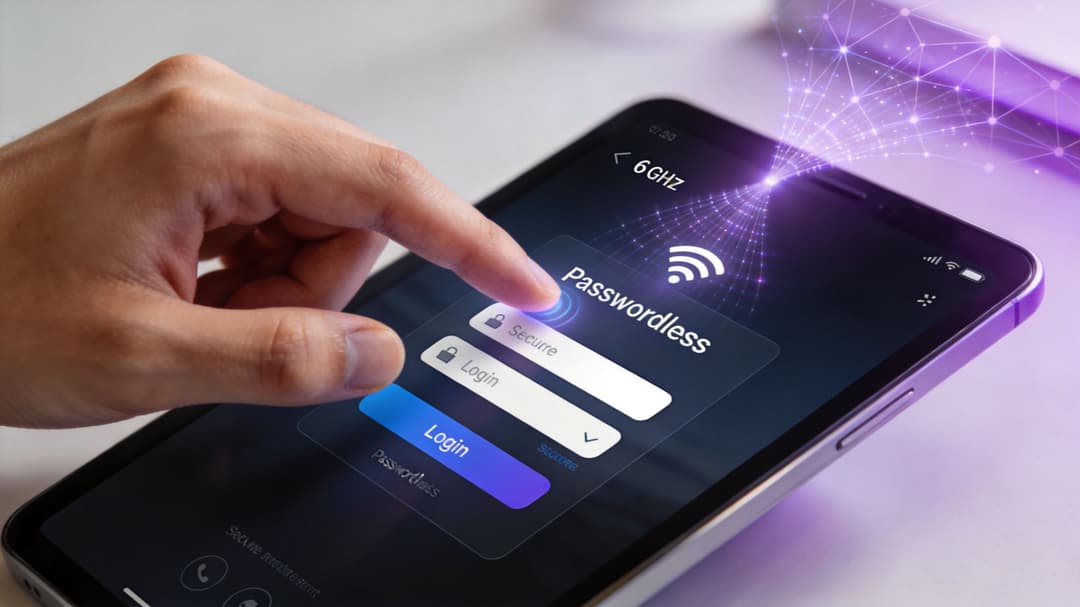
অতিথি অ্যাক্সেসের জন্য, একটি পরিচ্ছন্ন এবং কম ভিড়যুক্ত ব্যান্ড রোমিং এবং অনবোর্ডিংকে তাৎক্ষণিক করতে সাহায্য করে। কর্মীদের অ্যাক্সেসের জন্য, কম লেটেন্সি এবং অনুমানযোগ্য অ্যাসোসিয়েশন সার্টিফিকেট-ভিত্তিক ওয়ার্কফ্লো এবং ডিরেক্টরি-চালিত প্রমাণীকরণকে আরও নির্ভরযোগ্য করে তোলে। ফলস্বরূপ, ওয়্যারলেস ডিজাইন এবং IAM আলাদা কোনো আলোচনার বিষয় থাকে না।
উন্মুক্ত পরিবেশ বা ক্লিন এয়ারটাইমে OpenRoaming এবং Passpoint আরও ভালো কাজ করে
অতিথিরা যখন পাসওয়ার্ডহীন, পরিচয়-ভিত্তিক অনবোর্ডিং ব্যবহার করেন, তখন প্রতিটি অতিরিক্ত প্রচেষ্টা দৃশ্যমান হয়ে ওঠে। সমস্যাটি দুর্বল RF ডিজাইন, স্টিকি ক্লায়েন্ট, জনাকীর্ণ চ্যানেল নাকি বিলম্বিত প্রমাণীকরণ প্রক্রিয়ার কারণে হয়েছে, তা নিয়ে তারা মাথা ঘামান না। তারা কেবল ধরে নেন যে ভেন্যু WiFi নির্ভরযোগ্য নয়।
এই কারণেই 6 GHz প্রযুক্তি OpenRoaming এবং Passpoint-style access-এর অভিজ্ঞতাকে উল্লেখযোগ্যভাবে উন্নত করতে পারে। কম-হস্তক্ষেপের পরিবেশ দ্রুত অ্যাসোসিয়েশন এবং ব্যবহারকারীরা প্রথমবার নেটওয়ার্কে যুক্ত হওয়ার বা পুনরায় যুক্ত হওয়ার সময় জটিলতা কমাতে সাহায্য করে। ব্যবহারিক ক্ষেত্রে, এটি "একবার সংযোগ করুন, স্বয়ংক্রিয়ভাবে ফিরে আসুন" নীতিটিকে অনেক বেশি বাস্তবসম্মত করে তোলে।
জিরো-ট্রাস্ট অ্যাক্সেস অনুমানযোগ্য ওয়্যারলেস আচরণ থেকে উপকৃত হয়
কর্মী এবং পরিচালিত ডিভাইসগুলোর জন্য, জিরো-ট্রাস্ট মডেলগুলো দ্রুত ও নির্ভরযোগ্য অ্যাক্সেস কন্ট্রোল সিদ্ধান্তের ওপর নির্ভর করে। শিফটের সময় ব্যবহারকারীরা যদি বিভিন্ন AP-এর মধ্যে চলাচল করেন, ডিভাইসগুলো যদি ক্রমাগত স্লিপ এবং ওয়েক মোডে যায়, অথবা জনাকীর্ণ এলাকায় যদি রোমিং ঘটে, তবে একটি কোলাহলপূর্ণ RF পরিবেশ অপ্রয়োজনীয় জটিলতা তৈরি করে।
এটি একটি অন্যতম কারণ যার জন্য 6 GHz ডিরেক্টরি-ইন্টিগ্রেটেড, সার্টিফিকেট-গ্রেড প্রমাণীকরণের সাথে চমৎকারভাবে সামঞ্জস্যপূর্ণ। ওয়্যারলেস লেয়ারটিকে পুরোনো ক্লায়েন্ট এবং জনাকীর্ণ চ্যানেলগুলোর সাথে অতটা লড়াই করতে হয় না, ফলে আপনার আইডেন্টিটি ওয়ার্কফ্লো আরও শক্ত ভিত্তি পায়।
এই ক্ষেত্রে একটি চমৎকার বিকল্প হলো Purple, যা অতিথি, কর্মী এবং মাল্টি-টেন্যান্ট পরিবেশের জন্য পাসওয়ার্ডহীন অ্যাক্সেস প্রদান করে। এটি OpenRoaming, Passpoint এবং Entra ID, Google Workspace ও Okta-এর মতো ইন্টিগ্রেশনগুলো সমর্থন করে। সহজ কথায়, এর মানে হলো টিমগুলো তাদের চলমান নেটওয়ার্কের সাথে ম্যাপ করা আইডেন্টিটি-ভিত্তিক অ্যাক্সেসের মাধ্যমে শেয়ার করা পাসওয়ার্ড এবং জটিল captive-portal-heavy ওয়ার্কফ্লো প্রতিস্থাপন করতে পারে।
ওয়্যারলেস আপগ্রেড করা কেবল কাজের অর্ধেক অংশ। আসল উন্নতি তখনই আসে যখন ক্লিন RF লেয়ারের সাথে এমন একটি অ্যাক্সেস মডেল যুক্ত করা হয় যা পাসওয়ার্ড, শেয়ার করা সিক্রেট এবং ম্যানুয়াল প্রভিশনিংয়ের প্রয়োজনীয়তা দূর করে।
মাল্টি-টেন্যান্ট পরিবেশেই এই সংমিশ্রণটি সবচেয়ে বেশি কার্যকর হয়
আবাসিক ব্লক, শিক্ষার্থী আবাসন, মিশ্র-ব্যবহারের এস্টেট এবং যৌথ বাণিজ্যিক ভবনগুলির সবেরই একই সমস্যা রয়েছে। ব্যবহারকারীরা ঘরে থাকার মতো অভিজ্ঞতা চান, তবে অপারেটরদের টেন্যান্ট আইসোলেশন, প্রত্যাহার নিয়ন্ত্রণ এবং কর্মীদের এবং ডিভাইসগুলির জন্য পরিচালনাযোগ্য অনবোর্ডিং প্রয়োজন।
এই ধরণের পরিবেশে, ছোট 6 GHz প্রপাগেশন সিগন্যালকে আরও শক্তভাবে ধরে রেখে সাহায্য করতে পারে। সেগমেনটেশনের সাথে যুক্ত হলে, এটি কাছাকাছি থাকা ইউনিট বা টেন্যান্ট স্পেসগুলির মধ্যে আরও স্পষ্ট সীমানা সমর্থন করে। এখানে উপলব্ধ যাচাইকৃত ডিপ্লয়মেন্ট পয়েন্টটি নির্দিষ্ট এবং দরকারী: এই নিবন্ধটির জন্য বৈধ ডেটাসেট অনুসারে, মাল্টি-টেন্যান্ট আবাসিক সেটআপগুলিতে, Meraki MR57 এর মতো Purple-ইন্টিগ্রেটেড AP-গুলিতে iPSK সেগমেনটেশন সহ 6 GHz সক্ষম করলে বাফারিং ছাড়াই প্রতি AP-তে ১৫০টি ক্লায়েন্ট সহ ৩ গুণ পর্যন্ত ডিভাইসের ঘনত্ব সমর্থন করতে পারে।
এর মানে এই নয় যে প্রতিটি আবাসিক প্রকল্পে সমস্ত ব্যবহারকারীকে জোরপূর্বক 6 GHz-এ পাঠাতে হবে। এর মানে হল মাল্টি-টেন্যান্ট অপারেটরদের কাছে এখন একটি শেয়ার্ড ইনফ্রাস্ট্রাকচারের উপর ঘন আধুনিক ক্লায়েন্ট অ্যাক্সেস, শক্তিশালী পৃথকীকরণ এবং পাসওয়ার্ডহীন আইডেন্টিটি ওয়ার্কফ্লো একত্রিত করার জন্য আরও শক্তিশালী বিকল্প রয়েছে।
অপারেশনালভাবে এটি যেখানে লাভজনক হয়
ব্যবসায়িক প্রভাব সাধারণত প্রথমে কয়েকটি জায়গায় দেখা যায়:
- গেস্ট রিটার্ন ভিজিট: ব্যবহারকারীরা নতুন কোনো ঝামেলা ছাড়াই পুনরায় সংযোগ স্থাপন করেন।
- স্টাফ লাইফসাইকেল কন্ট্রোল: নতুন যোগদানকারী, স্থানান্তরিত এবং বিদায়ী কর্মীরা ডিরেক্টরি পরিবর্তনের সাথে আরও স্পষ্টভাবে ম্যাপ হন।
- টেন্যান্ট আইসোলেশন: শেয়ার্ড ইনফ্রাস্ট্রাকচার মানেই শেয়ার্ড রিস্ক হতে হবে এমন কোনো কথা নেই।
- সাপোর্ট লোড: দুর্বল অনবোর্ডিং ডিজাইনের সাথে সম্পর্কিত কম পাসওয়ার্ড রিসেট এবং কম "কেন আমার ডিভাইসটি সংযুক্ত হচ্ছে না?" সংক্রান্ত টিকিট তৈরি হয়।
এটিই হল 6 ghz wifi এবং আইডেন্টিটির মধ্যে ব্যবহারিক সংযোগ। ব্যান্ডটি একটি আরও ভালো ট্রান্সপোর্ট লেয়ার তৈরি করে। অ্যাক্সেস প্ল্যাটফর্মটি নির্ধারণ করে যে ব্যবহারকারীরা এর সুবিধা পাচ্ছেন কি না।
সুরক্ষা সামঞ্জস্য এবং ট্রাবলশুটিং
6 ghz wifi সম্পর্কিত একটি সাধারণ উদ্বেগ হল যে এটি বিদ্যমান নেটওয়ার্কগুলি থেকে সম্পূর্ণ বিচ্ছিন্ন কিছুর মতো শোনায়। বাস্তবে, এটি তা নয়। এটি সম্পর্কে চিন্তা করার আরও ভালো উপায় হল একটি ট্রাই-ব্যান্ড এস্টেটের ভিতরে একটি আধুনিক উচ্চ-ক্ষমতাসম্পন্ন লেন। আপনার পুরোনো ডিভাইসগুলি অকেজো হয়ে যায় না। আপনার ডিজাইনকে কেবল এটি ভাবা বন্ধ করতে হবে যে প্রতিটি ক্লায়েন্টের সাথে একই আচরণ করা উচিত।
সুরক্ষা শুরু হয় একটি শক্তিশালী ডিফল্ট থেকে
প্রথম দরকারী পরিবর্তনটি হল সিকিউরিটি পোশ্চার। 6 GHz অপারেশনটি প্রত্যাশিত বেসলাইন হিসাবে WPA3 এর সাথে আসে, যা পুরোনো ব্যান্ডগুলিতে এখনও মিশ্র বা ট্রানজিশনাল সিকিউরিটি মোড চালানো অনেক লেগ্যাসি গেস্ট এবং স্টাফ ডিপ্লয়মেন্টের চেয়ে ব্যান্ডটিকে অবিলম্বে আরও দৃঢ় অবস্থানে নিয়ে যায়।
এটি গুরুত্বপূর্ণ কারণ ওয়্যারলেস নিরাপত্তা প্রায়শই ডাউনগ্রেড পাথে ব্যর্থ হয়। টিমগুলি দীর্ঘ সময় ধরে পুরোনো SSID গুলিকে সচল রাখে, সামঞ্জস্যের জন্য দুর্বল অনবোর্ডিং প্যাটার্নগুলি সংরক্ষণ করে এবং শেষ পর্যন্ত এমন একটি নেটওয়ার্ক তৈরি করে যা সবকিছু সমর্থন করে কিন্তু খুব বেশি বিশ্বাস করে। 6 GHz আপনাকে আধুনিক ডিভাইসগুলির জন্য আরও শক্তিশালী ডিফল্ট সেট করার একটি পরিষ্কার সুযোগ দেয়।
6 GHz-কে এমন জায়গায় পরিণত করবেন না যেখানে আপনি পুরনো SSID-এর অভ্যাসগুলো কপি করছেন। এটিকে এমন একটি জায়গা হিসেবে ব্যবহার করুন যেখানে আপনি আসলে যে অ্যাক্সেস পলিসি চান তা প্রয়োগ করতে পারবেন।
সামঞ্জস্যতার সমস্যাগুলো সাধারণত ক্লায়েন্ট-সাইডে হয়, নেটওয়ার্ক-সাইডে নয়
যখন একটি নতুন ল্যাপটপ বা হ্যান্ডসেট 6 GHz নেটওয়ার্কে যুক্ত হতে পারে না, তখন কারণটি সাধারণত সহজ হয়। প্রায়শই এটি এগুলোর একটি হতে পারে:
- অপারেটিং সিস্টেম সমর্থন সম্পূর্ণ নয়: হার্ডওয়্যার 6 GHz সমর্থন করতে পারে কিন্তু OS সংস্করণটি এখনও এটি সঠিকভাবে পরিচালনা করে না।
- ড্রাইভার পিছিয়ে আছে: রোলআউটের পরে ওয়্যারলেস চিপসেট ড্রাইভারগুলো প্রায়শই অদ্ভুত আচরণের কারণ হয়।
- রেগুলেটরি ডোমেন সেটিংস ভুল: আমদানিকৃত ডিভাইস বা অসামঞ্জস্যপূর্ণ ফার্মওয়্যার অপ্রত্যাশিত আচরণ করতে পারে।
- AP ডিজাইনটি সঠিক, কিন্তু সিগন্যালটি সেখানে নেই যেখানে ব্যবহারকারী দাঁড়িয়ে আছেন: দেওয়াল এবং কোণাগুলোর মধ্য দিয়ে 6 GHz সিগন্যাল যাওয়া তুলনামূলক কঠিন।
একটি সাধারণ ট্রাবলশুটিং টেবিল টিমগুলোকে দ্রুত কাজ করতে সাহায্য করে।
| লক্ষণ | সম্ভাব্য কারণ | প্রথম পদক্ষেপ |
|---|---|---|
| ডিভাইসটি SSID দেখতে পাচ্ছে কিন্তু যুক্ত হতে পারছে না | ড্রাইভার, OS, বা সিকিউরিটি অমিল | OS এবং ওয়্যারলেস ড্রাইভার আপডেট করুন |
| কিছু রুমে 6 GHz দুর্বল দেখাচ্ছে | AP-এর ব্যবধান বা বিল্ডিংয়ের প্রতিবন্ধকতা | শুধুমাত্র ট্রান্সমিট পাওয়ার নয়, প্লেসমেন্টও পর্যালোচনা করুন |
| রোমিং অসামঞ্জস্যপূর্ণ মনে হচ্ছে | সেল ওভারল্যাপ বা স্টিয়ারিং পলিসির সমস্যা | 5 GHz এবং 6 GHz-এর মধ্যে ট্রানজিশন পরীক্ষা করুন |
| লেগ্যাসি ডিভাইসগুলো আপগ্রেড দ্বারা প্রভাবিত হচ্ছে না বলে মনে হচ্ছে | সেগুলো এখনও পুরনো ব্যান্ডেই রয়েছে | প্রত্যাশিত ব্যান্ড ডিস্ট্রিবিউশন নিশ্চিত করুন |
কভারেজ সংক্রান্ত সমস্যার সমাধান পাওয়ার বাড়িয়ে দিয়ে করা যায় না
এটি টিমগুলোকে বারবার সমস্যায় ফেলে। যদি 6 GHz দুর্বল মনে হয়, তবে উত্তরটি সবসময় বেশি ট্রান্সমিট পাওয়ার দেওয়া নয়। উচ্চ ক্ষমতার কারণে একটি অস্বস্তিকর অসমতা তৈরি হতে পারে যেখানে ক্লায়েন্টরা AP-এর সিগন্যাল শুনতে পায় কিন্তু বিনিময়ে পর্যাপ্ত উত্তর দিতে পারে না, অথবা যেখানে রোমিংয়ের সিদ্ধান্তগুলো জটিল হয়ে যায়।
এর আরও ভালো সমাধান সাধারণত এগুলোর একটি হতে পারে:
- সমস্যাযুক্ত এলাকায় AP যুক্ত করুন বা সেগুলোর স্থান পরিবর্তন করুন।
- কোথায় 6 GHz থাকা প্রয়োজন বনাম কোথায় 5 GHz যথেষ্ট তা পুনরায় মূল্যায়ন করুন।
- করিডোর, প্রবেশপথ এবং প্রান্তিক জায়গাগুলোর কভারেজ যাচাই করুন যেখানে ব্যবহারকারীরা বসার চেয়ে বেশি চলাচল করেন।
- লাইভ টেস্টিংয়ের পর ক্লায়েন্ট স্টিয়ারিং এবং ব্যান্ড প্রেফারেন্স পর্যালোচনা করুন।
অংশীদারদের কী বলবেন
নেটওয়ার্কের বাইরে থাকা অংশীদাররা প্রায়শই দুটি প্রশ্ন জিজ্ঞাসা করেন। পুরনো ডিভাইসগুলো কি এখনও কাজ করবে? হ্যাঁ, যদি নেটওয়ার্কটি তিনটি ব্যান্ড জুড়েই সঠিকভাবে ডিজাইন করা হয়। 6 GHz কি সব জায়গায় স্বয়ংক্রিয়ভাবেই আরও ভালো? না। এটি সেখানেই আরও ভালো যেখানে আধুনিক ক্লায়েন্টের ঘনত্ব, এয়ারটাইম প্রেসার এবং সুরক্ষার প্রত্যাশা এটার যৌক্তিকতা প্রমাণ করে।
এই উত্তরটি রোলআউটের উদ্বেগ দূর করতে সাহায্য করে কারণ এটি সত্য। 6 GHz WiFi একটি বড় ধরনের আপগ্রেড, কিন্তু এটি এখনও সেই একই নিয়মের অধীনে কাজ করে যা প্রতিটি সফল ওয়্যারলেস ডিপ্লয়মেন্টকে নিয়ন্ত্রণ করে। ডিজাইন স্পেসিফিকেশনের চেয়ে বেশি গুরুত্বপূর্ণ।
6 GHz যুগে আপনার পরবর্তী পদক্ষেপ
যদি আপনার বর্তমান নেটওয়ার্ক পিক পিরিয়ডে হিমশিম খায়, তবে 6 GHz WiFi যোগ করা কোনো বাহ্যিক আপগ্রেড নয়। এটি একটি ক্যাপাসিটি সিদ্ধান্ত, একটি সিকিউরিটি সিদ্ধান্ত এবং অনেক ভেন্যুর ক্ষেত্রে একটি অ্যাক্সেস স্ট্র্যাটেজি সিদ্ধান্ত। এর সুবিধাগুলো আসে আরও পরিচ্ছন্ন স্পেকট্রাম, আধুনিক ক্লায়েন্টদের জন্য অতিরিক্ত জায়গা এবং আইডেন্টিটি চালিত কানেক্টিভিটির জন্য আরও ভালো ভিত্তি থেকে।
সবচেয়ে বড় ভুল হলো একটি নিখুঁত ভবিষ্যৎ পরিস্থিতির জন্য অপেক্ষা করা। বেশিরভাগ এস্টেটের সব ডিভাইস Wi-Fi 7 ক্লায়েন্ট হবে না, সব ডিভাইসে অভিন্ন সাপোর্ট থাকবে না, বা একবারে প্রতিটি ফ্লোর পুনর্নির্মাণের সুযোগ থাকবে না। তাদের সেটির প্রয়োজনও নেই। তাদের প্রয়োজন একটি পর্যায়ভিত্তিক পরিকল্পনা যা প্রথমে ঘনত্বকে লক্ষ্য করে, 5 GHz কে সচল রাখে এবং 6 GHz কে সেখানে ব্যবহার করে যেখানে এটি ব্যবহারকারীর অভিজ্ঞতাকে সবচেয়ে বেশি পরিবর্তন করে।
একটি বিচক্ষণ সিদ্ধান্ত গ্রহণের পথ
আপনি যদি গুরুত্ব সহকারে পরিকল্পনা করে থাকেন, তবে ক্রমানুসারে এই প্রশ্নগুলোর সমাধান করুন:
- আজ কোথায় এয়ারটাইমের চাপ সবচেয়ে বেশি? লবি, মিটিং স্পেস, রিটেইল ফ্লোর, ওয়ার্ড, স্টুডেন্ট কমন এরিয়া বা টেন্যান্ট-ভর্তি আবাসিক জোন দিয়ে শুরু করুন।
- কোন ব্যবহারকারীদের সবচেয়ে ভালো অভিজ্ঞতা প্রয়োজন? গেস্ট, স্টাফ, ক্লিনিশিয়ান, স্টুডেন্ট, রেসিডেন্ট বা এদের একটি মিশ্রণ।
- বর্তমানে কতগুলো ক্লায়েন্ট ডিভাইস 6 GHz ব্যবহার করতে পারে? অনুমানের চেয়ে আসল এন্ডপয়েন্ট ডেটা বেশি গুরুত্বপূর্ণ।
- আপনি কোন অ্যাক্সেস মডেলটি সাপোর্ট করতে চান? শেয়ার্ড পাসওয়ার্ড, Captive Portal, সার্টিফিকেট-ভিত্তিক স্টাফ অ্যাক্সেস, OpenRoaming, বা টেন্যান্ট-নির্দিষ্ট সেগমেন্টেশন।
- আপনার রোলআউট বাউন্ডারি কী? আরও ব্যাপক ডিপ্লয়মেন্টের আগে একটি ফ্ল্যাগশিপ ভেন্যু, একটি ফ্লোরের ধরন, বা একটি প্রোপার্টি সেগমেন্ট।
ওয়্যারলেস ডিজাইনকে অ্যাক্সেস ডিজাইন থেকে আলাদা করবেন না
অনেক প্রজেক্ট এই পর্যায়ে এসে গতি হারিয়ে ফেলে। নেটওয়ার্ক টিম AP এস্টেট আপগ্রেড করে। কিন্তু অ্যাক্সেস জার্নিটি জটিলই থেকে যায়। ফলে প্রতিষ্ঠানটি তখন ভাবতে থাকে কেন ব্যবহারকারীদের অভিজ্ঞতার প্রত্যাশিত উন্নতি হলো না।
একটি আরও কার্যকর পদ্ধতি হলো প্রথম দিন থেকেই RF প্ল্যানিংয়ের সাথে অ্যাক্সেস প্ল্যানিং যুক্ত করা। লক্ষ্য যদি হয় মসৃণ রিটার্ন গেস্ট অ্যাক্সেস, সুরক্ষিত স্টাফ অনবোর্ডিং, বা আইসোলেটেড মাল্টি-টেন্যান্ট কানেক্টিভিটি, তবে ওয়্যারলেস লেয়ারটিকে এই ফলাফলগুলোর ওপর ভিত্তি করে ডিজাইন করা উচিত, পরবর্তীতে জোর করে জুড়ে দেওয়ার জন্য নয়।
যে টিমগুলো এখন Wi-Fi 6E গ্রহণ করবেন নাকি আরও ব্যাপক Wi-Fi 7 মুভের জন্য অপেক্ষা করবেন তা নিয়ে সিদ্ধান্ত নিচ্ছেন, তাদের জন্য Wi‑Fi 6E vs Wi‑Fi 7 সম্পর্কিত এই গাইডটি পরবর্তী পড়ার জন্য একটি বাস্তবসম্মত নির্দেশিকা।
২০২৬ সালের একটি ভালো পরিকল্পনা কেমন হওয়া উচিত
একটি বাস্তবসম্মত ২০২৬ সালের কৌশলের সাধারণত চারটি বৈশিষ্ট্য থাকে:
| বৈশিষ্ট্য | এটি কেন গুরুত্বপূর্ণ |
|---|---|
| পর্যায়ভিত্তিক ডিপ্লয়মেন্ট | আপনাকে প্রথমে সবচেয়ে খারাপ ঘনত্বের সমস্যাগুলো সমাধান করতে সাহায্য করে |
| Tri-band design discipline | উভয় লেগ্যাসি এবং আধুনিক ক্লায়েন্টদের একসাথে ভালো পারফর্ম করতে সাহায্য করে |
| Identity-led access | উন্নত RF-কে আরও ভালো ব্যবহারকারীর অভিজ্ঞতা এবং সুরক্ষায় রূপান্তরিত করে |
| Operational validation | নিশ্চিত করে যে ডিজাইনটি শুধুমাত্র কাগজে-কলমে নয়, বরং লাইভ লোডের মধ্যেও কাজ করছে |
যে দলগুলো 6 ghz WiFi থেকে সবচেয়ে বেশি উপকৃত হবে তারা সবচেয়ে বড় স্পেসিফিকেশন শিট অনুসরণ করবে না। তারা স্পেকট্রাম, ক্লায়েন্ট ক্ষমতা এবং আইডেন্টিটি কন্ট্রোলগুলোকে তাদের ভবনের বাস্তব পরিচালনার পদ্ধতির সাথে মিলিয়ে নেবে।
আপনি যদি গেস্ট অ্যাক্সেস, স্টাফ অথেন্টিকেশন বা মাল্টি-টেন্যান্ট কানেক্টিভিটিতে 6 ghz WiFi কীভাবে খাপ খায় তা মূল্যায়ন করতে চান, তবে Purple আপনাকে ওয়্যারলেস এবং আইডেন্টিটি লেয়ারগুলো একসাথে মূল্যায়ন করতে সাহায্য করতে পারে যাতে এই রোলআউটটি নেটওয়ার্কের কার্যক্ষমতা এবং মানুষের সংযোগ করার পদ্ধতি উভয়কেই উন্নত করে।