Guests on every floor of your hotel are reporting dropped calls. Reception keeps restarting access points, yet the higher-band network sits half empty. Meanwhile, guest phones, housekeeping devices and older equipment compete on a crowded 2.4 GHz network that nobody has reviewed since installation.
Default settings are a sensible place to start, not a finished radio design. Channel numbers sit close together, but transmissions occupy a wider slice of spectrum. Choosing a different number doesn't necessarily give an access point a separate conversation.
The best 2.4GHz channels depend on which devices you serve, where neighbouring radios can hear each other and how much control you have over the building. A hotel with international guests needs a different balance from student accommodation with managed equipment.
These five strategies are ranked by their suitability for common venue conditions, not by a promise that one channel is always fastest. Start with compatibility, control channel width, then use automation and measured coverage to refine the design.
1. Non-Overlapping 1, 6, 11 Channel Plan (North America)
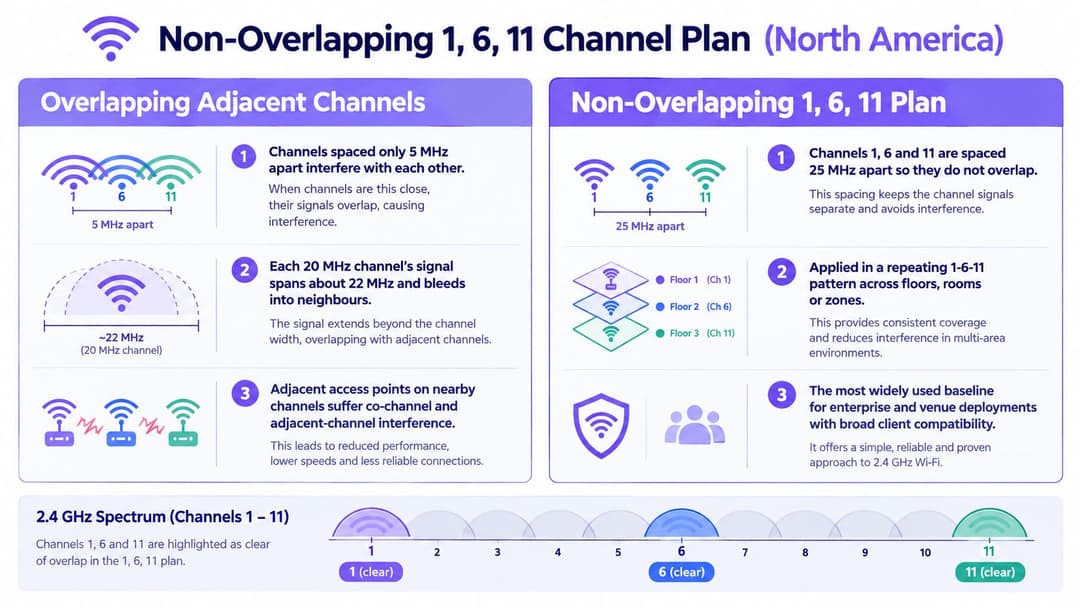
A city-centre hotel with corridor access points and rooms above and below is a good fit for the 1, 6 and 11 baseline. It works with a broad mix of guest devices and is a common practical starting point for venues in North America and the UK. Use 20 MHz channels. The trade-off is limited reuse flexibility, not a lack of compatibility.
Plan around coverage, not room numbers
A repeating sequence along each corridor may look tidy, but it can put access points directly above one another on the same channel. Signals cross floors, stairwells and service shafts, so map nearby radios in three dimensions before assigning channels. A WiFi channel planner can help sketch an initial layout; confirm the plan against the actual building and radio environment.
- Separate nearby cells. Give strongly overlapping access points different channels where practical.
- Manage unavoidable reuse. Adjust access point placement and transmit power when nearby radios must share a channel.
- Test occupied spaces. Check guest rooms and meeting areas, not only the corridor beneath each access point.
Same-channel access points that can hear one another share airtime. Correct channel selection cannot eliminate that competition, and adding another access point may increase contention instead of improving service.
This plan reduces adjacent-channel overlap. It does not prevent devices on the same channel from competing for airtime.
For a hospital with legacy equipment or a retail site serving mixed devices, this conservative baseline is a sensible starting point. Avoid reserving one channel throughout the building without a specific reason. Use placement, cabling and radio settings to manage reuse as coverage demands change.
2. Regional 1-5-9-13 Channel Plan (ETSI Europe and Other Regions)
A managed student residence offers a different opportunity from a hotel. The operator may know which laptops, consoles and building devices need support, and may control most access points in the block. That makes a regional reuse plan worth evaluating, rather than dismissing or enabling by default.
Ofcom's technical annexes identify channels 1, 5, 9 and 13 as a possible four-channel non-overlapping plan under approximately 20 MHz 802.11g/n assumptions, while noting that the conventional arrangement provides broader interoperability.
Treat regional reuse as a controlled trial
That qualification matters. This isn't a universal upgrade, and it shouldn't be described as accepting overlap regardless of the transmission type. Actual results depend on the clients, neighbouring channel plans and radio environment.
In the student-residence scenario, start with a contained wing. Confirm the access points' country configuration, then test representative resident devices for discovery, association and roaming. Imported or differently configured clients can make an apparently clean channel impractical.
- Confirm regional permission. Use the installation country's regulatory settings, not a country profile selected to expose more channels.
- Inventory client support. Include browserless devices and older equipment, not just the IT team's laptops.
- Compare under load. Measure retries, airtime use and application behaviour before extending the plan.
The extra reuse option can help a tightly managed deployment, but neighbouring networks may still use the conventional pattern. You can coordinate your own radios; you can't assume nearby tenants will follow your design.
Compatibility test
A channel isn't useful capacity if the devices that need it can't reliably discover and use it.
I'd favour this strategy for controlled accommodation or a managed conference zone before a hotel with an unpredictable international device mix. Keep a rollback configuration and test during representative occupancy. If support calls increase or application performance deteriorates, return to the simpler baseline rather than defending a tidier-looking channel map.
3. Use 20 MHz Channel Width for 2.4 GHz
Best fit for student housing, apartment blocks and legacy-heavy healthcare facilities. Channel width discipline is the constraint that makes a useful channel plan possible on this band.
The 2.4 GHz band offers far less usable spectrum than 5 GHz, so every megahertz of channel width you claim reduces what remains for reuse. Ofcom's statement on improving spectrum access for WiFi in the 5 and 6 GHz bands shows where regulators have found room to grow: higher up the dial. In a multi-access-point venue, configure the narrower band for efficient reuse rather than the largest headline connection rate.
Optimise the building, not the speed test
In a student block, residents install personal routers alongside the managed network. Widening your channels to compete with those routers consumes more shared spectrum. It grants no priority.
Set a fixed 20 MHz width in the controller's radio profile, then inspect the running configuration on the access points. Check for site overrides and automatic-width options that could undo the intended policy. A single radio left on automatic width can overlap two of your planned channels at once.
- Standardise the profile. Apply the same width policy across neighbouring managed radios.
- Audit after changes. Review templates after firmware upgrades, hardware replacements and site migrations.
- Separate capacity roles. Let higher-band radios carry capable laptops and phones while the crowded band supports devices that need it.
The trade-off is a lower potential peak rate for an individual connection. In a busy building, that usually beats wider transmissions competing across more of the available spectrum. Judge the outcome by stable applications and usable airtime, not the association speed shown on a laptop.
In a healthcare ward, apply the same logic to the device workflow. A medical cart needs reliable authentication, roaming and application access through its rounds. Wider channels on other bands should still be survey-led; more spectrum doesn't make unlimited width sensible.
4. Automatic Channel Selection and Radio Resource Management (RRM)
A shopping centre changes throughout the day. Retailers activate equipment, pop-up stalls arrive and a neighbouring tenant replaces its wireless network. A static design can become outdated even when nobody touches your controller.
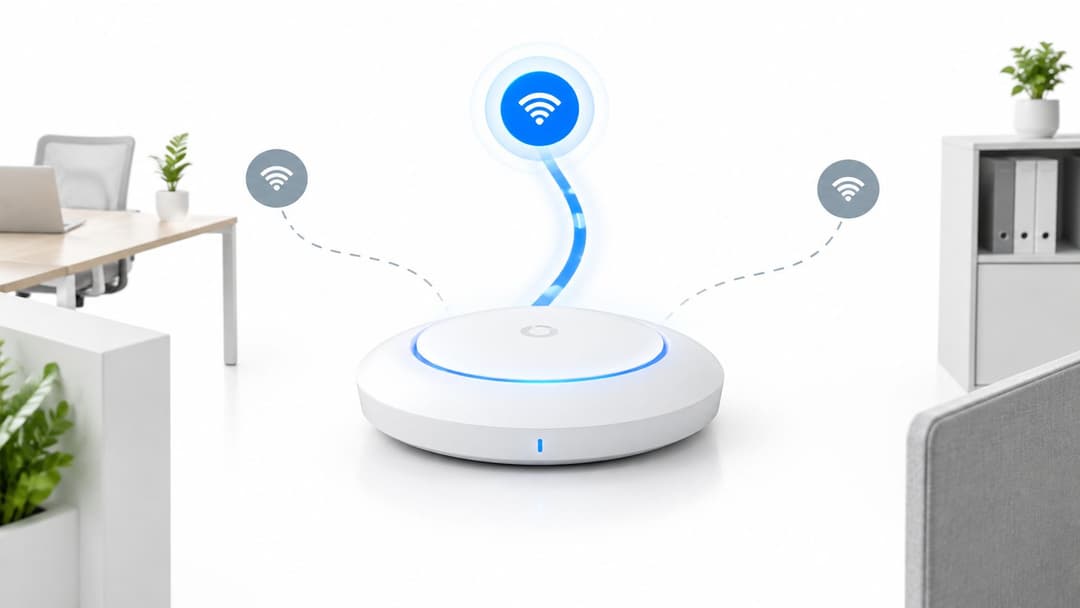
Automatic radio management suits these changing environments. Cisco Meraki, HPE Aruba and Ruckus offer vendor-specific radio-management controls, but the available settings and adjustment behaviour differ. Check the actual platform configuration rather than assuming that an enabled automatic option means continuous optimisation.
Give the controller sensible boundaries
Start with a validated channel set and sensible power limits. Then let the controller choose within those boundaries. Unrestricted automation can select channels your design intended to avoid or enlarge coverage cells until distant access points compete unnecessarily.
For the shopping-centre scenario, trial the settings in a retail zone before applying them to the whole property. Include payment terminals, handheld stock devices and guest phones in the acceptance tests.
- Constrain channel choices. Keep automatic selection inside your approved regional plan.
- Bound transmit power. Prevent excessive overlap without creating coverage gaps.
- Review adjustment timing. Where supported, schedule disruptive optimisation outside critical trading periods.
- Read change logs. Match channel changes against disconnects, roaming failures and support tickets.
Use the WiFi RF engineering guide to review the relationship between placement, power and channel reuse before tuning controller settings. Automation can adjust radios, but it can't relocate a badly positioned access point or remove an interfering device.
Operational rule
Give automatic radio management clear limits and a named owner. An unattended dashboard isn't a maintenance process.
The trade-off is lower manual effort against less deterministic behaviour. An adaptive system may respond well to changing interference, but channel changes can disturb sensitive clients. Keep stable settings available for operationally critical areas, and judge automation by service performance rather than how often the controller makes adjustments.
5. Site-Survey-Driven Channel Planning with Band Steering
Best fit for hospitals, renovated hotels and mixed-use buildings where the floor plan doesn't explain the complaints. A survey-led design costs more effort upfront. It also helps distinguish congestion from weak coverage, non-WiFi interference and client-specific failures.
Consider a hospital where staff report application interruptions while moving between patient rooms and corridors. Changing channels without measuring the route could leave the underlying roaming or coverage problem untouched.
Measure the workflow, then steer capable clients
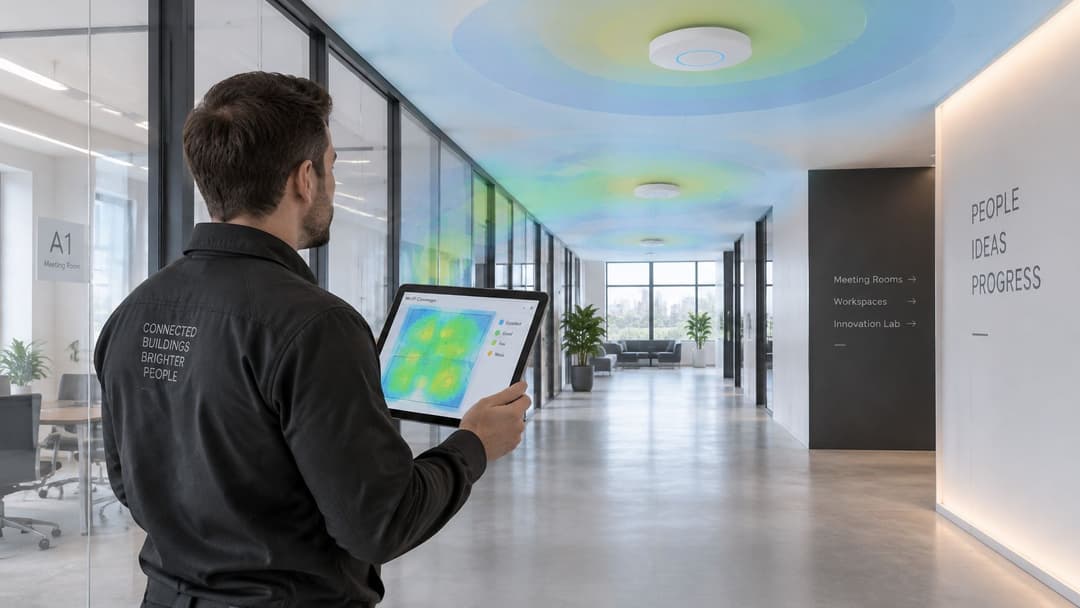
Use Ekahau or a comparable survey tool to map coverage and channel reuse. Add active tests for authentication, roaming and the application staff use. A passive scan can identify nearby networks, but it won't prove that a cart remains connected throughout a clinical workflow.
Build a WiFi heat map that records the measured environment, then investigate weak or congested areas on the floor. Include spectrum analysis when interference appears unrelated to visible WiFi networks.
- Match the client population. Test phones, laptops and operational devices with their normal software and security settings.
- Survey representative conditions. Include occupied rooms, closed doors and busy operating periods.
- Validate higher-band coverage. Confirm that capable clients have somewhere reliable to move before enabling steering.
- Retest legacy access. Make sure devices that remain on the lower band still connect and roam correctly.
Band steering encourages suitable clients towards higher bands; it doesn't guarantee their choice. Aggressive settings can delay connections or expose weak coverage that a stronger lower-band signal previously concealed. Keep the policy aligned with client behaviour rather than forcing a particular dashboard distribution.
The trade-off is staff time, tooling and repeat measurement. For a complex venue, that effort is often more useful than repeated speculative channel changes. Re-survey after partitions, access-point additions or major refurbishments, and retain the results so the next engineer can distinguish a new problem from an old compromise.
How the five 2.4GHz channel strategies compare
| Item | Channels Used | Best For | Main Trade-Off |
|---|---|---|---|
| Non-Overlapping 1, 6, 11 Channel Plan (North America) | Channels 1, 6, and 11 at 20 MHz | Reliable baseline for North American 2.4 GHz deployments | Only three clean channels, limiting dense deployments |
| Regional 1-5-9-13 Channel Plan (ETSI Europe and Other Regions) | Channels 1, 5, 9, and 13 where permitted | Dense deployments in regions with channels 1–13 | Partial overlap and variable channel 13 support |
| Use 20 MHz Channel Width for 2.4 GHz | Any 2.4 GHz channel at 20 MHz | Multi-access-point venues and crowded environments | Lower peak throughput than 40 MHz |
| Automatic Channel Selection and Radio Resource Management (RRM) | Dynamically selected channels and transmit power | Large or changing networks that need less manual tuning | Can make suboptimal changes and does not fix poor placement |
| Site-Survey-Driven Channel Planning with Band Steering | Channels tailored to measured conditions; steers capable clients to 5 or 6 GHz | Complex buildings and networks with mixed client types | Requires specialist tools and repeat surveys |
Choose Your Plan, Then Prove It on the Floor
Start with the conventional baseline and narrow channel widths. That gives mixed-device venues a manageable foundation without assuming every available channel number represents separate capacity. Then decide what the building needs.
For a hotel, compatibility and predictable roaming usually matter more than squeezing another reuse option into the plan. For managed accommodation, a regional pattern may deserve a controlled trial. For a shopping centre with changing neighbours, bounded automatic radio management can reduce routine adjustment work.
Make acceptance testing operational
Choose a representative area and record the current settings before making changes. Capture channel assignments, widths, transmit power and the symptoms you're trying to fix. Agree what successful service looks like with the people who operate the venue.
- Test the task. Make the guest call, complete the stock lookup or walk the medical cart's normal route.
- Record radio conditions. Keep survey results, retry behaviour and channel utilisation alongside application observations.
- Keep rollback simple. Save the previous configuration and define what would trigger a return to it.
Don't equate a strong signal with sufficient capacity. Don't choose a channel solely because a scanner shows fewer network names on it. A quiet-looking channel can still carry substantial traffic or suffer interference that a basic scanner won't identify.
Keep the design current
Assign an owner to review complaints and configuration changes together. Re-check coverage after refurbishments, new partitions, tenant changes and access-point additions. Where automation is enabled, include its change logs in that review.
The best 2.4GHz channels are the ones your devices can use reliably within a coordinated design. Select the strategy that suits the venue, prove it during normal operation and preserve the evidence. That's how you keep the network useful as the building and its occupants change.
We offer Guest WiFi, Staff WiFi and Multi-Tenant WiFi to manage access alongside your radio design. Once you've validated channel coverage and capacity, visit Purple to explore passwordless guest access, staff authentication and isolated resident networks on supported hardware.