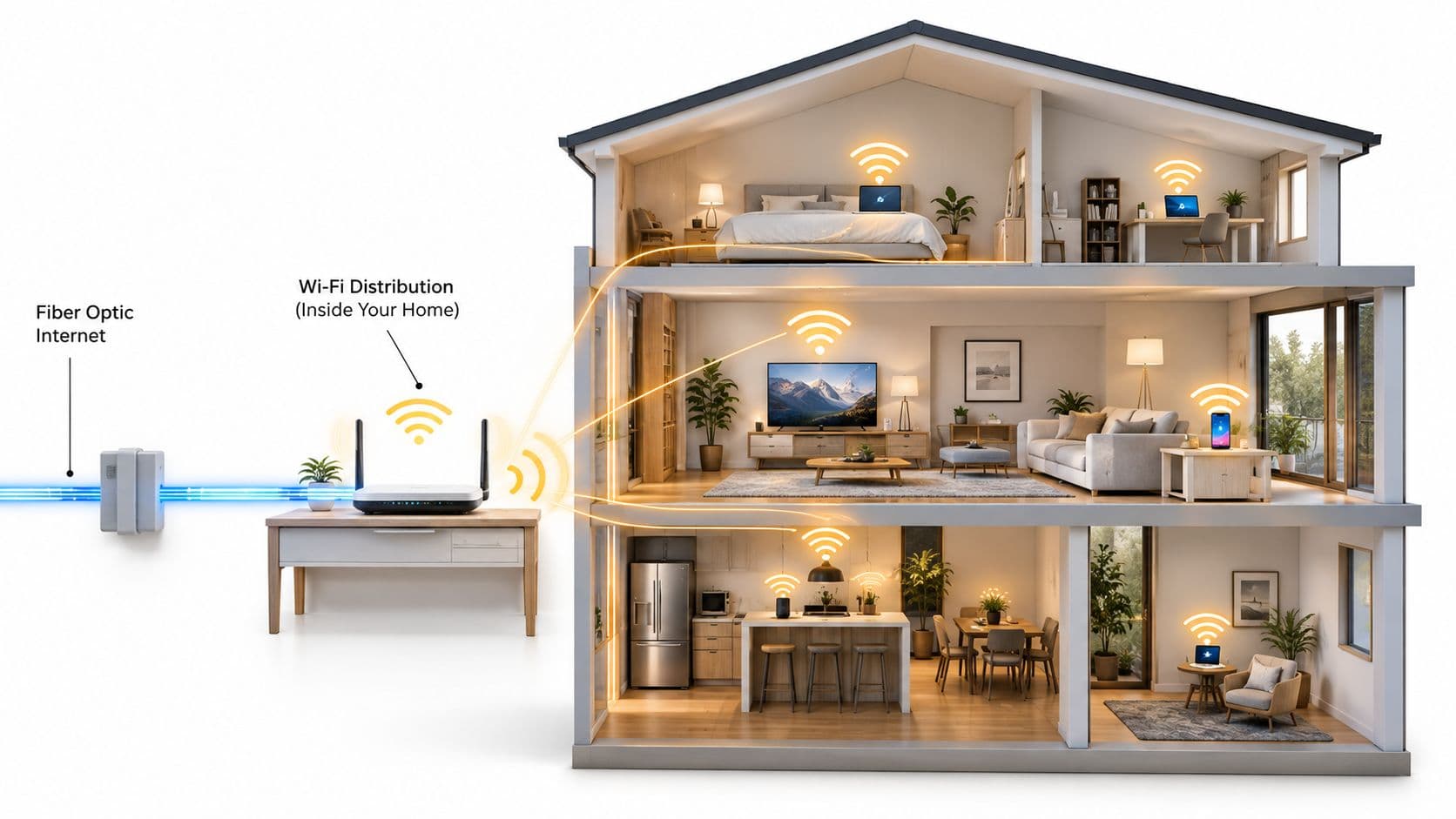
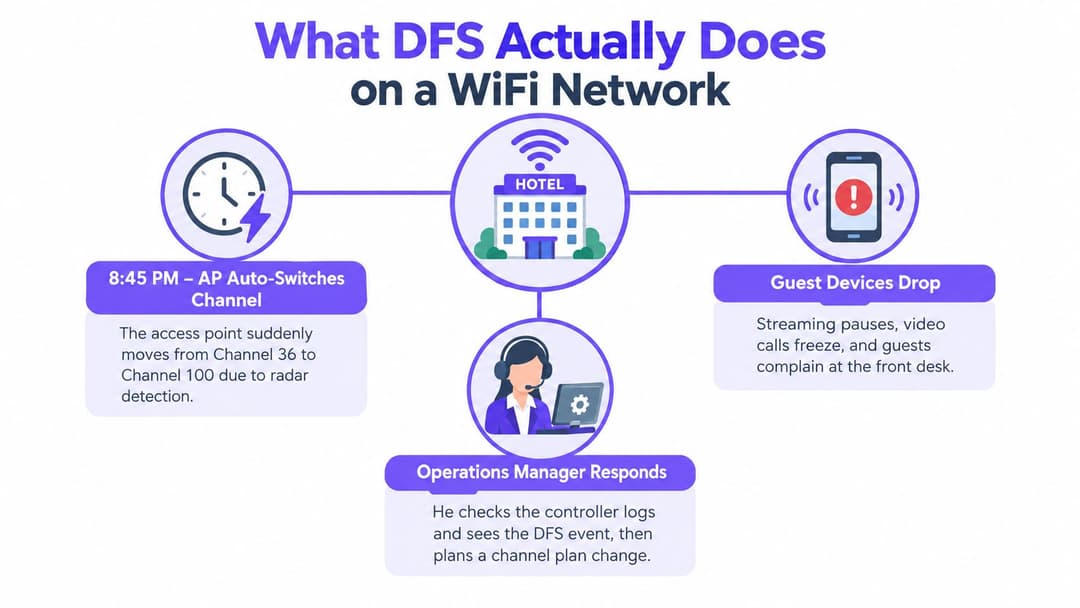
A hotel operations manager notices that guest Wi-Fi has gone quiet on one floor. A film has stopped streaming, a video call has frozen, and the front desk is hearing complaints. The access point is still powered on, but its controller log shows a channel change after radar detection. For the network team, the key question isn't just why the access point moved. It's what that move means for service availability, and how to plan so the next event stays local.
What DFS Actually Does on a WiFi Network
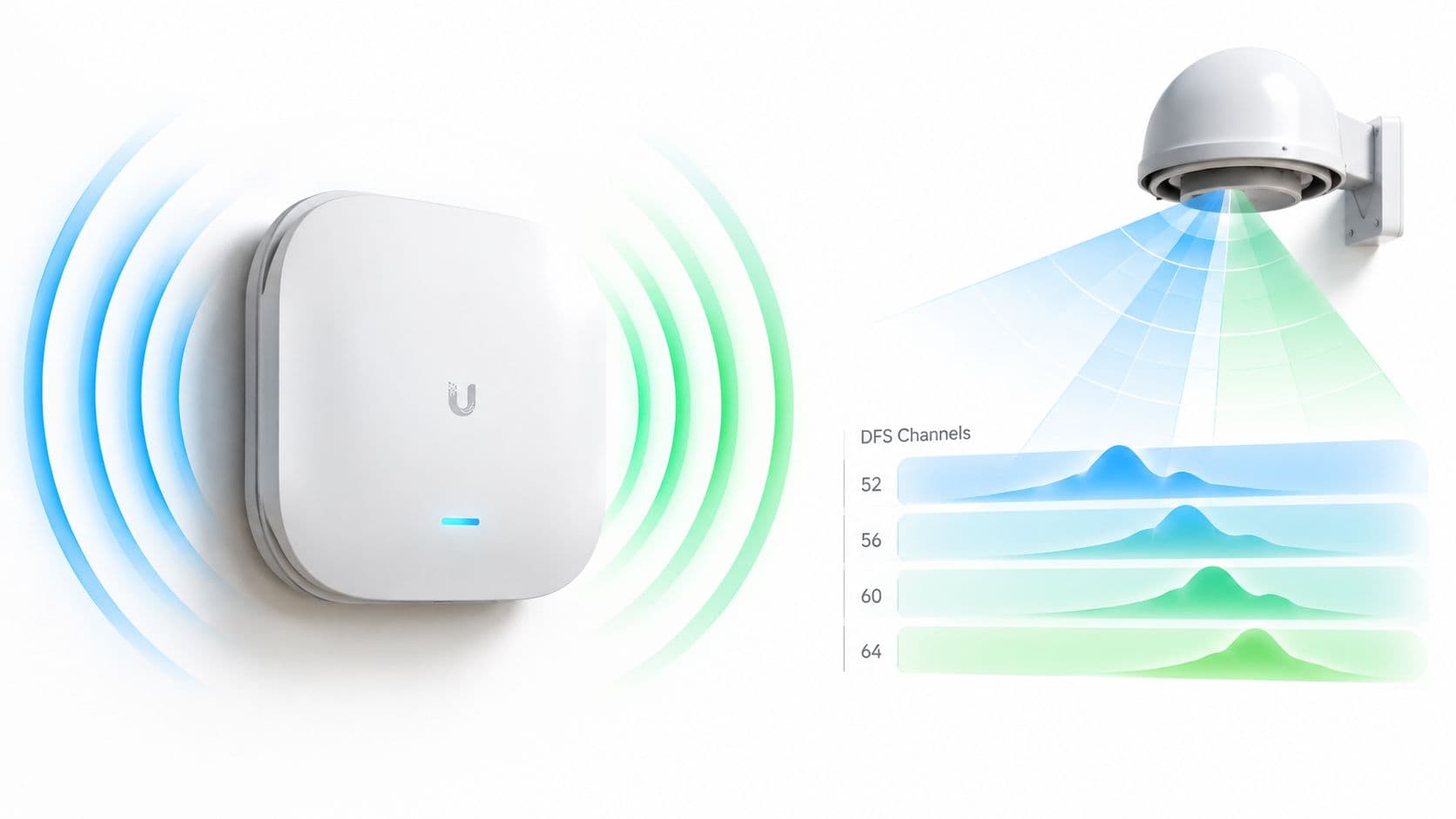
Dynamic Frequency Selection (DFS) lets Wi-Fi equipment use certain 5 GHz frequencies that are also used by radar. In the UK, those radar services have priority, especially military and meteorological systems. An access point operating on a DFS channel must check for radar before transmitting and move away if it detects a radar signal. The requirement comes from the harmonised radio equipment framework in ETSI EN 301 893, not from a manufacturer's preference.
For a hotel, hospital, transport hub, or busy event venue, that rule can become a service issue. A channel move may interrupt client connections or make devices reconnect, affecting guest sessions, calls, payment terminals, or staff workflows. DFS isn't a malfunction, but the radar-protection process can still be disruptive if the channel plan treats every available frequency as equally predictable.
The practical distinction is between capacity and availability. DFS can give a network more channel options, particularly where nearby WLANs crowd the usual non-DFS choices. But the access point can't treat a DFS channel as permanently available. It must listen first, monitor while operating, and vacate the channel when radar is detected.
That makes DFS an operational consideration, not merely a setting buried in a radio configuration page. The useful question for an administrator is whether the extra spectrum is worth the possibility of a channel move in that zone, and whether the network can absorb the resulting interruption.
How Radar Detection and Channel Availability Work
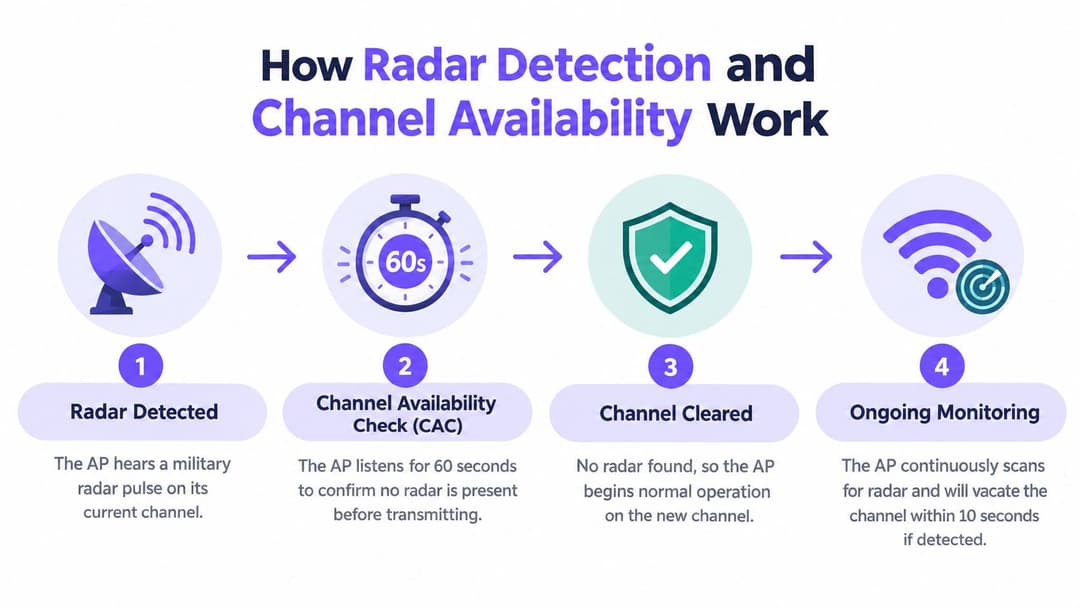
Think of DFS as a process with distinct phases. An access point first checks whether a candidate channel is clear. Once it begins transmitting, it keeps monitoring for radar. If it detects a signal, it must leave the channel within the required time.
From quiet check to channel move
The initial Channel Availability Check (CAC) is a listening period before the access point transmits on a DFS channel. ETSI's test requirements specify a 60-second CAC for a candidate channel. During this time, an access point starting up or selecting that channel may not be available to clients on it. If radar is detected, the AP can't begin normal operation there and must select another channel.
After the access point starts transmitting, it continues radar monitoring. If it detects radar, the Channel Move Time is at most 10 seconds, while Channel Closing Transmission Time is limited to 260 milliseconds. These are distinct requirements: one governs the move away from the channel, and the other limits how long the AP can continue transmitting on it while closing down. The values are specified in ETSI's DFS test requirements.
A simple timeline helps translate the rules into service impact:
- Select a DFS channel. The access point listens before transmitting.
- Complete CAC. If the channel is clear, it can start service.
- Monitor during operation. Radar detection triggers a move.
- Evacuate the channel. The AP follows the move and closing-transmission limits.
Why the detection threshold matters
Radar detection isn't a matter of hearing any signal. The ETSI specification defines thresholds that depend on transmit power and other radio conditions, including antenna assumptions. That's one reason administrators should validate real device behaviour rather than assume every vendor implements DFS events identically.
For a wider view of radio planning and its interaction with venue requirements, consult this Wi-Fi RF engineering guide. In practice, record when an AP starts or changes channels, and compare those timestamps with client and service alerts. That makes a short interruption easier to identify than an unexplained complaint.
UK WiFi DFS Channels and the 5 GHz Channel Map
A UK channel plan makes more sense when you group frequencies by their regulatory treatment. The lower 5 GHz range, 5,150–5,250 MHz, doesn't require radar detection for RLAN operation. The mid-band ranges 5,250–5,350 MHz and 5,470–5,725 MHz do require DFS, broadly corresponding to Wi-Fi channels 52–64 and 100–140. The UK requirements are set out in ETSI EN 301 893.
For an administrator, this is the key distinction: channels 52–64 and 100–140 aren't extra slots to assign. They come with radar checks and a requirement to vacate when radar is detected. A manually selected DFS channel still has to be treated as a channel that may become unavailable.
The upper 5 GHz range has a different UK position. In its 2020 statement on 5 GHz and 6 GHz spectrum, Ofcom removed DFS requirements for indoor Wi-Fi use of 5,725–5,850 MHz, commonly associated with channels 149, 153, 157, 161, and 165. That change created a more predictable indoor option, while leaving DFS requirements in the mid-5 GHz ranges intact. Ofcom's spectrum statement also describes UK Wi-Fi's existing access to approximately 580 MHz of unlicensed spectrum in the 5 GHz band and the radar protections required on some channels.
| UK 5 GHz range | Practical channel group | Radar detection for Wi-Fi |
|---|---|---|
| 5,150–5,250 MHz | Lower 5 GHz | Not required |
| 5,250–5,350 MHz | Broadly channels 52–64 | Required |
| 5,470–5,725 MHz | Broadly channels 100–140 | Required |
| 5,725–5,850 MHz | Commonly channels 149–165 for indoor use | Removed for indoor Wi-Fi under Ofcom's policy |
This map is about predictability as much as spectrum. Upper-band indoor channels can avoid DFS startup checks, while mid-band channels add capacity with radar-related conditions. If a design team is also coordinating radio components and hardware constraints, high-frequency circuit board options may be a useful technical reference. For WLAN planning, the important choice remains whether the relevant zone can tolerate a DFS-driven change.
The Hidden Cost of DFS for Clients and Services
A channel move happens at the access point, but users experience it through their devices and applications. A guest may see a video call freeze; a member of staff may need to reconnect a device; a payment terminal may pause while its wireless session recovers. The AP's radio decision can therefore reach beyond connectivity into the service running over that connection.
This is why DFS events can feel random to users even when the trigger is clear in network logs. The event may affect one AP and one group of clients, while neighbouring areas continue working. A user might describe the same incident as weak Wi-Fi, a roaming problem, or a captive-portal failure, depending on what their device was doing when the channel changed.
The extended CAC exception
Some radar-sensitive channels have a much longer startup check. Channels 116, 120, 124, and 128, which overlap 5,600–5,650 MHz, require a 10-minute CAC under ETSI's framework. That's a substantial operational difference from the normal 60-second check. If an AP restarts or selects one of these channels, its radio can remain unavailable while it completes the extended check.
Planning rule: Don't assign a channel solely because it looks clear in a survey. Include startup and recovery behaviour in the availability decision.
This matters when a venue plans maintenance, reloads an access point, or relies on a radio for a service that can't easily pause. A ten-minute radio check might be acceptable in a low-criticality area, but much harder to accommodate in a busy clinical or retail zone.
Translate the event into service impact
Map wireless symptoms to the service owners who feel them. Hospitality teams may hear about stalled guest sessions. Healthcare teams may be concerned about the interruption of connected workflows. Retail operations may notice a payment device reconnecting. Those are different consequences, even if the underlying radio event is similar.
Include DFS events in service planning. Decide which services can tolerate a short reconnection, where fallback coverage exists, and who receives an alert if an AP moves channels. That gives incident responders a clear path from radio event to business impact, rather than leaving the front desk or operations team to guess.
Configuring DFS Settings Across Enterprise Vendors
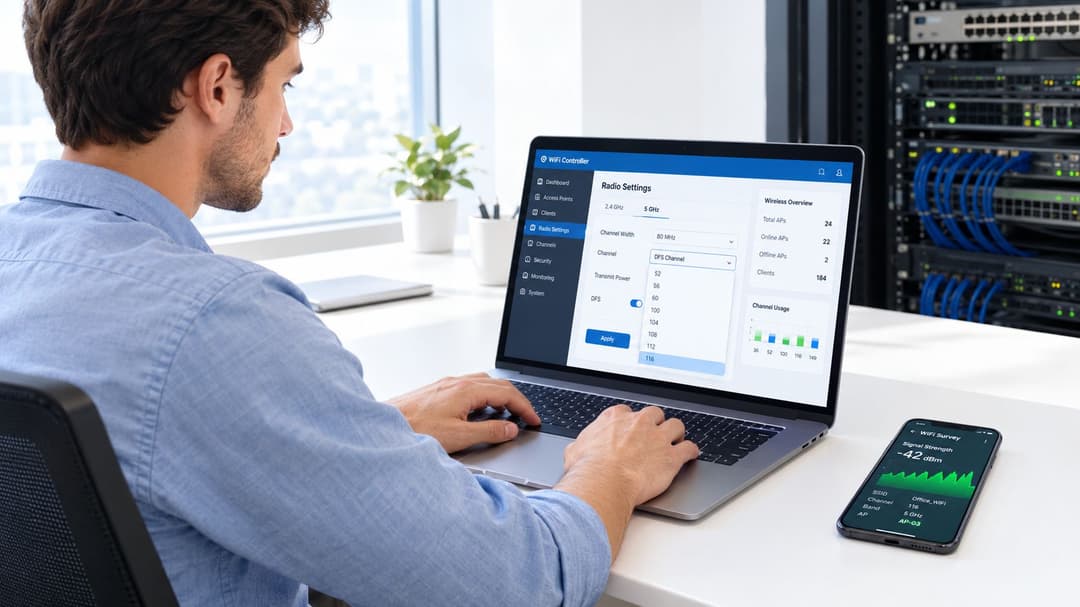
Vendor dashboards differ, and menu names can change between software releases. The reliable approach is to identify the controls that matter: whether DFS channels are allowed, how radio resource management handles channel selection, where radar events appear, and whether channel changes reach your monitoring system. Don't assume that a manually configured channel prevents a regulatory move.
What to inspect in each dashboard
- Cisco Meraki: Review the RF profile and radio settings for the permitted channel set and channel width. Check event or network logs for radar detection and channel changes, then confirm whether automatic RF management can choose DFS channels in that profile.
- Aruba: Inspect the WLAN or radio profile and the channel-management settings used by ARM. Look for radar-related events in the relevant monitoring views, and verify that the assigned channel plan allows the intended DFS behaviour.
- Ruckus: Review the channel configuration in the wireless controller or management platform, including automatic channel selection. Check event records for radar detection and channel movement, and confirm how those events are exported to your monitoring tools.
- Mist: Examine the radio-management configuration and channel-selection policy. Use the event and troubleshooting views to correlate AP channel changes with client experience, rather than treating every client disconnect as an authentication issue.
- Ubiquiti UniFi: Check the AP radio settings for channel selection and DFS availability. Review device events and alerts for channel changes, and consider whether automatic channel management could make a different choice after a radar event.
The same validation applies across platforms. Trigger an operational review of the logs after a real or observed channel move, and confirm whether your monitoring system captures the AP, timestamp, previous channel, and new channel. Where the dashboard doesn't expose the detail your incident process needs, check whether the controller or AP can forward the relevant event records.
Manual channel plans can improve predictability, but they don't exempt an AP from radar detection. If you allow DFS, document what the controller may choose and where neighbouring APs can provide continuity. If you disable DFS for a profile, verify that the remaining channel options suit the site's density and client needs.
When to Deliberately Avoid DFS Channels
DFS can add usable capacity, but more channel choices don't automatically make a network more reliable. In a hotel, retail site, hospital, or student residence, the cost of a forced move may outweigh the benefit of using a radar-protected channel, especially where users depend on uninterrupted sessions. The upper 5 GHz indoor range offers a UK non-DFS alternative, so planners can make reliability a deliberate part of the channel strategy.
Use a zone-by-zone decision, not a venue-wide rule. Consider client density, channel width, transmit power, neighbouring WLANs, building construction, and how much disruption the service can tolerate. A crowded area might need the extra options DFS provides, while a reception desk or clinical work area may favour a more predictable channel choice.
| Deployment condition | Channel planning direction |
|---|---|
| Low tolerance for interruptions, such as guest authentication or payment activity | Prefer indoor non-DFS options where the local RF environment allows |
| High contention and limited channel choices | Consider DFS, with monitoring and fallback coverage |
| Mixed-criticality venue | Use DFS selectively in suitable zones and keep more predictable options for sensitive services |
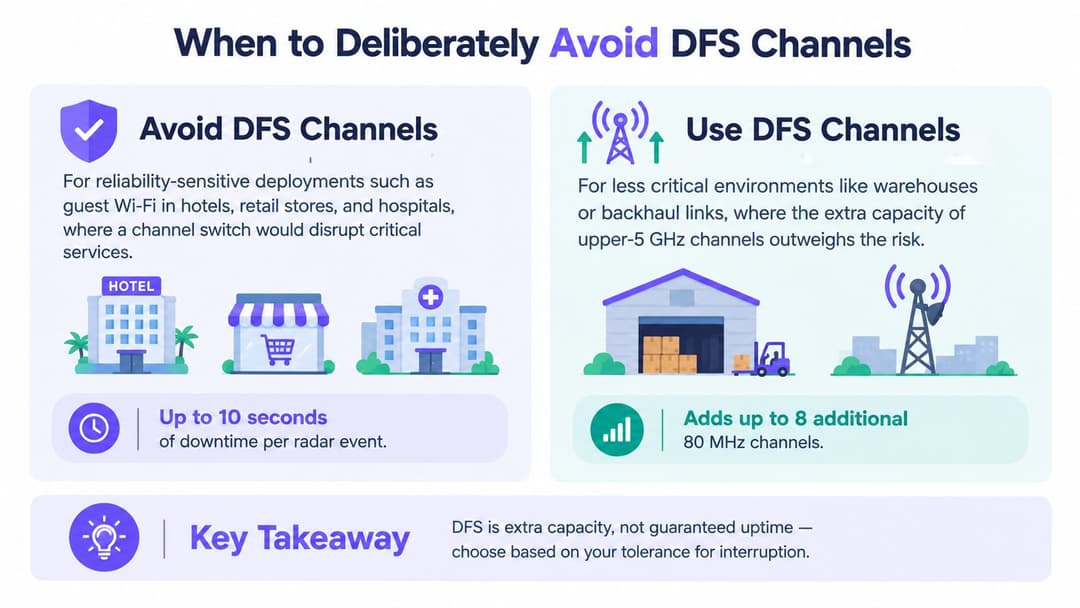
A useful way to make that decision is to compare the cost of congestion against the cost of interruption. If a DFS event would only affect a low-priority area with good neighbouring coverage, the trade-off may be acceptable. If it could disrupt a time-sensitive service or trigger a flood of support requests, a non-DFS plan may be the safer choice.
For channel allocation, compare your survey findings with a Wi-Fi channel planner. Use it as an input to the decision, not as a substitute for testing client behaviour or documenting which services can tolerate a channel move.
Troubleshooting DFS Events in Multi-Tenant Environments
A tenant reports that Wi-Fi failed, but the symptoms don't yet identify the cause. Start with the affected AP and client location, then compare the report time with access point availability and channel-change records. If the AP logged radar detection and moved channels at the same time as the complaint, DFS becomes a strong explanation. If it didn't, investigate coverage, roaming, authentication, DHCP, and backhaul instead.
A practical diagnostic sequence keeps teams from treating every disconnect as a radio failure:
- Check AP status: Confirm whether the AP stayed online or rebooted.
- Inspect channel events: Look for radar detection, channel evacuation, and the new channel.
- Compare client symptoms: Check whether multiple clients on the same AP were affected, or whether one device alone had trouble.
- Trace the service path: If Wi-Fi association remains stable, investigate authentication, address assignment, captive-portal behaviour, or upstream connectivity.
Correlate records with complaints
Record the AP identifier, affected zone, event timestamp, previous channel, and selected channel. Compare those fields with help-desk reports and service alerts. In multi-tenant buildings, keep tenant or zone information with the incident record so a radio event in one area doesn't get mistaken for a building-wide outage.
A radar event can also produce a pattern of repeated channel changes if an AP keeps encountering radar on its selected options. When that happens, review the channel pool and the AP's automatic RF behaviour. Consider a suitable non-DFS alternative for that zone, or adjust the plan to give the AP a different set of eligible channels, while maintaining compliance.
If users report an interruption, anchor the investigation to the AP event timeline before changing authentication or client settings.
That's especially important in shared buildings, where separate tenants may have different access methods and support teams. A multi-tenant Wi-Fi guide can help frame the wider operational responsibilities, but the immediate diagnosis should still begin with the AP logs and the exact timing of the complaint.
Planning DFS Resilient Networks and Identity-Based Access
A DFS event is a radio interruption, but a reconnect doesn't have to become a full user reset. Networks can reduce the burden by pairing a clear channel policy with resilient roaming and access methods that let clients return without repeating a cumbersome sign-in process. The radio plan and the identity experience should be designed together.
For guests, passwordless onboarding and identity-based access can simplify recovery after a device reconnects. OpenRoaming and Passpoint can support repeat access without making users re-enter shared credentials each time. Staff access should be managed separately, with appropriate identity controls and a process for provisioning and revoking access. These measures don't prevent radar detection or guarantee uninterrupted service, but they can make recovery less frustrating.
A planning checklist for the next review
- Prefer predictable indoor options where local density and coverage allow.
- Use DFS deliberately where the additional channel choices justify the operational risk.
- Keep sensitive services in mind when assigning channels to reception, clinical, payment, or guest-heavy zones.
- Design for local failure: wired backhaul and adequate neighbouring coverage help keep an AP interruption from becoming a wider outage.
- Monitor channel behaviour: log radar events and channel changes, then review them alongside user reports.
- Review the plan regularly: revisit channel choices as the building, neighbouring networks, and service requirements change.
For organisations connecting wireless continuity to broader resilience planning, NZ Apps' disaster recovery planning resources offer a useful way to place network incidents within operational recovery procedures. The central principle is straightforward: DFS is shared-spectrum access with availability conditions, so write those conditions into the venue's service plan rather than leaving them as an undocumented radio setting.
Purple provides identity-based Wi-Fi access for guests and staff, including passwordless onboarding and OpenRoaming, which can help simplify reconnection after a DFS event. Review Purple to see how its access and analytics tools fit your network and incident-management requirements.