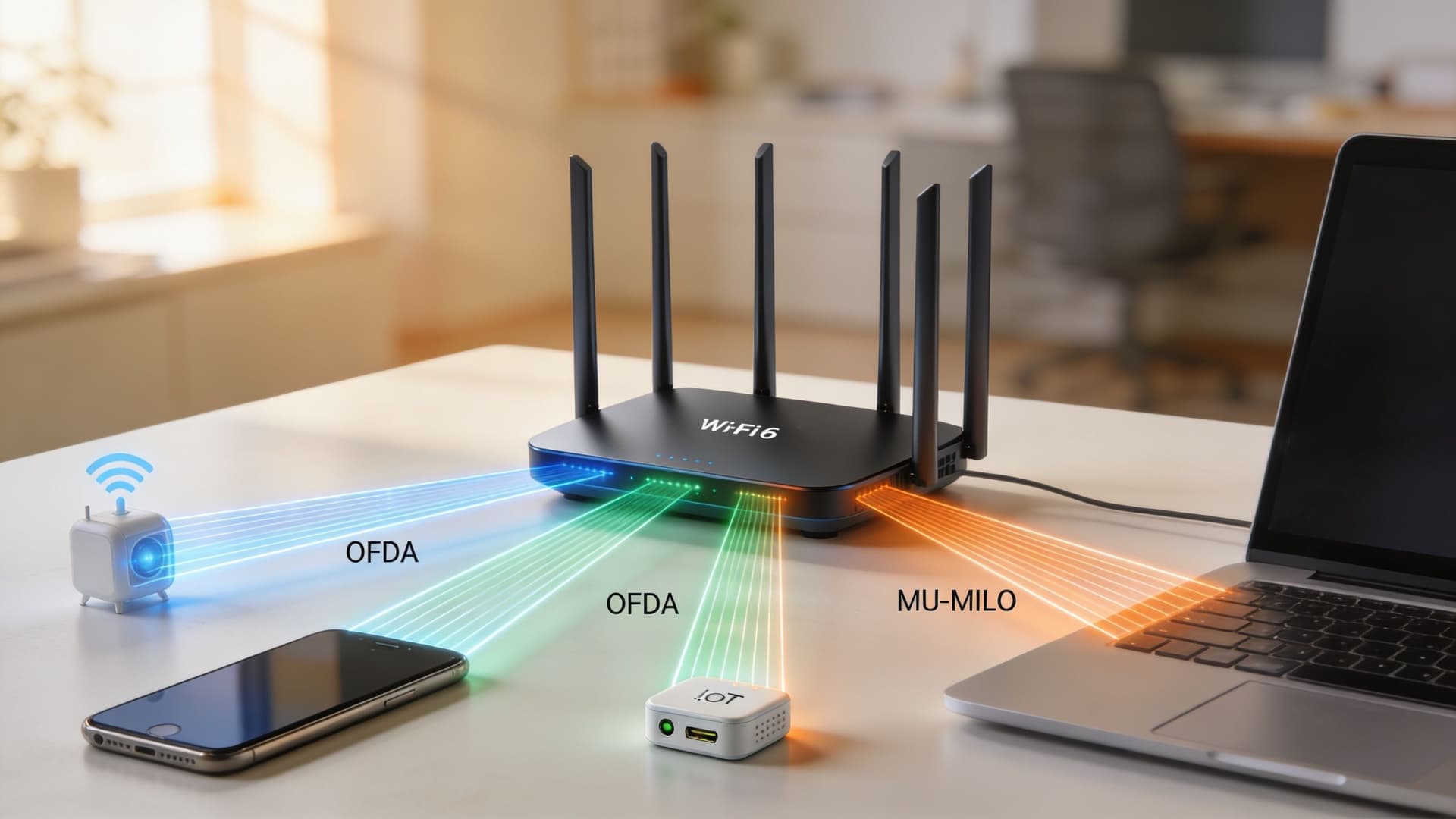
A guest walks into your hotel lobby at 6 pm, opens a laptop, and the video call starts breaking up. At the same moment, reception staff are checking people in, smart TVs are waking up in rooms, a card terminal hesitates, and dozens of phones latch on to the same wireless network. In a shopping centre, the same pattern shows up as patchy guest Wi-Fi, delayed payment flows, and location data that arrives too late to be useful. In a residential block, tenants complain that the network looks strong but feels unreliable.
That’s usually the point where people say they “need faster Wi-Fi”. Sometimes they do. More often, they need Wi-Fi designed for crowded environments, plus a way to control who connects, how devices are segmented, and what experience each user should get.
That’s where wi fi 6 comes in. It’s the wireless standard built for dense, noisy, device-heavy environments. But the important business lesson is this: better radios alone won’t fix every problem. In busy venues, significant gains come when modern wireless hardware is paired with an identity and management layer that handles authentication, segmentation, policy, and analytics.
The End of the Wi-Fi Traffic Jam
At 8 am, a property can look perfectly healthy on paper. Signal bars are full. The internet circuit is live. Then footfall rises, more devices attach, and the trouble starts. Check-in tablets hesitate. A payment terminal takes an extra beat. Guest pages load, then stall. The network is still up, but confidence in it starts to fall.
That pattern matters because congestion is usually an airtime problem, not a simple coverage problem. Wi-Fi is a shared medium. Every phone, laptop, camera, sensor, and handheld is waiting for a chance to speak. In a quiet area, those turns happen quickly. In a busy lobby, food court, ward, or apartment block, the queue gets longer and collisions become more costly.
What congestion looks like in practice
Hospitality teams often notice it first in communal areas. A corridor with a few connected devices may feel stable, while the lobby struggles because many people are trying to use the same radio channels at once.
Retail makes the issue harder to ignore. Guest access, staff devices, POS terminals, digital signage, scanners, and operational systems all share the same wireless environment. If too many devices are competing for airtime, even small tasks start to feel slow.
The same thing happens in multi-dwelling and mixed-use sites. Residents may see a strong signal and still report poor service, because signal strength is only one part of the experience. Capacity, interference, and client density shape the result just as much. If you need a quick refresher on the basics, Purple’s guide to wireless connections and how they behave under load is a useful primer.
Crowded Wi-Fi usually breaks down because many devices need short, frequent turns on the network at the same time.
Why wi fi 6 changed the design brief
For busy venues, the true test is not peak speed in a quiet room. It is whether the network stays predictable when hundreds of devices are active at once.
Wi-Fi 6 was built for that operating reality. It improves how airtime is scheduled and shared, so the network wastes less time managing contention between devices. That is a better fit for hotels, hospitals, retail sites, and residential buildings where a large number of clients are active in bursts all day.
For a business operator, the outcome is practical. Guests get a smoother connection in crowded spaces. Staff applications behave more consistently. More devices can stay online without turning the network into a waiting room.
Hardware still only solves part of the problem. In dense environments, the bigger win comes from combining Wi-Fi 6 access points with an identity and management layer that controls authentication, segmentation, policy, and visibility. Without that layer, faster radios can still leave you with unmanaged guest access, flat networks, and limited insight into who is using airtime and why.
What Is Wi-Fi 6 and Why Does It Matter
At 8:30 a.m., a hotel lobby fills up fast. Guests open laptops to join video calls, phones start cloud backups, staff tablets pull room data, and payment terminals keep checking in with back-end systems. If the wireless network treats every device like it has to wait in the same queue, service starts to feel inconsistent very quickly.
Wi-Fi 6 is the industry name for 802.11ax, the standard that followed Wi-Fi 5. Its main improvement is not just higher top-end speed. It is a better way to share airtime when many devices need short, frequent exchanges at the same time.
A useful way to frame it is this. Older Wi-Fi often behaves like a meeting where one person speaks, stops, then the next person starts. Wi-Fi 6 improves the schedule so more devices can be served with less wasted time between turns. In busy venues, that change matters more than a lab speed test.
The headline upgrade
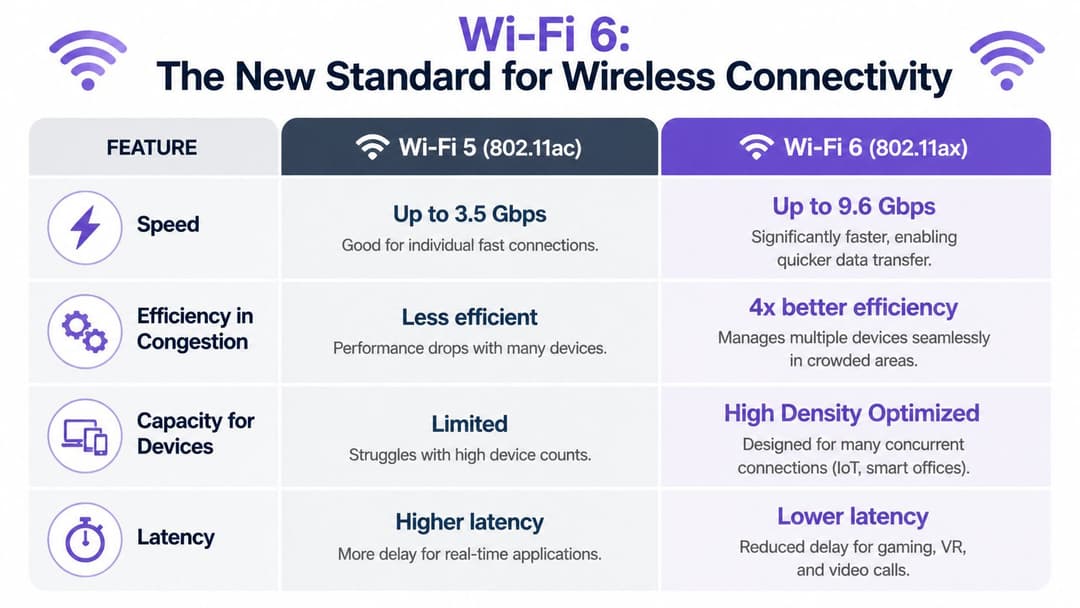
Wi-Fi 6 has a higher maximum theoretical throughput than Wi-Fi 5, and it uses 1024-QAM, which allows more data to be carried in each transmission symbol. In plain English, the network can move more useful information through the same radio spectrum when conditions are right.
That does not mean every user will suddenly see triple the speed.
In dense environments, the value of wi fi 6 is that it reduces inefficiency. A guest scrolling social media, a nurse using a handheld device, and a sensor sending tiny status updates do not all need huge bandwidth. They need timely access to the network. Wi-Fi 6 is better at providing that.
If you want a refresher on the basics behind signals, interference, and airtime, Purple’s guide to how wireless connections work under load gives helpful context before comparing standards.
Wi-Fi 6 vs Wi-Fi 5 at a Glance
| Feature | Wi-Fi 5 (802.11ac) | Wi-Fi 6 (802.11ax) |
|---|---|---|
| Maximum theoretical throughput | 3.46 Gbps | 9.6 Gbps |
| Frequency bands | 5 GHz only | 2.4 GHz and 5 GHz |
| Modulation | 256-QAM | 1024-QAM |
| Efficiency in dense spaces | More limited | Built for high-density performance |
| Multi-device handling | Earlier MU-MIMO limitations | Expanded multi-device communication |
| Focus | Fast connections | Fast, efficient shared connectivity |
Why business operators should care
For a business operator, wireless quality shows up in very practical places. Guests notice whether onboarding feels easy. Staff notice whether line-of-business apps stay responsive. IT teams notice whether support tickets spike during peak occupancy.
Wi-Fi 6 helps because it was designed for busy, mixed-device environments. That includes offices with heavy collaboration traffic, retail sites with handheld scanners and guest access, healthcare settings with mobile clinical devices, and multi-dwelling buildings where many residents come online at once.
Still, better radios do not solve the full business problem. A crowded network also needs clear identity, policy, and visibility. Without that layer, a venue can end up with fast access points but weak guest controls, poor segmentation between users and devices, and limited insight into which groups are consuming airtime.
A better way to evaluate the upgrade
A useful evaluation starts with four business questions:
- Guest experience: Can users connect quickly and stay connected in busy areas?
- Operational reliability: Will staff apps, POS devices, and handhelds behave predictably during peak hours?
- Device growth: Can the network support more phones, laptops, sensors, and IoT endpoints without performance becoming erratic?
- Policy control: Can you separate guests, staff, and unmanaged devices in a way that is easy to administer and audit?
For dense environments, wi fi 6 should be judged as part of a wider operating model. The access points improve how airtime is shared. An identity and management layer turns that technical gain into business results by controlling authentication, segmentation, policy enforcement, and reporting. That combination is what improves performance, strengthens security, and gives you a clearer return on the upgrade.
Unpacking the Core Technologies Driving Performance
Wi-Fi 6 improves performance by using airtime more efficiently, especially when many devices are active at once. The headline speeds matter less in a busy venue than the way the standard reduces waiting, organises transmissions, and copes with interference.
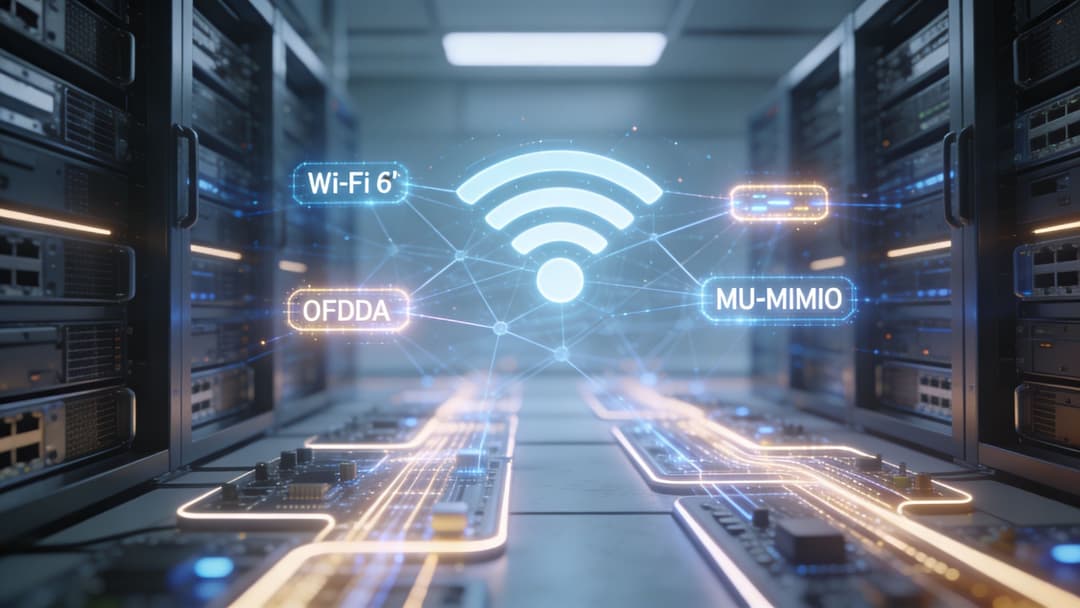
OFDMA reduces small delays across many devices
OFDMA stands for Orthogonal Frequency Division Multiple Access. In practical terms, it lets an access point divide a channel into smaller resource units and assign them to different devices in the same transmission period, as explained in Intel’s overview of Wi-Fi 6.
That matters because dense environments rarely consist of one laptop pulling a huge file. They consist of dozens or hundreds of devices making short, frequent requests. Card readers check in. Tablets sync. Sensors report status. Guest phones load apps and messages. OFDMA helps the network serve those smaller jobs in a more organised way, which cuts idle waiting and improves responsiveness.
For a business operator, the outcome is straightforward. Fewer micro-delays mean fewer awkward pauses at checkout, more dependable staff workflows, and a better experience for guests who expect the network to feel immediate.
MU-MIMO increases parallel capacity
MU-MIMO stands for Multi-User, Multiple Input, Multiple Output. Wi-Fi 6 expands how effectively an access point can talk to multiple client devices at the same time, rather than forcing as much traffic into a one-at-a-time pattern.
A useful way to read that is operationally, not academically. If OFDMA helps organise many small tasks, MU-MIMO helps the access point keep more conversations active in parallel. In a hotel lobby, clinic, lecture hall, or retail floor, that translates into less contention when many people and devices are online together.
Capacity improves, but the bigger business benefit is consistency. Networks that feel inconsistent generate support tickets, frustrate staff, and weaken confidence in digital services. MU-MIMO helps smooth out those peaks.
BSS Colouring improves channel reuse in crowded airspace
Dense buildings have another problem. Your access points are competing with signals from neighbouring networks, nearby tenants, and other parts of the same property.
BSS Colouring helps devices identify whether a transmission belongs to their own network or to an overlapping one nearby. That sounds technical, but the effect is simple. Devices can make better decisions about when to wait and when to keep transmitting, which improves channel reuse in crowded RF conditions.
This feature is especially valuable in apartments, student accommodation, mixed-use developments, and large venues where many access points sit within earshot of one another.
WPA3 strengthens access protection
Performance and security are closely linked in real deployments. A wireless network that is fast but poorly controlled still creates operational risk.
Wi-Fi 6 commonly appears alongside WPA3, which improves wireless security compared with older approaches. That helps reduce exposure created by weak authentication practices and gives organisations a better starting point for protecting users and devices.
Still, the radio standard only handles part of the job.
OFDMA, MU-MIMO, BSS Colouring, and WPA3 improve efficiency and protection at the wireless layer. They do not decide which user belongs on the guest network, which device should reach internal systems, or how access policies should change by role, location, or session state. In dense environments, that identity and management layer is what turns better Wi-Fi mechanics into measurable outcomes such as safer guest access, cleaner segmentation, stronger visibility, and a clearer return on the hardware investment.
Strategic Deployment in Your Environment
A wi fi 6 project doesn’t start with a spec sheet. It starts with the environment.
A boutique hotel, a hospital ward, a shopping centre, and a student housing block can all buy the same access points and end up with very different results. The radio standard is shared. The operational demands are not.
Don’t assume a rip-and-replace is the only path
Most organisations can phase a migration. You can introduce wi fi 6 access points into the highest-pressure areas first, such as lobbies, conference spaces, waiting rooms, food courts, or amenity spaces, then expand from there.
What matters is consistency in design. If your wired uplinks, switching, authentication flow, or VLAN policy are weak, new access points won’t hide those problems for long.
A sensible deployment review should cover:
- Client mix: New laptops and phones benefit fastest, but legacy clients still shape airtime use.
- Application mix: Guest streaming, voice, POS, roaming tablets, and IoT devices stress the network differently.
- Coverage pattern: Dense environments often need careful cell sizing, not just “more signal”.
- Access policy: Who joins the network, and how they’re segmented, affects user experience as much as RF design.
Different sectors need different answers
Hospitality operators usually need one wireless estate to support guest use, back-office systems, staff mobility, and building systems. The challenge isn’t just throughput. It’s avoiding a design where guest traffic and operational traffic compete in ways that are hard to control.
Retail environments often need stable guest access without compromising POS reliability. A busy centre may also rely on analytics, digital displays, stock systems, and handheld devices. In that setting, the wireless design has to support both customer experience and revenue operations.
Multi-tenant residential is where many projects go wrong. Operators hear that wi fi 6 is built for density and assume new hardware will solve the issue. It helps, but that assumption breaks down when many residents, guests, and unmanaged devices all share limited airtime.
The residential blind spot
A recent underserved angle deserves attention here. CableLabs analysis, as reported by The Register, predicts that within five years the 6 GHz band will approach exhaustion in dense residential settings, potentially causing 2% packet loss and 10ms latency, even with Wi-Fi 6 deployed. That reporting appears in The Register’s coverage of the CableLabs analysis.
That point matters because it changes the buying conversation. Faster radios don’t eliminate overcrowding on their own.
In apartment buildings, the long-term bottleneck isn’t only radio capability. It’s admission control, tenant isolation, and policy enforcement.
What to decide before purchase
Before you order hardware, answer these questions:
- Where is congestion occurring? Guest rooms, corridors, lifts, food courts, lecture spaces, and communal lounges behave differently.
- What identities exist on the network? Guests, staff, contractors, residents, and devices should not all be treated the same way.
- What has to roam cleanly? Staff handhelds and resident devices need different onboarding and session persistence.
- What should stay isolated? Legacy IoT, tenant traffic, and operational systems usually need separate treatment.
That’s the point where wi fi 6 becomes a platform decision, not just a hardware refresh.
Integrating Advanced Security and Seamless Identity
A guest checks into a hotel, joins the Wi-Fi in seconds, and heads to their room. A nurse wheels a monitoring cart between wards without losing connection. A building sensor reports in the background all day on a small battery. Those moments feel simple to the user, but they only happen when security, identity, and policy are designed together.
That is the gap in many wi fi 6 projects. The radios are newer and faster, yet the access model still relies on shared passwords, flat networks, and manual exceptions.
WPA3 secures the connection. Identity governs what happens next.
WPA3 gives wi fi 6 a stronger security foundation than older wireless standards. That matters in public and semi-public settings where weak pre-shared passwords can spread quickly and stay in circulation for months.
But encryption answers only part of the question. It protects the session in transit. It does not identify whether the device belongs to a guest, a member of staff, a contractor, a resident, or an HVAC controller.
For business operators, that difference is operational, not academic. If every user and device enters through the same door, you cannot apply the right policies, isolate risky endpoints, or trace activity cleanly when something goes wrong.
Good Wi-Fi security should feel easy to the user and precise to the administrator
The strongest user experience is often the least visible one. A device connects quickly, stays protected, and reauthenticates without repeated prompts as the person moves through the building.
Passpoint and OpenRoaming help here because they replace repeated portal logins with trusted credentials. The result is smoother onboarding for guests and staff, fewer support requests, and less temptation to post one shared password at reception.
If you’re comparing models for guest access, staff access, and device onboarding, Purple’s guide to types of Wi-Fi security is a useful reference.
A useful analogy is an airport. WPA3 is the locked perimeter fence. Identity is the boarding pass and passport check that decides who can enter which area. In a dense venue, hospital, campus, or residential block, you need both.
TWT helps security and operations by reducing unnecessary chatter
Wi-Fi 6 also introduced Target Wake Time, or TWT. It lets compatible devices agree on scheduled check-ins with the access point instead of competing for airtime constantly.
That matters most in environments full of low-power devices. Smart locks, environmental sensors, occupancy monitors, and other IoT endpoints do not need to talk every second. TWT works like a delivery timetable. Each device wakes up at the right moment, sends or receives what it needs, then goes quiet again.
The business effect is practical:
- Hotels: Room systems and smart locks can communicate efficiently without adding avoidable background traffic.
- Healthcare: Mobile and fixed devices can share airtime more predictably in busy clinical spaces.
- Student housing and residential blocks: Battery-powered endpoints can stay in service longer and require fewer maintenance visits.
Identity turns a faster network into a controlled service
This is the point many technical explainers miss. Wi fi 6 hardware improves how the network handles airtime. It does not decide who belongs on the network, what they can reach, how long they should stay connected, or how their activity should be segmented from everyone else.
An identity and management layer solves that. It lets an operator recognise users and devices, place them into the right policy group, revoke access quickly, and keep guest traffic away from business systems and unmanaged IoT.
That is how you get the full value from wi fi 6 in dense environments. The radio makes higher performance possible. Identity and management make that performance usable, secure, and measurable. Without that layer, you have a better motorway with no lane control, no vehicle checks, and no reliable way to prioritise the traffic that matters most.
Unlocking Wi-Fi 6 ROI with Identity-Based Networking
A hotel upgrades to Wi-Fi 6, installs new access points, and expects complaints to drop. Signal improves, but the front desk still fields calls about login friction, staff tablets still need manual troubleshooting, and shared passwords still circulate long after they should. The radio layer got better. The operating model did not.
That is why return on investment from Wi-Fi 6 depends on more than faster wireless hardware. In dense environments, the bigger question is whether the network can recognise people and devices, apply the right access policy, and produce usable operational data. If it cannot, you have improved capacity without improving control.
Better access control creates better operations
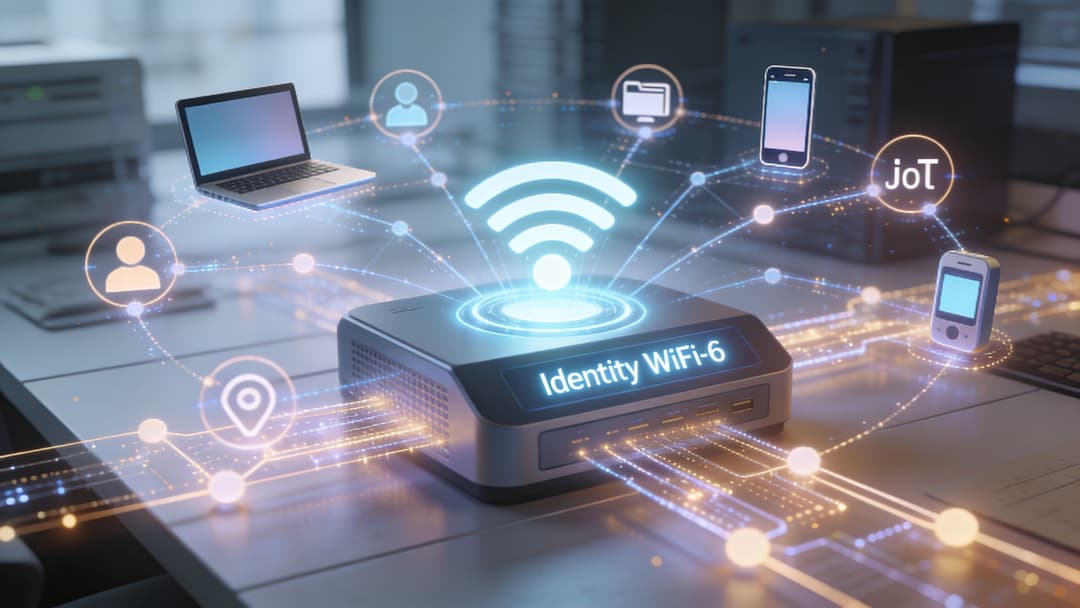
Identity-based networking means the system can tell a guest from an employee, a resident from a contractor, and a managed device from an unknown one. Once the network knows who or what is connecting, you can assign the right level of access automatically.
That changes daily operations in a very practical way. A guest can be given internet access for a defined period. A staff device can reach business applications but not sensitive admin systems unless it meets policy. An IoT sensor can send its telemetry without ever seeing guest traffic.
The analogy is a modern building with keycards instead of one code on the front door. Everyone enters the same property, but access depends on role, time, and location. Wi-Fi 6 improves the corridors and lifts so more people can move at once. Identity determines which doors open.
Why dense residential sites make the issue obvious
Multifamily and build-to-rent properties show this clearly because the network has to behave like shared infrastructure and a personal service at the same time. Residents expect reliable coverage across flats, common areas, and amenity spaces. Operators need to keep one resident’s traffic separate from another’s, support guest access, and avoid turning every move-in or move-out into a manual network task.
Multifamily Executive reports that only 3% of renters have access to modern managed Wi-Fi, as noted in its report on unmet demand for community Wi-Fi.
The gap is not only about buying access points. It is also about running identity, onboarding, policy assignment, and roaming in a way the property team can manage.
Where ROI comes from
The strongest financial return usually shows up in four areas.
Cleaner guest access
If people can join the network with less friction, support queues shrink and satisfaction improves. That matters in hotels, retail, student housing, and event spaces where the Wi-Fi experience shapes the overall brand experience.
Lower administrative effort
Shared passwords are cheap to issue and expensive to live with. They spread, they have to be changed, and they create avoidable support work. User-based credentials, certificates, or federated identity reduce that churn and make offboarding faster.
Stronger segmentation
Performance problems in dense sites are often policy problems wearing a signal-strength disguise. If guests, staff, residents, payment systems, and unmanaged devices all sit in the same broad access model, risk increases and troubleshooting gets harder. Clear identity-based grouping keeps classes of traffic separate and easier to govern.
Better business insight
A network that recognises connection types can generate more useful reporting. Operators can see adoption patterns, repeat visits, dwell behaviour in public venues, or usage demand by building area. Finance teams care about that because it links network spend to occupancy, guest satisfaction, support cost, and service uptake.
The management layer that turns capacity into a service
This is the piece many Wi-Fi 6 explanations leave too thin. The standard improves how efficiently airtime is shared. It does not define onboarding journeys, identity checks, access duration, policy enforcement, or reporting workflows. Those functions sit above the radio.
One way to provide that layer is with a platform that handles authentication, identity, and analytics across the wireless estate. Purple is one example. It provides passwordless guest access, supports OpenRoaming and Passpoint, integrates with identity systems such as Entra ID, Google Workspace, and Okta, and works with vendor ecosystems including Meraki, Aruba, Ruckus, Mist, and UniFi.
The important point is broader than any single product. Wi-Fi 6 gives you more efficient wireless capacity. Identity-based networking turns that capacity into a controlled service that can support guest experience, reduce risk, and produce measurable operational value.
A Practical Guide to Troubleshooting and Benchmarking
Once wi fi 6 is live, the next job is proving it’s working as intended. Don’t rely on one happy speed test in an empty room. Benchmark the network under the conditions your users create.
What to measure first
Start with a simple baseline in the busiest areas of the site. Test guest spaces, operational spaces, and transition zones where roaming matters.
Focus on a short set of checks:
- Throughput: Measure expected user experience in realistic locations, not only beside an access point.
- Latency: Check whether interactive apps remain responsive during busy periods.
- Roaming behaviour: Walk the path staff devices take and watch for sticky clients or session drops.
- Authentication time: Measure how long first join and return join take for each user type.
A useful benchmark document should include test location, client type, SSID, time of day, and observed symptoms. That gives you something repeatable after every change.
Common causes of disappointing results
New access points can still deliver poor outcomes if the surrounding design is weak.
Wired bottlenecks
If the switch uplink, gateway, or internet edge is constrained, the wireless layer gets blamed for someone else’s limit.
Legacy clients
Some old devices don’t behave well in mixed environments. They may roam poorly, support fewer features, or consume airtime inefficiently.
Poor segmentation
If guest, staff, and device traffic all share the same broad policy, the RF upgrade won’t solve the operational conflict.
Environmental interference
BSS Colouring helps with overlapping Wi-Fi, but it won’t eliminate every external interference source or every bad design choice.
Benchmark where users complain, not where the signal looks prettiest.
A sensible ongoing routine
Run periodic checks after major occupancy changes, firmware updates, or policy changes. Keep one test device current, one older device for comparison, and one roaming workflow that mirrors staff reality.
That habit matters more than chasing a perfect lab number. A healthy wi fi 6 network is one that behaves predictably on busy days.
Frequently Asked Questions About Wi-Fi 6
Do I need a new router and new devices to use wi fi 6
You need wi fi 6-capable access points or routers to get wi fi 6 features from the network side. Older client devices can still connect in most environments, but they won’t gain the full benefits that wi fi 6-aware clients can use.
Is Wi-Fi 6E the same as Wi-Fi 6
Not exactly. Wi-Fi 6E extends Wi-Fi 6 into the 6 GHz band. That gives network designers more spectrum options where regulations allow. If you want a forward look at what comes after that, Purple’s guide to Wi-Fi 7 and what changes for enterprise Wi-Fi is a good next read.
Will wi fi 6 replace 2.4 GHz
No. One advantage of wi fi 6 is that it supports 2.4 GHz and 5 GHz. That matters because some environments and device types still rely on the reach and compatibility of 2.4 GHz.
Can I mix Wi-Fi 5 and Wi-Fi 6 access points
Yes, many organisations do this during migration. The key is designing the environment intentionally so policy, roaming behaviour, and coverage remain coherent.
Does wi fi 6 solve dense apartment Wi-Fi by itself
No. It improves wireless efficiency, but dense residential environments still need strong tenant isolation, access control, and traffic management.
Is wi fi 6 mainly about speed
No. Speed is part of the story. In business environments, the bigger value is efficient multi-device handling, lower contention, and a more reliable experience under load.
If you're evaluating how to make wi fi 6 useful beyond raw radio performance, Purple is worth reviewing as part of the architecture. It focuses on secure authentication, identity-based access, seamless onboarding, and analytics, which are often the pieces that determine whether a wireless upgrade improves real operations or just updates the hardware estate.