
Enterprise Guest WiFi Setup Guide: VLAN Segmentation, Security, and Captive Portals
This technical guide shows IT teams how to set up Guest WiFi as a controlled internet-access service, using VLAN segmentation, firewall policy and a captive portal. It also explains how Purple's registration forms and onboarding controls support a proportionate visitor experience without weakening the boundary around staff, payment and operational systems.
Video overview
Listen to this guide
View podcast transcript
Part of our core series: Captive Portal Guide →

Steps to set up guest WiFi: Place guest traffic in an isolated VLAN, block routing to employee, payment, and operational systems, and present a captive portal before internet access. Use IEEE 802.1X and WPA3 if supported by your hardware. Test two scenarios: guest internet access succeeds after accepting terms, while connection attempts to protected networks fail.
What does a professional guest WiFi setup actually do?
Guest WiFi is a controlled service specifically for visitors. It provides internet access to guests, customers, visitors, passengers, or patients without their devices becoming part of your private network. The SSID is the visible network name. The underlying infrastructure determines where traffic flows, which destinations are reachable, and whether guests must pass through a captive portal before gaining access.
The technical goal is simple: a path to the internet with no unauthorised routes to protected resources. NIST recommends logical separation between external and internal wireless networks. It also emphasises that devices on the external wireless network should not be able to establish connections with devices on another, logically separated wireless network. If wireless clients require internal access, the allowed hosts and protocols should be restricted to the absolute minimum necessary. [1]
A VLAN is a logical network segment that provides traffic boundaries. While necessary, this alone is not sufficient. Your firewall policies and routing controls determine whether this segment is actually isolated. Your testing protocols provide the proof. Treat the guest SSID, VLAN, captive portal, firewall policies, and verification evidence as a single, integrated service, and assign an owner to it.
For venue operators, this concept represents a useful guest service. For the IT department, it establishes a documented boundary around employee, payment, and operational systems. The PCI Security Standards Council guidelines view scope definition and validation of segmentation controls as best practice for modern architectures, including zero-trust and cloud environments. [2]
What do you need to prepare before setting up guest WiFi?
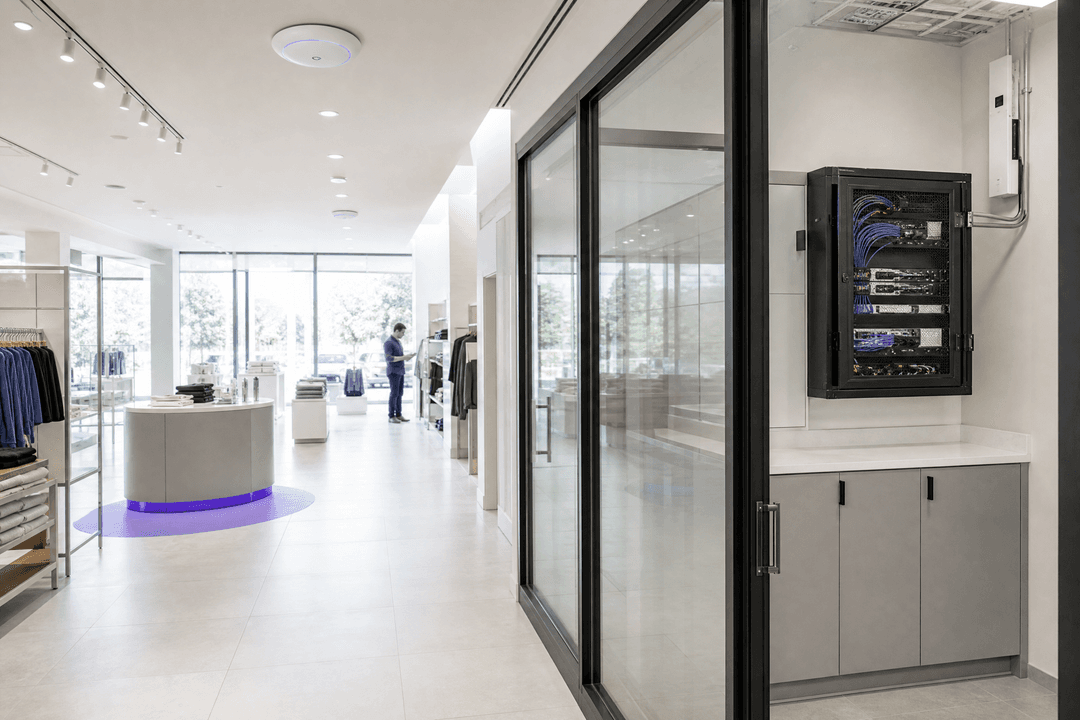
Begin with an inventory of your IT assets, not the login page. Identify access points, switches, firewalls or gateways, the internet uplink, DHCP and DNS services, existing segments, and any system that must remain unreachable by guest devices. In hotels, this typically affects employee systems, payment systems, and building management systems. In retail, POS systems and store management are added. In stadiums, it affects event operations, media production, and security systems.
Create a brief design document detailing the guest SSID, guest VLAN, expected network path, protected destinations, and the owner responsible for any exceptions. Document whether guests are permitted to communicate with each other. Also, record the testing methodology you apply after any network, portal, or policy change. This provides internal teams or managed service partners with a reliable baseline for verification.
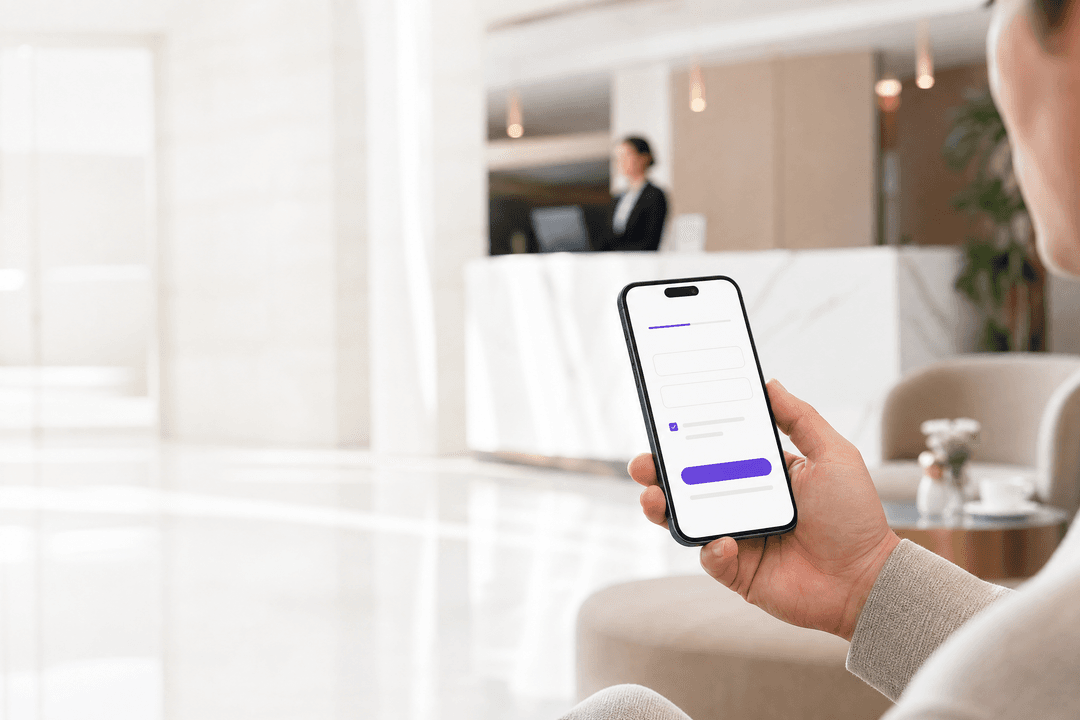
Make your decision before setting up the guest authentication mode. The captive portal is the page displayed to guests before they receive full internet access. Here, terms of use can be displayed, registration data captured, or social logins offered. This form is not just marketing space - it determines what data you process and whether the user experience matches the visit.
Purple documents the registration form as a login method for the splash page. You can choose which standard fields are displayed, which of these are mandatory, the order in which they appear, and whether custom fields are required. The form can also coexist alongside social logins. [3] For conferences where attendees are already registered, Purple documents a shorter form that uses the email address while simultaneously obtaining consent to the terms. [3]
Always design forms with a specific purpose in mind. The Information Commissioner's Office emphasises that personal data must be adequate, relevant, and limited to what is necessary in relation to the purposes for which they are processed. [4] In practice, before enabling any field, write down why you require this information. If a mandatory field does not serve a service, support, compliance, or explicit communication purpose, it should be removed.
| Your Scenario | Network Mode | Captive Portal Mode | Verification Evidence | Appropriate Outcome |
|---|---|---|---|---|
| Guests only require internet access | Isolated guest VLAN with internet-only firewall policy | Accept terms of use with a proportionate form | Internet test succeeds; test of protected destinations fails | Default mode for hotels, retail stores, stadiums, and public areas |
| Guests must reach a shared service | Isolated guest VLAN with documented allowlist for the specified service | Accept terms of use with a form tailored to this service | Shared service and internet function; all other protected tests fail | Use only with an owner assigned to this exception and a review date |
| Employees require access to internal systems | Separate employee WiFi profile, distinct from guest WiFi | No guest portal as a substitute for employee authentication | Employee access only functions via the shared employee profile | Maintain employee identity and guest access as separate services |
| Shared SSID on internal network segment | No protectable guest boundary | Any portal presence is incidental | Test of protected destinations is likely to expose this flaw | Do not use this mode for guest WiFi |
How do you set up a guest WiFi without creating backdoors?
1. Define the security boundary
Assign a dedicated VLAN to the guest WiFi. Route this VLAN to the internet via devices that enforce your security policies. Do not create permissive routing rules to the private network just to simplify short-term integrations. If internal services are absolutely necessary, define the exact destination, protocols, approver, and a review date. NIST defines this as a "need-to-know" access decision: wireless clients requiring access to wired networks should only be permitted to access the necessary endpoints using the required protocols. [1]
First, formulate a business deny-list. This should cover employee networks, payment environments, device management, printers, building systems, and all other sensitive areas at your venue. The syntax for implementation varies by platform, but the policy intent must not change. This guide deliberately avoids prescribing IP ranges, firewall commands, or vendor menu paths. Use your approved network standards to govern these details.
2. Strictly separate guest and employee access
Do not treat guest WiFi as a less restrictive version of employee WiFi. Guest access is typically based on a captive portal. Employee access, however, should follow your approved identity and device mechanisms. IEEE 802.1X is the standard for port-based network access control. It supports controlled access to authenticated and authorised devices, including mutual authentication mechanisms. [5]
WPA3 provides the latest WiFi security features, provided they are supported by your access points and client devices. The WiFi Alliance notes that WPA3 includes additional features for personal and enterprise use, excludes outdated legacy protocols, and that Protected Management Frames are mandatory for WPA3 networks. [6] Verify the compatibility of your own devices before deciding on a policy. Guest availability and employee identification are distinct requirements. Keep these profiles separate.
3. Creating a captive portal for access decisions
Only set up the portal once network boundaries are functioning correctly in a test environment. The portal should carry the venue's branding, contain your terms and conditions, request only proportionate information, and only release the guest once the desired access decision has been made. Purple's form configuration allows you to enable standard fields, determine whether fields are optional, change the order of fields, use section headings, and add custom field types if standard fields are insufficient. [3]
For events, a short form requiring only an email address and assuming acceptance of the terms is often the most practical choice. For a hotel, you may require a different form model. The principle remains the same: form design follows intended use. If you have added a custom field for an event name or code, Purple's documentation states that responses can be stored in the platform's CRM section to match them with registration data after the event. [3] Only enable the field if you can justify processing this information.
4. Connecting Purple to the physical access flow
Purple is hardware-agnostic and acts as a cloud overlay on top of your existing infrastructure. In a guest WiFi deployment, the access points and network policies are responsible for enforcing connection boundaries, while Purple manages the welcome page, registration forms, and journey flow. Purple's onboarding documentation guides teams through configuring compatible hardware, welcome pages, journeys, and portal users. [7]
Use the support documentation for specific form configurations rather than copying settings from general guides. Relevant resources include WiFi Registration Form Settings and Onboarding. This is particularly important when a central team manages multiple venues. This keeps the registration experience controlled while your network team retains control over infrastructure boundaries.
Purple integrates with Cisco Meraki, HPE Aruba, Ruckus, Juniper Mist, Ubiquiti UniFi, Cambium, Extreme, and Fortinet. This makes the design question more useful than a replacement question: can your existing hardware deliver the guest WiFi service, assign it to the approved segment, and route guests through the agreed captive portal?
Got questions about your specific setup?
Our team works with venue operators, IT managers, and network engineers across 80,000 venues. Book a 20-minute call and we will show you how others like you solved it.
How do you verify that the guest WiFi works and remains isolated?
Test both the success and failure cases. A successful internet connection is only half the battle. The expected positive outcome is that a guest can connect to the guest SSID, receive the guest network service, complete the captive portal, and connect to the internet. The negative outcome is equally important: in your documented test suites, the same device must not gain access to protected systems.
Use at least two different types of unmanaged devices, such as a smartphone and a laptop. Repeat tests after any change to access points, switches, gateways, firewall policies, or portal configurations. Log the time, test device, guest SSID, test destination, expected outcome, actual outcome, and the tester. This provides the venue manager with a simple operational log and the security team with proof that boundaries have been verified.
NIST recommends standardised security configurations for common wireless components, continuous monitoring for attacks and vulnerabilities, and regular technical security assessments. [1] Make this an operational routine. Standardise guest defaults across all venues. Review configuration changes. Patch and verify relevant wireless components. Retest isolation after any change that could affect the path between the guest segment and protected networks.
flowchart LR
    A[Gästegerät] --> B[Gäste-SSID]
    B --> C[Gäste-VLAN]
    C --> D[Captive Portal]
    D --> E[AGB & Registrierung]
    E --> F[Firewall-Richtlinie]
    F --> G[Internet]
    F -. deny .-> H[Mitarbeitersysteme]
    F -. deny .-> I[Zahlungssysteme]
    F -. deny .-> J[Betriebssysteme]
```This diagram shows the expected control path. The captive portal controls the access decision, while firewall policies govern traffic after release. Blocked paths must be verified and not simply assumed.

## What does this look like in practice on site?

### Hotel Example: A 200-room hotel

A hotel requires guest WiFi in rooms, reception, and conference areas. Internal systems include hotel operations, payment systems, and building management. Deployment begins with a dedicated guest VLAN and an internet-only policy. The hotel creates a portal form appropriate for the stay and logs acceptance of the terms and conditions. Employee profiles are not reused for guest access.

The measurable verification outcome is a test suite with two successful positive checks and zero successful connections to protected categories. The positive checks are completion of the portal process and normal internet access. The negative checks cover employee systems, payment systems, device management, and building management. A failed negative test prevents go-live until the policy is corrected. This is a practical scenario, not a statement about a specific Purple customer.

### Event Example: A convention centre

A convention centre expects attendees for a registered event. The venue requires an efficient way to get attendees online while logging acceptance of the terms and conditions. It uses a short form with email enabled and adds event-specific custom fields only if explicitly requested by the organiser. Purple documents this short form model and the use of custom fields to validate eligibility. [3]

The measurable verification outcome is a test of the "connect to internet" path on two attendee devices with logged terms and conditions consent and zero successful connections from the guest segment to documented protected test destinations. The venue retains the test results alongside the event schedule. Should a configuration change affect service on the day of the event, this provides the operations team with a clear escalation point.

For relevant operational models, please read [Guest WiFi Management: Smart Authentication & Segmentation](/blogs/guest-wifi-management), [Cloud WiFi Management: Secure Enterprise Connectivity 2026](/blogs/cloud-wifi-management), and [How to revoke WiFi access when an employee leaves](/en-gb/guides/revoke-wifi-access-employee-leaves). The latter guide addresses employee access rather than guest registration. Distinguishing between the two is the critical point.

## What can go wrong and how to fix it

The first mistake is assuming that separate SSIDs mean separate access. The solution is to verify VLAN assignments, gateway routes, and policy enforcement points, then run negative tests. The second mistake is overly permissive exceptions that expose more private services than intended. The solution is to replace permissive rules with documented, limited allowlists and review dates. The third mistake is a captive portal that requests every available field. The solution is to map every field to a clear purpose. The fourth mistake is unclear operational ownership. The solution is to name network owners, portal owners, and venue owners. The fifth mistake is configuration drift between different venues. The solution lies in standardised guest profiles and repeatable testing protocols.

If you require access to services, use [Guest WiFi](/guest-wifi). If the approved data model supports analytics, use [WiFi Analytics](/guest-wifi). The access boundary remains the first decision upon which the experience layer and measurement layer are built. For industry-specific background, see Purple's solutions for [Hospitality](/industries/hotels), [Retail](/industries/retail), [Healthcare](/industries/healthcare), and [Transport](/industries/trains).

## What does guest WiFi cost and what do you get in return?

Do not estimate a guest WiFi project solely by the number of access points. The scope of delivery includes network segmentation, firewall policies, internet routing, portal design, legal reviews of terms and form fields, testing, operational responsibilities, and ongoing monitoring. A venue without approved guest boundaries requires far more effort than a venue where the guest SSID can be mapped directly to an existing segment and internet policy.

The operational gain is a clearly defined guest service and a physical boundary around protected systems. The business return depends on the goals you have approved for registration and interaction. Separate these goals from security decisions. Purple's guide [Measuring the Business ROI of Guest WiFi and Location Analytics](/en-gb/guides/measuring-the-business-roi-of-guest-wifi-and-location-analytics) shows you how to conduct this second phase of the discussion.

> **Practical rule:** Plan the boundaries first. Keep the portal proportionate. Validate internet access and confirm blocked access to protected networks before going live.

<audio controls src="https://tfstmpunsngbqczbybwb.supabase.co/storage/v1/object/public/guide-assets/guides/enterprise-guest-wifi-setup-guide-vlan-segmentation-security-and-captive-portals/enterprise_guest_wifi_setup_guide_vlan_segmentation_security_and_captive_portals_podcast.mp3" preload="none"></audio>

## Frequently Asked Questions (FAQ)

### Can I set up guest WiFi on my existing access points?

Yes, provided your existing hardware supports an approved guest network design and captive portal integration. Purple supports a wide range of hardware vendors and integrates seamlessly with Cisco Meraki, HPE Aruba, Ruckus, Juniper Mist, Ubiquiti UniFi, Cambium, Extreme Networks, and Fortinet. Please validate guest VLANs, network routing, policy enforcement, and portal redirects within your own architecture before beginning the rollout.

### Is a separate SSID sufficient to secure a guest WiFi?

No. A separate SSID merely identifies the guest network. You also require separate VLANs or equivalent segmentation, routing controls, and firewall policies that block access to protected destinations. Run negative tests against employee, payment, management, and operational systems to verify network boundaries. NIST recommends logical segmentation between external and internal wireless networks. [1]

### Can Purple simplify the captive portal registration forms?

Yes. Purple provides a short-form mode that enables email address input while retaining consent to the terms of use. You can also determine which standard fields are displayed and declared mandatory, and whether custom fields are required. Use shorter forms in scenarios where this is appropriate for the service (such as events with pre-registered attendees). [3]

### How do I make guest WiFi registration GDPR-compliant?

First, collect only the personal data necessary for the purposes you have defined. The Information Commissioner's Office (ICO) and GDPR emphasise that data must be adequate, relevant, and limited to what is necessary. Document the purpose of each portal field, review them regularly, and remove fields for which you cannot justify the necessity. [4]

### Does guest WiFi segmentation help reduce PCI DSS scope?

Yes, a properly designed and validated logical segmentation assists you in defining your audit scope. The PCI Security Standards Council guidelines describe defining scope boundaries and validating segmentation controls in modern network architectures. However, this does not absolve you of your PCI DSS responsibilities. Keep payment systems entirely out of the guest network data path and test these boundaries rigorously. [2]

### What implementation effort should I expect?

This is a network engineering and operational change, not a simple website update. You must plan guest segmentation, firewall policies, network routing, captive portal forms, legal terms reviews, test plans, and ownership assignment. If your existing infrastructure already supports the required security boundaries, the deployment effort is reduced - though validation and testing are still required.

## References

[1]: https://nvlpubs.nist.gov/nistpubs/Legacy/SP/nistspecialpublication800-153.pdf "NIST SP 800-153: Guidelines for Securing Wireless Local Area Networks (WLANs)"
[2]: https://blog.pcisecuritystandards.org/new-information-supplement-pci-dss-scoping-and-segmentation-guidance-for-modern-network-architectures "PCI Security Standards Council: PCI DSS Scoping and Segmentation Guidance for Modern Network Architectures"
[3]: https://support.purple.ai/hc/en-gb/articles/7330833958813-WiFi-Registration-Form-Settings "Purple Support: WiFi Registration Form Settings"
[4]: https://ico.org.uk/for-organisations/uk-gdpr-guidance-and-resources/data-protection-principles/a-guide-to-the-data-protection-principles/data-minimisation/ "ICO: Data minimisation"
[5]: https://standards.ieee.org/ieee/802.1X/7345/ "IEEE 802.1X-2020: Port-Based Network Access Control"
[6]: https://www.wi-fi.org/discover-wi-fi/security "WiFi Alliance: Security and WPA3"
[7]: https://support.purple.ai/hc/en-gb/articles/7330833690525-Onboarding "Purple Support: Onboarding"
Key Definitions
Guest WiFi
A visitor internet-access service that is separated from the private networks used by staff and operational systems.
Use this term when defining the service boundary and the visitor experience you must deliver.
WLAN
A wireless local area network made up of client devices, access points and the network infrastructure that connects them.
NIST uses WLAN when discussing the configuration and monitoring of enterprise wireless environments.
SSID
The network name a visitor sees when choosing a wireless network on a device.
An SSID identifies the service but does not, on its own, provide the network boundary.
VLAN
A logical network segment used to separate traffic and apply a defined access policy.
Use a guest VLAN to give the firewall and routing design a clear visitor traffic boundary.
Captive portal
A controlled page shown before a visitor receives full network access.
Use it to present terms and collect only the registration information that serves a defined purpose.
Firewall policy
The set of traffic rules that allow, deny or limit connections between network segments and the internet.
It enforces the guest boundary after a device joins the guest VLAN and completes the portal.
IEEE 802.1X
An IEEE standard for port-based network access control that supports controlled access for authenticated and authorised devices.
IT teams use it when designing a distinct staff access profile rather than treating staff devices as guests.
WPA3
A WiFi security certification with personal and enterprise capabilities, including Protected Management Frames requirements for WPA3 networks.
Assess it against your access point and client compatibility when defining security profiles.
Data minimisation
The UK GDPR principle that personal data must be adequate, relevant and limited to what is necessary for the processing purpose.
Use it to decide which captive portal fields appear and which fields should remain optional or absent.
Segmentation verification
Testing that a network boundary behaves as designed, including both allowed and denied traffic paths.
Use it before go-live and after changes that can affect the route between guest access and protected systems.
Worked Examples
A 200-room hotel needs Guest WiFi across bedrooms, reception and meeting space without exposing staff, payment or building systems.
Assign the guest SSID to a dedicated guest VLAN, enforce an internet-only policy and create a hotel-appropriate registration form with terms acceptance. Test two positive outcomes, portal completion and internet access. Set the acceptance threshold at zero successful guest connections to staff, payment, device-management and building-operations categories. Hold go-live until every negative test passes.
A conference centre needs attendees who have already registered for an event to get online quickly while preserving terms acceptance and guest-network isolation.
Use Purple's documented short-form pattern with email enabled and terms acceptance retained. Add an event-specific custom field only where the organiser has a defined use for it. Verify the journey on two attendee device types from association through portal completion to internet access. Set the acceptance threshold at zero successful connections from the guest segment to the venue's documented protected test destinations.
Sources
- NIST SP 800-153: Guidelines for Securing Wireless Local Area Networks
- PCI Security Standards Council: PCI DSS scoping and segmentation guidance
- Information Commissioner's Office: data minimisation
- IEEE 802.1X-2020: Port-Based Network Access Control
- WiFi Alliance: security and WPA3
- Purple Support: WiFi Registration Form Settings
- Purple Support: Onboarding
Continue reading in this series
Ubiquiti UniFi guest portal not redirecting: causes and fixes
This guide isolates a UniFi guest portal redirect failure by following the guest state, redirect, pre-authorisation route and controller authorisation in sequence. It gives venue IT teams a sourced method to address guest-network versus Hotspot confusion, external portal hand-offs, current UniFi OS account requirements and DNS isolation testing.
Cisco Meraki splash page not working: a troubleshooting flowchart
This practical day-two guide isolates where a Cisco Meraki splash flow has failed: client authorisation, HTTP redirect initiation, walled-garden reachability or RADIUS sign-on. It gives venue IT teams a controlled evidence path, so they can restore Guest WiFi without making broad changes to a live estate.
How to Set Up a Captive Portal on Starlink for Guest WiFi
This technical guide explains how to bypass Starlink's native CGNAT limitations to deploy a secure, GDPR-compliant captive portal for guest WiFi. It covers the required architecture, VLAN segmentation, and bandwidth management strategies essential for remote venues, maritime operators, and event spaces.
Got questions about your specific setup?
Our team works with venue operators, IT managers, and network engineers across 80,000 venues. Book a 20-minute call and we will show you how others like you solved it.