
Guide de configuration d'un réseau Guest WiFi d'entreprise : segmentation VLAN, sécurité et portails captifs
Ce guide technique explique aux équipes informatiques comment configurer un réseau Guest WiFi en tant que service d'accès internet contrôlé, en utilisant la segmentation VLAN, les politiques de pare-feu et un portail captif. Il montre également comment les formulaires d'inscription et les contrôles d'accès de Purple permettent de proposer une expérience visiteur fluide sans affaiblir la sécurité autour des systèmes du personnel, de paiement et opérationnels.
Video overview
Écouter ce guide
Voir la transcription du podcast
Fait partie de notre série principale : Guide du Portail Captif →

Étapes pour configurer un WiFi invité : Placez le trafic invité dans un VLAN isolé, bloquez le routage vers les systèmes des collaborateurs, de paiement et opérationnels, et présentez un captive portal avant l'accès à Internet. Utilisez la norme IEEE 802.1X et le WPA3 s'ils sont pris en charge par votre matériel. Testez deux scénarios : l'accès à Internet des invités réussit après acceptation des conditions, tandis que les tentatives de connexion aux réseaux protégés échouent.
À quoi sert réellement une configuration WiFi invité professionnelle ?
Le WiFi invité est un service contrôlé spécifiquement destiné aux visiteurs. Il fournit un accès Internet aux invités, clients, visiteurs, passagers ou patients sans que leurs appareils ne s'intègrent à votre réseau privé. L'SSID est le nom de réseau visible. L'infrastructure sous-jacente détermine où le trafic est acheminé, quelles destinations sont accessibles et si les invités doivent passer par un captive portal avant d'obtenir l'accès.
L'objectif technique est simple : un chemin vers Internet sans routes non autorisées vers les ressources protégées. Le NIST recommande une séparation logique entre les réseaux sans fil externes et internes. Il souligne également que les appareils sur le réseau sans fil externe ne doivent pas pouvoir établir de connexions avec des appareils sur un autre réseau sans fil logiquement séparé. Si les clients sans fil nécessitent un accès interne, les hôtes et protocoles autorisés doivent être limités au strict minimum nécessaire. [1]
Un VLAN est un segment de réseau logique qui fournit des limites de trafic. Bien que nécessaire, cela seul ne suffit pas. Vos politiques de pare-feu et vos contrôles de routage déterminent si ce segment est réellement isolé. Vos protocoles de test en apportent la preuve. Considérez l'SSID invité, le VLAN, le captive portal, les politiques de pare-feu et les preuves de vérification comme un seul service intégré, et attribuez-lui un responsable.
Pour les exploitants de sites, ce concept représente un service invité utile. Pour le service informatique, il établit une limite documentée autour des systèmes des collaborateurs, de paiement et opérationnels. Les directives du PCI Security Standards Council considèrent la définition du périmètre et la validation des contrôles de segmentation comme une bonne pratique pour les architectures modernes, y compris les environnements zero-trust et cloud. [2]
Que devez-vous préparer avant de configurer le WiFi invité ?
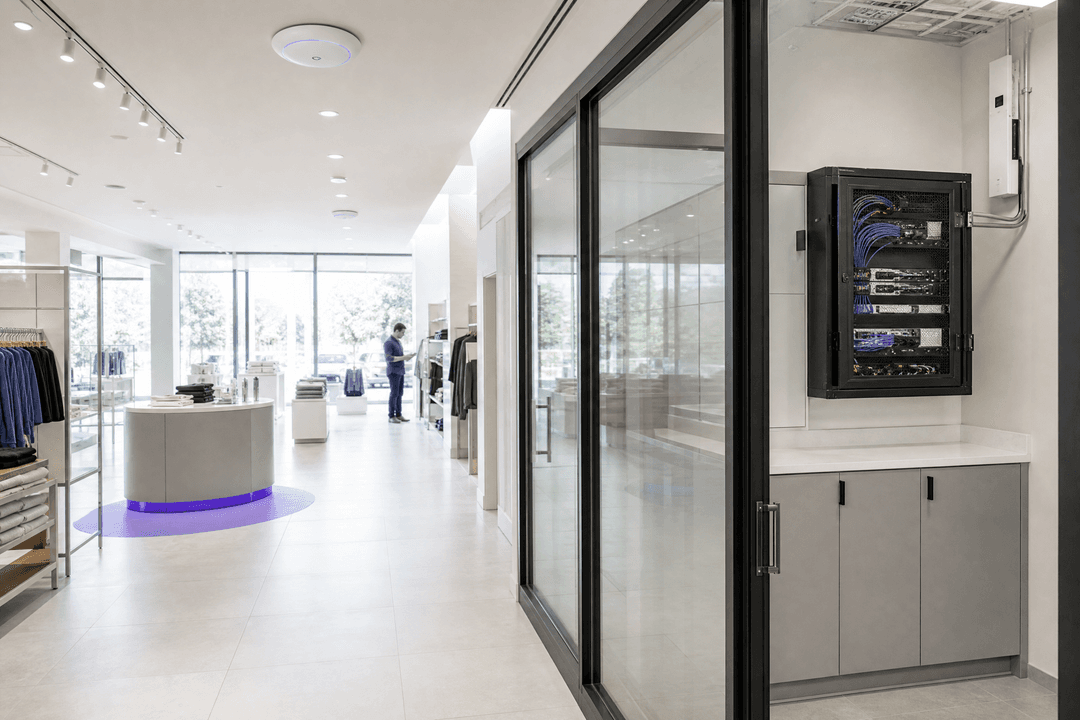
Commencez par un inventaire de vos actifs informatiques, et non par la page de connexion. Identifiez les points d'accès, les commutateurs, les pare-feu ou passerelles, la liaison montante internet, les services DHCP et DNS, les segments existants et tout système qui doit rester inaccessible aux appareils des invités. Dans les hôtels, cela concerne généralement les systèmes des employés, les systèmes de paiement et les systèmes de gestion technique du bâtiment. Dans le commerce de détail, s'y ajoutent les systèmes POS et la gestion des magasins. Dans les stades, cela touche les opérations événementielles, la production multimédia et les systèmes de sécurité.
Créez un document de conception succinct détaillant l'SSID invité, le VLAN invité, le chemin réseau prévu, les destinations protégées et le responsable de toutes les exceptions. Indiquez si les invités sont autorisés à communiquer entre eux. Enregistrez également la méthodologie de test que vous appliquez après tout changement de réseau, de portail ou de politique. Cela fournit aux équipes internes ou aux partenaires de services managés une base de référence fiable pour la vérification.
Prenez votre décision avant de configurer le mode d'authentification des invités. Le Captive Portal est la page affichée aux invités avant qu'ils ne reçoivent un accès complet à internet. C'est ici que les conditions d'utilisation peuvent être affichées, les données d'inscription saisies ou les connexions via les réseaux sociaux proposées. Ce formulaire n'est pas seulement un espace marketing - il détermine les données que vous traitez et si l'expérience utilisateur correspond à la visite.
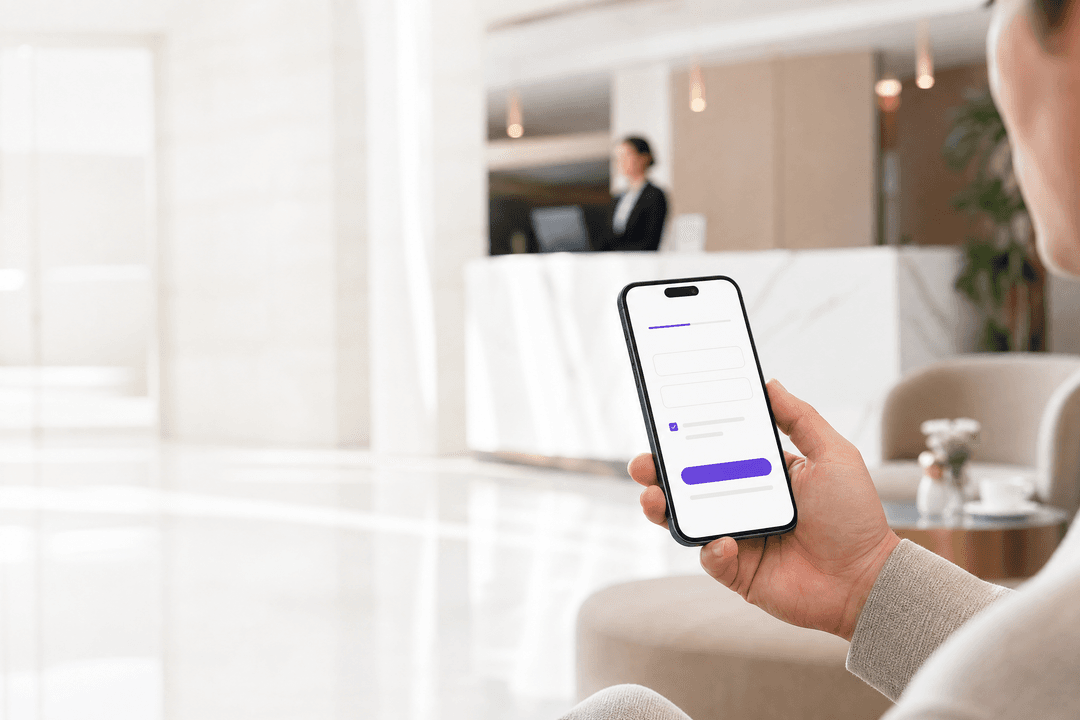
Purple documente le formulaire d'inscription en tant que méthode de connexion pour la splash page. Vous pouvez choisir les champs standard affichés, ceux qui sont obligatoires, l'ordre dans lequel ils apparaissent et si des champs personnalisés sont requis. Le formulaire peut également coexister avec les connexions via réseaux sociaux. [3] Pour les conférences où les participants sont déjà inscrits, Purple documente un formulaire plus court qui utilise l'adresse e-mail tout en obtenant simultanément le consentement aux conditions. [3]
Concevez toujours les formulaires avec un objectif précis en tête. L'Information Commissioner's Office souligne que les données personnelles doivent être adéquates, pertinentes et limitées à ce qui est nécessaire au regard des finalités pour lesquelles elles sont traitées. [4] En pratique, avant d'activer un champ, écrivez pourquoi vous avez besoin de cette information. Si un champ obligatoire ne sert pas à un objectif de service, de support, de conformité ou de communication explicite, il doit être supprimé.
| Votre scénario | Mode réseau | Mode Captive Portal | Preuve de vérification | Résultat approprié |
|---|---|---|---|---|
| Les invités ont uniquement besoin d'un accès internet | VLAN invité isolé avec politique de pare-feu d'accès internet uniquement | Acceptation des conditions d'utilisation avec un formulaire proportionné | Le test internet réussit ; le test des destinations protégées échoue | Mode par défaut pour les hôtels, les magasins de détail, les stades et les espaces publics |
| Les invités doivent accéder à un service partagé | VLAN invité isolé avec liste d'autorisation documentée pour le service spécifié | Acceptation des conditions d'utilisation avec un formulaire adapté à ce service | Le service partagé et internet fonctionnent ; tous les autres tests de protection échouent | À utiliser uniquement avec un responsable attribué à cette exception et une date d'évaluation |
| SSID partagé sur le segment de réseau interne | Pas de limite d'invité protégeable | Toute présence de portail est accessoire | Le test des destinations protégées est susceptible d'exposer cette faille | Ne pas utiliser ce mode pour le WiFi invité |
Comment configurer un WiFi invité sans créer de failles de sécurité ?
1. Définir la limite de sécurité
Attribuez un VLAN dédié au WiFi invité. Acheminez ce VLAN vers Internet via des appareils qui appliquent vos politiques de sécurité. Ne créez pas de règles de routage permissives vers le réseau privé uniquement pour simplifier les intégrations à court terme. Si des services internes sont absolument nécessaires, définissez la destination exacte, les protocoles, l'approbateur et une date de révision. Le NIST définit cela comme une décision d'accès selon le principe du "besoin d'en connaître" : les clients sans fil nécessitant un accès aux réseaux câblés ne doivent être autorisés à accéder qu'aux points de terminaison nécessaires en utilisant les protocoles requis. [1]
Tout d'abord, formulez une liste de blocage commerciale. Celle-ci doit couvrir les réseaux des employés, les environnements de paiement, la gestion des appareils, les imprimantes, les systèmes du bâtiment et toutes les autres zones sensibles de votre site. La syntaxe de mise en œuvre varie selon la plateforme, mais l'intention de la politique ne doit pas changer. Ce guide évite délibérément de prescrire des plages IP, des commandes de pare-feu ou des chemins de menu de fournisseurs. Utilisez vos normes de réseau approuvées pour régir ces détails.
2. Séparer strictement l'accès des invités et des employés
Ne traitez pas le WiFi invité comme une version moins restrictive du WiFi des employés. L'accès des invités est généralement basé sur un Captive Portal. L'accès des employés, en revanche, doit suivre vos mécanismes d'identité et d'appareil approuvés. La norme 802.1X est la référence pour le contrôle d'accès réseau basé sur les ports. Elle prend en charge l'accès contrôlé aux appareils authentifiés et autorisés, y compris les mécanismes d'authentification mutuelle. [5]
Le WPA3 offre les dernières fonctionnalités de sécurité WiFi, à condition qu'elles soient prises en charge par vos points d'accès et les appareils clients. La WiFi Alliance note que le WPA3 comprend des fonctionnalités supplémentaires pour un usage personnel et professionnel, exclut les protocoles hérités obsolètes et que les cadres de gestion protégés (PMF) sont obligatoires pour les réseaux WPA3. [6] Vérifiez la compatibilité de vos propres appareils avant de décider d'une politique. La disponibilité pour les invités et l'identification des employés sont des exigences distinctes. Gardez ces profils séparés.
3. Créer un Captive Portal pour les décisions d'accès
Configurez le portail uniquement une fois que les limites du réseau fonctionnent correctement dans un environnement de test. Le portail doit porter la marque de l'établissement, contenir vos conditions générales, ne demander que des informations proportionnées et ne libérer l'invité qu'une fois la décision d'accès souhaitée prise. La configuration des formulaires de Purple vous permet d'activer des champs standards, de déterminer si les champs sont facultatifs, de modifier l'ordre des champs, d'utiliser des titres de section et d'ajouter des types de champs personnalisés si les champs standards sont insuffisants. [3]
Pour les événements, un formulaire court nécessitant uniquement une adresse e-mail et supposant l'acceptation des conditions est souvent le choix le plus pratique. Pour un hôtel, vous pouvez exiger un modèle de formulaire différent. Le principe reste le même : la conception du formulaire suit l'utilisation prévue. Si vous avez ajouté un champ personnalisé pour un nom ou un code d'événement, la documentation de Purple indique que les réponses peuvent être stockées dans la section CRM de la plateforme pour les associer aux données d'inscription après l'événement. [3] N'activez le champ que si vous pouvez justifier le traitement de ces informations.
4. Connexion de Purple au flux d'accès physique
Purple est agnostique vis-à-vis du matériel et agit comme une surcouche cloud au-dessus de votre infrastructure existante. Dans un déploiement WiFi invité, les points d'accès et les politiques réseau sont responsables de l'application des limites de connexion, tandis que Purple gère la page d'accueil, les formulaires d'inscription et le flux de parcours. La documentation d'intégration de Purple guide les équipes à travers la configuration du matériel compatible, des pages d'accueil, des parcours et des utilisateurs du portail. [7]
Utilisez la documentation d'assistance pour les configurations de formulaires spécifiques plutôt que de copier les paramètres des guides généraux. Les ressources pertinentes incluent WiFi Registration Form Settings et Onboarding. Cela est particulièrement important lorsqu'une équipe centrale gère plusieurs établissements. Cela permet de garder l'expérience d'inscription sous contrôle tandis que votre équipe réseau conserve le contrôle des limites de l'infrastructure.
Purple s'intègre avec Cisco Meraki, HPE Aruba, Ruckus, Juniper Mist, Ubiquiti UniFi, Cambium, Extreme Networks et Fortinet. Cela rend la question de conception plus utile qu'une question de remplacement : votre matériel existant peut-il fournir le service WiFi invité, l'attribuer au segment approuvé et acheminer les invités via le Captive Portal convenu ?
Vous avez des questions sur votre configuration spécifique ?
Notre équipe collabore avec des exploitants de sites, des responsables informatiques et des ingénieurs réseau au sein de 80 000 sites. Réservez un appel de 20 minutes et nous vous montrerons comment d'autres professionnels comme vous ont résolu ce problème.
Comment vérifier que le WiFi invité fonctionne et reste isolé ?
Testez à la fois les cas de réussite et d'échec. Une connexion internet réussie ne représente que la moitié du chemin. Le résultat positif attendu est qu'un visiteur puisse se connecter au SSID invité, recevoir le service réseau invité, remplir les conditions du Captive Portal et se connecter à internet. Le résultat négatif est tout aussi important : dans vos suites de tests documentées, le même appareil ne doit pas pouvoir accéder aux systèmes protégés.
Utilisez au moins deux types différents d'appareils non gérés, tels qu'un smartphone et un ordinateur portable. Répétez les tests après toute modification des points d'accès, des commutateurs, des passerelles, des politiques de pare-feu ou des configurations de portails. Enregistrez l'heure, l'appareil de test, le SSID invité, la destination du test, le résultat attendu, le résultat réel et le testeur. Cela fournit au responsable du site un journal opérationnel simple et à l'équipe de sécurité la preuve que les limites ont été vérifiées.
Le NIST recommande des configurations de sécurité standardisées pour les composants WiFi courants, une surveillance continue des attaques et des vulnérabilités, et des évaluations techniques régulières de la sécurité. [1] Intégrez cela dans votre routine opérationnelle. Standardisez les paramètres invités par défaut sur tous les sites. Passez en revue les modifications de configuration. Installez les correctifs et vérifiez les composants WiFi concernés. Testez à nouveau l'isolation après toute modification susceptible d'affecter le chemin entre le segment invité et les réseaux protégés.
flowchart LR
    A[Gästegerät] --> B[Gäste-SSID]
    B --> C[Gäste-VLAN]
    C --> D[Captive Portal]
    D --> E[AGB & Registrierung]
    E --> F[Firewall-Richtlinie]
    F --> G[Internet]
    F -. deny .-> H[Mitarbeitersysteme]
    F -. deny .-> I[Zahlungssysteme]
    F -. deny .-> J[Betriebssysteme]
```Ce diagramme montre le chemin de contrôle attendu. Le Captive Portal contrôle la décision d'accès, tandis que les politiques de pare-feu régissent le trafic après la validation. Les chemins bloqués doivent être vérifiés et ne pas simplement être supposés.

## À quoi cela ressemble-t-il en pratique sur site ?

### Exemple d'hôtel : Un hôtel de 200 chambres

Un hôtel nécessite un WiFi invité dans les chambres, la réception et les espaces de conférence. Les systèmes internes comprennent les opérations hôtelières, les systèmes de paiement et la gestion technique du bâtiment. Le déploiement commence par un VLAN invité dédié et une politique d'accès uniquement à internet. L'hôtel crée un formulaire de portail adapté au séjour et enregistre l'acceptation des conditions générales. Les profils des employés ne sont pas réutilisés pour l'accès des invités.

Le résultat de vérification mesurable est une suite de tests comprenant deux vérifications positives réussies et aucune connexion réussie aux catégories protégées. Les vérifications positives concernent la finalisation du processus de portail et un accès internet normal. Les vérifications négatives couvrent les systèmes des employés, les systèmes de paiement, la gestion des appareils et la gestion du bâtiment. Un test négatif échoué empêche la mise en service tant que la politique n'est pas corrigée. Il s'agit d'un scénario pratique et non d'une déclaration concernant un client Purple spécifique.

### Exemple d'événement : Un centre de congrès

Un centre de congrès attend des participants pour un événement enregistré. Le site a besoin d'un moyen efficace de connecter les participants en ligne tout en enregistrant leur acceptation des conditions générales. Il utilise un formulaire court avec adresse e-mail activée et ajoute des champs personnalisés spécifiques à l'événement uniquement si l'organisateur le demande explicitement. Purple documente ce modèle de formulaire court et l'utilisation de champs personnalisés pour valider l'éligibilité. [3]

Le résultat de la vérification mesurable est un test du chemin "connexion à internet" sur deux appareils de participants avec consentement enregistré aux conditions générales, et aucune connexion réussie depuis le segment invité vers les destinations de test protégées documentées. Le site conserve les résultats des tests ainsi que le calendrier de l'événement. Si une modification de configuration venait à affecter le service le jour de l'événement, cela fournit à l'équipe des opérations un point d'escalade clair.

Pour connaître les modèles opérationnels pertinents, veuillez lire [Guest WiFi Management: Smart Authentication & Segmentation](/blogs/guest-wifi-management), [Cloud Wifi Management: Secure Enterprise Connectivity 2026](/blogs/cloud-wifi-management), et [How to revoke WiFi access when an employee leaves](/en-gb/guides/revoke-wifi-access-employee-leaves). Ce dernier guide traite de l'accès des employés plutôt que de l'enregistrement des invités - faire la distinction entre les deux est le point critique.

## Ce qui peut mal tourner et comment y remédier

La première erreur consiste à supposer que des SSID distincts signifient des accès distincts. La solution consiste à vérifier les attributions de VLAN, les routes de passerelle et les points d'application des règles, puis à exécuter des tests négatifs. La deuxième erreur réside dans des exceptions trop permissives qui exposent plus de services privés que prévu. La solution consiste à remplacer les règles permissives par des listes d'autorisation limitées et documentées avec des dates de révision. La troisième erreur est un Captive Portal qui demande tous les champs disponibles. La solution consiste à associer chaque champ à un objectif clair. La quatrième erreur est un manque de clarté concernant la responsabilité opérationnelle. La solution consiste à nommer les propriétaires du réseau, du portail et du site. La cinquième erreur est la dérive de configuration entre différents sites. La solution réside dans des profils d'invités standardisés et des protocoles de test reproductibles.

Si vous avez besoin d'accéder à des services, utilisez [Guest WiFi](/guest-wifi). Si le modèle de données approuvé prend en charge les analyses, utilisez [WiFi Analytics](/guest-wifi). La limite d'accès reste la première décision sur laquelle s'appuient la couche d'expérience et la couche de mesure. Pour en savoir plus sur les contextes sectoriels, consultez les solutions de Purple pour l' [Hospitality](/industries/hotels), le [Retail](/industries/retail), le [Healthcare](/industries/healthcare) et le [Transport](/industries/trains).

## Combien coûte le WiFi invité et qu'obtenez-vous en retour ?

Ne budgétisez pas un projet de WiFi invité uniquement en fonction du nombre de points d'accès. Le périmètre de déploiement comprend la segmentation du réseau, les politiques de pare-feu, le routage Internet, la conception du portail, l'examen juridique des conditions générales et des champs de formulaire, les tests, les responsabilités opérationnelles et la surveillance continue. Un site sans limites d'accès invité approuvées exige beaucoup plus d'efforts qu'un site où l'SSID invité peut être directement associé à un segment et à une politique Internet existants.

Le gain opérationnel réside dans un service invité clairement défini et une frontière physique autour des systèmes protégés. Le retour sur investissement commercial dépend des objectifs que vous avez approuvés pour l'enregistrement et l'interaction. Séparez ces objectifs des décisions de sécurité. Le guide de Purple [Measuring the Business ROI of Guest WiFi and Location Analytics](/en-gb/guides/measuring-the-business-roi-of-guest-wifi-and-location-analytics) vous montre comment mener cette seconde phase de discussion.

> **Règle pratique :** Planifiez d'abord les limites. Gardez le portail proportionné. Validez l'accès Internet et confirmez le blocage de l'accès aux réseaux protégés avant la mise en service.

<audio controls src="https://tfstmpunsngbqczbybwb.supabase.co/storage/v1/object/public/guide-assets/guides/enterprise-guest-wifi-setup-guide-vlan-segmentation-security-and-captive-portals/enterprise_guest_wifi_setup_guide_vlan_segmentation_security_and_captive_portals_podcast.mp3" preload="none"></audio>

## Foire aux questions (FAQ)

### Puis-je configurer un WiFi invité sur mes points d'accès existants ?

Oui, à condition que votre matériel existant prenne en charge une architecture de réseau invité approuvée et l'intégration de captive portal. Purple prend en charge un large éventail de fournisseurs de matériel et s'intègre de manière transparente avec Cisco Meraki, HPE Aruba, Ruckus, Juniper Mist, Ubiquiti UniFi, Cambium, Extreme Networks et Fortinet. Veuillez valider les VLAN invités, le routage réseau, l'application des politiques et les redirections de portail au sein de votre propre architecture avant de commencer le déploiement.

### Un SSID distinct est-il suffisant pour sécuriser un WiFi invité ?

Non. Un SSID distinct permet simplement d'identifier le réseau invité. Vous devez également disposer de VLAN distincts ou d'une segmentation équivalente, de contrôles de routage et de politiques de pare-feu qui bloquent l'accès aux destinations protégées. Effectuez des tests négatifs sur les systèmes des employés, de paiement, de gestion et opérationnels pour vérifier les limites du réseau. Le NIST recommande une segmentation logique entre les réseaux sans fil externes et internes. [1]

### Purple peut-il simplifier les formulaires d'inscription au captive portal ?

Oui. Purple propose un mode formulaire court qui permet de saisir l'adresse e-mail tout en conservant le consentement aux conditions d'utilisation. Vous pouvez également déterminer quels champs standard sont affichés et déclarés obligatoires, et si des champs personnalisés sont requis. Utilisez des formulaires plus courts dans les scénarios où cela est approprié pour le service (comme les événements avec des participants pré-enregistrés). [3]

### Comment puis-je rendre l'enregistrement au WiFi invité conforme au GDPR ?

Tout d'abord, ne collectez que les données personnelles nécessaires aux finalités que vous avez définies. L'Information Commissioner's Office (ICO) et le GDPR soulignent que les données doivent être adéquates, pertinentes et limitées à ce qui est nécessaire. Documentez l'objectif de chaque champ du portail, examinez-les régulièrement et supprimez les champs dont vous ne pouvez pas justifier la nécessité. [4]

### La segmentation du WiFi invité aide-t-elle à réduire la portée de la conformité PCI-DSS ?

Oui, une segmentation logique correctement conçue et validée vous aide à définir la portée de votre audit. Les directives du PCI Security Standards Council décrivent la définition des limites de la portée et la validation des contrôles de segmentation dans les architectures réseau modernes. Cependant, cela ne vous dégage pas de vos responsabilités PCI-DSS. Maintenez les systèmes de paiement entièrement hors du chemin de données du réseau invité et testez rigoureusement ces limites. [2]

### À quel effort de mise en œuvre dois-je m'attendre ?

Il s'agit d'un changement d'ingénierie réseau et opérationnel, et non d'une simple mise à jour de site Web. Vous devez planifier la segmentation des invités, les politiques de pare-feu, le routage réseau, les formulaires de captive portal, la révision des conditions juridiques, les plans de test et l'attribution des responsabilités. Si votre infrastructure existante prend déjà en charge les limites de sécurité requises, l'effort de déploiement est réduit - bien que la validation et les tests restent nécessaires.

## Références

[1]: https://nvlpubs.nist.gov/nistpubs/Legacy/SP/nistspecialpublication800-153.pdf "NIST SP 800-153: Guidelines for Securing Wireless Local Area Networks (WLANs)"
[2]: https://blog.pcisecuritystandards.org/new-information-supplement-pci-dss-scoping-and-segmentation-guidance-for-modern-network-architectures "PCI Security Standards Council : PCI DSS Scoping and Segmentation Guidance for Modern Network Architectures"
[3]: https://support.purple.ai/hc/en-gb/articles/7330833958813-WiFi-Registration-Form-Settings "Support Purple : WiFi Registration Form Settings"
[4]: https://ico.org.uk/for-organisations/uk-gdpr-guidance-and-resources/data-protection-principles/a-guide-to-the-data-protection-principles/data-minimisation/ "ICO : Data minimisation"
[5]: https://standards.ieee.org/ieee/802.1X/7345/ "IEEE 802.1X-2020 : Port-Based Network Access Control"
[6]: https://www.wi-fi.org/discover-wi-fi/security "WiFi Alliance : Security and WPA3"
[7]: https://support.purple.ai/hc/en-gb/articles/7330833690525-Onboarding "Support Purple : Onboarding"
Définitions clés
Guest WiFi
Un service d'accès internet pour les visiteurs, séparé des réseaux privés utilisés par le personnel et les systèmes opérationnels.
Utilisez ce terme pour définir la limite du service et l'expérience visiteur que vous devez offrir.
WLAN
Un réseau local sans fil composé d'appareils clients, de points d'accès et de l'infrastructure réseau qui les connecte.
Le NIST utilise le terme WLAN lorsqu'il aborde la configuration et la surveillance des environnements sans fil d'entreprise.
SSID
Le nom du réseau qu'un visiteur voit lorsqu'il choisit un réseau sans fil sur son appareil.
Un SSID identifie le service mais ne fournit pas, à lui seul, la limite de sécurité du réseau.
VLAN
Un segment de réseau logique utilisé pour séparer le trafic et appliquer une politique d'accès définie.
Utilisez un VLAN invité pour attribuer une limite claire au trafic des visiteurs dans l'architecture de routage et de pare-feu.
Captive Portal
Une page contrôlée affichée avant qu'un visiteur ne reçoive un accès complet au réseau.
Utilisez-le pour présenter les conditions d'utilisation et recueillir uniquement les informations d'inscription qui répondent à un objectif défini.
Firewall policy
L'ensemble des règles de trafic qui autorisent, refusent ou limitent les connexions entre les segments de réseau et internet.
Elle applique la limite d'accès invité après qu'un appareil a rejoint le VLAN invité et validé le portail captif.
IEEE 802.1X
Une norme IEEE pour le contrôle d'accès réseau basé sur les ports, permettant un accès contrôlé pour les appareils authentifiés et autorisés.
Les équipes informatiques l'utilisent lors de la conception d'un profil d'accès distinct pour le personnel, plutôt que de traiter les appareils du personnel comme des invités.
WPA3
Une certification de sécurité WiFi offrant des fonctionnalités personnelles et professionnelles, incluant les exigences de trames de gestion protégées (PMF) pour les réseaux WPA3.
Évaluez cette norme par rapport à la compatibilité de vos points d'accès et de vos clients lors de la définition des profils de sécurité.
Minimisation des données
Le principe du UK GDPR selon lequel les données personnelles doivent être adéquates, pertinentes et limitées à ce qui est nécessaire au regard des finalités du traitement.
Utilisez ce principe pour décider quels champs du portail captif doivent apparaître et lesquels doivent rester facultatifs ou être supprimés.
Vérification de la segmentation
Le test permettant de vérifier qu'une limite de réseau se comporte comme prévu, incluant à la fois les chemins de trafic autorisés et refusés.
Utilisez-la avant la mise en production et après toute modification pouvant affecter le chemin entre l'accès invité et les systèmes protégés.
Exemples concrets
Un hôtel de 200 chambres a besoin d'un réseau Guest WiFi dans les chambres, la réception et les espaces de réunion, sans exposer le personnel, les systèmes de paiement ou les infrastructures du bâtiment.
Attribuez le SSID invité à un VLAN invité dédié, appliquez une politique d'accès internet uniquement et créez un formulaire d'inscription adapté à l'hôtel avec acceptation des conditions d'utilisation. Validez deux résultats positifs : la validation du portail captif et l'accès internet. Fixez le seuil de tolérance à zéro connexion réussie entre les invités et les catégories de personnel, de paiement, de gestion des appareils et d'exploitation du bâtiment. Ne lancez la mise en production qu'une fois que tous les tests négatifs sont validés.
Un centre de conférence souhaite que les participants déjà inscrits à un événement puissent se connecter rapidement, tout en garantissant l'acceptation des conditions et l'isolation du réseau invité.
Utilisez le modèle de formulaire court documenté de Purple avec saisie d'e-mail activée et acceptation des conditions conservée. Ajoutez un champ personnalisé spécifique à l'événement uniquement si l'organisateur en a un besoin défini. Vérifiez le parcours utilisateur sur deux types d'appareils de participants, de l'association à l'accès internet en passant par la validation du portail captif. Fixez le seuil de tolérance à zéro connexion réussie entre le segment invité et les destinations de test protégées documentées du site.
Sources
- NIST SP 800-153: Guidelines for Securing Wireless Local Area Networks
- PCI Security Standards Council: PCI DSS scoping and segmentation guidance
- Information Commissioner's Office: data minimisation
- IEEE 802.1X-2020: Port-Based Network Access Control
- WiFi Alliance: security and WPA3
- Purple Support: WiFi Registration Form Settings
- Purple Support: Onboarding
Continuer la lecture de cette série
Le portail captif Ubiquiti UniFi ne redirige pas : causes et correctifs
Ce guide isole un échec de redirection du portail captif UniFi en suivant dans l'ordre l'état de l'invité, la redirection, la route de pré-autorisation et l'autorisation du contrôleur. Il offre aux équipes informatiques des sites une méthode éprouvée pour résoudre la confusion entre réseau invité et Hotspot, les transferts vers un portail externe, les exigences actuelles de compte UniFi OS et les tests d'isolation DNS.
La page splash Cisco Meraki ne fonctionne pas : un organigramme de dépannage
Ce guide pratique de niveau 2 identifie l'origine d'une panne de flux de page splash Cisco Meraki : autorisation client, lancement de la redirection HTTP, accessibilité du walled garden ou authentification RADIUS. Il fournit aux équipes informatiques locales une méthode d'analyse factuelle et contrôlée pour restaurer le WiFi invité sans perturber l'ensemble du réseau de l'établissement.
Comment configurer un Captive Portal sur Starlink pour le WiFi invité
Ce guide technique explique comment contourner les limitations natives du CGNAT de Starlink pour déployer un Captive Portal sécurisé et conforme au GDPR pour le WiFi invité. Il couvre l'architecture requise, la segmentation VLAN et les stratégies de gestion de la bande passante essentielles pour les sites isolés, les opérateurs maritimes et les espaces événementiels.
Vous avez des questions sur votre configuration spécifique ?
Notre équipe collabore avec des exploitants de sites, des responsables informatiques et des ingénieurs réseau au sein de 80 000 sites. Réservez un appel de 20 minutes et nous vous montrerons comment d'autres professionnels comme vous ont résolu ce problème.