
Healthcare guest WiFi platforms: patient onboarding, content filtering and VLAN isolation compared
You will be able to choose an access model for each hospital population: inpatients, visitors, contractors and clinical IoT. You can specify RADIUS-assigned VLANs, DNS filtering against the IWF and CTIRU lists, and bedside onboarding for long-stay patients. You can then run five shortlist checks before you write your tender.
By Iain JewittPublished
📖 14 min read3,289 words2 worked examples12 key definitions
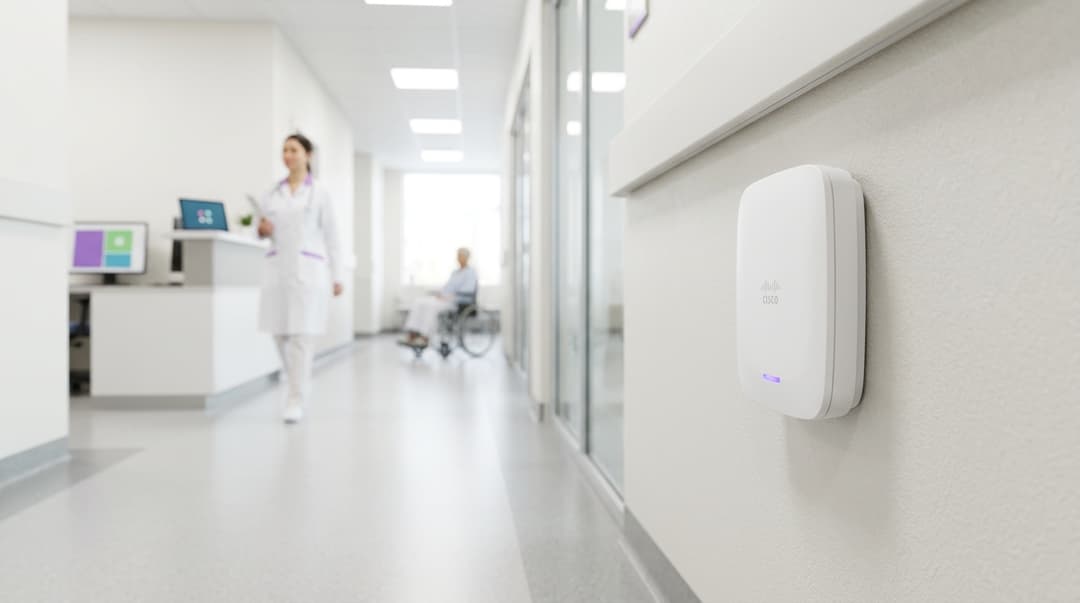
The strongest healthcare guest WiFi platforms put patients, visitors and contractors on separate VLANs assigned by RADIUS, and keep clinical IoT off the guest network entirely. They apply DNS filtering that blocks the IWF and CTIRU lists. They onboard long-stay patients once at the bedside, with a personal key that lasts the whole admission.
Which healthcare guest WiFi platform approach should you choose?
Hospital WiFi serves four populations with different risk profiles: patients, visitors, contractors and clinical devices. A platform that treats them as one "guest" group creates three problems. Safeguarding exposure grows, clinical systems become reachable, and the ward desk turns into a WiFi helpdesk.
For most estates, the right answer combines access models rather than choosing one:
- Inpatients get identity-based access: a personal key, issued once at the bedside, that reconnects every device for the length of the stay.
- Visitors and outpatients use a registered captive portal (the web page a device shows before it reaches the internet), with email or SMS verification.
- Contractors get sponsored, time-bound access that expires on the contract end date.
- Clinical IoT never touches the guest platform. It sits on a separate clinical network, authenticated with IEEE 802.1X or iPSK and segmented behind a firewall.
Purple delivers the first three on the access points you already run, as a cloud overlay. The overlay works with Cisco Meraki, HPE Aruba, Ruckus, Juniper Mist, Ubiquiti UniFi, Cambium, Extreme and Fortinet. Purple has run guest networks since 2012 and is live in 80,000+ venues across 90 countries. The platform handles 500 million users and logins a year. It holds ISO 27001, Cyber Essentials and B Corp certification, and is GDPR and CCPA compliant.
If you want the hardware question settled first, read Why your next WiFi upgrade doesn't need new hardware.
Where do hospital patient WiFi platforms genuinely differ?
Every platform claims secure, filtered guest access. The real differences show up on three axes. The first is how a patient reconnects on day five. The second is how traffic is separated. The third is what identity a filtering event attaches to.
| Access model | How a patient or visitor connects | Reconnection over a 7-day stay | Traffic separation | Filtering events attributed to | Best fit |
|---|---|---|---|---|---|
| Open SSID, click-through captive portal | Accepts terms on a splash page | Prompted again at every session expiry | One shared guest VLAN with client isolation | Device MAC address only | Outpatient waiting areas, short visits |
| Registered captive portal (email or SMS verification) | Verifies a contact detail once | Prompted when the session or MAC record expires | Shared guest VLAN with client isolation | Verified email or mobile number | Visitors, day cases, A&E waiting |
| Identity-based (iPSK or private network bubble) | Scans a bedside QR code and receives a personal key | No prompt if key lifetime matches the admission | Per-identity VLAN or private bubble assigned by RADIUS | Named key per patient or bed | Inpatients, maternity, long-stay and rehabilitation wards |
| Passpoint or OpenRoaming | Connects automatically with a provisioned profile | No prompt while the profile is valid | Policy applied by identity provider realm | Identity provider account | Staff and visitors who already hold a profile |
A few definitions help here. iPSK (identity pre-shared key) gives each person or device its own WiFi password on a shared SSID. RADIUS is the authentication protocol that checks credentials and returns policy to the access point. Passpoint (Hotspot 2.0) lets a device join automatically using a stored credential. OpenRoaming is the Wireless Broadband Alliance federation built on Passpoint.
How do hospital guest WiFi platforms separate patient, visitor, contractor and clinical IoT traffic?
Separation happens at three layers: the SSID, the VLAN and the firewall. A VLAN (virtual LAN, defined in IEEE 802.1Q) splits one physical network into isolated logical networks.
Dynamic VLAN assignment. You do not need one SSID per population. Each extra SSID adds beacon airtime, and vendors such as Cisco and HPE Aruba advise keeping the count low. RADIUS can return a VLAN at login instead, using the tunnel attributes standardised in RFC 3580. A patient key lands on the patient VLAN, and a contractor credential on the contractor VLAN. Both arrive through the same SSID.
Client isolation. On every guest VLAN, enable peer-to-peer blocking. This stops one patient's laptop from reaching another patient's phone. Purple's private network bubble goes one step further. Each patient's devices can see each other, so a tablet can cast to a phone, but nothing outside that bubble.
Firewall policy. Guest VLANs should reach the internet and nothing else. Deny all RFC 1918 private address ranges from guest VLANs, then allow back only what you need, such as a patient entertainment service. Log the deny rules. This is the evidence an auditor will ask for in your NHS Data Security and Protection Toolkit (DSPT) submission.
Encryption. Open SSIDs send traffic in clear over the air. WPA3 Enhanced Open, based on Opportunistic Wireless Encryption (RFC 8110), encrypts each session without a password. Older patient devices do not support it, so run it in transition mode where your hardware allows.
| Population | Network | Authentication | VLAN and firewall policy | Credential lifetime |
|---|---|---|---|---|
| Inpatient | Guest SSID | iPSK or private network bubble, issued at the bedside | Patient VLAN, internet only, client isolation | Length of admission, revoked at discharge |
| Visitor or outpatient | Guest SSID | Registered captive portal | Visitor VLAN, internet only, client isolation | One visiting day |
| Contractor | Guest SSID | Sponsored request approved by estates or IT | Contractor VLAN, internet plus named vendor endpoints | Contract end date |
| Clinical IoT | Clinical SSID, never guest | IEEE 802.1X with EAP-TLS, or iPSK for headless devices | Clinical VLAN behind firewall, no internet by default | Asset life, revoked at decommission |
| Staff | Staff SSID | IEEE 802.1X via Microsoft Entra ID, Okta or Google Workspace | Staff VLAN by role | Employment, revoked at leaving |
IEEE 802.1X is the port-based access control standard used for enterprise WiFi. EAP-TLS is the certificate-based method within it, and it suits devices that can hold a certificate. Many infusion pumps, monitors and nurse-call units cannot. iPSK gives those headless devices a unique key, so you can revoke one device without re-keying the ward.
Purple Staff WiFi applies the joiners, movers and leavers model to staff access. Leavers disabled in Microsoft Entra ID, Okta or Google Workspace lose WiFi access with them. That stops the shared staff password drifting onto the guest side of the estate.
What DNS filtering and safeguarding policies are required on NHS and private healthcare guest networks?
No single statute lists what an NHS guest network must block. In practice, trusts build their filtering policy from five sources.
- The Internet Watch Foundation (IWF) URL list of child sexual abuse imagery. Block it on every guest VLAN, with no exceptions.
- The Home Office CTIRU list of unlawful terrorist content. The UK Safer Internet Centre's definition of appropriate filtering references it.
- The Prevent duty. NHS trusts and foundation trusts are specified authorities under the Counter-Terrorism and Security Act 2015. Your guest WiFi policy should show how it supports that duty.
- Friendly WiFi. This UK accreditation scheme certifies that public WiFi filters pornography and child abuse content. Many public-sector buyers ask for it.
- Your safeguarding policy. Paediatric wards, mental health units and adolescent services need a stricter profile than an adult outpatient atrium.
DNS filtering checks each domain lookup against category lists and blocks the request before a connection opens. It is the practical layer for guest networks because it needs no agent on patient devices. A sensible baseline blocks illegal content, adult content, malware and phishing on every guest VLAN. Then add gambling, self-harm and pro-eating-disorder categories on paediatric and mental health VLANs.
Two technical points decide whether the policy holds:
- Force DNS. Redirect or block outbound DNS on port 53 that does not go to your filtering resolver.
- Handle encrypted DNS. DNS over HTTPS (DoH, RFC 8484) can bypass a filter entirely. Block known public DoH resolvers and DNS over TLS on port 853. Use the canary domain that browsers check before enabling DoH by default.
Under UK GDPR, filtering logs are personal data once they link to a patient or visitor. Set a short retention period, document it in your Data Protection Impact Assessment (DPIA), and restrict who can query it. Identity-based access has one clear advantage here. A safeguarding lead can tie a blocked-request alert to a bed or key, rather than to a randomised MAC address.
Purple's security add-ons (SecurePass, Verify and Shield) sit alongside the Guest WiFi platform. Specify the filtering categories, the list sources and the log retention you need in your tender. Then ask every bidder to show each one working, not just to tick a box.
How do bedside onboarding flows reduce ward desk support tickets for long-stay patients?
Ward desk WiFi tickets on long-stay wards have three common causes.
- Session expiry. A 24-hour click-through session forces a patient on a 10-day stay through the captive portal up to 10 times per device.
- MAC randomisation. iOS and Android use a private MAC address per network by default, and some versions rotate it. A platform that recognises returning devices by MAC address forgets them.
- Captive portal failure. Some apps and older devices never display the splash page, so the patient sees "connected, no internet" and asks a nurse.
Bedside onboarding removes all three. The patient scans a QR code on the bedside card or welcome leaflet. They confirm acceptable use terms once, and receive a personal key or bubble that every device can join. The key lifetime matches the admission and is revoked at discharge. No splash page appears again, so randomised MACs and portal-blind apps stop mattering.
Design details that cut tickets further:
- Issue per bed, not per name, where your data protection officer prefers that. Reissue the key at discharge through the bed management workflow.
- Allow a family device. Carers often set up a parent's tablet. A key that covers four or five devices avoids a second ticket.
- Write the card for the ward. Use plain English, translations for your main patient languages, and a contrast ratio that meets WCAG 2.2 AA.
- Add a self-serve help page that loads on the guest VLAN without authentication, so patients can fix common issues without the desk.
Got questions about your specific setup?
Our team works with venue operators, IT managers, and network engineers across 80,000 venues. Book a 20-minute call and we will show you how others like you solved it.
Where does each onboarding model fit in a hospital estate?
The two worked scenarios below use stated assumptions. Each one shows the arithmetic, so you can rerun it with your own bed numbers and stay lengths.
Worked scenario 1: an NHS acute trust replaces a click-through network
Situation. A 600-bed acute trust runs one open guest SSID with a 24-hour click-through session. Patients, visitors, contractors and some legacy ward devices all share one flat guest VLAN. Ward managers report WiFi as a regular interruption at the nurses' station.
What was done. The trust split the estate into four VLANs: patient, visitor, contractor and clinical. Clinical devices moved to a separate clinical SSID with iPSK and no internet route. Inpatients now onboard at the bedside with a key that lasts the admission. Visitors use a registered captive portal for one visiting day. DNS filtering blocks the IWF and CTIRU lists on every guest VLAN, with a stricter profile on paediatric and mental health wards.
Measurable outcome. Take a 28-bed ward with an average stay of six days and two devices per patient. The old 24-hour session produced up to 12 portal prompts per bed per stay. That is roughly 336 prompts per ward per stay cycle. Under bedside onboarding the figure is two, one per device at admission. The trust measures the change through service desk tickets tagged "patient WiFi", compared quarter on quarter. It also gained a firewall log showing zero guest-to-clinical traffic, which supports its DSPT evidence.
Worked scenario 2: a private hospital run to a hospitality standard
Situation. A 120-bed private hospital positions its stay like a hotel, with room service, entertainment streaming and a concierge desk. Patients expect WiFi that works as it would in a four-star room. Many work remotely during recovery, with a laptop, phone and tablet each.
What was done. The hospital used Purple's private network bubble so each patient's devices could see each other but nobody else's. A patient can cast to the room screen without exposing it to the next room. Registration collects only name and email, with conscious-choice opt-ins for hospital communications. It never collects health information, which UK GDPR treats as special category data. WiFi Analytics reports connected devices and dwell by ward, not by individual.
Measurable outcome. Consider a patient who stays four nights with three devices on a 24-hour session. That patient would face 12 reconnection prompts. With a stay-length key, they face three. The hospital tracks two measures: concierge WiFi requests per occupied bed night, and patient satisfaction scores for connectivity. It also compares opt-in rates against its previous paper consent form.
The same hospitality logic appears in Purple's work with Hotels. Many hospital atriums now include cafés and shops. That concourse behaves like Retail: the shopper needs fast, filtered access, and the registered captive portal fits.
What does each option cost to run?
Licence price is only part of the cost. The bigger costs are ward desk time, IT change effort and data protection overhead.
| Access model | Hardware change | Ward desk effort | IT effort | Data protection overhead |
|---|---|---|---|---|
| Open click-through captive portal | None on supported access points | High: repeat prompts every session | Low: one VLAN, one policy | Low data held, but weak safeguarding attribution |
| Registered captive portal | None on supported access points | Medium: prompts at expiry and after MAC rotation | Low: one or two VLANs | Contact details held: DPIA, retention schedule, privacy notice |
| Identity-based (iPSK or private network bubble) | None where the access points support iPSK or RADIUS VLAN assignment | Low: one setup per admission | Medium: per-population VLANs and RADIUS policy | Key linked to bed or patient: DPIA covers filtering logs |
| Passpoint or OpenRoaming | Access points must support Hotspot 2.0 | Low once profiles are installed | Medium to high: certificates, realms, profile distribution | Identity held by the provider: data-sharing terms to review |
Three cost drivers are easy to miss:
- Controller dependency. If your captive portal and policy live on an on-premises wireless LAN controller, every change waits for a maintenance window. A cloud overlay moves that policy off the controller. See What is a WLC (Wireless LAN Controller) and Do You Still Need One?.
- Contractor credential drift. Shared contractor passwords rarely change. Time-bound sponsored access removes the cost of finding and revoking them after an incident.
- Reconnection tickets. Each ticket costs a few minutes of a nurse's time away from patients. Multiply your modelled prompts by your ticket rate to put a figure on it.
Purple quotes 99.999% uptime for its platform (Purple's own data). Ask every bidder for their uptime figure and the period it covers, because downtime on a ward becomes another ticket.
How do you decide for your estate?
Start from your populations and constraints, not from a feature list.
| Your situation | Recommended approach |
|---|---|
| Acute trust, mixed short and long stays, flat guest network today | Bedside iPSK for inpatients, registered captive portal for visitors, separate clinical SSID |
| Mental health, paediatric or adolescent services on site | Per-ward VLAN with a stricter DNS filtering profile and safeguarding alerts tied to bed keys |
| Private hospital selling a hotel-standard stay | Private network bubble per patient, conscious-choice opt-ins, no health data at registration |
| Outpatient clinic or community hospital, visits under four hours | Registered captive portal with a one-day session and baseline filtering |
| Large contractor population during an estates programme | Sponsored, time-bound contractor VLAN that expires on the contract end date |
| Legacy medical devices that cannot run 802.1X | iPSK per device on a clinical VLAN with no internet route |
Then run five checks before you shortlist:
- Hardware. Confirm your access points support RADIUS VLAN assignment and iPSK. Purple supports Cisco Meraki, HPE Aruba, Ruckus, Juniper Mist, Ubiquiti UniFi, Cambium, Extreme and Fortinet.
- Filtering. Ask for written confirmation of IWF and CTIRU list coverage, DoH handling and per-VLAN profiles.
- Data protection. Ask for ISO 27001 and Cyber Essentials certificates, data residency and a draft data processing agreement.
- Onboarding. Watch a bedside flow on a randomised-MAC phone, then on an older Android tablet, before you sign.
- Reporting. Check that analytics report at ward level without exposing individual patients.
The Guest WiFi RFP requirements: what to specify across onboarding, security and analytics guide turns these checks into tender clauses. For sector context, see Purple's Healthcare page.
Frequently asked questions
Does Purple work with the access points our hospital already owns?
Yes. Purple runs as a cloud overlay on Cisco Meraki, HPE Aruba, Ruckus, Juniper Mist, Ubiquiti UniFi, Cambium, Extreme and Fortinet hardware. You keep your existing access points, switches and cabling. What you check is feature support on your models, mainly RADIUS VLAN assignment and iPSK, because those decide whether bedside identity-based onboarding works on every ward. Purple's team confirms this against your estate inventory during scoping.
Can long-stay patients stay connected for their whole admission without logging in again?
Yes, when you use identity-based onboarding. The patient scans a bedside QR code once and receives a personal key. Every device then reconnects automatically for the length of the stay. You set the key lifetime to match the admission and revoke it at discharge. Randomised MAC addresses and short session timers no longer force repeat captive portal prompts, which are the main source of ward desk WiFi tickets.
Is Purple compliant with UK data protection requirements for NHS trusts?
Yes. Purple is GDPR compliant and holds ISO 27001 and Cyber Essentials certification, which supports your supplier assurance. Your trust remains the data controller, so you still complete a Data Protection Impact Assessment and set retention for registration and filtering logs. Never collect health information at WiFi registration. UK GDPR treats it as special category data, and network access does not need it.
Should clinical medical devices connect to the hospital guest WiFi?
No. Clinical IoT should sit on a separate clinical SSID and VLAN, behind a firewall with no internet route by default. Use IEEE 802.1X with EAP-TLS for devices that can hold a certificate. Use iPSK for headless devices that cannot, so you can revoke one device without re-keying the ward. Guest VLANs should block all traffic to internal private address ranges.
What content filtering does an NHS guest WiFi network need?
At minimum, block the Internet Watch Foundation list and the Home Office CTIRU list on every guest VLAN. Add adult content, malware and phishing as a baseline. Apply stricter profiles on paediatric and mental health wards. Force DNS through your filtering resolver and block public DNS over HTTPS resolvers, or patients can bypass the filter. Many public-sector buyers also ask for Friendly WiFi accreditation.
How is Purple licensed for a hospital estate?
Purple licenses through three plans: Connect, Capture and Engage. SecurePass, Verify and Shield are available as security add-ons. Most trusts start with the plan that covers patient and visitor access, then add security features to match their safeguarding and identity requirements. Contact Purple for a quote based on your sites, wards and populations. Bring your access point inventory so scoping is accurate.
How much effort does moving from a click-through network take?
Most of the effort is network design, not installation. No new access points are needed on supported hardware. Your team defines the VLANs, writes the firewall rules between them and sets RADIUS policy for each population. You also produce bedside cards and brief ward staff. Running one ward as a pilot first lets you measure ticket reduction before you roll out across the trust.
Can we use guest WiFi registration for patient communications?
Yes, with conscious-choice opt-ins and nothing else. Ask for consent separately from acceptable use terms, record it with a timestamp, and make it as easy to withdraw as to give. Collect only contact details, never clinical information. First-party data captured this way can feed approved hospital communications such as appointment reminders. Your privacy notice and DPIA must cover that use.
Key Definitions
VLAN (IEEE 802.1Q)
A virtual LAN as specified in IEEE 802.1Q, which defines frame tagging so one physical network can carry several isolated logical networks.
You meet VLANs when separating patient, visitor, contractor and clinical traffic. Per-population VLANs are the basis of every isolation and filtering decision in this comparison.
Dynamic VLAN assignment (RFC 3580)
RFC 3580 sets out how RADIUS tunnel attributes return a VLAN to the access point at login, so the network places each authenticated client on a VLAN chosen by policy.
It lets a patient key and a contractor credential land on different VLANs through the same SSID. Each extra SSID adds beacon airtime, and Cisco and HPE Aruba advise keeping the count low.
RADIUS
The authentication protocol that checks a credential and returns policy, such as a VLAN, to the access point. It underpins IEEE 802.1X, iPSK and RFC 3580 VLAN assignment.
Confirm your access points support RADIUS VLAN assignment before you shortlist. Without it, identity-based bedside onboarding cannot separate populations on every ward.
iPSK (identity pre-shared key)
A WiFi access method that gives each person or device its own pre-shared key on a shared SSID, with RADIUS mapping each key to its own policy and VLAN.
Use iPSK for inpatient bedside keys and for headless clinical devices such as infusion pumps. You can revoke one key without re-keying a whole ward.
IEEE 802.1X and EAP-TLS
IEEE 802.1X is the port-based network access control standard for enterprise WiFi. EAP-TLS is the certificate-based authentication method used within it, needing a certificate on each client.
Use it for staff and for clinical devices that can hold a certificate. Many monitors and nurse-call units cannot, which is why iPSK sits alongside it on the clinical network.
Captive portal
The web page a device shows before it reaches the internet, used for click-through acceptance of terms or registration with email or SMS verification.
A registered captive portal suits visitors and outpatients. For long-stay patients it drives repeat prompts, MAC randomisation failures and portal-blind apps, the main causes of ward desk tickets.
Passpoint (Hotspot 2.0) and OpenRoaming
Passpoint, also called Hotspot 2.0, lets a device join WiFi automatically with a stored credential. OpenRoaming is the Wireless Broadband Alliance federation built on Passpoint.
It suits staff and visitors who already hold a profile. Access points must support Hotspot 2.0, and certificates, realms and profile distribution raise IT effort.
WPA3 Enhanced Open (OWE, RFC 8110)
WPA3 Enhanced Open is based on Opportunistic Wireless Encryption, defined in RFC 8110. It encrypts each session over the air without a password.
Open guest SSIDs send traffic in clear. Older patient devices lack support, so run it in transition mode where your hardware allows.
DNS over HTTPS (DoH, RFC 8484)
RFC 8484 specifies sending DNS queries inside HTTPS, which hides lookups from a network's DNS filter. DNS over TLS performs a similar role on port 853.
DoH can bypass guest filtering entirely. Block known public DoH resolvers and port 853, force port 53 to your resolver, and use the browser canary domain.
IWF and CTIRU lists
The Internet Watch Foundation URL list covers child sexual abuse imagery. The Home Office CTIRU list covers unlawful terrorist content and is referenced in the UK Safer Internet Centre definition of appropriate filtering.
Block both on every guest VLAN with no exceptions. Ask every bidder for written confirmation of coverage, alongside DoH handling and per-VLAN profiles.
Prevent duty (Counter-Terrorism and Security Act 2015)
Under the Counter-Terrorism and Security Act 2015, NHS trusts and foundation trusts are specified authorities subject to the Prevent duty.
Your guest WiFi policy should show how filtering supports that duty, together with your safeguarding policy for paediatric, mental health and adolescent services.
Special category data (UK GDPR)
UK GDPR treats health information as special category data under Article 9, requiring additional conditions for processing. Filtering logs become personal data once linked to a patient or visitor.
Never collect health information at WiFi registration. Document filtering log retention in your DPIA and restrict who can query those logs.
Worked Examples
A 600-bed NHS acute trust runs one open guest SSID with a 24-hour click-through session. Patients, visitors, contractors and some legacy ward devices share one flat guest VLAN, and ward managers report WiFi as a regular interruption at the nurses' station.
The trust split the estate into four VLANs: patient, visitor, contractor and clinical. Clinical devices moved to a separate clinical SSID with iPSK and no internet route. Inpatients now onboard at the bedside with a key that lasts the admission. Visitors use a registered captive portal for one visiting day. DNS filtering blocks the IWF and CTIRU lists on every guest VLAN, with a stricter profile on paediatric and mental health wards. On a 28-bed ward with six-day stays and two devices per patient, prompts fall from up to 12 per bed per stay to two. That is roughly 336 prompts per ward per stay cycle removed at source. The trust tracks tickets tagged patient WiFi quarter on quarter. Firewall logs showing zero guest-to-clinical traffic support its DSPT evidence.
A 120-bed private hospital positions its stay like a hotel, with room service, streaming and a concierge desk. Many patients work remotely during recovery with a laptop, phone and tablet each, and expect WiFi to work as it would in a four-star room.
The hospital deployed Purple's private network bubble, so each patient's devices see each other but nobody else's. A patient can cast to the room screen without exposing it to the next room. Registration collects only name and email, with conscious-choice opt-ins for hospital communications. It never collects health information, which UK GDPR treats as special category data. WiFi Analytics reports connected devices and dwell by ward, not by individual. A patient staying four nights with three devices on a 24-hour session would face 12 reconnection prompts. With a stay-length key, they face three. The hospital measures concierge WiFi requests per occupied bed night and patient satisfaction scores for connectivity. It also compares opt-in rates against its previous paper consent form.
Frequently asked questions
Does Purple work with the access points our hospital already owns?
Yes. Purple runs as a cloud overlay on Cisco Meraki, HPE Aruba, Ruckus, Juniper Mist, Ubiquiti UniFi, Cambium, Extreme and Fortinet hardware. You keep your existing access points, switches and cabling. What you check is feature support on your models, mainly RADIUS VLAN assignment and iPSK, because those decide whether bedside identity-based onboarding works on every ward. Purple's team confirms this against your estate inventory during scoping.
Can long-stay patients stay connected for their whole admission without logging in again?
Yes, when you use identity-based onboarding. The patient scans a bedside QR code once and receives a personal key. Every device then reconnects automatically for the length of the stay. You set the key lifetime to match the admission and revoke it at discharge. Randomised MAC addresses and short session timers no longer force repeat captive portal prompts, which are the main source of ward desk WiFi tickets.
Is Purple compliant with UK data protection requirements for NHS trusts?
Yes. Purple is GDPR compliant and holds ISO 27001 and Cyber Essentials certification, which supports your supplier assurance. Your trust remains the data controller, so you still complete a Data Protection Impact Assessment and set retention for registration and filtering logs. Never collect health information at WiFi registration. UK GDPR treats it as special category data, and network access does not need it.
Should clinical medical devices connect to the hospital guest WiFi?
No. Clinical IoT should sit on a separate clinical SSID and VLAN, behind a firewall with no internet route by default. Use IEEE 802.1X with EAP-TLS for devices that can hold a certificate. Use iPSK for headless devices that cannot, so you can revoke one device without re-keying the ward. Guest VLANs should block all traffic to internal private address ranges.
What content filtering does an NHS guest WiFi network need?
At minimum, block the Internet Watch Foundation list and the Home Office CTIRU list on every guest VLAN. Add adult content, malware and phishing as a baseline. Apply stricter profiles on paediatric and mental health wards. Force DNS through your filtering resolver and block public DNS over HTTPS resolvers, or patients can bypass the filter. Many public-sector buyers also ask for Friendly WiFi accreditation.
How is Purple licensed for a hospital estate?
Purple licenses through three plans: Connect, Capture and Engage. SecurePass, Verify and Shield are available as security add-ons. Most trusts start with the plan that covers patient and visitor access, then add security features to match their safeguarding and identity requirements. Contact Purple for a quote based on your sites, wards and populations. Bring your access point inventory so scoping is accurate.
How much effort does moving from a click-through network take?
Most of the effort is network design, not installation. No new access points are needed on supported hardware. Your team defines the VLANs, writes the firewall rules between them and sets RADIUS policy for each population. You also produce bedside cards and brief ward staff. Running one ward as a pilot first lets you measure ticket reduction before you roll out across the trust.
Can we use guest WiFi registration for patient communications?
Yes, with conscious-choice opt-ins and nothing else. Ask for consent separately from acceptable use terms, record it with a timestamp, and make it as easy to withdraw as to give. Collect only contact details, never clinical information. First-party data captured this way can feed approved hospital communications such as appointment reminders. Your privacy notice and DPIA must cover that use.
Sources
- IETF RFC 3580: IEEE 802.1X RADIUS usage guidelines
- IETF RFC 8110: Opportunistic Wireless Encryption
- IETF RFC 8484: DNS queries over HTTPS (DoH)
- IETF RFC 1918: Address allocation for private internets
- Internet Watch Foundation
- Counter-Terrorism and Security Act 2015
- NHS Data Security and Protection Toolkit
- Friendly WiFi
Continue reading in this series
Multi-site guest WiFi platforms compared: hardware-neutral overlays vs controller portals
You will be able to decide whether your estate can stay on built-in controller portals or needs a hardware-agnostic cloud overlay. You can test your sites against six triggers, compare the two models on 10 axes and work out your own per-AP against per-venue licensing break-even over a three-year rollout.
Guest WiFi RFP requirements: what to specify across onboarding, security and analytics
Use this guide to write a guest WiFi RFP that bidders can pass or fail, not simply agree with. You can set must and should requirements for onboarding, RADIUS, Passpoint, hardware, GDPR, PCI DSS, protective DNS and analytics. You can then score responses on evidence and confirm delivery with a 30-day pilot across two hardware platforms.
Hotel guest WiFi platforms: PMS integration, Passpoint and tiered bandwidth compared
Decide which mix of PMS-verified login, Passpoint and tiered bandwidth suits your property or hotel group, and how each layer fits on your existing access points. You will be able to score platforms on identity, connection and policy, model cost drivers, and plan a two-property pilot before an estate-wide rollout.
Got questions about your specific setup?
Our team works with venue operators, IT managers, and network engineers across 80,000 venues. Book a 20-minute call and we will show you how others like you solved it.