Bandwidth Management: A Practical Guide for 2026

By Marketing Team
9 June 2026
Bandwidth Management: A Practical Guide for 2026

You've probably heard the same complaint in three different forms.

In a hotel, guests say the WiFi is unusable even though the internet circuit looks generous on paper. In a hospital, clinicians blame the network when a mobile device takes too long to sync. In a retail center, tenants insist the shared connection is the problem while card payments, inventory systems, and guest access all compete for the same uplink.

That's where most bandwidth management advice falls short. It tells you how to throttle, prioritize, or shape traffic, but skips the more important question. Should you change policy at all? In real networks, “slow internet” can come from the wrong policy, a congested wireless layer, a strained backhaul, or a mix of all three. If you treat every complaint as a bandwidth problem, you'll spend money and time solving the wrong thing.

Beyond 'Slow WiFi' Complaints

A venue manager usually doesn't report packet loss, channel utilization, or uplink contention. They report symptoms. Video calls freeze. Check-in tablets lag. Guest streaming buffers. Card machines feel inconsistent. The phrase is nearly always the same: “the WiFi is slow”.

That phrase hides several different faults. A network can have plenty of internet capacity and still deliver a poor experience if the access points are overloaded, if too many devices share the same radio space, or if low-value traffic is allowed to crowd out business-critical apps. Preseem makes the point clearly: traffic management only helps quality of experience if the underlying access network is healthy, and an overloaded access point will still perform badly even with smart controls in place, especially in hospitality, healthcare, and retail environments where complaints often trace back to RF congestion or backhaul limits rather than policy alone ( Preseem on bandwidth management best practices ).

Capacity and experience aren't the same thing

I see this mistake often in multi-use venues. Someone upgrades the circuit, complaints dip briefly, then they return. Nothing magical happened. The extra headroom masked poor allocation for a while, but the underlying issue stayed in place.

Bandwidth management works best when you treat it as resource control, not punishment. You're deciding which traffic must get through cleanly, which traffic can wait a moment, and which traffic needs a fair but limited share.

Slow WiFi complaints are often accurate from the user's perspective and still wrong about the cause.

That distinction matters in practical terms:

  • A hotel guest issue might be poor room coverage, not insufficient bandwidth.
  • A retail operations issue might come from guest traffic overwhelming a shared uplink during peak footfall.
  • A hospital mobility issue might be caused by roaming, RF overlap, or application behavior rather than internet capacity.

If your first move is to buy more bandwidth, you may help the symptom without proving the cause. If your first move is to throttle everything, you may protect the uplink while making the user experience worse.

Start with the physical experience

Before touching QoS policies, verify the basics. Coverage gaps, weak signal, and poor access point placement can make any internet connection feel broken. For teams troubleshooting venue performance, this guide on how to improve WiFi signal strength is a useful reminder that not every performance complaint starts at the WAN edge.

The right mindset is simple. Diagnose first. Then decide whether the fix belongs in policy, wireless design, or circuit planning.

The Four Pillars of Bandwidth Management

Bandwidth management isn't one control. It's a set of controls that do different jobs. When teams lump them together, they usually end up with blunt rules that frustrate users and still fail to protect critical applications.

This visual summarizes the core model:

An infographic titled The Four Pillars of Bandwidth Management illustrating traffic shaping, QoS, allocation, and application prioritization.

Ofcom data highlights why nuance matters. Median UK fixed-line download speeds were 69.4 Mbit/s, while the fastest 10% of full-fiber connections reached about 1.6 Gbit/s, which means available headroom varies dramatically by access technology and makes per-application QoS and traffic shaping more useful than a simple “buy more bandwidth” response when the bottleneck sits in the access layer ( ManageEngine explanation of bandwidth management and UK access differences ).

Traffic shaping

Traffic shaping is about controlling flow, not just cutting speed. This is comparable to metering vehicles onto a busy highway so the whole road keeps moving. In network terms, shaping smooths bursts and reduces the chance that one sudden spike will crowd out everything else.

This matters in venues with mixed traffic. A burst of guest downloads, cloud sync, or software updates can hit at exactly the wrong moment. Shaping won't create more capacity, but it can stop abrupt surges from wrecking interactive services.

Quality of Service

QoS is the emergency lane. It marks some traffic as more important than the rest so that delay-sensitive applications get attention first.

Voice and real-time collaboration are common examples. They don't necessarily need huge throughput, but they do need consistency. A voice stream handled promptly often feels better than a large transfer that gets all the bandwidth but adds jitter to calls.

Practical rule: Use QoS to protect applications that fail under delay, not to reward whichever team shouts loudest.

Bandwidth allocation

Allocation is the fairness engine. It decides how much of the shared resource goes to a user group, service class, or tenant group.

Many guest WiFi networks go wrong when allocation is absent. Without allocation, a handful of heavy users can dominate a shared service. With sensible allocation, staff, guests, devices, and tenants each get a defined share that reflects business value.

A simple way to think about it:

Pillar Main job Best use case
Traffic shaping Smooth bursts Busy periods with sudden demand spikes
QoS Protect sensitive traffic Voice, payments, clinical apps, operations
Bandwidth allocation Divide shared capacity fairly Multi-tenant, guest, staff, mixed-use venues
Application prioritization Elevate specific services Critical apps that must stay responsive

Application prioritization

Application prioritization is more specific than broad QoS classes. It focuses on recognized applications and says, in effect, these tasks go to the front of the queue.

In practice, this is useful when several services share the same network but don't deserve equal treatment. A property management system, POS traffic, or clinical workflow should not compete on identical terms with bulk media downloads or background sync.

The point isn't to over-engineer every packet. It's to choose the smallest set of controls that protects the experience that matters.

Designing Smart Policies for Your Venue

A good bandwidth policy reflects how the venue operates. It doesn't start with “what can we restrict?” It starts with “what must work every time?”

That's why one-size-fits-all templates usually fail. A hotel cares about guest satisfaction and front-desk systems. A hospital cares about clinical reliability and device segregation. A retail center has to protect operational systems while still offering usable guest WiFi access. A residential building needs fairness across many users without turning the network into a free-for-all.

The policy also has to respect real-world constraints. Since 20 March 2020, the UK broadband Universal Service Obligation has given eligible premises the legal right to request 10 Mbit/s download and 1 Mbit/s upload, which turned baseline connectivity into a regulatory and service-quality consideration as much as a technical one, particularly in rural or harder-to-serve locations ( SearchInform overview of bandwidth monitoring and the UK USO baseline ).

Start with traffic classes, not devices

Many teams begin by listing hardware. That's the wrong order. Start with traffic classes and business consequences.

Use three questions:

  1. What breaks the operation if it degrades?
  2. What needs to work well but can tolerate some delay?
  3. What can be slowed fairly without causing real harm?

That produces cleaner rules than trying to write policy around every handset, laptop, scanner, or TV.

Bandwidth Policy Templates by Sector

Sector High Priority Traffic Medium Priority Traffic Low Priority / Rate-Limited Traffic
Hotel PMS, POS, staff communications, check-in systems Guest browsing, messaging, routine business apps Large guest downloads, software updates, background sync
Retail center Payments, inventory tools, tenant operations, security-related services Guest browsing, loyalty apps, tenant admin traffic Streaming, bulk downloads, non-essential guest traffic
Hospital Clinical systems, medical workflows, staff identity services, operational communications Admin platforms, patient portals, standard office apps Guest entertainment traffic, bulk updates, non-urgent transfers
Residential or BTR Building operations, access systems, management tools Tenant browsing, remote work, collaboration apps Peer-heavy bulk traffic, unmanaged updates, background sync

What smart policy looks like in practice

A hotel shouldn't force every guest and every operational system into the same queue. Staff devices, POS terminals, and property systems need cleaner handling than entertainment traffic. Guests still need a good experience, but “good” doesn't mean unlimited priority.

In retail, the common trap is protecting only the corporate office traffic and forgetting tenants, kiosks, and guest users. That often creates local congestion patterns that don't show up clearly unless you segment by function.

Hospitals need the strictest discipline. If clinical workflows share the same practical priority as guest traffic, the policy is wrong even if average utilization looks acceptable.

The best policy is usually the one with the fewest exceptions. Every exception becomes tomorrow's troubleshooting problem.

Build for the venue you have

Policy quality depends on realistic assumptions about device density and coverage. If you're planning guest access or mixed-use deployment, Purple's access point calculator is a practical way to sanity-check whether your wireless design can support the policy you want to enforce.

A few design rules hold up well across sectors:

  • Protect transactional traffic first: Payments, check-in, clinical workflows, and staff identity services should sit above discretionary use.
  • Give guests a fair floor: Guests don't need unlimited access, but they do need consistency.
  • Treat background traffic aggressively: Updates and sync jobs should never be allowed to overwhelm live operations.
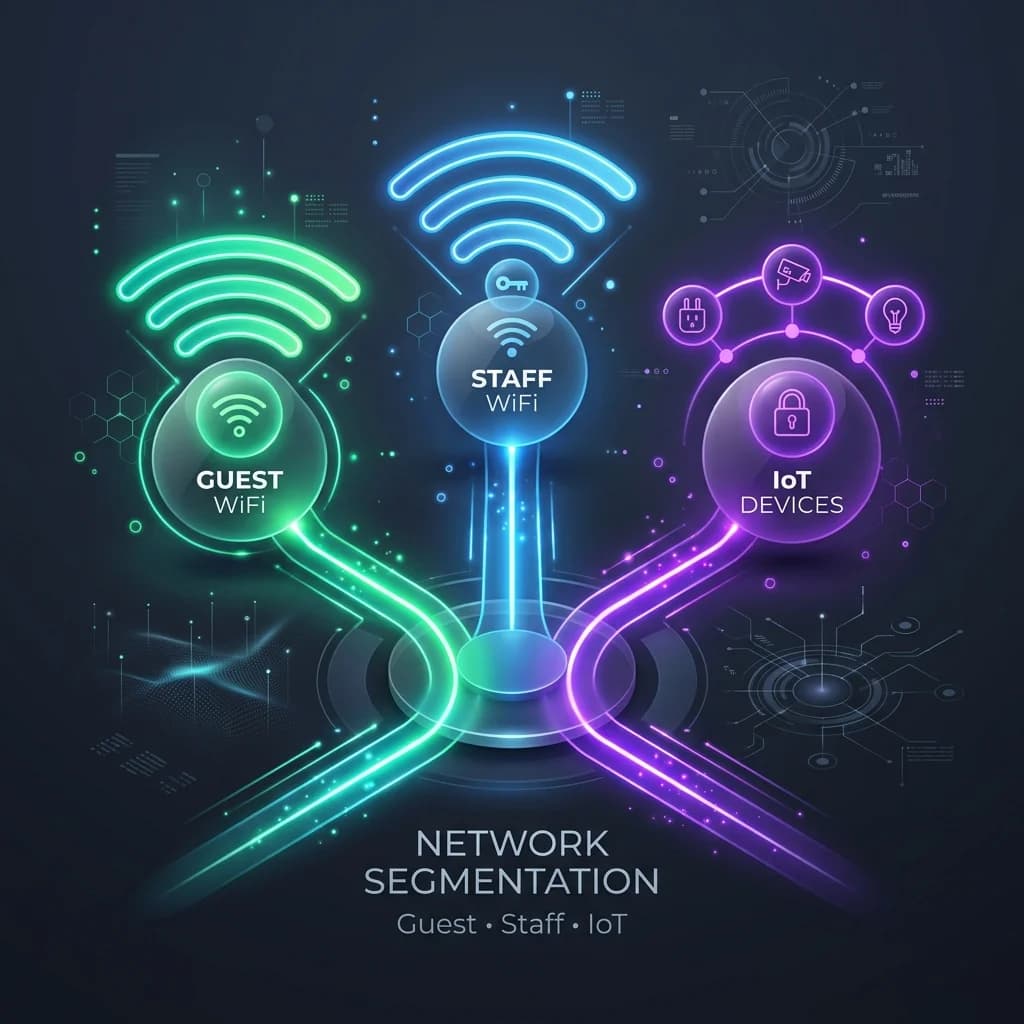
  • Separate by role where possible: Staff, guest, tenant, and device traffic behave differently. Your policy should reflect that.

If you can explain the policy in plain English to an operations manager, it's probably usable. If it requires a flowchart to understand who gets what, it's probably too fragile.

From Policy to Practice Implementation and Integration

Most bandwidth policies look sensible on a whiteboard. They fall apart during implementation because the network team hasn't translated intent into enforceable controls. The gap usually appears in three places: poor visibility into current traffic, overly broad policy scope, and no clean way to map users to the right rules.

This process view is a useful way to keep the rollout grounded:

A six-step infographic illustrating the process of implementing bandwidth management in a corporate network environment.

Audit before you configure

Start by observing the network in its normal state. Don't begin with assumptions like “streaming is the issue” or “guests are the issue”. Baseline what's consuming the uplink, when the peaks occur, and which complaints line up with those peaks.

Then map traffic into operational groups:

  • Critical services: payments, clinical workflows, staff access, voice
  • Important but tolerant services: office apps, browsing, standard business platforms
  • Elastic or deferrable services: updates, media downloads, background sync

That gives you a policy model you can carry into most enterprise WiFi platforms and edge appliances.

Apply rules where they make sense

On platforms such as Meraki, Aruba, Ruckus, Mist, and UniFi, the implementation details differ, but the logic doesn't. Define classes, apply prioritization to what must remain responsive, and cap what can safely be constrained.

Where teams struggle is scope. If you apply rules only by SSID, you often end up treating all users on that network the same way. That's manageable in a small site. It gets clumsy in a hotel, hospital, or mixed-use property where one SSID may carry very different traffic profiles.

Identity beats shared policy

Identity-based networking is far more practical than blanket SSID-level shaping. Instead of saying “everyone on this network gets the same treatment”, you can assign policy by role. Staff can get one rule set, guests another, tenants another, and managed devices another.

That's where integration matters. A platform such as Purple's implementation approach for guest WiFi and identity-based access fits this model because it works with vendor infrastructure and directory systems to tie access policies to user type rather than just radio attachment point. In operational terms, that means less manual policy sprawl and cleaner enforcement when users join, leave, or change role.

If your policy depends on people joining the right SSID every time, it isn't a strong policy.

A practical rollout sequence

Use a staged deployment rather than one big cutover.

  1. Create a baseline policy set: Define priority, medium, and constrained classes.
  2. Apply to a limited area first: A single floor, ward, tenant zone, or store cluster is enough.
  3. Test with real workflows: Staff logins, payments, voice, guest onboarding, device roaming.
  4. Check exception pressure: If everyone immediately asks for a special rule, the policy model is wrong.
  5. Expand only after validation: Roll wider when the complaint pattern improves and operations stay stable.

A few implementation mistakes are worth avoiding:

  • Overlapping rules: If multiple policies can match the same traffic, someone will eventually forget which one wins.
  • Application blind spots: If you can't identify the traffic properly, your policy will be guesswork.
  • Ignoring upstream behavior: Internal QoS tags don't guarantee end-to-end treatment beyond your control domain.

The practical objective isn't elegance. It's repeatability. A bandwidth management policy only helps when the network can apply it consistently across users, sites, and support teams.

Measuring What Matters Monitoring and Diagnostics

Most bandwidth management projects fail in the same way. The team makes a policy change, the complaints shift slightly, and nobody can prove whether the network improved or whether users stopped opening tickets for a week.

That's why monitoring matters more than tuning. You need enough visibility to answer three separate questions. Which applications are consuming the constrained resource? Is the congestion local or upstream? Has the policy improved user experience, or only changed utilization graphs?

A professional IT engineer monitors complex network performance and bandwidth data on a large computer screen display.

Creanord highlights a gap that many mainstream guides miss. Advanced monitoring can identify available bandwidth without affecting live traffic and support proactive capacity planning, which makes the critical question less “how do I limit bandwidth?” and more “how do I measure congestion correctly before I change policies or buy more bandwidth?” ( Creanord on measuring congestion and proactive capacity planning ).

What to watch instead of just total utilization

Total utilization is useful, but it's a poor diagnostic on its own. A busy link isn't automatically a broken link, and a lightly used link can still produce awful user experience.

Track indicators that reveal user impact:

  • Application latency: Important for transaction-heavy apps and cloud platforms.
  • Jitter and consistency: Essential for voice and real-time collaboration.
  • Per-user throughput: Useful in guest and tenant environments where fairness matters.
  • Queue behavior under load: Shows whether your shaping and prioritization are doing what you intended.
  • Time correlation with complaints: The most underrated metric in operations.

How to tell policy from RF from backhaul

The fastest way to waste time is to treat all poor performance as a policy problem. Use the symptom pattern to separate likely causes.

Symptom pattern More likely cause What to check first
Only certain applications fail during busy periods Policy or classification issue Traffic class mapping, queue rules, app identification
Users in one area complain more than others RF or access point contention Coverage, channel use, AP placement, client density
Entire site slows at the same times each day Backhaul or uplink constraint WAN usage pattern, peak period demand, circuit headroom
Staff services work but guest experience collapses Allocation may be intentional or too harsh Guest caps, fairness rules, authentication flow
Everything feels inconsistent even at modest utilization Wireless health or upstream instability AP load, roaming behavior, packet loss, provider path quality

A good diagnostic workflow usually looks like this:

  1. Confirm where the complaint occurs: one area, one user group, one app, or the whole site.
  2. Check whether the uplink is constrained: don't assume.
  3. Review wireless health in the affected area: client density and RF conditions often explain local pain.
  4. Inspect application classification: if the app isn't in the class you think it is, the policy is irrelevant.
  5. Compare before and after a controlled policy change: if user experience doesn't improve, the fault sits elsewhere.

Don't ask whether the link is full. Ask whether the right traffic gets through cleanly when demand is messy.

Reporting that operations teams can use

Network teams need technical detail. Venue leaders need decisions. Your reporting should support both.

That means translating monitoring into plain outcomes such as which services stayed responsive at peak times, which zones generated repeated complaints, and whether guest traffic was contained without harming operational workflows. Tools that combine network visibility with venue context can help here. Purple's guest WiFi analytics is one example of how user and session data can support that broader operational view alongside network telemetry.

A key value of monitoring is confidence. When you can prove that a slowdown came from RF contention in one wing, you stop rewriting QoS policies that were never the problem.

Troubleshooting Common Bandwidth Management Pitfalls

Even well-designed bandwidth management breaks when the enforcement logic gets messy. The symptoms can look familiar. Choppy video calls, unpredictable guest access, slow cloud apps, tenant complaints at busy times. The cause is often less glamorous than expected.

The mistakes that keep recurring

Some faults come up again and again:

  • QoS markings with no practical effect: You can mark traffic beautifully inside your network and still get no benefit if those markings aren't honored beyond the segment you control.
  • Policy collisions: Two rules match the same application or user group, and the result depends on processing order rather than intent.
  • Over-shaping: The team gets aggressive with controls and ends up choking normal work, not just non-essential traffic.
  • Bad classification: The application is misidentified, encrypted in a way your tooling can't interpret, or grouped into the wrong class.

These issues are why simple policies often outperform complicated ones. Complexity gives you more knobs to turn. It also gives you more ways to be wrong.

A quick fault-isolation checklist

When someone reports a “slow video call” or “broken WiFi”, test the symptom in this order:

  1. Location first: Is it isolated to one room, floor, ward, or retail unit?
  2. User group next: Is it guests, staff, tenants, or everyone?
  3. Application scope: Is it one app or all interactive traffic?
  4. Time pattern: Does it happen only during predictable peaks?
  5. Policy check: Did the affected traffic class recently change?
  6. Wireless sanity check: Is signal quality or client density the actual issue?
  7. Backhaul review: Is the uplink constrained during the complaint window?

If one user complains everywhere, inspect the device. If many users complain in one place, inspect the RF environment. If everyone complains at the same time, inspect the uplink.

A practical troubleshooting habit helps. Change one thing at a time, record the result, and avoid “fix bundles” where you alter shaping, AP settings, and internet routing in one maintenance window. If performance improves, you won't know why. If it gets worse, you won't know where to roll back.

Frequently Asked Questions About Bandwidth Management

Does bandwidth management increase latency?

It can if it's done badly. Any queueing mechanism can add delay if you build oversized queues or push too much traffic into a constrained class. Done properly, bandwidth management often improves perceived performance because it protects delay-sensitive traffic from bursts and contention.

The key is to prioritize selectively. Don't put half the network into a “high priority” bucket and expect clean results.

Is bandwidth management still necessary when broadband speeds are increasing?

Yes. UK average fixed broadband download speeds rose from 54.2 Mbit/s in November 2019 to 69.4 Mbit/s in November 2020, and average upload speeds increased from 8.2 Mbit/s to 17.2 Mbit/s over the same period. That rise matters because upstream-heavy usage such as video meetings, cloud backups, and collaborative tools makes prioritization and monitoring more important, not less ( Bandicoot Marketing summary of Ofcom broadband speed changes and bandwidth planning context ).

More capacity helps. It doesn't remove contention between critical and non-critical traffic.

What's the difference between identity-based policy and MAC-based rules?

MAC-based rules identify devices. Identity-based rules identify users, groups, or roles. That's a major operational difference.

MAC rules are brittle in environments with changing devices, personal devices, guest onboarding, and shared spaces. Identity-based policy is easier to align with business logic such as staff, guest, contractor, tenant, or managed device.

How does bandwidth management relate to SD-WAN?

They solve different problems. SD-WAN decides how traffic uses available paths and policies across sites or circuits. Bandwidth management decides how traffic shares constrained resources on a given path or segment.

In practice, they complement each other. SD-WAN can steer traffic intelligently, while bandwidth management protects important applications once the traffic lands on a circuit or local access network.

What should I do when traffic is encrypted and hard to classify?

Rely less on deep identification and more on a combination of role, destination pattern, network segment, and application context from the platforms you control. You won't always get perfect visibility into encrypted traffic, so the policy design has to remain practical even when classification is incomplete.

That usually means favoring clear role-based rules over overly ambitious micro-policies.

Should guests always be rate-limited?

Not always. Guests need a predictable experience, especially in hospitality and premium retail environments. The goal is fairness and protection of core services, not arbitrary deprivation.

A better approach is to give guest traffic an appropriate class and clear ceiling while preserving a stable floor of service.

How often should bandwidth policies be reviewed?

Review them whenever the venue changes materially. A refit, new app rollout, clinical workflow shift, tenant mix change, or guest usage pattern change can all make an old policy obsolete. Even without major change, a periodic review is sensible because traffic patterns rarely stay still.

What's the simplest useful policy for a mixed-use venue?

Start with three classes: Critical business traffic, Normal business and guest traffic, and Background or bulk traffic. If you can classify reliably at that level and monitor the result, you'll often get better outcomes than with an elaborate taxonomy that nobody can maintain.


Purple gives IT teams a practical way to apply identity-based access and policy control across guest, staff, and multi-tenant WiFi environments on existing infrastructure. If you're trying to move beyond shared passwords and blunt SSID-wide rules, Purple is worth evaluating alongside your current network stack.

Ready to get started?

Book a demo with one of our experts to see how Purple can help you achieve your business goals.

Speak to an expert
IcBaselineArrowOutward