
A private network for every member, on one network across every location
Every member gets their own Private Area Network, every member company its own key and VLAN, and every day pass, visitor and event guest a branded sign-in kept well away from both. One platform, layered on the access points already in your buildings.
- A Private Area Network per member
- A key and VLAN per member company
- Day passes, visitors and events
- One login across every location

Members pay for a professional workspace. Many still get a shared password on a card.
Flex workspace sells companies an office without the fit-out. Their security teams still expect the network they would have run themselves, and hot-deskers expect it to work like home. Most spaces run one password for everyone, a router in each private office and a whiteboard for visitors. That gap shows up in four places.
A typical coworking space today
- One WiFi password for every member, printed on the desk card and never changed
- Private office residents plugging in their own routers to keep their equipment off the shared network
- Day-pass guests and event attendees on the same network as resident members
- Members at a second location asking reception for a different password
With Purple
- Every member signs in once and gets their own Private Area Network, isolated from everyone else
- Each member company gets its own key and VLAN, with its own firewall and bandwidth rules
- Visitors, day passes and events get a branded captive portal on a separate network
- Members reconnect automatically at every location in your portfolio
Members, companies, guests and every location, each on the right network
Four populations that usually mean four workarounds, run from a single pane of glass by your operations team.
A Private Area Network per member
Phone, laptop and headset in one isolated bubble, created at sign-in and removed when the membership ends.
02 · Member companiesA key and VLAN per company
Private office teams share their own network and printer, with building devices on keys of their own.
03 · Day passes and eventsA branded welcome for guests
Day passes, visitors and event attendees sign in on a captive portal kept apart from member networks.
04 · Multi-siteOne membership, every location
Authenticate once and reconnect automatically at every site, managed from one dashboard.
The at-home experience, with enterprise isolation
Purple creates a Private Area Network for each member when they sign in with their membership credentials or single sign-on. Their phone, laptop and wireless headset can find each other, and stay invisible to the hot-desker at the next table, on one network with 802.1X and WPA3-Enterprise security intact.
- Members onboard a phone or laptop in about 60 seconds with the Purple app
- Devices without a browser join the member's bubble with a private iPSK passcode
- mDNS reflection keeps AirPlay and screen sharing inside each member's bubble
- Access ends when the membership ends, with no shared password to change
A Private Area Network is created per person at sign-in rather than per desk, so it works the same for a hot-desker on Monday and a dedicated-desk member on Friday.
Explore multi-tenant WiFi Private Area Networks
A private office network, without a router in every office
A ten-person team in a private office wants its laptops, printer and meeting room screen on a network of its own. xPSK gives each member company its own key with its own VLAN, firewall, bandwidth and role on your shared infrastructure, and gives door controllers, booking panels and cameras keys of their own.
- Works under your vendor's name: iPSK on Cisco, DPSK on Ruckus, MPSK on HPE Aruba and Juniper Mist, PPSK on Extreme and UniFi
- Revoke one company's key when it moves out, with no effect on any other tenant
- MAC binding ties a device key to the first device that uses it
- No per-device license and no cap on devices per key, licensed per access point and per venue
 xPSK
xPSKEvery day pass and event guest online, and on your list
Day-pass members, meeting room guests, interview candidates and the crowd at Thursday's community event all need WiFi, and none of them belong on a member network. Purple gives them a branded captive portal, entirely separate from members and companies. Real estate developer Holladay Properties ran a branded splash page to promote its Songwriting Series and delivered 10K impressions over the campaign.
- Branded captive portal with CCPA/CPRA consent and a full audit trail
- Consented sign-ups sent to your CRM through 400+ data connectors
- Paid WiFi for premium access, and surveys after events and day passes
- DNS content filtering on the guest network
 Day passes
One membership, every location, no second password
Members with access across your portfolio should not have to sign in again in every city. With Passpoint, a member's device carries a profile bound to their identity, so it joins an encrypted network at any of your locations without a captive portal, and you manage every site from one dashboard.
- Authenticate once, then reconnect automatically at every affiliated location
- Encrypted from association, with no captive portal for members
- Profiles are bound to identity, so they survive iOS 18 MAC address rotation
- Occupancy by day and hour for each location, exportable for your operations team
 Passpoint
What it takes to run it with shared passwords, and what it takes with Purple
The network a member company would build for itself, delivered as one managed service across every building.

Enterprise-grade networks for members, without a network team in every building
Community and operations teams look after everything from meeting room bookings to the coffee machine. Purple takes network access off their list, so a new member is online before they have found a desk.
Figures from Purple platform data and service terms.
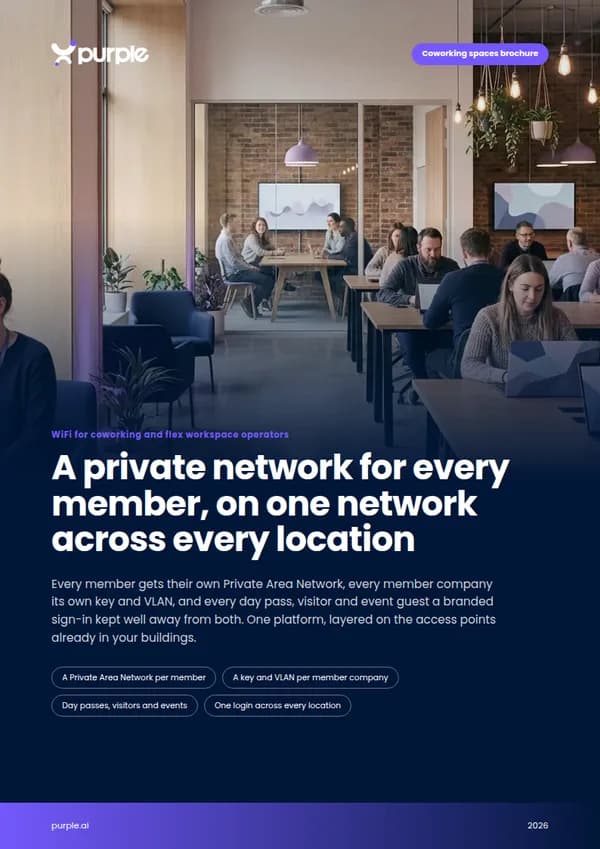
Free brochure
Take this page into your next budget meeting
Everything on this page as an eight-page PDF brochure, ready to share with the people who sign off your network spend.
Get the brochure
Your name and email is all we need. The download appears straight away.
Live without new hardware
- 1
Connect your members
Link membership credentials or single sign-on, and set up keys for each member company.
- 2
Point your access points at Purple
We configure the member, company, guest and building networks on the access points you already own.
- 3
Roll out site by site
Switch on one location at a time with our onboarding team, and members reconnect automatically as each one goes live.
Pricing
See the price before you book a demo
Compare plans, what each one includes and the add-ons on one page. You do not need a sales call to see the numbers.
See your spaces on one network platform
Tell us about your locations and membership mix, and we will show you how member, company, guest and building access would work on your hardware.
- Works with Cisco Meraki, HPE Aruba, Ruckus, Juniper Mist, Ubiquiti UniFi, Cambium, Extreme and Fortinet
- A Private Area Network per member and a key per member company
- ISO 27001 certified, CCPA/CPRA compliant, US RADIUS region
Book a coworking demo
A 30-minute call with someone who knows shared-workspace networks.
Coworking WiFi questions, answered
What operators and IT teams ask us most
Do we need to replace our access points?
No. Purple layers on top of the access points you already own, including Cisco Meraki, HPE Aruba, Ruckus, Juniper Mist, Ubiquiti UniFi, Cambium, Extreme and Fortinet. There is no on-premise RADIUS server to install.
Can a member company have its own network inside our building?
Yes. With xPSK each member company gets its own key with its own VLAN, firewall, bandwidth and role, so its laptops and printer see each other and nobody else. When the company moves out, you revoke that key without affecting any other tenant.
How do hot-deskers keep their devices private?
Each member gets a Private Area Network when they sign in. Their devices can find each other, and mDNS reflection keeps AirPlay and screen sharing inside that bubble, so they never see another member's laptop or headset.
How do day passes, visitors and events connect?
Through a branded captive portal on a separate guest network, with CCPA/CPRA consent and a full audit trail. Sign-ups can go to your CRM through 400+ data connectors, and DNS content filtering is available on the guest network.
Do members have to sign in again at our other locations?
No. Members authenticate once and reconnect automatically at every affiliated location. With Passpoint, their device carries a profile bound to their identity, so it joins an encrypted network without a captive portal.
What happens when a member leaves?
Their access ends when their membership ends, and their devices drop off the network. There is no shared password to change and no effect on any other member.
Where is member data held?
Purple has RADIUS regions in the US, EU and UK, is ISO 27001 certified and CCPA/CPRA compliant, and has had zero data breaches since 2012.
Featured products for Coworking spaces
The Purple platform pieces most Coworking spaces venues deploy on day one.
Guest WiFi platform for Coworking spaces
Captive Portals, analytics, and marketing automation as a cloud overlay.
Captive Portal software for Coworking spaces
Modern Captive Portals with social login, SSO, and marketing consent.
Passwordless WiFi for Coworking spaces
EAP-TLS, iPSK, and Passpoint - replace shared passwords with identity.
Recommended solution for Coworking spaces
WiFi for IT & network teams. Cloud Captive Portals, RADIUS, and analytics layered on top of Cisco, Aruba, Juniper Mist, Meraki, and Ubiquiti.
See WiFi for IT & network teams →Related pillar guides
The topical pillars most relevant to Coworking spaces. Each guide is the canonical hub for that area of the platform.
Multi-tenant WiFi
iPSK per resident, the WiFi-bubble model, and the operational realities of long-term residential connectivity.
Enterprise WiFi security
WPA3 Enterprise, 802.1X, EAP-TLS, iPSK, and cloud RADIUS for staff networks that pass audit.
Captive portal
How the WiFi sign-in works, the eight authentication methods, and the join surface technical detail.
Further reading for Coworking spaces
Technical guides, articles and customer stories for teams running WiFi in this sector.
Guides for Coworking spaces
- Bandwidth Management and Quality of Service (QoS) in Co-Working Spaces
- Designing WiFi Networks for Multi-Tenant Office Buildings
- WPA2-Enterprise vs Personal for Multi-Family and Co-Working
- Why hotel-style guest WiFi fails in residential buildings
- Integrating RADIUS as a Service with Cloud Directories (Azure AD & Google Workspace)
- Mean time to innocence: how to prove it's not the WiFi
- Legal and Compliance Requirements for Shared WiFi Infrastructure
- VLAN Segmentation Best Practices for Multi-Tenant Environments
Related industries
Other verticals running on the same Purple platform.
Speak to an expert
Tell us about your venues and we'll show you how Purple fits.