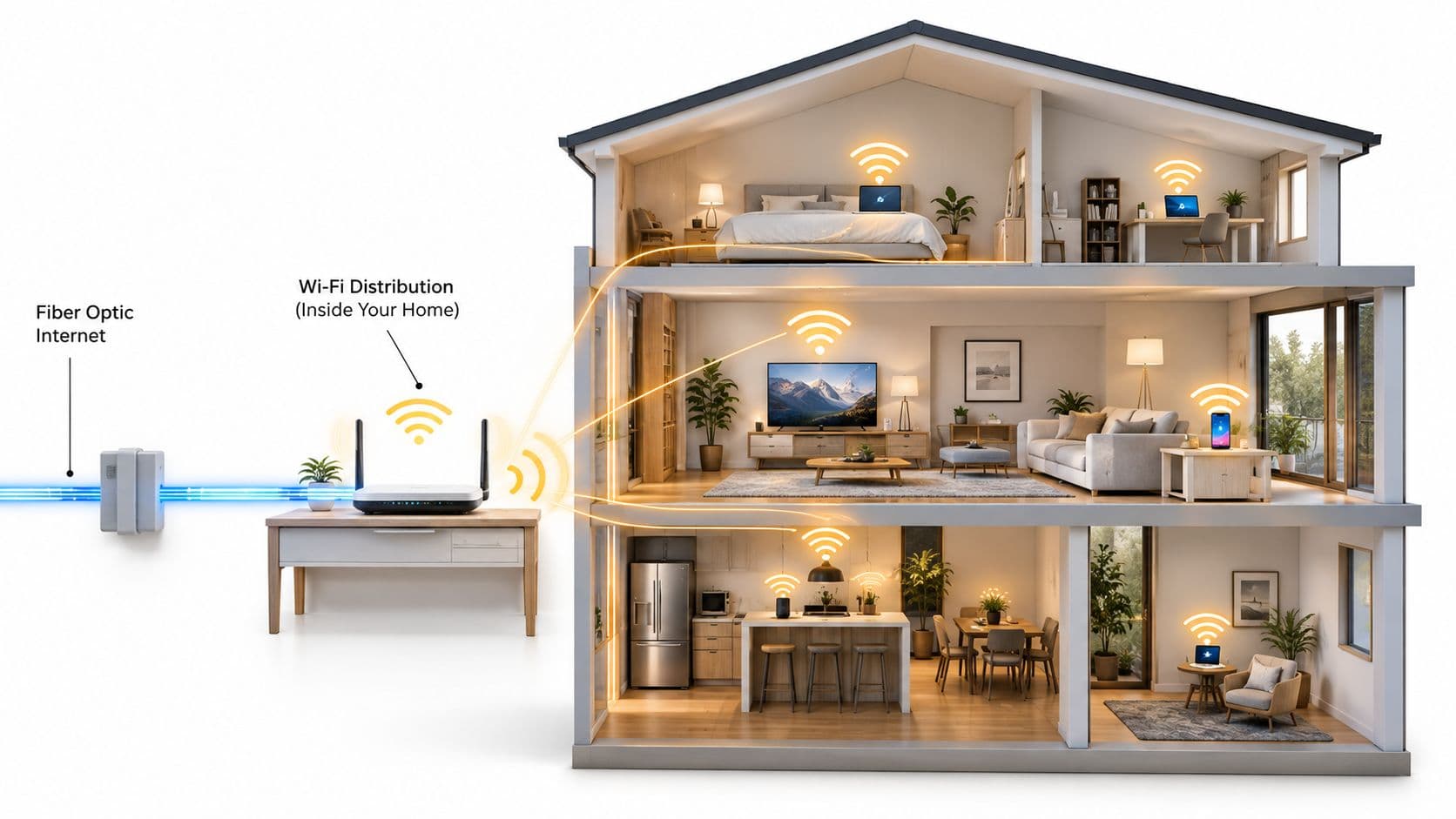
Broadband Wi-Fi is the combination of a fixed broadband internet connection coming into a building and the local wireless network that distributes that connection to devices over radio. In the UK, those two layers aren't measured the same way, and they don't fail in the same way, which is why a property can have gigabit-capable broadband available at the premises yet still suffer from dead zones, weak room-by-room performance, or frustrated guests.
That's the part most advice gets wrong. It treats broadband and Wi-Fi as if they're one product, then tells you to buy a faster package whenever people complain. Sometimes that helps. Often it doesn't.
A venue operator sees this all the time. The broadband circuit is fine, but the back corner tables lose signal. A hotel upgrades the incoming service, yet guests still struggle in end-of-corridor rooms. A block of flats has modern infrastructure to the building, but older routers, awkward access-point placement, thick walls, and too many devices fighting for airtime make the wireless experience feel poor. If you want to answer what is Broadband WiFi properly, you have to separate the outside connection from the indoor radio network first, then diagnose each one on its own terms.
Why Broadband and Wi-Fi Are Not the Same Thing
When a guest says, "Your broadband is bad," they usually mean the Wi-Fi in one room is bad. Those are different faults, and they need different fixes.
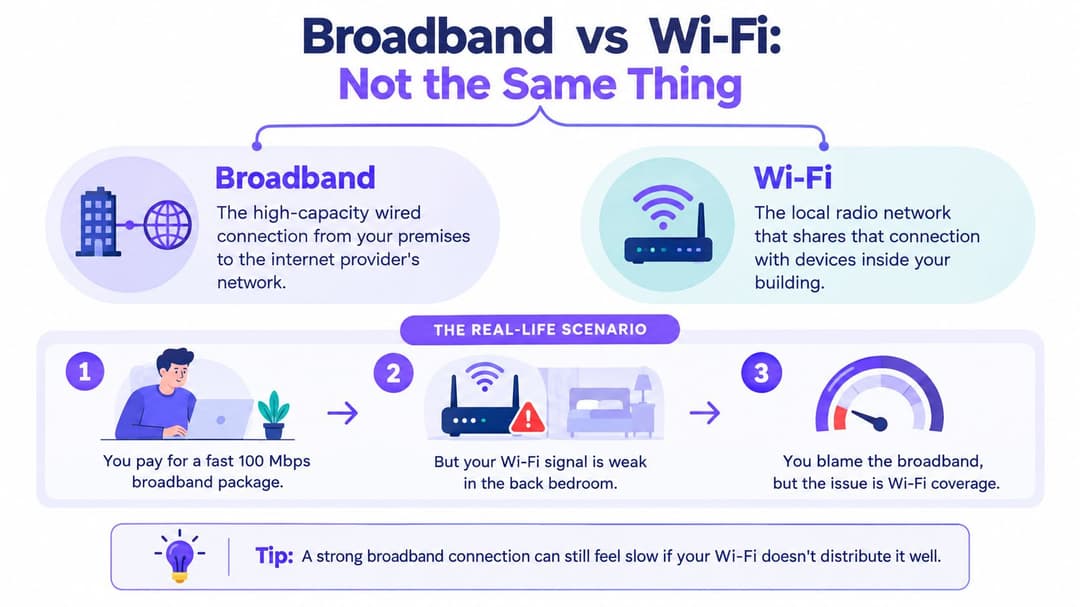
Here is the clean way to separate the two. Broadband is the fixed connection that reaches your premises from the provider's network. Wi-Fi is the short-range radio system that shares that connection among devices inside the building. Think of broadband as the water main entering the property, and Wi-Fi as the pipework and taps that deliver it to individual rooms. A generous main supply does nothing if the indoor pipes are narrow or badly routed.
The industry measures these layers separately, and the numbers show why. Ofcom's Connected Nations 2024 UK report tracks broadband availability at premises level. By July 2024 it found full-fibre broadband available to 69% of UK residential premises, about 20.7 million out of roughly 30.1 million households, while gigabit-capable networks reached 83% of residential premises, around 25 million locations.
Those figures describe what can reach the building. They say nothing about what happens indoors. Local wireless performance still depends on router quality, access-point placement, interference, building materials, device capability, and how many users are active at once.
A fast broadband line can enter the building and still be distributed badly indoors.
This is why "buy faster broadband" is incomplete advice. If the bottleneck sits in the in-building wireless layer, upgrading the ISP package leaves the core problem untouched. The reverse also holds. A strong Wi-Fi signal cannot rescue an undersized incoming line. Diagnose the two layers separately, then fix the one that is failing.
What Broadband Delivers to Your Building
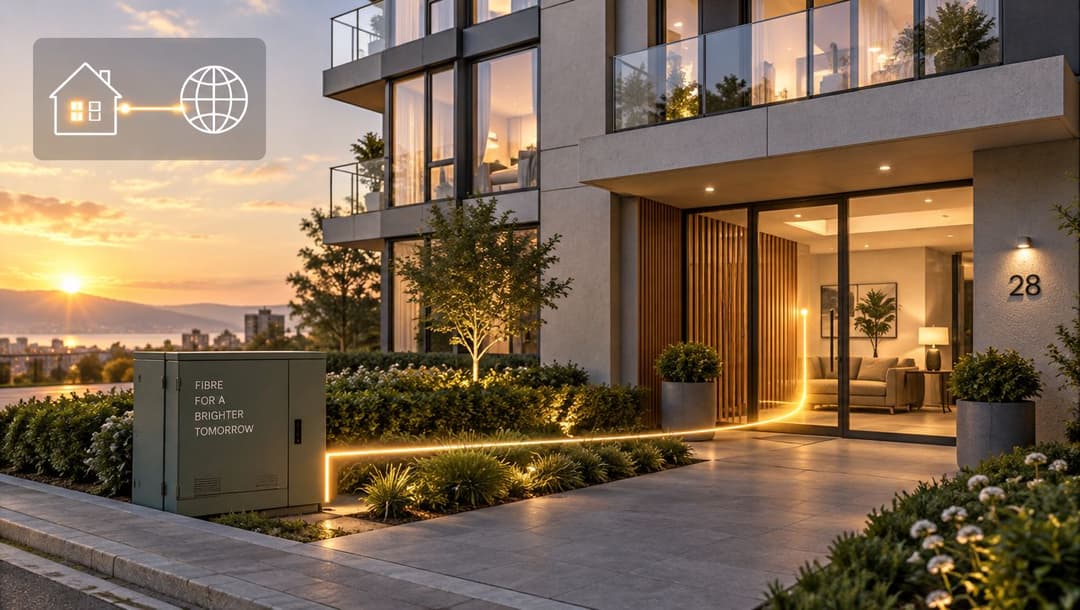
Broadband is the upstream access link between your site and the wider internet. It carries traffic from your provider's network to a router, modem, or optical network terminal at the property edge. Your devices first connect to local equipment, which then passes their requests through that external link.
Common UK access types
UK broadband can reach a building through several access methods:
- Full fibre runs fibre all the way to the premises.
- Upgraded cable networks can provide gigabit-capable access.
- FTTC and older copper-based services remain available in many areas.
- Fixed wireless access uses a radio connection for the final link.
- Satellite often serves harder-to-reach locations.
The acronyms matter less than the handoff point. Broadband connects the provider's network to your property. From that point onward, your local network determines how the connection reaches rooms, devices, staff, and guests.
Availability does not predict room-by-room performance
A property may qualify for a fast service while individual rooms still provide a poor online experience. Ofcom's nation-level reporting shows superfast broadband coverage reached 98% of residential premises in Northern Ireland. It also reports full-fibre availability at 62% of residential properties in Scotland and 68% of Welsh residential premises, equivalent to about 1 million homes in Wales. In England, 17.3 million residential premises, 69%, had access to full fibre by July 2024, according to the Connected Nations 2024 nation reports.
Those figures describe whether service can reach the property. They do not show whether a meeting room, guest bedroom, terrace, or office corner receives a usable connection.
Venue operators therefore need two separate answers:
- Can the premises obtain enough broadband capacity?
- Can the internal network distribute it safely and reliably?
Working rule: Broadband determines what arrives at the property. The local network determines how usable that service feels to real people.
A business may choose dedicated connectivity for predictable performance, service guarantees, or symmetrical upload and download capacity. That improves the external link, but it does not redesign the network inside the building. Broadband is one half of the user experience.
How Wi-Fi Distributes That Connection Indoors
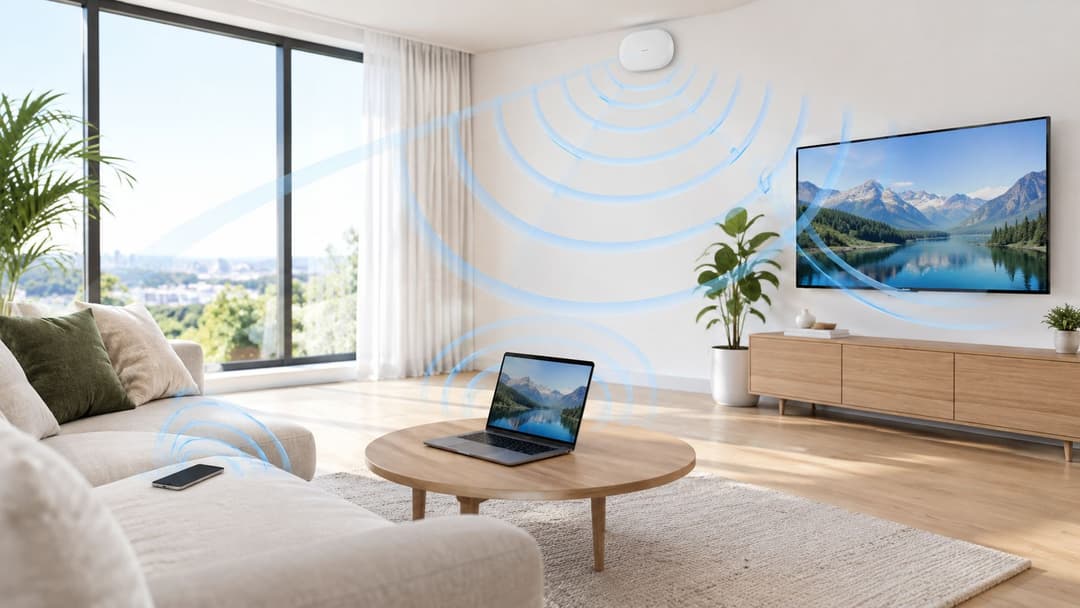
Wi-Fi is the local radio network inside the building. It takes the incoming connection and makes it available to nearby devices over the air. That sounds simple until you remember that radio is shared, imperfect, and heavily shaped by the environment.
What the access point is actually doing
A home router often combines several jobs in one box. It terminates the broadband service, routes traffic, and broadcasts Wi-Fi. In larger environments those roles are often split. You may have a broadband handoff into a firewall or router, then one or many dedicated wireless access points serving devices across the site.
Users see the SSID, the network name. Engineers see something else: coverage zones, radio channels, band selection, roaming behaviour, client density, and interference. The signal you see on a phone is only a rough clue. It doesn't tell you whether dozens of other clients are contending for the same airtime, whether a wall is attenuating the link, or whether the client device itself only supports older standards.
Why one room works and another doesn't
Ofcom makes an operationally useful distinction here. It measures broadband performance at the customer's router, not over the Wi-Fi link. In March 2023, the reported median UK download speed was 69.4 Mbit/s, and the average peak-time download speed was 67.7 Mbit/s, which was 95% of the 71.0 Mbit/s average maximum, according to Ofcom's home broadband performance update. If a user sees a much bigger drop on Wi-Fi than that, the local wireless environment is often the more likely bottleneck.
Wi-Fi performance can fall because of:
- Distance and walls, which weaken radio signals
- Interference, from neighbouring networks and other equipment
- Channel contention, where many clients share the same airtime
- Client limitations, because not every phone, tablet, or till supports the same bands and features
- Poor placement, especially when routers are hidden in cupboards, behind TVs, or in service areas far from where people use devices
A single all-in-one router can work well in a compact home. A busy venue usually needs multiple managed access points, careful placement, and separation between guest, staff, and operational traffic.
Speed Bandwidth and Latency Without the Jargon
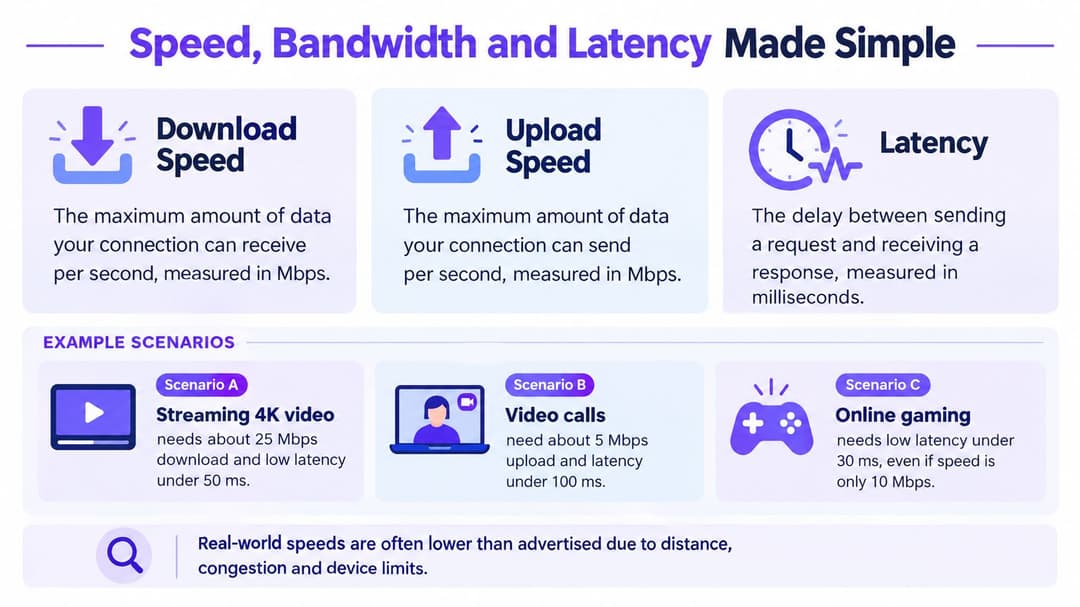
A fast broadband package does not automatically make Wi-Fi feel fast. To understand where performance goes, separate throughput, capacity, and delay. Broadband brings data to the building. Wi-Fi shares that connection across rooms, devices, and users.
Throughput is what a link can move
Download and upload throughput describe the amount of data a link can carry over time. It affects streaming, cloud backups, software updates, and large file transfers. The headline broadband rate describes the connection into the premises, while Wi-Fi clients share the local radio medium. As more devices use the same access point, the available airtime is divided between them.
Operators who need definitions for common wireless terms can use Purple's WiFi glossary as a reference.
Latency is what makes a network feel responsive
Latency measures the delay between sending a request and receiving a response. It affects video calls, card payments, cloud applications, remote desktops, and games, often before limited throughput becomes obvious. A connection may have enough download capacity for a task yet still feel slow because each exchange takes too long.
Jitter is variation in latency. Packet loss occurs when traffic fails to arrive and must be sent again. Users usually report the effect rather than the technical cause: a call sounds robotic, a till pauses, or a meeting freezes briefly.
Broadband sets the ceiling, Wi-Fi sets the floor, and latency often sets the feel.
Why tests need context
A speed test beside the router checks whether the broadband service is arriving roughly as expected. It cannot show what happens in a back office, an upper-floor guest room, or a crowded event space. A test must therefore examine both the incoming service and the local wireless experience.
Check each layer separately:
- Router-to-internet throughput, to validate the incoming service
- Access-point-to-client throughput, to measure local delivery
- Latency and packet loss, because a usable connection depends on responsiveness as well as megabits
- Performance by band and location, since a hallway, bedroom, lobby, and terrace can behave very differently
This approach prevents a venue from paying for more broadband when the actual problem is radio design, overloaded access points, or weak local backhaul.
UK Broadband Access Methods Compared for Venues
When a venue asks what broadband option it should buy, the right answer depends on the site, the user profile, and how much of the experience relies on cloud systems. A café with light guest browsing has different needs from a hotel, clinic, student residence, or multi-tenant property.
UK broadband access methods at a glance
| Access method | Typical download | Typical upload | Best suited for |
|---|---|---|---|
| Full fibre | Varies by service package | Varies by service package | Sites needing strong baseline performance and modern infrastructure |
| Upgraded cable network | Varies by provider and package | Varies by provider and package | Urban and suburban venues with cable availability |
| FTTC or older copper service | Varies by line condition and package | Varies by line condition and package | Smaller sites where fibre isn't yet available |
| Fixed wireless access | Varies by signal conditions and network load | Varies by signal conditions and network load | Faster deployment, temporary setups, or sites without strong fixed options |
| Satellite | Varies by provider and conditions | Varies by provider and conditions | Remote premises where terrestrial options are limited |
What matters more than the acronym
The table is intentionally qualitative. The exact speeds available at a venue depend on the package, the provider, and the local network. The more useful question is whether the access method matches the operating model.
Full fibre is attractive when available because it gives the venue a strong foundation. Cable can also provide substantial capacity where upgraded infrastructure exists. Copper-based services may still be serviceable for lighter demand, but they're less forgiving when many users and cloud applications pile on at once. Fixed wireless access can be useful where installation speed matters or fixed options are limited, though local conditions and shared radio performance matter. Satellite solves access in places that would otherwise have little choice, but operators still need to think carefully about application sensitivity and user expectations.
Regional availability still affects planning
National estates can't assume the same access options at every location. Ofcom's spring 2025 update says 86% of UK homes could access gigabit-capable broadband and 74% could access full-fibre service, while 48,000 premises still lacked a “decent” fixed or fixed-wireless service, defined as at least 10 Mbit/s download and 1 Mbit/s upload in the Connected Nations spring 2025 update.
That's why venue design starts with a site survey, not an assumption. The “best” access method on paper may not be the one you can order this quarter at a specific address. Large sites also often separate internet access from internal distribution and may use dedicated Ethernet or leased connectivity for aggregation, resilience, or service assurance, especially where many access points, operational systems, and guest services depend on the same core connection.
Designing Wi-Fi for Coverage Capacity and Reliability
A lot of poor Wi-Fi comes from solving the wrong problem. Operators look for more signal when they need more capacity, or they add a mesh node when they really need wired backhaul and better placement.
Coverage isn't enough
A site can show “full bars” and still perform badly if too many clients are piled onto the same radios. That's why access-point placement should follow user behaviour, not whatever cupboard already has power. Put coverage where people connect, such as guest rooms, check-in areas, dining spaces, waiting rooms, meeting rooms, and staff work zones.
Three design choices shape the outcome quickly:
- Placement first: Ceiling-mounted or properly positioned access points usually outperform hidden consumer routers because the radio pattern matches the space better.
- Channel planning: Nearby access points must be configured so they don't fight each other unnecessarily.
- Transmit power discipline: More power isn't always better. Too much can create sticky clients and poor roaming.
Mesh can help, but it has limits
In smaller homes, mesh can be a tidy way to extend coverage without pulling cables. In larger or commercial environments, wireless uplinks often introduce instability and reduce usable capacity because each hop consumes airtime. Where reliability matters, multiple managed access points with wired backhaul usually give a cleaner result.
If you're thinking about broader infrastructure pressure on retail and venue environments, this visual on data center growth trends for retailers helps frame why dependable local connectivity matters as more services move off-site and into cloud-backed systems.
For operators who want a practical RF reference, Purple's WiFi RF engineering guide covers the radio side in more detail.
Field note: If guests complain only in specific rooms or corners, that usually points to design and placement. If everyone complains everywhere at busy times, capacity and upstream demand deserve a closer look.
Reliability is an operations job, not a one-off install
Stable Wi-Fi comes from maintenance as much as design. Good practice usually includes:
- Separate SSIDs or policy domains for guests, staff, and IoT
- Routine firmware management so access points and controllers stay consistent
- Basic monitoring for airtime pressure, retries, client load, and access-point health
- Roaming-aware design so people can move through the venue without repeated drop-offs
That's the difference between a network that merely exists and one that works.
Guest Experience and Identity-Based Wi-Fi Access
From the user's point of view, Wi-Fi isn't a radio system. It's the thing that either lets them get online immediately or irritates them before they've even checked in, ordered, registered, or sat down.
The login flow is part of the product
A shared password on a sticker may seem easy, but it creates its own problems. Staff have to repeat it. Guests mistype it. It spreads beyond the intended audience. In multi-tenant and hospitality settings, it also blurs together people who shouldn't share the same level of trust.
A clunky captive portal isn't much better if it asks for too much, reloads badly, or forces users through the same steps every visit. In a hospital waiting area, a hotel lobby, or a shopping centre, friction at the first packet becomes part of the brand experience.
Identity-based access changes the model
A stronger pattern is identity-based onboarding. The user authenticates once, receives secure access tied to that identity, and reconnects more smoothly on later visits. Staff access can be handled differently again, tied to the organisation's directory and security policies instead of a shared secret.
If you want a concrete example of how that works in practice, Purple's identity-based networking approach supports passwordless access for guests, staff, and multi-tenant environments, including integration with platforms such as Entra ID, Google Workspace, and Okta. That's useful because guest access and staff access are different operational problems, even if they use the same underlying wireless estate.
Good guest Wi-Fi doesn't begin with coverage maps. It begins with making access feel safe, quick, and forgettable.
The physical environment matters too. On projects involving retail rollouts and wireless build standards, examples like Sprint CCT wireless construction work are useful reminders that the network experience depends on both digital policy and the quality of the installed environment.
Meaningful connectivity goes beyond signal bars
There's a wider social point here as well. The UK government's digital inclusion update says 1.6 million people had no internet connection at all, and many more lacked a suitable device or the skills to use the internet effectively. It also says BT had connected more than 300,000 digitally excluded households through social tariffs and was exploring free community Wi-Fi in libraries and community centres, including a proposed focus on 500 community hubs in deprived areas, according to the Digital Inclusion Action Plan update.
For operators, that means “we provide Wi-Fi” isn't the same as “people can use it meaningfully.” Onboarding, accessibility, privacy, device support, and repeat access matter just as much as the signal itself.
Bringing It All Together Into a Working Network
If you want the cleanest answer to what is Broadband WiFi, it's this. Broadband is the connection arriving at the property. Wi-Fi is the in-building access layer that shares that connection with devices. Reliable service only happens when both are designed on purpose.
For a home, that may mean checking whether the bottleneck is the incoming service or the wireless layout before upgrading anything. For a venue, it usually means being more disciplined.
A practical checklist looks like this:
- Confirm the broadband service matches peak demand, not just quiet-hour usage
- Test at two layers, once at the router edge and again where people use devices
- Design Wi-Fi for capacity as well as coverage, especially in dense or high-turnover spaces
- Separate guest, staff, and IoT traffic, so one user group doesn't undermine another
- Treat authentication as part of the experience, not just a security gate
That final point matters more than many teams expect. Users don't care whether the issue sits in the WAN, the LAN, or the RF layer. They care whether the network works. The operators who understand broadband and Wi-Fi as one connected system, with two different jobs, are the ones whose users stop noticing the network at all. That's usually the best outcome you can get.
If you're reviewing how your venue handles guest, staff, or multi-tenant connectivity, Purple offers tools for secure WiFi access, identity-based onboarding, and analytics that sit on top of your existing wireless infrastructure. It's a practical fit for the problems covered here, especially when the goal isn't just stronger signal, but a better and more manageable network experience from first connection onward.