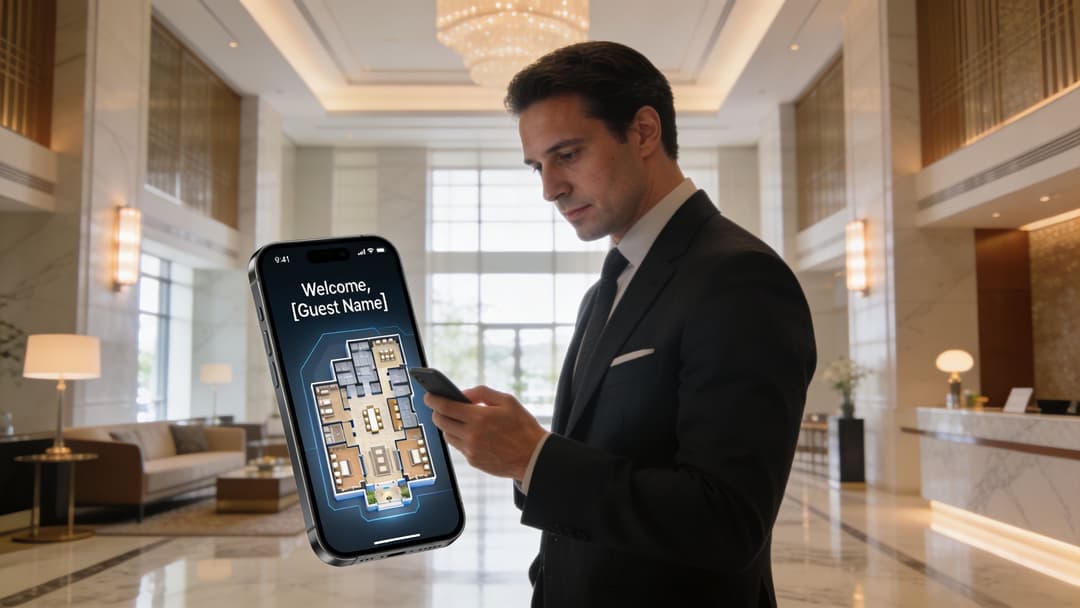
Un huésped entra en su hotel tras un largo viaje. Su teléfono se conecta, aparece una pantalla de bienvenida y la aplicación le indica discretamente el grupo de ascensores más cercano a su habitación. En un hospital, un celador localiza un dispositivo móvil sin tener que llamar a tres departamentos. En una tienda minorista, un comprador recibe una oferta relevante justo cuando está frente al producto, no tres horas más tarde por correo electrónico.
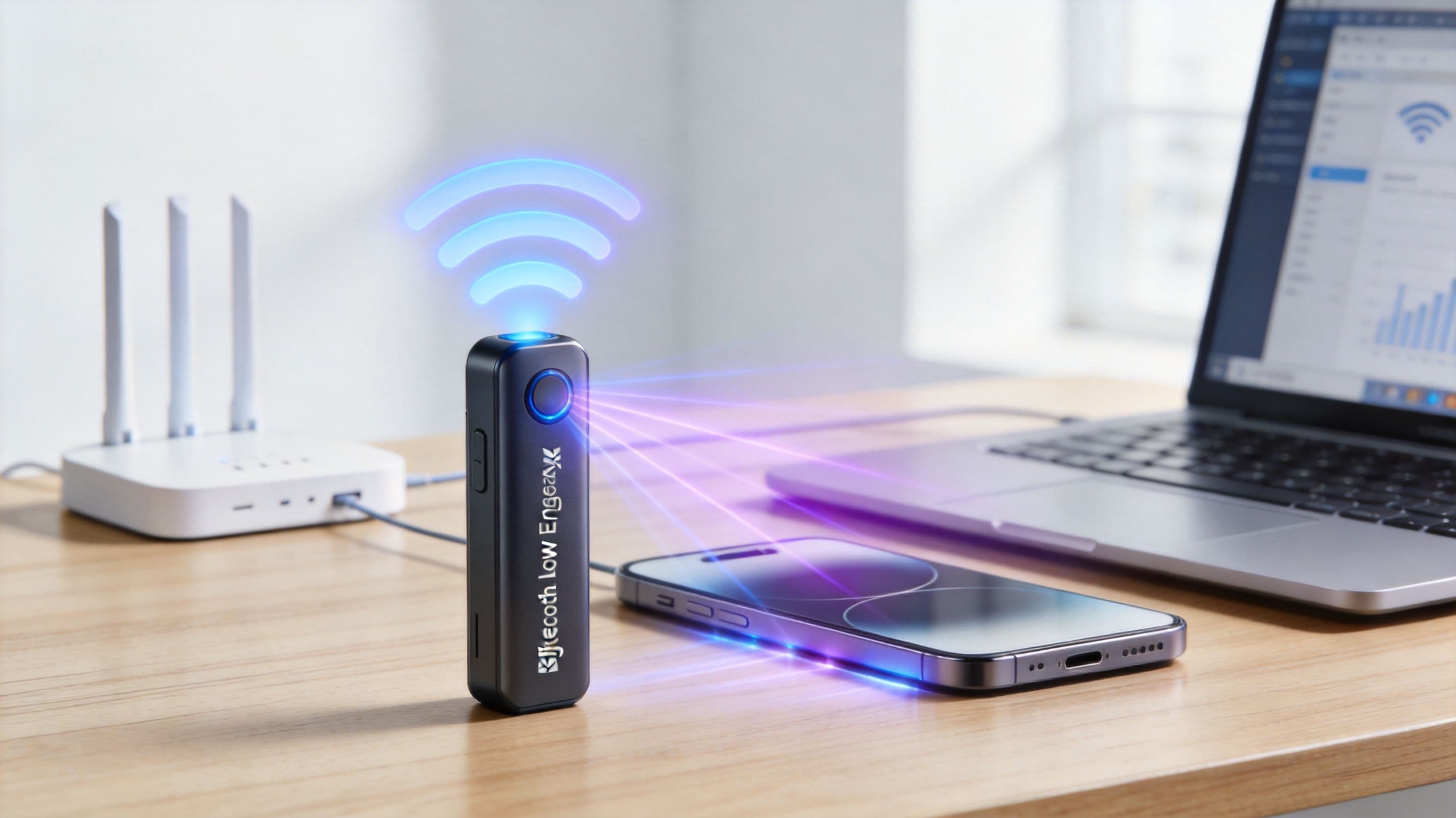
Esas experiencias suelen depender de que ble low energy funcione junto con WiFi. El BLE gestiona señales de proximidad cortas y eficientes. El WiFi se encarga de la conectividad más amplia, la autenticación y la capa de datos entre bastidores. Cuando se combinan ambos de forma adecuada, no se añade simplemente otro protocolo inalámbrico. Se crea un sistema operativo más útil para el edificio.
Qué es BLE y por qué es importante ahora
BLE significa Bluetooth Low Energy. Es una versión de Bluetooth diseñada para pequeñas ráfagas de datos, un bajo consumo de energía y dispositivos que necesitan funcionar durante mucho tiempo sin necesidad de cargas constantes ni cambios de batería.
En pocas palabras, el BLE es ideal para responder a preguntas sencillas como: ¿está este dispositivo cerca?, ¿en qué zona se encuentra? y ¿debería realizarse una acción ahora? Eso lo hace muy útil en hoteles, centros comerciales, clínicas, campus y edificios residenciales donde las personas y los activos se desplazan continuamente.
Por qué prestan atención las empresas
El BLE es importante ahora porque ha pasado de ser una tecnología de nicho para dispositivos de consumo a convertirse en una infraestructura de uso generalizado. Las proyecciones del sector indican que se prevé que los envíos anuales de dispositivos con chips BLE alcancen los 6200 millones de unidades para 2024, y el BLE puede consumir hasta un 99% menos de energía que el Bluetooth estándar, lo que permite que los dispositivos funcionen durante meses o incluso años con una sola pila de botón, según la descripción general de WiOT Group sobre la adopción y el uso de energía de BLE .
Ese perfil de consumo cambia la rentabilidad de la implantación. Si gestiona un grupo hotelero, una red de tiendas o un entorno sanitario, la duración de la batería no es un detalle secundario. Afecta a las visitas de mantenimiento, al tiempo del personal y a la viabilidad de instalar sensores o balizas en múltiples centros.
En qué destaca el BLE
El BLE no pretende sustituir a su red por cable, a su infraestructura WiFi ni a la banda ancha móvil. Resuelve un problema más específico, y por eso funciona tan bien.
- Detección de presencia: Puede indicar a los dispositivos cercanos: “Estoy aquí”.
- Micro-localización: Ayuda a los sistemas a determinar si alguien está cerca de un mostrador de recepción, una puerta, un estante o una sala de tratamiento.
- Interacciones ligeras: Está diseñado para pequeños paquetes de información, no para transferencias de datos pesadas.
BLE es menos como una autopista de datos y más como una red de timbres, placas de identificación y carteles de salas. Pequeñas señales. Decisiones rápidas.
Esa es la razón por la que ble low energy aparece con tanta frecuencia en proyectos empresariales que involucran navegación en interiores, ocupación, seguimiento de activos, experiencias de huéspedes y mensajería basada en la ubicación. El caso de negocio suele comenzar por la comodidad, pero el valor a largo plazo proviene de las operaciones. Los equipos pueden ver patrones de movimiento, reducir la fricción y hacer que los edificios sean más fáciles de usar.
Cómo funciona la comunicación BLE Low Energy
Para entender BLE, olvídese del acrónimo por un momento y piense en el comportamiento humano en una habitación.
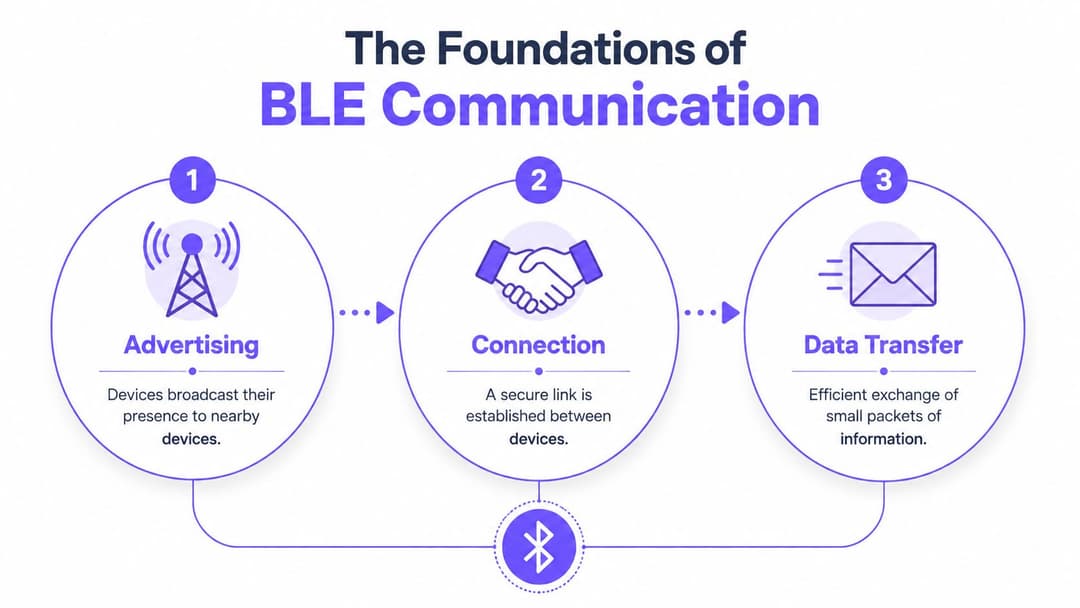
Una persona está anunciando actualizaciones breves de forma audible. Otra está escuchando. Si es necesario, las dos se apartan para un breve intercambio privado. Ese es el modelo principal.
Anuncio, escaneo y conexión
Un dispositivo BLE puede anunciar (advertising). Esto significa que emite un mensaje corto a cualquier elemento cercano que quiera escuchar. Una baliza (beacon) hace esto constantemente. Un dispositivo ponible (wearable) podría hacerlo periódicamente. Un teléfono también puede hacerlo.
Otro dispositivo puede escanear. Escucha esas emisiones y comprueba si alguna de ellas es relevante. Una aplicación de hotel podría escuchar balizas cerca de la recepción. Un sistema de seguimiento médico podría escuchar etiquetas (tags) colocadas en los equipos.
Si el sistema necesita algo más que una simple emisión, los dispositivos crean una conexión. Esa es la etapa de conversación privada. Es el modo en que se intercambian datos de una manera más estructurada y fiable.
Esta es una de las razones por las que BLE resulta tan ágil en la práctica. Puede establecer la comunicación rápidamente sin la sobrecarga que las personas suelen asociar con la configuración inalámbrica tradicional. Si desea un contraste útil con otro enfoque de corto alcance, Purple ofrece una explicación clara sobre qué es WiFi Direct .
El modelo del archivador
La gente suele perderse cuando los documentos técnicos empiezan a hablar de GATT, servicios y características. La forma más sencilla de pensar en ello es como un archivador.
- Los servicios son los cajones.
- Las características son las carpetas dentro de cada cajón.
- Los valores son los documentos reales dentro de esas carpetas.
Un monitor de ritmo cardíaco, por ejemplo, tiene un servicio para los datos del corazón. Dentro de ese servicio, hay una característica que contiene la lectura actual. Un teléfono lee ese valor cuando lo necesita.
Los dispositivos empresariales utilizan la misma lógica básica. Un sensor BLE puede exponer el estado de la batería, la temperatura, el movimiento o la identidad del dispositivo a través de atributos organizados para que otro sistema pueda leerlos de forma coherente.
Regla práctica: Si su equipo entiende "anunciar, escuchar, conectar" y "cajón, carpeta, documento", entienden la mayor parte del modelo BLE lo suficientemente bien como para tomar decisiones de despliegue acertadas.
La parte de radio sin exceso de jerga
BLE funciona en la banda ISM de 2.4 GHz. Bluetooth 5.0 añadió un modo de largo alcance capaz de superar 1 kilómetro en las condiciones adecuadas, mientras que BLE también es compatible con encriptación de mensajes AES-CCM de 128 bits y puede establecer una conexión en tres milisegundos, según el resumen técnico de BLE de 7SIGNAL .
Esas especificaciones importan porque explican por qué BLE se adapta tan bien a los espacios empresariales. Puede ser rápido, seguro y flexible, pero sigue sin ser un canal de datos masivo. No se utiliza para transmitir películas ni para transportar todo el tráfico de invitados. Se utiliza para activar eventos, identificar la proximidad e intercambiar pequeños y útiles fragmentos de información.
Entender las balizas BLE: iBeacon frente a Eddystone
Una baliza o beacon es uno de los dispositivos BLE más sencillos que encontrará. Normalmente no realiza mucha computación y no necesita pantalla ni teclado. Su función principal es transmitir un pequeño identificador a intervalos regulares para que los teléfonos, aplicaciones o infraestructuras cercanas puedan reconocer su presencia.
Esa simplicidad es la razón por la que las balizas son comunes en proyectos de orientación, detección de zonas e interacción en interiores. Son los dispositivos "estoy aquí" en el mundo BLE.
¿Qué diferencia a un estándar de baliza?
Cuando la gente compara iBeacon y Eddystone, no está comparando dos productos físicos. Están comparando dos formatos de transmisión. En otras palabras, dos formas de empaquetar ese pequeño mensaje BLE.
Si tiene que elegir entre ambos, la cuestión técnica es sencilla. ¿Qué datos necesita transmitir, qué ecosistema soporta y cuánta flexibilidad quiere tener más adelante?
Para una discusión más amplia sobre la planificación de espacios, Purple dispone de un útil artículo sobre WiFi o balizas para servicios basados en la ubicación .
Comparación de los formatos de baliza iBeacon y Eddystone
| Característica | iBeacon (Apple) | Eddystone (Google) |
|---|---|---|
| Origen | Formato de baliza definido por Apple | Formato de baliza definido por Google |
| Enfoque principal | Transmite un identificador que una aplicación puede interpretar | Soporta múltiples tipos de trama para diferentes usos |
| Typical strength | Simple choice for Apple-focused mobile experiences | More flexible format for varied broadcast needs |
| Payload style | Identifier-led | Can support identifiers, telemetry, or URL-style broadcasts |
| Management model | Often chosen where app workflows are tightly controlled | Often chosen where teams want broader implementation options |
| Platform considerations | Common in iOS-centric projects | Attractive in mixed-platform or experimental deployments |
| Best fit | Hospitality apps, branded mobile journeys, controlled venue flows | Analytics, mixed estates, richer beacon metadata use |
How to choose without overcomplicating it
If your project revolves around a branded app, especially in an Apple-heavy environment, iBeacon often feels cleaner. The format is well understood and easy to align with app-triggered actions.
If your environment is more mixed, or your technical team wants flexibility in what gets broadcast, Eddystone can be easier to adapt. The key is to choose the format that fits your operating model, not the one with the most technical novelty.
A hotel GM doesn't need to care about frame structures. They do need to care whether guests can find the restaurant, whether event attendees get to the right hall, and whether the location system is manageable by the IT team after launch.
Enterprise BLE Use Cases in Action
The easiest way to judge BLE is to look at the problems it solves when a building is busy and people need something now.
Retail and the moment of intent
A shopper stands in front of a display comparing two products. At that moment, general footfall analytics aren't enough. The retailer wants to know that someone entered a very specific zone and may be ready to act.
BLE makes that moment visible. A beacon near the display signals the shopper's phone or the store app. The system can react with relevant content, a product explainer, or a reminder tied to that aisle rather than the whole store. That's much more useful than sending a broad campaign after the customer has already left.
Healthcare and the asset nobody can find
A nurse needs a portable device quickly. The problem isn't that the hospital owns too few devices. The problem is that staff waste time hunting for the ones already on site.
Attach BLE tags to equipment, place listening points through the building, and operations teams gain a live view of where things were last seen. That doesn't just reduce frustration. It helps clinical teams spend less time searching and more time on care.
En el sector sanitario, el valor de BLE a menudo proviene de eliminar desplazamientos evitables. El personal no debería tener que recorrer el edificio para responder a una pregunta sobre una ubicación.
Campus hoteleros y orientación en interiores
Los grandes hoteles, complejos turísticos y centros de eventos plantean un reto diferente. Los huéspedes están conectados, pero a menudo desorientados. No saben qué entrada usar, dónde está la sala de reuniones o si el spa está en el edificio principal o en el anexo.
BLE facilita la orientación en interiores porque la app puede detectar la proximidad a puntos específicos dentro del recinto. Eso permite una navegación paso a paso que continúa después de que el huésped ya se haya conectado a la red WiFi y haya entrado al edificio.
Residencial y acceso sin llave
En las viviendas de alquiler multifamiliar, la expectativa del usuario es sencilla. Los residentes quieren que el acceso al edificio sea tan fácil como las aplicaciones que utilizan a diario. No quieren gestionar llaveros de plástico, contraseñas compartidas o registros manuales farragosos para cada interacción.
BLE puede dar soporte al acceso sin llave y a servicios basados en la presencia. El residente se acerca a la entrada, se reconoce su dispositivo autorizado y el sistema le concede el nivel de acceso adecuado. En términos prácticos, esto puede reducir la fricción en la recepción y, al mismo tiempo, mantener las políticas de identidad y acceso bajo un control mucho más estricto de lo que permitiría una credencial compartida.
Integración de BLE con WiFi para análisis avanzados
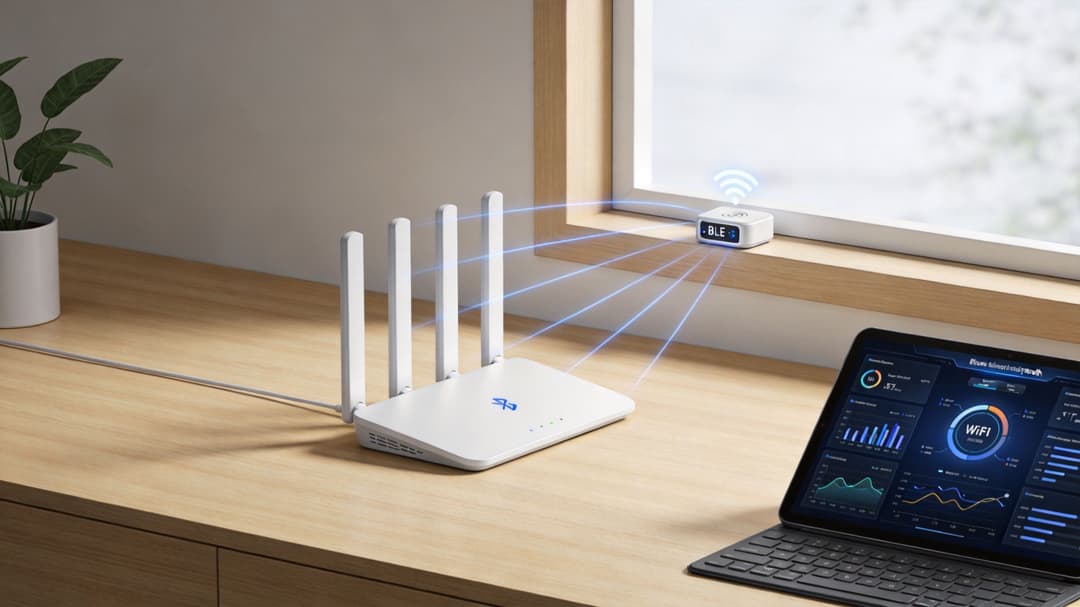
BLE por sí solo te dice dónde es probable que esté ocurriendo algo. WiFi te dice quién está conectado, cómo se ha autenticado y qué trayecto más amplio está realizando. Lo interesante empieza cuando estas dos perspectivas se unen.
Esa es la diferencia entre un cúmulo de eventos de radio y un sistema de negocio real.
BLE aporta el dónde y WiFi aporta el quién
Una baliza cerca del spa de un hotel puede indicar al sistema que un teléfono está cerca de esa zona. Por sí solo, es solo un evento de proximidad. Útil, pero anónimo.
Cuando esa misma persona ya se ha autenticado en la red WiFi del establecimiento, el sistema puede vincular ese evento a un perfil de huésped conocido, sujeto al consentimiento y a la política de privacidad. Ahora la señal tiene contexto. El hotel no está reaccionando ante un dispositivo desconocido cerca del spa. Está reaccionando ante un huésped autenticado que ha decidido interactuar digitalmente.
Ese es el enfoque de sistema unificado que muchos equipos pasan por alto. Tratan BLE como un proyecto independiente y WiFi como una capa de infraestructura separada. En entornos corporativos, funcionan mejor juntos.
Cómo es el flujo de trabajo combinado
Un despliegue práctico suele funcionar de la siguiente manera:
- El huésped o visitante se conecta a la red WiFi a través de un flujo de autenticación personalizado o un proceso de incorporación seguro.
- La plataforma registra la identidad y el contexto de la sesión según las políticas de la organización.
- La infraestructura BLE detecta la proximidad a una sala, estante, clínica, entrada o punto de servicio.
- La plataforma aplica reglas para decidir si activa una guía, un análisis o una acción de servicio.
Para las organizaciones que evalúan flujos de trabajo de localización en interiores, Purple ofrece una descripción general del sistema de posicionamiento en interiores que ayuda a definir dónde encaja BLE en relación con las señales de localización basadas en WiFi.
Dónde es más importante
Esta combinación es especialmente útil en recintos que combinan tráfico de personas y trayectos de clientes que abarcan múltiples espacios.
- Hoteles y complejos turísticos: identifican el movimiento entre la recepción, el bar, el spa y las zonas de conferencias.
- Establecimientos minoristas: vinculan las visitas autenticadas con la actividad por zonas dentro de la tienda.
- Hospitales: combinan los sistemas de identidad del personal o de los dispositivos con las señales de presencia a nivel de sala.
- Eventos y exposiciones: mejoran la orientación, el análisis de permanencia y la prestación de servicios dirigidos.
Si está planificando espacios temporales como ferias comerciales o activaciones de marca, el diseño del flujo físico es tan importante como el diseño de la radio. Los equipos que trabajan en los recorridos de los visitantes suelen consultar recursos especializados sobre expositores para ferias , ya que la distribución del stand, la línea de visión y las vías de entrada influyen en el rendimiento de las interacciones basadas en la localización.
Una visión de plataforma única para el recinto
Aquí es donde una plataforma importa tanto como las radios. Purple es un ejemplo de plataforma de autenticación WiFi y red basada en la identidad que puede situarse en el lado de la WiFi de esa arquitectura, gestionando el acceso seguro, los flujos de trabajo de identidad y los análisis, mientras que las entradas de BLE respaldan las acciones basadas en la ubicación.
El beneficio empresarial no proviene de BLE solo o de WiFi solo. Proviene de unir identidad, movimiento y sincronización en una única vista operativa.
Prácticas recomendadas de seguridad, privacidad e implementación
La seguridad en BLE empieza en el protocolo, pero no termina ahí. BLE incluye encriptación AES-CCM de 128 bits, lo que proporciona una base sólida para una comunicación protegida, como se ha mencionado anteriormente. Aun así, la encriptación técnica no resuelve por sí misma el consentimiento, la gobernanza o la calidad de la implementación.
Para los operadores del Reino Unido, la privacidad es el problema de diseño más importante. Las enmiendas de la Ley de Protección de Datos del Reino Unido de 2023 exigen el consentimiento explícito para el seguimiento por BLE, las posibles multas pueden alcanzar los 17,5 millones de libras y la ICO informó de un aumento del 28 % en las quejas relacionadas con BLE en 2025, según el resumen de Novel Bits sobre los desarrollos de privacidad de BLE en el Reino Unido .
El consentimiento no es un extra opcional
Si su despliegue de BLE puede rastrear personas, inferir movimientos o personalizar acciones en función de la presencia, debe decidir cómo se solicita, registra y respeta el consentimiento. Esto es importante en cualquier recinto, pero resulta especialmente delicado en entornos sanitarios, residenciales y propiedades de uso mixto.
Un error común es pensar en BLE como "solo radio". Los reguladores no lo verán así si el resultado es un seguimiento del comportamiento vinculado a una persona identificable.
Una lista de comprobación práctica para el despliegue
Los buenos despliegues de BLE suelen parecer aburridos desde el punto de vista de la ingeniería. Eso es un cumplido. Aburrido significa predecible, compatible y conforme a las normativas.
- Realice un estudio de cobertura (site survey): Recorra el recinto antes de la instalación. Compruebe dónde se reflejarán, debilitarán o solaparán las señales, especialmente alrededor de ascensores, estructuras metálicas y zonas de servicio.
- Coloque las balizas según el caso de uso: No monte todas las balizas a la misma altura o distancia. La detección de entradas, la guía a nivel de sala y el seguimiento de activos suelen requerir lógicas de colocación diferentes.
- Planifique la gestión de las baterías desde el principio: La larga duración de las baterías es una de las ventajas de BLE, pero alguien tiene que encargarse de los calendarios de sustitución, las alertas y el inventario.
- Redacte una política de privacidad clara: Explique qué datos se recopilan, por qué se recopilan y cómo pueden los usuarios dar su consentimiento o retirarlo.
- Separe el marketing de las operaciones: Es posible que un sistema que admite guiado o visibilidad de activos no necesite el mismo modelo de retención de datos que uno utilizado para la captación de clientes.
Consejo de despliegue: Si su equipo legal revisa el diseño del consentimiento antes de que finalice la adquisición, normalmente va por buen camino. Si lo ve después de la instalación, ya va con retraso.
Los aspectos técnicos y humanos deben coincidir
Un entorno BLE seguro no solo está bien cifrado. Está bien gobernado. El personal debe saber qué hace el sistema, los equipos de soporte necesitan un proceso de resolución de incidencias y los operadores del recinto deben entender cuándo una estimación de ubicación es "suficientemente buena" y cuándo no debe tratarse nunca como exacta.
Esto es especialmente importante en el sector hotelero y sanitario, donde una mala experiencia de usuario se nota de inmediato. Si la aplicación piensa repetidamente que un huésped está en el pasillo equivocado, o si un activo etiquetado parece saltar de una habitación a otra, la confianza desaparece rápidamente.
Resolución de problemas y futuro de su estrategia BLE
La mayoría de los problemas de BLE en entornos empresariales no se deben a fallos en el protocolo. Se deben a que el entorno es complejo.
Los edificios densos están llenos de cristal, metal, personas, puntos de acceso y radios compitiendo entre sí. Si su proyecto de BLE de bajo consumo funciona perfectamente en una sala de pruebas vacía pero se vuelve inestable un sábado por la tarde, el problema probablemente sea de coexistencia, no solo de configuración.
Por qué la precisión disminuye en los espacios físicos reales
En las ciudades del Reino Unido, como Londres, Ofcom informa que la banda de 2.4 GHz experimenta entre un 40 % y un 60 % más de interferencias procedentes de WiFi y otros dispositivos, y un estudio de 2025 reveló que el 35 % de los despliegues de BLE en los centros comerciales de Londres no lograron mantener una precisión constante debido a las interferencias, de acuerdo con el resumen de ProdataKey BLE que cita estos resultados .
Esto es importante porque muchos equipos empresariales asumen que añadir más balizas solucionará los malos resultados. A veces ocurre lo contrario. Más señales pueden crear más ruido, más solapamiento y más ambigüedad a menos que el diseño se planifique cuidadosamente.
Qué comprobar primero
Cuando el rendimiento de BLE disminuya, empiece por el entorno físico.
- Revise la ubicación de las balizas: Las balizas montadas cerca de metal, detrás de la señalización o demasiado juntas suelen funcionar de forma deficiente.
- Realice pruebas en las horas de mayor actividad: El vestíbulo a mediodía puede comportarse de forma diferente al mismo vestíbulo a las 7 de la mañana.
- Compruebe la vía de respaldo: Si el caso de uso es crítico, utilice el contexto de WiFi como señal secundaria en lugar de confiar únicamente en BLE.
- Adapte la precisión a la necesidad de negocio: Un activador de campaña puede requerir únicamente fiabilidad a nivel de zona. Los flujos de trabajo clínicos pueden necesitar una validación más estricta.
No le pida a BLE una precisión milimétrica en una sala si su despliegue solo admite una proximidad útil. Diseñe el flujo de trabajo en torno a lo que la radio puede ofrecer de forma fiable.
Planificación para el futuro
Prepararse para el futuro no significa esperar a que exista un estándar perfecto. Significa comprar y diseñar con margen para evolucionar. Bluetooth ya se ha expandido más allá de las primeras premisas de corto alcance y bajo volumen de datos, y las nuevas capacidades seguirán mejorando lo que pueden hacer los sistemas de interiores.
Para los compradores empresariales, la decisión inteligente es evitar limitar el proyecto a un único caso de uso específico. Construya una infraestructura de BLE que pueda dar soporte a las necesidades actuales de orientación o visibilidad de activos, y luego amplíela a medida que maduren su plataforma de WiFi, sus aplicaciones y sus análisis. Las organizaciones que obtienen valor de BLE no son las que tienen las balizas más sofisticadas. Son las que tratan a BLE como parte de una estrategia más amplia de edificios e identidad.
Si está evaluando cómo el acceso seguro a WiFi, la incorporación con reconocimiento de identidad y los servicios de ubicación basados en BLE pueden funcionar juntos en entornos de hostelería, retail, sanidad o residenciales, vale la pena analizar Purple . Ofrece autenticación de WiFi y redes basadas en la identidad que pueden complementar los despliegues de BLE cuando el acceso autenticado, los análisis y las experiencias basadas en la ubicación necesitan funcionar como un único sistema integrado.