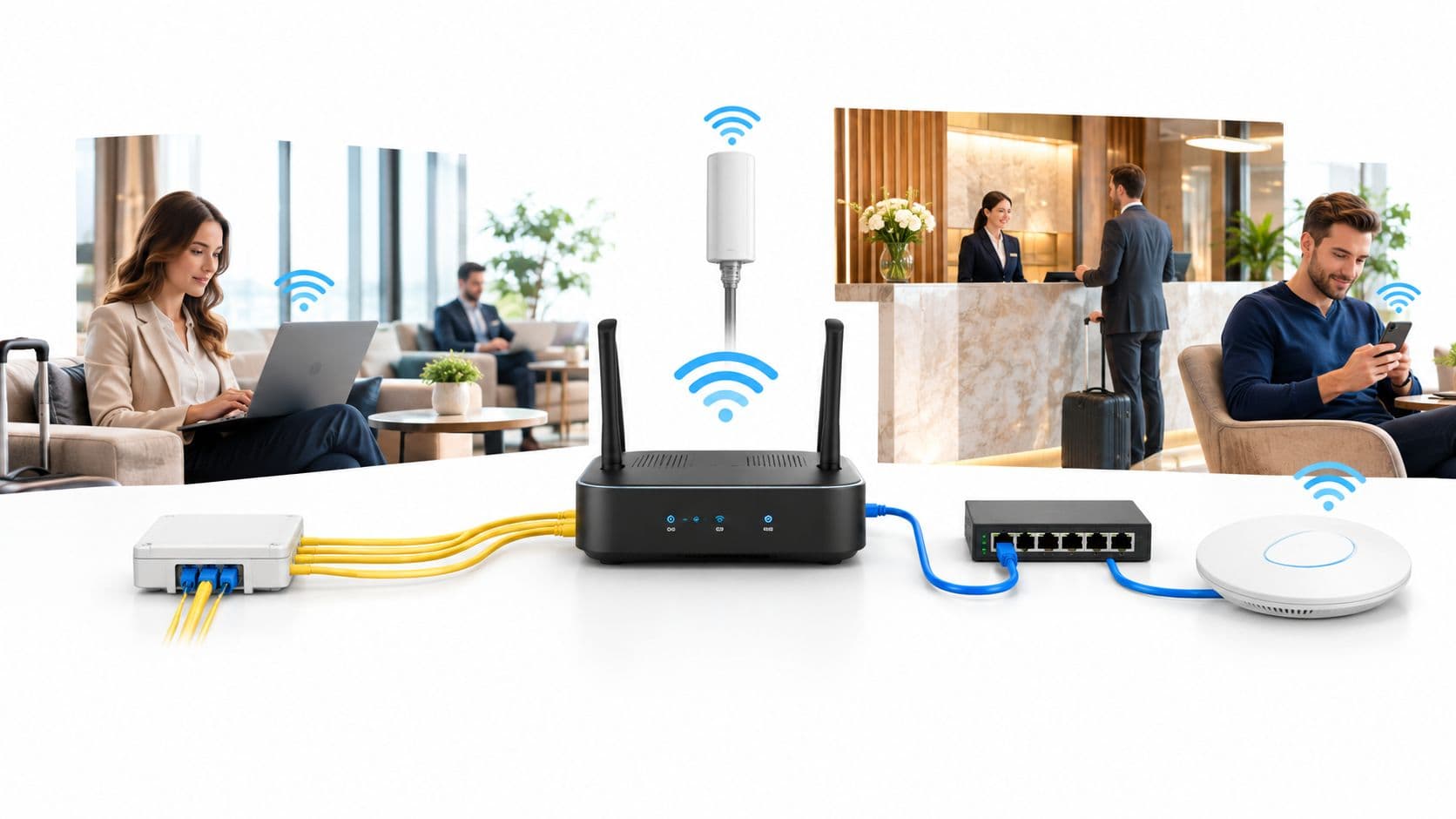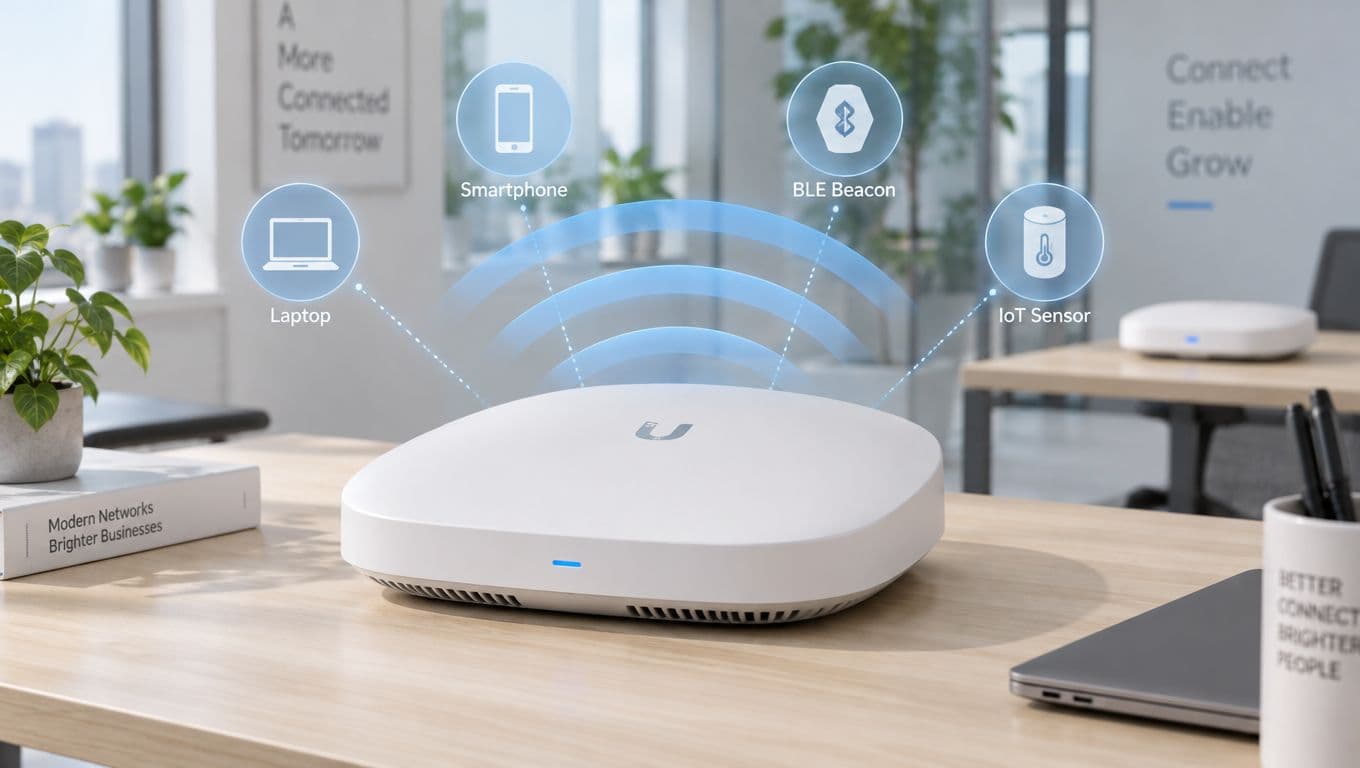

Si vous gérez un hôtel, un centre commercial, une clinique, une résidence étudiante ou un bureau animé, vous avez probablement déjà observé le même phénomène. Internet fonctionne parfaitement en début de journée, puis les arrivées commencent, les terminaux de paiement s'activent, le personnel se connecte aux applications cloud, les clients lancent des applications de streaming, et soudainement, tout le réseau ralentit.
Ce ralentissement déconcerte de nombreux exploitants qui pensent avoir acheté une "connexion internet rapide". En réalité, ce qu'ils ont souscrit, bien souvent, est un abonnement haut débit professionnel partagé. C'est très différent d'une connexion conçue pour une demande constante, une authentification en temps réel et un réseau WiFi haute densité.
L'autoroute privée pour les données de votre entreprise
Pour bien comprendre ce qu'est une ligne louée, il faut partir d'une idée simple. Une ligne louée est une connexion privée que votre entreprise loue pour son usage exclusif.
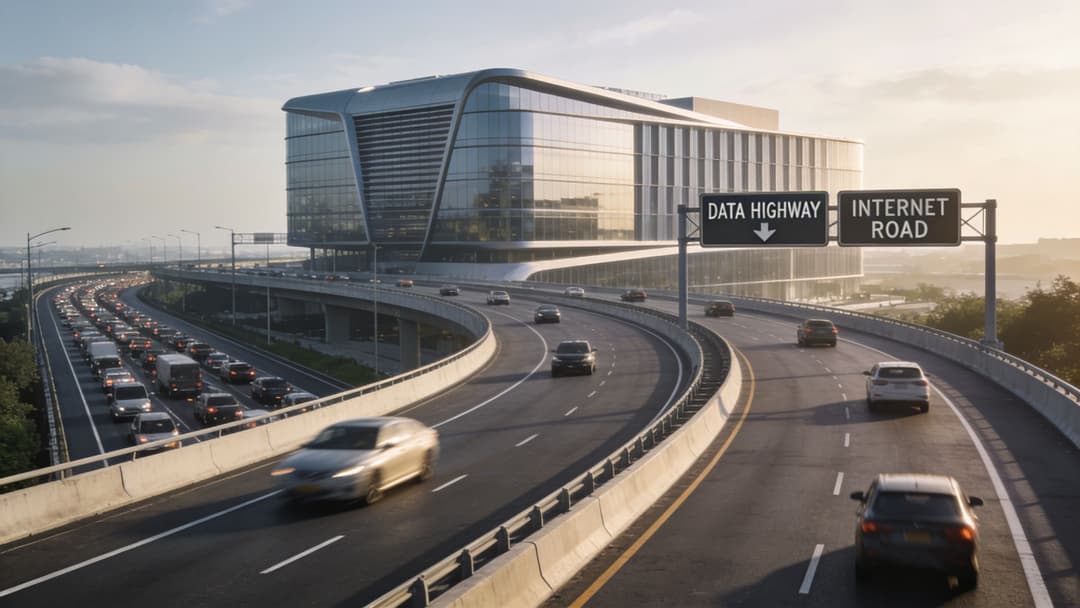
Imaginez le haut débit standard comme une route publique. Elle vous mène là où vous devez aller, mais vous la partagez avec tous les autres utilisateurs aux alentours. Aux heures de pointe, le trafic s'accumule. Les vitesses varient. Des ralentissements apparaissent au moment où vous avez le plus besoin de circuler.
Une ligne louée est différente. Elle s'apparente plutôt à une voie d'autoroute privée, réservée exclusivement à vos véhicules.
Ce qui la rend différente
Au Royaume-Uni, les lignes louées fournissent une connectivité 1:1 symétrique et non partagée sur des câbles en fibre optique utilisant des impulsions lumineuses pour la transmission de données, permettant des vitesses de 100 Mbps à 10 Gbps, selon la fiche technique des lignes louées de Telappliant.
Ces deux termes, non partagée (ou non surchargée) et symétrique, ont plus d'importance que ne le pensent la plupart des gestionnaires d'établissements.
- Non partagée signifie que votre bande passante n'est pas partagée avec les entreprises voisines. Si vous souscrivez à un certain niveau de capacité, cette capacité vous est exclusivement réservée.
- Symétrique signifie que les vitesses de téléchargement (download) et de téléversement (upload) sont identiques. C'est crucial car les entreprises modernes ne font pas que consommer des données. Elles en envoient constamment vers des systèmes cloud, des plateformes de paiement, des services vocaux, des outils de sécurité et des plateformes d'authentification WiFi.
- Dédiée signifie régularité. Vous n'espérez pas simplement que le service fonctionne bien aux heures de pointe. Vous achetez une connexion conçue pour maintenir des performances identiques en permanence.
Si vous recherchez une présentation simple du concept de connexion internet dédiée, cette ressource est utile car elle aide à distinguer les lignes louées des termes habituels du haut débit grand public.
Pourquoi cela compte sur le terrain
Pour un établissement, internet ne se résume pas au résultat d'un test de vitesse. Cela se traduit par des résultats concrets :
- Les invités peuvent-ils se connecter sans délai ?
- Les terminaux de paiement répondent-ils instantanément ?
- Les appels Teams ou Zoom restent-ils fluides ?
- La vidéosurveillance, le PMS cloud et les applications de back-office peuvent-ils tous fonctionner en même temps ?
- Le WiFi du personnel reste-t-il distinct et fiable en cas de pics d'utilisation par les invités ?
Une ligne louée n'est pas seulement un "haut débit plus rapide". C'est une classe de connexion différente, conçue pour un usage professionnel prévisible.
Cette prévisibilité est la raison pour laquelle les lignes louées soutiennent les environnements multi-utilisateurs sérieux. Un bureau de type boutique avec un faible usage de la messagerie électronique peut se contenter du haut débit. Un hall d'hôtel, un point de vente, une salle d'attente de soins de santé ou une propriété à usage mixte ne peuvent généralement pas s'en remettre à la chance.
La définition la plus simple
Si quelqu'un vous demande ce qu'est une ligne louée, la réponse exacte la plus courte est la suivante :
Il s'agit d'un circuit Internet professionnel dédié qui offre à votre site une bande passante privée et symétrique plutôt qu'un accès partagé et variable.
C'est la base. Une fois que vous avez compris cela, le reste de la décision devient beaucoup plus facile.
Ligne louée vs Haut débit - Une comparaison claire
L'exploitant d'un site ressent généralement la différence entre le haut débit et une ligne louée bien avant d'en apprendre les termes techniques.
Cela se ressent lors d'un vendredi soir très chargé. Les invités se connectent au WiFi par vagues. Les terminaux de paiement attendent les autorisations. Les tablettes du personnel récupèrent les données de réservation sur le cloud. Une plateforme de WiFi invité compatible Passpoint tente de reconnaître les utilisateurs récurrents et de les connecter sans la moindre friction de connexion. Si la connexion sous-jacente vacille, chaque point de contact numérique en pâtit.
C'est le cœur de la comparaison. Le haut débit est un accès partagé qui peut convenir à un usage professionnel plus léger. Une ligne louée est un accès dédié pour les sites où la connectivité doit se comporter comme une partie de l'infrastructure centrale du bâtiment.
La différence commence par la manière dont la capacité est partagée
Le haut débit professionnel alimente généralement un réseau partagé. Votre service peut être acheminé par fibre optique, mais la bande passante disponible peut tout de même fluctuer au gré de la concurrence pour la capacité entre les autres utilisateurs du segment de réseau local. Pour un petit bureau, cela peut être acceptable.
Une ligne louée fonctionne comme une route privée pour vos données. La bande passante est dédiée à votre site, de sorte que la connexion reste beaucoup plus stable lorsque la demande augmente.
Cette régularité importe plus que ne le pensent de nombreux acheteurs.
Une plateforme moderne de WiFi invité fait bien plus que connecter les utilisateurs. Elle gère l'enregistrement des appareils, les contrôles d'identité, l'application des politiques, la collecte d'analyses et souvent les contrôles de sécurité qui séparent les invités du personnel et des systèmes opérationnels. Dans un lieu à forte densité, ces tâches dépendent de performances d'envoi et de réception stables, d'un faible délai et d'un comportement prévisible sous charge.
Pour un aperçu plus large des options d'accès au-delà des services dédiés, le guide de Purple sur les différents types de connexion Internet constitue une lecture complémentaire utile.
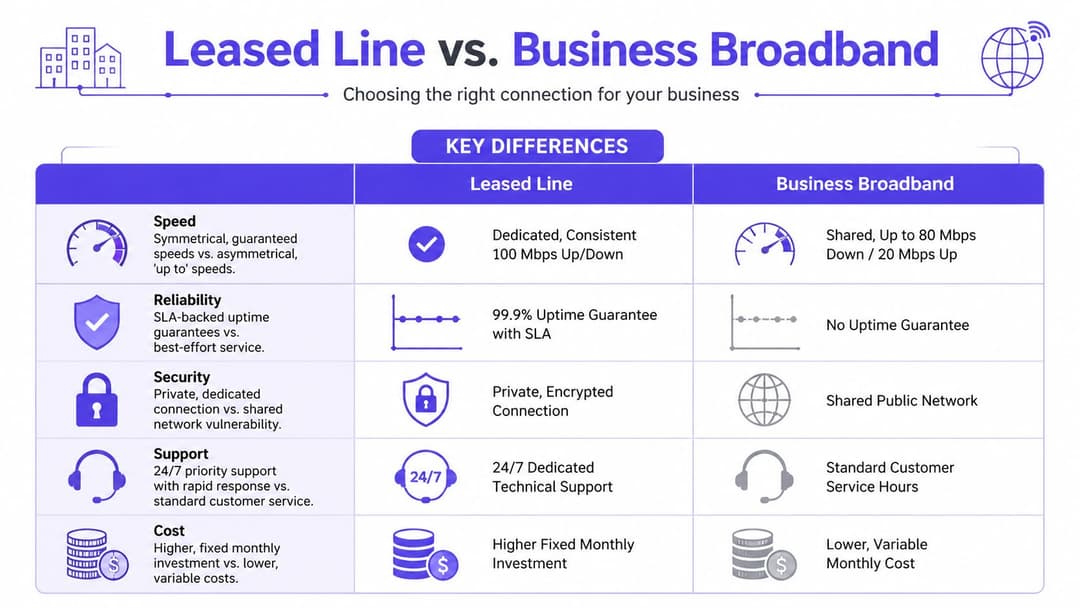
Ce qui change lorsque vous les comparez côte à côte
La vitesse maximale d'un forfait haut débit peut sembler proche de celle d'une ligne dédiée sur le papier. L'expérience opérationnelle n'est pourtant pas la même.
| Fonctionnalité | Ligne dédiée | Haut débit professionnel (FTTP/FTTC) |
|---|---|---|
| Modèle de bande passante | Dédiée à votre entreprise | Partagée avec d'autres utilisateurs sur le réseau |
| Profil de vitesse | Symétrique en amont et en aval | Souvent axé sur le téléchargement, avec des performances de transfert plus faibles |
| Performance aux heures de pointe | Prévisible et stable | Peut varier lorsque la demande locale augmente |
| Taux de partage (taux d'engagement) | Service non partagé 1:1 | Service partagé |
| Engagement de service | Service formel garanti par un SLA | Généralement un service au mieux (best-effort) |
| Priorité de résolution | Gestion des pannes critiques pour l'entreprise | Restauration moins prioritaire par rapport aux services dédiés |
| Cas d'usage idéal | WiFi haute densité, opérations cloud-first, sites à forte activité de paiement, voix, applications en temps réel | Navigation générale de bureau, e-mails, utilisation cloud plus légère |
| Modèle commercial | Investissement stratégique plus élevé | Coût d'entrée mensuel inférieur |
Deux lignes de ce tableau méritent une attention particulière.
Une bande passante symétrique signifie que la vitesse de transfert (upload) correspond à la vitesse de téléchargement (download). Cela semble technique, mais l'impact commercial est simple. Les établissements transfèrent aujourd'hui des données en permanence : demandes de paiement, flux de vidéosurveillance, sauvegardes cloud, données d'occupation, événements d'authentification des visiteurs et analyses des sessions WiFi. Si la capacité de transfert est faible, l'ensemble du site peut sembler ralenti, même si la vitesse de téléchargement paraît correcte.
Une faible latence signifie que les données circulent de A à B rapidement et de manière prévisible. Pour le WiFi invité, cela permet aux appareils de s'authentifier sans délai. Pour les terminaux de paiement, cela permet de finaliser les transactions rapidement. Pour la voix et la vidéo, cela réduit les pauses gênantes et les saccades. Pour les plateformes basées sur l'identité comme Purple, cela permet aux vérifications de politiques et aux parcours utilisateurs de s'effectuer sans décalage visible.
Pourquoi le haut débit classique peut être insuffisant dans un établissement moderne
Le haut débit est souvent suffisant pour un petit site avec un trafic léger et une dépendance limitée aux systèmes cloud. Cela peut être le bon choix commercial lorsque des ralentissements occasionnels sont tolérables.
Un lieu à forte affluence est différent.
L'utilisation du WiFi public est irrégulière. Tout le monde se connecte en même temps. Tout le monde commence à faire défiler, à regarder des vidéos, à consulter des cartes, à commander des courses et à publier du contenu en même temps. Pendant ce temps, vos propres systèmes sont toujours actifs en arrière-plan. Le problème n'est pas seulement la vitesse brute. Le problème est de savoir si la connexion peut suivre lorsque des dizaines ou des centaines de petites transactions urgentes surviennent en même temps.
C'est là que les plateformes de WiFi invité exposent les limites de l'accès partagé. Passpoint et les approches similaires basées sur l'identité reposent sur des échanges rapides entre le réseau du site, les services d'authentification et les moteurs de politiques. Les conceptions zero-trust ajoutent également des vérifications fréquentes, car les utilisateurs et les appareils ne doivent accéder qu'à ce qu'ils sont autorisés à atteindre. Ces vérifications constituent une bonne pratique de sécurité, mais elles créent une plus grande dépendance vis-à-vis d'une connexion WAN stable et réactive.
Si la ligne est instable, l'expérience utilisateur en pâtit en premier. La couche analytique en pâtit ensuite. Les données de session peuvent arriver en retard, les parcours des invités deviennent plus difficiles à analyser avec précision, et les équipes opérationnelles perdent confiance dans la plateforme parce que le circuit sous-jacent est le maillon faible.
Là où le haut débit est souvent suffisant
Le haut débit peut toujours convenir si les conséquences des variations sont mineures.
- Bureaux à faible utilisation : Principalement des e-mails, de la navigation et un petit nombre d'applications cloud
- Sites à faible densité : Peu d'utilisateurs simultanés et aucune dépendance majeure vis-à-vis du WiFi invité
- Dépendance opérationnelle limitée : Les temps d'arrêt sont inconfortables, mais ils n'interrompent pas l'activité commerciale
- Besoins d'accès Internet basiques : Pas d'exigence forte pour l'intégration basée sur l'identité, la segmentation avancée ou les analyses WiFi détaillées
Là où une ligne louée est généralement plus logique
Une ligne louée devient plus facile à justifier lorsque les performances Internet affectent directement les revenus, la qualité de service ou la sécurité.
- Hôtels et établissements d'accueil : Le WiFi invité, le trafic PMS, les appareils du personnel et les systèmes de paiement dépendent tous du même réseau de transport
- Espaces de vente et à usage mixte : Un traitement rapide des cartes bancaires et une connectivité publique fiable protègent à la fois les ventes et l'expérience client
- Environnements de santé : L'accès du personnel, les services aux patients et les appareils connectés nécessitent un comportement réseau prévisible
- Résidences étudiantes et sites résidentiels gérés : Une forte simultanéité rend les connexions partagées plus vulnérables à la congestion
- Lieux utilisant des plateformes avancées de WiFi invité : L'authentification Passpoint, le contrôle d'accès basé sur l'identité et les analyses pertinentes fonctionnent tous mieux sur une connectivité dédiée et symétrique
Le haut débit est généralement choisi parce que le coût mensuel est moins élevé. Une ligne louée est généralement choisie parce que la connexion a un rôle crucial à jouer, et qu'une panne entraîne un coût commercial visible.
Décoder les garanties de performance et les SLA
Une fois la question « qu'est-ce qu'une ligne louée » dépassée, l'élément suivant à examiner est le SLA, ou accord de niveau de service. Grâce au SLA, les lignes louées se démarquent des produits d'accès ordinaires.
Un SLA est la partie du contrat qui vous indique les engagements du fournisseur. Pas le discours commercial. Pas le titre de la brochure. La promesse opérationnelle.
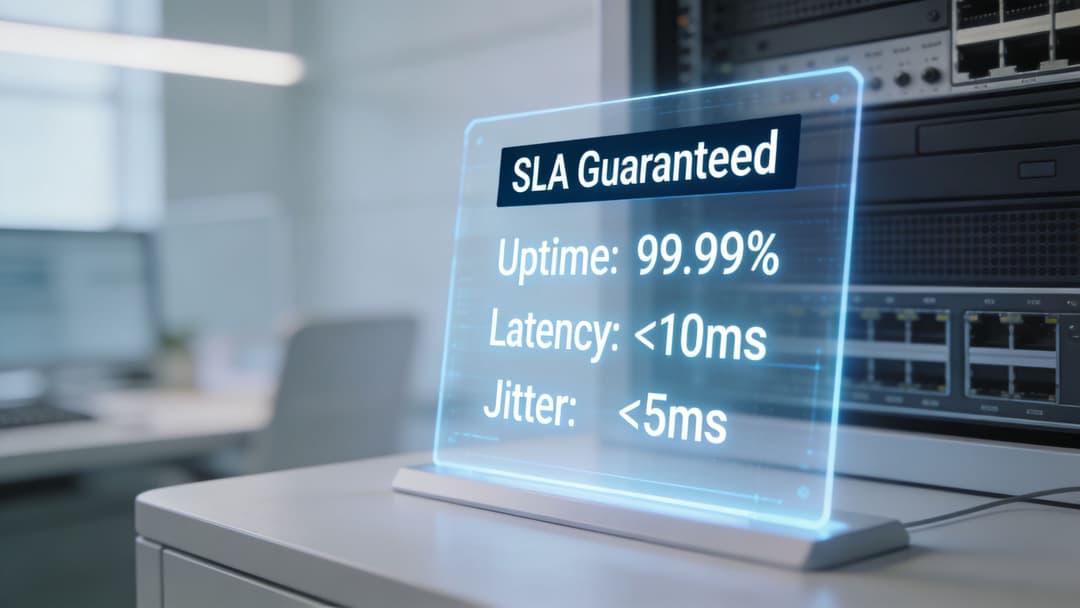
Les chiffres à surveiller de près
Les lignes louées au Royaume-Uni s'accompagnent généralement d'une garantie de disponibilité supérieure à 99,99 % et d'un délai maximal de réparation de 7 heures, avec une perte de paquets réduite à moins de 0,1 % pendant les heures de pointe, comme le résume la référence ETSI notée ici.
Ces chiffres sont essentiels car ils décrivent un comportement opérationnel, et non un langage marketing.
- Garantie de disponibilité : Le niveau de disponibilité attendu du service.
- Délai maximal de réparation : La rapidité avec laquelle le fournisseur s'engage à résoudre une panne.
- Perte de paquets : La quantité de données qui ne parvient pas intacte à destination.
Si vous examinez les conditions d'un contrat et souhaitez un rappel simple, l'article de Purple sur les exemples d'accords de niveau de service aide à décoder le fonctionnement du langage des SLA.
Ce que la latence, la gigue et la perte de paquets signifient sur site
La plupart des équipes non techniques ignorent ces termes. C'est compréhensible, mais ils ont un impact direct sur l'activité de l'entreprise.
La latence
La latence est le délai d'attente. Lorsqu'un appareil envoie des données, la latence est le temps nécessaire pour obtenir une réponse. Une latence élevée rend les systèmes lents, même si un test de débit semble correct.
Pour un exploitant de site, la latence se manifeste lorsque :
- les paiements par carte s'interrompent avant d'être approuvés
- les tableaux de bord cloud semblent ralentis
- les systèmes d'enregistrement mettent un temps de décalage trop long
- les appels voix et vidéo semblent désynchronisés
La gigue
La gigue est la variation de ce délai. Si un paquet arrive rapidement et le suivant en retard, le trafic en temps réel en pâtit. La voix et la vidéo supportent moins l'incohérence que les limites modérées de bande passante.
Vous remarquerez la gigue lorsque les appels ont un son robotique, que la vidéo se fige ou que les utilisateurs itinérants sur WiFi subissent des micro-coupures pendant les sessions actives.
La perte de paquets
La perte de paquets est exactement ce qu'elle désigne. Une partie des données n'arrive jamais à destination. Les applications doivent alors réessayer, s'en remettre ou échouer.
Cela peut se traduire par :
- des pages partiellement chargées
- des téléchargements échoués
- des sessions VPN interrompues
- des retards d'authentification
- des applications qui tournent dans le vide avant de se rattraper soudainement
Règle pratique : si votre établissement repose sur des transactions en temps réel, des appareils mobiles, des plateformes cloud ou l'accueil des visiteurs, des performances constantes comptent plus que des vitesses maximales théoriques attrayantes.
Pourquoi les SLA comptent davantage dans les espaces très fréquentés
Un bureau calme peut souvent absorber une instabilité de connexion. Un hôtel à l'heure du check-in ne le peut pas. Un commerçant en période de forte affluence ne le peut pas. Une clinique utilisant des systèmes cloud et l'accès invité ne le peut pas.
C'est pourquoi les acheteurs de lignes louées doivent poser des questions précises avant de signer :
- Qu'est-ce qui est exactement couvert par le SLA ? Certaines promesses ne s'appliquent qu'à une partie du service.
- Comment une panne est-elle définie ? La formulation détermine si le support traite un problème comme urgent ou non.
- À qui appartient le routeur ou l'équipement managé ? Les limites des responsabilités du support comptent lors d'incidents.
- Quel monitoring est inclus ? La visibilité réduit souvent le temps de dépannage.
L'un des principaux avantages d'une ligne louée est qu'elle transforme la connectivité en un service d'entreprise managé. Elle offre à votre équipe informatique et à votre fournisseur un standard de performance partagé sur lequel travailler.
Comprendre la technologie et le déploiement des lignes louées
Au moment où une ligne louée est mise en service, la plupart des acheteurs ont déjà approuvé le devis et choisi un fournisseur. C'est souvent là que commencent les questions pratiques. Qu'est-ce qui est installé ? Où se termine la fibre ? À quoi ressemble la livraison du service ?
La plupart des lignes louées modernes au Royaume-Uni sont fournies via la fibre dédiée (FTTO). Le fournisseur achemine un chemin de fibre dédié jusqu'à vos locaux et présente le service à votre équipement réseau. Le support physique est un câble à fibre optique, qui transporte les données sous forme d'impulsions lumineuses.
Ce que le fournisseur livre
Le fournisseur ne se contente pas d'activer une option au niveau de l'armoire de rue. Il construit ou prolonge un circuit dédié jusqu'à votre site.
Cela implique généralement plusieurs étapes :
- L'étude de site pour vérifier le tracé, l'accès au bâtiment et les contraintes d'installation.
- Les autorisations du propriétaire (Wayleave) si l'accès au bâtiment ou au terrain nécessite une approbation.
- Les travaux externes si une nouvelle fibre doit être rapprochée des locaux.
- La livraison interne où le service se termine à l'intérieur du bâtiment et est raccordé à votre équipement.
Une lecture de fond utile pour situer les services loués dans le contexte plus large de la fibre est le guide explicatif de Purple sur la fibre jusqu'au domicile (FTTH). Il permet de comprendre pourquoi la fibre dédiée est différente des produits de fibre grand public.
Ce que signifie la livraison de la fibre (handover)
La « livraison de la fibre » est le point où le fournisseur vous livre la connexion. En clair, il amène le service dans le bâtiment et le présente sous une forme que votre routeur ou votre pare-feu peut utiliser.
Cette livraison peut impliquer des équipements du fournisseur sur site, ainsi que votre propre appareil de périphérie. Votre équipe réseau ou MSP connectera ensuite la ligne dédiée au reste de votre environnement, tel que :
- pare-feu
- commutateur central (core switch)
- périphérie SD-WAN
- contrôleur WiFi
- routeur géré
Certains environnements nécessitent un routeur ou un pare-feu doté du bon type d'interface pour le service. Si le fournisseur présente le circuit sur fibre, votre appareil peut nécessiter un port SFP compatible ou un dispositif de transition intermédiaire fourni dans le cadre du service.
La livraison est le point de rencontre entre les télécoms et votre LAN. Si le côté fournisseur est impeccable mais que votre matériel de périphérie est sous-dimensionné, les utilisateurs continueront de rejeter la faute sur Internet.
Pourquoi la fibre est la norme moderne
Des méthodes d'accès plus anciennes existaient, notamment des options basées sur le cuivre. Elles ont été utiles lorsque la fibre n'était pas largement disponible. Pour les nouveaux déploiements de classe entreprise, la fibre est la norme car elle prend en charge une capacité élevée, des performances stables et des mises à niveau plus simples au fil du temps.
Cela est important pour les exploitants de sites, car la demande Internet va rarement en diminuant. Elle augmente et se complexifie. Un site qui commence par un WiFi invité et de la téléphonie cloud ajoute souvent par la suite des analyses, davantage d'appareils connectés, la mobilité du personnel et une dépendance accrue au cloud.
Une bonne installation de ligne dédiée vous offre une base physique plus solide pour cette croissance.
Pourquoi un WiFi invité de classe mondiale exige une ligne dédiée
De nombreuses discussions sur Internet se limitent à la vitesse et à la fiabilité. Pour un WiFi invité moderne, cela ne suffit pas.
Le problème le plus difficile n'est pas seulement de transférer des données rapidement. Il s'agit de les transférer de manière assez constante pour prendre en charge l'authentification, la segmentation, l'application des politiques, les analyses et des expériences utilisateur sécurisées dans des espaces où de nombreuses personnes se connectent simultanément.

Les sites à haute densité révèlent rapidement les faiblesses du réseau de collecte (backhaul)
Le haut débit partagé semble souvent acceptable lorsqu'un site est calme. Les problèmes apparaissent lorsque le site s'anime.
Un hall d'hôtel le matin, un centre commercial le week-end, une résidence étudiante le soir ou une salle d'attente de clinique pendant les rendez-vous créent tous le même schéma de pression. De nombreux appareils connectés en simultané. Un flux constant de données d'applications. Des utilisateurs qui se déplacent dans le bâtiment. Plusieurs systèmes qui se disputent la bande passante montante.
Ce dernier point est crucial. Le WiFi invité ne se résume pas à un trafic descendant de divertissement. Les plateformes modernes ont besoin de performances montantes fiables pour l'intégration, la vérification des politiques, le contrôle cloud et la gestion des sessions. Si les débits montants sont faibles ou irréguliers, l'expérience utilisateur se dégrade, même lorsque la vitesse de téléchargement descendante annoncée semble généreuse.
Le WiFi basé sur l'identité change la donne
Le WiFi invité traditionnel reposait souvent sur des mots de passe partagés ou des Captive Portal fastidieux. Les modèles basés sur l'identité relèvent le niveau. Ils visent à offrir aux invités et au personnel un accès fluide tout en appliquant les politiques et l'isolation en arrière-plan.
Cette architecture dépend d'une liaison terrestre stable.
Bien que les lignes louées garantissent la bande passante, elles ne résolvent pas directement l'accès basé sur l'identité. Leur plein potentiel est atteint lorsqu'elles sont associées à une plateforme pour l'intégration OpenRoaming, Passpoint et Microsoft Entra ID qui dépend d'une liaison terrestre stable et à faible latence, comme l'explique cet aperçu de Neos Networks.
Pourquoi la bande passante symétrique est si importante
Les gestionnaires de sites sous-estiment souvent la demande de débit montant car elle est moins visible que le streaming et la navigation web. En réalité, le canal montant supporte une grande partie des activités critiques de l'entreprise :
- Trafic d'authentification : Les appareils qui vérifient les identifiants et les politiques auprès des services cloud.
- Téléchargement d'analyses : Les données de session et les informations d'utilisation transmises aux plateformes de reporting.
- Synchronisation opérationnelle : Les systèmes PMS, CRM, d'occupation et autres systèmes cloud qui échangent des données.
- Voix et collaboration : Les appels du personnel, les réunions et les flux de travail mobiles.
- Services de sécurité : La surveillance, la journalisation et l'application des politiques sur l'ensemble du parc.
Si la ligne est asymétrique et encombrée, ces tâches montantes commencent à s'accumuler. Les utilisateurs le ressentent sous forme de lenteurs de connexion, de transitions difficiles, de modifications d'accès retardées ou d'une qualité de service irrégulière.
Un bon WiFi invité commence bien avant le point d'accès. Si la liaison terrestre est instable, la couche radio est blâmée pour des problèmes qu'elle n'a pas créés.
Ce que les équipes de site doivent retenir
Pour les environnements à haute densité, une ligne louée n'est pas un luxe que l'on ajoute après avoir choisi le matériel WiFi. Elle fait partie intégrante du cahier des charges.
Un déploiement solide repose généralement sur la synergie de trois éléments :
- Liaison terrestre dédiée : Pour que le trafic invité et opérationnel dispose d'un chemin stable vers les services cloud.
- Réseau LAN et WiFi bien conçus : Segmentation appropriée, conception de l'itinérance et couverture.
- Contrôle d'accès basé sur l'identité : Pour que les invités, le personnel et les appareils ne partagent pas tous le même modèle de confiance.
Si l'un de ces éléments est faible, l'expérience utilisateur en pâtit. Vous pouvez acheter d'excellents points d'accès auprès de Meraki, Aruba, Ruckus, Mist ou UniFi, mais ils ne pourront pas compenser une mauvaise connexion en amont.
Pour les exploitants de sites, c'est la réponse pratique. La ligne louée est la couche de base fixe et fiable qui permet au reste de l'expérience WiFi de fonctionner comme les gens l'attendent.
Guide pratique pour l'achat de votre ligne louée
L'approvisionnement commence généralement trop tard.
Une équipe de site approuve une nouvelle plateforme de WiFi invité, s'attend à ce que Passpoint réduise les frictions lors de la connexion, souhaite de meilleures analyses sur le flux de visiteurs et le temps de séjour, et prévoit une séparation plus stricte entre le trafic des invités, du personnel et de l'IoT. C'est alors que surgit la question délicate. La connexion du site peut-elle supporter tout cela, toute la journée, en période de pic d'activité ?
C'est le bon point de départ. L'achat d'une ligne louée n'est pas seulement une décision de bande passante. C'est une décision fondamentale sur la façon dont votre site va authentifier les utilisateurs, appliquer les politiques et maintenir la réactivité des services dépendants du cloud pendant les périodes de forte affluence.
Commencez par le modèle opérationnel, pas par le tarif
Avant de comparer les fournisseurs, définissez ce que le circuit doit accomplir concrètement.
Pour un site moderne, cela va généralement au-delà du simple accès Internet pour les invités. Une plateforme comme Purple dépend de performances montantes et descendantes constantes pour les services de Captive Portal, les vérifications d'identité, les flux d'analyses, les mises à jour de politiques et le trafic de gestion. Si vous prévoyez d'utiliser Passpoint, la connexion doit également prendre en charge des échanges rapides et fiables avec les systèmes cloud impliqués dans l'authentification. Si la latence augmente ou si la capacité montante est saturée, le WiFi peut sembler instable même si les points d'accès fonctionnent correctement.
Rédigez un cahier des charges qui couvre le trafic important pour votre entreprise :
- Demande de WiFi invité : nombre d'utilisateurs attendu, densité d'appareils et importance de la vitesse de connexion pour l'expérience des invités
- Opérations du site : paiements, PMS, EPOS, VoIP, vidéosurveillance, systèmes de réservation et applications du personnel
- Contrôles d'identité et de sécurité : authentification cloud, application des politiques, journalisation et accès segmenté pour les invités, le personnel et les appareils
- Analyses et rapports : les données que votre plateforme envoie aux tableaux de bord, aux outils CRM et aux systèmes marketing
- Moments de pic : afflux lors des enregistrements, trafic à la mi-temps, intervalles d'événements ou créneaux de service chargés
- Croissance : nouveaux services, dépendance accrue au cloud, augmentation du nombre d'appareils connectés et futures mises à niveau de vitesse
Ce cahier des charges change la donne. Au lieu d'acheter un circuit internet générique, vous demandez aux fournisseurs de prendre en charge un réseau de site avec des besoins spécifiques en matière de performances et de sécurité.
Comparez les devis comme un ingénieur, pas seulement comme un acheteur
Deux propositions peuvent afficher la même vitesse nominale tout en étant très différentes dans la pratique.
L'analogie de la route privée est utile ici. Sur le papier, les deux routes peuvent indiquer "100 Mbps." En réalité, l'une peut inclure une meilleure gestion des pannes, un objectif de réparation plus rapide, du matériel géré et une mise à niveau plus simple. L'autre peut être moins chère parce que des aspects essentiels du service restent flous.
Examinez de près les domaines qui posent souvent problème par la suite :
- Durée du contrat : un tarif mensuel inférieur peut s'accompagner d'un engagement plus long, il faut donc équilibrer les économies et la flexibilité
- Hypothèses d'installation : demandez si le devis suppose un accès facile au bâtiment et une capacité de gaines existante
- Risque de travaux supplémentaires : clarifiez qui paie si des travaux de génie civil, de gestion du trafic ou d'autorisation de passage supplémentaire sont nécessaires
- Routeur managé ou simple livraison : confirmez si le fournisseur fournit et gère l'équipement d'extrémité, ou si votre équipe pare-feu prend le relais au point de livraison
- Niveaux de service : vérifiez les délais de rétablissement, les heures d'assistance, les procédures d'escalade et si les pénalités de retard sont significatives
- Options de mise à niveau : demandez avec quelle facilité vous pourrez augmenter la vitesse du circuit plus tard sans avoir à reconstruire le service
Cela compte pour le WiFi invité plus que ne le pensent de nombreux acheteurs. Un site qui souhaite un enregistrement fluide, des sessions de roaming stables et des vérifications de politiques cloud fiables a besoin d'un comportement prévisible, pas seulement d'un prix bas.
Planifiez un projet de déploiement
Une ligne louée est déployée comme une infrastructure, elle n'est pas activée comme une simple commande de haut débit grand public.
Il y a généralement une étude de site. Il peut y avoir des autorisations de propriétaires, la conception d'itinéraires, du génie civil et de la planification avec des tiers. Si votre site se trouve dans un bâtiment multi-locataires, un bâtiment classé, un complexe de stades ou une unité de centre-ville avec un accès difficile, ces étapes peuvent prendre du temps.
Une séquence typique ressemble à ceci :
- Étude de site et vérification de la faisabilité
- Conception du tracé jusqu'au site
- Autorisation de passage ou accord du propriétaire
- Travaux de génie civil, si nécessaire
- Installation et livraison du circuit
- Tests, recette et livraison finale
- Intégration du pare-feu, du LAN et du WiFi
Construisez votre plan de projet autour de cette réalité. Si une nouvelle plateforme de WiFi invité, l'ouverture d'un site ou une rénovation dépend de la mise en service de la ligne, commandez tôt.
Une seule question permet d'éviter bien des désagréments : demandez à chaque soumissionnaire de lister les causes probables de retard pour votre site avant de signer. Un fournisseur capable d'expliquer clairement les risques d'accès est généralement plus facile à gérer lors du déploiement.
Posez des questions qui lient la ligne aux résultats de l'entreprise
Les examens commerciaux se passent mieux lorsque vous ramenez constamment la discussion aux opérations.
Les questions utiles comprennent :
- Quels sont la latence, les objectifs de rétablissement et la couverture du support inclus de base ?
- Comment ce circuit gérera-t-il le trafic ascendant lourd provenant des analyses, de la vidéosurveillance et des applications cloud ?
- Qu'advient-il des coûts et des délais si des travaux externes sont nécessaires ?
- Quelle interface de raccordement sera présentée à notre pare-feu ou équipement SD-WAN ?
- Si nous adoptons Passpoint ou étendons l'accès invité basé sur l'identité, quelle partie du service est la plus susceptible de devenir le goulot d'étranglement ?
- Le support physique peut-il supporter un débit de circuit plus élevé ultérieurement ?
- À quoi ressemble généralement la tarification de renouvellement, et quand devrions-nous commencer à renégocier ?
Ces questions aident à distinguer un simple devis de connectivité d'un service qui soutient les opérations modernes d'un site.
Une ligne louée devrait être achetée comme l'électricité du bâtiment ou l'eau de la cuisine. Si votre site dépend d'un WiFi invité géré dans le cloud, d'une authentification rapide, d'une segmentation de type zero-trust et d'analyses fiables, la ligne sous-jacente doit être spécifiée avec le même soin que la plateforme sans fil elle-même.
FAQ sur les lignes louées pour les exploitants de sites et les administrateurs IT
Voici les questions qui surgissent généralement lorsqu'une équipe a décidé qu'une ligne louée est probablement la bonne solution.
Quelle est la différence entre le débit du support physique (bearer) et le débit du circuit
Le support physique (bearer) est la capacité d'accès sous-jacente que le fournisseur livre sur votre site. Le débit du circuit est le niveau de service que vous avez contracté pour utiliser ce support physique.
En pratique, cela a de l'importance pour les mises à niveau. Si le support physique prend déjà en charge une capacité supérieure, le fournisseur peut être en mesure d'augmenter la vitesse de votre service avec moins de perturbations qu'une reconstruction complète.
Pouvons-nous augmenter la vitesse plus tard
Souvent, oui. La réponse dépend de la manière dont le service a été construit et du support physique en place.
C'est un point qui mérite d'être discuté lors de l'approvisionnement, car une connexion conçue avec une marge de manœuvre est plus facile à faire évoluer qu'une connexion construite juste à la limite de la demande actuelle.
Une ligne louée inclut-elle un routeur
Parfois. Parfois non.
Certains fournisseurs fournissent un routeur géré dans le cadre du service. D'autres livrent le circuit et s'attendent à ce que votre pare-feu, routeur ou équipement SD-WAN prenne le relais. Aucun des deux modèles n'est intrinsèquement meilleur. Cela dépend du niveau de contrôle souhaité par votre équipe IT et de la personne que vous attendez pour résoudre les pannes.
Est-elle également livrée avec un pare-feu
Pas toujours. Une ligne louée est un service de connectivité. Les équipements de sécurité peuvent être optionnels, groupés ou complètement distincts.
Cette distinction est importante car les acheteurs supposent parfois qu'une « ligne privée » est synonyme de « sécurisée par défaut ». Une connexion dédiée améliore l'isolation et la régularité, mais elle ne remplace pas un pare-feu approprié, la segmentation ou les contrôles d'identité.
Une ligne louée vous offre une couche de transport robuste. Elle ne dispense pas d'une conception solide de la sécurité du réseau.
Combien d'adresses IP statiques allons-nous obtenir
Cela varie selon le fournisseur et le produit. Certains incluent une attribution de base, tandis que d'autres traitent les blocs d'adresses comme une option payante.
Si vous utilisez des VPN, des services de site ou des systèmes ouverts sur l'extérieur, demandez la politique d'attribution des IP par écrit dès l'étape du devis.
Une ligne louée est-elle réservée aux grandes entreprises
Non. De nombreuses organisations de taille plus modeste choisissent des lignes louées parce que leurs opérations dépendent entièrement d'internet.
Un hôtel de taille moyenne, un cabinet médical, un point de vente ou une résidence gérée peuvent avoir des besoins de connectivité plus importants qu'un grand bureau qui traite principalement des e-mails et des documents.
Une ligne louée va-t-elle résoudre un mauvais WiFi
Pas à elle seule.
Si la couverture est mauvaise, les canaux mal planifiés, les points d'accès sous-dimensionnés ou si le trafic invité et le trafic opérationnel sont mal séparés, une ligne louée ne résoudra pas ces problèmes de conception. Elle corrige la connexion en amont. Votre réseau local nécessite toujours une conception compétente.
Comment savoir si le haut débit ne suffit plus
Les signes sont généralement opérationnels et non théoriques.
Recherchez des comportements tels que :
- Ralentissements aux heures de pointe : le service se dégrade à des moments prévisibles de forte affluence
- Lenteur du cloud : les applications semblent ramer alors que les appareils semblent en bonne santé
- Retards de paiement ou d'enregistrement : les transactions se figent lorsque le site est actif
- Plaintes des invités : l'accès initial fonctionne, mais la qualité s'effondre lorsque de nombreux appareils se connectent
- Rejet de responsabilité des supports : le fournisseur d'accès, le WiFi et les éditeurs d'applications se rejettent tous la faute
Si ces symptômes se répètent, le site a probablement dépassé les limites d'un accès partagé.
Que doit confirmer l'équipe informatique avant le jour de l'installation
Une courte liste de contrôle est utile :
- Préparation de la baie et de l'alimentation : l'équipement du fournisseur a besoin d'un emplacement approprié
- Accord du propriétaire : en particulier dans les immeubles multi-locataires
- Compatibilité du pare-feu : assurez-vous que votre équipement réseau de périphérie peut accepter la transition
- Planification de la fenêtre de changement : évitez de basculer pendant les heures d'activité critiques
- Plan de secours : sachez ce qui se passe si la migration prend du retard
La plupart des projets de lignes louées réussissent ou échouent sur la préparation, et non sur la fibre elle-même.
Si vous mettez à niveau le WiFi pour les invités, le personnel ou les environnements multi-locataires, Purple vous aide à transformer une connectivité performante en un accès sécurisé et sans mot de passe grâce à un enregistrement basé sur l'identité, un support d'itinérance et des analyses utiles aux équipes informatiques et opérationnelles. Si votre site a besoin d'une expérience WiFi fluide pour les utilisateurs et facile à gérer pour les administrateurs, découvrez comment Purple s'intègre parfaitement à votre infrastructure réseau.