
Retrofit vs new build: planning MDU WiFi cabling and access point placement
Decide whether an apartment building needs corridor or in-unit access points, and plan the cabling, risers, fire-stopping and PoE budget each path demands. You will be able to scope an occupied-building retrofit around access limits, or bring network design into a new build by RIBA Stage 3 so every AP sits within the 90-metre permanent link.
Part of our core series: Multi-Tenant WiFi Guide →
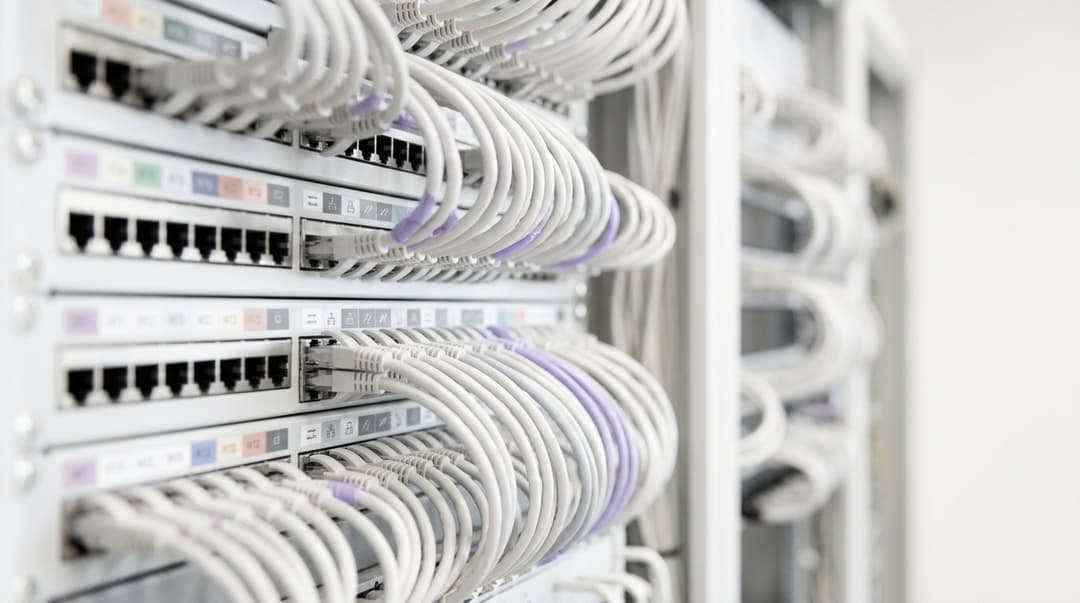
Yes, you can retrofit WiFi into an occupied apartment building, but access sets the limits: riser space, fire-stopped containment routes and entry to occupied flats. In a new build, place access points inside each unit, run Cat6A to a floor switch within 90 metres, budget 802.3at power per AP, and bring network design in by RIBA Stage 3.
Should you retrofit MDU WiFi or design it into the build?
Most of the time, the building makes this choice for you. If residents already live there, you are retrofitting. If the scheme is still on drawings, you are designing in. The open decision inside each path is where the access points (APs) sit, and how cable reaches them.
A multi-dwelling unit (MDU) covers blocks of flats, build-to-rent (BTR) schemes, student halls and aparthotels. Two placement models dominate:
- Corridor APs sit in common parts and push signal through entrance doors into each flat.
- In-unit APs sit inside each flat and serve it at low power.
A retrofit pulls you towards corridors, because you already control the common parts. Construction pulls you towards in-unit APs, because fire doors and masonry party walls absorb signal. Where those two forces collide, the survey decides.
A third case sits between them: a refurbishment that strips floors back to shell. Treat that as a new build, because you regain the access a new build gives you.
This guide stays at the physical layer: risers, containment, cable runs, placement and power. Resident authentication sits on top and works the same way whichever physical design you choose.
Where do retrofit and new-build MDU WiFi genuinely differ?
The radio engineering is the same in both cases. What differs is who controls the route from switch to AP, and when you can still change it.
| Factor | Retrofit into an occupied building | New-build scheme |
|---|---|---|
| Control of the cable route | Landlord controls common parts; each flat needs a resident appointment | Design team controls every route before finishes |
| Riser capacity | Whatever space existing utilities and operators leave | Sized for the network at RIBA Stage 3 |
| Corridor containment | Surface-mounted metal trunking, or an existing ceiling void | Concealed cable tray in a coordinated ceiling void |
| Cable into each flat | Reuse tested home-run Cat5e or Cat6, or one new fire-stopped penetration per flat | Cat6A home run from floor switch to each AP position |
| Typical AP placement | Corridor, or in-unit wall-plate AP on an existing outlet | In-unit, with corridor APs for common parts |
| Fire compartmentation | Every new penetration fire-stopped and recorded against the existing fire strategy | Penetrations detailed in the Stage 4 technical design |
| Asbestos | Refurbishment survey before drilling in buildings constructed before 2000 | Banned in UK construction materials since 1999 |
| Main constraint | Access | Coordination timing |
Riser and containment access
Every MDU network shares one skeleton. A fibre backbone runs up the riser from the main comms room to a switch on each floor, or every second floor. Copper then runs horizontally from that switch to each AP.
ISO/IEC 11801 and ANSI/TIA-568 limit that horizontal channel to 100 metres, including 90 metres of permanent link. Your riser and comms cupboard positions therefore set how far an AP can sit from its switch.
In a retrofit, open every riser cupboard during the survey, not a sample. Record the following for each one:
- Free wall and floor space for a switch and patch panel
- Existing telecoms operator equipment and who owns it
- A dedicated power supply for the switch
- Ventilation for the heat that PoE switches give off
- The condition of fire-stopping at each floor slab
Breaking fire-stopping to pull new fibre makes you responsible for reinstating it. Photograph it before and after.
Corridors in occupied buildings rarely have a usable ceiling void. Plan surface-mounted metal trunking, fixed so it cannot collapse into the escape route during a fire. BS 7671 Regulation 521.10.202 sets that requirement for electrical wiring systems. Apply the same standard to data cabling in escape routes.
Every cable that passes from the corridor into a flat crosses a compartment wall. Approved Document B requires every wall separating a flat from the rest of the building to be a compartment wall. Fire-stop each penetration with a tested product.
The Building Safety Act 2022 defines a higher-risk building as at least 18 metres or seven storeys, with two or more residential units. In one, record every penetration in the building's golden thread information.
Corridor AP vs in-unit AP: why wall attenuation decides
Flat entrance doors are usually fire doors. In purpose-built blocks, corridor and party walls are often masonry or concrete, chosen for fire and sound separation. Each one attenuates WiFi signal.
Attenuation through building materials generally rises with frequency, which ITU-R Recommendation P.2040 models for common materials. A corridor AP that looks fine at 2.4 GHz can leave rear bedrooms without usable 5 GHz or 6 GHz signal.
Raising AP transmit power rarely fixes this. A phone transmits at lower power than an AP, and its reply crosses the same walls. The downlink reaches the bedroom, but the uplink fails first.
High corridor power also bleeds into flats above and below. In the UK, 2.4 GHz offers only three non-overlapping 20 MHz channels, so loud corridor APs quickly interfere with each other.
In-unit APs turn the same walls into an asset. Each AP runs at low power, party walls isolate it from neighbours, and you can reuse channels floor by floor. Ofcom opened 5925 to 6425 MHz for licence-exempt indoor WiFi in 2020, and in-unit APs get the full benefit of that 6 GHz spectrum.
| Factor | Corridor APs | In-unit APs |
|---|---|---|
| AP count | One AP serves several flats | One AP per flat, more for larger units |
| Cable runs | To the corridor ceiling only | Into every flat |
| Access to install and maintain | Common parts only | Entry to every flat |
| Signal path to resident devices | Through the entrance door and internal walls | Inside the flat, one internal wall or none |
| 6 GHz performance | Limited by higher wall loss | Full benefit inside the flat |
| Interference between flats | Higher, because APs run at higher power | Lower, because party walls isolate low-power cells |
| Best fit | Lightweight partitions, small studios on short corridors | Masonry or concrete party walls, multi-room flats |
Most designs end up hybrid. In-unit APs serve flats, and corridor APs cover lobbies, lift landings and amenity space so residents stay connected as they move.
When is an MDU WiFi retrofit the right call?
Retrofit when residents are in occupation and no strip-out refurbishment falls within the network's planned life. Waiting for a refurbishment that is years away leaves residents on whatever they have today.
Retrofit is most straightforward when copper already reaches each flat as a home run to the riser. Test it with a certification tester before you design around it. Cat5e supports 1 Gbps and, under IEEE 802.3bz, 2.5 Gbps across the full 100-metre channel. If the cable passes, a wall-plate AP on the existing outlet puts the AP inside the flat without a new penetration.
Daisy-chained door entry wiring and old telephone cabling rarely qualify. Without usable copper, you need new runs, which means a fire-stopped penetration and a visit to every flat.
Surveying an occupied building
A WiFi site survey in an MDU has to answer one question: does a corridor AP reach the room furthest from the entrance, in both directions? Plan it as follows:
- List every flat type by layout, construction and floor position.
- Survey at least one of each type, including an end-of-corridor flat and a top-floor flat.
- Mount an AP on a stick at the proposed corridor position, then at the proposed in-unit position.
- Measure in the furthest room on every band you intend to use, and test uplink from a phone.
- Record the fire door rating and party wall construction for every flat type surveyed.
Our guide to WiFi Site Surveys: A Practical Planning Guide covers survey method in more depth. In buildings constructed before 2000, commission an asbestos refurbishment survey before anyone drills.
Worked scenario: an occupied council tower block
Situation. In this illustrative scenario, a local authority plans WiFi for a 14-storey 1960s tower block. It has 84 occupied flats, six per floor, with concrete cross-walls and a 30-minute fire door to each flat. The authority wants every resident connected for digital inclusion and access to council services.
What was done. The survey placed an AP at the proposed corridor ceiling position and measured in each flat type. At 5 GHz, rear bedrooms behind the fire door and a concrete cross-wall fell below the design target. The phone's uplink failed first.
The door entry system used a shared bus, so no home-run copper reached the flats. The design moved to in-unit wall-plate APs, mounted in each flat's hallway on the corridor wall. Each AP takes one Cat6 run from surface steel trunking, through a single fire-stopped penetration above the entrance door.
A 24-port PoE switch on every second floor serves 12 flats and two lobby APs. The longest run, including the riser drop, measures 38 metres. Where a resident declines access, a corridor AP covers that flat until a visit is agreed.
Outcome. The design needs one visit per flat, booked as a single appointment for install and test. Seven switches each allocate 420 W at 802.3at, against a specified budget of at least 525 W for 25% headroom. All 84 penetrations are photographed and logged against the building's fire strategy. Every flat receives 5 GHz from an AP in its own hallway.
When is new-build WiFi design the right call?
Every new build, and every strip-out refurbishment, should design WiFi in rather than add it later. The question is not whether, but when the network designer joins the project.
Why network design belongs at RIBA Stage 3
The RIBA Plan of Work 2020 runs from Stage 0 to Stage 7. Stage 3, Spatial Coordination, tests the architecture against the engineering before detailed design begins. Riser sizes, cupboard positions, ceiling void depths and containment routes get fixed here.
Stage 4, Technical Design, turns those spaces into specifications. A network designer who arrives at Stage 4 designs into spaces drawn for someone else. A single central riser may leave end-of-corridor APs beyond the 90-metre permanent link, and moving a riser at Stage 4 means redesign.
Higher-risk buildings raise the stakes. Once the Building Safety Regulator approves construction, changes go through formal change control, and major changes need the regulator's approval before work proceeds. Correcting a riser or compartmentation detail late can delay the programme.
By the end of Stage 3, the network design should deliver:
- AP positions on general arrangement plans, from a predictive model of each flat type
- Comms cupboard positions and sizes, with every AP inside the 90-metre permanent link
- Riser capacity for the fibre backbone, with spare capacity for growth
- Power, cooling and space requirements for each comms cupboard
- Containment routes coordinated with ventilation, sprinklers and electrical services in the model
- PoE and power estimates for the electrical designer
Approved Document R already requires gigabit-ready physical infrastructure in new homes in England. Design the WiFi network into the same riser and containment strategy, rather than alongside it. Better still, write connectivity into the Stage 1 brief so the design team expects it.
Worked scenario: a new-build aparthotel
Situation. In this illustrative scenario, an operator plans an eight-storey aparthotel above a ground-floor lobby, café and gym. Each upper floor has 22 studios on a 150-metre double-loaded corridor, 176 studios in total. Stage 2 drawings showed a single central core with one riser cupboard per floor.
What was done. The network designer joined at the start of Stage 3. Mapping cable routes from the central riser showed end-studio runs over 90 metres once drops and service loops were counted.
The team replaced the single cupboard with two comms cupboards at the quarter points of each corridor, linked to the core riser by fibre. Each cupboard serves 11 studios and one corridor AP. The model deepened the corridor ceiling void to carry cable tray beside the ventilation ductwork.
In-unit APs sit on the ceiling of each studio's entrance lobby, fed by Cat6A home runs. Each switch allocates 12 × 30 W for APs plus 2 × 15.4 W for cameras, a total of 390.8 W. The specification calls for 489 W to hold 25% headroom. Fire-stopping details went into the Stage 4 package.
Outcome. No AP sits more than 52 metres from its switch. The network needed no riser or ceiling changes after Stage 3 sign-off. At Stage 6, a validation survey compared measured coverage against the predictive model before handover. The same pattern applies across Hotels with serviced apartment wings.
Got questions about your specific setup?
Our team works with venue operators, IT managers, and network engineers across 80,000 venues. Book a 20-minute call and we will show you how others like you solved it.
What PoE budget does an apartment building floor need?
Power over Ethernet (PoE) delivers power to APs over the data cable. IEEE 802.3 defines the classes, and the switch must budget for the power drawn at its port, not at the AP.
| Standard | Type and class | Power at switch port | Power at AP | Pairs used | Port budget for 18 APs |
|---|---|---|---|---|---|
| IEEE 802.3af | Type 1, Class 3 | 15.4 W | 12.95 W | 2 | 277.2 W |
| IEEE 802.3at | Type 2, Class 4 | 30 W | 25.5 W | 2 | 540 W |
| IEEE 802.3bt | Type 3, Class 6 | 60 W | 51 W | 4 | 1,080 W |
| IEEE 802.3bt | Type 4, Class 8 | 90 W | 71.3 W | 4 | 1,620 W |
Build the budget for each switch in five steps:
- Count every PoE device the switch feeds: in-unit APs, corridor APs, cameras, door entry and access control.
- Take the maximum class from each device's datasheet, not its typical draw.
- Allocate the switch-port value for that class.
- Add headroom for added devices and higher-class replacements; 25% is a sensible planning margin.
- Compare the total against the switch's PoE budget for the power supplies you will actually buy.
Many switches quote one PoE budget with a single power supply and a higher one with two. Decide whether your budget must survive a power supply failure. Link Layer Discovery Protocol (LLDP) lets an AP negotiate its actual power with the switch. Plan at class maximum regardless, because a firmware update can change what the AP requests.
Worked floor. A residential floor has 18 in-unit APs and two corridor APs at 802.3at, plus four cameras at 802.3af:
- 18 × 30 W = 540 W
- 2 × 30 W = 60 W
- 4 × 15.4 W = 61.6 W
- Total 661.6 W, or about 827 W with 25% headroom
Specify 802.3bt Type 3 APs in the flats instead and the total rises to 1,201.6 W, or about 1,502 W with headroom. Your AP choice can nearly double the floor's PoE requirement. Fix the AP model before the electrical designer sizes comms cupboard power.
Bundled cables carrying 802.3bt power also generate heat. ISO/IEC TS 29125 and TIA TSB-184-A give guidance on bundle sizes, and Cat6A handles that heat better than thinner categories.
What does each approach cost to run?
Neither approach has a fixed price, but the cost drivers are predictable.
Upfront cost drivers:
- AP count, which is several times higher for in-unit designs
- Switch ports and PoE watts, which scale with AP count and AP class
- Metres of cable and containment, which rise when every run enters a flat
- Penetrations and fire-stopping, from zero for a pure corridor design to one per flat
- Resident appointments, which only in-unit retrofits require
Running cost drivers:
- Licences, because Cisco Meraki and most cloud-managed platforms license per device, so AP count drives annual cost
- Switch power and cooling in each comms cupboard
- Maintenance access, because an in-unit fault needs a visit to an occupied flat
- Checks at each void, because APs inside a flat can be unplugged, covered or damaged
- Coverage remediation, because a corridor design that fails means adding APs after occupation, which is a second retrofit
Corridor designs win on paper. In buildings with masonry or concrete party walls, price the in-unit design against remediation after residents move in, not against the corridor design alone.
How do you decide for your estate?
Match your situation to the design below, then confirm it with the survey.
| Your situation | Recommended design | Why |
|---|---|---|
| New build, any construction | In-unit APs, corridor APs for common parts, Cat6A, design at Stage 3 | You control every route before finishes |
| Strip-out refurbishment | Treat as a new build | Access matches a new build |
| Occupied; masonry or concrete walls; tested home-run copper | In-unit wall-plate APs on existing outlets | No new penetrations, and signal stays inside the flat |
| Occupied; masonry or concrete walls; no usable copper | In-unit APs on new runs, one fire-stopped penetration per flat | Corridor signal fails in rear rooms |
| Occupied; lightweight partitions; studios on short corridors | Corridor APs at low power, validated by survey | One AP covers several studios without entering them |
| Occupied; some residents refuse access | Corridor AP fallback until a visit is agreed | Keeps those residents connected meanwhile |
| Higher-risk building, 18 metres or seven storeys and above | Any of the above, with penetrations recorded in the golden thread | Building Safety Act 2022 duties |
Whichever physical design you choose, the network above it should treat each resident as an identity, not a switch port. Purple Multi-Tenant WiFi gives each resident a private network bubble that follows them from their flat to the lobby and the gym. Their smart TV and speakers stay visible only to them.
Residents connect through iPSK (identity pre-shared key, a unique key per resident on one shared network name) or IEEE 802.1X. 802.1X authenticates each device against a RADIUS (Remote Authentication Dial-In User Service) server, and Purple runs that RADIUS in the cloud. When a resident moves out, Purple revokes their access.
Purple is hardware-agnostic. It runs as a cloud overlay on Cisco Meraki, HPE Aruba, Ruckus, Juniper Mist, Ubiquiti UniFi, Cambium, Extreme and Fortinet. A retrofit can keep any APs the survey shows are adequate; see Why your next WiFi upgrade doesn't need new hardware. Purple runs across 80,000+ live venues (Purple's own data).
Lobbies, cafés and gyms open to visitors can run Guest WiFi alongside resident networks. Where residents roam between in-unit and corridor APs, configure fast roaming. Our guides to 802.11r and 802.11k on Android: fast roaming deployment on Cisco Meraki, HPE Aruba and Ubiquiti UniFi and Cisco Meraki 802.11r adaptive vs enabled: fixing roaming on MR access points cover the settings.
Frequently asked questions
Can WiFi be retrofitted into an occupied apartment building?
Yes. You can retrofit WiFi into an occupied apartment building, but access shapes the design. Corridor APs need only common-parts access, while in-unit APs need one appointment per flat. Expect surface metal trunking in corridors, a fire-stopped penetration into each flat, and an asbestos refurbishment survey first in buildings constructed before 2000. Reusing tested home-run cabling to each flat removes most of the disruption.
Should I use corridor APs or in-unit APs in an apartment building?
Use in-unit APs wherever party walls are masonry or concrete, or flats have more than one room. Corridor APs suit lightweight partitions and small studios on short corridors. Your survey makes the final call: measure signal in the room furthest from the entrance, in both directions, through the actual fire door and wall. If a corridor AP needs high power to reach that room, it will interfere with neighbouring floors.
How much PoE budget does a residential floor need?
Budget 30 W at the switch for each 802.3at AP, add every other PoE device on the floor, then add about 25% headroom. A floor of 18 in-unit APs, two corridor APs and four 802.3af cameras needs about 827 W. Specify 802.3bt Type 3 APs and the same floor needs about 1,502 W. Check whether your switch quotes its budget with one power supply or two.
When should WiFi design enter a new-build project?
No later than RIBA Stage 3, Spatial Coordination. That is when riser sizes, comms cupboard positions and ceiling void depths are fixed. Join at Stage 4 and you may inherit risers that leave APs beyond the 90-metre permanent link limit. In a higher-risk building, changes after construction approval go through the Building Safety Regulator's change control, which adds time to any correction.
Can I reuse existing cabling for an MDU WiFi retrofit?
Yes, if each flat has a home-run cable to the riser and it passes a certification test. Cat5e supports 1 Gbps and, under IEEE 802.3bz, 2.5 Gbps across the full 100-metre channel. A wall-plate AP on the existing outlet then avoids new penetrations. Daisy-chained door entry wiring and old telephone cabling rarely qualify, so test before you design around them.
Do I need Cat6A for new-build MDU WiFi?
Yes, specify Cat6A for every new-build AP run. It carries 10GBASE-T to 100 metres under IEEE 802.3an, covering the multigigabit uplinks on current WiFi 6E and WiFi 7 APs. It also handles heat from bundled 802.3bt power better than thinner categories. Choosing a lower category now means facing retrofit constraints in an occupied building when you upgrade.
Are corridor APs cheaper than in-unit APs?
Yes, corridor designs cost less upfront, because one AP serves several flats. That means fewer APs, switch ports, PoE watts and per-device licences. They cost more where walls defeat them, through coverage complaints, extra APs after occupation and repeat corridor works. In masonry or concrete buildings, compare the in-unit design against the cost of fixing coverage once residents move in.
Does Purple Multi-Tenant WiFi work with the access points we already own?
Yes. Purple Multi-Tenant WiFi is hardware-agnostic and runs as a cloud overlay on Cisco Meraki, HPE Aruba, Ruckus, Juniper Mist, Ubiquiti UniFi, Cambium, Extreme and Fortinet. It works the same on corridor and in-unit designs, because each resident's private network follows their identity rather than a switch port. A retrofit can keep its existing APs wherever the survey shows coverage is adequate.
Key Definitions
Multi-dwelling unit (MDU)
A building containing several separate residences, covering blocks of flats, build-to-rent (BTR) schemes, student halls and aparthotels. Under Approved Document B, each flat is separated from the rest of the building by a compartment wall.
The MDU's construction and occupancy status decide whether you retrofit or design in, and whether corridor or in-unit APs will reach every room.
Permanent link
The fixed horizontal cabling between the floor distributor and the telecoms outlet. ISO/IEC 11801 and ANSI/TIA-568 cap it at 90 metres within a 100-metre channel that includes patch cords.
Riser and comms cupboard positions set how far an AP can sit from its switch, so a single central riser can push end-of-corridor APs out of range.
IEEE 802.3at
The IEEE 802.3 PoE amendment defining Type 2, Class 4 power: 30 W allocated at the switch port and 25.5 W available at the AP, delivered over two pairs.
It is the planning baseline for most in-unit and corridor APs in this guide, and it drives the per-floor switch power budget.
IEEE 802.3bt
The IEEE 802.3 PoE amendment adding four-pair power: Type 3, Class 6 at 60 W at the switch port and 51 W at the device, and Type 4, Class 8 at 90 W and 71.3 W.
Choosing 802.3bt APs can nearly double a floor's PoE requirement and raises bundle heat, so fix the AP model before the electrical designer sizes power.
IEEE 802.3bz
The IEEE 802.3 amendment defining 2.5GBASE-T and 5GBASE-T, allowing 2.5 Gbps over Cat5e across the full 100-metre channel.
It is why tested home-run Cat5e in an occupied building can still serve a retrofit AP without new cable or a new penetration.
RIBA Stage 3 (Spatial Coordination)
The stage in the RIBA Plan of Work 2020, which runs from Stage 0 to Stage 7, where architecture is tested against engineering and riser sizes, cupboard positions, ceiling voids and containment routes are fixed.
Joining at Stage 3 lets the network designer shape risers and comms cupboards; joining at Stage 4 means designing into spaces drawn for someone else.
Compartment wall
A fire-resisting wall defined in Approved Document B (Fire Safety) to the Building Regulations for England. Every wall separating a flat from the rest of the building must be one.
Every cable from corridor to flat crosses one, so each penetration needs a tested fire-stopping product and a record against the fire strategy.
Higher-risk building
Under the Building Safety Act 2022, a building at least 18 metres or seven storeys tall with two or more residential units. It carries golden thread information duties and Building Safety Regulator change control.
In one, every penetration goes into the golden thread, and late riser or compartmentation changes go through formal regulator change control.
ITU-R Recommendation P.2040
The ITU Radiocommunication Sector recommendation modelling how building materials and structures affect radio propagation, including attenuation that generally rises with frequency.
It explains why a corridor AP that works at 2.4 GHz can leave rear bedrooms without usable 5 GHz or 6 GHz signal behind fire doors and masonry.
iPSK (identity pre-shared key)
A method that issues each resident a unique pre-shared key on one shared network name, so the network maps every device to an individual identity rather than a common password.
It sits above either physical design and lets Purple Multi-Tenant WiFi give each resident a private network bubble from flat to lobby.
IEEE 802.1X and RADIUS
IEEE 802.1X is the port-based network access control standard that authenticates each device before granting access. It relies on a RADIUS (Remote Authentication Dial-In User Service) server to validate credentials.
Purple runs RADIUS in the cloud, so residents authenticate the same way on corridor or in-unit APs and Purple revokes access when they move out.
Link Layer Discovery Protocol (LLDP)
An IEEE 802.1AB link-layer protocol that lets an AP and switch exchange capabilities, including negotiating the AP's actual PoE draw.
Plan at class maximum regardless of LLDP, because a firmware update can change what the AP requests from the switch.
Worked Examples
A local authority wants WiFi in an occupied 14-storey 1960s tower block with 84 flats, concrete cross-walls, 30-minute fire doors and no home-run copper to the flats. How should it place APs?
The survey tested a corridor ceiling AP in each flat type. At 5 GHz, rear bedrooms behind the fire door and a concrete cross-wall fell below target, and the phone's uplink failed first. With only a shared door entry bus, the design moved to in-unit wall-plate APs in each flat's hallway. Each takes one Cat6 run from surface steel trunking through a single fire-stopped penetration above the door. A 24-port PoE switch on every second floor serves 12 flats and two lobby APs, with a longest run of 38 metres. Each switch allocates 420 W at 802.3at against a 525 W specification for 25% headroom. One appointment per flat covers install and test, and a corridor AP covers any flat that declines access until a visit is agreed.
An operator plans an eight-storey aparthotel with 22 studios per floor on a 150-metre corridor and one central riser cupboard per floor. The network designer joins at the start of RIBA Stage 3. What changes?
Mapping routes from the central riser showed end-studio runs over 90 metres once drops and service loops were counted. The team replaced the single cupboard with two comms cupboards at the quarter points of each corridor, linked to the core riser by fibre. Each serves 11 studios and one corridor AP. The model deepened the ceiling void to carry cable tray beside ventilation ductwork. In-unit APs sit on each studio's entrance lobby ceiling on Cat6A home runs. Each switch allocates 390.8 W for 12 APs at 30 W and two cameras at 15.4 W, specified at 489 W for 25% headroom. No AP sits more than 52 metres from its switch, and no riser or ceiling changes were needed after Stage 3 sign-off.
A residential floor has 18 in-unit APs and two corridor APs at 802.3at, plus four 802.3af cameras. What PoE budget does the floor switch need, and what happens if the APs are 802.3bt Type 3?
Allocate the switch-port value for each device's maximum class, not its typical draw. The 18 in-unit APs need 540 W, the two corridor APs 60 W and the four cameras 61.6 W, a total of 661.6 W. With 25% headroom the specification is about 827 W. Swapping the in-unit APs to 802.3bt Type 3 at 60 W raises the total to 1,201.6 W, or about 1,502 W with headroom, nearly doubling the requirement. Fix the AP model before the electrical designer sizes comms cupboard power, and check whether the switch's quoted budget assumes one power supply or two.
Frequently asked questions
Can WiFi be retrofitted into an occupied apartment building?
Yes. You can retrofit WiFi into an occupied apartment building, but access shapes the design. Corridor APs need only common-parts access, while in-unit APs need one appointment per flat. Expect surface metal trunking in corridors, a fire-stopped penetration into each flat, and an asbestos refurbishment survey first in buildings constructed before 2000. Reusing tested home-run cabling to each flat removes most of the disruption.
Should I use corridor APs or in-unit APs in an apartment building?
Use in-unit APs wherever party walls are masonry or concrete, or flats have more than one room. Corridor APs suit lightweight partitions and small studios on short corridors. Your survey makes the final call: measure signal in the room furthest from the entrance, in both directions, through the actual fire door and wall. If a corridor AP needs high power to reach that room, it will interfere with neighbouring floors.
How much PoE budget does a residential floor need?
Budget 30 W at the switch for each 802.3at AP, add every other PoE device on the floor, then add about 25% headroom. A floor of 18 in-unit APs, two corridor APs and four 802.3af cameras needs about 827 W. Specify 802.3bt Type 3 APs and the same floor needs about 1,502 W. Check whether your switch quotes its budget with one power supply or two.
When should WiFi design enter a new-build project?
No later than RIBA Stage 3, Spatial Coordination. That is when riser sizes, comms cupboard positions and ceiling void depths are fixed. Join at Stage 4 and you may inherit risers that leave APs beyond the 90-metre permanent link limit. In a higher-risk building, changes after construction approval go through the Building Safety Regulator's change control, which adds time to any correction.
Can I reuse existing cabling for an MDU WiFi retrofit?
Yes, if each flat has a home-run cable to the riser and it passes a certification test. Cat5e supports 1 Gbps and, under IEEE 802.3bz, 2.5 Gbps across the full 100-metre channel. A wall-plate AP on the existing outlet then avoids new penetrations. Daisy-chained door entry wiring and old telephone cabling rarely qualify, so test before you design around them.
Do I need Cat6A for new-build MDU WiFi?
Yes, specify Cat6A for every new-build AP run. It carries 10GBASE-T to 100 metres under IEEE 802.3an, covering the multigigabit uplinks on current WiFi 6E and WiFi 7 APs. It also handles heat from bundled 802.3bt power better than thinner categories. Choosing a lower category now means facing retrofit constraints in an occupied building when you upgrade.
Are corridor APs cheaper than in-unit APs?
Yes, corridor designs cost less upfront, because one AP serves several flats. That means fewer APs, switch ports, PoE watts and per-device licences. They cost more where walls defeat them, through coverage complaints, extra APs after occupation and repeat corridor works. In masonry or concrete buildings, compare the in-unit design against the cost of fixing coverage once residents move in.
Does Purple Multi-Tenant WiFi work with the access points we already own?
Yes. Purple Multi-Tenant WiFi is hardware-agnostic and runs as a cloud overlay on Cisco Meraki, HPE Aruba, Ruckus, Juniper Mist, Ubiquiti UniFi, Cambium, Extreme and Fortinet. It works the same on corridor and in-unit designs, because each resident's private network follows their identity rather than a switch port. A retrofit can keep its existing APs wherever the survey shows coverage is adequate.
Continue reading in this series
Per-unit VLAN and PSK architecture: a design walkthrough for MDU networks
You will be able to choose between a VLAN per apartment and policy carried by each resident's unique key, using four factors: wired ports, churn, segment count and hardware support. You can then size DHCP scopes, count segments against your real platform limits and estimate running cost for BTR, PBSA and aparthotel sites.
Managed WiFi cost per door: a worked model for MDU operators
You will be able to build a defensible managed WiFi cost per door for an MDU scheme, line by line across cabling, access points, switching, licensing and support. You can then normalise managed service bids, test how scale and asset lives move the figure, and compare the fully loaded monthly cost with a retail broadband benchmark.
How to deploy iPSK on Cisco Meraki, HPE Aruba and Ruckus
This hands-on reference guide shows how to deploy iPSK on Cisco Meraki, MPSK on HPE Aruba Central and DPSK on Ruckus SmartZone, with a short UniFi PPSK appendix. It focuses on key issuance, VLAN or policy placement, RADIUS decision flows and revocation tests that prove a deployment works in a live venue.
Got questions about your specific setup?
Our team works with venue operators, IT managers, and network engineers across 80,000 venues. Book a 20-minute call and we will show you how others like you solved it.