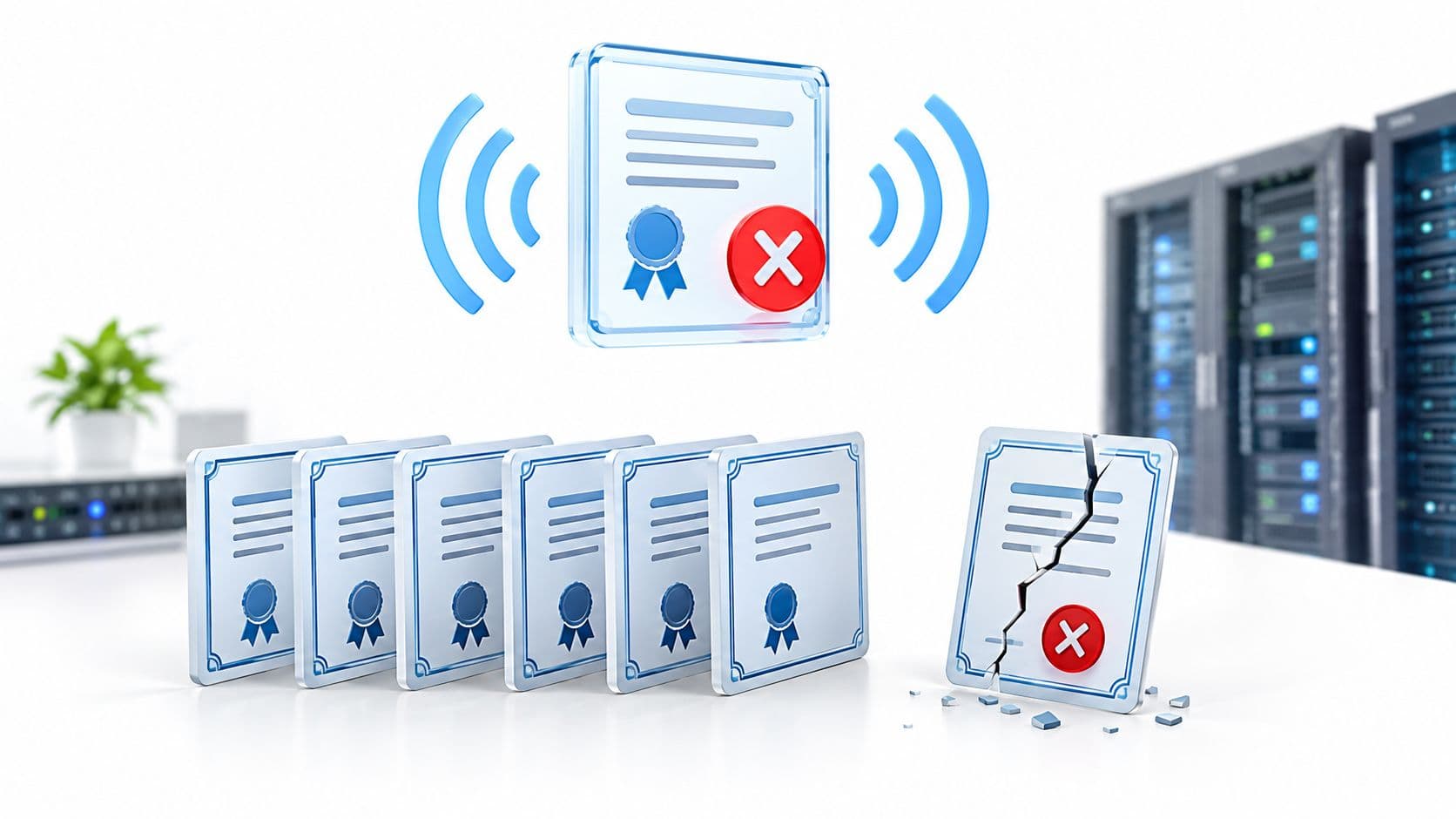
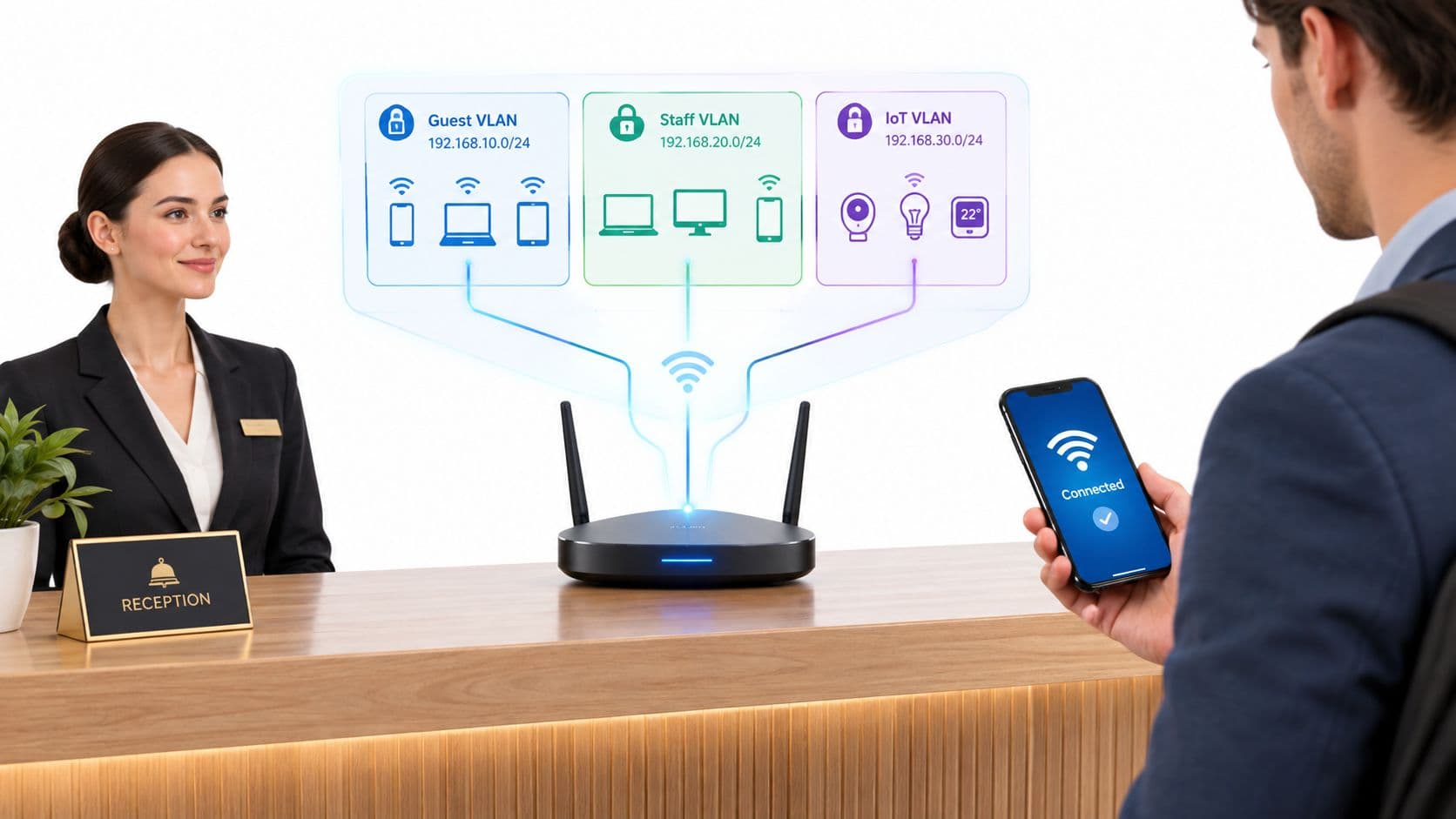
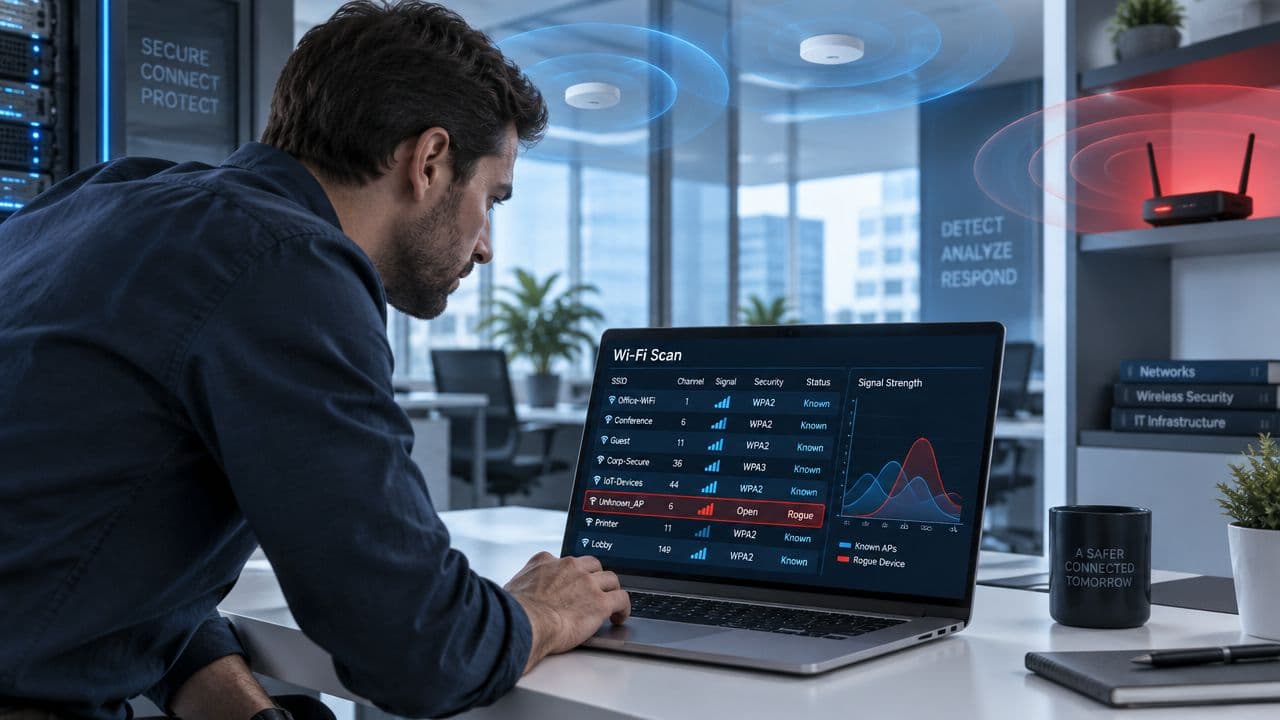
বেশিরভাগ লিডার wi fi assistant শুনলে ফোনের কোনো সেটিংসের কথা ভাবেন। এটা খুবই সংকীর্ণ চিন্তা।
আসল সুযোগটি আপনার হ্যান্ডসেট কখন মোবাইল ডেটাতে ফিরে যাবে তা নির্ধারণ করার মধ্যে নেই। এটি রয়েছে আপনার নেটওয়ার্ক কীভাবে সুরক্ষিতভাবে মানুষ এবং ডিভাইসগুলিকে চিনবে, কোনো ঝামেলা ছাড়াই তাদের অ্যাক্সেস দেবে এবং বিভিন্ন বিল্ডিং, ব্র্যান্ড এবং ভিজিটের ক্ষেত্রে সেই অভিজ্ঞতাকে সামঞ্জস্যপূর্ণ রাখবে তা নির্ধারণ করার মধ্যে। একজন CIO-এর জন্য, এই পরিবর্তনটি অত্যন্ত গুরুত্বপূর্ণ কারণ এটি WiFi-কে একটি ইউটিলিটি থেকে একটি আইডেন্টিটি এবং সার্ভিস লেয়ারে পরিণত করে।
আসল Wi-Fi Assistant কী
ভোক্তা স্তরের অর্থ যা বেশিরভাগ মানুষ জানেন
Apple ডিভাইসে, Wi-Fi Assist বলতে খুব নির্দিষ্ট একটি বিষয় বোঝায়। এটি iOS 9-এ চালু করা হয়েছিল এবং WiFi দুর্বল বা অস্থির হলে স্বয়ংক্রিয়ভাবে একটি ডিভাইসকে সেলুলার নেটওয়ার্কে স্যুইচ করে। Apple-এর নিজস্ব উদাহরণ দেখায় যে পাঁচ মাস ধরে এটি একটি 15 GB মাসিক প্ল্যানে 55.1 MB ব্যবহার করেছে, যা Apple মাসিক ডেটা খরচে 0.37% বৃদ্ধি হিসেবে বর্ণনা করে, তাই বেশিরভাগ ব্যবহারকারীর জন্য অতিরিক্ত ডেটা ব্যবহার নগণ্য, যেমনটি Apple-এর Wi-Fi Assist সহায়তা নোটে ব্যাখ্যা করা হয়েছে।
এই ফিচারটি বেশ দরকারী। এটি ব্যবহারকারীকে অন্য একটি পথে স্থানান্তরিত করে দুর্বল WiFi-এর সমস্যাকে আড়াল করে। আপনি যদি কোনো বিমানবন্দরে হেঁটে যান বা অতিরিক্ত লোড থাকা গেস্ট WiFi সহ কোনো ক্যাফেতে বসে থাকেন, আপনার ফোনটি কাজ করতে থাকে এবং আপনাকে এটি নিয়ে ভাবতে হয় না।
কিন্তু এটি মূল নেটওয়ার্ক সমস্যার সমাধান করে না। বরং, এটি এটিকে এড়িয়ে চলে।
এন্টারপ্রাইজ স্তরের অর্থ যা বেশি গুরুত্বপূর্ণ
এন্টারপ্রাইজ পরিবেশে, একটি wi fi assistant বলতে অনেক বেশি সক্ষম কিছু বোঝানো উচিত। সেটিংসের ভেতরে লুকিয়ে থাকা কোনো টগল নয়, বরং একটি নেটওয়ার্ক এক্সপেরিয়েন্স লেয়ার যা প্রায় কোনো ব্যবহারকারীর প্রচেষ্টা ছাড়াই ডিসকভারি, অথেনটিকেশন, অ্যাক্সেস পলিসি এবং রোমিং পরিচালনা করে।
ব্যবহারিক পার্থক্যটি খুবই সহজ:
- ভোক্তা স্তরের Wi-Fi Assist একটি ডিভাইসে একটি ব্যবহারকারী সেশনকে সুরক্ষিত করে।
- এন্টারপ্রাইজ Wi-Fi Assistant নির্ধারণ করে যে কীভাবে স্টাফ, গেস্ট, ঠিকাদার এবং ডিভাইসগুলি পুরো প্রতিষ্ঠান জুড়ে অনলাইনে সংযুক্ত হবে।
- ভোক্তা স্তরের ফলব্যাক সেলুলার কভারেজ এবং ব্যবহারকারীর ডেটা প্ল্যানের ওপর নির্ভর করে।
- এন্টারপ্রাইজ অনবোর্ডিং বিশ্বস্ত আইডেন্টিটি, পলিসি এবং সুরক্ষিত ওয়্যারলেস ডিজাইনের ওপর নির্ভর করে।
ব্যবহারিক নিয়ম: আপনার "assistant" যদি কেবল নেটওয়ার্ক পরিবর্তন করে, তবে এটি একটি সুবিধাজনক ফিচার মাত্র। এটি যদি আইডেন্টিটি সনাক্ত করে এবং স্বয়ংক্রিয়ভাবে সঠিক অ্যাক্সেস মঞ্জুর করে, তবে এটি একটি ব্যবসায়িক সক্ষমতা।
একজন CIO-এর কাছে এই পার্থক্যটি কেন গুরুত্বপূর্ণ
একটি হোটেল, হাসপাতাল, রিটেইলার বা ক্যাম্পাস কোনো ফোন খারাপ WiFi থেকে রক্ষা পেয়ে কোনো স্ট্র্যাটেজিক সুবিধা পায় না। এটি সুবিধা পায় যখন বড় পরিসরে কানেকশন সংক্রান্ত জটিলতা দূর করা যায়।
এর মানে হল শেয়ার করা পাসওয়ার্ড এন্ট্রি করতে কম সময় ব্যয় হওয়া, কম Captive Portal ব্যর্থতা, অতিথি এবং কর্মীদের অ্যাক্সেসের মধ্যে আরও স্পষ্ট বিভাজন এবং নেটওয়ার্কে কে আছেন তার উপর অনেক উন্নত নিয়ন্ত্রণ। এর মানে এইও যে নেটওয়ার্কটি কেবল একটি ইন্টারনেট পাইপ না হয়ে ফার্স্ট-পার্টি অপারেশনাল ইনসাইটের একটি উৎস হয়ে উঠতে পারে।
এই কারণেই এই শব্দটির নতুন রূপ দেওয়া প্রয়োজন। কনজিউমার সংস্করণটি বাস্তব, কিন্তু সীমিত। আধুনিক এন্টারপ্রাইজ সংস্করণটি পাসওয়ার্ডহীন অ্যাক্সেস, সার্টিফিকেট-ভিত্তিক ট্রাস্ট এবং Passpoint ও OpenRoaming-এর মতো রোমিং ফ্রেমওয়ার্কের চারপাশে তৈরি। ২০২৬ সালে এটিই আলোচনা করার মতো WiFi অ্যাসিস্ট্যান্ট।
পুরানো পদ্ধতি বনাম নতুন স্বাগত জানানোর উপায়
অধিকাংশ প্রতিষ্ঠান এখনও ব্যবহারকারীদের পুরানো পদ্ধতিতে WiFi-এ স্বাগত জানায়। এটি পরিচিত, এবং এটি ঝামেলাপূর্ণ।
একজন অতিথি আসেন, সেটিংস খোলেন, SSID খোঁজেন, একটি উন্মুক্ত নেটওয়ার্কে যুক্ত হন, একটি Captive Portal-এর জন্য অপেক্ষা করেন, একটি ফর্ম পূরণ করেন, শর্তাবলী স্বীকার করেন, হয়তো কোনো কর্মীর কাছে পাসওয়ার্ড চান, তারপর পরবর্তী ভেন্যুতে একই প্রক্রিয়ার পুনরাবৃত্তি করেন। কর্মীদের ক্ষেত্রে প্রায়ই ভিন্ন সমস্যা দেখা দেয়। তারা শেয়ার করা ক্রেডেনশিয়াল ব্যবহার করেন, ডিভাইসে পুরানো পাসওয়ার্ড সেভ করে রাখেন, অথবা সার্টিফিকেট এবং প্রোফাইল ঠিকঠাক পরিচালনা করা না হলে সার্ভিস ডেস্কে কল করেন।
আধুনিক বিকল্পটি লগ ইন করার চেয়ে একটি বিশ্বস্ত দরজার মধ্য দিয়ে হেঁটে যাওয়ার মতো মনে হয়।
ব্যবহারকারী আসলে কী অভিজ্ঞতা অর্জন করেন
একটি আধুনিক WiFi অ্যাসিস্ট্যান্টের লক্ষ্য পোর্টালটিকে আরও সুন্দর করে তোলা নয়। লক্ষ্য হল পোর্টালটিকে ক্রিটিক্যাল পাথ থেকে পুরোপুরি সরিয়ে দেওয়া। একবার সঠিক পরিচয় এবং ট্রাস্ট সেটিংস সহ একটি ডিভাইস এনরোল হয়ে গেলে, এটি স্বয়ংক্রিয়ভাবে নেটওয়ার্কটি সনাক্ত করতে এবং সংযুক্ত হতে পারে।
এটি অভিজ্ঞতার অনুভূতিকে বদলে দেয়। ঘর্ষণ দূর হয়। কর্মীদের পুনরায় সংযোগ করার জন্য তাদের কাজ বন্ধ করতে হয় না। অতিথিরা খারাপভাবে লোড হওয়া স্প্ল্যাশ পেজের পিছনে আটকে থাকেন না। ফ্রন্ট ডেস্ক টিমগুলো অবৈতনিক নেটওয়ার্ক সাপোর্ট হিসেবে কাজ করা বন্ধ করে দেয়।
| সংযোগ পদ্ধতি | ব্যবহারকারীর অভিজ্ঞতা | নিরাপত্তা | অপারেশনাল বোঝা |
|---|---|---|---|
| Captive Portal সহ লেগ্যাসি গেস্ট WiFi | ব্যবহারকারী SSID নির্বাচন করেন, রিডাইরেক্টের জন্য অপেক্ষা করেন, বিবরণ পূরণ করেন, প্রায়ই প্রতিবার আসার সময় পুনরাবৃত্তি করেন | অনুশীলনে প্রায়ই দুর্বল কারণ অ্যাক্সেসটি ওপেন অনবোর্ডিং, শেয়ার করা ক্রেডেনশিয়াল বা সীমিত পরিচয় যাচাইয়ের চারপাশে তৈরি | উচ্চ। কর্মীরা সংযোগের প্রশ্নের উত্তর দেন, পোর্টালগুলোর রক্ষণাবেক্ষণের প্রয়োজন হয় এবং সাপোর্ট টিম বারবার অ্যাক্সেসের সমস্যাগুলো সমাধান করে |
| শেয়ার করা পাসওয়ার্ড WiFi | শুরুতে দ্রুত, কিন্তু পাসওয়ার্ড ছড়িয়ে পড়ে, খারাপভাবে মেয়াদ শেষ হয় এবং পরিবর্তন করার সময় বিভ্রান্তি তৈরি করে | আধুনিক পরিবেশের জন্য অনুপযুক্ত কারণ ক্রেডেনশিয়ালটি কোনো ব্যক্তি বা ডিভাইসের সাথে যুক্ত থাকার পরিবর্তে শেয়ার করা হয় | উচ্চ। পাসওয়ার্ড পরিবর্তন বিঘ্ন সৃষ্টি করে এবং অফবোর্ডিং করা কঠিন হয় |
| বিশ্বস্ত পরিচয় ব্যবহার করে পাসওয়ার্ডহীন WiFi অ্যাসিস্ট্যান্ট | এনরোলমেন্টের পর ডিভাইস স্বয়ংক্রিয়ভাবে সংযোগ স্থাপন করে, ভবিষ্যতের ভিজিটগুলোতে ব্যবহারকারীর কোনো পদক্ষেপের প্রয়োজন হয় না বা খুব কম প্রয়োজন হয় | অনেক বেশি শক্তিশালী কারণ অ্যাক্সেস একটি বহুল পরিচিত পাসওয়ার্ডের পরিবর্তে যাচাইকৃত পরিচয় এবং ডিভাইসের বিশ্বস্ততার সাথে যুক্ত থাকে | কম। অনবোর্ডিং এবং অ্যাক্সেস বাতিল অনেক বেশি নিয়ন্ত্রিত এবং এটি সাপোর্ট ডিমান্ড কমায় |
পুরানো গেস্ট WiFi ব্যবহারকারীদের প্রতিবার এটি প্রমাণ করতে বলে যে তারা অ্যাক্সেস পাওয়ার যোগ্য। আধুনিক WiFi নেটওয়ার্ককে বিশ্বস্ত ব্যবহারকারীদের সঠিকভাবে মনে রাখার কথা বলে।
কেন পুরানো মডেলটি এখনও টিকে আছে
এটি টিকে আছে কারণ এটি বোঝা সহজ। Captive Portal দৃশ্যমান এবং নিয়ন্ত্রণযোগ্য মনে হয়। শেয়ার্ড পাসওয়ার্ড সহজ মনে হয়। কিন্তু উভয় পদ্ধতিই জটিলতাকে ডাউনস্ট্রিমে ঠেলে দেয়।
এর লুকানো খরচটি এসে পড়ে রিসেপশন ডেস্ক, IT টিম এবং শেষ ব্যবহারকারীদের ওপর যারা কেবল নির্বিঘ্ন কানেক্টিভিটি চান। বাস্তবে, নতুন এই পদ্ধতিটি অনেক উন্নত কারণ এটি WiFi-কে একটি সাইন-ইন নিয়মের মতো না দেখে একটি ম্যানেজড আইডেন্টিটি সার্ভিস হিসেবে বিবেচনা করে।
পাসওয়ার্ডহীন WiFi অ্যাসিস্ট্যান্ট কীভাবে কাজ করে
এটি বোঝার সবচেয়ে সহজ উপায় হলো একটি ডিজিটাল পাসপোর্ট এর কথা চিন্তা করা।
একজন ব্যবহারকারী একবার এনরোল করেন। তাদের ডিভাইস একটি বিশ্বস্ত ক্রেডেনশিয়াল পায়। যখন সেই ব্যক্তি কোনো অংশগ্রহণকারী ভেন্যুতে প্রবেশ করেন, নেটওয়ার্ক ক্রেডেনশিয়ালটি সেভাবে পরীক্ষা করে যেভাবে বর্ডার কন্ট্রোল একটি পাসপোর্ট পরীক্ষা করে। পরিচয় বৈধ হলে এবং পলিসির সাথে মিললে, অ্যাক্সেস স্বয়ংক্রিয়ভাবে মঞ্জুর করা হয়। কোনো শেয়ার্ড পাসওয়ার্ড নেই। কোনো Captive Portal detour নেই। কোনো “দয়া করে রিসেপশনে জিজ্ঞাসা করুন” ঝামেলা নেই।
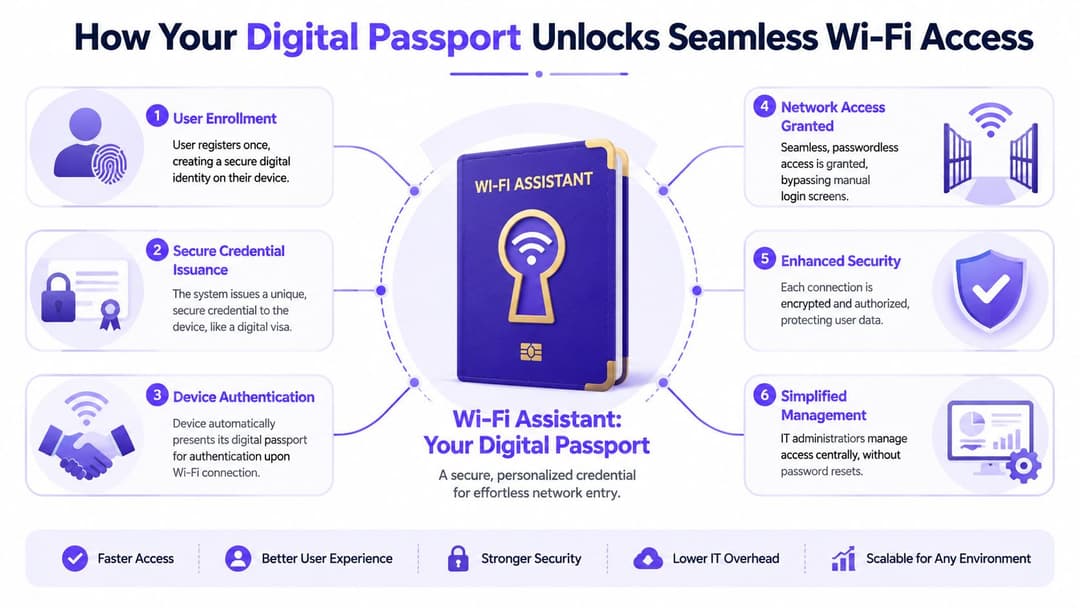
ব্যবহারের ক্ষেত্রে এই মডেলটির একটি বাস্তব উদাহরণের জন্য, passwordless WiFi access দেখুন।
Passpoint ডিসকভারি হ্যান্ডেল করে
Passpoint ডিভাইসগুলোকে সনাক্ত করতে সাহায্য করে যে একটি নেটওয়ার্ক বিশ্বস্ত এবং তারা এতে স্বয়ংক্রিয়ভাবে যুক্ত হতে পারে। ব্যবহারকারীকে ওয়্যারলেস নামের একটি তালিকা স্ক্রোল করতে এবং কোনটি সঠিক তা অনুমান করতে বাধ্য করার পরিবর্তে, ডিভাইসটি একটি সামঞ্জস্যপূর্ণ পরিষেবা সনাক্ত করতে পারে এবং আরও নিয়ন্ত্রিত উপায়ে সংযুক্ত হতে পারে।
এটি অত্যন্ত গুরুত্বপূর্ণ কারণ ম্যানুয়াল SSID নির্বাচন অনেক টিমের ধারণার চেয়েও বড় একটি সমস্যা। ব্যবহারকারীরা ভুল নেটওয়ার্ক বেছে নেন। তারা নিরাপদ স্টাফ অ্যাক্সেসের পরিবর্তে দুর্বল গেস্ট ওভারলেতে যোগ দেন। তারা প্রম্পট উপেক্ষা করেন। প্রতিটি ম্যানুয়াল ধাপ বিলম্ব বা ভুলের সুযোগ তৈরি করে।
Passpoint সেই সিদ্ধান্তের বোঝা কমিয়ে দেয়। নেটওয়ার্ক মূলত বলে, “আমি জানি আপনার কার সাথে কানেক্ট হওয়া উচিত, এবং আমি জানি কীভাবে এটি নিরাপদে করতে হয়।”
OpenRoaming বিভিন্ন ভেন্যুজুড়ে বিশ্বাসযোগ্যতা প্রসারিত করে
OpenRoaming বিশ্বস্ত আইডেন্টিটি প্রোভাইডার এবং অংশগ্রহণকারী নেটওয়ার্কগুলোকে একে অপরকে সনাক্ত করার অনুমতি দিয়ে এই ধারণাকে আরও এগিয়ে নিয়ে যায়। Passpoint যদি ডিভাইসটিকে খুঁজে পেতে এবং যুক্ত হতে সাহায্য করার মেকানিজম হয়, তবে OpenRoaming হলো নেপথ্যের রোমিং চুক্তি।
এয়ারপোর্টের উপমাটি এখানে দারুণভাবে মানিয়ে যায়। আপনার পাসপোর্ট একটি নির্দিষ্ট কর্তৃপক্ষ দ্বারা ইস্যু করা হয়, তবে অনেক দেশ তা মেনে নিতে সম্মত হয়। একইভাবে, একজন ব্যবহারকারী একবার নথিভুক্ত হতে পারেন এবং তারপরে প্রতিবার সম্পূর্ণ সাইন-আপ প্রক্রিয়া ছাড়াই অংশগ্রহণকারী সাইটগুলোতে যাতায়াত করতে পারেন।
এটি হোটেল গ্রুপ, মিশ্র-ব্যবহারের প্রপার্টি পোর্টফোলিও, হেলথকেয়ার এস্টেট, পরিবহন হাব এবং রিটেল চেইনের জন্য গুরুত্বপূর্ণ। এর মূল্য কেবল সুবিধাই নয়। এটি ধারাবাহিকতাও প্রদান করে। এমনকি যখন বাস্তব পরিবেশের পরিবর্তন ঘটে, তখনও ব্যবহারকারীর অভিজ্ঞতা একই রকম থাকে।
সার্টিফিকেট বিশ্বাসের স্তর প্রদান করে
নিরাপত্তার মূল ভিত্তি হলো সার্টিফিকেট-ভিত্তিক প্রমাণীকরণ, যা প্রায়শই EAP-TLS এর মতো পদ্ধতি দিয়ে প্রয়োগ করা হয়। যারা প্রযুক্তি বিশেষজ্ঞ নন, তাদের জন্য সবচেয়ে সহজ বিবরণ হলো, ডিভাইসটি কোনো মুখস্থ করা গোপন কোডের পরিবর্তে পরিচয়ের একটি ক্রিপ্টোগ্রাফিক প্রমাণ বহন করে।
পাসওয়ার্ড হলো অনেক লোকের হাতে একই চাবি তুলে দেওয়ার মতো। সার্টিফিকেট প্রতিটি অনুমোদিত ডিভাইসে একটি অনন্য, যাচাইকরণযোগ্য ব্যাজ ইস্যু করার কাছাকাছি।
- শেয়ার করা পাসওয়ার্ডগুলো লক্ষ্যযুক্ত দর্শকদের বাইরেও ব্যাপকভাবে ছড়িয়ে পড়ে।
- সার্টিফিকেটগুলো ডিভাইস-নির্দিষ্ট থাকে, যা অ্যাক্সেস বাতিল করার প্রক্রিয়াকে আরও সহজ করে তোলে।
- অ্যাক্সেসের সিদ্ধান্তগুলো আরও সুনির্দিষ্ট হয় কারণ IT বিভাগ পরিচয় এবং ডিভাইসের অবস্থার সাথে নীতি সংযুক্ত করতে পারে।
- ব্যবহারকারীর অভিজ্ঞতা উন্নত হয় কারণ মানুষকে ক্রমাগত শংসাপত্র পুনরায় টাইপ করতে হয় না।
একটি ভালো WiFi অ্যাসিস্ট্যান্ট শুধু মানুষকে দ্রুত সংযুক্ত করে না। এটি নেটওয়ার্ক ট্রাস্ট মডেলটিকে কম ভঙ্গুর করে তোলে।
ব্যবহারকারীরা কী লক্ষ্য করেন এবং কী করেন না
ব্যবহারকারীরা লক্ষ্য করেন যে WiFi "কেবল কাজ করে"। তারা বিভিন্ন ভেন্যু, ফ্লোর বা বিভাগের মধ্যে যাতায়াত করেন এবং অত্যন্ত কম বাধা সহ কানেক্টেড থাকেন।
যা তারা লক্ষ্য করেন না, সেটিই সবচেয়ে গুরুত্বপূর্ণ অংশ। পরিচয় পরীক্ষা, নীতি প্রয়োগ, এনক্রিপশন এবং রোমিং-এর সিদ্ধান্তগুলো ব্যাকগ্রাউন্ডে নীরবে ঘটে। এটি ঠিক এভাবেই হওয়া উচিত। সেরা নেটওয়ার্ক সহায়তা প্রায় অদৃশ্য থাকে।
মূল নিরাপত্তা এবং অপারেশনাল সুবিধাগুলো আনলক করা
একবার আপনি এটিকে কেবল একটি সুবিধাজনক ফিচার হিসেবে মূল্যায়ন করা বন্ধ করে একটি কন্ট্রোল-প্লেন ইনফ্রাস্ট্রাকচার হিসেবে বিবেচনা করতে শুরু করলে এর ব্যবসায়িক গুরুত্ব আরও শক্তিশালী হয়ে ওঠে।

নিরাপত্তার সুবিধা যা আপনি আসলে ব্যবহার করতে পারেন
শেয়ার করা পাসওয়ার্ডগুলো একটি স্থায়ী শাসন সংক্রান্ত সমস্যা তৈরি করে। সেগুলো নোট অ্যাপে কপি করা হয়, হোয়াইটবোর্ডে লেখা হয়, ভূমিকার পরিবর্তনের পরেও পুনরায় ব্যবহার করা হয় এবং সহজ মনে হওয়ার কারণে তৃতীয় পক্ষকে দিয়ে দেওয়া হয়। একবার সেটি ঘটে গেলে, আপনার অ্যাক্সেস মডেলটি কেবল আশার উপর নির্ভর করে থাকে।
একটি পাসওয়ার্ডহীন WiFi অ্যাসিস্ট্যান্ট এটিকে পরিবর্তন করে। অ্যাক্সেস একজন ব্যক্তি, একটি ডিভাইস বা উভয়ের সাথে যুক্ত হতে পারে। কেউ যদি চলে যান, ভূমিকা পরিবর্তন করেন বা কোনো ডিভাইস হারিয়ে ফেলেন, তাহলে IT একটি শেয়ার্ড সিক্রেট পরিবর্তন করে সবাইকে বিরক্ত করার পরিবর্তে আরও লক্ষ্যযুক্ত উপায়ে অ্যাক্সেস বাতিল করতে পারে।
নিরাপত্তা দলগুলিও Zero Trust চিন্তাভাবনার সাথে একটি পরিষ্কার সারিবদ্ধকরণ থেকে উপকৃত হয়:
- কেবলমাত্র একটি পাসওয়ার্ড থাকার চেয়ে পরিচয় আগে আসে।
- পলিসি ব্যবহারকারী গ্রুপ অনুযায়ী ভিন্ন হতে পারে যেমন স্টাফ, অতিথি, ঠিকাদার এবং আনম্যানেজড ডিভাইস।
- সেশনের শুরু থেকেই এনক্রিপশন প্রয়োগ করা যেতে পারে, একটি ওপেন জয়েন অভিজ্ঞতার পরে যুক্ত করার প্রয়োজন নেই।
- অডিটেবিলিটি উন্নত হয় কারণ অ্যাক্সেস সাম্প্রদায়িক সিক্রেটের পরিবর্তে পরিচালনা করা শংসাপত্রের সাথে লিঙ্কযুক্ত থাকে।
জড়িত নিয়ন্ত্রণগুলির আরও বিস্তৃত বিবরণের জন্য, secure wireless networking সম্পর্কিত এই নির্দেশিকাটি দরকারী।
অপারেশনাল লাভ যা দ্রুত দৃশ্যমান হয়
অপারেশনাল দিক থেকে, একজন CIO-কে এই সাফল্যের কথা বোঝানো আরও সহজ। সংযোগ করতে গিয়ে খুব কম লোকই আটকে যান। সাহায্যের জন্য খুব কম লোকই কল করেন। খুব কম ফ্রন্টলাইন স্টাফ অনানুষ্ঠানিক সহায়তা প্রকৌশলী হয়ে ওঠেন।
উপরে যখন AI-অ্যাসিস্টেড সাপোর্ট যোগ করা হয় তখন সুবিধাটি বহুগুণ বৃদ্ধি পায়। Enxoo-এর AI WiFi অ্যাসিস্ট্যান্ট সেলফ-সার্ভিস সংক্রান্ত বিশ্লেষণ অনুসারে, এন্টারপ্রাইজ-গ্রেডের AI WiFi Assistant সিস্টেমগুলি ৬০-৭০% রুটিন কানেক্টিভিটি ডায়াগনস্টিকস স্বয়ংক্রিয় করতে পারে, যা রেজোলিউশনের গড় সময় এবং কল সেন্টারের খরচ কমায় এবং সেইসাথে ARPU বৃদ্ধি করে এমন আপসেল সুযোগগুলি সনাক্ত করে।
তার মানে এই নয় যে প্রতিটি সংস্থার প্রথম দিন থেকেই একটি চ্যাটবটের প্রয়োজন। এর মানে হল আধুনিক আর্কিটেকচার এমন একটি ভিত্তি তৈরি করে যেখানে ডায়াগনসিস, পলিসি এবং গ্রাহকের প্রসঙ্গ একসঙ্গে কাজ করতে পারে।
কী কাজ করে এবং কী করে না
ব্যবহারকারীর যাত্রা থেকে পুনরাবৃত্তিমূলক কাজগুলি সরিয়ে ফেলাটাই কাজ করে। অটোমেটিক এনরোলমেন্ট ফ্লো, পরিষ্কার আইডেন্টিটি ইন্টিগ্রেশন এবং বুদ্ধিমান রোল-ভিত্তিক সেগমেন্টেশন সমর্থনের বোঝাকে স্বাভাবিকভাবেই কমিয়ে দেয়।
একটি লেগ্যাসি Captive Portal নিয়ে সেটিকে আধুনিকীকরণ হিসেবে সাজানো কোনো কাজে আসে না। ব্যবহারকারীদের যদি এখনও একটি পাসওয়ার্ড মনে রাখতে হয়, ক্রমাগত পুনরায় প্রমাণীকরণ করতে হয় বা অনলাইন হতে কর্মীদের কল করতে হয়, তবে সংস্থাটি মডেলটি পরিবর্তন করতে পারেনি। এটি কেবল সাইন-ইন পৃষ্ঠাটিকে নতুন করে সাজিয়েছে মাত্র।
এন্টারপ্রাইজ ডেপ্লয়মেন্ট এবং ইন্টিগ্রেশন গাইড
একটি ভালো ডেপ্লয়মেন্ট আইডেন্টিটি দিয়ে শুরু হয়, অ্যাক্সেস পয়েন্ট দিয়ে নয়।
অনেক প্রকল্প একটি হার্ডওয়্যার রিফ্রেশ আলোচনা দিয়ে শুরু হয়, এমনকি যখন মূল সমস্যাটি এনরোলমেন্ট, পলিসি এবং লাইফসাইকেল ম্যানেজমেন্ট নিয়ে থাকে। আপনি যদি সিদ্ধান্ত না নেন যে কার সংযোগ করা উচিত, কীভাবে বিশ্বাস স্থাপন করা হয় এবং কীভাবে অ্যাক্সেস বাতিল করা হয়, তবে নতুন রেডিওগুলিও আপনাকে বাঁচাতে পারবে না।

একটি বাস্তবায়ন-ভিত্তিক রেফারেন্সের জন্য, এই পাসওয়ার্ডহীন WiFi ডিপ্লয়মেন্ট গাইডটি বিভিন্ন পদ্ধতির তুলনা করার জন্য একটি চমৎকার স্থান।
আইডেন্টিটি সোর্স দিয়ে শুরু করুন
বেশিরভাগ এন্টারপ্রাইজের কাছে ইতিমধ্যেই প্রয়োজনীয় আইডেন্টিটি লেয়ার রয়েছে। মূল কাজটি হলো WiFi নীতিকে Entra ID, Google Workspace, বা Okta-এর মতো সিস্টেমের সাথে সংযুক্ত করা, এবং তারপরে নির্ধারণ করা যে কোন ইউজার গ্রুপগুলো কোন নেটওয়ার্ক প্রিভিলেজের সাথে ম্যাপ হবে।
একটি সহজ রোলআউট সাধারণত এই প্যাটার্নটি অনুসরণ করে:
- প্রথমে ব্যবহারকারী গোষ্ঠী নির্ধারণ করুন। SSID স্পর্শ করার আগেই কর্মী, অতিথি, ঠিকাদার এবং আনম্যানেজড ডিভাইসগুলোকে আলাদা করুন।
- এনরোলমেন্ট পাথ বেছে নিন। কর্মীরা ডিরেক্টরি-ব্যাকড সাইন-ইন এবং ডিভাইস প্রোভিশনিং ব্যবহার করতে পারেন। অতিথিরা একটি ওয়ান-টাইম রেজিস্ট্রেশন ফ্লো ব্যবহার করতে পারেন যা একটি বিশ্বস্ত প্রোফাইল ইনস্টল করে।
- অ্যাক্সেস বাতিলের নিয়মগুলো শুরুতেই সেট করুন। আপস্ট্রিম আইডেন্টিটি পরিবর্তিত হলে অফবোর্ডিং স্বয়ংক্রিয় হওয়া উচিত।
- লেগ্যাসি ডিভাইসগুলো কোথায় থাকবে তা নির্ধারণ করুন। কিছু IoT এবং বিশেষ এন্ডপয়েন্টের জন্য এখনও বিকল্প ব্যবস্থার প্রয়োজন হতে পারে।
হার্ডওয়্যারকে একটি ওভারলে সিদ্ধান্ত হিসেবে বিবেচনা করুন
অনেক পরিবেশে, আধুনিক WiFi অ্যাসিস্ট্যান্ট ক্ষমতাগুলো সম্পূর্ণ পরিবর্তন করার পরিবর্তে বিদ্যমান এন্টারপ্রাইজ ওয়্যারলেস ইনফ্রাস্ট্রাকচারের ওপর যুক্ত হয়। এই কারণেই Meraki, Aruba, Ruckus, Mist, বা UniFi-এর মতো প্ল্যাটফর্ম ব্যবহারকারী সংস্থাগুলো প্রায়শই সম্পূর্ণ এস্টেট একসাথে রিডিজাইন না করেই অ্যাক্সেস অভিজ্ঞতা আধুনিকীকরণ করতে পারে।
এই ক্যাটাগরির একটি বিকল্প হলো Purple, যা পাসওয়ার্ডহীন অথেন্টিকেশন, আইডেন্টিটি-ভিত্তিক অ্যাক্সেস এবং সমর্থিত নেটওয়ার্ক পরিবেশ জুড়ে অতিথি ও কর্মীদের জার্নির জন্য ইন্টিগ্রেশন প্রদান করে। আপনি যদি একটি অপারেশনাল মডেলে গেস্ট এক্সপেরিয়েন্স, অথেন্টিকেশন এবং অ্যানালিটিক্স সংযুক্ত করতে চান তবে এটি অত্যন্ত গুরুত্বপূর্ণ।
সবচেয়ে শক্তিশালী ডিপ্লয়মেন্টগুলো "রিপ অ্যান্ড রিপ্লেস" বা সম্পূর্ণ পরিবর্তনের চিন্তাভাবনা এড়িয়ে চলে। তারা প্রথমে আইডেন্টিটি হ্যান্ডলিং উন্নত করে, তারপরে পর্যায়ক্রমে কভারেজ এবং নীতি প্রসারিত করে।
একসাথে সব পরিবর্তন না করে পর্যায়ক্রমে রোলআউট করুন
একসাথে সব সাইট পরিবর্তন করার চেয়ে পর্যায়ক্রমিক ডিপ্লয়মেন্ট সাধারণত অনেক বেশি নিরাপদ।
একটি নির্দিষ্ট গ্রুপ দিয়ে শুরু করুন যেমন প্রধান কার্যালয়ের কর্মী, একটি হোটেল প্রোপার্টি, বা একটি সিঙ্গেল হাসপাতাল বিভাগ। লক্ষ্য রাখুন কোথায় এনরোলমেন্ট থমকে যাচ্ছে, কোথায় ব্যবহারকারীদের নির্দেশনার প্রয়োজন হচ্ছে এবং কোথায় লেগ্যাসি ডিভাইসগুলো সমস্যা তৈরি করছে। তারপর পরিধি আরও বাড়ান।
কার্যকরী চেকপয়েন্টগুলোর মধ্যে রয়েছে:
- একাধিক পারসোনা যুক্ত করার আগে একটি নির্দিষ্ট গ্রুপকে ভালোভাবে পাইলট করুন।
- অতিথি এবং কর্মীদের নীতি আলাদা রাখুন এমনকি যদি তারা একই অবকাঠামো শেয়ার করে তবুও।
- ব্যবহারকারী পরিবর্তন স্পষ্টভাবে জানান যাতে লোকেরা জানতে পারে কেন পুরানো পাসওয়ার্ড আর প্রযোজ্য নয়।
- সহায়তা ট্রেন্ডগুলো ট্র্যাক করুন রোলআউটের সময় যাতে কোনো সমস্যা শুরুতেই ধরা পড়ে।
প্রযুক্তিগত অংশগুলো গুরুত্বপূর্ণ, তবে অপারেটিং মডেলটি আরও বেশি গুরুত্বপূর্ণ। যখন পরিচয়, নীতি এবং যোগাযোগ এক লাইনে আসে, তখন ডেপ্লয়মেন্ট বিঘ্নিত হওয়ার চেয়ে নিয়ন্ত্রিত বলে মনে হয়।
বাস্তব-ক্ষেত্রের ব্যবহারের উদাহরণ এবং ROI প্রদর্শন করা
একটি আধুনিক WiFi অ্যাসিস্ট্যান্ট তার কার্যকারিতা প্রতিদিনের ব্যবহারে প্রমাণ করে, কোনো স্লাইড ডেকে নয়।

হসপিটালিটি, রিটেইল এবং কর্মক্ষেত্রের উদাহরণ
হসপিটালিটি সেক্টরে এর সুবিধা স্পষ্ট। একজন ফিরে আসা অতিথিকে একই ব্র্যান্ডের অন্য কোনো প্রোপার্টিতে প্রবেশ করার সময় প্রতিবার পুনরায় নিবন্ধন করতে হবে না। যখন নেটওয়ার্ক তাদের ডিভাইসটিকে সনাক্ত করে এবং নিরাপদে সংযুক্ত করে, তখন থাকার অভিজ্ঞতা আরও চমৎকার মনে হয়। WiFi আর কোনো বাধা থাকে না, বরং স্বাগত জানানোর অংশ হয়ে ওঠে।
রিটেইল সেক্টরে এর পরিধি আরও বিস্তৃত। নিরাপদ পরিচয়-ভিত্তিক অ্যাক্সেস এমন অ্যানালিটিক্সের সাথে সহাবস্থান করতে পারে যা অপারেটরদের চলাচলের ধরণ, বারবার আগমন এবং অন-সাইট ব্যস্ততা বুঝতে সাহায্য করে। এটি একটি কারণ যার জন্য WiFi অ্যানালিটিক্স মার্কেট ২০২৪ সালে ১৬.৬৮ বিলিয়ন মার্কিন ডলার থেকে বৃদ্ধি পেয়ে ২০৩৩ সালের মধ্যে ৯০.০৩ বিলিয়ন মার্কিন ডলারে পৌঁছাবে বলে অনুমান করা হচ্ছে, যা মূলত গ্রাহকের আচরণ এবং কর্মক্ষম দক্ষতার বিষয়ে এন্টারপ্রাইজ চাহিদার কারণে পরিচালিত হচ্ছে।
কর্মক্ষেত্রে, রোমিং হলো একটি নীরব হিরো। কর্মীরা কোনো ক্রিডেনশিয়াল ঝামেলা ছাড়াই ফ্লোর, বিল্ডিং বা ক্যাম্পাসের মধ্যে চলাচল করতে পারেন। উৎপাদনশীলতা বৃদ্ধির বিষয়টি সাধারণত কোনো জমকালো ফ্রন্ট-এন্ড ফিচারের চেয়ে কম বাধা, সহজ অ্যাক্সেস নিয়ন্ত্রণ এবং কম সহায়তা চাহিদার কারণে ঘটে থাকে।
অনুরূপ প্রত্যাশা এখন ফ্লেক্সিবল কাজের পরিবেশেও রয়েছে। ভ্রমণকারী এবং রিমোট কর্মীরা কীভাবে জায়গা বেছে নেন তা যদি আপনি দেখেন, তবে ফুনচালের কমিউনিটি-চালিত কোওয়ার্কিং এর এই দৃশ্যটি একটি দরকারি অনুস্মারক যে নির্ভরযোগ্য, কম-ঝামেলার কানেক্টিভিটি এখন পণ্যের অংশ হয়ে উঠেছে, শুধু অবকাঠামোর অংশ নয়।
কোনো অনুমান ছাড়াই কীভাবে ROI দেখাবেন
সবচেয়ে শক্তিশালী ROI আলোচনায় এমন অপারেশনাল প্রমাণ ব্যবহার করা হয় যা CIO ইতিমধ্যেই বিশ্বাস করেন।
এই নির্দেশকগুলোর দিকে নজর দিন:
- সহায়তার বোঝা। কানেকশন সংক্রান্ত টিকিট এবং রিসেপশন কোয়েরি কি কমছে?
- ব্যবহারকারীর ধারাবাহিকতা। ফিরে আসা অতিথি এবং কর্মীরা কি কম বাধা ছাড়াই অনলাইন হচ্ছেন?
- নিরাপত্তা পরিস্থিতি। সংস্থাটি কি শেয়ার করা পাসওয়ার্ড এবং ম্যানুয়াল ক্রিডেনশিয়াল বিতরণের উপর নির্ভরতা কমিয়েছে?
- ব্যবসায়িক অন্তর্দৃষ্টি। WiFi থেকে প্রাপ্ত ফার্স্ট-পার্টি ডেটা কি মার্কেটিং, অপারেশনস বা স্পেস প্ল্যানিং টিমকে আরও আত্মবিশ্বাসের সাথে কাজ করতে সাহায্য করছে?
নেটওয়ার্ক যদি শুধুমাত্র অ্যাক্সেস প্রদান করে, তবে এটি একটি খরচ কেন্দ্র। যদি এটি বিশ্বস্ত অ্যাক্সেসের পাশাপাশি ব্যবহারযোগ্য অপারেশনাল ডেটা প্রদান করে, তবে এটি একটি সম্পদ হিসেবে কাজ করতে শুরু করে।
হেলথকেয়ার এবং ডিস্ট্রিবিউটেড এস্টেটের জন্য একটি নোট
হেলথকেয়ার একটি বিশেষভাবে আকর্ষণীয় ক্ষেত্র কারণ এর মূল্য রোগীদের গেস্ট অ্যাক্সেসের চেয়েও অনেক বেশি। ট্রাস্ট এবং মাল্টি-সাইট অপারেটরদের প্রায়শই লিগ্যাসি বিল্ডিং এবং মিশ্র এস্টেট জুড়ে কর্মীদের গতিশীলতা, ডিভাইস ম্যানেজমেন্ট এবং সুরক্ষিত অথেনটিকেশনের জন্য আরও ভালো সমর্থনের প্রয়োজন হয়। অসম অবকাঠামো সহ আঞ্চলিক সাইটগুলির জন্যও এটি সত্য, যেখানে একটি সহজ, কেন্দ্রীয়ভাবে পরিচালিত ট্রাস্ট মডেল স্থানীয় অনেক জটিলতা দূর করতে পারে।
সেখানেই প্রায়শই ROI রক্ষা করা সবচেয়ে সহজ হয়। কোনো কাল্পনিক "উদ্ভাবনী" ভাষায় নয়, বরং মসৃণ ওয়ার্কফ্লো, কম অ্যাক্সেস সংক্রান্ত ঝামেলা এবং একটি খণ্ডিত পরিবেশ জুড়ে আরও ভালো নিয়ন্ত্রণের মাধ্যমে।
কানেক্টিভিটির ভবিষ্যৎ হলো সহজ ও সাবলীল
একটি WiFi অ্যাসিস্ট্যান্ট সম্পর্কে চিন্তা করার দরকারী উপায় হলো এটিকে হ্যান্ডসেটের সুবিধা হিসেবে না দেখে, আধুনিক অ্যাক্সেসের জন্য একটি অদৃশ্য অপারেটিং লেয়ার হিসেবে দেখা।
যে সংস্থাগুলি এগিয়ে থাকবে তারা সবচেয়ে সুন্দর ক্যাপ্টভ পোর্টাল থাকা সংস্থা নয়। তারা হবে সেইসব সংস্থা যারা প্রতিটি সাইট এবং প্রতিটি ফিরতি ভিজিটে কানেক্টিভিটিকে স্বয়ংক্রিয়, সুরক্ষিত এবং সামঞ্জস্যপূর্ণ করে তোলে। এর জন্য প্রয়োজন আইডেন্টিটি-অ্যাওয়ার ডিজাইন, পাসওয়ার্ডহীন ট্রাস্ট এবং রোমিং চুক্তি যা একটি একক বিল্ডিংয়ের বাইরেও কাজ করে।
CIO-দের জন্য, এটাই হলো পরিবর্তন। WiFi এমন কিছু থাকে না যা নিয়ে ব্যবহারকারীদের লড়াই করতে হয়, বরং এটি এমন কিছুতে পরিণত হয় যা সংস্থাটি ভালোভাবে পরিচালনা করে। কর্মীরা উৎপাদনশীল থাকেন। অতিথিরা জয়েন করার প্রক্রিয়াটি আর লক্ষ্যই করেন না। সিকিউরিটি টিম আরও স্পষ্ট নিয়ন্ত্রণ পায়। অপারেশনস টিম এড়ানো যায় এমন ঘর্ষণ ঠিক করতে কম সময় ব্যয় করে।
কানেক্টিভিটির ভবিষ্যৎ শোরগোলপূর্ণ নয়। এটি শান্ত। এটি ব্যাকগ্রাউন্ডে কাজ করে, আর ঠিক এই কারণেই ব্যবহারকারীরা এটিকে মূল্য দেয়।
আপনি যদি ক্যাপ্টভ পোর্টাল এবং শেয়ার্ড পাসওয়ার্ড থেকে আইডেন্টিটি-ভিত্তিক, পাসওয়ার্ডহীন অ্যাক্সেসে স্থানান্তরিত হওয়ার বিষয়ে মূল্যায়ন করছেন, তবে সেই শর্টলিস্টের অংশ হিসাবে Purple মূল্যায়ন করার মতো। এটি সুরক্ষিত গেস্ট এবং স্টাফ অথেনটিকেশন, রোমিং-বান্ধব অ্যাক্সেস এবং বিনিয়োগ প্রমাণ করার জন্য টিমের প্রয়োজনীয় অপারেশনাল ডেটার উপর দৃষ্টি নিবদ্ধ করে।