

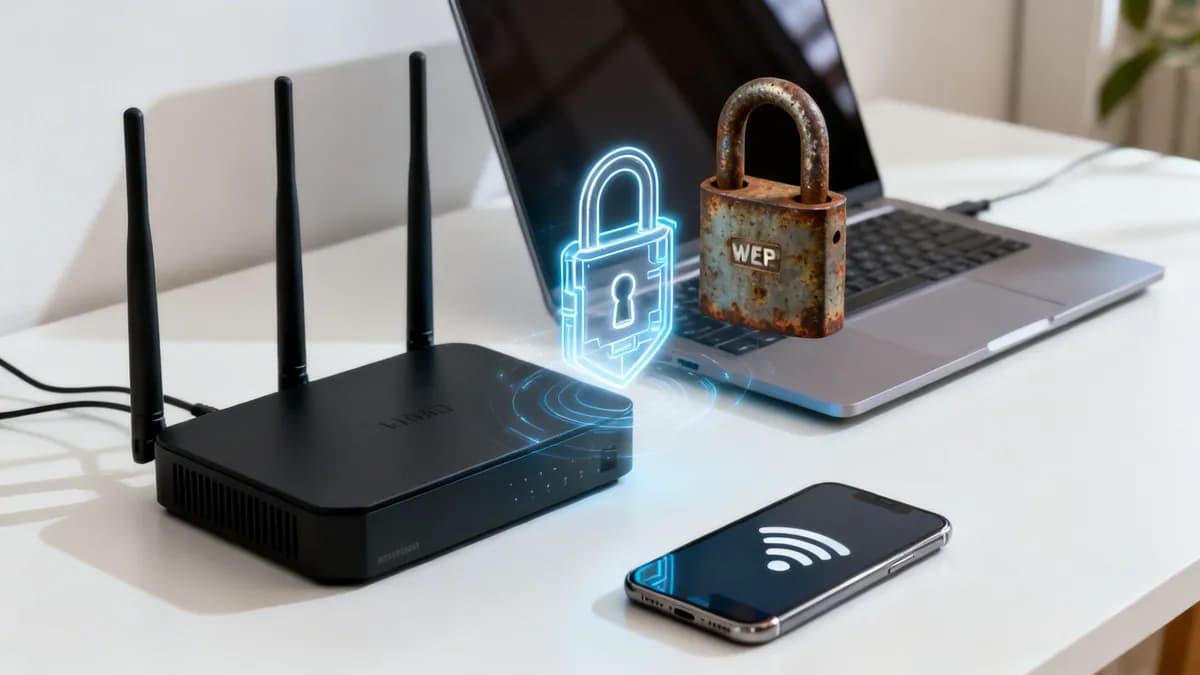
WiFi security type inspector & protocol diagnostic
Step-by-step instructions to detect your current WiFi security protocol across Windows, Mac, iOS, Android, and Linux, with live cryptographic threat modeling and enterprise upgrade roadmaps.
Select your operating system
Choose your device platform to view verified instructions for locating your active WiFi security profile.
Windows 11 / 10 instructions
- Select the WiFi / Network icon on the right side of the Windows taskbar.
- Click the arrow (>) next to your active WiFi connection to show available networks.
- Select Properties under your connected network name.
- Scroll down to the Properties section near the bottom of the window.
- Locate the Security type field (e.g. WPA2-Personal, WPA3-Personal, or WPA2-Enterprise).
Tip: If Security type reports WEP or WPA-Personal, your encryption is obsolete and vulnerable to instant packet recovery.
What security type does your device show?
Select your detected security protocol to view immediate cryptographic strength analysis and vulnerabilities.
WPA2-Personal (AES-CCMP / PSK)
The consumer standard for two decades. AES-128 payload encryption still holds, but the 4-way handshake is vulnerable to offline PMKID dictionary attacks (hashcat) without client interaction, and susceptible to KRACK key reinstallation if unpatched.
Ready to upgrade venue network encryption and guest segmentation?
Explore our comprehensive Enterprise WiFi Security Guide to learn how cloud RADIUS, WPA3-Enterprise, and Purple captive portals safeguard multi-site operations.
Your WiFi security type is the cryptographic protocol that encrypts wireless network traffic between your device and the router. Knowing your security type tells you whether your data is shielded by modern enterprise encryption or exposed to eavesdropping. This guide is part of our core series on enterprise WiFi security.
Quick summary: WiFi security protocols compared
- WEP (Wired Equivalent Privacy): Obsolete (1997). Easily broken in minutes; never use WEP on any network.
- WPA / TKIP: Obsolete (2003). Vulnerable to packet injection; upgrade immediately.
- WPA2-Personal (WPA2-PSK): Legacy standard (2004). Uses 128-bit AES encryption with a single shared password. Vulnerable to offline dictionary attacks and KRACK exploits. Acceptable minimum for home networks only.
- WPA3-Personal (WPA3-SAE): Modern consumer standard (2018). Uses Simultaneous Authentication of Equals to prevent brute-force guessing and provides individualized data encryption.
- WPA2 / WPA3-Enterprise (802.1X): Gold standard for businesses, venues, and campuses. Replaces shared passwords with per-user credentials or 802.1X digital certificates validated through RADIUS.
Why your WiFi security type matters
Your WiFi security protocol protects online activity against interception, password theft, and network hijacking. Without strong encryption, wireless data transmits openly across radio frequencies, enabling unauthorized actors to monitor sensitive traffic.
Older protocols like WEP contain architectural flaws that allow key extraction in minutes using free software. Modern protocols like WPA3-Enterprise defend against dictionary attacks, rogue access points, and credential harvesting across business networks.
For more foundational information on wireless standards, read about what WiFi is and how it works.
WiFi security protocols at a glance
Each generation of WiFi security was developed to patch vulnerabilities discovered in previous standards. Understanding these differences helps network administrators select the appropriate authentication architecture for their environment.
| Protocol | Encryption Standard | Year Introduced | Recommended Environment |
|---|---|---|---|
| WEP | RC4 (Static Key) | 1997 | Obsolete - do not use |
| WPA | TKIP | 2003 | Obsolete - upgrade hardware |
| WPA2-Personal | AES-CCMP (Shared PSK) | 2004 | Home networks minimum |
| WPA3-Personal | AES-CCMP / SAE | 2018 | Modern home & small offices |
| WPA2/WPA3-Enterprise | 802.1X EAP / 192-bit CNSA | 2018 | Enterprise, retail, healthcare & public venues |
Any network relying on pre-shared keys (PSK) leaves corporate data vulnerable to password sharing and credential theft. For modern business environments, WPA3-Enterprise or 802.1X certificate-based access is the required standard.
The story of WiFi security from WEP to WPA3
Wireless security evolution reflects an ongoing effort to protect data as attack methods became more sophisticated. Each major protocol revision addressed specific cryptographic vulnerabilities in preceding standards.
WEP: the original but flawed protector
WEP (Wired Equivalent Privacy) was introduced in 1997 to bring wired-level privacy to wireless LANs. However, WEP relied on short 24-bit initialization vectors paired with static RC4 encryption keys, allowing attackers to reconstruct encryption keys from captured network packets in under two minutes.
WPA: the necessary interim solution
In 2003, the WiFi Alliance launched WPA (WiFi Protected Access) as a temporary replacement for WEP while 802.11i was finalized. WPA introduced TKIP (Temporal Key Integrity Protocol), which dynamically changed keys per packet, but remained limited by underlying hardware constraints.
WPA2: the long-standing standard
Ratified in 2004, WPA2 introduced mandatory AES (Advanced Encryption Standard) encryption with CCMP. WPA2 served as the global baseline for over a decade. However, WPA2-Personal relies on a single shared passphrase, making it vulnerable to offline dictionary attacks and Key Reinstallation Attacks (KRACK).
WPA3: the modern defense
Introduced in 2018, WPA3 addresses WPA2 vulnerabilities by mandating Protected Management Frames (PMF) and replacing pre-shared keys with Simultaneous Authentication of Equals (SAE). In enterprise deployments, WPA3-Enterprise provides 192-bit cryptographic suites to protect high-security infrastructure.
How to check your current WiFi security settings
Verifying your active security type requires only a few steps on any major operating system.
Finding your security type on desktop platforms
On a Windows PC:
- Click the WiFi icon in your system tray.
- Select Properties beneath your connected network name.
- Scroll to the Properties section and locate Security type (e.g., WPA2-Personal or WPA3-Enterprise).
On a Mac:
- Press and hold the Option (⌥) key.
- Click the WiFi icon in the top menu bar.
- Locate the Security entry to view your active protocol.
Security audits frequently uncover vulnerabilities. Research indicates 69% of broadband users never update default router passwords, while phishing over unsecured networks accounts for 93% of unauthorized access incidents against commercial environments. Review additional network threat statistics from Heimdal Security.
Checking on mobile devices
On iPhone or iPad (iOS):
- Open Settings and tap WiFi.
- Tap the blue info (i) button next to your active network.
- If your network uses obsolete WEP or WPA/WPA2 TKIP, iOS displays a "Weak Security" notice under the SSID.
On Android:
- Open Settings and tap Network & internet.
- Tap WiFi, then select the gear icon next to your network.
- Inspect the Security field to identify your protocol (e.g., WPA2-PSK or 802.1x EAP).
Upgrading enterprise networks from WPA2 to WPA3?
Eliminate shared passwords and secure your network with 802.1X certificate-based authentication integrated directly with Microsoft Entra ID, Okta, or Google Workspace.
Why weak WiFi security is a major business risk
For commercial venues and enterprise IT teams, wireless infrastructure represents a primary attack surface. Relying on consumer PSK passwords exposes corporate assets to data leaks, compliance failure under PCI-DSS v4.0, and reputational damage. Learn how our WiFi solutions for IT and network teams protect enterprise environments.
Unsecured guest connections or shared staff passphrases allow unauthorized users to intercept unencrypted traffic or move laterally into internal server segments.
The financial impact of network breaches
- Data exfiltration: Attackers intercept payment data and customer credentials over unencrypted channels.
- Brand reputation loss: Publicized breaches undermine customer trust across physical and digital storefronts.
- Regulatory non-compliance: Failure to isolate guest traffic or enforce per-user access control violates GDPR, HIPAA, and ISO 27001 mandates.
Secure your business WiFi with hardware-agnostic enterprise protection
Purple turns existing wireless access points into secure, compliant enterprise networks. Over 80,000 live venues trust Purple for RADIUS authentication, guest network isolation, and ISO 27001 compliance across Cisco Meraki, HPE Aruba, Ruckus, and UniFi systems.
Frequently asked questions
How do I know if my WiFi is WEP, WPA2, or WPA3?
You can check your WiFi security type directly in your device network settings. On Windows, click your connected network in the system tray, select Properties, and check the Security type field. On a Mac, hold the Option key while clicking the WiFi icon in the menu bar. On Android, open Settings, select Network & internet, tap WiFi, and view the Security section under network details. On iOS, networks using obsolete WEP or WPA display a Weak Security warning under Settings > WiFi, whereas secure WPA2 and WPA3 networks display no warning.
Is WPA2 still secure enough for business and home networks?
WPA2 with AES encryption is the minimum acceptable security level for home WiFi networks. However, WPA2 is susceptible to offline dictionary attacks and KRACK key-reinstallation exploits. For business, healthcare, and enterprise venues, WPA3-Enterprise with 802.1X certificate-based authentication is strongly recommended to eliminate shared passwords and protect against credential theft and unauthorized access.
What is the difference between WPA3-Personal and WPA3-Enterprise?
WPA3-Personal uses Simultaneous Authentication of Equals (SAE) to protect password-based logins against offline brute-force attacks on a single shared key. WPA3-Enterprise builds on 802.1X architecture with 192-bit cryptographic suites, requiring unique user credentials or digital certificates authenticated through a RADIUS server integrated with Microsoft Entra ID, Okta, or Google Workspace.
How do enterprise networks upgrade from legacy WPA2 to WPA3?
Enterprise networks upgrade by configuring access points for WPA3-Enterprise transition mode, maintaining backwards compatibility for older devices while enforcing 802.1X authentication for modern hardware. Network administrators replace shared pre-shared keys (PSK) with identity-based pre-shared keys (iPSK) or 802.1X digital certificates, isolating user traffic across existing hardware without requiring costly infrastructure replacements.



