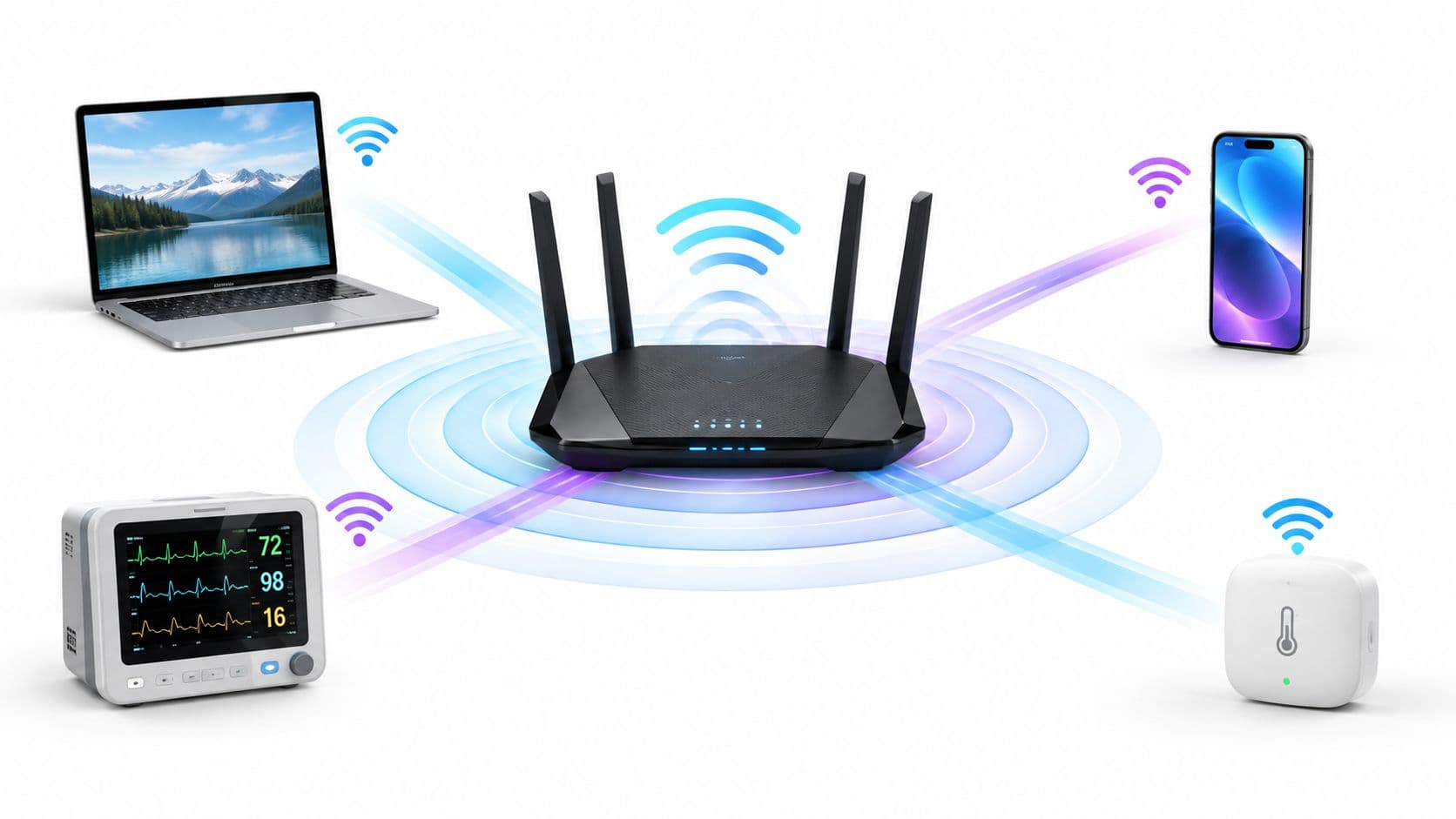
Approximately 14.1% to 17.29% of UK Wi-Fi connections still use Wi-Fi 4, or IEEE 802.11n, according to UK-facing analyses from 2025 and 2026. That makes Wi-Fi 4 a current enterprise integration concern, not obsolete hardware you can safely ignore.
Wi-Fi 4 was introduced in 2009, but its installed base remains active across hotels, hospitals, retail sites, transport networks, offices, residential buildings, and specialist equipment. The engineering challenge isn't whether newer access points can advertise Wi-Fi 6. It's whether your network can accommodate slower legacy clients without allowing them to dictate security, airtime usage, roaming behaviour, or the guest experience.
Why Wi-Fi 4 Still Matters in Modern Networks
The headline figures vary by analysis, but the operational conclusion is consistent. A 2026 UK industry analysis placed Wi-Fi 4 at 14.1% of Wi-Fi connections, alongside 38.7% for Wi-Fi 5, while another UK-focused source reported 17.29% for Wi-Fi 4 connections. Those findings show that 802.11n remains a meaningful part of the connection mix, rather than a vanishing remnant. (UK Wi-Fi adoption analysis)
That persistence has several causes. Guest networks inherit whatever devices visitors bring through the door. Healthcare organisations may operate equipment whose replacement cycle is governed by safety validation, procurement, and clinical workflows rather than the wireless roadmap. Retailers often have scanners, tills, tablets, displays, and sensors with very different capabilities. In residential and build-to-rent environments, a landlord controls the access network but not every tenant device.
Practical rule: Design for the clients you actually need to support, not only the clients shown on the latest access point datasheet.
The 2025 UK analysis reported 17.29% of connections on Wi-Fi 4, 51.35% on Wi-Fi 5, and 31.02% on Wi-Fi 6. For enterprise WLAN planning, that mix means a network designed as though every station supports newer features can misjudge airtime demand and compatibility requirements. (UK Wi-Fi 4, 5, and 6 connection analysis)
The right response isn't to preserve every old design decision indefinitely. It's to separate compatibility from capacity. Maintain a controlled path for unavoidable Wi-Fi 4 devices, keep them away from critical modern traffic where appropriate, and measure their effect on the radio environment. Network teams evaluating authentication, segmentation, and client lifecycle requirements can use Purple's guidance for Wi-Fi and network teams as part of that wider assessment.
Understanding Wi-Fi 4 Technical Fundamentals
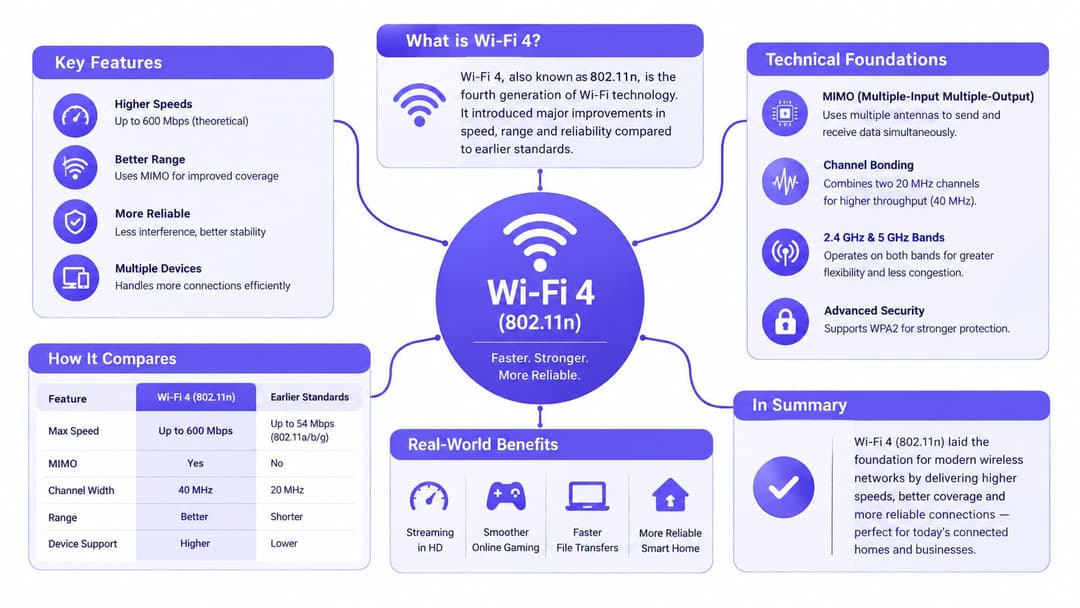
Wi-Fi 4 is the Wi-Fi Alliance name for IEEE 802.11n. Introduced in 2009 and given the Wi-Fi 4 label in 2018, it combined several radio techniques that moved wireless networking well beyond the 802.11g generation. That history still matters in mixed deployments, where legacy clients must coexist with newer platforms and access points. (Wi-Fi history and standard overview)
MIMO adds simultaneous radio paths
MIMO, or Multiple Input Multiple Output, uses multiple antennas to transmit and receive spatial streams. A single-stream connection has one path for traffic, while a MIMO connection can carry several streams at the same time, provided the client and access point support the required antenna configuration and radio conditions are suitable.
MIMO can raise throughput and improve resilience, but the advertised capability is a theoretical ceiling. A client with fewer antennas cannot use every available spatial stream. Reflections, distance, noise, and device orientation also affect performance. In production, treat MIMO as a capacity feature, not a guarantee that each Wi-Fi 4 device will achieve the same rate.
Channel bonding widens the path
Wi-Fi 4 can combine two 20 MHz channels into a 40 MHz channel. The wider channel can carry more data, but it occupies more spectrum and increases the chance of conflict with nearby cells.
That trade-off is particularly significant on 2.4 GHz. UK guidance describes Wi-Fi 4 devices as typically reaching a 300 Mbps PHY rate on 2.4 GHz with 20/40 MHz channels. It also notes that 802.11n is limited to 40 MHz, whereas newer Wi-Fi generations can use 80 MHz channels. (UK Wi-Fi user guide)
Dual-band operation changes network design
Wi-Fi 4 helped make dual-band operation common in homes and businesses. 2.4 GHz generally travels farther and passes through walls more effectively, while 5 GHz usually provides higher speed over a shorter range. These differences affect coverage planning, client steering, and the placement of legacy equipment. (UK Wi-Fi history and band guidance)
Frame aggregation improves efficiency by bundling multiple data frames into a larger transmission, reducing the overhead of sending each frame separately. Combined with MIMO, channel bonding, and dual-band operation, it raised theoretical throughput to as much as 600 Mbit/s, a substantial change from 802.11g's 54 Mbps-class rates. (Wi-Fi standard history)
Real-World Performance Characteristics
A 300 Mbps PHY rate is a link-layer headline, not a throughput guarantee. In production, protocol overhead, retransmissions, signal quality, client capability, encryption processing, and contention determine how much application traffic reaches the user. The practical question is how much airtime a Wi-Fi 4 client consumes to deliver that traffic, particularly in mixed deployments where legacy stations share cells with newer devices.
Channel width is a capacity decision
On 2.4 GHz, 40 MHz operation can look attractive in a bench test. In a hotel, residential block, or office floor, the wider channel occupies more of an already crowded band and increases exposure to adjacent-channel interference. Nearby access points also create co-channel contention, so stations must wait before transmitting.
A conservative baseline works better in dense environments:
- Use 20 MHz on 2.4 GHz: Each cell occupies less spectrum, improving coexistence and channel reuse.
- Treat 40 MHz as conditional: It can suit a quiet site, but enabling it across a dense enterprise estate reduces planning flexibility.
- Use 5 GHz deliberately: Wi-Fi 4 supports 5 GHz, although its 40 MHz maximum is narrower than the 80 MHz channels introduced by later generations.
Wider channels therefore involve a direct capacity trade-off. They can raise the data rate for a capable client, while reducing channel reuse and increasing the area in which access points contend. In a multi-AP design, reusable channels often provide more aggregate capacity than making every channel as wide as possible.
Slow clients consume airtime
A Wi-Fi 4 station using a lower modulation and coding rate takes longer to transmit the same payload. Because the medium is shared, that station can occupy a disproportionate amount of airtime. It does not necessarily reduce every other device's link rate directly, but it leaves fewer transmission opportunities for faster clients.
The effect varies by site:
- A hotel room: Older guest devices may associate successfully on 2.4 GHz, yet interference and retries make streaming inconsistent.
- A hospital ward: Legacy monitors may send little data while remaining associated for long periods. Airtime use and roaming behaviour matter more than headline bandwidth.
- A retail floor: Point-of-sale tablets can appear healthy at the edge of coverage while repeatedly retrying transactions as staff move between cells.
Client identity also affects testing. MAC randomisation changes how a device presents itself during discovery and connection. Administrators investigating guest onboarding should include a controlled test with Purple's MAC randomisation simulator. That check helps separate authentication or policy problems from behaviour caused by a changing client address, which is particularly relevant when integrating Wi-Fi 4 devices with modern platforms such as Purple.
Security Protocols and Legacy Device Protection
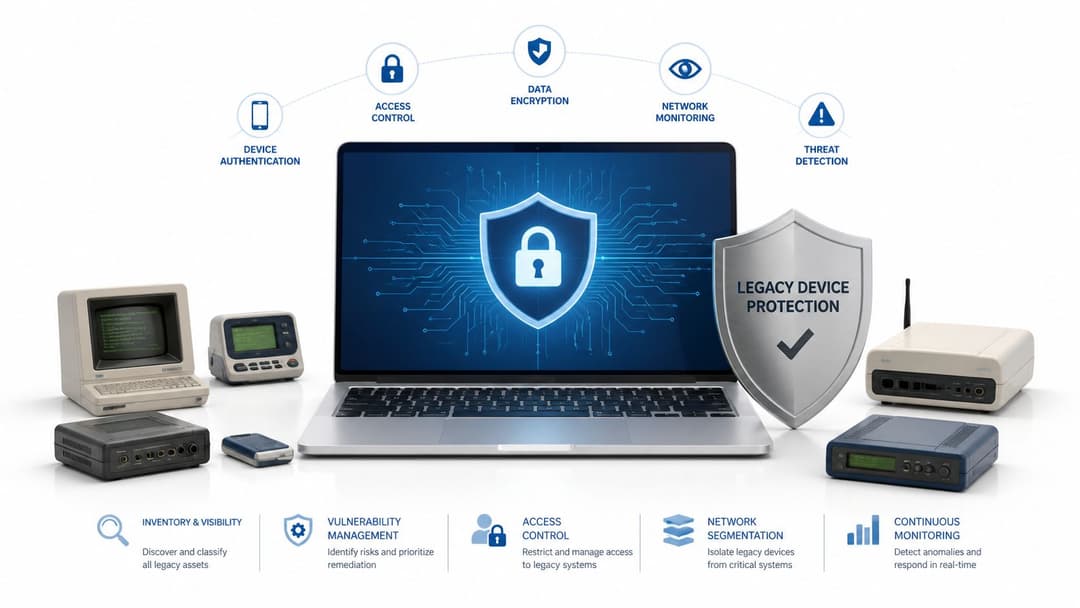
Wi-Fi 4 compatibility doesn't require accepting weak security. The most important distinction is between WPA with TKIP and WPA2 with AES.
TKIP was introduced to help older hardware move away from WEP, but it is now deprecated and should not be the foundation of a production WLAN. WPA2-AES remains the practical minimum for legacy-capable enterprise networks, provided the client hardware supports it and the deployment uses appropriate segmentation and credential controls.
Shared passphrases create avoidable exposure
Many older Wi-Fi 4 devices support WPA2-Personal but not modern enterprise onboarding methods. That can push teams towards a shared passphrase. The arrangement is simple, but it creates a management problem: once the password is known, administrators can't easily distinguish an authorised device from an unauthorised one using the same credential.
Changing the shared password disrupts every connected device. Leaving it unchanged extends the life of credentials that may have been copied, written down, or embedded in unmanaged equipment. Creating a separate SSID can reduce the blast radius, but excessive SSIDs add management traffic and make the radio design harder to control.
An identity-based pre-shared key, or iPSK, provides a more controlled middle ground. Each approved device or user can receive a distinct key while the WLAN continues to use WPA2 encryption. Revoking one key doesn't require replacing the credentials used by every other device. Purple provides iPSK as part of its legacy-device approach, so teams can evaluate it alongside their existing access-control and segmentation architecture.
Roaming needs separate testing
Wi-Fi 4 clients generally won't support the fast roaming features available in newer client generations, including 802.11r Fast BSS Transition. A device moving between access points may therefore experience a visible interruption while it reassociates and completes its security exchange.
That interruption may be tolerable for a visitor browsing the web. It can be unacceptable for a mobile clinical device, voice application, handheld scanner, or workflow that depends on continuous connectivity. Test the actual client model, not just the access point. Vendor documentation may describe roaming support at the infrastructure level while the installed device still lacks the necessary client capability.
For a mixed-mode WLAN, keep the policy straightforward:
- Reject TKIP wherever the legacy device population allows it.
- Use WPA2-AES for Wi-Fi 4 compatibility.
- Isolate devices that can't meet the main network's security policy.
- Assign unique credentials where shared passwords create unacceptable risk.
- Validate roaming, reauthentication, and application recovery on the hardware.
Integrating Wi-Fi 4 with Purple Authentication
A Wi-Fi 4 integration should begin with a device inventory, not an SSID. Record which clients require 2.4 GHz, which support 5 GHz, which can use WPA2-AES, and which depend on a shared WPA2-Personal credential. Then classify devices by business impact. A guest phone, a barcode scanner, and a medical monitor may all use 802.11n, but they shouldn't receive the same access policy.
iPSK is useful when legacy hardware supports WPA2-Personal but can't complete certificate-based or WPA3 onboarding. The network can assign a unique pre-shared key to each approved identity or device, which provides revocation and accountability without requiring a client firmware upgrade. That avoids the common choice between a broad shared password and an isolated device with no central lifecycle control.
Choose the SSID boundary carefully
Keep Wi-Fi 4 clients on a shared SSID when they can meet the same encryption, VLAN, firewall, and acceptable-use policy as newer devices. A single SSID can simplify the user experience and reduce the temptation to create a separate network for every unusual device type.
Use a dedicated legacy SSID when the devices require different controls, need restricted destinations, or generate enough airtime demand to affect modern clients. A dedicated SSID should still have a clear purpose, a defined owner, and an exit plan. It shouldn't become a permanent dumping ground for equipment nobody has documented.
Purple's authentication platform can sit across guest, staff, and multi-tenant deployments while the underlying WLAN remains supplied by platforms such as Meraki, Aruba, Ruckus, Mist, or UniFi. For staff access that requires stronger identity controls, administrators can assess Purple's WPA-Enterprise approach separately from the WPA2-Personal path used by constrained legacy devices.
Build the guest flow around the client
A modern passwordless guest journey doesn't mean every client supports every modern radio or roaming feature. The access point and authentication platform still need to present a compatible WPA2 path for Wi-Fi 4 devices. Visitors should authenticate through the intended guest workflow, while the network applies the correct policy from the first successful association.
Roaming deserves realistic expectations. A Wi-Fi 4 client won't gain 802.11r support because a newer controller manages the access points. Reduce friction through session persistence and sensible credential handling, but test movement through the venue with the device models guests use. If a device repeatedly drops and restarts its captive-portal process, the problem may be client roaming behaviour rather than the authentication page.
Operational test: Walk the same route with a current handset, a known Wi-Fi 4 handset, and the oldest supported specialist device. Compare association time, DHCP recovery, authentication prompts, application recovery, and the access point transition.
For hospitality, residential, and transport environments, avoid placing unrestricted legacy devices beside staff or operational systems. Apply role-based VLANs and firewall rules, rate-limit where justified, monitor retries and airtime use, and set a review date for every exception. Integration works when legacy compatibility becomes a governed service, not an invisible concession.
When to Maintain Wi-Fi 4 Support Versus Upgrading
The decision should follow risk and dependency, not the age of the standard alone. A hospitality venue normally benefits from retaining Wi-Fi 4 compatibility because it doesn't control the capabilities of every guest device. A healthcare provider may need a parallel migration path because removing support before validating medical equipment can create a greater operational risk than accepting temporary legacy capacity constraints.
Transport deserves particular attention. In Q2 2025, over half of UK rail Wi-Fi connections were still on Wi-Fi 4, and 38% were on 2.4 GHz. The analysis links that pattern to legacy onboard equipment, dense-metal carriage environments, and backhaul constraints, rather than old passenger devices. (UK rail Wi-Fi analysis)
Use a practical decision matrix
| Question | Maintain controlled support | Prioritise an upgrade |
|---|---|---|
| Device dependency | Critical equipment still requires 802.11n | Devices have a supported replacement path |
| Security | WPA2-AES and segmentation remain possible | Devices require deprecated protection |
| Airtime effect | Legacy clients are contained and monitored | Slow stations materially affect service |
| User population | Guests or tenants bring unpredictable hardware | The organisation controls all endpoints |
| Migration economics | Replacement would disrupt clinical, transport, or resident operations | Upgrade costs are lower than ongoing exception management |
Residential and build-to-rent operators often need a middle path. Replacing every tenant device isn't realistic, but separating resident, staff, and building-system traffic is achievable. In healthcare, run validated parallel networks during transition and retire Wi-Fi 4 only after equipment owners sign off. In hospitality, retain compatibility on the guest service while protecting staff and payment systems through stronger identity and segmentation controls.
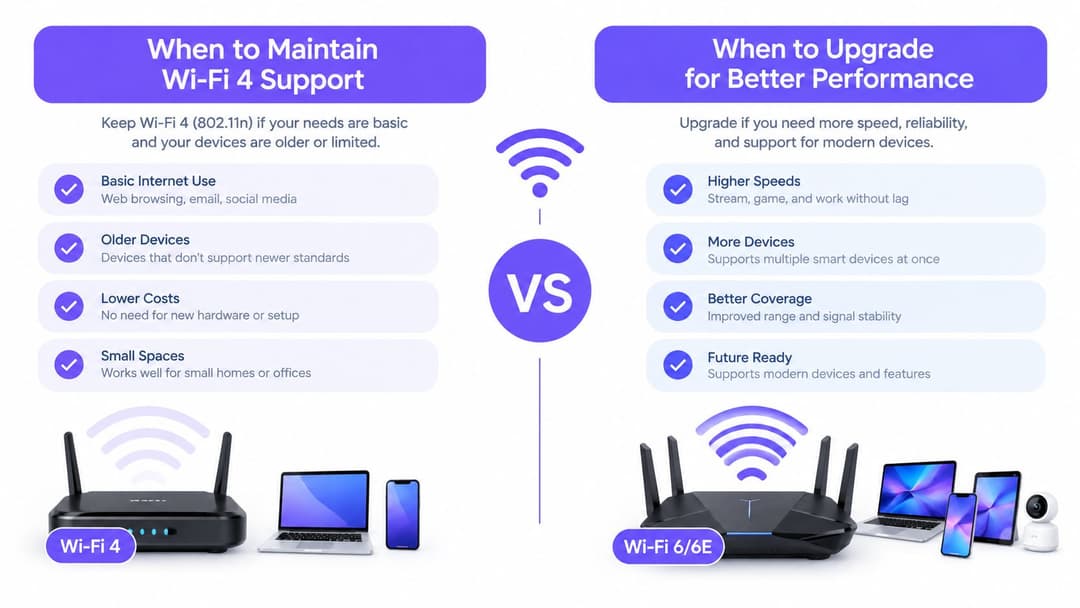
Move gradually: inventory clients, isolate exceptions, measure airtime and failure rates, set procurement requirements for replacement hardware, and remove compatibility only when the business owner accepts the impact. Complete deprecation becomes sensible when legacy devices fail security requirements, consume disproportionate airtime, or prevent the network from meeting a critical service objective.
Purple helps network teams manage guest, staff, and multi-tenant Wi-Fi with identity-based access, passwordless authentication, and iPSK support for legacy devices. Visit Purple to see how its platform can integrate with your existing WLAN while giving Wi-Fi 4 clients a controlled path alongside newer devices.