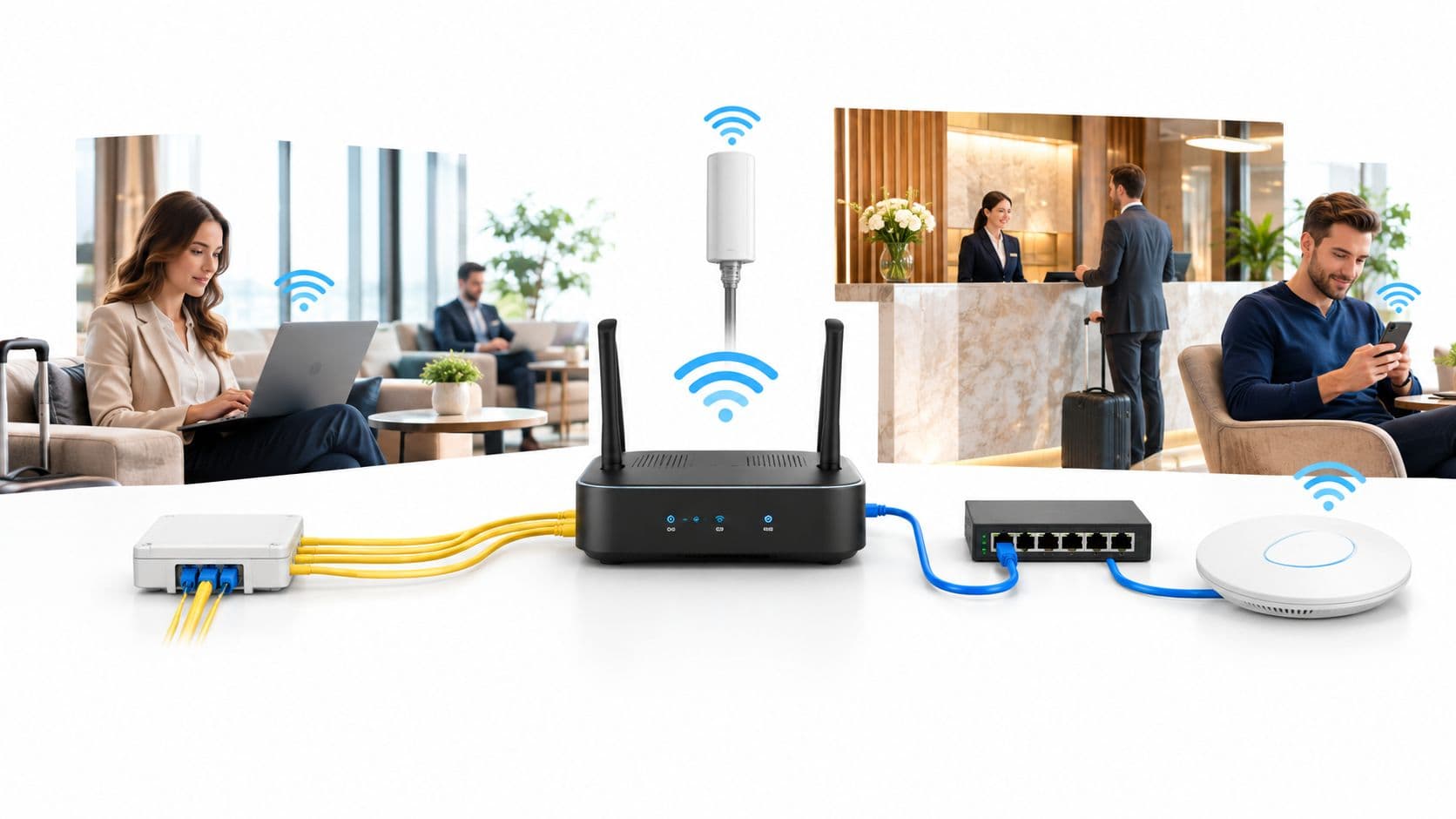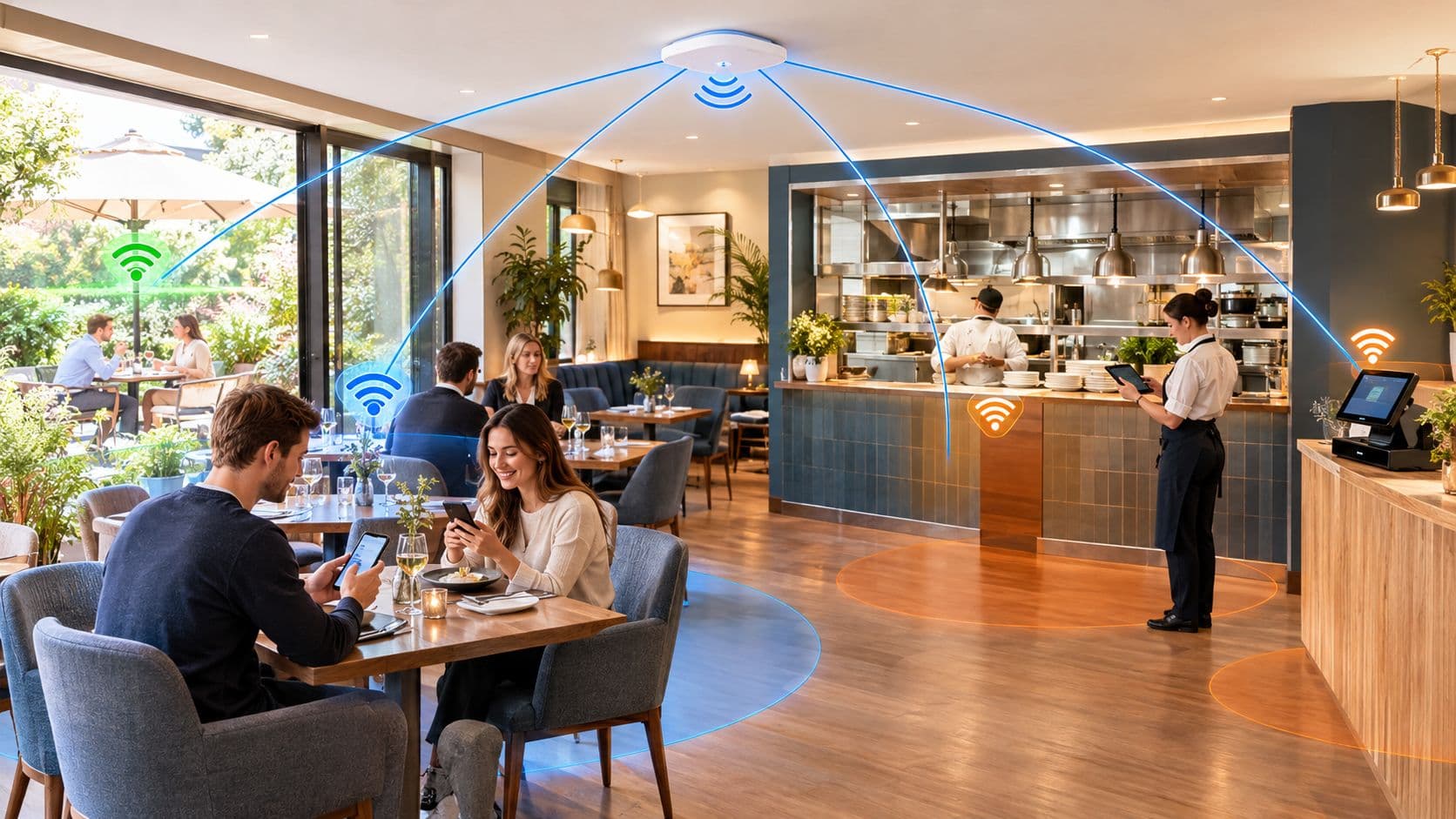
“Buy faster broadband and put the wifi password on the menu” is poor advice for a restaurant. It ignores what happens during a packed service, who can reach your payment equipment and how much time staff spend rescuing failed connections. Good restaurant wifi needs capacity, isolation and a workable service fallback, not just a reassuring speed-test result.
Why Wifi in Restaurants Now Shapes the Dining Experience
Guest wifi isn't a free extra that diners only notice when they ask for the password. Customers use their phones while eating, and a failed connection can become another problem your team has to solve alongside missing cutlery or a delayed order.
In an August 2019 OnePoll survey of more than 2,000 UK adults, 26% browsed the internet at the dinner table, 24% had been unable to connect to restaurant wifi and 11% said poor connectivity had ruined their visit, although only 11% actively looked for wifi when choosing where to eat. These are historical findings, not a current adoption forecast, but the distinction matters: customers don't have to choose your venue for its connectivity to notice when it fails.
Treat connectivity as part of service
My recommendation is to put wifi in the same planning conversation as seating, kitchen layout and payments. If you expect customers to open digital menus, join a loyalty scheme or place orders on their phones, you're making connectivity part of the service you provide.
- Protect the meal: Make getting online straightforward without turning the table into a technical support desk.
- Protect operations: Keep guest activity away from payment systems and essential restaurant applications.
- Protect choice: Let customers order and pay with staff assistance when their phone won't cooperate.
Don't judge wifi in restaurants by whether the router is switched on. Judge it by whether guests and staff can complete what they came to do.
A customer shouldn't need to understand your network to enjoy your restaurant.
That means planning for busy-room capacity, awkward building materials, sensible access options and ongoing checks. Marketing features come afterwards, once the underlying service works.
Sizing Capacity for Peak Dining Service
An empty dining room is the wrong place to approve a restaurant network. A fast broadband result before opening tells you little about how handhelds, tills and guest phones will behave when service is busiest.
Bandwidth, radio capacity and application responsiveness are different things. Buying a faster circuit won't correct poor access-point placement, congested channels or unreliable local connections.
Use traffic estimates as a starting point
The following figures come from a UK hospitality broadband analysis of restaurant POS and kitchen-display requirements. Treat them as planning estimates, not a substitute for your POS supplier's requirements or measurements from your venue.
Typical restaurant traffic demand and acceptance targets
| Traffic type | Typical demand | Acceptance target |
|---|---|---|
| POS traffic in a typical four-till restaurant | Roughly 10–30 Mbps | Reliable transactions during busy service |
| Broader POS-related demand | Approximately 30–80 Mbps | Capacity for the actual connected applications |
| Kitchen displays | Around 1–5 Mbps | Orders appear within 1–2 seconds |
| Guest browsing and uploads | Assess against your seating and device mix | Stable connections without disrupting operations |
Don't add these estimates together blindly. Ask the supplier what each demand figure includes, especially where POS-related services overlap.
Measure the busy service, not just the circuit
Ask your network provider to observe a representative service and keep an application-level record. Have an authorised member of staff submit identifiable test orders, record when the till accepts them and confirm when they appear at the kitchen display.
Alongside that record, collect:
- Connected clients: Break the count down by access point and service area.
- Radio conditions: Check channel utilisation, retries and available 5 GHz airtime.
- Connection failures: Record authentication problems, unexpected disconnects and roaming interruptions.
- Operational symptoms: Note delayed orders, payment retries and staff reports with matching timestamps.
Use the kitchen-display timing above as an acceptance check, alongside stable connections at full occupancy. Repeat the same exercise after changes so you can compare like with like.
Size access points around where people and devices congregate, not just the floor area. A busy dining room and a quiet corridor shouldn't receive identical capacity just because they're similar in size.
Separating Guest, Staff and POS Networks
Think of your network as a restaurant building. Guests enter through the front door, employees use a staff entrance and the till room stays locked. Giving everyone a different entrance sign achieves nothing if all the doors open onto the same unrestricted corridor.
That's why a separate network name isn't proof of isolation. The useful question is what a connected device can access.
The National Cyber Security Centre's business guidance recommends WPA2 or later, avoiding open networks, separating public wifi from corporate wifi and placing smart devices on a separate VLAN or guest network.
Give each device group a defined job
Use SSIDs, the network names people select, to present access choices. Use VLANs, logically separated network zones, and firewall policies to enforce the boundaries behind them.
- Guest zone: Permit internet access, deny internal destinations and prevent unnecessary communication between guest devices.
- Staff zone: Allow the tools employees need for their roles, rather than unrestricted access to everything onsite.
- POS zone: Restrict payment and till equipment to explicitly required services.
- Equipment zone: Keep cameras, printers and other smart devices under separate rules. Place kitchen displays according to their operational dependencies, not just because they're screens.
Keep management interfaces accessible only through an administrator network. A diner shouldn't be able to open an access-point console, camera login page or firewall administration screen.

Share infrastructure, not unrestricted access
You can plan guest and staff connectivity on common wireless infrastructure without giving them the same permissions. Ask your provider to document which network each device joins, which destinations it needs and which firewall rule permits that communication.
Don't put every operational device into a broadly trusted staff zone for convenience. A camera doesn't need the same access as a manager's laptop, and a printer doesn't need access to your customer database.
Practical rule: Require evidence of separation, not a screenshot showing different wifi names.
Before accepting the installation, have the provider confirm that a guest device cannot reach the POS subnet. Keep the result with the network documentation, then use the repeatable checks below to make sure later changes haven't weakened the boundary.
Fixing Patio and Kitchen Connectivity Dead Zones
A kitchen can look compact on a floor plan while being awkward to cover wirelessly. Stainless-steel equipment, extractor hoods, cold rooms and refrigeration cabinets are reasons to survey the working space rather than assume a nearby access point will serve the pass.
Outside, the mistake is often simpler: an indoor access point has been expected to reach the far patio tables through the building. Don't accept a connection that only works when a customer holds their phone in a particular direction.
Survey where people actually work and sit
Ask for measurements at tables, service stations and the pass, not just beneath each access point. Include the patio with doors in their usual position and the kitchen operating normally.
For broader building-planning context, Facility Management Insights' in-building wireless solutions guide is a useful companion resource. Use the wifi RF engineering guide to prepare questions about placement, channel planning and the survey evidence your installer should supply.
- Dining areas: Position access points to serve occupied seating, rather than hiding them wherever cabling happens to be convenient.
- Patios: Specify outdoor-rated equipment where required and confirm how it will connect back to the network.
- Critical fixed equipment: Prefer wired Ethernet where feasible instead of relying on marginal wireless coverage.
- Kitchen routes: Test handhelds along the paths staff take, including transitions between service areas.
A staff walk-through with a phone is useful for spotting obvious problems, but it isn't a replacement for a proper survey. Record the troublesome location, device and task so your provider can reproduce the fault.
Don't solve every weak spot by increasing transmit power. Ask the installer to explain the proposed placement and prove that both the access point and client device can maintain a usable connection.
Comparing Shared Passwords, Captive Portals and Passwordless Access
Choose an access method by watching what happens at the table and when an employee leaves. The easiest option to configure isn't necessarily the easiest option to operate.
Keep authentication separate from network isolation in your decision. A convenient login doesn't remove the need for the boundaries described above.
Compare the whole operating burden
| Approach | Friction at the table | Security decision | Data capture | Administration and cost |
|---|---|---|---|---|
| Shared password | Guests enter a common key | Decide how credentials are changed and controlled | Requires a separate workflow | Include password distribution and replacement work |
| Captive portal | Guests complete a browser-based step | Review authentication and underlying encryption separately | Can present terms and consent choices | Include portal support, design and integration |
| Passwordless access | Initial enrolment, then a simpler return journey on supported devices | Check identity, encryption and revocation | Depends on the enrolment and consent design | Include compatibility, licensing and ongoing support |
A shared password can suit a straightforward guest service, provided the network itself is properly restricted. It becomes a poor staff-access model when everyone retains the same credential and nobody owns the process for changing it.
Don't assume a departure automatically disconnects a former employee. Ask what action removes that person's access without forcing every remaining employee to reconnect.

Test enrolment and departure in the demonstration
A captive portal can present a branded welcome page, terms and marketing choices. Make the supplier demonstrate what happens when the login page doesn't open, the guest switches apps or the browser rejects the flow.
Keep the page short. A hungry diner shouldn't have to work through a marketing questionnaire to open the menu.
For passwordless access, ask about Passpoint, also known as Hotspot 2.0, and OpenRoaming support. Request a demonstration of initial email enrolment, encrypted connection and automatic reconnection on a return visit using the devices your customers carry.
For staff access, evaluate certificate-based options connected to Entra ID, Google Workspace or Okta. Ask the provider to disable a test employee account and demonstrate what happens to that device's network access.
- Hardware compatibility: Require confirmation for your specific Meraki, Aruba, Ruckus, Mist or UniFi equipment and software.
- Support ownership: Establish who handles failed enrolment, lost devices and identity-provider changes.
- Running cost: Compare licensing, installation, support and administration, not just the subscription headline.
My recommendation is simple: choose the method your team can support during service and your administrator can revoke reliably. Don't buy a promise of frictionless access without testing the awkward cases.
Turning Restaurant Wifi Data Into Marketing Insight
Don't turn a successful connection into permission to send marketing. Give guests a clear choice about loyalty enrolment and follow-up messages, and keep the purpose understandable.
The useful commercial question isn't how many devices connected. It's whether your connectivity helped customers complete orders, return to the venue or willingly join a relationship with your restaurant.
Support different dining journeys
Design for QR ordering, digital menus, loyalty enrolment, payment and staff-assisted service together. Don't treat a customer who prefers talking to a server as someone who hasn't adopted your technology properly.
If a phone has a low battery, a portal won't open or a customer can't comfortably use the digital menu, staff should have an immediate alternative. That might be a printed menu, a staff handheld or an order taken directly at the table.
Better digital service includes a clear route back to a person.
A welcome page can offer loyalty enrolment without making it the centre of the meal. Where your systems support it, consented contact details and visit information can feed a CRM so your team can send relevant follow-up rather than the same message to everyone.
Use the wifi marketing guide to scope those workflows before buying integrations. Specify what information moves, where it goes and who is responsible for keeping it accurate.
Measure outcomes you can defend
Build a small operating scorecard rather than a presentation full of connection totals.
- Completed orders: Check whether customers finish the intended ordering journey.
- Consented sign-ups: Track usable loyalty registrations, not merely submitted email fields.
- Repeat visits: Assess returning guests within the limits of your recognition method.
- Service friction: Record connection-related complaints and occasions when staff must intervene.
- Campaign outcomes: Distinguish messages sent from subsequent bookings or purchases you can reasonably connect to them.
Be careful with attribution. A returning device isn't automatically proof that a campaign caused another meal, and a device count isn't a headcount.
Set the marketing objective first, then collect the minimum information needed to support it. Your dining room isn't a data-collection exercise with food attached.
Monitoring Performance and Meeting Compliance Standards
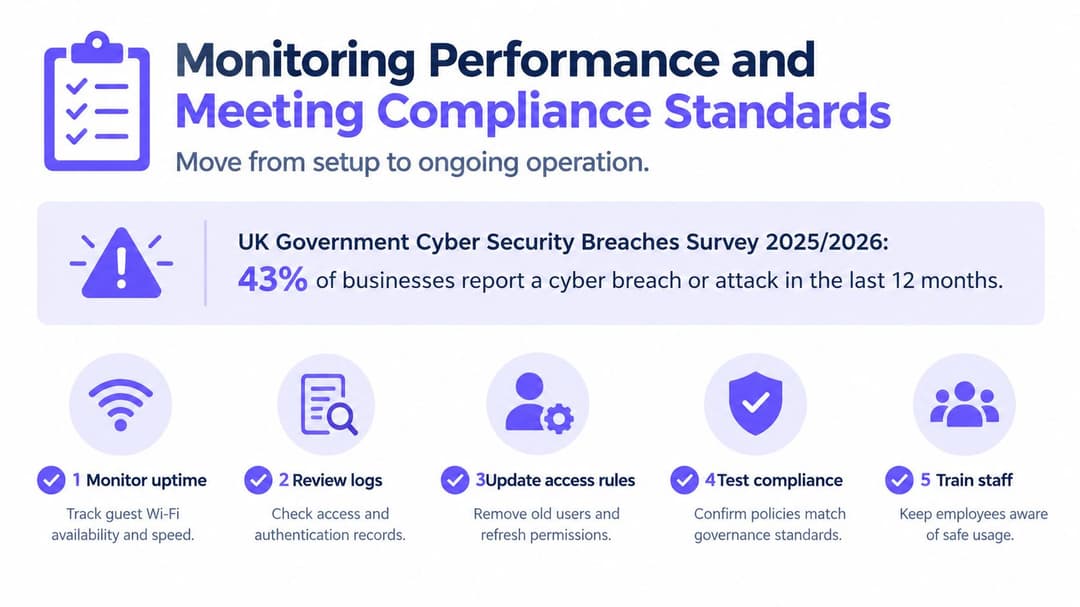
Installation is the start of network ownership, not the end. Someone needs responsibility for permissions, changes, monitoring and the evidence that restrictions still work.
A hospitality security discussion referencing the UK Government's Cyber Security Breaches Survey 2025/2026 reports that separate staff and visitor wifi among large UK businesses fell from 93% to 85% year on year. That's not a restaurant-specific prevalence measure, but it's a useful warning against assuming separation will remain intact without review.
Keep a repeatable isolation checklist
Have your authorised IT provider run these checks from an ordinary guest device. Use an agreed inventory of destinations and safe connection tests, not intrusive testing against live payment equipment.
- Confirm the test context: Record the date, device, access point and network joined.
- Check protected destinations: Attempt approved connections to POS, administration and CCTV services. Guest access should be denied.
- Check another guest: Confirm that client-isolation rules prevent unwanted communication between customer devices.
- Verify the evidence: Review firewall records so a failed connection isn't mistaken for successful protection when the destination was offline.
- Record and resolve: Save expected results, actual results, exceptions and the person responsible for remediation.
I recommend running this quarterly and after material vendor, configuration or access changes. Following a staff departure, also confirm that the person's credentials and enrolled devices no longer grant access.
Watch operations and governance together
Monitor peak client counts, radio airtime, POS-to-kitchen latency, authentication failures, rogue access-point alerts and unexpected traffic between internal devices. Give each alert an owner and an escalation route, rather than sending everything into an unread mailbox.
Use the enterprise wifi security guide to structure provider reviews. Require records of access changes, firmware maintenance and unresolved exceptions.
For personal data, build your review around confidentiality, integrity and availability. Have your privacy adviser confirm the appropriate technical and organisational measures under UK GDPR.
For payments, ask your payment provider or assessor to review the actual network scope and evidence. Segmentation supports risk management; it isn't a certificate of PCI compliance. Never accept a dashboard badge as a replacement for that assessment.
Planning Your Restaurant Wifi Rollout This Month
Don't replace everything before you understand the current installation. Start with an inventory, measure the problems and pilot the changes where staff can give useful feedback.
Move from audit to a controlled pilot
Week one is discovery. List the SSIDs, access points, connected equipment and people who hold administrator access. Establish who knows the staff password and identify which devices currently share access with tills or kitchen systems.
Week two is observation. Ask your provider to attend a real Friday or Saturday service and use the measurement method above. Walk the dining room, patio and pass with staff, recording faults against locations and tasks rather than accepting “the wifi is slow” as the diagnosis.
- Week three is design: Agree the access model, network boundaries and support responsibilities with your IT lead or managed provider. Write down the isolation checks and acceptance criteria before anyone changes the configuration.
- Week four is the pilot: Introduce the agreed design in a manageable dining area. Gather feedback from guests, servers and kitchen staff, correct the faults and extend only when the results meet your criteria.
Make handover part of the job
Require an updated equipment inventory, a network diagram, named support contacts and a documented recovery procedure. Your duty manager should know how to report a fault without being expected to administer the network.
Keep a fallback for ordering and payments that your team has practised. Schedule disruptive work outside service and agree who can authorise a rollback if the pilot fails.
Start this week by identifying the owner of every shared credential. The first fix I'd prioritise is retiring the shared staff password, with a controlled transition to individually revocable access rather than an abrupt change that disconnects the team.
Purple offers passwordless guest access and identity-based staff connectivity without requiring you to operate on-premises RADIUS servers. Visit Purple to discuss your restaurant's existing hardware, staff identity system and a pilot that proves both reliable access and separation from payment equipment.