
Hotel WiFi RFP checklist: authentication, content filtering and guest marketing
Use this checklist to write one hotel WiFi tender that scores vendors on staff authentication, content filtering and guest data capture together. You will be able to set pass or fail requirements, run six proof of concept tests at one property, and compare procurement models on contracts, hardware and data ownership before you sign.
Part of our core series: Guest WiFi Guide →
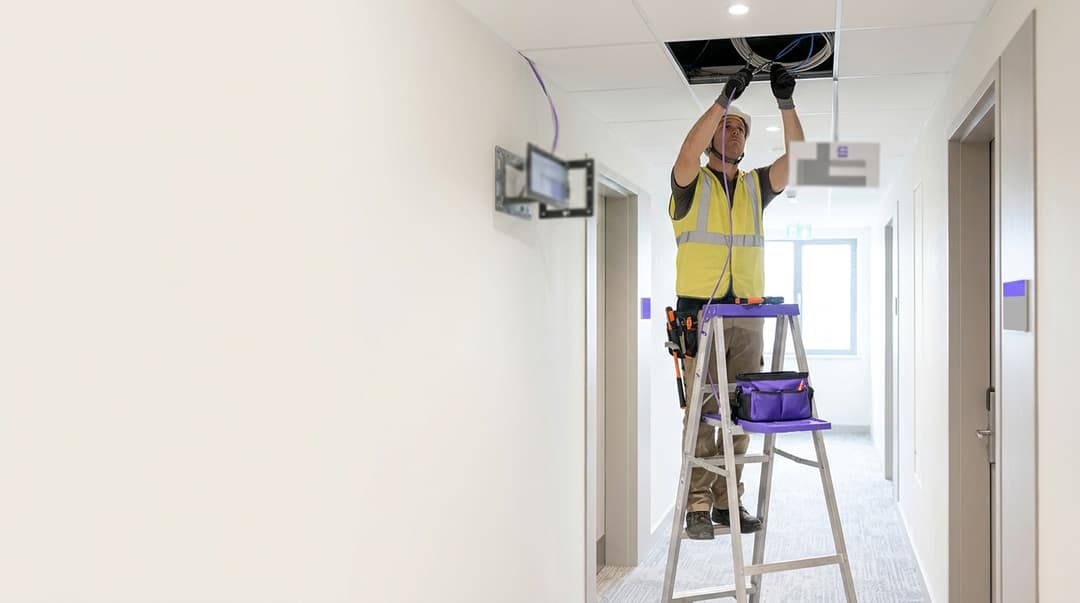
A hotel WiFi RFP checklist should test three capabilities in one tender. Staff authentication must use IEEE 802.1X or per-person keys tied to your identity provider. Content filtering must apply DNS policy per network. Guest data capture must record GDPR consent for every opt-in. One tender gives you one contract, one dashboard and one audit trail.
What does a hotel WiFi RFP checklist actually cover?
Most hotels buy WiFi in three separate pieces:
- Staff access sits with IT, often as a shared password on a hidden network.
- Guest access sits with a captive portal vendor, either chosen by marketing or bundled by the broadband provider.
- Content filtering sits with a third party, or nowhere at all.
Each piece works on its own. Together they create three contracts, three dashboards and three sets of logs that never agree. When a staff member leaves, their WiFi access often survives until the next password change. When a guest asks what data you hold, the answer may sit in a system your data protection officer (DPO) has never audited.
A single hotel WiFi RFP checklist fixes this by scoring vendors on all three domains at once:
- Staff authentication: who joins the staff network, how they prove their identity, and how fast access ends when they leave.
- Content filtering: which categories of site are blocked on which network, and how hard the filter is to bypass.
- Guest data capture and marketing: how guests connect, what you learn about them, and whether every marketing record carries lawful consent.
The checklist assumes you keep your existing access points. Purple runs as a cloud overlay on Cisco Meraki, HPE Aruba, Ruckus, Juniper Mist, Ubiquiti UniFi, Cambium, Extreme and Fortinet hardware. Your RFP can therefore focus on software and data, not a rip and replace. Why your next WiFi upgrade doesn't need new hardware sets out the hardware argument in full.
What do you need before you write the RFP?
Vendors answer the RFP you write. Vague requirements produce vague answers that all score the same. Gather six inputs before you draft a single question.
An access point and controller inventory
List each venue's access point vendor, controller or cloud dashboard, and firmware version. Note where estates differ, such as newer properties on Cisco Meraki and acquired ones on Ruckus. Ask vendors to confirm support for each combination by name.
Your identity source of truth
Name the directory that holds your staff accounts: Microsoft Entra ID, Okta or Google Workspace. Record how agency and seasonal staff appear in it. Those accounts are the ones most often left active after someone leaves.
A segmentation map
Draw your current VLANs. A VLAN (virtual local area network) separates traffic logically on shared switches and access points. You need separate guest, staff and payment networks at minimum. PCI DSS brings every system connected to the cardholder data environment into scope. Proper segmentation keeps your guest network out of your card payment audit.
A filtering policy with an owner
Decide who sets filtering rules: IT, legal or operations. Then decide which areas get which policy. A lobby used by families needs different rules from a conference hall full of exhibitors.
A data protection position
Agree with your DPO which guest data you want, why you want it, and where it goes. Under GDPR Article 4(11), consent must be freely given, specific, informed and unambiguous. In the UK, the Privacy and Electronic Communications Regulations (PECR) also govern email and SMS marketing. Name your CRM or marketing platform before vendors ask.
An RF baseline
Authentication cannot fix weak coverage. Pull channel utilisation reports from your controller, or commission a survey, before you tender. If 2.4GHz congestion is a known complaint, read The Ultimate Guide to WiFi Channels: 2.4GHz vs 5GHz Explained first.
How do you build the checklist, section by section?
Write each requirement as a question with a yes, no or evidence answer. "Supports enterprise security" scores every vendor equally. "Supports EAP-TLS against Microsoft Entra ID, with revocation on account disable" separates them.
Staff authentication requirements
Staff WiFi carries your property management system, point-of-sale terminals, housekeeping tablets and back-office laptops. A shared password on that network is a single point of failure. Require the following:
- IEEE 802.1X. This IEEE standard for port-based access control makes each device prove its identity before it gets an address. Ask which EAP methods the vendor supports. EAP-TLS uses certificates on both sides and removes passwords entirely. PEAP protects a username and password inside an encrypted TLS tunnel.
- Cloud RADIUS. RADIUS (Remote Authentication Dial-In User Service) is the protocol access points use to decide whether a device may join. A cloud-native RADIUS service removes the on-premises server you would otherwise patch and back up.
- iPSK or PPSK. Identity pre-shared keys (iPSK) and private pre-shared keys (PPSK) give each person or device its own key on one network name. Card printers, smart TVs and older handhelds cannot do 802.1X, so they need this.
- Directory sync. SCIM (System for Cross-domain Identity Management) is the open standard for creating and removing accounts across systems. Ask vendors to show joiners, movers and leavers flowing from your directory with no manual step.
- WPA3. WPA3 requires Protected Management Frames (IEEE 802.11w), which block forged disconnection attacks. Protected Management Frames: A Practical Guide for 2026 covers the client compatibility questions to ask.
Purple's Identity-Based Networks put each member of staff on the network with their own identity. When you disable an account in your directory, Purple revokes that person's WiFi access.
Guest authentication requirements
Onboarding decides whether guests connect at all. Every extra form field costs connections, and every missing field costs data. Require the following:
- A configurable captive portal. A captive portal is the web page a guest sees before getting online. Ask for branding per property, multiple languages and a choice of login methods: email, social login or SMS verification.
- Proven mobile behaviour. iOS and Android open captive portals in a restricted mini-browser. Ask for a live login on current iOS and Android builds during evaluation, not screenshots.
- Passpoint and OpenRoaming. Passpoint, also called Hotspot 2.0, is an industry certification built on IEEE 802.11u. It lets a device join a known network automatically and securely, with no captive portal. OpenRoaming is the Wireless Broadband Alliance federation built on Passpoint. It lets a guest connect with an identity they already hold.
- Session and bandwidth controls. Ask for bandwidth limits per network, session length controls and device limits per guest.
- Client isolation. Guests on the same network should not see each other's devices. Ask for isolation to be on by default.
Purple's Guest WiFi runs this layer across 80,000+ live venues in over 90 countries. It handled 440 million logins in 2024, according to Purple's own platform data.
Content filtering requirements
A hotel offers public internet access in shared spaces, often to families. DNS filtering is the common approach: the platform refuses to resolve domains in blocked categories. Require the following:
- Category-based DNS filtering with a named categorisation source. In the UK, require the Internet Watch Foundation (IWF) URL list as a minimum.
- Policy per network. Lobby and family areas get a strict policy. Conference halls and staff networks each get their own.
- Bypass resistance. DNS over HTTPS (DoH, defined in RFC 8484) sends DNS queries inside encrypted web traffic and can skip your filter. Ask how the vendor handles DoH and guests who set their own DNS servers.
- Accreditation. In the UK, ask whether your deployment can meet Friendly WiFi, the government-initiated accreditation scheme for filtered public WiFi.
- Log retention controls. Filtering logs can identify individuals, so GDPR applies. Ask how long logs are kept and who can read them.
Guest data capture and marketing requirements
Guest WiFi is the one touchpoint where a walk-in diner, a conference delegate and an agency booking all identify themselves directly to you. Require the following:
- Conscious-choice opt-ins. Marketing consent must be a separate, unticked choice. GDPR Article 7(4) states that consent is not freely given when a service depends on consent it does not need. WiFi access must never require a marketing opt-in.
- Timestamped consent records for every profile, exportable for a subject access request.
- Named CRM and marketing platform integrations, with the field mapping shown in the response.
- Visit analytics: new versus returning guests, dwell time and visit frequency by property. WiFi Analytics reports these per venue.
- Data ownership. The contract should state that guest data is your first-party data, with a full export on exit.
Platform, security and compliance requirements
- Certifications. Ask for a current ISO 27001 certificate and Cyber Essentials for UK public-sector work. Purple holds ISO 27001 and Cyber Essentials, and complies with GDPR and CCPA.
- Uptime. Write the commitment into the SLA. Purple's published platform uptime is 99.999%.
- Admin sign-in. SAML (Security Assertion Markup Language) lets your team sign in to the dashboard with their directory account. Pair it with admin roles per property.
- Wireless testing evidence. PCI DSS v4.0 requirement 11.2.1 asks you to detect authorised and unauthorised wireless access points at least every three months. Ask what the platform or your controller reports towards this.
The checklist at a glance
| Area | Must-have requirement | Evidence to request | Red-flag answer |
|---|---|---|---|
| Staff authentication | IEEE 802.1X with EAP-TLS or PEAP | Live demo against your Microsoft Entra ID, Okta or Google Workspace tenant | "Use a strong shared password" |
| Staff devices | iPSK or PPSK per device | Two devices on one network name with separate keys | "Put printers on the guest network" |
| Leaver handling | Directory sync with automatic revocation | Disable a test account and time the disconnection | "Admins delete accounts by hand" |
| Guest onboarding | Captive portal with email, social and SMS options | Login on current iOS and Android builds | Portal shown on desktop only |
| Seamless return | Passpoint and OpenRoaming | Returning device reconnects with no portal | "On the roadmap" with no date |
| Content filtering | DNS category policy per network | Blocked-category test on lobby and conference networks | One policy for every network |
| Filter bypass | DoH and custom DNS handling | Test with a browser set to DoH | No answer on DoH |
| Consent | Separate, unticked marketing opt-in | Exported consent record with timestamp | Opt-in bundled with terms of use |
| Data ownership | Guest data is your first-party data | Contract clause and export format | Vendor reuses data across clients |
| Compliance | ISO 27001, GDPR, PCI DSS segmentation | Current certificate and data processing agreement | Certificate "in progress" |
Got questions about your specific setup?
Our team works with venue operators, IT managers, and network engineers across 80,000 venues. Book a 20-minute call and we will show you how others like you solved it.
How do you test vendor answers before you sign?
Written answers always score well. A proof of concept at one property shows what actually happens. Run these six tests with each shortlisted vendor.
- Joiner test. Create a staff account in your directory. Record how long it takes before that person can join the staff network.
- Leaver test. Disable the account. Ask whether the platform sends a RADIUS Change of Authorisation (RFC 5176) to end the active session, or waits for reauthentication.
- Guest login test. Log in from current iPhone and Android handsets and a laptop. Note every failure and every extra tap.
- Filter test. Visit a blocked category on the lobby network, then on the conference network. Repeat with the browser set to DoH.
- Consent test. Opt in on one device and decline on another. Then request both records as if answering a subject access request.
- Segmentation test. From a guest device, attempt to reach a staff printer and a point-of-sale address. Both attempts should fail.
Score each test pass or fail. A vendor that cannot run them during evaluation will not run them after award.
What does this look like in a real hotel estate?
A 200-room city hotel with three WiFi contracts
Situation. The hotel ran guest access through a captive portal bundled by its broadband provider. Staff used one shared password, rotated quarterly. A separate vendor supplied DNS filtering. Guest emails reached marketing as monthly spreadsheet exports with no consent timestamp.
What was done. The hotel issued one RFP built on the checklist above. It required directory sync from Microsoft Entra ID, iPSK for printers and TVs, DNS policy per network, and timestamped consent on every record.
Outcome. Three contracts became one. Leaver access, previously live for up to 90 days until the next rotation, now ends when the account is disabled. Every marketing record carries a consent timestamp, so subject access requests come from one export.
A 40-property group on mixed hardware
Situation. A hotel group ran 28 properties on Cisco Meraki and 12 acquired properties on Ruckus. Its first shortlist assumed two platforms, one per hardware vendor.
What was done. The RFP named both hardware vendors and required one platform to support both. It also required a single filtering policy set and one guest database across the estate.
Outcome. One dashboard now covers all 40 properties. No access points were replaced. A filtering change for lobbies now applies across the estate in one change, instead of two per-vendor changes.
A council-run conference and events centre
Situation. A public-sector venue hosted school holiday events and trade exhibitions in the same halls. A single strict filter blocked sites that exhibitors needed for live demonstrations.
What was done. The venue ran two guest networks on the same access points. Public halls received a strict DNS policy, with the IWF list blocked. Exhibitors received a lighter policy behind event-day credentials. The RFP also required Cyber Essentials.
Outcome. Two policies now run on one set of access points with no new hardware. Staff switch policies per event from the dashboard, without reconfiguring controllers.
What goes wrong in hotel WiFi RFPs, and how do you fix it?
The RFP splits across three departments
IT writes the staff section, marketing writes the guest section, and nobody writes filtering. Vendors then answer three different documents. Fix: appoint one owner and weight all three sections in one scoring model.
Consent is bundled with the terms of use
A single "I agree" box covers WiFi access and marketing. That consent is unlikely to meet GDPR Article 7(4). Fix: require a separate, unticked opt-in and test it during the proof of concept.
Shared staff passwords survive the tender
Some vendors propose a shared key for staff because it is quick to set up. Fix: make 802.1X or iPSK a mandatory requirement, not a scored preference.
The filter is bypassed on day one
Browsers that default to DoH can skip DNS filtering entirely. Fix: include the DoH test in evaluation and require a written answer on enforcement.
The captive portal fails on phones
Portals designed on desktop often break in the iOS and Android captive mini-browser. Fix: test on current handsets and score failed logins as a fail.
Hardware lock-in hides in the scoring
Some responses quietly assume you will buy the vendor's own access points. Fix: name your hardware in the RFP and require support in writing. Network Best Practices for Venues and Enterprises in 2026 covers the wider design choices.
How do the procurement options compare?
| Approach | Contracts to manage | New hardware needed | Typical staff identity source | Who holds guest data | Who it suits |
|---|---|---|---|---|---|
| Hardware vendor's built-in captive portal | 1 per hardware vendor | Full replacement to change vendor | Accounts managed in the vendor dashboard | The hardware vendor's cloud | A single property on one hardware vendor with no marketing goals |
| Separate specialists for RADIUS, filtering and guest portal | 3 | None | RADIUS server synced by script or by hand | The portal vendor, under its own terms | Groups with in-house engineers to integrate and patch each system |
| Single cloud overlay such as Purple | 1 | None on Cisco Meraki, HPE Aruba, Ruckus, Juniper Mist, Ubiquiti UniFi, Cambium, Extreme or Fortinet | Microsoft Entra ID, Okta or Google Workspace | You, as first-party data | Multi-property groups that want one audit trail across staff and guests |
What does it cost, and what do you get back?
What to price
Ask every vendor to price four lines separately, so you compare like with like.
- Platform licence. Purple sells three plans: Connect, Capture and Engage. Security add-ons SecurePass, Verify and Shield sit on top. Require vendors to map each RFP requirement to a named plan or add-on, so the quote cannot drift after award.
- Hardware. On supported access points, the overlay needs no new hardware. Any vendor that requires replacement should price it in full.
- Integration. Directory, CRM and marketing platform connections. Ask who builds each one, and who maintains it.
- Internal time. Count the hours your team spends rotating passwords, removing leavers and exporting spreadsheets today.
What you get back
- Fewer contracts. One platform replaces separate staff, guest and filtering vendors, with one renewal date and one data processing agreement.
- Faster revocation. Access ends when the directory account ends, which narrows the window a former employee can use.
- First-party guest data. Every consented email address is one you can market to directly, rather than through an online travel agency.
- Visit insight. Returning-guest rates and dwell time per property help you judge where to invest.
Purple has worked with venues since 2012. Hospitality groups including Whitbread, Premier Inn and Stonegate Pubs run on Purple, and Purple is a certified B Corp. See Hotels for the hospitality detail.
The same three-domain structure works for Retail estates, Healthcare sites and Trains. For travel hubs, read Airport WiFi platform providers: what to require in the RFP.
Frequently asked questions
How is hotel WiFi software priced?
Purple prices by plan and add-on, not by hardware. The three plans are Connect, Capture and Engage, with SecurePass, Verify and Shield as security add-ons. Your quote reflects the plan, add-ons and number of properties you need. In any RFP, ask each vendor to map every requirement to a named plan or add-on. That stops features moving into a higher tier after you sign, and makes competing quotes directly comparable.
Can Purple run on the access points we already own?
Yes, Purple runs as a cloud overlay on Cisco Meraki, HPE Aruba, Ruckus, Juniper Mist, Ubiquiti UniFi, Cambium, Extreme and Fortinet hardware. You keep your access points and controllers, and Purple adds authentication, filtering and guest data capture on top. Mixed estates work too, so a group with Cisco Meraki in some hotels and Ruckus in others can run one platform. Name your hardware in the RFP and ask every vendor to confirm support in writing.
How do we move guest data from our current captive portal provider?
Move only records with provable consent. Ask your current provider for a full export that includes consent timestamps and the wording each guest agreed to. Records without a provable consent date should not enter a new marketing database. Run the new platform at one property first, check the CRM field mapping, then roll out property by property. Agree the export in writing before you give notice, while the incumbent is still under contract.
Does capturing guest data through WiFi comply with GDPR?
Yes, when consent is separate, specific and recorded. GDPR Article 7(4) means WiFi access cannot depend on a marketing opt-in, so the opt-in must be a distinct, unticked choice. Purple uses conscious-choice opt-ins, stores a timestamped consent record for every profile, and holds ISO 27001 certification. In the UK, PECR also applies to email and SMS marketing. Ask any vendor to show an exported consent record during evaluation.
Is DNS filtering enough for hotel guest WiFi?
DNS filtering meets the main requirement for public areas, provided it resists bypass. It blocks categories and lists such as the IWF URL list without inspecting encrypted traffic. Its weakness is DNS over HTTPS, which can route queries around your resolver. Require a written answer on DoH and custom DNS handling, and test it during the proof of concept. Set separate policies for lobbies, conference halls and staff networks.
Should we buy guest WiFi from our hardware vendor or a separate platform?
Choose a separate platform if you run more than one hardware vendor or want guest data you own. Built-in captive portals suit a single property on one vendor with no marketing goals. A hardware-agnostic platform keeps your options open at refresh time. It also puts staff authentication, filtering and guest consent in one audit trail. Compare both against the checklist table, scoring each requirement pass or fail.
How much effort does a hotel WiFi deployment take?
Most of the effort sits in integrations and policy decisions, not hardware. On supported access points nothing is replaced, so the work is connecting your directory, your CRM and your filtering policy. Agree filtering categories and the consent wording with your DPO before deployment starts. Run a proof of concept at one property, complete the six tests in this guide, then roll out across the estate in planned waves.
Key Definitions
IEEE 802.1X
The IEEE standard for port-based network access control. It makes each device prove its identity through an EAP method before it receives a network address.
The core staff WiFi requirement in this checklist. It replaces the shared password that protects property management, point-of-sale and back-office devices.
EAP-TLS
An Extensible Authentication Protocol method used with 802.1X in which both the client and the server present certificates, removing passwords entirely.
Write it into the RFP by name against Microsoft Entra ID, Okta or Google Workspace. A vendor that only offers a strong shared password is a red flag.
PEAP
An EAP method used with 802.1X that protects a username and password inside an encrypted TLS tunnel.
An acceptable staff authentication option where certificates are not yet deployed. Ask vendors which EAP methods they support before scoring them.
RADIUS and Change of Authorisation
RADIUS (Remote Authentication Dial-In User Service) is the protocol access points use to decide whether a device may join. Change of Authorisation, defined in RFC 5176, lets the server end an active session.
The leaver test asks whether the platform sends a Change of Authorisation on account disable or waits for reauthentication. Cloud RADIUS also removes an on-premises server to patch.
iPSK and PPSK
Identity pre-shared keys and private pre-shared keys give each person or device its own key on one network name, instead of one shared password.
Card printers, smart TVs and older handhelds cannot run 802.1X. Require two devices on one network name with separate keys as evidence.
SCIM
System for Cross-domain Identity Management, the open standard for creating and removing accounts across systems, specified in RFC 7643 and RFC 7644.
Ask vendors to show joiners, movers and leavers flowing from your directory with no manual step. Agency and seasonal staff accounts are most often left active.
WPA3 and Protected Management Frames
WPA3 requires Protected Management Frames, specified in IEEE 802.11w, which block forged disconnection attacks against clients.
Include WPA3 in the staff requirements and ask about client compatibility, especially for older devices on the estate.
Captive portal
The web page a guest sees before getting online, opened on iOS and Android in a restricted mini-browser.
Require per-property branding, multiple languages and email, social or SMS login, and test it on current handsets rather than accepting screenshots.
Passpoint and OpenRoaming
Passpoint, also called Hotspot 2.0, is an industry certification built on IEEE 802.11u that lets a device join a known network automatically with no captive portal. OpenRoaming is the Wireless Broadband Alliance federation built on Passpoint.
Require returning devices to reconnect with no portal. Treat an answer of 'on the roadmap' with no date as a red flag.
DNS over HTTPS (DoH)
A protocol defined in RFC 8484 that sends DNS queries inside encrypted web traffic, which can route queries around a DNS filter.
The main bypass risk for hotel content filtering. Require a written answer on DoH and custom DNS handling, and test with a browser set to DoH.
VLAN
A virtual local area network, which separates traffic logically on shared switches and access points.
You need separate guest, staff and payment VLANs at minimum. PCI DSS brings every system connected to the cardholder data environment into scope, so segmentation keeps guest WiFi out of your card audit.
GDPR consent
Under GDPR Article 4(11), consent must be freely given, specific, informed and unambiguous. Article 7(4) states consent is not freely given when a service depends on consent it does not need.
WiFi access must never require a marketing opt-in. Require a separate, unticked choice and a timestamped record exportable for a subject access request.
Worked Examples
A 200-room city hotel runs guest access through a captive portal bundled by its broadband provider, a shared staff password rotated quarterly, a separate DNS filtering vendor, and monthly spreadsheet exports of guest emails with no consent timestamp. How should it consolidate?
The hotel issued one RFP built on the checklist. It required directory sync from Microsoft Entra ID, iPSK for printers and TVs, DNS policy per network, and a timestamped consent record on every guest profile. Three contracts became one. Leaver access, previously live for up to 90 days until the next password rotation, now ends when the account is disabled in the directory. Every marketing record carries a consent timestamp, so the hotel answers subject access requests from a single export rather than reconciling spreadsheets from separate systems.
A 40-property hotel group runs 28 properties on Cisco Meraki and 12 acquired properties on Ruckus. Its first shortlist assumed two platforms, one per hardware vendor. How should the RFP be written?
The group named both hardware vendors in the RFP and required one platform to support both in writing. It also required a single filtering policy set and one guest database across the estate. This stopped hardware lock-in hiding in the scoring and removed the case for two platforms. The result is one dashboard covering all 40 properties, with no access points replaced. A filtering change for lobbies now applies across the estate in one change, instead of two separate per-vendor changes.
A council-run conference and events centre hosts school holiday events and trade exhibitions in the same halls. A single strict filter blocks sites that exhibitors need for live demonstrations. What should it require?
The venue ran two guest networks on the same access points. Public halls received a strict DNS policy with the IWF list blocked. Exhibitors received a lighter policy behind event-day credentials. Because it is a public-sector venue, the RFP also required Cyber Essentials. This applies the checklist requirement for policy per network rather than one policy everywhere. Two policies now run on one set of access points with no new hardware, and staff switch policies per event from the dashboard without reconfiguring controllers.
Frequently asked questions
How is hotel WiFi software priced?
Purple prices by plan and add-on, not by hardware. The three plans are Connect, Capture and Engage, with SecurePass, Verify and Shield as security add-ons. Your quote reflects the plan, add-ons and number of properties you need. In any RFP, ask each vendor to map every requirement to a named plan or add-on. That stops features moving into a higher tier after you sign, and makes competing quotes directly comparable.
Can Purple run on the access points we already own?
Yes, Purple runs as a cloud overlay on Cisco Meraki, HPE Aruba, Ruckus, Juniper Mist, Ubiquiti UniFi, Cambium, Extreme and Fortinet hardware. You keep your access points and controllers, and Purple adds authentication, filtering and guest data capture on top. Mixed estates work too, so a group with Cisco Meraki in some hotels and Ruckus in others can run one platform. Name your hardware in the RFP and ask every vendor to confirm support in writing.
How do we move guest data from our current captive portal provider?
Move only records with provable consent. Ask your current provider for a full export that includes consent timestamps and the wording each guest agreed to. Records without a provable consent date should not enter a new marketing database. Run the new platform at one property first, check the CRM field mapping, then roll out property by property. Agree the export in writing before you give notice, while the incumbent is still under contract.
Does capturing guest data through WiFi comply with GDPR?
Yes, when consent is separate, specific and recorded. GDPR Article 7(4) means WiFi access cannot depend on a marketing opt-in, so the opt-in must be a distinct, unticked choice. Purple uses conscious-choice opt-ins, stores a timestamped consent record for every profile, and holds ISO 27001 certification. In the UK, PECR also applies to email and SMS marketing. Ask any vendor to show an exported consent record during evaluation.
Is DNS filtering enough for hotel guest WiFi?
DNS filtering meets the main requirement for public areas, provided it resists bypass. It blocks categories and lists such as the IWF URL list without inspecting encrypted traffic. Its weakness is DNS over HTTPS, which can route queries around your resolver. Require a written answer on DoH and custom DNS handling, and test it during the proof of concept. Set separate policies for lobbies, conference halls and staff networks.
Should we buy guest WiFi from our hardware vendor or a separate platform?
Choose a separate platform if you run more than one hardware vendor or want guest data you own. Built-in captive portals suit a single property on one vendor with no marketing goals. A hardware-agnostic platform keeps your options open at refresh time. It also puts staff authentication, filtering and guest consent in one audit trail. Compare both against the checklist table, scoring each requirement pass or fail.
How much effort does a hotel WiFi deployment take?
Most of the effort sits in integrations and policy decisions, not hardware. On supported access points nothing is replaced, so the work is connecting your directory, your CRM and your filtering policy. Agree filtering categories and the consent wording with your DPO before deployment starts. Run a proof of concept at one property, complete the six tests in this guide, then roll out across the estate in planned waves.
Sources
- GDPR, Regulation (EU) 2016/679, Articles 4(11) and 7(4)
- Privacy and Electronic Communications (EC Directive) Regulations 2003
- RFC 8484: DNS queries over HTTPS (DoH)
- RFC 5176: Dynamic authorization extensions to RADIUS
- RFC 7643: SCIM core schema
- PCI Security Standards Council: PCI DSS v4.0
- Internet Watch Foundation
- Friendly WiFi accreditation scheme
Continue reading in this series
How to Implement Time and Bandwidth Restrictions on Guest WiFi
An authoritative technical reference guide on implementing time and bandwidth restrictions on enterprise guest WiFi networks. This guide provides actionable architectural blueprints, vendor-neutral configurations, and real-world case studies to help IT leaders balance network performance, security compliance, and visitor experience.
Family-Friendly WiFi: Best Practices for Shopping Centres
This technical reference guide provides actionable methodologies for implementing category-based URL filtering on guest WiFi networks in retail environments. It details network architecture, policy definition, and risk mitigation strategies to ensure compliance and protect brand reputation.
Secure Guest Access: Implementing NAC for Unmanaged Devices
This authoritative technical reference guide details the architecture, deployment, and compliance considerations for implementing Network Access Control (NAC) to secure unmanaged guest devices. It provides actionable guidance for IT leaders to achieve secure guest access without compromising corporate infrastructure.
Got questions about your specific setup?
Our team works with venue operators, IT managers, and network engineers across 80,000 venues. Book a 20-minute call and we will show you how others like you solved it.