

How to Utilise WiFi to Improve Customer Experience
This authoritative guide details how enterprise IT teams can utilise guest WiFi architecture to capture first-party data, drive marketing automation, and measurably improve customer experience (CX). It covers technical deployment strategies, compliance standards, and real-world ROI across retail, hospitality, and large public venues.
🎧 Listen to this Guide
View Transcript
Executive Summary
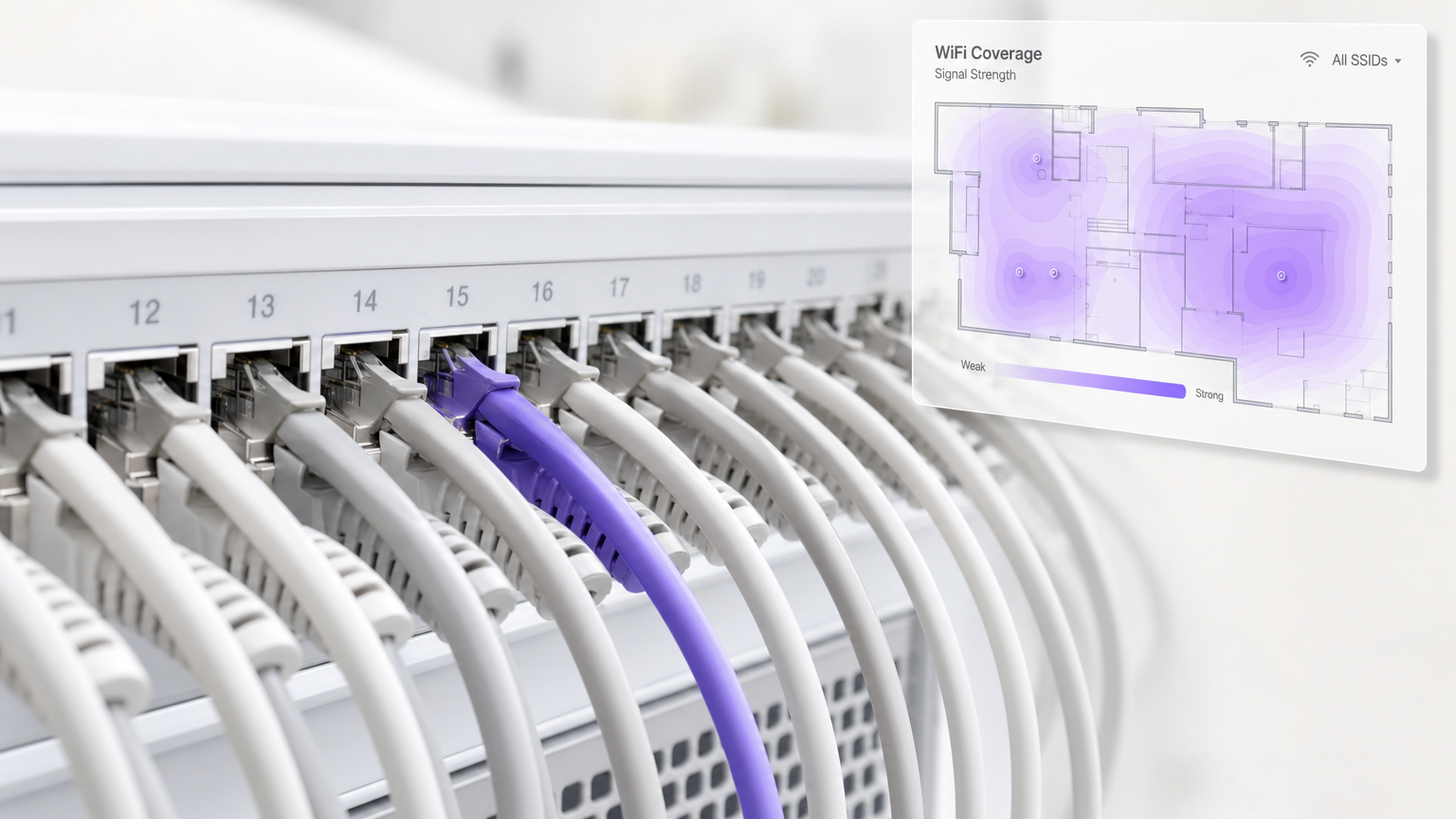
For enterprise IT leaders and venue operations directors, guest WiFi is no longer merely a cost centre or a basic utility. It has evolved into a strategic data acquisition channel that directly influences customer satisfaction (CSAT), operational efficiency, and revenue generation. When architects deploy robust wireless infrastructure integrated with an analytics layer, venues can seamlessly transition from providing basic connectivity to delivering highly personalised customer experiences. This guide explores the technical mechanisms behind utilising WiFi to improve customer experience, detailing how platforms like Purple bridge the gap between network hardware and actionable business intelligence.
By implementing secure, scalable authentication methods and capturing explicit user consent, organisations can unlock deep insights into visitor behaviour. This includes tracking dwell times, mapping physical journeys, and triggering automated, context-aware marketing campaigns. For IT teams, the challenge lies in balancing seamless access with stringent security and compliance mandates, such as GDPR and PCI DSS. This reference provides actionable guidance on deploying these solutions effectively, ensuring that network investments yield measurable business outcomes.
Technical Deep-Dive: Architecture and Data Acquisition
The foundation of a customer-centric WiFi deployment relies on a decoupled architecture where the physical access points (APs) and wireless LAN controllers (WLCs) are abstracted from the Captive Portal and analytics engine. This separation allows IT teams to standardise the user experience across heterogeneous hardware environments, which is particularly common following mergers or in franchised operations.
The Authentication Flow and Data Capture
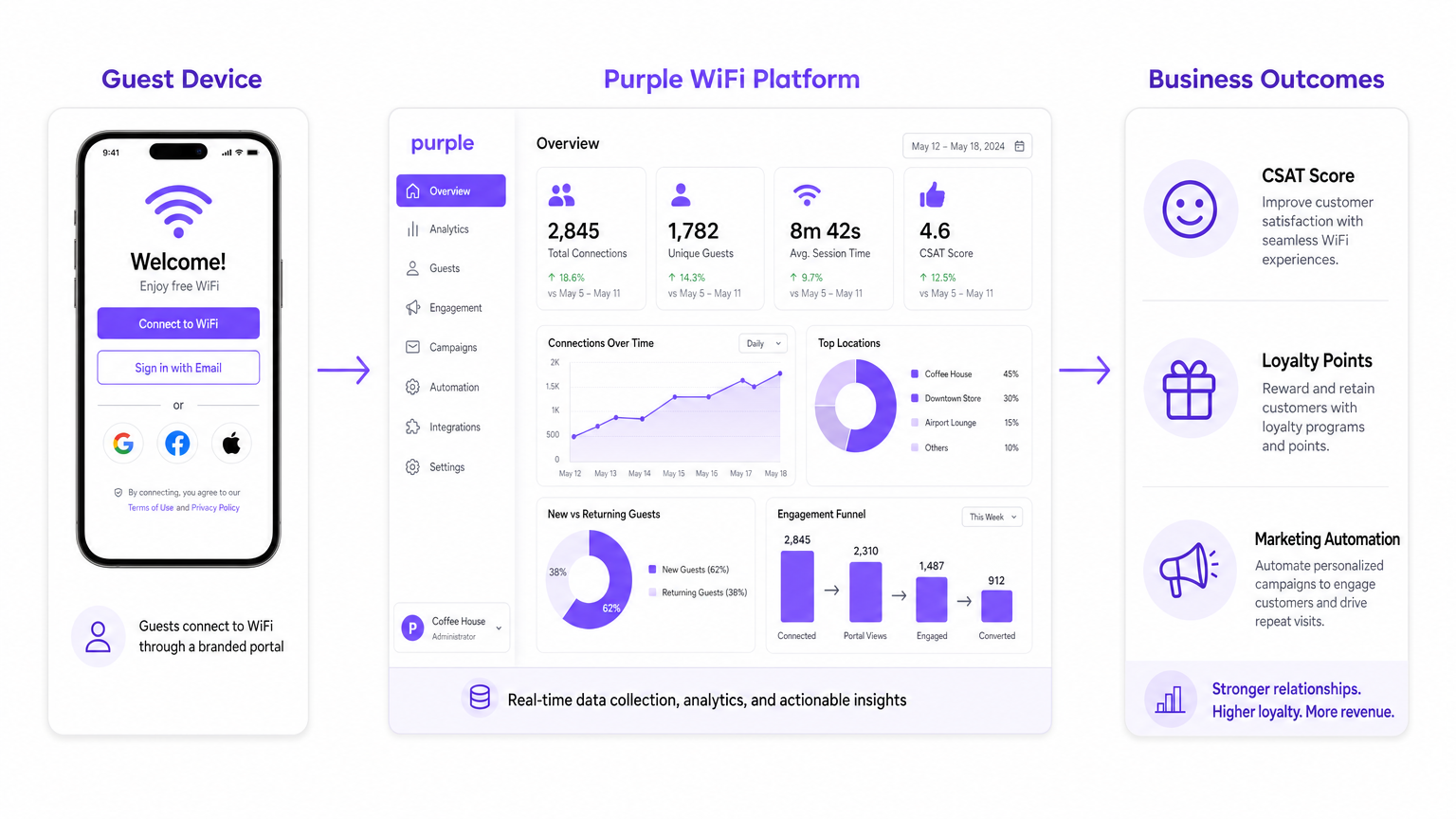
When a user associates with a guest SSID, the network infrastructure redirects their HTTP/HTTPS requests to an external Captive Portal. This redirection is typically handled via RADIUS (Remote Authentication Dial-In User Service) or modern API-based integrations with cloud-managed networking vendors. The Captive Portal serves as the primary data acquisition interface. Instead of relying on static passwords, modern deployments utilise social login (OAuth), SMS verification, or seamless onboarding protocols like OpenRoaming.
Purple operates as a free identity provider for services like OpenRoaming under the Connect license, allowing users to authenticate once and automatically connect at participating venues worldwide. This eliminates the friction of repeated logins, directly improving the customer experience while ensuring secure, encrypted connections (utilising WPA2/WPA3 Enterprise and IEEE 802.1X).
During the authentication process, the platform captures explicit consent in compliance with regional privacy frameworks. This opt-in mechanism is critical for transforming anonymous MAC addresses into rich, first-party customer profiles. The resulting dataset typically includes demographic information, contact details, and authentication timestamps, which form the basis for subsequent WiFi Analytics .
Location Analytics and Behavioural Mapping
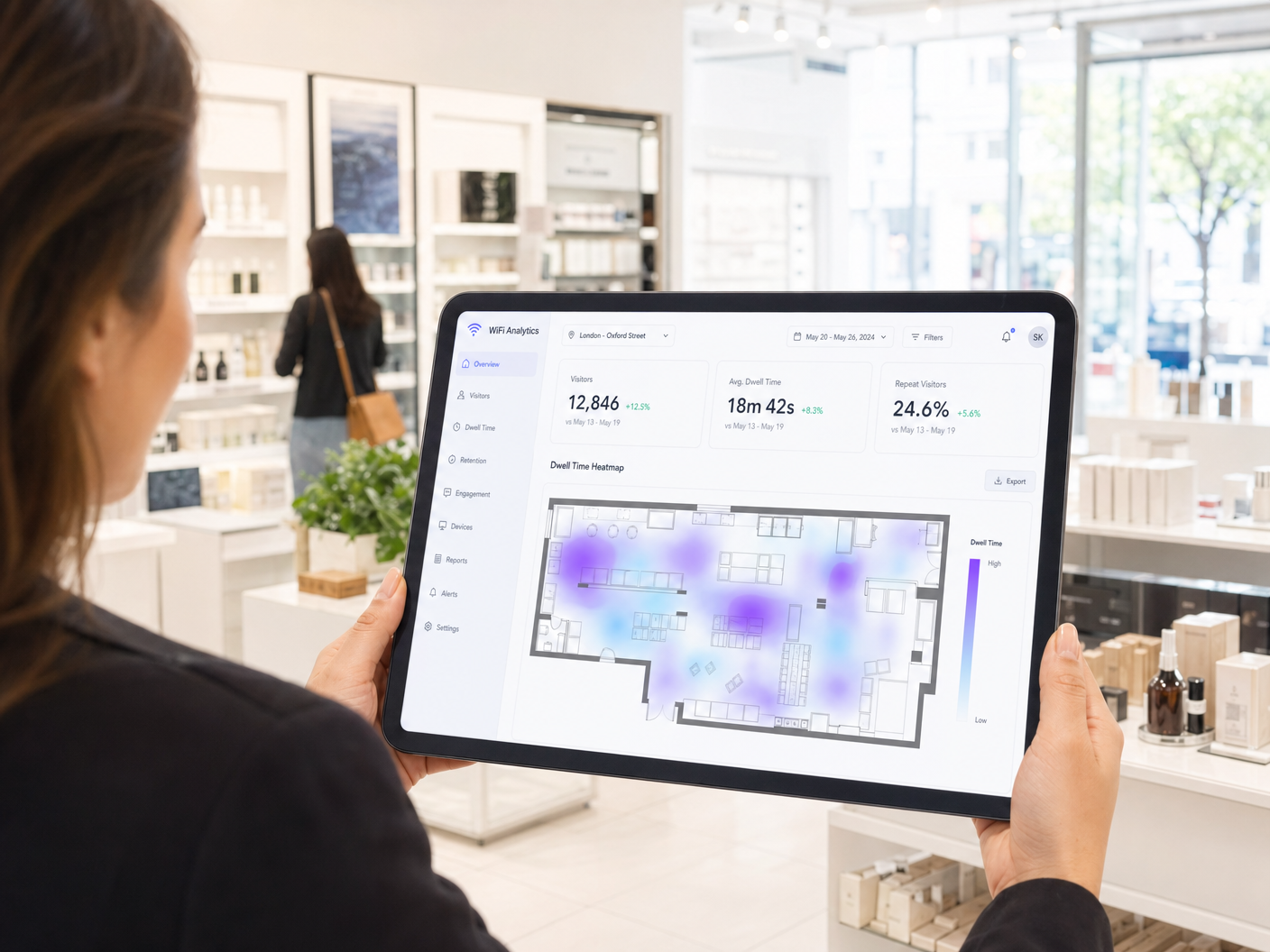
Beyond initial authentication, the network infrastructure continuously monitors connected and probing devices to generate location analytics. By measuring the Received Signal Strength Indicator (RSSI) across multiple APs, the system can triangulate device positions. This capability enables venue operators to measure footfall, calculate average dwell times, and identify high-traffic zones.
For more granular accuracy, IT teams may augment standard WiFi location services with Bluetooth Low Energy (BLE) beacons or Ultra-Wideband (UWB) technologies. Understanding these deployment options is essential for architects designing an Indoor Positioning System: UWB, BLE, & WiFi Guide . The resulting spatial data allows operations teams to optimise staffing levels, improve store layouts, and identify operational bottlenecks that negatively impact the customer experience.
Implementation Guide: Deployment Strategies
Deploying a robust Guest WiFi solution requires careful planning to ensure both network performance and seamless user onboarding. The following phases outline a standard deployment methodology for enterprise environments.
Phase 1: Infrastructure Assessment and RF Design
Before implementing an analytics overlay, the underlying RF (Radio Frequency) environment must be optimised for high density and seamless roaming. This involves conducting predictive and active site surveys to ensure adequate signal coverage (typically targeting -65 dBm or better in primary coverage areas) and mitigating co-channel interference. IT managers must also ensure that the network infrastructure supports the necessary integration protocols, such as RADIUS, Syslog, or vendor-specific APIs, to communicate with the analytics platform.
Phase 2: Captive Portal Design and User Journey Mapping
The Captive Portal is the digital front door to the venue. Its design must be responsive, loading quickly on all mobile devices, and aligned with the brand's visual identity. IT and marketing teams must collaborate to define the authentication journey. For example, a Retail environment might prioritise email capture for CRM integration, whilst a stadium might leverage social login to accelerate throughput during peak ingress times.
It is crucial to minimise friction during this phase. Implementing progressive profiling—where returning users are asked for different information than first-time visitors—can enrich data profiles over time without overwhelming the user during a single session.
Phase 3: Integration and Automation
The true value of WiFi analytics is realised when the data is integrated with existing business systems. IT teams should leverage APIs and Webhooks to stream authentication events and demographic data into CRM platforms, marketing automation tools, and operational dashboards. This enables real-time triggers, such as sending a welcome email with a discount code when a customer logs in, or alerting staff when a VIP customer enters the premises. Understanding How Does WiFi Marketing Work? is essential for mapping these automated workflows.
Best Practices for Enterprise Deployments
To maximise the impact of WiFi on customer experience, IT architects should adhere to several industry-standard best practices.
Firstly, bandwidth management is critical. Implement per-user bandwidth limits and application-level traffic shaping to prevent a small number of users from degrading the experience for others. Prioritise latency-sensitive applications (like voice or video calls) whilst throttling peer-to-peer file sharing or large OS updates.
Secondly, ensure seamless roaming across the venue. Configure APs to support protocols like 802.11k, 802.11v, and 802.11r, which assist client devices in making faster and more intelligent roaming decisions. This is particularly important in large environments like Hospitality venues or hospitals, where users expect uninterrupted connectivity as they move between locations. For clinical environments, specific considerations apply; refer to WiFi in Hospitals: A Guide to Secure Clinical Networks for detailed guidance.
Finally, maintain strict adherence to data privacy regulations. Ensure that the captive portal clearly articulates the terms of service and privacy policy, and that the platform provides robust tools for managing data subject access requests (DSARs) and data deletion in compliance with GDPR or CCPA.
Troubleshooting & Risk Mitigation
Even well-designed networks encounter issues. IT teams must proactively monitor the infrastructure to mitigate risks that could negatively impact the customer experience.
Common Failure Modes
- Captive Portal Non-Display: This is often caused by aggressive client-side security settings, DNS misconfigurations, or walled garden issues. Ensure that the WLC's walled garden includes all necessary domains for the captive portal, identity providers (e.g., Facebook, Google), and any integrated services to function correctly before authentication.
- Authentication Timeouts: High latency between the WLC and the RADIUS server can cause authentication requests to time out, leading to connection failures. Monitor RADIUS response times and consider deploying local authentication proxies if cloud latency is unacceptably high.
- Poor Roaming Performance: Sticky clients—devices that refuse to roam to a stronger AP—can degrade network performance. Ensure that minimum basic rates are configured appropriately to encourage clients to drop weak connections and associate with closer APs.
ROI & Business Impact
Measuring the success of a guest WiFi deployment requires shifting the focus from traditional IT metrics (uptime, throughput) to business outcomes. By leveraging platforms like Purple, venues can quantify the ROI of their wireless infrastructure.
Key performance indicators (KPIs) should include the capture rate (the percentage of visitors who authenticate), the growth of the marketable CRM database, and the conversion rate of triggered marketing campaigns. Furthermore, operational efficiencies gained through location analytics—such as optimised staffing based on footfall trends—contribute significantly to the overall ROI.
Ultimately, a strategically deployed WiFi network transforms a passive utility into an active engagement channel. By providing fast, secure connectivity and leveraging the resulting data to personalise interactions, venues can directly improve customer satisfaction, foster loyalty, and drive measurable business growth.
Key Terms & Definitions
Captive Portal
A web page that a user is required to view and interact with before access is granted to a public network.
This is the primary interface for data capture and brand engagement; IT must ensure it loads quickly and reliably.
OpenRoaming
A federation of networks and identity providers that enables automatic, secure roaming between Wi-Fi networks without requiring repeated logins.
Crucial for reducing friction in the customer journey and providing a cellular-like connectivity experience.
Walled Garden
A restricted network environment that allows access to specific websites or IP addresses prior to full authentication.
Essential for allowing social logins or API calls to function before the user is fully authorised on the network.
RSSI (Received Signal Strength Indicator)
A measurement of the power present in a received radio signal.
Used by analytics platforms to estimate the distance between a client device and an access point for location tracking.
MAC Address Randomization
A privacy feature where devices use a temporary, random MAC address when probing for networks.
Impacts the ability to track unauthenticated users over long periods; highlights the importance of driving users to authenticate.
RADIUS
A networking protocol that provides centralised Authentication, Authorization, and Accounting (AAA) management.
The standard protocol used to communicate between the wireless controller and the external analytics/authentication platform.
Dwell Time
The amount of time a visitor spends within a specific physical location or zone.
A key metric for retail and hospitality to measure engagement and optimise operational layouts.
Progressive Profiling
A method of gradually gathering information about a user across multiple interactions rather than all at once.
Improves the customer experience by reducing the initial barrier to entry while still building a rich CRM profile over time.
Case Studies
A national retail chain with 500 locations wants to understand how long customers spend in specific departments to optimise store layouts and staffing. They currently have basic guest WiFi but no analytics. How should the IT team approach this deployment?
The IT team should implement a cloud-managed analytics overlay, such as Purple, integrated with their existing WLC infrastructure via RADIUS and Syslog/API. They must configure the network to capture both authenticated user data (via a branded captive portal) and unauthenticated device location data (via AP probing). The deployment requires defining specific 'zones' within the analytics platform corresponding to store departments. By mapping AP locations and calibrating signal strength, the platform can track dwell times per zone. This data is then aggregated into a central dashboard, providing operations teams with heatmaps and footfall trends.
A large hotel resort is experiencing low CSAT scores due to a frustrating WiFi login process. Guests complain about having to repeatedly enter long passwords on different devices. How can the network architecture be redesigned to solve this?
The IT architect should transition from a static WPA2-PSK (Pre-Shared Key) model to a seamless authentication framework. Implementing OpenRoaming, with Purple acting as the identity provider, allows guests to authenticate securely once using their existing credentials (e.g., a loyalty app or participating identity provider). The device is then provisioned with a secure profile (Passpoint/Hotspot 2.0), enabling automatic, encrypted connection to the network whenever the guest is on-site, across all resort areas.
Scenario Analysis
Q1. A stadium IT director wants to implement a new guest WiFi portal but is concerned about the impact on network throughput during the 30-minute pre-game rush when 20,000 fans attempt to connect simultaneously. What is the most appropriate authentication strategy?
💡 Hint:Consider the processing overhead of different authentication methods and the primary goal of rapid onboarding.
Show Recommended Approach
The most appropriate strategy is to implement a highly streamlined captive portal using social login (e.g., Apple, Google) or a 'Click to Connect' option with minimal data entry fields. Crucially, the IT team should explore implementing Passpoint/OpenRoaming for returning fans, which eliminates the captive portal entirely for subsequent visits, drastically reducing RADIUS load and improving throughput during peak ingress.
Q2. During a pilot deployment of WiFi analytics in a retail environment, the operations team notes that the recorded 'dwell times' for customers seem unusually long, sometimes spanning overnight when the store is closed. What is the likely technical cause, and how should it be resolved?
💡 Hint:Think about what devices might be present in a store other than customer smartphones.
Show Recommended Approach
The likely cause is that the analytics platform is tracking static, non-human devices (such as smart TVs, point-of-sale systems, or employee devices left on-site). The IT team must resolve this by implementing MAC address filtering within the analytics platform to exclude known static devices and employee networks, ensuring the data reflects genuine customer behaviour.
Q3. A hotel chain is deploying a new captive portal across 50 locations. They want to ensure compliance with GDPR. What specific features must the IT architecture support to achieve this?
💡 Hint:Consider the lifecycle of user data from initial capture to potential deletion requests.
Show Recommended Approach
The architecture must support explicit, unbundled consent mechanisms on the captive portal (no pre-ticked boxes for marketing). Furthermore, the backend platform must provide robust Data Subject Access Request (DSAR) capabilities, allowing administrators to easily locate, export, and permanently delete a user's profile and associated location history upon request.




