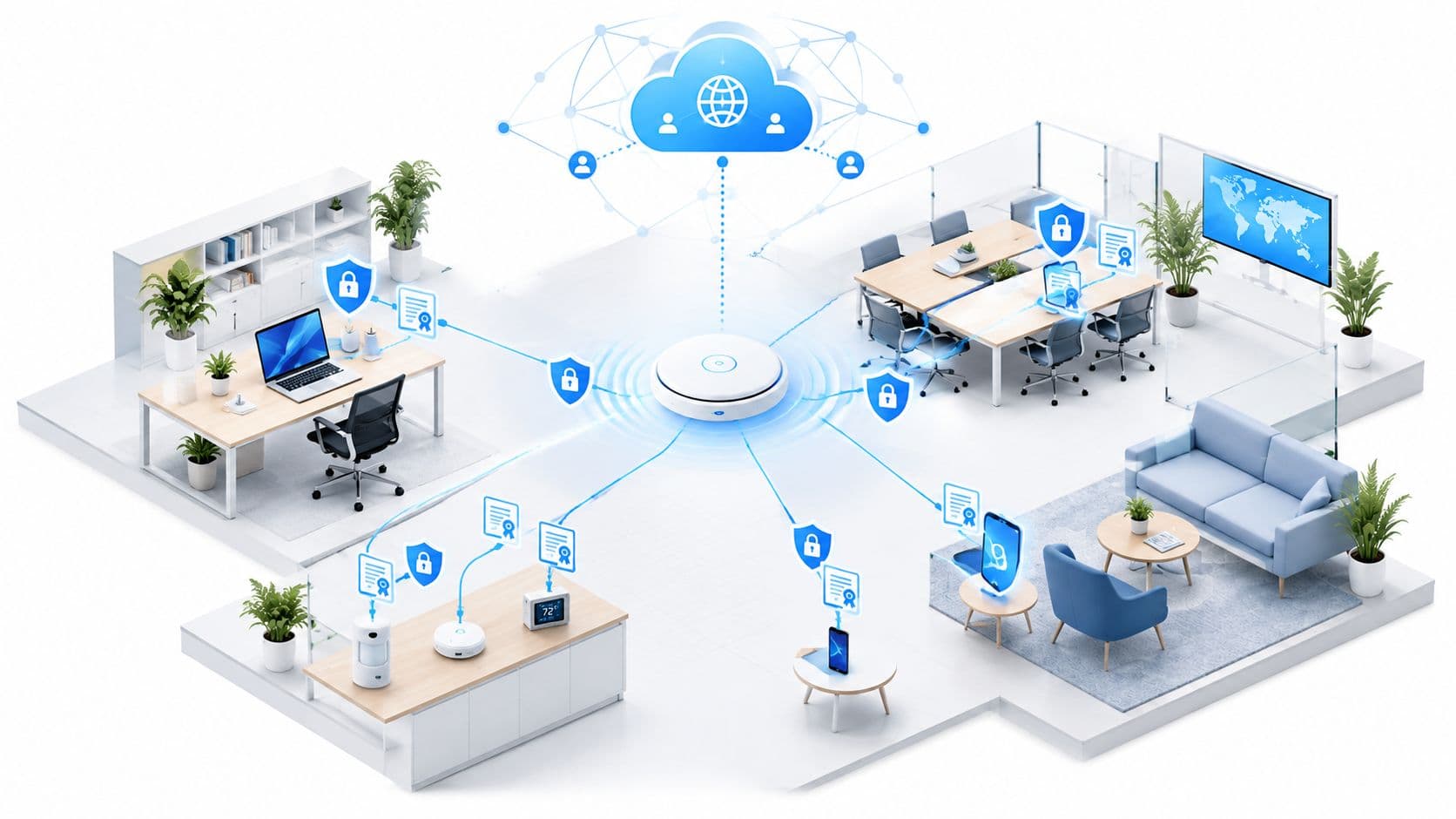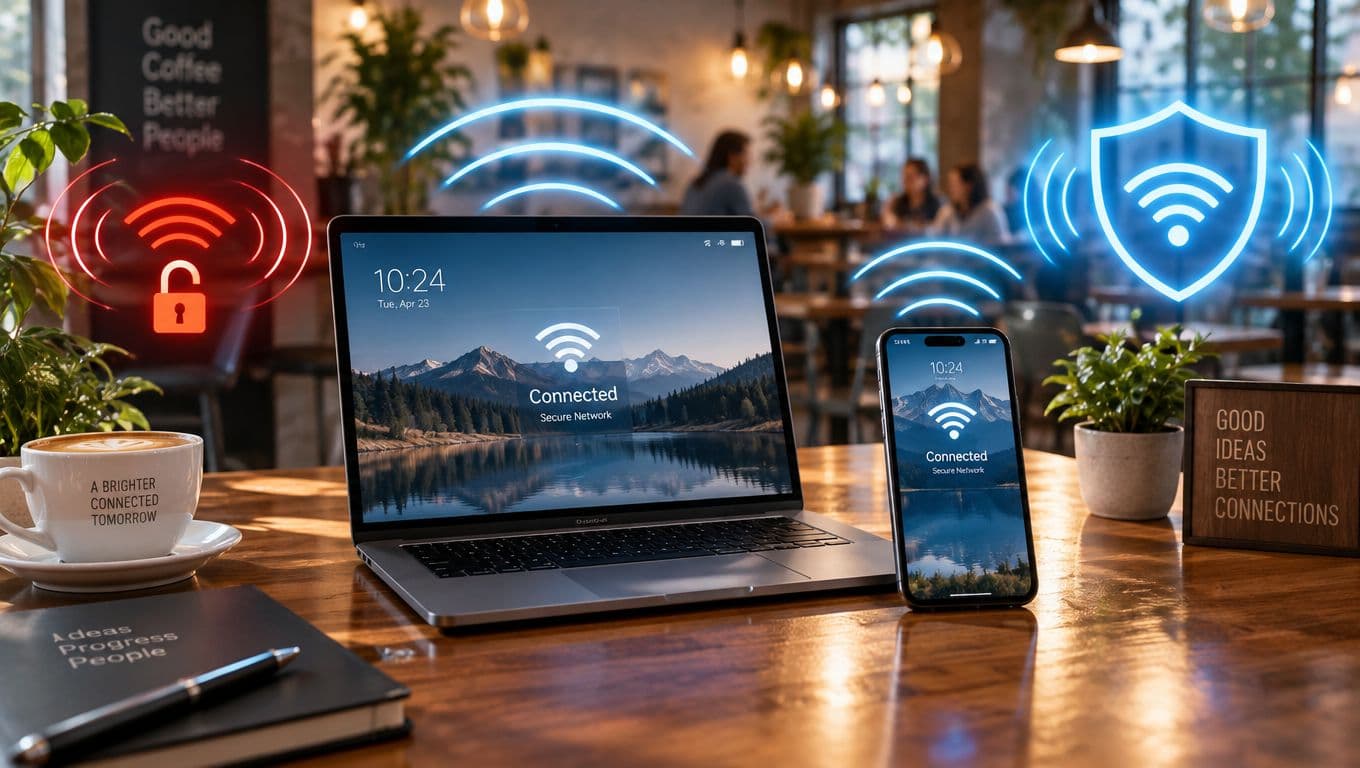
A 2012 poll found that 56% of public WiFi users never or rarely checked whether a network was secure, even though 14% used online banking and 15% entered card details on those networks. Unsecured WiFi isn't the same as WiFi with no password. It means the network doesn't properly verify the user, the device, or the session, so the wireless hop itself can't be trusted.
The operational answer is direct: replace shared passwords with identity-based access, such as OpenRoaming or Passpoint, so authentication and encryption begin with the first packet. A password on a wall controls admission at best. It doesn't provide individual accountability, reliable device trust, rapid revocation, or isolation from internal systems.
For venue owners, IT administrators, and property managers, this is a network-design problem, not a guest-education campaign. Users shouldn't have to identify a spoofed SSID, interpret encryption labels, or decide whether a captive portal is genuine. The network should make the safe path the easiest path.
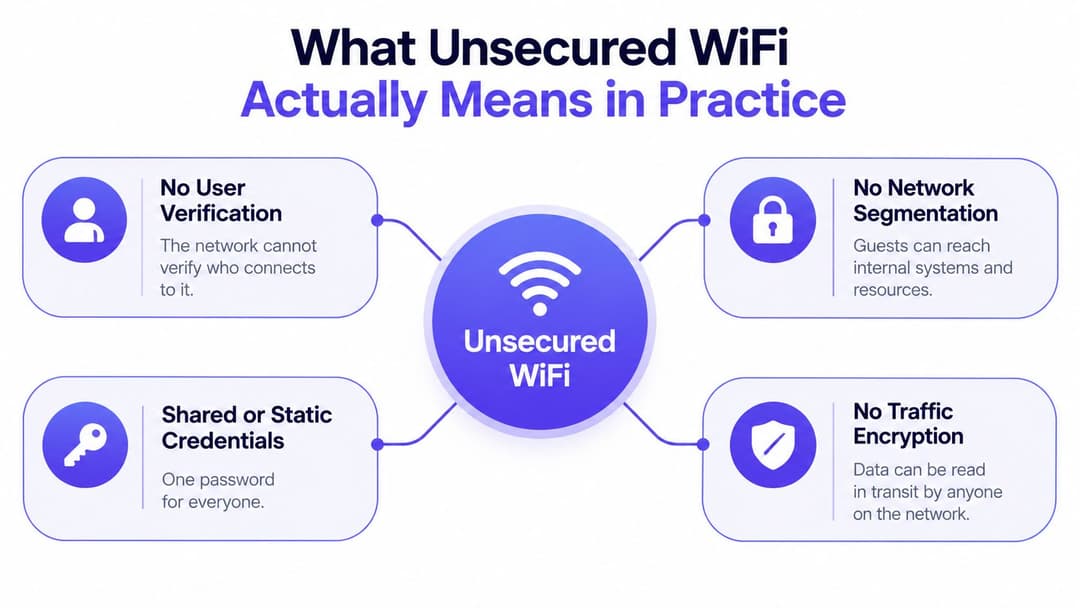
What Unsecured WiFi Actually Means in Practice
A password does not make a venue WiFi network secure. An open SSID is the clearest example, but a network can still be poorly protected when every guest receives one shared credential, devices sit in the same trust boundary, and traffic can reach point-of-sale, building-management, or administration systems.
Unsecured WiFi is a connection that cannot establish and enforce three controls: who the user is, whether the device is authorized, and which session or network resources it may use. Encryption protects traffic in transit, but it does not define identity, access scope, or accountability.
The security spectrum
An open SSID provides no meaningful WiFi-layer authentication. The access point accepts nearby clients, leaving the operator with little basis for distinguishing a legitimate guest from an attacker or unmanaged device.
A shared pre-shared key improves basic admission control while preserving a serious operational weakness. One password on a reception desk, menu, sticker, or event sign gives every recipient the same credential. Once it leaks, the operator cannot revoke one person's access without changing access for everyone. The password also provides no evidence about the device's identity or security posture.
Per-device and identity-linked access provide stronger control. iPSK can assign different keys to devices or device groups, while 802.1X authenticates users or machines through an identity service. Passpoint and OpenRoaming let devices discover and join participating networks through a trusted profile, rather than asking guests to choose a familiar-looking SSID and enter a shared password. For operators comparing deployment options, this comparison of WPA2-Enterprise and PSK shows why individual authentication provides more accountability than a common key.
Operator rule: ask what the network verifies, what it isolates, and how quickly access can be revoked.
The FTC and state attorneys general recommend WPA2 and, where supported, WPA3 for WiFi. Apply that guidance within a broader access design. Encryption can protect the radio link while identity, accountability, and segmentation remain weak.
The target is identity and isolation from packet one. Venue owners, IT administrators, and property managers should replace wall-mounted passwords with certificate-grade or identity-based access, then separate guest, staff, IoT, and operational systems. A safe network design should remove the burden from guests instead of asking them to identify spoofed SSIDs or judge captive portals.
Risks of Open and Shared-Password Networks
Open and shared-password WiFi is an operator-design failure, not just a user-education problem. It can expose traffic that lacks application encryption, redirect users to malicious destinations, imitate a venue's SSID, or let an infected device reach local services. HTTPS protects many web transactions, but it does not decide which clients can see one another or which internal systems they can reach.
Historical US evidence shows the scale operators were expected to secure. Research reported nearly 500,000 commercial WiFi hotspots in the US in 2018, growth of almost 200% from 2013, and public WiFi use by 76% of US people with a cell phone subscription in 2016 and 67% in 2017. A 2013 major metropolitan experiment identified 322 completely unsecured hotspots, 36% of the detected total. These figures are historical, but they establish how widely exposed public access had become. The underlying US WiFi research provides the baseline.
What can go wrong
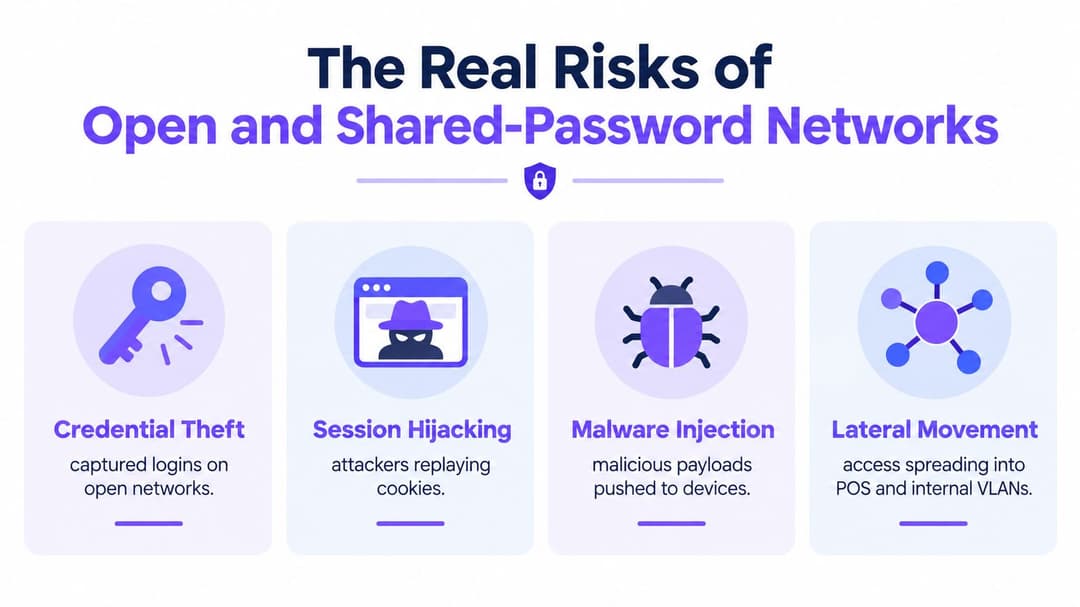
- Credential theft: A fake access point or captive portal can collect usernames and passwords.
- Session compromise: A stolen session token may provide access to an authenticated service when the application or device fails to protect it.
- Malware delivery: A malicious portal, redirect, or vulnerable endpoint can expose users to unwanted software.
- Lateral movement: If guest devices can reach clients, printers, cash registers, servers, or building systems, an attacker gains additional targets after connecting.
- Compliance exposure: Weak segregation complicates investigations and increases the consequences of incidents involving personal data or payment environments.
The operator's problem is control. Application encryption may protect individual transactions, while the venue still fails to authenticate the client, enforce policy, or restrict reachability at the first network segment.
The perimeter starts at the access point
A hotel lobby, shopping center, hospital waiting area, or residential parking lot is a hostile radio environment by default. Nearby attackers can broadcast a similar network name, probe for devices that connect automatically, or exploit weak client and access-point configurations.
A password displayed on a wall is not identity-based security. When a former contractor, guest, or compromised device retains that credential, the operator cannot reliably identify the connection from the password alone. Logs may show a device, but they do not establish a dependable person-to-device relationship.
Operators should replace shared credentials with identity-based, certificate-grade access, such as OpenRoaming, Passpoint, iPSK, or SSO where appropriate. Then isolate guest, staff, IoT, and operational systems with explicit policy. The wireless hop belongs inside the security perimeter, and access should be revocable without changing a password for everyone.
Treat the wireless hop as part of your perimeter. If the hop doesn't authenticate and isolate the client, your perimeter is incomplete.
How Attackers Actually Exploit Unsecured WiFi
Attackers don't need to defeat every security control at once. They look for the easiest point where a user, device, or operator assumes the network is genuine.
The most recognizable pattern is a rogue access point, often called an evil twin. An attacker broadcasts a network name that resembles the venue's SSID, perhaps with a small spelling change or an added word such as “Free”. A guest selects it because the name looks familiar. From that point, the attacker controls the connection path and can present redirects, capture portal submissions, or interfere with traffic that lacks proper application protection.
Four common attack paths
- Rogue access point: The attacker imitates a trusted venue name and waits for nearby devices or users to connect.
- Karma-style auto-connection: A device searches for networks it remembers. An attacker answers with one of those names, encouraging the device to connect without the user making a deliberate choice.
- Malicious captive portal: The fake network presents a login page that asks for unnecessary credentials, payment information, or an identity-provider password. The page may look like the venue's branding while sending the submitted data elsewhere.
- Protocol-level exploitation: A weakness in the wireless protocol or client implementation can undermine an otherwise protected connection.
The last category matters because WPA2 isn't a magic boundary. Cybersecurity experts explain that WPA2 can be affected by the KRACK key-reinstallation vulnerability and recommend prioritizing patches, using AES-CCMP rather than weaker modes where relevant, and disabling vulnerable 802.11r fast-roaming or repeater functionality until infrastructure is patched. The KRACK guidance should be part of an operator's WLAN maintenance process.
Encryption doesn't establish trust on its own
WPA2 or WPA3 can encrypt the wireless link, but encryption alone doesn't prove that the person connecting is authorized, that the endpoint is managed, or that the destination service is legitimate. A valid network can still contain a compromised client, an over-permissive VLAN, or a captive portal that asks for more information than it needs.
Operators should also understand the role of diagnostics. A DNS lookup tool can help investigate unusual name resolution during an incident, but it isn't a substitute for rogue-AP detection, endpoint controls, or segmentation. Monitoring must connect technical signals to an operational response.
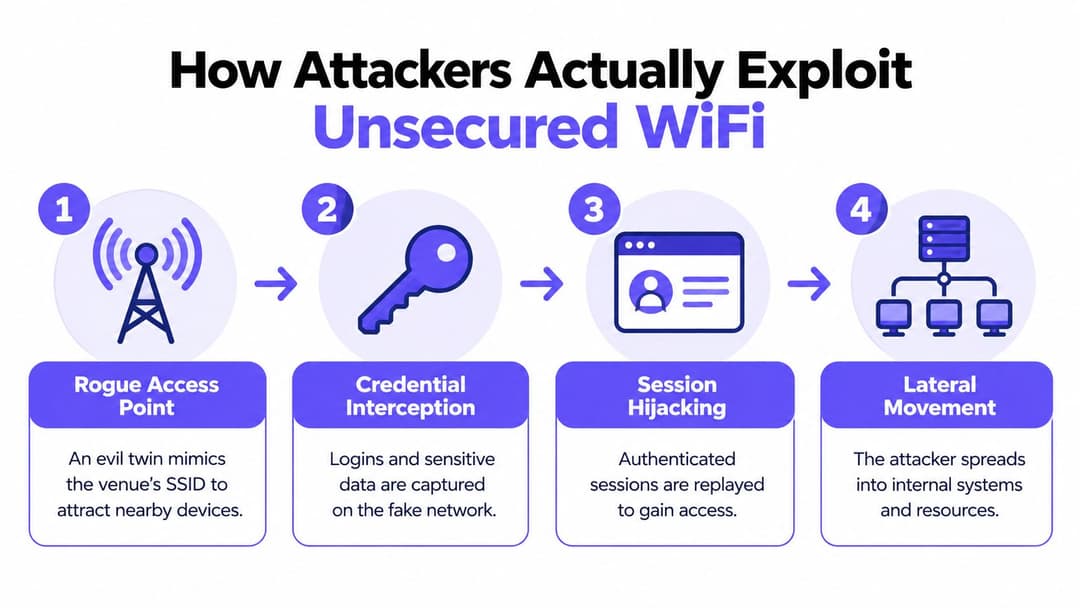
The practical conclusion is simple: prevent unauthorized association where possible, encrypt the link, isolate the client, and keep both access points and endpoints patched.
Identifying Unsecured Networks and Devices
Telling guests to "check the SSID" is weak advice. A user can ask staff for the correct network name, yet an attacker can copy that name. A familiar SSID proves only that somebody is broadcasting it.
A US survey of 3,000 adults reported that 32% lacked confidence distinguishing a secure public WiFi network from a spoofed one, while 20% took no precautions before joining and 16% didn't know which warning signs to look for. The survey report exposes the design flaw in user-led verification. The venue is asking people to authenticate infrastructure they can't reliably authenticate.
Build a safer joining experience
A correctly designed client experience should remove guesswork:
- Use a provisioned profile: Passpoint or OpenRoaming lets a device use trusted credentials and network discovery rather than relying on a user selecting an SSID from a list.
- Show the security method clearly: Device settings should indicate an authenticated, encrypted network. Staff signage should explain the approved onboarding route, not merely print a password.
- Avoid credential collection in arbitrary portals: A guest shouldn't type an email, corporate password, or payment detail into a page just because it appears after joining WiFi.
- Offer an accessible fallback: Staff should know how to assist visitors whose devices don't support the preferred profile, without directing them to an open network.
Operators should also run a routine for their own infrastructure. Record every authorized SSID, BSSID, security mode, radio location, VLAN mapping, and expected management owner. Walk the venue with an approved scanner, compare observed advertisements with that inventory, investigate unexpected broadcasts, and document the result. Don't make “ask the guest to spot the fake” your primary control.
Device-side checks still matter
Users should disable automatic connection to unfamiliar networks, a measure also recommended by the FTC and state attorneys general. Operators should enforce managed WiFi profiles on corporate devices, remove obsolete profiles, and prevent staff endpoints from joining open networks while they handle sensitive work.
The objective is not to turn reception staff into wireless analysts. It is to give them a short escalation path: confirm the approved onboarding method, record the location and displayed network name, and contact the network team when a device reports a certificate or authentication warning. Good design reduces the number of warnings users ever need to interpret.
Choosing the Right Authentication Model for Your Venue
There isn't one WiFi model for every device. A hotel guest, a payment terminal, a nurse's workstation, a printer, and a resident's personal cell phone have different identity, lifecycle, and support requirements. The operator's job is to assign each class of connection a method that provides enough authentication and isolation without creating avoidable friction.
| Model | Authentication | Encryption from first packet | User friction | Best fit |
|---|---|---|---|---|
| Shared PSK with captive portal | One shared password, then web login | Depends on WLAN configuration and client flow | Low initially, high when credentials change | Temporary events and limited-risk guest access |
| Per-device iPSK | A distinct key for each device or group | Yes, when deployed with the relevant protected WLAN mode | Moderate for provisioning | Printers, IoT, cash registers, and legacy equipment |
| Passpoint or OpenRoaming | Profile-based identity and network discovery | Yes, with enterprise-grade WLAN authentication | Low after enrollment | Guests, BYOD, repeat visitors, and roaming users |
| 802.1X with SSO | User or device identity through an authentication service | Yes | Low for managed devices, higher for unmanaged endpoints | Staff, contractors, and corporate equipment |
| Segmented guest VLAN | Network policy and isolation rather than identity alone | Depends on the chosen WLAN authentication | Low for guests | A required layer alongside guest authentication |
A shared password is acceptable only where the risk and operational scope are clearly limited. It should never be the default for a network that can reach internal systems. Captive portals still have a role for terms, consent, vouchers, or light guest registration, but they shouldn't be mistaken for wireless encryption or device authentication.
Match the model to the asset
Use Passpoint or OpenRoaming for guests and BYOD when you want authenticated access without a password printed on a wall. Use iPSK for equipment that can't perform modern user authentication, but give each device or device group a distinct credential and place it in a restricted segment.
Use 802.1X with SSO for staff. A directory-backed service can provision access as employment or role changes, then revoke it when the account is disabled. Cloud RADIUS can provide that authentication layer without forcing every venue to operate its own on-premises infrastructure. RADIUS as a service is one implementation route.
For larger venues, the correct answer is usually hybrid: authenticated guest access, device-specific credentials for legacy equipment, staff identity through SSO, and separate guest, staff, IoT, and management networks. No single SSID should become a shortcut into every operational system.
How Hospitality, Retail, Healthcare, and Multi-Family Venues Get Hit
A professionally installed WLAN can still expose critical systems through one bad VLAN assignment. In a hotel, a guest may join the lobby network with a shared key while the same broadcast domain or routing policy reaches property management, payment, or building systems. The failure is excessive network reach granted to an unverified device.
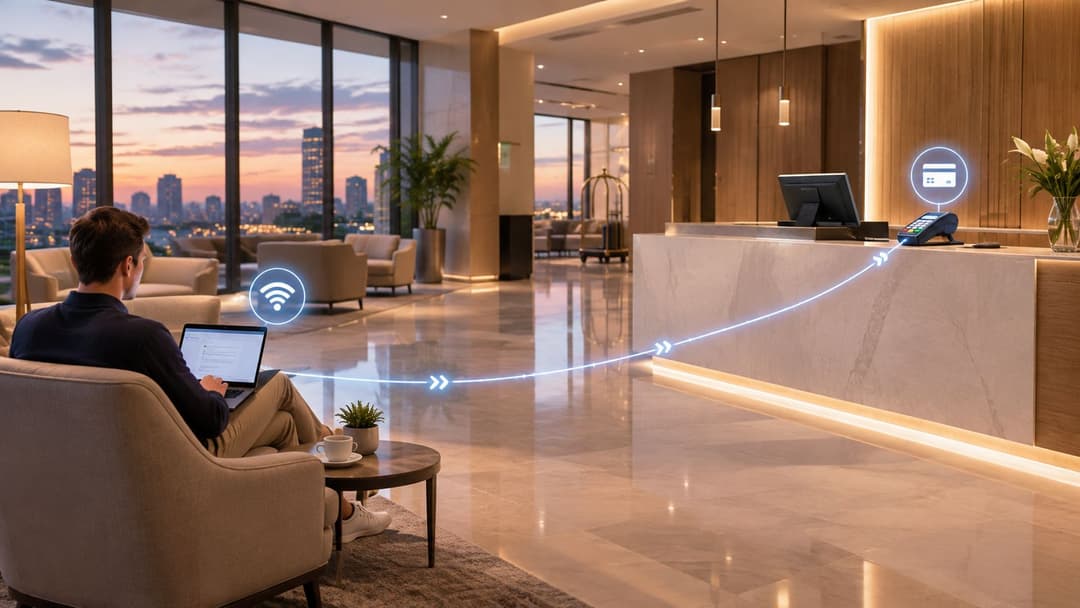
A safer hotel design gives guests Passpoint or OpenRoaming onboarding, places them in an isolated guest segment, and keeps payment and property systems on separate networks. Staff use directory-backed 802.1X. Room devices and printers receive tightly scoped iPSK credentials.
Four operating environments
Retail: A shopping center or chain may broadcast a branded guest network across public areas. A rogue AP in a food court can imitate that name and collect loyalty credentials. Weak segmentation can also expose back-office devices. The redesign should combine authenticated guest access, isolated retail operations, and device-specific credentials for scanners and printers.
Healthcare: Patient BYOD should not share a flat wireless segment with medical devices. A compromised visitor cell phone and a clinical device require different authentication, VLAN, firewall, and monitoring policies. Equipment that cannot use staff login flows should receive device-specific access with strict allowlists.
Multi-family residential: Residents may auto-connect to a building SSID outside the property, including a parking lot where an attacker can imitate it. They may then assume the connection is genuine and continue an authenticated session. Passpoint-style discovery, tenant isolation, and directory-driven revocation remove that shared trust assumption.
Hospitality and events: Temporary access often leads operators to print one password and leave it active after the event. Issue a short-lived identity or device profile instead. That control limits exposure across contractors, vendors, and visitors.
Use WPA2 or WPA3 where supported, and advise users to disable automatic connection to unfamiliar networks. Operators should provide a protected, authenticated path so users do not have to improvise. A password on the wall is an access convenience, not a security design.
Building a Mitigation and Policy Stack That Actually Holds
Security controls work best when deployed in the order that removes the largest design weaknesses first. Start with the joining experience, then control device identity, then restrict reachability and monitor what remains.
Start with authenticated onboarding
Deploy Passpoint or OpenRoaming for guest and BYOD access where the venue can support it. The user should receive a trusted profile or identity flow, and the WLAN should negotiate protected access from the first packet. Don't put an open SSID in front of a secure service unless you have a specific, documented reason.
For staff, issue certificate-based access through 802.1X. Integrate provisioning and revocation with Entra ID, Google Workspace, or Okta, so a directory change can remove access without waiting for a shared password to be rotated. Certificates should be tied to managed devices or clearly governed user enrollment, with a process for lost devices and expired credentials.
Contain legacy equipment
Printers, cash registers, cameras, sensors, and building systems often can't use the same identity method as a managed laptop. Give each device or controlled group an iPSK, place it in an IoT or operations segment, and permit only the destinations it needs. Never solve legacy compatibility by placing those devices on an open network that also serves guests.
Then enforce segmentation:
- Guest network: Internet access, client isolation, and no route to internal services.
- Staff network: Directory-backed access and role-appropriate application reachability.
- IoT and payment networks: Device-specific authentication, restricted routes, and explicit firewall policy.
- Management network: Administrative interfaces limited to authorized administrators and management endpoints.
- Residential tenant networks: Per-tenant isolation, with shared services exposed only when required.
Monitor, patch, and rehearse
Rogue-AP detection should compare observed radios with the authorized inventory. Monitoring should also flag unusual DNS behavior, unexpected east-west traffic, authentication failures, and devices appearing in the wrong segment. These signals need named owners and a response procedure, not merely a dashboard.
Patch access points, controllers, authentication services, and client devices according to a written schedule. Include vendors such as Meraki, Aruba, Ruckus, Mist, and UniFi in the operational inventory where they are used, and test firmware changes before broad rollout. The FTC's KRACK guidance shows why WLAN patching and feature review belong in the same policy.
Finally, write the incident runbook. It should state who disables a profile, who isolates an SSID, who contacts the venue manager, how evidence is preserved, and how affected users are notified. A network is only as secure as the response that follows an alert.
Turning the Framework Into a 30-Day Action Plan
Week one: Inventory every SSID, authentication method, VLAN, access point, legacy device, and route to internal systems. Remove unauthorized open networks and document which assets are currently exposed.
Week two: Select the first guest flow for Passpoint or OpenRoaming, prepare the profile and signage, and test onboarding on common device types. Confirm that guest clients cannot reach staff, payment, management, or clinical segments.
Week three: Assign iPSK credentials to printers, IoT equipment, and other legacy devices. Integrate staff 802.1X with the existing identity directory and test revocation for a disabled account.
Week four: Enable rogue-AP and anomaly monitoring, patch the WLAN control plane and endpoints, and run the incident procedure with venue and IT staff.
FAQ: HTTPS protects an application connection, but it doesn't authenticate the WiFi network or isolate clients. Captive portals still make sense for consent, coupons, and registration, but they aren't a replacement for protected WLAN authentication. OpenRoaming allows a trusted identity profile to authenticate across participating venues, so users don't need to choose an unfamiliar network manually at every location.
Purple provides OpenRoaming and Passpoint-based guest access, VLAN segmentation, WPA3 and identity-based authentication, plus iPSK and SSO options for different device classes. Review how Purple can replace shared passwords and unsecured WiFi with an access model your IT and venue teams can audit, revoke, and operate.