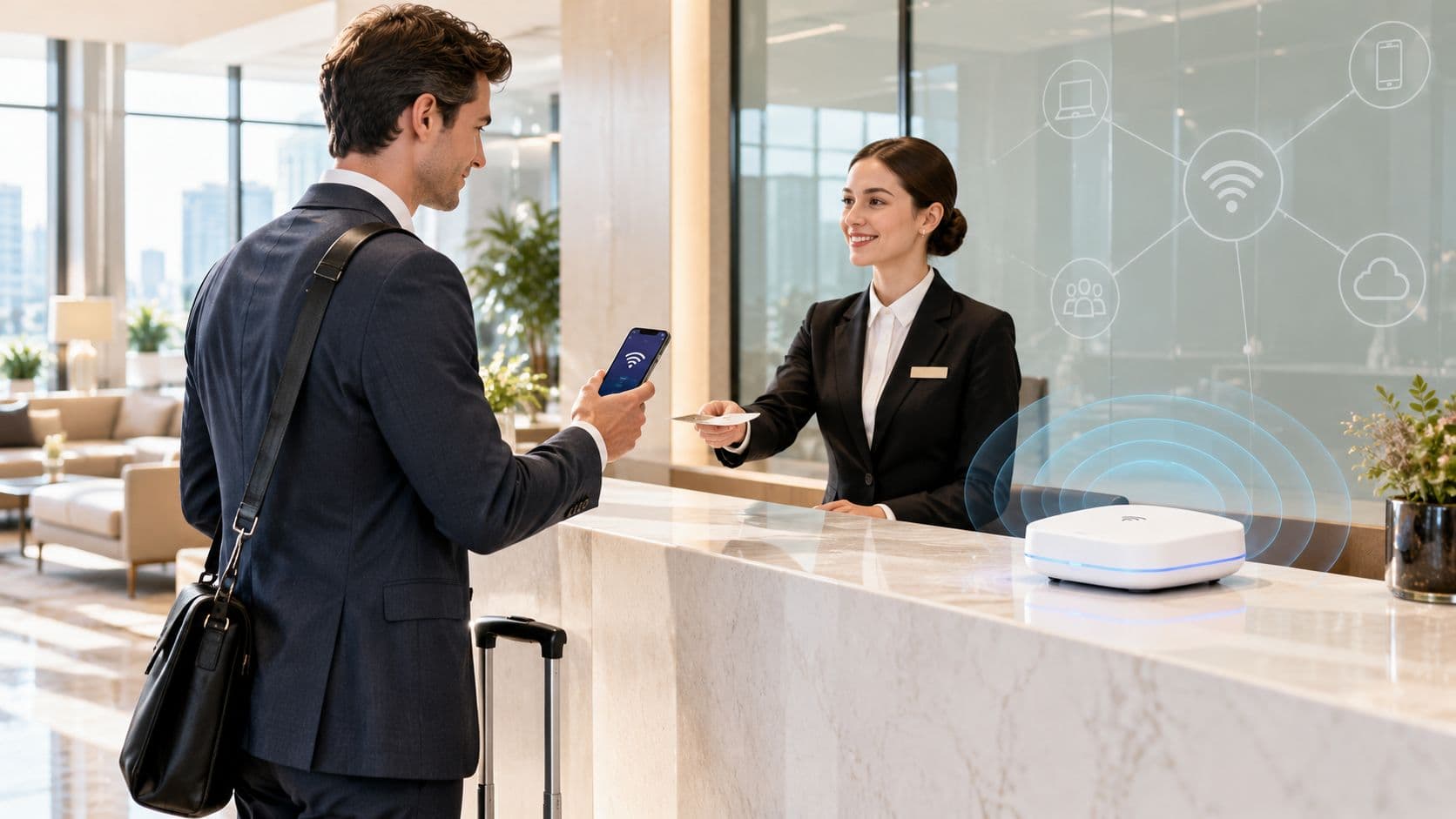
A Saturday afternoon exposes weak retail WiFi faster than any laboratory test. Shoppers are streaming product videos and checking inventory while employees scan shelves, cash registers process purchases, cameras upload footage, and sensors report on equipment. The network may show full signal bars, yet a handheld scanner takes too long to authenticate, a payment-adjacent device drops its connection, or the guest portal becomes painfully slow.
That pattern leads many multi-site IT teams toward an access-point refresh. Newer radios can help, but hardware alone won't fix shared credentials, flat networks, excessive SSIDs, inconsistent store configurations, or unclear ownership. Effective retail WiFi solutions treat wireless access as store infrastructure governed by identity, policy, measurement, and operational controls.
Table of Contents
- Why Store WiFi Fails on Busy Days
- How Retail WiFi Became Store Infrastructure
- Guest WiFi Engagement and In-Store Analytics
- Segmenting POS Staff Inventory and IoT Traffic
- Choosing Secure Access Without Friction
- Retail WiFi Examples Across Store Formats
- Planning a Reliable Rollout Across Every Store
Why Store WiFi Fails on Busy Days
On a busy Saturday, a checkout line can expose several network problems at once. A customer waits to pay, an associate walks toward the stockroom, and a handheld scanner retries its connection. Guest browsing adds demand, while each access point spends airtime announcing multiple networks instead of carrying application data.
Strong signal bars do not prove that a store network has enough capacity or reliable service. Congestion, slow authentication, roaming failures, or application latency can interrupt a workflow even when a device hears the access point clearly. The true test is whether the right device can connect to the right policy, roam between access points, and complete its business workflow under pressure.
Operational test: When a store reports “bad WiFi,” identify the failed workflow, the device involved, its identity, and the point at which the transaction stopped.
The symptoms often expose design debt:
- Authentication delays: Staff devices wait for directory or certificate validation before work can begin.
- Roaming interruptions: A scanner loses its session as an associate moves between aisles.
- Uncontrolled guest demand: Customer traffic competes with operational applications for airtime or internet capacity.
- Configuration drift: Stores use different SSIDs, VLAN mappings, authentication methods, and access-point settings.
- Weak incident evidence: Teams cannot show whether RF congestion, credentials, switching, WAN capacity, or an application caused the failure.
A reliable design begins with the business workflow and its ownership. IT teams can then define user and device identities, assign controlled policies, consolidate unnecessary SSIDs, and measure service for registers, scanners, sensors, and guests. That governance often protects critical operations on existing access points, provided capacity and coverage meet the workload.
How Retail WiFi Became Store Infrastructure
Retail WiFi began as a mobility solution. The IEEE 802.11b standard was approved in 1999, enabling commercially viable wireless LAN performance of up to approximately 11 Mbps, and industry participants formed the Wireless Ethernet Compatibility Alliance in the same year, later renamed the Wi-Fi Alliance (retail WiFi history).
Historical research identifies ATMs as the first WiFi customers because department stores often moved transaction terminals. Rewiring every relocation was expensive and inconvenient, so wireless networking solved a practical store-operations problem before it became a customer amenity.
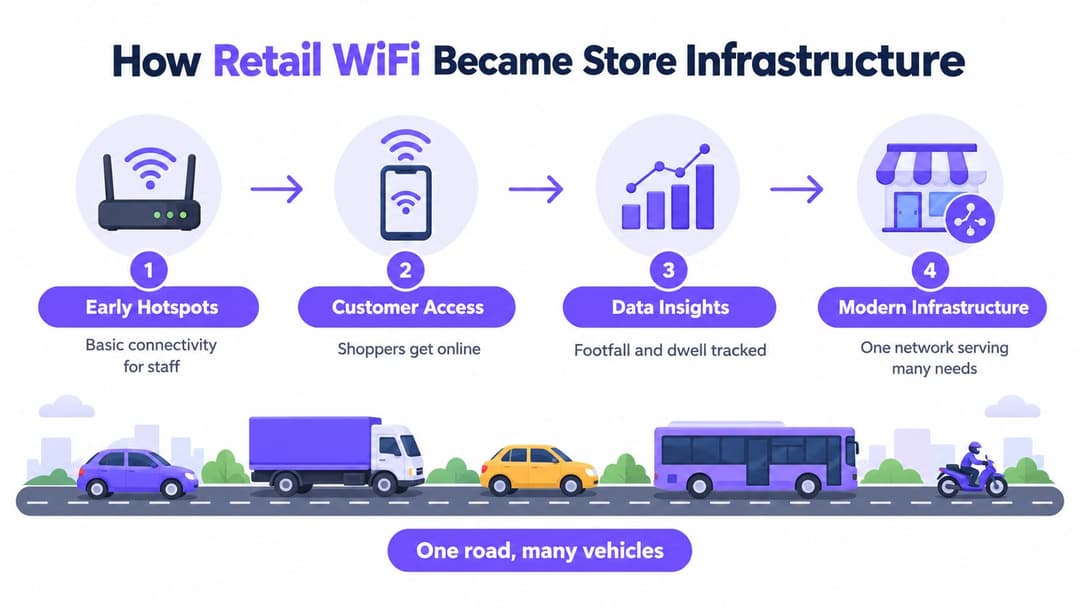
The modern store has the same basic pattern, only with more traffic types. Handheld inventory devices, point-of-sale systems, workforce applications, location services, guest access, kiosks, cameras, and sensors may all depend on the same physical wireless layer.
Think of that layer as a road. The road carries delivery vans, buses, bicycles, and emergency vehicles. They share physical space, but they don't all have the same destination, priority, or access rights. A retail WLAN works in much the same way. One radio infrastructure can serve many groups, provided the network assigns each user or device an appropriate identity, policy, segment, and quality of service.
One physical network, several logical lanes
The access point doesn't need a separate radio for every business function. It does need clear instructions about who may connect and what that connection can reach.
A guest cell phone should receive internet access without reaching store systems. An inventory scanner may need access to inventory services but not to cameras or payment systems. A facilities sensor may need to contact its cloud platform while remaining isolated from employee devices. A concession operator may require a narrowly scoped connection that can be revoked without disrupting the retailer's staff network.
That's why retail WiFi solutions shouldn't be defined as free internet. They're an operational networking foundation. The physical layer provides connectivity, while identity, segmentation, authentication, and policy determine how that connectivity behaves.
This history also explains why a hardware-first strategy can miss the core problem. Replacing access points may improve radio capability, but it won't automatically create accountable identities, consistent VLAN assignment, controlled guest consent, or evidence that a store's critical workflows are protected.
Guest WiFi Engagement and In-Store Analytics
A shopper enters a store, connects to guest WiFi, and checks a product page before speaking with an associate. That connection can support more than browsing. A branded captive portal can present terms, request consent, authenticate visitors, and connect permitted information to customer-experience activity. The exchange must stay clear: the shopper receives access, while the retailer explains what it collects and why.
Separate authentication consent from marketing consent. A visitor may accept the conditions required for internet access without agreeing to promotional email or text messages. Keeping those choices independent reduces privacy risk and avoids making connectivity feel conditional on marketing participation.

Turning connections into useful signals
Guest access can help a store team assess whether shoppers spend time near a new display, whether a campaign brings visitors back, or whether one area receives limited attention. These signals can inform layout discussions, campaign timing, and service design. They remain directional rather than perfectly precise measurements, since a connected device does not always represent one person or reveal intent.
The most valuable question goes beyond connection counts: what decision will this information support? For a campaign, define the consent path and attribution method. For layout planning, aggregated movement data may be enough. For service improvement, a short survey may provide better evidence than passive location tracking.
Keep the data boundary narrow:
- Collect deliberately: Request only fields that support a stated use case.
- Explain plainly: Show the purpose, retention approach, and sharing information near the point of collection.
- Separate identities: Keep network access records distinct from marketing permissions where possible.
- Aggregate where appropriate: Use group-level movement insights when individual identification is unnecessary.
- Protect opt-outs: A customer who declines marketing should still receive the promised connectivity experience.
A captive portal can add friction for shoppers who only want to check a product page. Passpoint and OpenRoaming can provide easier access for compatible users, but they also introduce identity lifecycle and roaming decisions that the retail team must govern.
Judge a campaign against its operational effect. If the portal creates support calls, delays the first connection, or fails on older devices, its marketing value may not justify the disruption. Test the journey on common cell phones, validate consent records, and keep guest traffic isolated from registers and store applications.
Retail WiFi engagement works best when marketing, privacy, and network operations share ownership. The captive portal then becomes one governed service within the store network, rather than an advertising surface operating independently of access controls. That ownership model helps protect existing infrastructure while keeping guest insight aligned with store operations.
Segmenting POS Staff Inventory and IoT Traffic
Segmentation starts by listing what each group must reach, then denying everything else by default. The goal isn't to create a separate SSID for every device category. The goal is to apply the correct policy without consuming unnecessary airtime or forcing staff to manage a collection of shared passwords.
Cisco recommends no more than three SSIDs per physical access point, explaining that each SSID creates management-frame overhead and can reduce the airtime available for application traffic (Cisco SSID guidance). A beacon is transmitted approximately every 100 milliseconds, and probe requests can cause responses for each advertised network. Excessive SSIDs can contribute to RF pollution, association failures, and problems for constrained devices such as scanners and WiFi cell phones.
A practical segmentation pattern
Use a small number of WLANs and let identity determine the resulting VLAN or policy. That approach keeps the radio configuration stable while allowing the security decision to vary by user, device, role, or credential.
| Traffic group | Access method | Isolation goal |
|---|---|---|
| Guest shoppers | Captive portal, Passpoint, or OpenRoaming | Internet access only, with no route to store systems |
| Employees and handhelds | WPA3-Enterprise with directory or certificate authentication | Permit approved workforce and inventory applications |
| Registers and payment-adjacent equipment | Device identity with tightly scoped policy | Limit access to required transaction services |
| Cameras and sensors | Per-device keys or certificate-based access | Prevent lateral movement and simplify revocation |
| Concessions and contractors | Individual identity or per-tenant keys | Separate third-party traffic from retailer operations |
WPA3-Enterprise provides a stronger foundation than a shared staff passphrase. Its specification requires IEEE 802.1X using the SHA-256-based AKM suite, mandates management-frame protection in WPA3-Enterprise operation, and prohibits WPA version 1, WEP, and TKIP on the same WPA3-Enterprise BSS (WPA3 specification).
Make revocation specific
A shared key creates a blunt operational problem. If one employee leaves, a scanner disappears, or a contractor's device is compromised, changing the key affects every device using it. Identity-based access lets the team revoke one credential, certificate, or device record instead.
For headless equipment that can't use enterprise certificates, per-device keys can provide a workable middle ground. The smart vending IoT explained resource is useful background for teams assessing how connected equipment authenticates and communicates. For an implementation example focused on identity-based keys and IoT isolation, see xPSK for IoT devices.
Test the design with real store equipment. Check scanner roaming, authentication-server failover, certificate expiry, key revocation, and recovery after an access point restart. Don't raise minimum rates or enable an enterprise-only mode across the property portfolio until payment-adjacent peripherals, facilities equipment, and inherited scanners have passed validation.
Choosing Secure Access Without Friction
Different users need different onboarding methods. A shopper may accept a branded portal once, while an employee expects a managed device to connect automatically. An IoT sensor may have no screen at all. Treating every group as a captive-portal user creates friction, and treating every group as a shared-password user creates avoidable risk.
| Access method | Best fit | Main advantage | Main trade-off |
|---|---|---|---|
| Captive portal | First-time guests and consented engagement | Easy to brand and connect to terms or consent | Adds an interaction and may create privacy questions |
| Passpoint or OpenRoaming | Returning guests with compatible profiles | Secure, repeatable access without repeated portal entry | Requires profile, identity, roaming, and partner governance |
| WPA3-Enterprise with certificates | Staff, managed laptops, and approved handhelds | Individual identity, encryption, and targeted revocation | Requires client compatibility, certificate lifecycle, and testing |
| Per-device keys | Headless IoT, concessions, and equipment | A unique credential can be revoked without changing every device | Key inventory and device onboarding need disciplined ownership |
Match the method to the user
A captive portal suits a first visit when the retailer needs terms acceptance or consented engagement. Keep the form short and make the value exchange clear. Don't use marketing consent as an undisclosed condition for basic internet access.
Passpoint and OpenRoaming suit customers or partners who need repeat access across locations. The Passpoint and OpenRoaming access guide provides a useful reference point for teams comparing access with portal-based onboarding. The operational questions matter as much as the user experience: who issues the profile, how is it removed, and what happens when an account or device is compromised?
Certificates work well for managed employee devices because the identity can follow the device and directory record. Before enabling WPA3-Enterprise-only mode, verify the scanner population and maintain a controlled transition for legacy clients. Security that breaks mobility can stop a store just as effectively as an insecure design.
Failure mode to test: A successful laboratory login proves very little if roaming fails between the stockroom and sales floor, or if authentication recovery leaves associates unable to work.
Per-device keys fit equipment that can't support 802.1X. Assign ownership for creation, storage, rotation, and revocation. Concession access deserves the same discipline as internal access, because an unmanaged third-party device can become a path into a shared environment.
The right answer is often a combination. Guests may use a portal or Passpoint, employees may use certificates, and sensors may use individual keys. The common control plane should still record who or what connected, where the connection lands, and how access can be withdrawn.
Retail WiFi Examples Across Store Formats
A flagship clothing store and a grocery store can follow the same governance model while giving different workflows priority. The difference lies in how identities, policies, monitoring, and ownership are applied across each site.
In the clothing store, marketing may want a branded guest journey and aggregate insight into movement around seasonal displays. The network team separates guest access from staff and operational traffic, then assigns employee devices to a controlled staff policy. The guest portal collects only the consent required for the chosen engagement activity. Store managers receive useful summaries rather than raw device histories.

The first-day improvement is an operating model with named owners for authentication, radio-frequency health, consent, privacy, retention, campaign use, and store validation. That ownership can protect registers and scanners on existing access points, provided identity policies keep operational traffic separate and testing confirms that customer activity does not affect store work.
A grocery chain with less visible traffic
A grocery estate has a different pressure profile. Associates use handhelds across aisles, registers require dependable connectivity, and cold-chain or facilities sensors may communicate in areas with difficult radio conditions. Guest WiFi still supports the customer experience, but a failed inventory scan can affect store operations more directly than a delayed customer login.
The chain consolidates unnecessary SSIDs and gives managed handhelds an identity-based policy. Equipment that cannot use certificates receives individual credentials with defined ownership. Store-level monitoring checks scanner authentication, roaming interruptions, application response, and sensor reachability instead of relying on a coverage map alone.
A shopping center with independent concessions presents another operating model. Each concession may need internet access and its own business services, but the center operator should not distribute one shared key to every tenant. Per-tenant identities and policies make onboarding and offboarding more precise, while guest access stays separate.
Standardization means consistent decision rules, not identical settings. A chain can share a policy model, naming scheme, authentication service, monitoring dashboard, and change process, then adapt radio configuration and application priorities to each store's layout.
Practical lesson: Standardize ownership and access rules first. Review hardware only after those controls and store workflows have been tested.
Planning a Reliable Rollout Across Every Store
Begin every rollout with the workflows that must survive a busy Saturday. Work back from the identities, devices, controls, and evidence those workflows require before approving a purchase order. A register, handheld scanner, sensor, and guest session may share an access point, but they should not share the same trust level.
Use this sequence:
- Inventory the estate: Record access points, switches, WAN dependencies, SSIDs, VLANs, authentication services, and device types.
- Map identities to policies: Separate guest, employee, handheld, register, sensor, contractor, and concession access.
- Reduce wireless overhead: Consolidate SSIDs where identity-based policy can replace separate network names. Validate channel use and client compatibility afterward.
- Pilot representative stores: Include a busy location, a difficult layout, and a store with inherited equipment.
- Test failure conditions: Cover roaming, WAN interruption, authentication-service failover, credential revocation, certificate expiry, and access-point replacement.
- Measure business workflows: Track authentication success, onboarding time, roaming failures, application latency, incident containment, and audit evidence.
The operating model should be repeatable, while store decisions remain evidence-based. Standardize identity rules, monitoring, ownership, and change control first. Then assess each access point against capacity, compatibility, supportability, and physical conditions. Replace equipment only when it cannot meet the tested workflow or support requirements.
Customer-facing operators may also need connectivity to support digital interaction in quick-service settings. Keep that service isolated from registers, staff devices, and inventory traffic through identity-based policies.
A hardware review such as Purple Access hardware guidance can help teams assess whether current access points fit the deployment. The final store template should name owners, document exceptions, define recovery actions, and show which measurements confirm that trading can continue during faults.
Purple Access supports identity-based access, guest onboarding, segmentation, and policy controls across existing access points. Those controls let multi-site teams govern access consistently while giving customers a smoother connection experience.