
Bar and Pub WiFi: A Complete Setup and Marketing Guide
This comprehensive technical guide details the architecture, deployment, and monetization of enterprise-grade guest WiFi for bars and pubs. It provides actionable blueprints for IT leaders to implement secure, high-performance networks that drive compliance, capture first-party customer data, and power targeted marketing campaigns to increase ROI.
Video overview
Listen to this guide
View podcast transcript
Part of our core series: WiFi Marketing Guide →
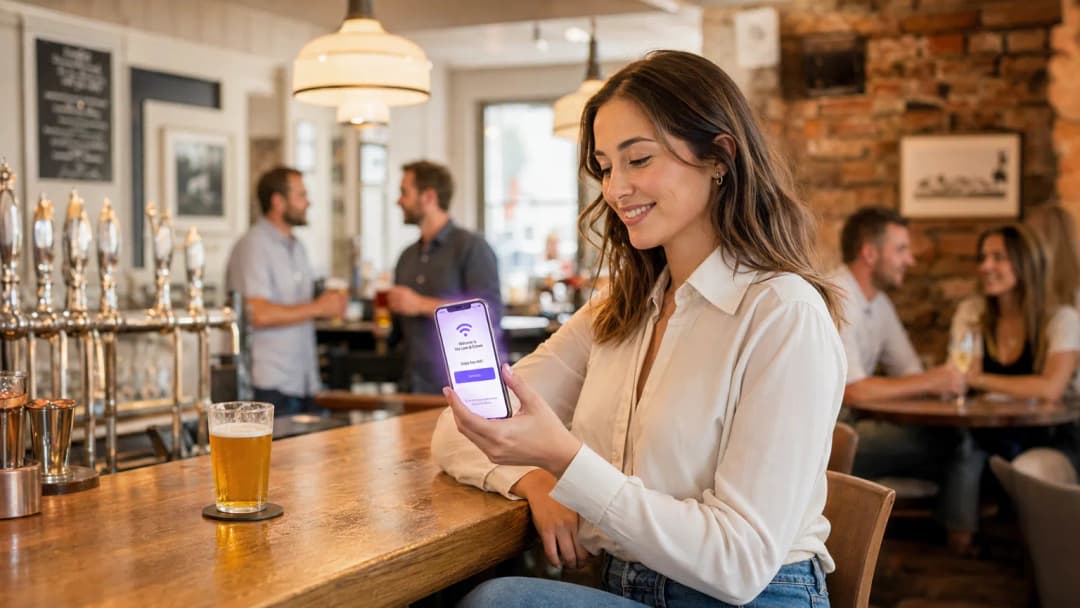
Executive Summary
Deploying robust bar WiFi and pub WiFi is no longer just an operational cost; it is a fundamental necessity for increasing footfall, boosting customer retention, and unlocking new revenue streams. The challenge for IT managers, CTOs, and venue operations directors across the hospitality sector is transitioning from legacy, unmanaged internet connections to enterprise-grade, secure, and data-rich networks. This guide provides a comprehensive blueprint to architect, deploy, and monetize guest WiFi for restaurants, bars, and pubs.
By integrating a state-of-the-art Captive Portal with powerful analytics, venues can seamlessly collect first-party customer data while remaining fully compliant with CCPA/CPRA and PCI-DSS standards. This infrastructure not only ensures a high-performance connectivity experience for customers but also powers targeted marketing campaigns that turn casual visitors into loyal patrons. Whether you manage a single premium location or a widespread estate, implementing these vendor-neutral best practices will transform your WiFi from a cost center into a measurable driver of ROI.
Technical Deep-Dive
Network Architecture and Hardware Selection
The foundation of any high-performing hospitality WiFi deployment is a resilient and scalable network architecture. Consumer-grade routers are entirely inadequate for the density and throughput demands of a modern bar or pub. Instead, venues require enterprise-grade Access Points (APs) managed via a centralized wireless LAN controller or a cloud-based gateway. This enables seamless roaming across the entire estate, unified policy enforcement, and proactive monitoring.
When selecting hardware, dual-band APs supporting 802.11ac (WiFi 5) or preferably 802.11ax (WiFi 6) are essential. WiFi 6 offers significant advantages in high-density environments, utilizing Orthogonal Frequency-Division Multiple Access (OFDMA) and Multi-User Multiple Input Multiple Output (MU-MIMO) to handle multiple connections efficiently at the same time. For coverage planning, a general rule of thumb is one AP for every 1,500 to 2,000 square feet of indoor space, though this must be verified through a professional predictive and active site survey to account for attenuation (signal loss) caused by brick walls, metal fixtures, and high customer density.
Outdoor areas, such as beer gardens and patios, require specialized IP67-rated APs to withstand environmental impacts. Furthermore, backhaul connectivity is critical. While a standard FTTC connection might suffice for a small pub, larger venues or those heavily reliant on cloud-based Point of Sale (POS) systems should invest in a dedicated leased line. As detailed in our What Is a Leased Line? Dedicated Business Internet guide, this provides a symmetrical, uncontended connection, ensuring that guest traffic does not interfere with critical business operations.
Network Segmentation and Security
Security and compliance are paramount. The guest WiFi network must be strictly isolated from the corporate network, particularly POS and payment processing infrastructure. This is typically achieved through Virtual Local Area Networks (VLANs) and robust firewall rules. Failing to segment the network is a severe violation of PCI DSS compliance, exposing the venue to significant financial and reputational risks.
Furthermore, implementing a Captive Portal is not just a marketing tool; it is a critical security control. The portal authenticates users and obliges them to accept an Acceptable Use Policy (AUP), mitigating the venue's liability for illegal activities conducted over the network. Content filtering at the DNS or firewall level should also be applied to block malicious domains and inappropriate content, ensuring a safe browsing environment.

Implementation Guide
Step 1: Site Survey and Capacity Planning
Before procuring hardware, conduct a comprehensive site survey. Identify high-density zones (e.g., the main bar, function rooms) and potential sources of interference. Calculate the expected concurrent device count, taking into account that most customers carry at least one and often two connected devices. This data will determine the required AP density, switch PoE budget, and internet backhaul capacity.
Step 2: Hardware Procurement and Installation
Select enterprise-grade networking equipment from reputable vendors. Ensure that switches provide sufficient Power over Ethernet (PoE+) to power all APs. When mounting APs, ceiling placement is generally optimal for unobstructed propagation. Ensure that cabling runs are properly certified and outdoor APs are correctly grounded and weather-sealed.
Step 3: Network Configuration and Segmentation
Configure core routers and switches to establish isolated VLANs for corporate traffic, POS systems, IoT devices (e.g., smart lighting, HVAC), and guest WiFi. Apply bandwidth shaping and Quality of Service (QoS) policies on the guest VLAN to prevent individual users from monopolizing the connection, guaranteeing a baseline level of service for all customers. For more insights into bandwidth planning, see our comprehensive guide: Hotel WiFi Speed: What Guests Expect and How to Deliver It. (German speakers can also refer to the Hotel WiFi-Geschwindigkeit: Was Gäste erwarten und wie man es liefert guide).
Step 4: Captive Portal and Authentication Setup
Integrate a robust Captive Portal solution, such as Purple's Guest WiFi platform. Design the splash page to align with the venue's branding while keeping the authentication process as frictionless as possible. Common authentication methods include email registration, SMS verification, or social login. Most importantly, ensure that the data capture process includes clear, granular opt-in checkboxes for marketing communications, along with a prominent link to the privacy policy to maintain CCPA/CPRA compliance.
Step 5: Analytics and CRM Integration
Connect the WiFi platform with your existing CRM or email marketing software. This allows captured profile data and behavioral metrics (e.g., visit frequency, dwell time) to transfer seamlessly. Configure automated workflows, such as sending a welcome email to first-time visitors or a re-engagement offer to customers who have not visited in the last 30 days.
Got questions about your specific setup?
Our team works with venue operators, IT managers, and network engineers across 80,000 venues. Book a 20-minute call and we will show you how others like you solved it.
Best Practices
- Prioritize frictionless onboarding: The Captive Portal should be intuitive and mobile-optimized. Avoid asking for excessive personal information upfront; an email address or phone number is sufficient for initial profiling.
- Leverage profile-based authentication: As discussed in our analysis of the future of seamless secure WiFi, profile-based authentication (such as OpenRoaming) allows returning guests to connect automatically without having to re-authenticate, significantly improving the user experience while continuing to log valuable analytics data. Purple acts as a free Identity Provider for services like OpenRoaming under the Connect licence.
- Ensure CCPA/CPRA compliance by design: Never use pre-checked boxes for marketing consent. Clearly separate the acceptance of terms of service from marketing opt-ins.
- Continuously monitor and optimize: Regularly review the WiFi Analytics dashboard to identify coverage dead spots, monitor peak usage times, and evaluate the conversion rates of your marketing campaigns.

Troubleshooting and Risk Mitigation
Even the most meticulously designed networks encounter issues. Here are common failure modes and mitigation strategies:
- Failure Mode: DHCP Exhaustion. In high-turnover environments like busy bars, the DHCP server can run out of IP addresses to assign, preventing new devices from connecting.
- Mitigation: Reduce the DHCP lease time on the guest VLAN to 1 or 2 hours, ensuring IP addresses are quickly returned to the pool after customers leave. Expand the DHCP subnet scope (e.g., from a /24 to a /22 or /21) to accommodate a larger number of concurrent devices.
- Failure Mode: Co-channel Interference. If multiple APs operate on the same frequency channel, their signals interfere, severely degrading throughput.
- Mitigation: Implement dynamic channel assignment via the wireless controller. Ensure 2.4 GHz radios only use non-overlapping channels (1, 6, and 11), and minimize the use of wide channels (e.g., 40 MHz or 80 MHz) in dense deployments unless operating exclusively in the 5 GHz or 6 GHz bands.
- Failure Mode: Captive Portal Bypass Issues. Modern mobile operating systems use MAC randomization and strict security checks that can sometimes interfere with Captive Portal redirection.
- Mitigation: Ensure the network uses a trusted SSL certificate for the Captive Portal. Whitelist the necessary domains (e.g., Apple and Google Captive Portal detection URLs) in the firewall's "walled garden" configuration to ensure the OS can reliably trigger the login prompt.
ROI and Business Impact
The true value of bar WiFi lies in its ability to generate actionable business intelligence. By converting anonymous foot traffic into a structured customer database, venues can execute highly targeted marketing initiatives.
Consider a scenario where analytics reveal a significant drop in foot traffic on Tuesday evenings. Using data captured via guest WiFi, the marketing team can segment the database to identify customers who frequently visit on weekends but rarely during the week. An automated, personalized email campaign offering a Tuesday-only promotion can then be sent to this specific cohort. This targeted approach yields much higher conversion rates compared to generic broadcast marketing.
ROI is measured not just by the volume of data collected, but by the incremental revenue generated by these targeted campaigns, reduced customer churn, and improved operational efficiencies gained through insights into peak trading hours and dwell times. This data-driven approach is becoming increasingly vital across all sectors, from Hospitality and Retail to Healthcare and Transport. Furthermore, as industries evolve, leaders are recognizing the broader impact of connected infrastructure, a trend highlighted by developments such as Purple Signals Higher Education Ambitions with Appointment of VP Education Tim Peers and the growing importance of seamless connectivity in mobile environments, as detailed in WiFi in Auto: The Complete 2026 Enterprise Guide.
Key Definitions
Captive Portal
A web page that a user of a public-access network is obliged to view and interact with before access is granted.
Crucial for authenticating users, presenting Acceptable Use Policies, and capturing first-party data for marketing.
VLAN (Virtual Local Area Network)
A logical subnetwork that groups a collection of devices from different physical LANs.
Used to isolate guest WiFi traffic from sensitive corporate and POS traffic, ensuring security and compliance.
Leased Line
A dedicated, fixed-bandwidth, symmetric data connection connecting a business directly to the internet.
Necessary for high-capacity venues to ensure consistent throughput that isn't shared with neighboring premises.
WiFi 6 (802.11ax)
The latest generation of the WiFi standard, designed to improve efficiency and performance in dense environments.
Essential for venues with high concurrent device counts, utilizing technologies like OFDMA to handle multiple users simultaneously.
DHCP Exhaustion
A state where the DHCP server has allocated all available IP addresses in its pool, preventing new devices from connecting.
A common issue in high-turnover hospitality environments; mitigated by reducing DHCP lease times and expanding subnet sizes.
PCI DSS (Payment Card Industry Data Security Standard)
An information security standard for organizations that handle branded credit cards.
Mandates strict network segmentation to ensure guest WiFi users cannot access payment processing infrastructure.
Profile-Based Authentication
A method where returning users are automatically authenticated based on their device profile without needing to interact with the captive portal again.
Improves user experience and encourages seamless connectivity, facilitating ongoing analytics tracking.
Co-Channel Interference
Performance degradation caused when multiple access points operate on the same frequency channel, causing them to compete for airtime.
Addressed through careful RF planning, dynamic channel assignment, and utilizing non-overlapping channels.
Worked Examples
A busy downtown pub with a capacity of 300 patrons and a large outdoor beer garden is experiencing severe WiFi performance degradation on Friday nights. The current setup consists of two consumer-grade ISP routers. The venue wants to upgrade the network to ensure reliable connectivity and begin capturing customer data for marketing.
- Replace the consumer routers with a dedicated enterprise firewall/router and a PoE+ managed switch. 2. Provision a dedicated leased line (e.g., 100Mbps symmetrical) to handle the backhaul traffic. 3. Deploy three indoor WiFi 6 access points (ceiling-mounted) in the main bar area and two IP67-rated outdoor APs in the beer garden. 4. Configure the switch to create isolated VLANs for the corporate network, POS terminals, and guest WiFi. 5. Integrate the Purple Guest WiFi platform, configuring a branded captive portal with email authentication and explicit CCPA/CPRA-compliant marketing opt-ins. 6. Reduce the DHCP lease time on the guest VLAN to 2 hours to prevent IP address exhaustion.
A regional chain of 15 sports bars wants to standardize their guest WiFi to build a centralized CRM database. Currently, each venue manages its own standalone network with varying SSIDs and no data capture mechanisms.
- Standardize the hardware stack across all venues using cloud-managed APs and switches from a single vendor. 2. Deploy a centralized cloud controller to manage configurations and firmware updates across the entire estate. 3. Implement a unified SSID (e.g., 'Free_SportsBar_WiFi') across all 15 locations. 4. Deploy the Purple analytics platform centrally, configuring a consistent captive portal experience. 5. Enable profile-based authentication so a guest registering at Venue A automatically connects when visiting Venue B. 6. Integrate the centralized WiFi database via API with the chain's primary CRM system to trigger automated loyalty campaigns.
Practice Questions
Q1. A historic tavern with thick stone walls is planning a WiFi upgrade. The manager wants to place a single high-powered AP in the center of the venue to save on cabling costs. As the IT architect, what is your recommendation?
Hint: Consider how building materials affect RF propagation and the limitations of client device transmit power.
View model answer
Advise against a single AP deployment. Thick stone walls severely attenuate RF signals, particularly in the 5 GHz band. Even if a high-powered AP can transmit a signal to the edges of the venue, mobile devices (which have weak transmitters) will struggle to send data back, resulting in a poor user experience. Recommend a professional site survey and a multi-AP deployment using lower transmit power to ensure adequate coverage and capacity throughout the venue.
Q2. During an audit, you discover that the guest WiFi network is operating on the same VLAN as the venue's cloud-based POS system. The venue owner argues that because the POS is cloud-based, local segmentation is unnecessary. How do you respond?
Hint: Focus on compliance standards and the risks of lateral movement within a flat network.
View model answer
Explain that this configuration is a critical security vulnerability and a direct violation of PCI DSS compliance. Even if the POS communicates with the cloud, placing guest devices on the same local subnet allows malicious actors to attempt lateral movement, sniff local traffic, or launch attacks against the POS hardware. Immediate remediation is required to implement VLAN segregation and strict firewall rules isolating the guest network.
Q3. A venue's marketing team complains that they are capturing thousands of email addresses via the captive portal, but their email marketing campaigns have an extremely high bounce rate and low engagement. What technical or configuration issue might be causing this?
Hint: Consider the user experience during onboarding and how users might bypass data entry requirements.
View model answer
The high bounce rate is likely due to users entering fake or disposable email addresses to bypass the captive portal quickly. To mitigate this, implement email verification (requiring the user to click a link in an email to gain full internet access) or SMS authentication. Additionally, review the captive portal design to ensure it is not overly demanding, which incentivizes users to provide false information.
Continue reading in this series
CCPA/CPRA data retention for shared WiFi operators: how long you can keep guest login data and network logs
Set a documented retention period for each category of shared WiFi data, from connection metadata to RADIUS accounting logs, and justify it under the TCPA and CAN-SPAM. You will also be able to decide whether you are a controller or processor for each tenant, and whether federal data retention laws actually oblige you to keep records for 12 months.
Guest WiFi ROI: calculation methodology and venue benchmarks
You will be able to build a guest WiFi ROI model your finance director will sign, using gross margin and holdout groups rather than revenue and attribution. Calculate four value streams, stress-test them by halving lift assumptions, and replace every year-one estimate with your own 90-day baseline before you request year-two budget.
How to leverage SMS in marketing to increase return visits
This technical reference guide outlines how enterprise venues can integrate WiFi analytics with SMS marketing engines to drive repeat visits. It details the architecture required to capture real-time presence data, trigger automated SMS campaigns based on physical behavior, and measure the direct impact on return rates. By aligning network infrastructure with marketing automation, IT and operations teams can establish a high-yield channel for customer retention.
Got questions about your specific setup?
Our team works with venue operators, IT managers, and network engineers across 80,000 venues. Book a 20-minute call and we will show you how others like you solved it.