
Dynamic Pre-Shared Keys (DPSK) for Multi-Family Security
This authoritative technical reference guide explores Dynamic Pre-Shared Keys (DPSK) as a high-security, low-friction alternative to 802.1X for multi-family WiFi environments. It details the underlying architecture, vendor implementations, dynamic VLAN steering, and API-driven lifecycle automation. IT managers and network architects will find actionable guidance on deploying DPSK to achieve robust tenant isolation, regulatory compliance, and seamless device onboarding.
Video overview
Listen to this guide
View podcast transcript
Part of our core series: Multi-Family WiFi Guide →
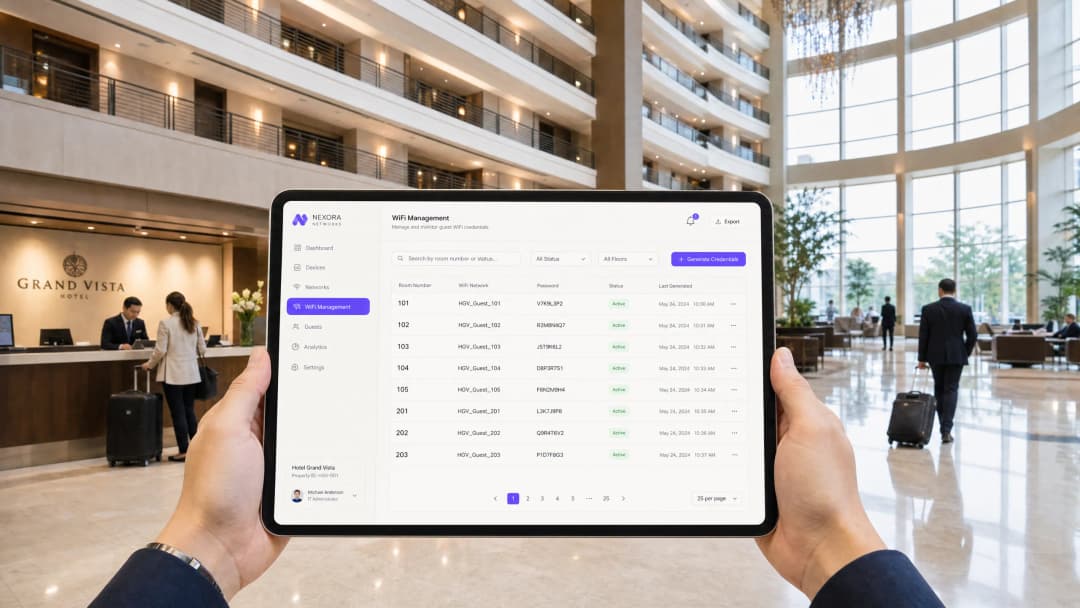
Managing wireless security across multi-tenant environments - such as multi-family developments, student housing, serviced offices, and boutique hotels - requires balancing rigorous cryptographic isolation with consumer-friendly onboarding.
Traditional WPA2/WPA3-Personal networks rely on a single shared passphrase for all users, exposing the network to credential leakage and packet sniffing. Conversely, enterprise 802.1X (WPA2/WPA3-Enterprise) requires 802.1X supplicants or digital certificates that many headless consumer Internet of Things (IoT) devices - like smart TVs, gaming consoles, smart plugs, and printers - cannot support.
Dynamic Pre-Shared Keys (DPSK), also known as Identity Pre-Shared Keys (iPSK), resolve this conflict by binding unique, per-user or per-device passphrases to a single broadcast SSID while dynamically mapping each device to its own isolated Virtual Local Area Network (VLAN).
Why Shared WPA2-Personal Fails in Multi-Tenant Venues
On a standard residential WiFi network using a single pre-shared key (PSK):
- Zero Cryptographic Segregation: Because all devices share the identical pairwise master key derivation, any user on the network can decrypt over-the-air unicast traffic from neighboring devices using standard packet capture tools like Wireshark.
- Universal Compromise on Churn: When a tenant vacates a unit or an employee departs, property management must either rotate the passphrase across every remaining tenant device or accept persistent unauthorized network access.
- No Granular Bandwidth Policy: Network controllers cannot differentiate between a tenant high-priority work laptop and a high-bandwidth media server sharing the same pre-shared key.
Got questions about your specific setup?
Our team works with venue operators, IT managers, and network engineers across 80,000 venues. Book a 20-minute call and we will show you how others like you solved it.
Technical Architecture of DPSK and iPSK
Dynamic PSK bridges consumer simplicity and enterprise security through controller-level authentication lookups during the 802.11 4-way handshake:
+------------------+         +--------------------+         +-------------------+
|  Tenant Device   |         | Access Point (AP)  |         | Network Controller|
+------------------+         +--------------------+         +-------------------+
         |                             |                              |
         | 1. Probe & Auth Request     |                              |
         |---------------------------->|                              |
         |                             | 2. RADIUS Access-Request     |
         |                             |    (Client MAC + Entered PSK)|
         |                             |----------------------------->|
         |                             |                              |
         |                             | 3. RADIUS Access-Accept      |
         |                             |    (Tunnel-Private-Group-ID) |
         |                             |<-----------------------------|
         | 4. 802.11 4-Way Handshake   |                              |
         |    (Unique PTK Derived)     |                              |
         |<===========================>|                              |
         |                             |                              |
         | 5. Traffic Isolated to Unit VLAN / Private Area Network (PAN)
Core Operational Components
- Unique Pairwise Transient Keys (PTK): Because each tenant enters a unique passphrase during authentication, the AP derives a distinct encryption key for that specific client session. Traffic transmitted over the air cannot be decrypted by any other tenant, even though both connect to the same SSID name.
- Dynamic VLAN Assignment: During the RADIUS authentication exchange, the network controller returns standard RFC 2868 attributes (such as
Tunnel-Type = VLANandTunnel-Private-Group-ID = <VLAN_ID>). The access point automatically assigns the client device to that tenant dedicated private subnet. - Personal Area Network (PAN) Isolation: Enterprise access points enforce Layer 2 Isolation (client isolation) between different VLANs while allowing seamless mDNS and UPnP discovery within the tenant private VLAN. A resident can cast YouTube from their phone to their living room smart TV without their neighbors seeing the casting prompt.
DPSK Implementation Best Practices for Multi-Family Housing
- Automate Key Lifecycle via API: Integrate key generation with your property management software. Keys should be generated upon lease execution and automatically revoked upon checkout.
- Set Device Caps per Tenant: Limit the number of concurrent active MAC addresses permitted per key (e.g. 10 to 15 devices per apartment) to prevent unauthorized passphrase sharing with non-residents.
- Provide a Resident Device Management Portal: Allow residents to log into a self-service portal to generate dedicated DPSK keys for headless devices or guest visitors without contacting building IT staff.
Frequently Asked Questions
What is the difference between DPSK and iPSK?
DPSK (Dynamic Pre-Shared Key) and iPSK (Identity Pre-Shared Key) refer to the same underlying architectural mechanism. DPSK is the terminology originated by Ruckus Wireless (CommScope), while iPSK is the terminology utilized by Cisco Systems. Both achieve per-device unique keys and dynamic VLAN steering.
Does DPSK work with WPA3?
Yes. Modern enterprise controllers support DPSK with WPA3-Personal (SAE) through vendor-specific extensions, providing robust protection against offline dictionary attacks alongside per-device key segregation.
Can IoT devices connect using DPSK?
Yes. Because DPSK relies on standard WPA2/WPA3 pre-shared key protocols from the client perspective, all IoT devices, printers, and legacy electronics connect without requiring special client certificates or software agents.
Key Definitions
Dynamic Pre-Shared Key (DPSK)
A wireless security technology that allows a single SSID to support multiple, unique pre-shared keys. Each key is associated with a specific user, device, or group, enabling individual encryption and policy enforcement without the complexity of 802.1X.
Encountered when replacing building-wide shared passwords in multi-tenant or hospitality environments to establish individual accountability and security.
Identity PSK (iPSK)
Cisco's implementation of Dynamic Pre-Shared Key technology. It utilizes RADIUS vendor-specific attributes (VSAs) to return unique passphrases and network policies to the Wireless LAN Controller during the MAC authentication bypass phase.
Used by network architects designing multi-tenant security on Cisco Catalyst or Cisco Meraki wireless platforms.
Multi-Pre-Shared Key (MPSK)
Aruba's branding and implementation of unique per-device pre-shared keys. It is typically orchestrated via the Aruba ClearPass Policy Manager to enforce role-based access control and dynamic VLAN steering.
Encountered in enterprise environments running Aruba wireless infrastructure where headless IoT devices must be securely segmented.
Dynamic VLAN Steering
The network process where a wireless controller dynamically assigns a connecting client device to a specific Virtual LAN (VLAN) based on attributes returned by a RADIUS server during authentication, rather than statically mapping the SSID to a single VLAN.
Critical for isolating different tenant types (guests, staff, IoT, payment systems) on a single shared SSID.
Private Area Network (PAN)
A logical network segment created dynamically around a specific user's devices. It allows a tenant's devices to discover and communicate with one another (e.g., casting to a Chromecast) while remaining completely isolated from all other tenants on the same subnet.
The primary technology used to deliver a secure, home-like WiFi experience in hotels, Student Housing, and multi-family units.
MAC Authentication Bypass (MAB)
An authentication process where a network switch or wireless controller uses a client device's MAC address as its credential to query a RADIUS server, bypassing standard interactive login prompts.
The underlying mechanism used by DPSK to intercept connection attempts and query the RADIUS server for the device's unique pre-shared key.
Simultaneous Authentication of Equals (SAE)
The secure key exchange protocol introduced in WPA3 that replaces the traditional WPA2 Pre-Shared Key 4-way handshake. It protects against offline dictionary attacks and provides forward secrecy.
Encountered when upgrading DPSK deployments to WPA3 (DPSK3/iPSK3) to ensure maximum cryptographic security over the air.
Vendor-Specific Attributes (VSAs)
Custom attributes defined by network hardware vendors (e.g., Cisco, Aruba, Ruckus) that extend the standard RADIUS protocol. They are used to pass proprietary configuration data, such as unique PSKs, between the RADIUS server and the wireless controller.
Configured by network engineers within RADIUS policy engines to enable advanced DPSK capabilities and policy enforcement.
Worked Examples
A 250-room luxury hotel wants to eliminate its frustrating captive portal guest WiFi. They need to support guest-owned Chromecasts in every room so guests can securely cast Netflix from their cell phones to the in-room smart TVs, without seeing or casting to TVs in adjacent rooms. They use a Cisco Meraki wireless infrastructure and a cloud-based Property Management System (PMS). How should this be designed and implemented?
- SSID Architecture: Consolidate guest WiFi onto a single SSID named 'Hotel-Guest' configured with WPA2-Personal and Identity PSK (iPSK) enabled.
- VLAN Segmentation: Define a
/20subnet on VLAN 100 for guest devices. Configure Meraki Group Policies to enable Layer 2 isolation globally on this VLAN, blocking all client-to-client communication by default. - Private Area Network (PAN) Grouping: Configure the RADIUS server (e.g., Cisco ISE) to group keys by Room Number. When a guest checks in, the PMS triggers an API call to Cisco ISE to generate a unique 20-character iPSK for that room (e.g., Room 204).
- mDNS Gateway Configuration: Enable the Meraki mDNS Gateway (Bonjour forwarding) on VLAN 100. Configure a custom policy: permit mDNS reflection and Layer 2 traffic only between devices that authenticate using the exact same iPSK credential.
- Onboarding: The guest enters the unique room password on their cell phone and their Chromecast. Because they share the same key, the mDNS gateway allows the cell phone to discover the Chromecast, enabling secure casting. Because Layer 2 isolation remains active between different keys, guests in adjacent rooms cannot see or access the Chromecast.
A national retail chain with 450 stores wants to consolidate its in-store wireless infrastructure. Each store currently runs four separate SSIDs (Guest, Corporate, POS/Payment, and Handheld Scanners), causing severe RF congestion and performance degradation. The POS terminals and handheld scanners must comply with strict PCI-DSS isolation requirements. They use Aruba APs and Aruba Central. How can they leverage DPSK to consolidate their SSIDs?
- SSID Consolidation: Eliminate three SSIDs, leaving a single broadcast SSID named 'Store-Connect' configured with Aruba Multi-Pre-Shared Key (MPSK).
- RADIUS Policy Mapping: Configure Aruba ClearPass as the RADIUS engine, integrated with the retailer's active directory and inventory database.
- MPSK Key Assignment & VLAN Steering: Generate and assign unique MPSK keys based on device profiles:
- POS Terminals: Issued a highly complex, 32-character static MPSK. ClearPass policy maps this key to VLAN 40 (strictly isolated Payment VLAN, firewalled from all other subnets).
- Handheld Scanners: Issued a separate MPSK. ClearPass maps this key to VLAN 30 (Operational Inventory VLAN).
- Staff Tablets: Authenticate via standard 802.1X certificates on the same SSID (Aruba supports mixed MPSK and 802.1X on a single SSID) and are steered to VLAN 20 (Corporate).
- Customers: Onboarded via a temporary DPSK generated via a self-service portal, mapped to VLAN 10 (Guest, internet-only access).
- RF Optimization: Disabling the extra three SSIDs immediately reclaims up to 9% of total airtime capacity by eliminating redundant beacon frames, dramatically improving throughput and connection reliability for the critical POS and scanner devices.
Practice Questions
Q1. A stadium operations director wants to deploy a single SSID across the entire venue (capacity 55,000) to support both the guest public WiFi and the handheld ticket-scanning devices used by turnstile staff. The ticket scanners require strict network isolation and must never be disrupted by guest traffic. How should the IT team apply DPSK to meet these requirements?
Hint: Consider high-density RADIUS performance, SSID beacon overhead, and dynamic VLAN steering based on key profiles.
View model answer
- SSID Architecture: Deploy a single SSID named 'Stadium-Connect' across the venue.
- DPSK Key Profiles: Create two distinct DPSK key pools in the RADIUS server (e.g., Aruba ClearPass or Cisco ISE):
- Staff Ticket Scanners: Issued a highly complex, 32-character static DPSK. The RADIUS policy maps this key profile to VLAN 300 (Ticket Scanning VLAN), which has strict quality of service (QoS) prioritization and is firewalled from all other subnets.
- Public Guests: Onboarded via a self-service captive portal on a temporary open VLAN, which registers their MAC address and issues a transient, low-priority guest DPSK mapped to VLAN 100 (Guest, internet-only, rate-limited to 5 Mbps).
- RADIUS Optimization: In a high-density environment of 55,000 users, querying the RADIUS server for every guest connection can cause server saturation. To mitigate this, enable local RADIUS caching on the Access Points for guest sessions. For the critical ticket scanners, use static MAC pre-registration and dedicated primary/secondary RADIUS server nodes with a load balancer to guarantee sub-millisecond authentication responses.
- Outcome: Consolidating to a single SSID saves up to 15% of airtime capacity by eliminating redundant beacon frames. The ticket scanners are completely isolated and prioritized at Layer 2 right at the AP, ensuring they remain operational even when the stadium is at full capacity.
Q2. A Student Housing operator managing a 600-bed development is experiencing severe network performance issues. Residents are complaining that they cannot connect their smart speakers, smart TVs, and gaming consoles because the network requires 802.1X certificate authentication. Additionally, students are frequently sharing their personal WiFi passwords with friends in adjacent rooms, causing bandwidth saturation. How can DPSK resolve these issues?
Hint: Think about Private Area Networks (PAN), concurrent device limits, and automated PMS integration.
View model answer
- Replace 802.1X with DPSK: Transition the residential network from 802.1X to a single SSID named 'Student-Home' configured with Dynamic PSK (DPSK).
- Private Area Network (PAN) Deployment: Configure the wireless controller to enable Private Area Networks. Issue a unique DPSK key to each student (e.g., linked to their lease record). When a student enters this key on their smartphone, laptop, gaming console, and smart TV, the network dynamically groups these devices into a private cryptographic bubble. This allows the devices to communicate with one another (enabling smart speaker control and Chromecast casting) while blocking all traffic to/from other students' devices.
- Enforce Concurrent Device Limits: Set a strict limit of 6 concurrent devices per DPSK key. If a student attempts to share their key with friends, they will quickly hit the device limit, preventing unauthorized sharing and preserving bandwidth.
- Automate Key Lifecycle: Integrate the Property Management System (PMS) with the wireless orchestrator (e.g., Purple). Keys are automatically generated and sent to students via email/SMS upon check-in, and instantly revoked at check-out, eliminating manual management overhead.
- Bandwidth Allocation: Apply a dynamic bandwidth contract per key (e.g., 100 Mbps download / 20 Mbps upload per resident), ensuring fair distribution of WAN capacity and preventing any single user from saturating the link.
Q3. A healthcare provider operates a multi-tenant clinic building where different medical practices share the same physical wireless infrastructure. The clinics handle sensitive Patient Health Information (PHI) and must comply with strict HIPAA security standards. A network engineer suggests using DPSK to isolate each clinic's devices on a shared SSID. Is this a compliant approach, and what are the architectural constraints?
Hint: Analyze the cryptographic limitations of PSK-based networks compared to 802.1X, and how VLAN steering and firewalls must be structured.
View model answer
- Compliance Suitability: Yes, DPSK can support HIPAA compliance by enforcing strict network segmentation and individual encryption, but it must be implemented with specific architectural constraints.
- Cryptographic Isolation: Unlike standard shared PSKs where any user can sniff over-the-air traffic of others, DPSK encrypts each client's session with a unique key. However, because it is still based on the WPA2-Personal/WPA3-SAE framework, it does not provide the centralized identity validation and certificate-based security of WPA3-Enterprise (802.1X). For clinic staff laptops handling electronic PHI (ePHI), 802.1X authentication (EAP-TLS) remains the recommended approach.
- DPSK for Headless Medical Devices: For medical devices that do not support 802.1X (e.g., wireless vitals monitors, legacy imaging machines), DPSK is an excellent, compliant solution. Assign a unique, complex 32-character DPSK to each clinic's device group.
- Dynamic VLAN and Firewall Steering: The RADIUS server must steer each clinic's devices into their own dedicated VLAN (e.g., Clinic A on VLAN 50, Clinic B on VLAN 60). On the core firewall, implement strict Access Control Lists (ACLs) that block all inter-VLAN traffic between the clinics. Enable stateful inspection and logging of all traffic leaving the clinic subnets.
- Key Lifecycle Management: Establish a documented key rotation policy (e.g., rotate keys every 90 days or immediately when a staff member leaves). This must be automated via integration with the clinic's identity management system to prevent human error.
- Conclusion: DPSK is highly effective for segmenting non-802.1X-capable medical devices on a shared infrastructure, but corporate workstations handling PHI should be kept on a separate 802.1X-secured SSID to maintain a defense-in-depth security posture.
Continue reading in this series
Why hotel-style guest WiFi fails in residential buildings
You will be able to diagnose why residents in Multi-Family properties, Student Housing, and MDUs keep reporting WiFi faults, and choose the authentication model that fixes them. The answer is a per-household iPSK key on your existing access points, with a separate captive portal network kept for visitors.
Designing WiFi Networks for Multi-Tenant Office Buildings
This guide provides IT managers, network architects, and CTOs with a vendor-neutral blueprint for designing scalable, secure, and isolated WiFi networks across multi-tenant office buildings. It covers VLAN segmentation under IEEE 802.1Q, Dynamic VLAN Assignment via 802.1X and RADIUS, RF planning for high-density environments, and compliance considerations under CCPA/CPRA and PCI-DSS. Venue operators and building managers will find actionable architecture guidance, real-world case studies, and configuration pitfalls to avoid before deployment.
Mean time to innocence: how to prove it's not the WiFi
Mean time to innocence (MTTI) is the critical metric defining how long IT teams spend proving a network issue is not their fault. This guide details a five-step observability methodology to eliminate the blame game in multi-tenant environments, replacing finger-pointing with shared evidence to drive down mean time to resolution (MTTR).
Got questions about your specific setup?
Our team works with venue operators, IT managers, and network engineers across 80,000 venues. Book a 20-minute call and we will show you how others like you solved it.