
Juniper Mist guest WiFi portals vs external captive portal overlays: multi-site comparison
You will be able to decide, venue by venue, whether the native Juniper Mist guest portal is enough or an external captive portal overlay earns its license. You will also know how to forward a Mist WLAN to an overlay, configure RADIUS accounting and keep one guest record through a phased migration from legacy controllers.
By Tom HackettPublished
📖 13 min read2,935 words3 worked examples12 key definitions
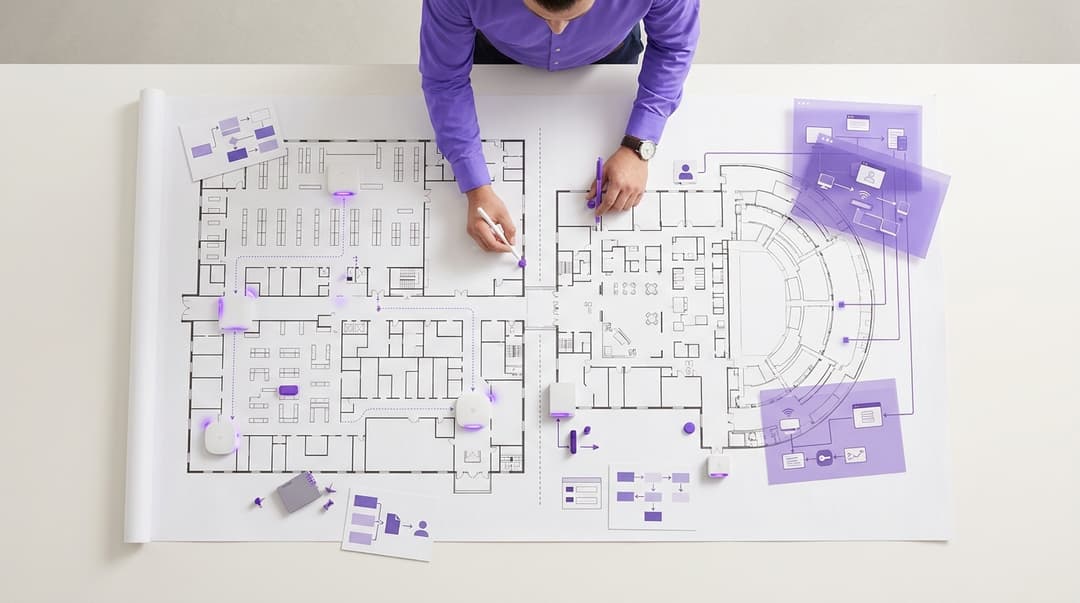
Use the native Juniper Mist guest portal when a site needs click-through, passphrase, SMS or social sign-in and nothing more. Choose an external captive portal overlay when you need PMS lookup, loyalty sync or consented first-party data. An overlay also gives you one guest view across Mist and legacy controllers, with RADIUS accounting carrying session data back.
Should you use the native Juniper Mist portal or an external captive portal?
A captive portal is the web page a guest must pass before the network grants internet access. Juniper Mist builds one into every WLAN, configured from the same dashboard as the radios. It supports click-through acceptance of terms, passphrase, email, SMS, social and sponsored sign-in. If a site needs only an acceptance step, the native portal covers it.
The decision depends on what happens after the guest connects:
- Marketing may want consented email addresses in a CRM.
- Front of house may want room-number lookup against the property management system (PMS).
- Loyalty teams may want members recognized on arrival.
The native portal authorizes access. It was not built for those integrations.
An external captive portal overlay sits on top of Mist and takes over the sign-in page. Mist still runs the radios, the WLAN and enforcement at the access point. The overlay owns the identity, the consent record and the data flows. Purple runs Guest WiFi this way as a cloud overlay across 80,000+ live venues in 90 countries (Purple's own data).
Multi-site estates add a third factor. Few groups move every venue to Mist in one go, so Mist runs beside legacy controllers for months. Only a hardware-agnostic overlay keeps one guest record across both.
Where do native Mist portals and external overlays genuinely differ?
Both options put a branded page in front of the guest. The real differences are hardware coverage, integrations and what the data can do afterwards.
| Capability | Native Juniper Mist portal | External captive portal overlay (Purple) |
|---|---|---|
| Sign-in methods | Click-through, passphrase, email, SMS, social, sponsored | Click-through, email, SMS, social, custom data-capture forms, PMS room lookup |
| Hardware coverage | Juniper Mist access points only | Cisco Meraki, HPE Aruba, Ruckus, Juniper Mist, Ubiquiti UniFi, Cambium, Extreme, Fortinet |
| PMS lookup | Not included; custom build against the Mist API | Room number and last name checked against the PMS at sign-in |
| CRM and loyalty sync | Export via Mist API or webhooks; you build and maintain the connector | Integrates with CRM and marketing platforms |
| Consent records | Terms acceptance at sign-in | Conscious-choice opt-ins recorded per purpose |
| Guest analytics | Network-centric: client experience, connection success, client counts | Visitor-centric: dwell time, repeat visits, opt-in rates per venue |
| Multi-site control | WLAN templates at organization, site group or site level | One portal and reporting layer across every venue and vendor |
| Session data source | Mist dashboard and API | RADIUS accounting (RFC 2866) per session |
| Extra license | None beyond your Mist access point subscription | Purple subscription per venue: Connect, Capture or Engage |
Consent and first-party data
CCPA/CPRA requires you to demonstrate that each person consented. It also requires consent to be distinguishable from other matters, so terms acceptance alone does not evidence marketing consent. In the US, the TCPA and CAN-SPAM add rules for email marketing. Mist's native portal records that a guest accepted terms and was authorized. Purple records conscious-choice opt-ins per purpose, so you can prove which guests agreed to what.
PMS lookup and loyalty sync
Hotels often gate premium bandwidth behind a room-number and last-name check. That needs a live PMS query at the moment of sign-in. Mist's native portal has no PMS connector, so you would build one against the Mist API. Purple runs the lookup inside the portal and applies the matching access tier. The same pattern matches a sign-in to a loyalty or CRM profile. The guide Hotel guest WiFi platforms: PMS integration, Passpoint and tiered bandwidth compared covers the PMS side in depth.
Reporting across vendors
Mist analytics answer one question: is the WiFi working? Visitor analytics answer different ones. How long do guests stay, how often do they return, and which venues turn sign-ins into opt-ins? Mist data also stops at the edge of the Mist estate. An overlay reports the same metrics for every venue in WiFi Analytics, whatever the hardware.
When is the native Juniper Mist portal the right call?
Choose the native portal when all of these hold:
- Every venue in scope runs Juniper Mist, or will before you need joined-up reporting.
- The requirement is an acceptance step, such as an acceptable use policy.
- Nobody plans to market to visitors from sign-in data.
- No PMS, loyalty or CRM integration sits on the roadmap.
- Sponsored or passphrase access covers contractors and visiting staff.
In that case an overlay adds a license and a dependency with no return. Keep the portal native and spend the budget on coverage.
Worked scenario: a 30-branch library service
A county library service replaced end-of-life controllers with Juniper Mist across 30 branches. Its only guest requirement was visitor acceptance of an acceptable use policy, with content filtering at the firewall. The team built one native portal in an organization-level WLAN template and assigned it to every branch.
The outcome was one portal configuration instead of 30, and no additional license. Each branch's portal went live in the same change window as its access point swap. When the service later wanted visitor numbers per branch, Mist's client counts gave the answer.
When is an external captive portal overlay the right call?
Choose an overlay when any one of these holds:
- You need consented first-party data in a CRM or marketing platform.
- Front of house needs PMS lookup, or loyalty members need recognizing at sign-in.
- Your estate mixes Mist with other vendors, now or during migration.
- You report guest behavior across venues to marketing, operations or a franchise board.
- You want returning visitors to reconnect without a portal through OpenRoaming.
OpenRoaming is a Wireless Broadband Alliance federation built on Passpoint (Hotspot 2.0). Passpoint lets a device join automatically using a stored credential. Purple supports OpenRoaming alongside its captive portal.
The overlay pattern suits Hotels with PMS-tiered access and Retail chains with loyalty programs. It also fits Healthcare estates serving patients and visitors. Trains operators qualify too, as station and onboard networks rarely share one vendor.
Worked scenario: a 40-hotel group mid-migration
A 40-hotel group planned an 18-month move from legacy controllers to Juniper Mist. It wanted PMS lookup for a premium bandwidth tier and one view of returning guests. The group deployed Purple on its legacy estate first, with one portal for every hotel. As each hotel cut over, its Mist WLAN template forwarded guests to that same portal.
The outcome was one portal configuration across 40 hotels, rather than two parallel builds. Guest profiles carried through every cutover unbroken. Marketing reported repeat stays for the whole group from one dashboard throughout the migration.
Worked scenario: a 120-store fashion chain
A fashion chain ran Mist's native portal with social sign-in across 120 stores. Marketing wanted sign-ins matched to loyalty profiles, with opt-ins it could evidence under CCPA/CPRA. The network team changed one organization-level WLAN template to forward shoppers to Purple and added the walled garden entries.
The outcome was one template edit instead of 120 site changes. Every new opt-in was stored with the purpose the shopper chose. Store teams saw no change to the SSID or the radios.
Got questions about your specific setup?
Our team works with venue operators, IT managers, and network engineers across 80,000 venues. Book a 20-minute call and we will show you how others like you solved it.
How do you configure a Mist WLAN for an external captive portal?
The network change is small. Most of the effort sits in portal design and integration testing. Take exact field values, server addresses and shared secrets from Purple's Juniper Mist integration article in the Purple support center. Cross-check them against Juniper's Mist documentation, and never copy values from another deployment.
Forward guests from the WLAN
In the WLAN's guest portal settings, replace the native portal with the option to forward to an external portal. Enter the portal URL from Purple's integration article. Mist appends identifiers to the redirect, including client and access point MAC addresses. These identifiers tell the portal which guest is connecting and where. Mist's external portal settings also define how the portal tells the access point to release the guest. Use the method Purple's article specifies.
Build the walled garden
A walled garden is the list of destinations a guest can reach before authorizing. Mist holds it as allowed hostnames and subnets on the WLAN. It must include the portal domain itself, or the sign-in page never loads. Add every identity provider behind social sign-in, plus any payment gateway or content delivery network the page uses. Purple publishes its required domains in the integration article. A missing entry usually shows up as a blank or looping sign-in page.
Point RADIUS authentication and accounting at the overlay
RADIUS, defined in RFC 2865, is the protocol access points use to ask a server whether to admit a device. Its accounting extension, RFC 2866, reports when each session starts, updates and stops. Add Purple's authentication and accounting servers to the WLAN exactly as the article lists them. Enable interim accounting updates at the interval Purple recommends.
Accounting records carry session duration, data volume and the client MAC address in the Calling-Station-Id attribute. That stream feeds dwell time and repeat-visit reporting. Where RADIUS crosses the public internet, RADIUS over TLS (RadSec, RFC 6614) encrypts the exchange.
Roll out by template, not by site
Mist applies WLAN templates at organization, site group or site level. Build the external portal WLAN once, assign it to a pilot site, then widen the assignment. A site group per region or brand lets you stage the rollout and reverse it in one step. Keep the SSID name unchanged so returning devices still recognize the network.
Test on every operating system
iOS, Android, Windows and macOS each detect captive portals in their own way. Most open sign-in pages in a restricted mini-browser. Test each platform on the pilot site, including social sign-in and any PMS lookup. Then confirm accounting starts and stops reach Purple before you widen the template.
Where does Mist Access Assurance fit in guest onboarding?
Juniper Mist Access Assurance is Mist's cloud network access control service. It authenticates devices with IEEE 802.1X, the port-based access control standard. Devices without 802.1X support use MAC Authentication Bypass (MAB) instead. Identity comes from Microsoft Entra ID, Okta or Google Workspace. That suits staff, managed laptops and IoT.
Guest onboarding is a different job. Guests bring unmanaged devices and hold no corporate identity. Access Assurance is not designed for marketing data capture or consent, so many properties run both. Access Assurance protects the staff SSID, and an overlay portal runs the guest SSID. BYOD WiFi Onboarding: Managing Unmanaged Devices in Hotels and Retail covers the unmanaged-device side. Long-stay guests and residents need private device groups. For them, Purple offers SecurePass and iPSK (identity pre-shared key), which gives each person a unique WiFi password.
How do you keep guest analytics unified during a migration to Juniper Mist?
The risk in a phased migration is a split record. Legacy sites log guests in one portal and Mist sites in another, so a guest who visits both counts twice. Consent records end up in two systems with different wording. Repeat-visit figures reset at every cutover.
Four rules prevent that:
- Deploy the overlay before the first Mist site. Purple supports Cisco Meraki, HPE Aruba, Ruckus, Juniper Mist, Ubiquiti UniFi, Cambium, Extreme and Fortinet. If your legacy hardware is on that list, one platform covers both properties.
- Use one portal and one SSID name across both properties. Each Mist site then points at a portal guests already know.
- Key profiles to identity, not device MAC. Apple introduced private addresses in iOS 14, and Android 10 randomizes MAC addresses by default. A profile tied to a sign-in identity survives that; one tied to a MAC address does not.
- Tag every venue by hardware in reporting. Baseline sign-ins, opt-in rate and dwell time before cutover, then compare afterwards. A dip at one site usually points to a walled garden or template error.
This approach takes hardware off the critical path for guest data. Why your next WiFi upgrade doesn't need new hardware explores the same principle.
What does each option cost to run across multiple sites?
License cost is the visible line. Integration build and per-site admin are the hidden ones.
| Cost line | Native Juniper Mist portal | External captive portal overlay (Purple) |
|---|---|---|
| Portal license | Included with your Mist access point subscription | Purple subscription per venue: Connect, Capture or Engage |
| SMS sign-in | Billed through your own SMS provider account, such as Twilio | Configured within the Purple platform |
| Network change to deploy | Portal built inside the WLAN template | One WLAN template edit plus walled garden and RADIUS entries |
| PMS or loyalty integration | Custom development against the Mist API, maintained in-house | Configured in the platform |
| Marketing consent | Separate consent tool or manual process | Conscious-choice opt-ins recorded per purpose |
| Mixed-vendor estate | Second portal on legacy hardware until migration ends | One portal across all eight supported vendors |
| Adding a venue | Assign the template | Assign the template and add the venue in Purple |
The native portal looks free because the license is. Cost arrives when marketing asks for CRM data. Someone builds a PMS connector, and someone else maintains it through every API change. On a mixed estate, you also run and reconcile a second portal until the last site migrates.
Purple's platform runs at 99.999% uptime and handles 500 million users and logins a year (Purple's own data). Purple is ISO 27001, GDPR, CCPA, Cyber Essentials and B Corp certified. Weigh that against the in-house cost of building and securing the same integrations.
How do you decide for your estate?
Map your situation to a recommendation:
| Your situation | Recommendation | Why |
|---|---|---|
| All-Mist estate, acceptance step only, no marketing use | Native Mist portal | Meets the need with no added license |
| All-Mist estate, marketing wants consented email | External overlay | Per-purpose consent evidence and CRM sync |
| Hotels needing room-number lookup or tiered bandwidth | External overlay | PMS lookup runs inside the portal |
| Phased migration from legacy controllers to Mist | Overlay deployed before the first Mist site | One guest record across both estates |
| Mixed vendors, no migration planned | External overlay | One portal across all supported hardware |
| Staff and managed devices | Mist Access Assurance with 802.1X | Identity from Microsoft Entra ID, Okta or Google Workspace |
| Venues with frequent returning visitors | Overlay with OpenRoaming | Returning devices reconnect automatically |
Three actions settle it this quarter. First, list every venue by vendor and planned migration date. Second, ask marketing and operations what they need from guest data in 12 months. Third, pilot the overlay on one Mist site and compare sign-in and opt-in rates against your baseline.
Frequently asked questions
Does Purple work with Juniper Mist access points?
Yes, Purple runs on Juniper Mist as a cloud overlay, with no new hardware. You switch the guest WLAN to forward to Purple's captive portal and add Purple's domains to the walled garden. Then you point RADIUS authentication and accounting at Purple. Mist keeps running the radios and the WLAN. Purple also runs on Cisco Meraki, HPE Aruba, Ruckus, Ubiquiti UniFi, Cambium, Extreme and Fortinet, so mixed estates share one portal.
Do we need Mist Access Assurance to use an external captive portal?
No, an external captive portal works through the WLAN's guest portal and RADIUS settings, without Access Assurance. Access Assurance is Mist's cloud network access control service for 802.1X and MAB authentication. It is aimed at staff, managed devices and IoT. Many properties run Access Assurance on the staff SSID and an overlay portal on the guest SSID. Buy it for staff identity, not for guest data capture.
Can we keep the native Mist portal at some sites and Purple at others?
Yes, because Mist assigns WLAN templates per site or site group. You could keep a native portal at back-office sites and forward guest-facing venues to Purple. The trade-off is reporting. Guests on native-portal sites will not appear in Purple's visitor analytics or consent records. If you want one view of returning visitors, put every guest-facing venue on the same portal.
How long does it take to move a Mist property to an external portal?
The network change is one WLAN template edit, plus walled garden and RADIUS entries. Most of the effort sits in portal design, PMS or CRM integration and testing on iOS, Android, Windows and macOS. Pilot on one site, confirm accounting records arrive, then widen the template by site group. Because templates apply across sites, 10 venues and 200 venues need the same network change.
How does an external captive portal handle CCPA/CPRA consent?
Purple records conscious-choice opt-ins per purpose at sign-in, so you can demonstrate compliance with privacy laws. Marketing consent stays separate from acceptance of the terms of use. Guest data remains first-party data, and you decide which CRM or marketing platform receives it. Purple is ISO 27001, GDPR, CCPA, Cyber Essentials and B Corp certified, which supports your own compliance review.
Will we lose guest history when sites move from legacy controllers to Mist?
No, provided the overlay is in place before the first site cuts over. Point legacy and Mist WLANs at the same Purple portal and keep the SSID name unchanged. Profiles built from the sign-in identity recognize a returning guest on either property. Tag venues by hardware in reporting so you can spot any site whose sign-in rate drops after cutover.
Does MAC address randomization break guest analytics on Mist?
It breaks analytics keyed only to MAC address, but not profiles keyed to sign-in identity. iOS 14 introduced private addresses, and Android 10 randomizes MAC addresses by default. As a result, one device can appear as several. An overlay ties each session to the email or login the guest provided. RADIUS accounting then attaches session duration and data volume to that profile.
Key Definitions
Captive portal
A web page that intercepts a guest's first HTTP request and holds the device in a pre-authorization state until the guest completes a sign-in step, after which the access point or controller releases the session.
Both options in this guide are captive portals. The decision is whether Mist's built-in portal or an external overlay owns the sign-in, the identity and the consent record.
External captive portal overlay
A cloud-hosted portal that the WLAN redirects guests to, passing client and access point MAC identifiers in the redirect, with authorization and session reporting returned over RADIUS.
You meet it when Mist forwards the guest WLAN to Purple. Mist keeps the radios and enforcement while the overlay handles PMS lookup, CRM sync and multi-vendor reporting.
Walled garden
The allow-list of hostnames and subnets a client can reach before authorization, held on the Mist WLAN and enforced at the access point.
It must include the portal domain, social identity providers and any payment gateway or CDN. A missing entry is the usual cause of blank or looping sign-in pages.
RADIUS (RFC 2865)
Remote Authentication Dial In User Service, the IETF protocol in RFC 2865 by which a network access server asks an authentication server whether to admit a client, using shared-secret protected Access-Request and Access-Accept messages.
You point the Mist WLAN's authentication server at the overlay so the portal can authorize guests. Take server addresses and secrets only from Purple's integration article.
RADIUS accounting (RFC 2866)
The RFC 2866 extension that sends Accounting-Request messages for session start, interim update and stop, carrying attributes such as session time, octets transferred and Calling-Station-Id (the client MAC).
Accounting is the data stream behind dwell time and repeat-visit reporting. Enable interim updates at Purple's recommended interval and confirm records arrive on the pilot site.
RadSec (RFC 6614)
RADIUS over TLS, specified in RFC 6614, which carries RADIUS traffic inside a TLS-encrypted TCP connection instead of relying on UDP with a shared secret alone.
Use it where RADIUS between Mist and the overlay crosses the public internet, so authentication and accounting data stay encrypted in transit.
IEEE 802.1X
The IEEE port-based network access control standard, which blocks a port or wireless association until the device authenticates through an Extensible Authentication Protocol (EAP) exchange with an authentication server.
Mist Access Assurance uses 802.1X for staff, managed laptops and IoT. It suits devices with corporate identity, not unmanaged guest devices.
MAC Authentication Bypass (MAB)
A fallback method that authenticates a device by its MAC address against an allow-list when the device cannot run an 802.1X supplicant.
Mist Access Assurance uses MAB for devices without 802.1X support, such as some IoT. It is not a guest onboarding or consent mechanism.
Juniper Mist Access Assurance
Juniper's cloud network access control service, authenticating devices with 802.1X or MAB and drawing identity from Microsoft Entra ID, Okta or Google Workspace.
Many properties run it on the staff SSID and an overlay portal on the guest SSID. You do not need it to use an external captive portal.
Passpoint and OpenRoaming
Passpoint (Hotspot 2.0) lets a device join a network automatically using a stored credential. OpenRoaming is a Wireless Broadband Alliance federation built on Passpoint.
Venues with frequent returning visitors can let devices reconnect without a portal. Purple supports OpenRoaming alongside its captive portal.
CCPA/CPRA consent
State privacy laws such as the CCPA/CPRA require businesses to demonstrate that each person consented, and require consent to be distinguishable from other matters when given in a written declaration.
Terms acceptance at sign-in does not evidence marketing consent. Per-purpose opt-in records let you prove which guests agreed to what, alongside the TCPA and CAN-SPAM rules for email marketing.
iPSK (identity pre-shared key)
A WPA2 or WPA3 personal-mode approach that issues each person or device group a unique pre-shared key on a shared SSID, so access can be tied to and revoked for one identity.
Purple offers SecurePass and iPSK for long-stay guests and residents who need private device groups that a captive portal cannot provide.
Worked Examples
A county library service is replacing end-of-life controllers with Juniper Mist across 30 branches. Its only guest requirement is acceptance of an acceptable use policy, with content filtering at the firewall. Does it need an overlay?
No. The team built one native Mist portal in an organization-level WLAN template and assigned it to every branch. Every condition for the native option held: an all-Mist estate, an acceptance step only, no marketing use and no PMS, loyalty or CRM integration planned. The result was one portal configuration instead of 30 and no additional license. Each branch's portal went live in the same change window as its access point swap. When the service later wanted visitor numbers per branch, Mist's client counts answered the question without extra tooling.
A 40-hotel group is planning an 18-month move from legacy controllers to Juniper Mist. It wants PMS lookup for a premium bandwidth tier and one view of returning guests throughout. How should it sequence the guest portal?
The group deployed Purple on its legacy estate first, with one portal serving every hotel. As each hotel cut over, its Mist WLAN template forwarded guests to that same portal. Deploying the overlay before the first Mist site avoided two parallel portal builds and a split guest record. The result was one portal configuration across 40 hotels. Guest profiles, keyed to sign-in identity rather than device MAC, carried through every cutover unbroken. Marketing reported repeat stays for the whole group from one dashboard for the full migration, while PMS lookup applied the premium tier at sign-in.
A fashion chain runs Mist's native portal with social sign-in across 120 stores. Marketing now wants sign-ins matched to loyalty profiles, with opt-ins it can evidence under the CCPA/CPRA. How does the network team make the change?
The team edited one organization-level WLAN template to forward shoppers to Purple and added the required walled garden entries. Because Mist applies templates across sites, this was one edit instead of 120 site changes. Purple then matched each sign-in to a loyalty profile and stored every new opt-in with the purpose the shopper chose, giving the per-purpose evidence the CCPA/CPRA requires. Store teams saw no change to the SSID or the radios, since Mist continued to run the WLAN and enforcement at the access point.
Frequently asked questions
Does Purple work with Juniper Mist access points?
Yes, Purple runs on Juniper Mist as a cloud overlay, with no new hardware. You switch the guest WLAN to forward to Purple's captive portal and add Purple's domains to the walled garden. Then you point RADIUS authentication and accounting at Purple. Mist keeps running the radios and the WLAN. Purple also runs on Cisco Meraki, HPE Aruba, Ruckus, Ubiquiti UniFi, Cambium, Extreme and Fortinet, so mixed estates share one portal.
Do we need Mist Access Assurance to use an external captive portal?
No, an external captive portal works through the WLAN's guest portal and RADIUS settings, without Access Assurance. Access Assurance is Mist's cloud network access control service for 802.1X and MAB authentication. It is aimed at staff, managed devices and IoT. Many estates run Access Assurance on the staff SSID and an overlay portal on the guest SSID. Buy it for staff identity, not for guest data capture.
Can we keep the native Mist portal at some sites and Purple at others?
Yes, because Mist assigns WLAN templates per site or site group. You could keep a native portal at back-office sites and forward guest-facing venues to Purple. The trade-off is reporting. Guests on native-portal sites will not appear in Purple's visitor analytics or consent records. If you want one view of returning visitors, put every guest-facing venue on the same portal.
How long does it take to move a Mist estate to an external portal?
The network change is one WLAN template edit, plus walled garden and RADIUS entries. Most of the effort sits in portal design, PMS or CRM integration and testing on iOS, Android, Windows and macOS. Pilot on one site, confirm accounting records arrive, then widen the template by site group. Because templates apply across sites, 10 venues and 200 venues need the same network change.
How does an external captive portal handle CCPA/CPRA consent?
Purple records conscious-choice opt-ins per purpose at sign-in, so you can demonstrate consent as the TCPA and CAN-SPAM requires. Marketing consent stays separate from acceptance of the terms of use. Guest data remains first-party data, and you decide which CRM or marketing platform receives it. Purple is ISO 27001, CCPA/CPRA, CCPA, Cyber Essentials and B Corp certified, which supports your own compliance review.
Will we lose guest history when sites move from legacy controllers to Mist?
No, provided the overlay is in place before the first site cuts over. Point legacy and Mist WLANs at the same Purple portal and keep the SSID name unchanged. Profiles built from the sign-in identity recognize a returning guest on either estate. Tag venues by hardware in reporting so you can spot any site whose sign-in rate drops after cutover.
Does MAC address randomization break guest analytics on Mist?
It breaks analytics keyed only to MAC address, but not profiles keyed to sign-in identity. iOS 14 introduced private addresses, and Android 10 randomizes MAC addresses by default. As a result, one device can appear as several. An overlay ties each session to the email or login the guest provided. RADIUS accounting then attaches session duration and data volume to that profile.
Sources
- IETF RFC 2865: Remote Authentication Dial In User Service (RADIUS)
- IETF RFC 2866: RADIUS Accounting
- IETF RFC 6614: Transport Layer Security (TLS) Encryption for RADIUS
- Regulation (EU) 2016/679 (GDPR), EUR-Lex
- The Privacy and Electronic Communications (EC Directive) Regulations 2003
- Juniper Mist documentation
- Wireless Broadband Alliance: OpenRoaming
- IEEE 802.1X port-based network access control
Continue reading in this series
Ruckus SmartZone and RUCKUS One guest WiFi vs external captive portal platforms
Decide whether native Ruckus SmartZone or RUCKUS One guest access covers your estate, or whether an external captive portal such as Purple is worth its subscription. You can map your sites, vendors and data ownership to a clear recommendation. You will also understand the WISPr, Northbound Interface and RADIUS integration, and the cost of each option.
Aruba Central guest WiFi vs dedicated captive portal platforms: CRM, Passpoint and reporting compared
Use this comparison to choose between Aruba Central's native Cloud Guest, ClearPass Guest and a dedicated cloud platform such as Purple for your HPE Aruba estate. You can match each option to who owns guest WiFi, where guest data must land, how you record CCPA/CPRA consent, whether returning guests need Passpoint and what each option costs over three years.
Captive Portals vs. Open Networks: Balancing Security and UX
This technical reference guide provides network architects and IT managers with a comprehensive blueprint for deploying guest WiFi networks. It analyzes the technical trade-offs between open networks and captive portals, detailing how to balance security protocols with user experience. Readers will learn how to configure resilient redirection mechanisms, manage MAC randomization, and implement seamless authentication workflows.
Got questions about your specific setup?
Our team works with venue operators, IT managers, and network engineers across 80,000 venues. Book a 20-minute call and we will show you how others like you solved it.