WiFi Distance & Indoor Cell Sizing Advisor
Calculate how physical building materials, radio frequencies, and transmit power shape real-world WiFi distance. Avoid oversized cells, sticky client roaming traps, and asymmetric link failure.
Enterprise workhorse. Higher throughput and cleaner spectrum, but experiences 35% higher wall attenuation than 2.4 GHz.
Smartphone transmitters operate at 12 to 14 dBm. High AP power creates one-way connections.
Devices begin scanning for new APs when signal drops below -67 to -70 dBm.
Obstacles in the RF Signal Path
AP transmit power matches typical client device capabilities, providing clean roaming and symmetric uplink data rates.
Received Signal Level (RSSI) Across Distances
Signal falloff through selected environment (Modern Commercial Office) on 5 GHz:
| Distance | Est. RSSI | Connection Quality | Suitability |
|---|---|---|---|
| 3 m (10 ft) | -48 dBm | Excellent | Above target |
| 8 m (26 ft) | -64 dBm | Excellent | Above target |
| 15 m (49 ft) | -74 dBm | Marginal / Cell edge | Below target - requires closer AP |
| 22 m (72 ft) | -79 dBm | Dead zone / High drop rate | Below target - requires closer AP |
| 30 m (98 ft) | -83 dBm | Dead zone / High drop rate | Below target - requires closer AP |
Minimal loss; allows clean cell overlap between adjacent drywall rooms.
Cuts 5 GHz power by 90% (10 dB). Usually requires an AP every 1 to 2 rooms.
Nearly impenetrable for 5 GHz and 6 GHz. Treat concrete pillars as RF shadow boundaries.
Acts like a Faraday shield. Common in modern thermal retrofits and warehouse cold storage.
Need reliable coverage across your venue?
Eliminate coverage dead zones, sticky client disconnects, and captive portal friction. Purple integrates directly with your existing enterprise hardware (Cisco Meraki, HPE Aruba, Ruckus, Juniper Mist) to deliver seamless guest onboarding, Passpoint roaming, and physical footfall analytics.
Speak with an RF & WiFi Specialist
Get expert recommendations tailored to your floor plans, venue construction, and visitor density.
La mayoría de los consejos sobre distancia para WiFi empiezan con la promesa equivocada. La gente pregunta cuántos metros puede alcanzar un router, los proveedores responden con una cifra llamativa y luego todos se sorprenden cuando el dormitorio de atrás, el pasillo del hotel o el departamento del último piso siguen teniendo un servicio deficiente.
Esa pregunta falla porque un WiFi útil no se define por el punto más lejano en el que un dispositivo aún puede detectar una señal. Se define por si la conexión sigue siendo lo suficientemente estable para la tarea en cuestión. A un huésped que se une a una videollamada, a una recepcionista que usa una aplicación en la nube o a un residente que se mueve entre habitaciones no les importa el alcance teórico. Les importa si la conexión se mantiene.
En la práctica, un buen diseño de WiFi tiene menos que ver con estirar la señal lo más lejos posible y más con construir una cobertura predecible, mantener a los usuarios por encima de los umbrales de señal viables y hacer que el roaming se sienta invisible. Esa es la diferencia entre el marketing de consumo y la ingeniería de redes.
Por qué "hasta dónde llega el WiFi" es la pregunta equivocada
El enlace WiFi más largo posible suele ser el menos útil.
Un dispositivo puede mostrar barras de señal, mantener una asociación y, aun así, ofrecer una mala experiencia de usuario. En implementaciones reales, el problema rara vez es si existe señal en el extremo más lejano de una planta. El problema es si esa señal es lo suficientemente fuerte y estable para la aplicación, si los clientes se mueven de forma limpia entre los puntos de acceso y si la red sigue funcionando una vez que decenas o cientos de dispositivos compiten por el tiempo de aire.
Por eso, los ingenieros experimentados empiezan con objetivos de cobertura, no con la distancia publicitaria. En la práctica, la pregunta útil es: ¿qué nivel de señal y rendimiento necesitan los usuarios en cada área y cómo mantendrá el diseño eso a medida que las personas se desplacen por el edificio? Para un hotel, eso significa una cobertura confiable en las habitaciones y transiciones limpias a lo largo de los pasillos. Para una oficina, significa un servicio constante en salas de juntas, áreas comunes y esquinas ocultas detrás de columnas de servicios. Para un edificio de departamentos, a menudo significa controlar la interferencia y el comportamiento del cliente tanto como extender el alcance.
La distancia es una métrica de éxito deficiente
Diseñar para el máximo alcance tiende a crear celdas de gran tamaño con bordes débiles. Eso suena eficiente en el papel. Por lo general, no lo es.
Los clientes se mantienen conectados a puntos de acceso distantes durante más tiempo del que deberían. Los reintentos aumentan, el rendimiento disminuye y la latencia se vuelve errática. Subir la potencia puede incluso empeorar el roaming, porque el cliente sigue escuchando el AP antiguo mucho después de que debería haberse movido a uno más cercano. En entornos empresariales, una celda más pequeña y bien configurada suele superar a una más grande en todo momento.
El mejor objetivo es la confiabilidad de cobertura diseñada. Eso significa mantener a los usuarios dentro de umbrales de señal viables, adaptar el tamaño de la celda al lugar y dar a los dispositivos una razón clara para hacer roaming antes de que disminuya el rendimiento. La distancia sigue importando, pero como una variable entre muchas, no como el indicador principal.
Los recintos reales hacen evidente la compensación
Técnicamente, un solo router en un extremo del pasillo de un hotel puede llegar a varias habitaciones. Sin embargo, no proporcionará a todos los huéspedes una conexión confiable a través de las paredes del baño, puertas cortafuegos, muebles y redes que compiten entre sí.
Una oficina de planta abierta puede parecer sencilla hasta que las llamadas comienzan a caerse cerca de los elevadores, las impresoras saturan la banda de 2.4 GHz y el personal en las salas de juntas se une a videollamadas al mismo tiempo. Los edificios de departamentos añaden otra capa de complejidad. El problema de RF no es solo la pérdida por paredes. También son los canales superpuestos, los SSID vecinos y los dispositivos de los clientes que toman malas decisiones de roaming en un entorno ruidoso.
Por ello, el alcance de WiFi debe tratarse como una limitación de diseño que se debe gestionar. El objetivo práctico es una cobertura confiable para el cliente, generalmente evaluada por la intensidad de la señal, la calidad del tiempo de aire y el movimiento del usuario a través del espacio sin fricciones. Para la mayoría de los sitios comerciales, eso importa mucho más que la distancia máxima teórica impresa en la caja de un router.
Entendiendo el alcance teórico de WiFi
El alcance teórico de WiFi es útil por una razón. Le indica cómo se comportan las diferentes bandas antes de que las paredes, puertas, cubos de elevadores y redes vecinas distorsionen el resultado.
A nivel de física, las frecuencias más bajas generalmente viajan más lejos y pierden menos energía al pasar a través de materiales de construcción comunes. Las frecuencias más altas pueden transportar más datos, pero se debilitan antes y son menos tolerantes una vez que la trayectoria se complica. En la práctica, es por eso que la banda de 2.4 GHz a menudo llega al límite de un sitio, mientras que las de 5 GHz y 6 GHz se tratan mejor como herramientas para la capacidad y el control.
Las bandas en lenguaje sencillo
- 2.4 GHz por lo general llega más lejos en interiores y sigue siendo útil para celdas más amplias, dispositivos heredados y muchos puntos finales de IoT.
- 5 GHz suele ser la banda empresarial principal porque ofrece un mayor rendimiento y normalmente maneja mejor las áreas de clientes con mucho tráfico.
- 6 GHz proporciona un espectro más limpio y un rendimiento sólido donde existe soporte para el cliente, pero el tamaño de su celda utilizable suele ser el más pequeño de los tres.
Esas etiquetas importan, pero no deben confundirse con una distancia prometida. Un hotel, oficina o edificio de departamentos no intenta ganar un concurso de alcance. Intenta mantener a los clientes dentro de una ventana de señal confiable, con suficiente superposición entre celdas para que los dispositivos se muevan limpiamente de un AP al siguiente.
Los estándares de WiFi no anulan el comportamiento de RF
Un estándar de WiFi más nuevo no convierte una trayectoria de RF deficiente en una buena. WiFi 6 y WiFi 7 mejoran la eficiencia, la programación, la gestión de interferencias y la capacidad. No revocan la atenuación.
Esa distinción es importante durante las actualizaciones. Si un usuario pierde la conexión a la red en una habitación detrás de mampostería densa, reemplazar el AP por un modelo más nuevo puede mejorar el rendimiento en áreas con buena cobertura, pero por lo general no resolverá el punto muerto por sí solo. La ubicación del AP, el patrón de la antena, el plan de canales y el tamaño de la celda siguen estableciendo el límite práctico. Para obtener más información sobre conceptos de WiFi de larga distancia, consulte esta referencia de WiFi de largo alcance.
Estándares y frecuencias de WiFi de un vistazo
| Estándar / Banda | Frecuencia | Pros | Contras |
|---|---|---|---|
| WiFi en 2.4 GHz | 2.4 GHz | Mayor alcance, mejor cobertura en el borde, útil para dispositivos heredados e IoT | Más susceptible a la congestión, menor rendimiento práctico |
| WiFi en 5 GHz | 5 GHz | Mayor rendimiento, mejor adaptado para áreas de usuarios con alta actividad | Menor alcance, rendimiento más débil a través de obstáculos |
| WiFi en 6 GHz | 6 GHz | Espectro limpio y sólido potencial de capacidad en el entorno adecuado | Alcance práctico más corto, requiere dispositivos compatibles |
| WiFi 6 | Por lo general, 2.4 GHz y 5 GHz, a veces 6 GHz en implementaciones 6E | Mejor eficiencia y gestión de la capacidad | No elimina los problemas de cobertura causados por una mala ubicación |
| WiFi 7 | 2.4 GHz, 5 GHz, 6 GHz | Enfoque en la capacidad, la estabilidad y la gestión de interferencias | No es una solución mágica para los vacíos de cobertura |
De esto se desprende una conclusión práctica de diseño. El alcance teórico proporciona un punto de partida para la elección de la banda y el espaciado inicial de los AP. No le dice si los usuarios mantendrán una llamada estable en la esquina del pasillo, si las habitaciones al final de un ala se mantendrán por encima de los niveles de señal objetivo o si los clientes realizarán el roaming en el momento adecuado.
Es por eso que los ingenieros tratan la distancia WiFi como una variable a moldear, no como un número de portada para maximizar.
Los factores del mundo real que limitan la distancia WiFi
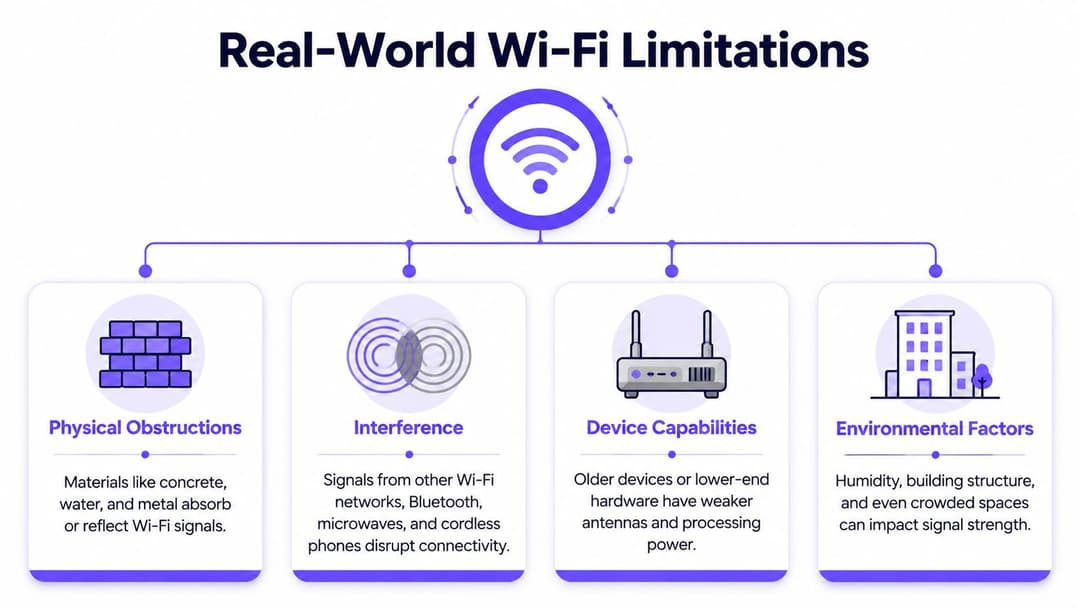
El WiFi en interiores suele estar menos limitado por la potencia del router que por lo que se interpone entre el punto de acceso y el usuario. En las implementaciones en el Reino Unido, esto importa más que el texto de marketing porque el parque de edificios es complejo. Las viejas terrazas de ladrillo, los pisos de concreto, las propiedades catalogadas, las renovaciones con estructura de acero y los pozos de servicio moldean el patrón de RF.
Un punto de referencia práctico que se utiliza a menudo en las guías de diseño y de los fabricantes es que 2.4 GHz ofrece una cobertura interior utilizable de alrededor de 40 m, mientras que 5 GHz suele ser un poco más corta, pero esa cifra depende en gran medida del sitio y nunca debe considerarse una garantía, como se analiza en esta guía de alcance de routers industriales.
Los materiales lo cambian todo
El ladrillo, la piedra, el concreto, el aislamiento con respaldo de aluminio, las estanterías metálicas, los espejos y el agua interfieren con la propagación de la radio de diferentes maneras. Un lobby puede parecer abierto y fácil de cubrir, mientras que la habitación de al lado está efectivamente en la sombra de RF debido a una pared densa y el cubo de un elevador.
Por eso, un hotel suele necesitar una colocación de AP mucho más cuidadosa que una oficina abierta de tamaño similar. El área del piso puede ser la misma. El trayecto de radio utilizable no lo es.
La interferencia no necesita paredes
Incluso cuando el trayecto está físicamente abierto, la interferencia puede reducir la cobertura efectiva. Las redes vecinas, los dispositivos Bluetooth y otras radios compiten por el tiempo de transmisión. En edificios de departamentos y de uso mixto, el problema no suele ser "¿puedo escuchar el AP?", sino "¿puedo usar el medio de forma lo suficientemente limpia como para mantener la productividad?".
En sitios concurridos, un WiFi deficiente a menudo se debe a un exceso de celdas superpuestas y canales ruidosos, no a la falta de potencia de transmisión.
Esta es una de las razones por las que aumentar la potencia puede ser contraproducente. Los puntos de acceso con más volumen no crean un espectro más limpio. A menudo crean zonas de contención más grandes.
El entorno no es un círculo
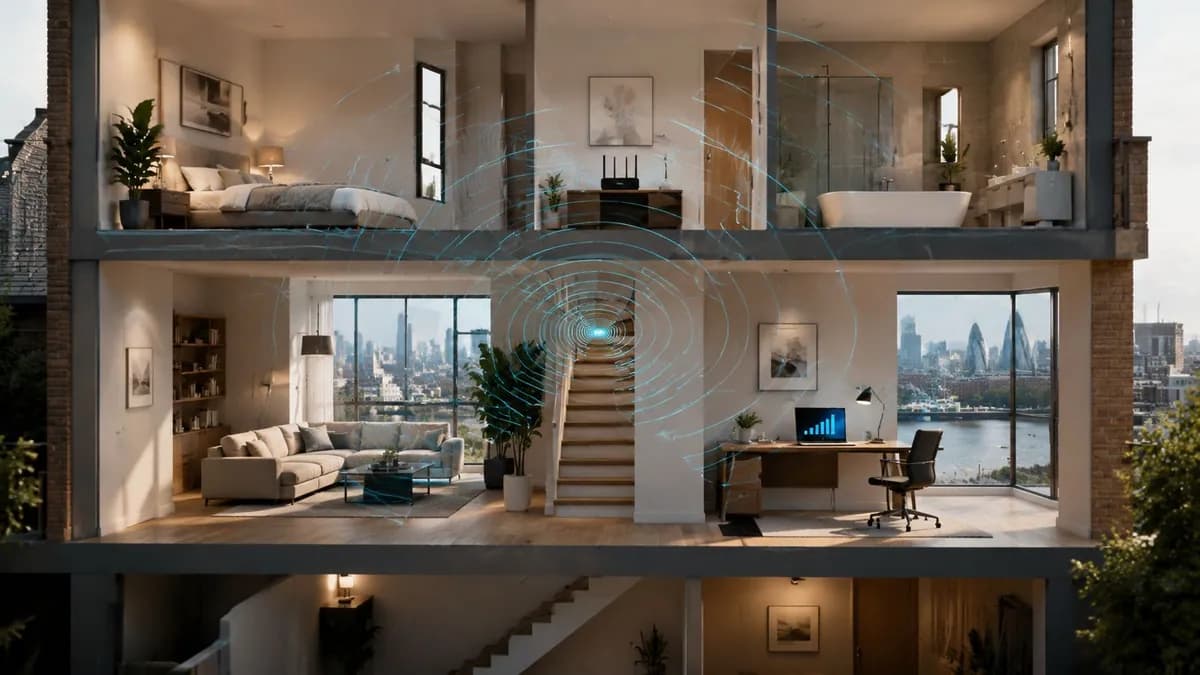
Un modelo mental útil es dejar de imaginar una burbuja perfecta alrededor del AP. Piense en las celdas de WiFi más bien como la luz a través de un vidrio esmerilado. En una dirección, la señal se propaga bien. En otra, se bloquea, se dispersa o se atenúa debido a la distribución de la habitación.
Esto importa en lugares como:
- Locales comerciales históricos: las paredes gruesas y los espacios irregulares en la parte trasera crean zonas muertas inusuales.
- Sitios de atención médica: las mamparas, el equipamiento y las personas en movimiento cambian el entorno hora tras hora.
- Residencias estudiantiles: las distribuciones de habitaciones repetitivas parecen predecibles, pero las puertas de los pasillos y los servicios del edificio distorsionan la cobertura.
Los dispositivos cliente también importan
La red solo puede funcionar tan bien como el cliente pueda escuchar y responder. Una laptop moderna y un escáner portátil de bajo costo no se comportarán de la misma manera en el límite de una celda. Las radios de los clientes antiguos a menudo fallan antes que el AP.
Por esa razón, los ingenieros experimentados evalúan un diseño desde la perspectiva del cliente, no desde la perspectiva del AP. La cobertura solo es real si el dispositivo que la gente lleva consigo puede mantenerla.
Cómo medir y mapear correctamente la cobertura de WiFi
La forma más rápida de interpretar mal la distancia de WiFi es confiar en las barras de señal. Las barras son un atajo para el consumidor. Ocultan la diferencia entre una celda utilizable y una que solo parece aceptable hasta que se cae una llamada, se detiene una terminal de pago o un dispositivo portátil se aferra al AP equivocado.
Mida desde el lado del cliente en dBm. Para el WiFi empresarial, la pregunta no suele ser "¿hasta dónde llega la señal?" sino "¿dónde pueden los dispositivos reales mantener el nivel y la calidad de señal necesarios para el trabajo?" En hoteles, oficinas y bloques de departamentos, ese cambio modifica todo el objetivo del diseño. Se deja de buscar el alcance máximo y se empieza a diseñar para una cobertura confiable, habitación por habitación y pasillo por pasillo.
Qué medir en lugar de metros
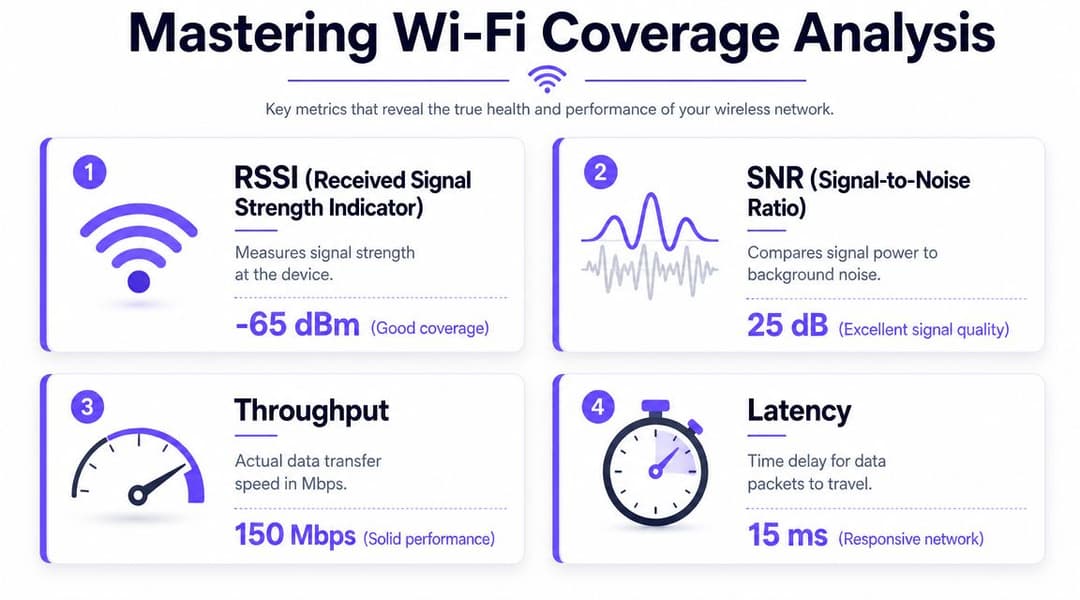
La distancia por sí sola es una métrica deficiente porque el rendimiento del WiFi se desmorona mucho antes de que la cobertura desaparezca por completo. Un cliente aún puede "ver" la red en el extremo más lejano de una celda, pero eso no significa que pueda transmitir tráfico de voz, autenticarse rápidamente o realizar roaming sin fricciones.
Tres mediciones son fundamentales durante un estudio de cobertura:
- RSSI o nivel de señal recibida: Muestra qué tan fuerte se presenta el AP en el dispositivo.
- SNR: La relación señal-ruido muestra si el cliente puede separar la señal del ruido de RF de fondo.
- Comportamiento observado: El rendimiento (throughput), la latencia, los reintentos y el desempeño del roaming muestran si el diseño es compatible con la aplicación real.
Ese último punto se pasa por alto a menudo. He visto sitios con gráficos de señal que parecen aceptables y una mala experiencia de usuario porque el problema no era la cobertura pura. Eran las tasas de reintento, los clientes persistentes (sticky clients) o las malas transiciones entre celdas.
Una aplicación móvil es suficiente para una comprobación rápida en un espacio pequeño. Para un entorno empresarial, un software de estudio de cobertura profesional justifica su inversión porque vincula las lecturas a un plano de distribución, un tipo de cliente y un objetivo de servicio.
Cómo funciona un estudio de cobertura básico
Comience por los lugares donde la red tiene que funcionar, no por los que resultan más fáciles de probar. En un hotel, eso significa dentro de las habitaciones de los huéspedes con las puertas cerradas. En una oficina, significa los escritorios, las salas de reuniones y las áreas de descanso. En un bloque residencial, significa los departamentos y pasillos donde la gente utiliza el WiFi, no solo el armario de conexiones de afuera.
Un proceso de estudio práctico es el siguiente:
- Defina el área de servicio y la tarea del usuario. La navegación web en un lobby, VoIP en un teléfono y los pagos con tarjeta en la recepción no requieren el mismo margen de diseño.
- Utilice un plano de distribución y recorra el sitio metódicamente. Registre las lecturas en ubicaciones de usuario realistas, incluyendo esquinas, bordes de habitaciones y puntos de transición entre APs.
- Registre algo más que el nivel de señal. Anote las fuentes de interferencia, las zonas con muchos reintentos, los retrasos de roaming y los lugares donde los clientes se conectan al AP equivocado.
- Prueba con la clase de dispositivo adecuada. Una laptop, un escáner de códigos de barras y un smartphone económico pueden comportarse de forma muy diferente en el mismo lugar.
Si deseas convertir esas lecturas en un modelo visual que los equipos de operaciones puedan utilizar, un WiFi heat map te ofrece una imagen mucho más clara que una lista de mediciones.
Lo que buscan los buenos operadores
Un mapa de cobertura útil refleja la experiencia del usuario, no solo la presencia de RF.
Eso significa comprobar si un cliente puede mantener el nivel de señal objetivo mientras se mueve, si hace roaming en el punto adecuado y si el nuevo AP es lo suficientemente fuerte antes de que el anterior quede inutilizable. En entornos empresariales densos, el handoff importa tanto como el nivel de señal pico. Un sitio puede tener WiFi en todas partes y aun así sentirse lento si los clientes dudan durante las transiciones.
Las buenas notas de un estudio de cobertura son específicas. Marca la sala donde las llamadas de Teams se cortan cerca del baño. Marca el pasillo donde los escáneres portátiles se detienen al hacer roaming. Marca la habitación del departamento donde la señal es aceptable cerca de la puerta y débil junto al escritorio. Esos detalles te permiten solucionar el problema real en lugar de adivinar.
Si los usuarios se quejan de que la red está lenta, comienza con los datos de cobertura y roaming antes de culpar al circuito de internet. Esta suele ser la forma más rápida de solucionar problemas de internet lento que en realidad son fallas de diseño de la red WiFi local.
El error común es recopilar lecturas y luego dimensionar la red por puro instinto. Si el mapa muestra una cobertura marginal en un espacio que importa, trátalo como un problema de diseño y corrígelo.
Estrategias prácticas para optimizar el rendimiento de la red WiFi
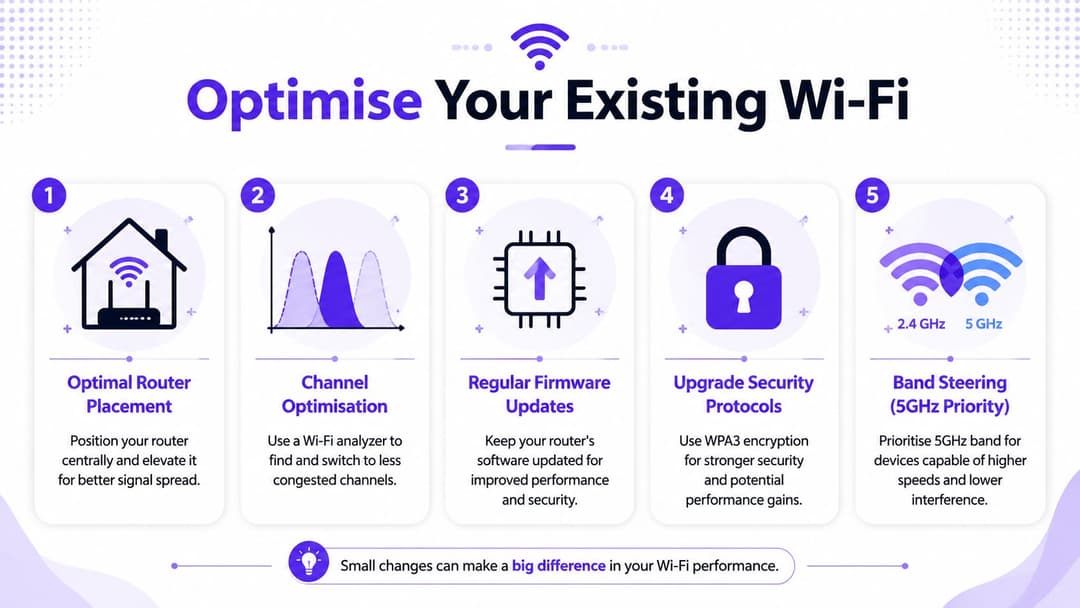
Antes de comprar más hardware, corrige los errores de diseño que suelen causar una mala cobertura. Una cantidad sorprendente de quejas sobre la red WiFi provienen de la ubicación, la planificación de canales y la estrategia de banda, más que de la falta de equipos.
El balance es simple. Puedes buscar la velocidad máxima o puedes construir una cobertura constante. Las buenas redes equilibran ambas cosas, pero en hoteles, edificios multiinquilino y lugares públicos, la consistencia suele ganar.
Coloca los puntos de acceso donde los usuarios los necesitan
La guía vinculada a Ofcom señala constantemente que la ubicación central y evitar las obstrucciones es más útil que confiar en las promesas de alcance máximo. En la práctica, eso significa:
- No escondas los AP en armarios: Los armarios eléctricos y los cuartos de telecomunicaciones son convenientes para el cableado, pero pésimos para la propagación de la señal.
- Instale con un propósito: Un AP de techo en un pasillo se comporta de manera diferente a uno dentro de una habitación. Elija la ubicación en función de quién necesita el servicio.
- Evite bloqueadores obvios: Los gabinetes metálicos, los cubos de ascensores, las tuberías y los elementos decorativos densos distorsionan la cobertura.
Sintonice para la confiabilidad, no para velocidades de folleto
El ancho del canal es una de las palancas prácticas más importantes. Los canales más anchos, como 80 o 160 MHz, pueden aumentar el rendimiento pero reducen la estabilidad a la distancia, mientras que a menudo se prefiere 20 MHz donde la consistencia de la cobertura es importante, especialmente en 2.4 GHz, como se describe en la descripción general de estándares de Wi-Fi de Dell.
Eso importa en implementaciones reales:
- In un hotel, lo estrecho y predecible a menudo supera a lo rápido pero frágil.
- En una tienda minorista, la reutilización limpia de canales importa más que una sola prueba de velocidad impresionante.
- En alojamientos para estudiantes, los canales más anchos pueden empeorar la superposición cuando muchos AP cercanos compiten entre sí.
Use las bandas deliberadamente
5 GHz suele ser el lugar adecuado para el tráfico de clientes modernos donde la capacidad importa. 2.4 GHz todavía tiene un papel en el borde, para esquinas difíciles y para dispositivos heredados o IoT. 6 GHz puede ser útil en el entorno de cliente adecuado, pero no sustituye a la densidad.
La dirección de banda puede ayudar, pero solo si el plan de cobertura la admite. Forzar a los clientes a 5 GHz cuando la capa de 5 GHz es débil crea frustración, no elegancia.
Un mejor WiFi proviene de un diseño de celda disciplinado. No de forzar a cada dispositivo a la banda más nueva.
Haga que la resolución de problemas se base en evidencia
Cuando los usuarios se quejan de que "el WiFi está lento", pueden referirse a una señal débil, un roaming deficiente, congestión o cuellos de botella en Internet. Una guía práctica para solucionar problemas de Internet lento puede ayudar a separar los problemas de acceso de los problemas de backhaul o del ISP antes de comenzar a mover el hardware.
Para la optimización continua, las herramientas que exponen las condiciones de la señal y el movimiento del usuario son útiles. Por ejemplo, la guía de fuerza de señal de Purple brinda un punto de referencia práctico para interpretar la calidad de RF en entornos de recintos. El punto no es la marca. Es que necesita datos medibles, no anécdotas.
Ampliación de la cobertura con sistemas Mesh y extensores
Más distancia suele ser el objetivo de actualización incorrecto. En la práctica, el trabajo consiste en ampliar la cobertura utilizable sin crear enlaces débiles, traspasos inestables o nueva congestión.
Los extensores de rango resuelven un problema específico
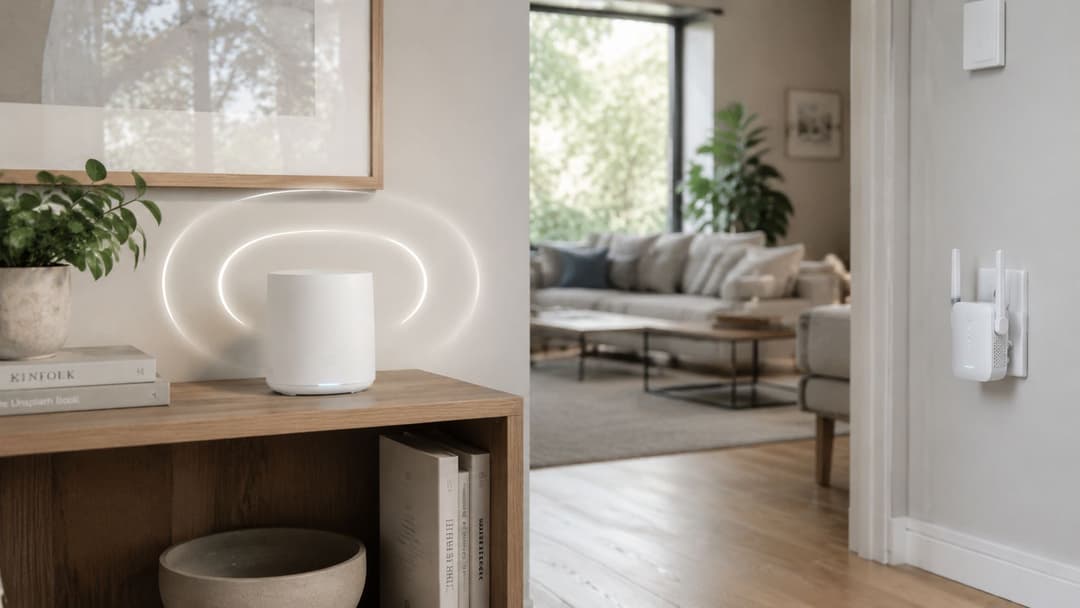
Un extensor es un parche, no un rediseño. Recibe WiFi del router principal o AP y lo repite en un área que antes tenía una señal débil.
Eso puede ser aceptable para una habitación de huéspedes, una oficina pequeña o un almacén con poco tráfico. La desventaja es simple. Cada salto inalámbrico adicional consume tiempo de aire, añade latencia y, a menudo, confunde a los dispositivos cliente sobre cuándo cambiar a una mejor señal. En entornos con mucha actividad, esto suele traducirse en clientes persistentes (sticky clients), rendimiento inconsistente y tickets de soporte que dicen "el WiFi funciona bien aquí, pero es terrible allá".
Mesh se trata de una expansión coordinada
Los sistemas Mesh gestionan mejor la cobertura en varias habitaciones porque los nodos se coordinan entre sí en lugar de actuar como repetidores aislados. Los mejores sistemas gestionan las rutas de retorno (backhaul), dirigen a los clientes hacia enlaces más estables y facilitan el mantenimiento de la red en una superficie más amplia.
Eso hace que Mesh sea una opción razonable para hogares, oficinas pequeñas y espacios de varias habitaciones con un uso ligero donde tender cables es difícil. La ubicación sigue siendo importante. Si coloca un nodo Mesh en una zona muerta, simplemente repetirá una conexión deficiente. En términos de RF, funciona como un corredor de relevos que empieza demasiado atrás.
Cuál se adapta a cada sitio
| Opción | Mejor opción | Beneficio principal | Inconveniente principal |
|---|---|---|---|
| Extensor | Una sola zona muerta pequeña | Económico y rápido | Rendimiento reducido y transferencia de clientes deficiente |
| Mesh | Expansión para todo el hogar o varias habitaciones con uso ligero | Cobertura más constante en varias habitaciones | Sigue dependiendo de la ubicación cuidadosa de los nodos y de la calidad del backhaul inalámbrico |
| Expansión de AP con cable de red | Hoteles, oficinas, recintos más grandes | Mejor control sobre la cobertura, la capacidad y el comportamiento de roaming | Requiere cableado, planificación y un estudio de cobertura adecuado |
Para propiedades más grandes, rara vez elegiría un extensor de consumo residencial, y solo elegiría Mesh con límites claros en el recuento de clientes y el movimiento. Los hoteles, las oficinas y los bloques de departamentos suelen necesitar puntos de acceso cableados porque el objetivo principal es una señal confiable en el cliente, un comportamiento de roaming predecible y límites de celda limpios. Si está evaluando esas opciones de diseño, esta guía sobre redes Mesh frente a puntos de acceso para grandes recintos ofrece una comparación útil.
Utilice un extensor cuando el problema sea pequeño y específico. Utilice Mesh cuando el cableado sea inviable y el entorno sea todavía relativamente simple. Utilice APs cableados cuando la cobertura deba diseñarse, medirse y garantizarse.
Diseño para Cobertura Empresarial y Roaming Fluido
El WiFi empresarial cambia la pregunta de nuevo. A ese nivel, la "distancia para el WiFi" es solo un factor de entrada. El objetivo principal es que las personas se muevan por el lugar sin pensar en absoluto en la red.
Un huésped de hotel no debería perder una llamada al salir de su habitación. Una enfermera no debería volver a autenticarse entre salas. Un residente en un edificio multi-inquilino no debería terminar en una red compartida, incómoda y con contraseñas complejas que se comporta de manera diferente en cada área común.
La cobertura es necesaria, pero no suficiente
Un señal confiable es importante, pero el éxito empresarial generalmente depende de cuatro resultados de diseño:
- Roaming predecible: Los clientes deben moverse entre celdas de forma limpia, sin quedarse conectados a un AP lejano durante demasiado tiempo.
- Acceso basado en la identidad: Los huéspedes, el personal y los inquilinos a menudo requieren diferentes políticas y métodos de autenticación.
- Segmentación: La infraestructura compartida aún necesita ofrecer experiencias de usuario privadas y separadas.
- Validación después del despliegue: La red debe medirse en condiciones de uso real, no considerarse terminada justo después de la instalación.
Muchos despliegues que por lo demás son aceptables suelen fallar. Tienen suficiente energía de RF en el edificio, pero la experiencia del usuario sigue estando rota.
La calidad del roaming cambia la experiencia del usuario
Un solo AP potente no puede proporcionar un servicio sin interrupciones en un lugar complejo. Varios AP bien ubicados, un traslape sensato y un comportamiento coordinado de los clientes sí pueden hacerlo.
Esto es sumamente importante en espacios donde las personas se mueven mientras están conectadas:
- Hospitalidad: de la habitación al pasillo y al lobby
- Sector salud: de la sala a la zona de tratamiento
- Retail: del piso de venta a la fila y al punto de recolección de pedidos
- Residencial: del departamento privado a los espacios comunes compartidos
El mejor WiFi empresarial a menudo pasa desapercibido. Los usuarios se mantienen conectados, las políticas siguen a la identidad y nadie habla de "cobertura" porque la red simplemente funciona.
La seguridad y la incorporación ahora forman parte de la conversación sobre cobertura
El diseño de cobertura solía centrarse estrechamente en la RF. En los entornos reales, el método de acceso ahora importa tanto como el espectro de radio. Las contraseñas compartidas, los portales cautivos y la incorporación manual crean una fricción que los usuarios interpretan como "mal WiFi", incluso cuando la capa de radio funciona bien.
El acceso basado en la identidad cambia esto. La incorporación sin contraseñas, la confianza basada en certificados y la asignación automática de políticas reducen las solicitudes de soporte técnico y hacen que el roaming se sienta más natural porque el proceso de conexión en sí deja de ser un obstáculo.
Esto es especialmente relevante en entornos de inquilinos múltiples y huéspedes, donde una sola infraestructura tiene que soportar grupos de usuarios muy diferentes sin volverse operativamente compleja.
El resultado de negocio es la consistencia
La manera madura de pensar en la distancia de la red WiFi es esta: la distancia solo importa en la medida en que soporte un estándar de servicio constante. Si los usuarios pueden trabajar, navegar, autenticarse, realizar roaming y volver a conectarse sin fricciones, la red está haciendo su trabajo. Si pueden "ver la red WiFi" desde lejos pero no pueden usarla adecuadamente, entonces no sirve de nada.
Es por eso que los equipos experimentados diseñan en función de los umbrales de confiabilidad, la experiencia del cliente y el movimiento a través del espacio. El alcance máximo es un efecto secundario - no es el objetivo.
Si está planeando una red WiFi para hoteles, comercio minorista, sector salud, transporte o propiedades de inquilinos múltiples, Purple proporciona acceso basado en identidad, onboarding y análisis que se ejecutan sobre la infraestructura inalámbrica existente para ayudar a los operadores a ofrecer una conectividad segura y confiable en recintos complejos.