
WiFi negli aeroporti: Come gli operatori offrono connettività nei terminal
Questa guida offre ai leader IT strategie pratiche per progettare, distribuire e gestire reti WiFi ad alta densità negli aeroporti. Copre l'architettura tecnica, la pianificazione RF e come sfruttare piattaforme come Purple per trasformare la connettività dei passeggeri in preziosi strumenti di analisi e fatturato.
Ascolta questa guida
Visualizza trascrizione del podcast
Parte della nostra serie principale: Guida al Guest WiFi →
Executive Summary
Per i responsabili IT e gli architetti di rete, l'implementazione di una rete wireless aeroportuale rappresenta una delle sfide più complesse nell'ambito dell'IT aziendale. Non si tratta solo di fornire l'accesso a Internet; si tratta di gestire un ambiente RF ad altissima densità e a forte interferenza che si estende su milioni di metri quadrati e serve migliaia di utenti contemporaneamente. I passeggeri si aspettano una connettività fluida e ad alta velocità dal momento in cui entrano nel terminal fino all'imbarco. Il mancato raggiungimento di questo obiettivo si traduce in punteggi negativi per l'esperienza dei passeggeri e in opportunità commerciali perse.
Questa guida di riferimento tecnico analizza l'architettura, le strategie di implementazione e l'impatto aziendale del WiFi aeroportuale di livello enterprise. Esploreremo come passare da installazioni legacy a reti WiFi 6/6E ad alta capacità, come mitigare le sfide RF più comuni e come utilizzare piattaforme come il Guest WiFi di Purple per acquisire dati di prima parte, aumentare la fidelizzazione e sbloccare nuovi flussi di entrate attraverso la monetizzazione dei media retail.
Approfondimento Tecnico: Architettura e Standard
Fornire un WiFi per passeggeri affidabile richiede un'architettura robusta e multi-livello, progettata non solo per la copertura, ma per la capacità.
Access Layer: Vincere la Sfida della Densità
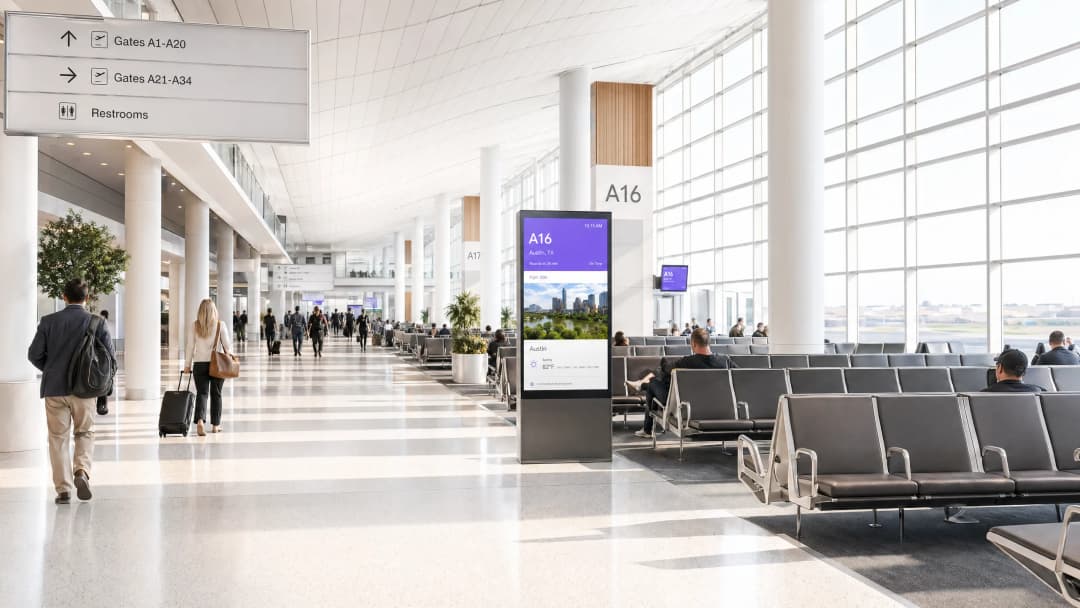
L'access layer è il livello in cui si vince o si perde la battaglia delle prestazioni. In un ambiente aeroportuale, la sfida principale è la densità - con migliaia di dispositivi che convergono contemporaneamente nelle sale d'attesa delle partenze, nelle aree di ristorazione e nella zona di ritiro bagagli.
- WiFi 6 (802.11ax) e 6E: L'aggiornamento a WiFi 6 è fondamentale. Funzionalità come l'OFDMA (Orthogonal Frequency-Division Multiple Access) e il MU-MIMO (Multi-User MIMO) consentono agli Access Point (AP) di gestire più dispositivi client contemporaneamente, riducendo significativamente la latenza nelle aree congestionate. Il WiFi 6E introduce la banda a 6GHz, fornendo uno spettro pulito quanto mai necessario, lontano dalle bande congestionate a 2.4GHz e 5GHz.
- Dynamic RF Management: L'ambiente fisico di un aeroporto è in costante mutamento. Un controller centralizzato deve utilizzare la gestione dinamica RF per regolare automaticamente l'assegnazione dei canali e la potenza di trasmissione, riducendo al minimo l'interferenza co-canale al variare del volume dei passeggeri.
- Client Steering: La rete dovrebbe indirizzare in modo deciso i client compatibili verso le bande a 5GHz o 6GHz, riservando la banda a 2.4GHz ai dispositivi legacy e all'infrastruttura IoT.
Core Network e Sicurezza
La core network deve aggregare volumi massicci di traffico senza colli di bottiglia.
- Uplink ad Alta Velocità: Le connessioni Internet ridondanti e ad alta capacità sono obbligatorie. Capire Cos'è una linea dedicata? Internet aziendale dedicato è fondamentale per garantire larghezza di banda e SLA garantiti.
- Sicurezza e segmentazione: Il traffico degli ospiti deve essere rigorosamente segregato dalle reti operative (ad es. gestione bagagli, sistemi di sicurezza) utilizzando VLAN e firewall. L'implementazione di WPA3 (ove supportato) e di un filtraggio DNS robusto è essenziale per Proteggere la tua rete con DNS e sicurezza avanzati.

Hai domande sulla tua configurazione specifica?
Il nostro team collabora con gestori di sedi, responsabili IT e ingegneri di rete in 80.000 sedi. Prenota una chiamata di 20 minuti e ti mostreremo come altri professionisti come te hanno risolto il problema.
Guida all'implementazione: strategie di deployment
L'installazione di una rete in un ambiente wireless network airport richiede una pianificazione meticolosa.
- Sopralluoghi completi del sito: Non affidarsi mai solo alla modellazione predittiva. Eseguire sopralluoghi RF attivi e passivi sul sito per tenere conto dell'attenuazione causata da elementi architettonici come cemento armato, acciaio strutturale e vetri speciali.
- Progettazione orientata alla capacità: I deployment tradizionali si concentravano sulla copertura (portare il segnale ovunque). I deployment moderni devono concentrarsi sulla capacità (garantire un throughput sufficiente per tutti i dispositivi connessi in una determinata area). Ciò si traduce spesso in una maggiore densità di AP con una potenza di trasmissione inferiore per ridurre al minimo la sovrapposizione delle celle.
- Roaming senza interruzioni: Implementare protocolli di roaming rapido (come 802.11r/k/v) per garantire che i dispositivi client possano passare agevolmente da un AP all'altro mentre si spostano all'interno del terminal, evitando interruzioni di connessione durante le chiamate VoIP o i flussi video.
- Autenticazione basata su profili: Per ridurre gli ostacoli, implementare metodi di autenticazione basati su profili come OpenRoaming. Questo consente ai dispositivi compatibili di connettersi in modo automatico e sicuro, migliorando significativamente l'esperienza utente e consentendo al tempo stesso alla struttura di mantenere il controllo.
Best practice per i gestori delle strutture
Al di là dell'infrastruttura fisica, il modo in che viene gestita la connessione ne determina il valore aziendale.
- Sfruttare il Captive Portal: Il Captive Portal è un punto di contatto strategico. Utilizzalo per acquisire dati di prima parte (in conformità con GDPR/CCPA) e presentare offerte mirate. Questo trasforma la rete da un centro di costo a una risorsa di marketing.
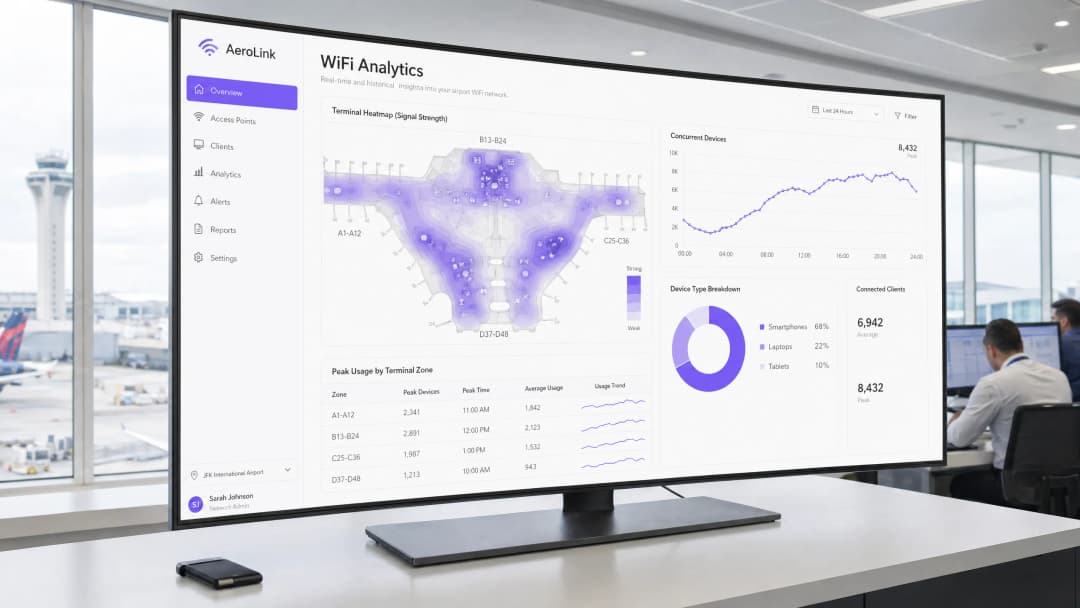
- Utilizzare WiFi Analytics: Implementa piattaforme come WiFi Analytics di Purple per ottenere informazioni utili. Analizzando le richieste di probe dei dispositivi e i dati di connessione, i gestori possono visualizzare il flusso dei passeggeri, misurare i tempi di sosta nelle aree commerciali e ottimizzare la disposizione del terminal.
- Apprendimenti intersettoriali: Prendi spunto da altri ambienti ad alta densità per adottare strategie collaudate. Le sfide affrontate negli aeroporti sono simili a quelle dei grandi centri commerciali o dei principali nodi di trasporto. Ad esempio, esaminare come gli operatori gestiscono la connettività nel settore del Retail o esplorare la guida Railway WiFi Network: How Operators Are Delivering Connectivity at Speed può fornire preziose indicazioni architetturali.
Risoluzione dei problemi e mitigazione dei rischi
Anche le reti ben progettate riscontrano problemi. Le modalità di guasto comuni includono:
- Sticky Client: Dispositivi che rifiutano di passare a un AP più vicino, degradando le prestazioni per se stessi e per gli altri. Mitigazione: Implementare soglie minime rigide di RSSI (Received Signal Strength Indicator) per forzare i client a disconnettersi e a trovare un AP migliore.
- Rogue AP: Punti di accesso non autorizzati (come gli hotspot mobili dei passeggeri) che causano interferenze. Mitigazione: Utilizzare i Wireless Intrusion Prevention Systems (WIPS) per rilevare e contenere automaticamente i rogue AP.
- Guasti del Captive Portal: Utenti impossibilitati a autenticarsi a causa dell'esaurimento di DNS o DHCP. Mitigazione: Assicurarsi che gli scope DHCP siano dimensionati adeguatamente per la capacità di picco e che i server DNS siano altamente disponibili.
ROI e impatto aziendale
La distribuzione di una rete wireless aeroportuale di livello enterprise richiede un CapEx significativo, ma il ROI è misurabile.
- Efficienza operativa: L'analisi dei dati derivati dalla rete consente di ottimizzare il personale (ad esempio, aprendo più varchi di sicurezza in base alla densità dei passeggeri in tempo reale).
- Monetizzazione dei Retail Media: Utilizzando lo spazio visivo dei dispositivi WiFi e il Captive Portal, gli aeroporti possono erogare pubblicità mirata, generando nuovi flussi di entrate in grado di compensare il costo dell'infrastruttura di rete.
- Miglioramento dell'esperienza dei passeggeri: Una connettività affidabile si correla direttamente con punteggi di soddisfazione dei passeggeri più elevati, influenzando la pianificazione delle rotte delle compagnie aeree e la competitività complessiva dell'aeroporto.
Definizioni chiave
Distribuzione ad alta densità
Una strategia di progettazione della rete focalizzata sul servizio a un numero enorme di dispositivi client simultanei in uno spazio fisico limitato, dando priorità alla capacità e alla velocità di trasmissione rispetto alla semplice copertura geografica.
Cruciale per aree come i gate di imbarco e il ritiro bagagli dove migliaia di passeggeri si riuniscono contemporaneamente.
Captive Portal
Una pagina web che un utente di una rete ad accesso pubblico è obbligato a visualizzare e con cui deve interagire prima che venga concesso l'accesso, solitamente utilizzata per l'autenticazione, l'accettazione dei termini di servizio o il marketing.
Il meccanismo principale per gli operatori delle strutture per acquisire dati di prima parte e presentare contenuti pubblicitari ai passeggeri.
Band Steering
Una funzionalità sui controller wireless che incoraggia i dispositivi client dual-band a connettersi alle bande a 5GHz o 6GHz, meno congestionate, rispetto alla affollata banda a 2.4GHz.
Essenziale per massimizzare le prestazioni complessive della rete e garantire un'esperienza fluida nei terminal affollati.
OFDMA (Orthogonal Frequency-Division Multiple Access)
Una caratteristica chiave del WiFi 6 che consente a un singolo Access Point di comunicare con più dispositivi client contemporaneamente dividendo il canale wireless in sottocanali più piccoli.
Riduce drasticamente la latenza e migliora l'efficienza negli ambienti ad alta densità rispetto ai vecchi standard WiFi.
RSSI (Received Signal Strength Indicator)
Una misura della potenza presente in un segnale radio ricevuto. Valori più alti indicano una connessione più forte.
I team IT utilizzano le soglie RSSI per costringere i "client appiccicosi" a disconnettersi dagli AP distanti e a spostarsi su quelli più vicini, ottimizzando la salute della rete.
Dati di prima parte
Informazioni che un'azienda raccoglie direttamente dai propri clienti o utenti, come indirizzi email, dati demografici e dati comportamentali (come il tempo di permanenza).
Raccolti tramite il Captive Portal WiFi, questi dati sono di grande valore per il marketing personalizzato e l'analisi operativa, in particolare con la progressiva eliminazione dei cookie di terze parti.
Monetizzazione dei media retail
La pratica di utilizzare spazi digitali di proprietà (come un Captive Portal WiFi o un'app della struttura) per mostrare pubblicità o promozioni mirate.
Una strategia chiave per gli operatori aeroportuali per generare entrate dalla propria infrastruttura IT collaborando con i rivenditori dei terminal.
Autenticazione basata su profilo (es. OpenRoaming)
Un sistema che consente agli utenti di connettersi in modo sicuro e automatico alle reti WiFi partecipanti senza dover inserire manualmente le password o interagire ogni volta con un Captive Portal.
Offre un'esperienza passeggeri fluida mantenendo al contempo la sicurezza, rappresentando il futuro del WiFi sicuro e senza interruzioni.
Esempi pratici
Un importante aeroporto internazionale sta riscontrando un grave degrado della rete nel Concourse B, recentemente rinnovato, durante gli orari di picco delle partenze. I passeggeri riferiscono di essere connessi al WiFi ma di non avere accesso a Internet. Il team IT rileva che il pool DHCP per la VLAN degli ospiti è esaurito.
La soluzione immediata consiste nel ridurre il tempo di lease DHCP per la rete ospiti. In un ambiente ad alto ricambio come l'area partenze di un aeroporto, un tempo di lease standard di 24 ore esaurisce rapidamente gli indirizzi IP disponibili man mano che i passeggeri si connettono, si imbarcano e partono, mentre il loro IP rimane riservato. Il tempo di lease dovrebbe essere ridotto a 1 o 2 ore. Inoltre, le dimensioni della sottorete per la VLAN ospiti dovrebbero essere valutate e probabilmente ampliate (ad esempio, passando da una /24 a una /22 o /21) per accogliere il volume massimo di dispositivi simultanei.
Un operatore aeroportuale desidera incrementare i ricavi commerciali nel Terminal 1. Dispone di una rete WiFi solida, ma attualmente offre solo una pagina base di termini e condizioni di tipo "clicca per accettare" per l'accesso.
L'operatore dovrebbe implementare una soluzione avanzata di Captive Portal, come la piattaforma Guest WiFi di Purple. Invece di una semplice pagina iniziale, il portale dovrebbe richiedere un login social o un indirizzo email per l'autenticazione. Una volta autenticato, l'utente viene reindirizzato a una landing page con promozioni mirate per i ristoranti e i negozi duty-free all'interno del Terminal 1. Contemporaneamente, la piattaforma inizia a raccogliere dati sulla posizione per analizzare i tempi di sosta e i flussi di traffico pedonale intorno alle unità commerciali.
Domande di esercitazione
Q1. Il tuo aeroporto sta ampliando il Terminal 3 con una nuova area commerciale e di ristorazione di fascia alta. Il direttore commerciale desidera garantire il massimo coinvolgimento con i nuovi negozi. In che modo dovresti progettare l'architettura del livello di accesso WiFi e il processo di autenticazione per supportare questo obiettivo aziendale?
Suggerimento: Considera sia la capacità RF per uno spazio affollato sia il meccanismo per la distribuzione di contenuti mirati.
Visualizza risposta modello
Dal punto di vista architetturale, distribuisci AP WiFi 6/6E ad alta densità focalizzati sulla capacità (celle di dimensioni inferiori) per gestire il volume di dispositivi previsto nelle aree di ristorazione. Per l'autenticazione, implementa un Captive Portal che richieda la registrazione dell'utente (email o login social) per acquisire dati di prima parte. Integra questo sistema con una piattaforma come Purple per mostrare contenuti pubblicitari mirati (es. codici sconto per il duty-free) sulla pagina di destinazione dopo l'autenticazione. Inoltre, utilizza l'analisi WiFi per monitorare i tempi di permanenza davanti a specifiche unità commerciali per fornire dati sul ROI al direttore commerciale.
Q2. Durante un fine settimana festivo molto trafficato, l'helpdesk IT riceve numerose segnalazioni di disconnessioni WiFi mentre i passeggeri camminano dal controllo di sicurezza ai gate di imbarco nel Concourse A. Qual è la causa tecnica più probabile e come si risolve?
Suggerimento: Pensa a come si comporta un dispositivo client quando si sposta tra le aree di copertura di diversi Access Point.
Visualizza risposta modello
La causa più probabile è un malfunzionamento del roaming senza interruzioni, spesso dovuto a 'client appiccicosi' (sticky client) che mantengono la connessione a un segnale AP debole invece di passare a uno più vicino e forte. Per risolvere il problema, assicurati che i protocolli di roaming rapido (802.11r/k/v) siano abilitati sul controller wireless. Inoltre, implementa o regola le soglie minime di RSSI per disassociare attivamente i client con segnali deboli, costringendoli a effettuare il roaming verso un AP migliore mentre si spostano all'interno del concourse.
Q3. Hai il compito di mettere in sicurezza la nuova rete WiFi pubblica dell'aeroporto. Il team operativo teme che i dispositivi dei passeggeri possano interferire con i sistemi di gestione dei bagagli o accedervi, dato che operano sulla stessa infrastruttura di switching fisica. Qual è l'approccio standard per mitigare questo rischio?
Suggerimento: Considera le tecniche di segmentazione della rete e di isolamento del traffico a livello di rete centrale.
Visualizza risposta modello
L'approccio standard è una rigida segmentazione della rete tramite reti locali virtuali (VLAN). Il traffico WiFi pubblico deve essere instradato su una VLAN guest dedicata e isolata. A questa VLAN devono essere applicate regole di firewall restrittive, che neghino esplicitamente qualsiasi instradamento o accesso alle VLAN operative (come il sistema di gestione dei bagagli). Inoltre, l'isolamento dei client deve essere abilitato sull'SSID guest per impedire ai dispositivi dei passeggeri di comunicare direttamente tra loro, mitigando il rischio di attacchi peer-to-peer.
Continua a leggere questa serie
Staff WiFi vs. Guest WiFi: Best Practices for Corporate Network Segmentation
Una guida tecnica completa per i leader IT sulla segmentazione delle reti WiFi per il personale e gli ospiti. Copre l'architettura VLAN, l'autenticazione 802.1X, le policy dei firewall e l'impatto aziendale di una progettazione di rete sicura.
Gestione del WiFi per gli ospiti degli hotel: integrazione di PMS, portali e standard di marca
Questa guida tecnica illustra in dettaglio come progettare reti WiFi per hotel di livello enterprise, concentrandosi sulla segmentazione VLAN, sull'integrazione del PMS per la gestione automatizzata delle sessioni e sull'ottimizzazione del Captive Portal per l'acquisizione dei dati conforme al GDPR.
Come configurare il WiFi ospiti: Guida alla configurazione aziendale sicura
Questa guida autorevole fornisce ai responsabili IT e ai network architect un piano d'azione definitivo per implementare un WiFi ospiti aziendale sicuro. Copre l'architettura essenziale, la migrazione a WPA3, la segmentazione VLAN e l'integrazione del Captive Portal per proteggere i sistemi interni e acquisire dati di prima parte conformi.
Hai domande sulla tua configurazione specifica?
Il nostro team collabora con gestori di sedi, responsabili IT e ingegneri di rete in 80.000 sedi. Prenota una chiamata di 20 minuti e ti mostreremo come altri professionisti come te hanno risolto il problema.