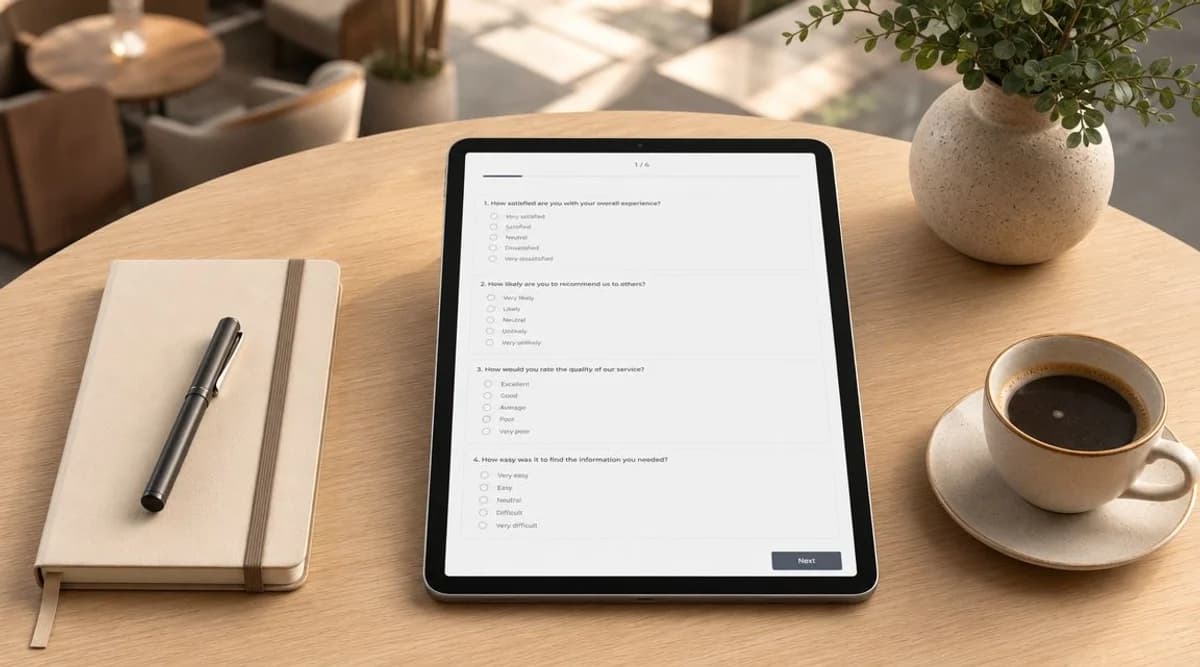
Wahrscheinlich lassen Sie sich mehr Gelegenheiten für Gästefeedback entgehen, als Sie tatsächlich nutzen.
Ein Kunde verbindet sich in einem Café, einem Einzelhandelsgeschäft, einer Klinik, einer Hotellobby oder einem Wartezimmer mit Ihrem Gäste-WiFi. Er ist vor Ort, das Erlebnis ist frisch und Sie können seine physische Präsenz verifizieren. Dennoch verlassen sich viele Betreiber von Veranstaltungsorten immer noch auf generische E-Mail-Umfragen, die lange nach dem Besuch gesendet werden, wenn die Erinnerung verblasst ist und die Antwortqualität entsprechend sinkt.
Aus diesem Grund ist das Design einer Umfrage an physischen Standorten so entscheidend. Bei einem guten Umfragedesign geht es nicht darum, ein paar höfliche Fragen zu formulieren und auf Erkenntnisse zu hoffen. Es geht darum zu entscheiden, was Sie erfahren müssen, die Fragen so zu stellen, dass die Menschen ehrlich antworten, die Umfrage im richtigen Moment bereitzustellen und die Ergebnisse in betriebliche Veränderungen umzusetzen. In einer WiFi-fähigen Umgebung haben Sie zudem einen Vorteil, den viele Unternehmen nicht haben. Sie können direkt vor Ort Feedback von verifizierten Gästen einholen, das an einen realen Besuch gekoppelt ist, ohne darauf angewiesen zu sein, zu mutmaßen, ob der Befragte die Räumlichkeiten tatsächlich genutzt hat.
Die Grundlagen für Ihr Umfragedesign schaffen
Die meisten schlechten Umfragen scheitern schon, bevor die erste Frage formuliert ist. Das Problem ist noch nicht die Formulierung. Es liegt daran, dass sich das Unternehmen nie darüber im Klaren war, welche Entscheidung die Umfrage eigentlich unterstützen soll.
Wenn ein Standortbetreiber sagt: „Wir wollen Kundenfeedback“, ist das zu vage, um nützlich zu sein. Ein besserer Ausgangspunkt ist: „Wir müssen wissen, ob die Wartezeiten an der Kasse die Zufriedenheit zur Mittagszeit beeinträchtigen“ oder „Wir müssen herausfinden, ob Wochenendgäste Schwierigkeiten haben, sich ohne Hilfe des Personals im WiFi anzumelden“. Diese Fragen zielen auf Maßnahmen ab. Allgemeine Neugier tut das nicht.
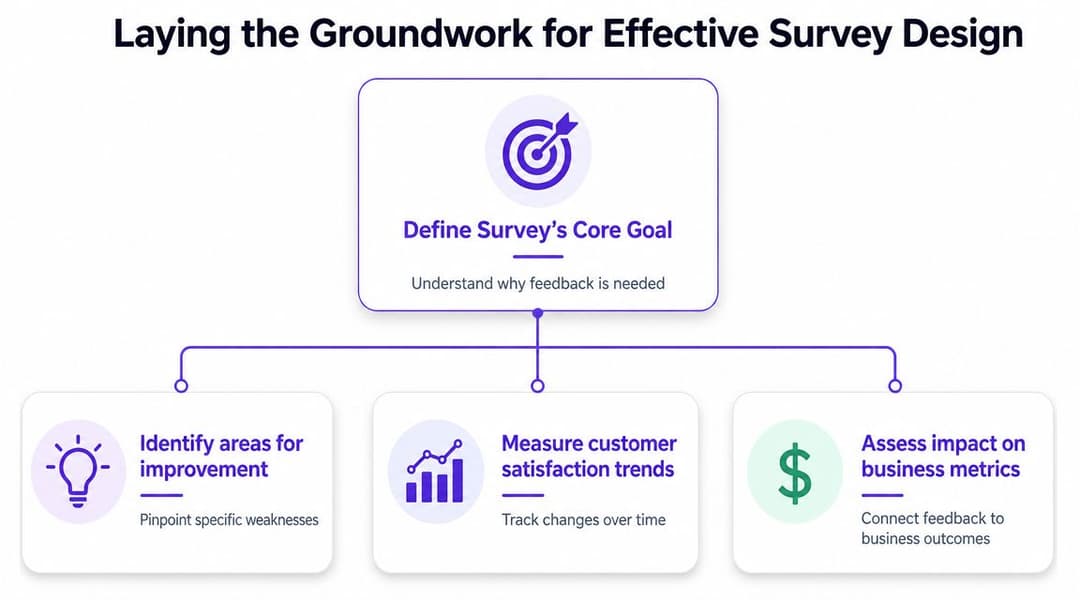
Starten Sie mit einer operativen Entscheidung
Eine praxisnahe Umfrage beginnt mit einer konkreten Geschäftsentscheidung, die Sie treffen müssen. Das kann die Personalplanung, die Beschilderung, Service-Wiederherstellung, Produktplatzierung, Prozesse am Empfang oder die Entlassungskommunikation im Gesundheitswesen betreffen.
Nutzen Sie einen kurzen Filter, bevor Sie irgendetwas aufbauen:
- Was wollen wir verbessern: Nennen Sie ein konkretes Ziel, wie z. B. die Gästezufriedenheit, den Umsatz, wiederholte Besuche oder die Wahrnehmung der Wartezeit.
- Welche Entscheidung könnte sich ändern: Identifizieren Sie die Maßnahme, die Sie ergreifen würden, wenn das Feedback in eine bestimmte Richtung weist.
- Wer benötigt die Antwort: Weisen Sie die Verantwortung einer Person oder einem Team zu. Wenn kein Team auf das Ergebnis reagieren wird, stellen Sie die Frage nicht.
Disziplin ist dann am wichtigsten, wenn die Unterschiede gering sind. Beim UK-Fragebogendesign bleibt das Brexit-Referendum 2016 eine Erinnerung daran, wie wichtig Präzision ist. Es wurden 33.577.342 Stimmen gezählt, wobei 51,9 % für den Austritt und 48,1 % für den Verbleib stimmten - eine knappe nationale Spaltung, die zeigt, wie Formulierung, Stichprobenauswahl und Design die Interpretation verändern können, wenn die Meinungen eng beieinander liegen, wie in Sawtooth Softwares Diskussion über die Präzision von Umfragedesigns dargelegt wird.
Praktische Regel: Wenn zwei Antwortoptionen zu zwei unterschiedlichen geschäftlichen Maßnahmen führen könnten, muss Ihr Umfragedesign präzise genug sein, um zwischen ihnen zu unterscheiden.
Trennen Sie Interessantes von Handlungsrelevantem
Teams an Veranstaltungsorten fragen oft zu viel, weil sie "gut zu wissen" mit "notwendig zu wissen" verwechseln. Ein Restaurant möchte vielleicht auf einmal nach der Menüvielfalt, der Musik, der Beleuchtung, der Sauberkeit, der Geschwindigkeit, der Freundlichkeit des Personals, dem Preis-Leistungs-Verhältnis und der Wahrscheinlichkeit einer Rückkehr fragen. Der Befragte empfindet dies als Arbeit. Der Betreiber erhält unstrukturierte Daten und wenig Klarheit.
Ein strukturierterer Ansatz besteht darin, Themen nach ihrer Umsetzbarkeit zu priorisieren:
- Kritische Faktoren, die das Personal schnell ändern kann.
- Kontextfragen, die das Ergebnis erklären.
- Hintergrunddetails nur dann, wenn sie bei der Interpretation helfen.
Diese Reihenfolge sorgt dafür, dass das Design einer Umfrage fest im geschäftlichen Nutzen verankert bleibt. Wenn Sie beispielsweise ein Gast-WiFi in einem Einkaufszentrum betreiben, kann eine kurze Umfrage, die mit einem verifizierten Besuch verknüpft ist, Aufschluss darüber geben, ob die Wegleitung, das Aufenthaltsgefühl oder die Verfügbarkeit von Personal die Schwachstelle ist. Das ist weitaus nützlicher, als eine lange Liste von Fragen zur Markenwahrnehmung ohne operativen Verantwortlichen abzufragen.
Passen Sie den Umfang an die Entscheidung an
Nutzen Sie kein Instrument auf dem Niveau einer nationalen Marktforschungsstudie für ein Problem vor Ort. Eine Standort-Umfrage sollte dem Anlass entsprechen. Ein Post-Visit-Check-in auf einem Smartphone-Bildschirm erfordert ein deutlich kompakteres Format als eine jährliche Befragung zur Kundenzufriedenheit.
Die stärksten Umfragen fühlen sich fokussiert an, weil sie es sind. Sie messen eine Erfahrung gut, statt zehn Erfahrungen schlecht.
Fragen formulieren, die ehrliche Antworten liefern
Beim Formulieren der Fragen scheitern die meisten Umfragen unbemerkt. Menschen brechen Umfragen nicht nur ab, weil sie zu lang sind. Sie brechen sie auch ab, weil die Fragen unklar, voreingenommen, redundant oder schlicht nicht eindeutig zu beantworten sind.
An Veranstaltungsorten verschlimmert sich dies noch, da Gäste auf Mobilgeräten antworten - oft im Stehen, beim Verlassen, beim Warten oder beim Multitasking. Jede Frage muss sich ihren Platz verdienen.
Formulieren Sie Fragen zu jeweils nur einem Thema
Der schnellste Weg, die Datenqualität zu beeinträchtigen, ist die doppelte Fragestellung. Das ist diejenige, die nach zwei verschiedenen Erfahrungen fragt, diese aber als eine einzige tarnt.
Schlechtes Beispiel aus der Gastronomie: "Wie zufrieden waren Sie mit der Schnelligkeit und Freundlichkeit des Service?"
Wenn der Service schnell, aber unhöflich war, oder herzlich, aber langsam, kann der Gast keine präzise Antwort geben. Sie erhalten zwar einen Wert, aber er wird kaum Aussagekraft haben.
Bessere Versionen:
- Wie zufrieden waren Sie mit der Schnelligkeit des Service?
- Wie zufrieden waren Sie mit der Freundlichkeit des Personals?
Dasselbe gilt im Gesundheitswesen und im Einzelhandel. Fragen Sie Patienten nicht, ob die Terminbuchung und der Check-in einfach waren, wenn dies separate Erlebnisse waren. Fragen Sie Kunden nicht, ob das Sortiment und das Preis-Leistungs-Verhältnis die Erwartungen erfüllt haben, wenn einer der Punkte stark war und der andere nicht.
Fragen Sie nach einem bestimmten Moment, Verhalten oder Merkmal. Befragte können spezifische Fragen schnell beantworten. Mit verschachtelten Konzepten tun sie sich schwer.
Wählen Sie den Fragetyp ganz gezielt aus
Verschiedene Fragetypen erfüllen unterschiedliche Aufgaben. Nutzen Sie diese nicht austauschbar.
| Fragetyp | Bestens geeignet für | Beispiel | Vorteile | Nachteile |
|---|---|---|---|---|
| Bewertungsskala | Messung der Zufriedenheit an einem einzelnen Interaktionspunkt | Wie zufrieden waren Sie mit dem Check-in-Prozess? | Schnell zu beantworten, einfache Trendanalyse im Zeitverlauf | Kann ohne Folgefrage an Kontext fehlen |
| Multiple-Choice | Klassifizierung des Besuchs oder Identifizierung eines Grundes | Was war der Hauptgrund für Ihren heutigen Besuch? | Einfach zu analysieren, nützlich für die Segmentierung | Kann zu erzwungenen Antworten führen, wenn die Optionen schlecht formuliert sind |
| Textfeld | Verstehen, warum jemand eine bestimmte Bewertung abgegeben hat | Was hätten wir heute besser machen können? | Offenbart Formulierungen und Details, die Sie nicht vorhergesehen haben | Schwieriger in großem Maßstab zu analysieren |
| Binäres Ja oder Nein | Bestätigung, ob ein bestimmtes Ereignis eingetreten ist | Hat Ihnen ein Mitarbeiter geholfen, sich mit dem WiFi zu verbinden? | Schnell und eindeutig | Zu direkt für nuancierte Erfahrungen |
| Matrix-Frage | Vergleich mehrerer Attribute an einem Ort | Bewerten Sie Sauberkeit, Geschwindigkeit und Beschilderung | Kompaktes Format | Auf Mobilgeräten oft unübersichtlich und ermüdend auszufüllen |
Für Venue-Betreiber basiert das stärkste Design einer Umfrage oft auf einem einfachen Muster: einer Kernbewertung, einer diagnostischen Folgefrage und einer optionalen offenen Textfrage.
Suggestive und mehrdeutige Formulierungen korrigieren
Suggestivfragen drängen die Befragten zur Zustimmung. Mehrdeutige Fragen lassen sie raten.
So sieht das in der Praxis aus:
Schlecht: Wie sehr hat Ihnen unser schneller und freundlicher Service gefallen?
Gut: Wie würden Sie den Service bewerten, den Sie heute erhalten haben?
Schlecht: War das Warteerlebnis akzeptabel?
Gut: Wie würden Sie die Zeit bewerten, die Sie warten mussten, bevor Sie bedient wurden?
Schlecht: Hat unser hilfreiches Team Ihr Problem effizient gelöst?
Gut: Wurde Ihr Problem während Ihres heutigen Besuchs gelöst?
Eine gute Formulierung klingt einfach. Sie verkauft nicht. Sie schmeichelt dem Unternehmen nicht. Sie deutet nicht auf die "richtige" Antwort hin.
Nutzen Sie standortspezifische Formulierungen
Eine generische Umfragesprache führt zu oberflächlichen Antworten. Gäste antworten präziser, wenn die Formulierung zum tatsächlichen Umfeld passt.
Für Event- und Hospitality-Teams können praktische Beispiele aus Buchungsprozessen helfen, die Formulierung zu schärfen. Wenn Sie an Anfragen für Sonderveranstaltungen oder Funktionen arbeiten, ist die Checkliste mit essenziellen Fragen für Hochzeitslocations nützlich, da sie zeigt, wie konkrete Fragen Details zur Entscheidungsfindung aufdecken, die vage Formulierungen übersehen.
Halten Sie Freitextfelder fokussiert
Freitext ist wertvoll, wenn Sie ihn nutzen, um das "Warum" zu beantworten, und nicht, wenn Sie von den Leuten erwarten, dass sie Ihre Strategie für Sie schreiben.
Nutzen Sie Aufforderungen wie:
- Was war der Hauptgrund für Ihre Bewertung?
- Was hätte Sie heute fast davon abgehalten, Ihren Besuch abzuschließen?
- Was sollten wir zuerst verbessern?
Vermeiden Sie Aufforderungen wie "Haben Sie weitere Anmerkungen?", es sei denn, Sie haben wirklich Platz für unstrukturiertes Feedback und einen Prozess zu dessen Überprüfung. Das ist bei Teams selten der Fall.
Strukturieren Sie Ihre Umfrage für hohe Abschlussraten
Die Abschlussquote ist teils eine Frage der Motivation, teils der Reibungspunkte. In physischen Venues ist die Reibung meist das größere Problem. Der Gast schenkt Ihnen vielleicht nur ein kurzes Aufmerksamkeitsfenster, besonders auf dem Smartphone.
Eine starke Umfragestruktur fühlt sich an wie ein kurzes Gespräch. Eine schwache fühlt sich an wie das Ausfüllen eines Formulars.
Stellen Sie die einfachste Frage zuerst
Die Einstiegsfrage sollte schnell zu beantworten, offensichtlich und für fast jeden relevant sein. Eine einfache Zufriedenheitsbewertung oder eine Bewertung des Erlebnisses eignet sich gut, da sie kaum Aufwand erfordert und dem Befragten Schwung verleiht.
Beginnen Sie nicht mit demografischen Daten, langen Textfeldern oder Fragen, die Erinnerungsvermögen erfordern. Wenn die erste Seite anstrengend wirkt, brechen die Teilnehmer ab, noch bevor sie Zeit in die Umfrage investiert haben.
Gehen Sie nach der Einstiegsfrage vom Allgemeinen zum Spezifischen über:
- Beginnen Sie mit dem Gesamterlebnis.
- Folgen Sie mit dem Hauptgrund.
- Schließen Sie mit optionalen Details ab.
Diese Abfolge spiegelt wider, wie Menschen denken. Sie bilden sich zuerst ein allgemeines Urteil und begründen es erst danach.
Nutzen Sie Logik, damit Personen nur Relevantes sehen
Die Sprunglogik (Skip Logic) ist eines der am seltensten genutzten Tools im Umfragedesign für Standorte. Sie lässt eine kurze Umfrage noch kürzer wirken, da den Befragten nur Fragen angezeigt werden, die für ihren Besuch relevant sind.
Einige Beispiele:
- Ein Gast, der angibt, das Café nicht genutzt zu haben, sollte keine Fragen zum Service am Tisch sehen.
- Ein Kunde, der nur für eine Rückgabe vor Ort war, sollte keine Fragen zur Produktauswahl erhalten.
- Ein Patient, der angibt, telefonisch gebucht zu haben, sollte keine Fragen zur App-Nutzung gestellt bekommen.
Dies ist nicht nur eine Komfortfunktion. Sie verbessert die Datenqualität, da irrelevante Fragen zu willkürlichen Antworten verleiten.
Eine Umfrage lässt sich leichter ausfüllen, wenn sich der Befragte wahrgenommen fühlt. Relevanz hält die Menschen in Bewegung.
Für den Bildschirm designen, den die Menschen tatsächlich nutzen
Feedback im Venue wird oft auf Smartphones erfasst. Das ändert die Anforderungen. Lange Matrizen, dichte Raster und sich wiederholende Skalen sind auf Mobilgeräten schwieriger auszufüllen, als sie in einer Desktop-Vorschau aussehen.
Halten Sie die Nutzererfahrung unkompliziert:
- Kurze Fragen nutzen: Fragen sollten ganz natürlich auf einen kleinen Bildschirm passen.
- Scrollen minimieren: Wenn ein Bildschirm überladen wirkt, nehmen die Befragten an, dass die gesamte Umfrage mühsam sein wird.
- Freitextfelder optional machen: Fordern Sie nur dann Aufwand, wenn der Erkenntnisgewinn es rechtfertigt.
Ein praktischer Test ist wichtiger als die meisten Stil-Debatten. Füllen Sie die Umfrage selbst auf einem Smartphone aus, während Sie durch das Venue gehen. Wenn es sich dort unhandlich anfühlt, wird sie im tatsächlichen Einsatz unterdurchschnittlich abschneiden.
Die richtigen Personen zur richtigen Zeit erreichen
Das Timing verändert die Antwortqualität. Eine Umfrage, die lange nach einem Besuch gesendet wird, erfasst die Erinnerung, nicht das eigentliche Erlebnis. Vor Ort ist das ein schwerer Verlust, da die Details, auf die es ankommt, oft unmittelbar sind: Wartezeiten, Interaktion mit dem Personal, Sauberkeit, Orientierung, Login-Probleme, Checkout-Geschwindigkeit oder Klarheit bei der Entlassung.
Aus diesem Grund sind WiFi-gesteuerte Umfragen in physischen Räumen so nützlich. Sie ermöglichen es Betreibern, Feedback einzuholen, während der Besuch noch stattfindet oder direkt nach dessen Ende, wenn die Erfahrung noch frisch ist und die Person sich nachweislich vor Ort befindet.
Warum der Moment selbst besser ist als die nachträgliche Befragung
E-Mail-Umfragen haben nach wie vor ihre Daseinsberechtigung, insbesondere für längerfristige Beziehungsstudien. Für das operative Feedback vor Ort sind sie jedoch oft zu langsam. Bis die Nachricht eintrifft, erinnert sich der Gast vielleicht nicht mehr daran, ob das Problem die Beschilderung, eine Serviceverzögerung, Reibungen beim WiFi oder die Produktverfügbarkeit war. Sie werden zwar immer noch Antworten erhalten, diese sind jedoch weniger präzise.
Ein WiFi-Authentifizierungs-Flow bietet Ihnen einen besseren Auslöser. Sie können direkt nach der Verbindung, während des Aufenthalts oder beim Abmelden eine kurze Umfrage schalten. Das macht das Feedback kontextbezogen und unmittelbar. Zudem bedeutet es, dass Sie Feedback von verifizierten Gästen sammeln und nicht von irgendjemandem auf einer Mailingliste.
Ein Beispiel ist die Gäste-WiFi-Umfragefunktion von Purple, mit der Betreiber kurze Umfragen direkt in den Anmeldeprozess des Gäste-WiFi integrieren können. Richtig eingesetzt ermöglicht diese Einrichtung den Betreibern, präzises, besuchsspezifisches Feedback direkt vor Ort zu erfassen, anstatt ihm später hinterherzulaufen.
Stichprobenziehung ist auch innerhalb eines Standorts wichtig
Das richtige Timing im Venue ist entscheidend, entbindet Sie jedoch nicht von einer disziplinierten Stichprobenziehung. Sie müssen sich dennoch Gedanken darüber machen, wer repräsentiert wird und wer unberücksichtigt bleibt.
Das Office for National Statistics nutzt die Volkszählung 2011 weiterhin als Maßstab für die Umfragemethodik. Diese Volkszählung erfasste eine britische Bevölkerung von 63.182.178, was die Bedeutung von Stichprobendesign und Repräsentativität unterstreicht, wenn die Ergebnisse eine breitere Bevölkerung widerspiegeln sollen, wie in Great Brooks Übersicht über das Vertrauensniveau von Umfragen und das Stichprobendesign erläutert wird.
Dieser nationale Aspekt hat eine Entsprechung auf lokaler Ebene. Wenn Ihre Umfrage über das Gäste-WiFi nur Besucher an Wochentagen tagsüber erfasst, verpassen Sie möglicherweise Familien, das Abendgeschäft, ältere Besucher oder Personen, die sich nie anmelden. Wenn das Feedback im Gesundheitswesen nur von digital versierten Patienten kommt, wird Ihr Bild des Gesamterlebnisses verzerrt sein.
Nutzen Sie praktische Kontrollen:
- Prompts nach Zeitraum variieren: Lassen Sie nicht zu, dass ein einzelnes geschäftiges Zeitfenster alle Antworten dominiert.
- Standortabdeckung prüfen: Betreiber mehrerer Standorte sollten die einzelnen Standorte vergleichen, anstatt alles blind zusammenzuwerfen.
- Kanal-Bias beachten: WiFi-Nutzer können sich in wichtigen Punkten von Nicht-Nutzern unterscheiden.
Einladungen planen und vor dem Start testen
Die Reaktionsplanung sollte erfolgen, bevor die Umfrage online geht. Wenn Sie 200 ausgefüllte Umfragen benötigen und eine Rücklaufquote von 20 % erwarten, benötigen Sie einen ersten Einladungspool von etwa 1.000 Personen. Zudem sollte die Umfrage vor dem Start mit 5 bis 10 Personen im Pilotversuch getestet werden, gemäß den Richtlinien zur Umfragemethodik von CleverX.
Das ist an Veranstaltungsorten operativ nützlich, weil es zu Realismus zwingt. Wenn Ihre Besucherzahlen oder das WiFi-Anmeldevolumen die gewünschte Stichprobengröße in der verfügbaren Zeit nicht unterstützen können, müssen Sie das Umfragefenster anpassen, die Segmentierungsziele reduzieren oder den Analyseplan vereinfachen.
Starten Sie nicht direkt im großen Stil, bevor Sie nicht einer Handvoll echter Nutzer dabei zugesehen haben, wie sie die Umfrage auf ihren eigenen Smartphones ausfüllen. Kleine Usability-Probleme werden schnell zu großen Datenproblemen.
Daten analysieren und auf Erkenntnisse reagieren
Die meisten Umfrageprogramme liefern genügend Daten. Was ihnen fehlt, ist Entscheidungsdisziplin.
Der einfachste Weg, die Analyse nützlich zu halten, besteht darin, zur ursprünglichen Geschäftsfrage zurückzukehren. Wenn die Umfrage erstellt wurde, um den Frust in der Warteschlange zu verstehen, lassen Sie das Review-Meeting nicht in eine allgemeine Diskussion über Branding, Menüdesign und Loyalitätsstrategien abgleiten. Bleiben Sie zuerst beim operativen Problem.
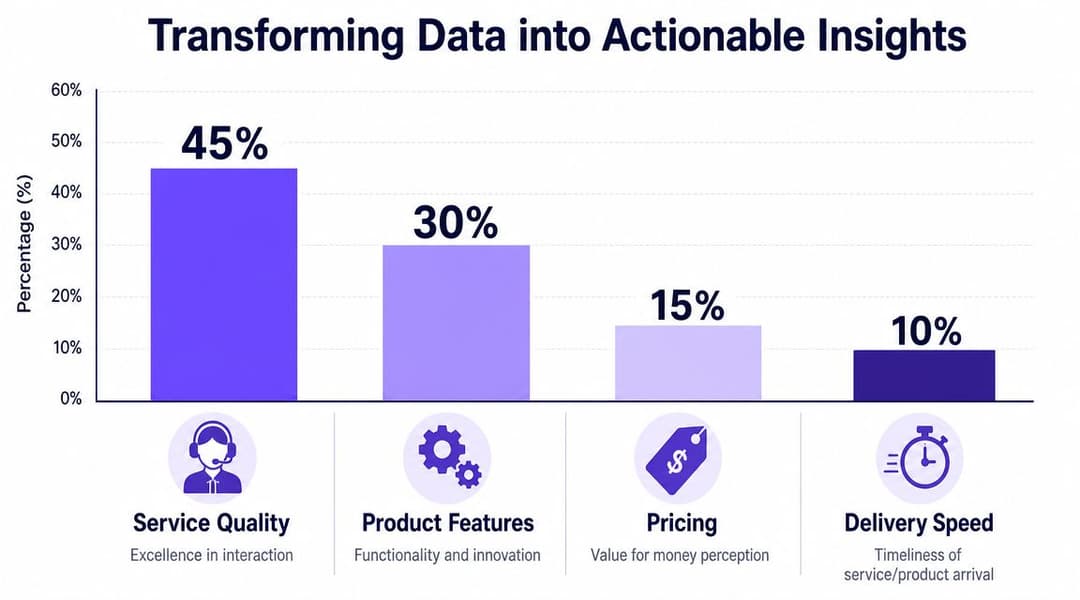
Behandeln Sie Bewertungen und Kommentare unterschiedlich
Geschlossene Fragen verraten Ihnen, wo Reibungspunkte liegen. Offene Kommentare verraten Ihnen das Warum.
Das bedeutet, dass die Analyse beide Bereiche getrennt betrachten sollte:
- Quantitative Antworten: Suchen Sie nach Mustern nach Standort, Tageszeit, Besuchstyp oder Servicebereich.
- Qualitative Kommentare: Gruppieren Sie wiederkehrende Themen wie Wartezeiten, Hilfsbereitschaft des Personals, Sauberkeit, Beschilderung oder Verbindungsprobleme.
- Gemeinsame Interpretation: Prüfen Sie, ob die Kommentare die niedrigen oder hohen Bewertungen konsistent erklären.
Ein Dashboard kann helfen, aber nur, wenn jemand die Interpretation übernimmt. Tools, die Umfragedaten mit dem Verhalten vor Ort kombinieren, sind besonders nützlich, da sie es Betreibern ermöglichen, die Stimmung mit dem Besuchskontext zu vergleichen. Für Teams, die mit Gastnetzwerkdaten arbeiten, können WiFi-Analysen und Reporting-Tools diese umfassendere Sicht unterstützen.
Themen in Maßnahmen umwandeln
Die Falle besteht darin, beim Reporting aufzuhören. Die meisten Betreiber wissen bereits, wie man Diagramme erstellt. Weniger gut sind sie darin, konkrete Maßnahmen zuzuweisen.
Ein nützliches Ergebnis sieht so aus:
- Identifiziertes Problem: Gäste äußern sich verwirrt beim Check-in.
- Wahrscheinliche Ursache: Beschilderung und Übergabe durch das Personal sind inkonsistent.
- Verantwortlicher: Front-of-House-Manager.
- Maßnahme: Aktualisierung der Beschilderung im Ankunftsbereich und Standardisierung der Begrüßungsschritte.
- Überprüfungspunkt: Vergleich zukünftiger Umfrageergebnisse nach der Änderung.
Wie eine gute Analyse klingt: „Die Gäste sind nicht allgemein unzufrieden. Sie sind speziell in den ersten Minuten nach der Ankunft frustriert.“
Diese Detailtiefe ist der Punkt, an dem sich das Design einer Umfrage auszahlt. Die Umfrage wird zu mehr als einer reinen Zuhörübung. Sie wird zu einer operativen Feedbackschleife.
Umgang mit Datenschutz-Compliance und Vertrauensaufbau
Datenschutz ist im Umfragedesign keine rechtliche Randnotiz mehr. An vielen Standorten ist er Teil der Entscheidung, ob überhaupt geantwortet wird. Menschen sind eher bereit zu antworten, wenn die Umfrage professionell, verhältnismäßig und transparent bezüglich der weiteren Verwendung der Daten wirkt.
Das ist noch wichtiger, wenn das Feedback mit dem Gäste-WiFi verknüpft ist, da die Befragten bereits wissen, dass sie Daten für die Verbindung geteilt haben. Wenn die Umfrage zu viel verlangt oder intransparent wirkt, sinkt das Vertrauen schnell.
Halten Sie die Datenabfrage verhältnismäßig
Das Information Commissioner's Office hat Datenminimierung und Transparenz hervorgehoben, und die öffentliche Meinung in Großbritannien reagiert weiterhin sensibel darauf, wie Organisationen personenbezogene Daten erfassen und verwenden. Dies macht Vertrauen zu einem zentralen Faktor für den effektiven Einsatz von Umfragen, wie in dieser Zusammenfassung der britischen Datenschutzanforderungen beim Umfragedesign beschrieben.
Für Standortbetreiber ist die praktische Erkenntnis einfach. Fragen Sie nur nach Daten, die Sie auch rechtfertigen können.
Das bedeutet in der Regel:
- Demografische Fragen optional gestalten: Nehmen Sie diese nur auf, wenn sie die Auswertung wesentlich verbessern.
- Den Zweck klar erklären: Sagen Sie den Teilnehmern, ob die Umfrage der Serviceverbesserung, dem operativen Feedback oder etwas anderem dient.
- Getarntes Marketing vermeiden: Wenn das eigentliche Ziel der Aufbau von Verteilerlisten oder zukünftige Werbung ist, werden die Befragten dies spüren.
Formulieren Sie die Einwilligung in einfacher Sprache
Einwilligungsformulierungen sollten menschlich klingen, nicht juristisch. Ein Befragter sollte verstehen, worauf er sich einlässt, ohne erst eine Richtliniensprache entschlüsseln zu müssen.
Eine gute Umfrage-Einwilligung beantwortet meistens drei Fragen:
- Was Sie erfassen.
- Warum Sie es erfassen.
- Ob das Feedback anonym, verknüpft oder identifizierbar ist.
Wenn Sie im Gesundheitswesen, in Wohnheimen oder in anderen bereichen tätig sind, in denen Vertrauen eine große Rolle spielt, sollten Sie noch vorsichtiger sein. Menschen möchten sich oft zur Servicequalität äußern, ohne dieses Feedback mit persönlich identifizierbaren Daten zu verknüpfen. In diesen Fällen ist es wichtig, den Befragten die Wahl zu lassen. Ebenso wichtig ist gegebenenfalls die Verlinkung zu einer klaren Datenschutzerklärung für Gäste WiFi.
Ein sauberer Datenschutzansatz senkt nicht nur das Compliance-Risiko. Er verbessert auch die Ehrlichkeit. Befragte teilen nützlicheres Feedback, wenn sie darauf vertrauen, dass die Organisation verantwortungsvoll mit ihren Informationen umgeht.
Wenn Sie das Gäste-WiFi in einen praktischen Feedback-Kanal verwandeln möchten, bietet Purple den Teams vor Ort die Möglichkeit, direkt während des Besuchs Umfrageantworten von verifizierten Besuchern zu sammeln - zusammen mit der Authentifizierung und den Analysen, die erforderlich sind, um diese Antworten operativ nutzbar zu machen.