
Hotel WiFi: Der vollständige Leitfaden für Hoteliers
Dieser umfassende Leitfaden bietet leitenden IT- und Betriebsverantwortlichen umsetzbare Strategien für die Planung, Bereitstellung und Monetarisierung von Hotel WiFi-Netzwerken der Enterprise-Klasse. Er behandelt technische Architekturen, Sicherheitskonformität und wie die Gastkonnektivität als leistungsstarker First-Party-Datenwert genutzt werden kann.
Diesen Leitfaden anhören
Podcast-Transkript ansehen
Zusammenfassung für Führungskräfte
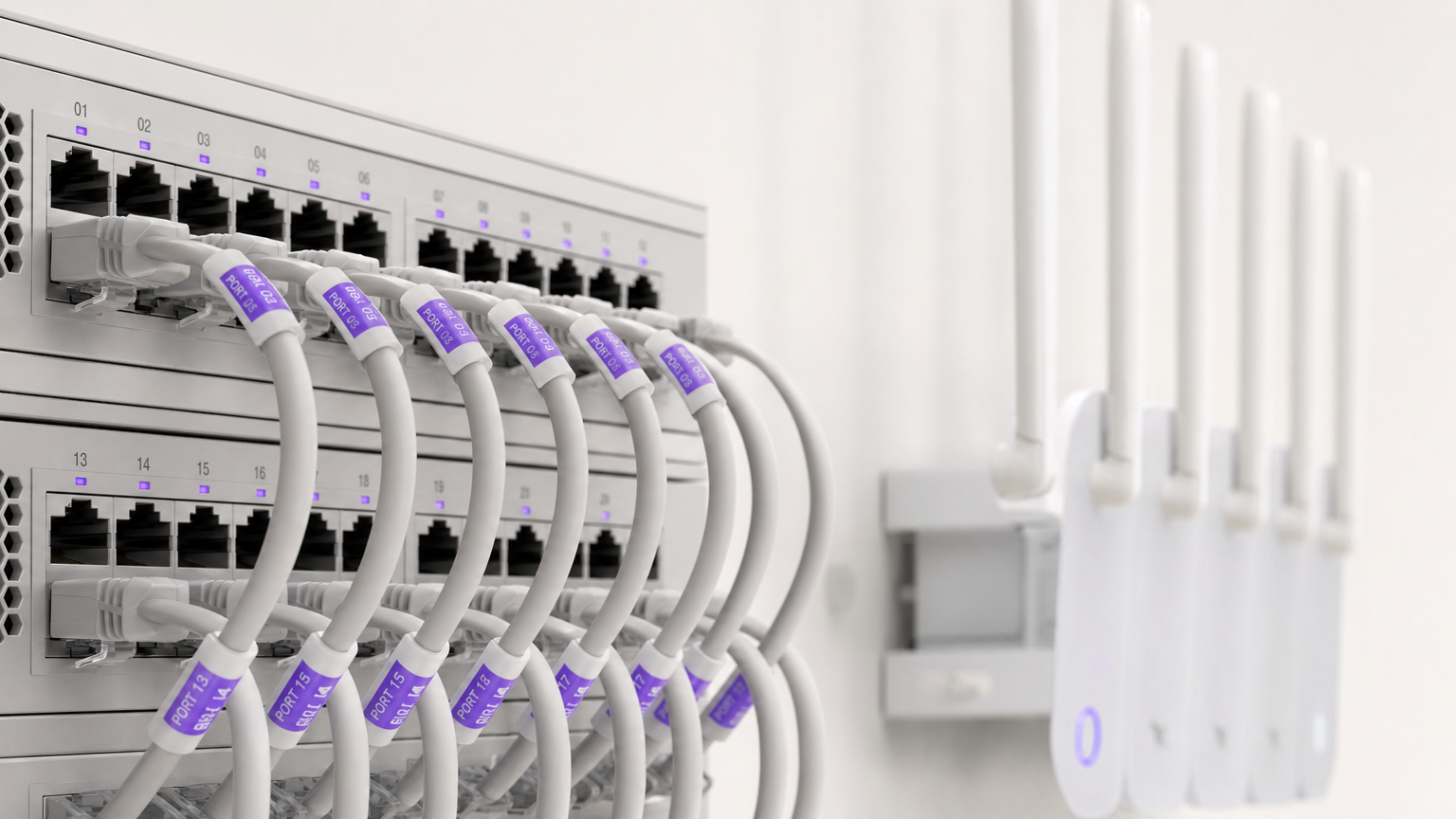
Für moderne Hoteliers ist WiFi nicht länger nur ein Kostenfaktor, sondern ein entscheidender Faktor für die Gästezufriedenheit und ein strategischer Datenwert. Dieser Leitfaden bietet IT-Managern, Netzwerkarchitekten und Betriebsleitern von Veranstaltungsorten einen praktischen, herstellerneutralen Rahmen für die Bereitstellung von drahtlosen Netzwerken der Enterprise-Klasse in Gastgewerbeumgebungen. Wir werden die technische Architektur untersuchen, die zur Unterstützung von hochdichten, gleichzeitigen Verbindungen erforderlich ist, die Sicherheitsprotokolle, die für die PCI DSS- und GDPR-Konformität notwendig sind, und die Integration von Captive Portals, um die Netzwerkinfrastruktur in eine messbare Umsatzmaschine zu verwandeln. Egal, ob Sie ein Boutique-Hotel oder ein großes Konferenzzentrum verwalten, dieser Leitfaden skizziert die Entscheidungen, die Sie in diesem Quartal treffen müssen, um sicherzustellen, dass Ihr Netzwerk sowohl Leistung als auch ROI liefert.
Hören Sie sich unser begleitendes Briefing zu den Kernkonzepten von Hotel WiFi an:
Technischer Deep-Dive
Netzwerkarchitektur und Segmentierung
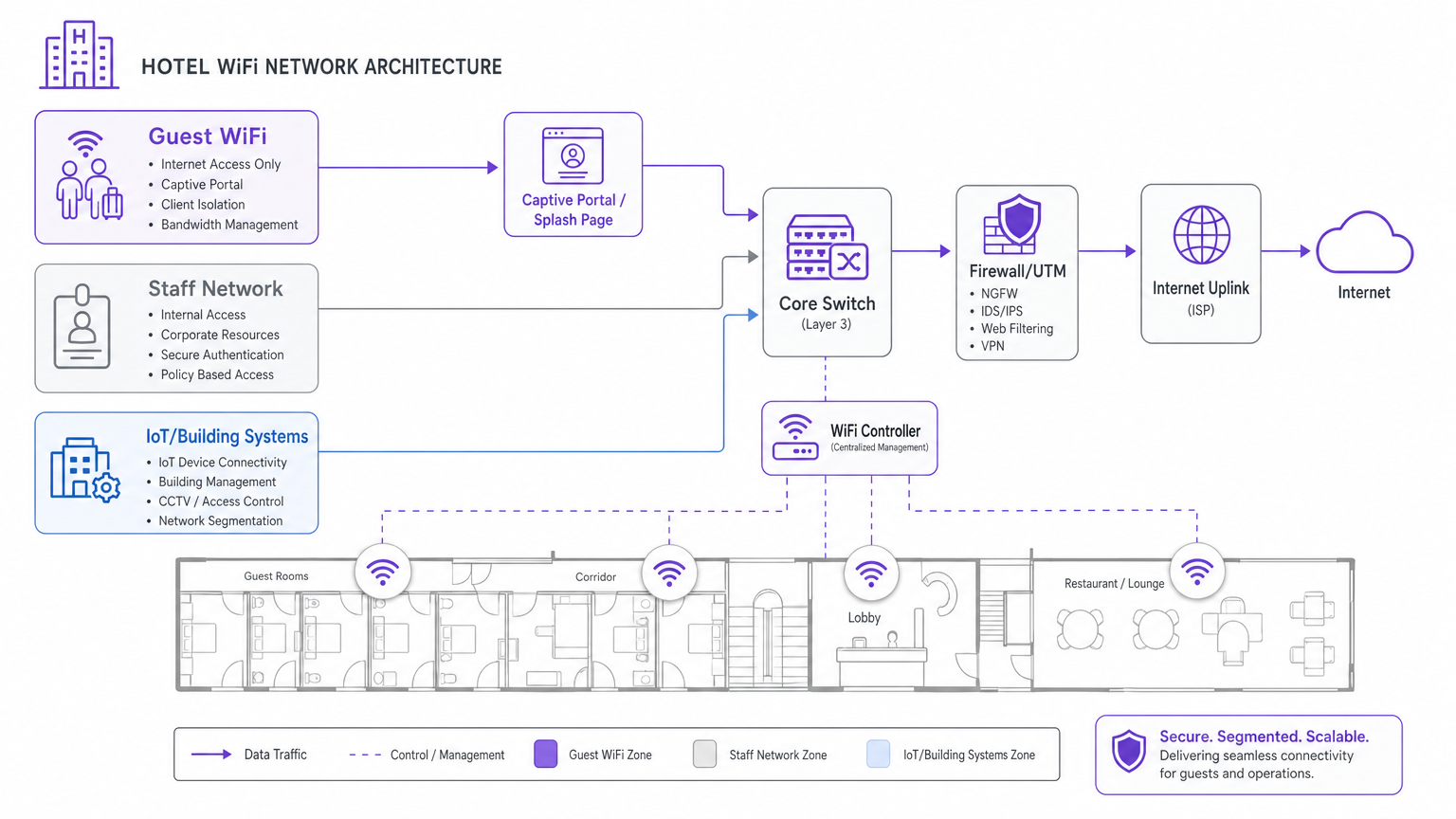
Das grundlegende Prinzip jedes Enterprise-Netzwerks im Gastgewerbe ist die logische Segmentierung. Eine Hotelumgebung muss unterschiedliche Benutzergruppen – Gäste, Personal und IoT-/Gebäudesysteme – auf derselben physischen Infrastruktur bedienen. Eine fehlende Segmentierung dieser Gruppen führt zu schwerwiegenden Sicherheitslücken und Leistungsengpässen.
Der Standardansatz ist die Bereitstellung separater Virtual Local Area Networks (VLANs). Der Gastdatenverkehr muss von Property Management Systemen (PMS), Point-of-Sale (POS)-Terminals und der Mitarbeiterkommunikation isoliert werden. Diese Isolation ist eine zwingende Voraussetzung für die PCI DSS-Konformität, wenn Zahlungsdaten das physische Netzwerk durchqueren. Darüber hinaus müssen Gastnetzwerke eine Client-Isolation implementieren, die verhindert, dass einzelne Gastgeräte miteinander kommunizieren, wodurch das Risiko einer lateralen Bewegung durch böswillige Akteure gemindert wird.
WLAN-Standards und Kapazitätsplanung
Bei der Bereitstellung neuer Infrastruktur ist Wi-Fi 6 (IEEE 802.11ax) der Basisstandard. Für Bereiche mit hoher Dichte wie Ballsäle oder Konferenzzentren bietet Wi-Fi 6E (das das 6-GHz-Band nutzt) das notwendige Spektrum, um Hunderte von gleichzeitigen Clients zu verwalten. Die entscheidenden Fortschritte in Wi-Fi 6 – insbesondere Orthogonal Frequency Division Multiple Access (OFDMA) und BSS Colouring – ermöglichen es Access Points, mehrere Clients gleichzeitig zu bedienen und Ko-Kanal-Interferenzen in dichten Bereitstellungen zu reduzieren.
Die Platzierung von Access Points (APs) ist ebenso entscheidend. Die veraltete Praxis, APs in Korridoren zu installieren, führt zu einer schlechten Abdeckung in den Zimmern aufgrund der Signaldämpfung durch Wände und Türen. Die aktuelle Best Practice ist ein In-Room-Bereitstellungsmodell: ein AP pro Zimmer oder mindestens ein AP pro zwei Zimmer. Für öffentliche Bereiche ist eine umfassende RF-Standortanalyse mit prädiktiven Modellierungstools unerlässlich, bevor Kabel verlegt werden.
Backhaul und Internet-Uplink
Die WLAN-Leistung hängt vollständig vom kabelgebundenen Backhaul und dem Internet-Uplink ab. Jeder Access Point muss mit Cat 6A-Verkabelung an einen PoE-Switch angeschlossen werden. Noch wichtiger ist, dass die Internetverbindung der Unterkunft für die gleichzeitige Spitzennutzung dimensioniert sein muss, nicht für den durchschnittlichen Bedarf. Eine gängige Faustregel ist, 5 bis 10 Mbit/s pro Zimmer bereitzustellen, um 4K-Videostreaming zu ermöglichen. Für Objekte mit mehr als 100 Zimmern wird eine dedizierte Standleitung gegenüber Standard-Breitband dringend empfohlen, da sie symmetrische Bandbreite und garantierte SLAs bietet. Weitere Details zur dedizierten Konnektivität finden Sie in unserem Leitfaden zu Was ist eine Standleitung? Dediziertes Business Internet .
Implementierungsleitfaden
Die Bereitstellung eines robusten Hotel WiFi-Netzwerks erfordert einen strukturierten, schrittweisen Ansatz:
- RF-Standortanalyse und Kanalplanung: Führen Sie eine physische Standortanalyse durch, um Störquellen (z. B. Mikrowellen, benachbarte Netzwerke) zu identifizieren und einen Kanalplan zu entwerfen, der Überlappungen minimiert.
- VLAN-Design und Sicherheitsrichtlinie: Dokumentieren und konfigurieren Sie die VLAN-Architektur (Gast, Personal, IoT, Management) und Firewall-Regeln, bevor Sie APs bereitstellen.
- Infrastrukturbereitstellung: Installieren Sie Cat 6A-Verkabelung und montieren Sie APs gemäß dem In-Room-Modell. Stellen Sie sicher, dass die zentrale Switching-Infrastruktur das aggregierte PoE-Budget verarbeiten kann.
- Captive Portal-Integration: Stellen Sie das Authentifizierungs-Gateway bereit. Hier integriert sich das Netzwerk mit dem Geschäft. Das Captive Portal muss auf allen wichtigen Betriebssystemen (iOS, Android, Windows) getestet werden, um eine nahtlose Weiterleitung und Authentifizierung zu gewährleisten.
Best Practices
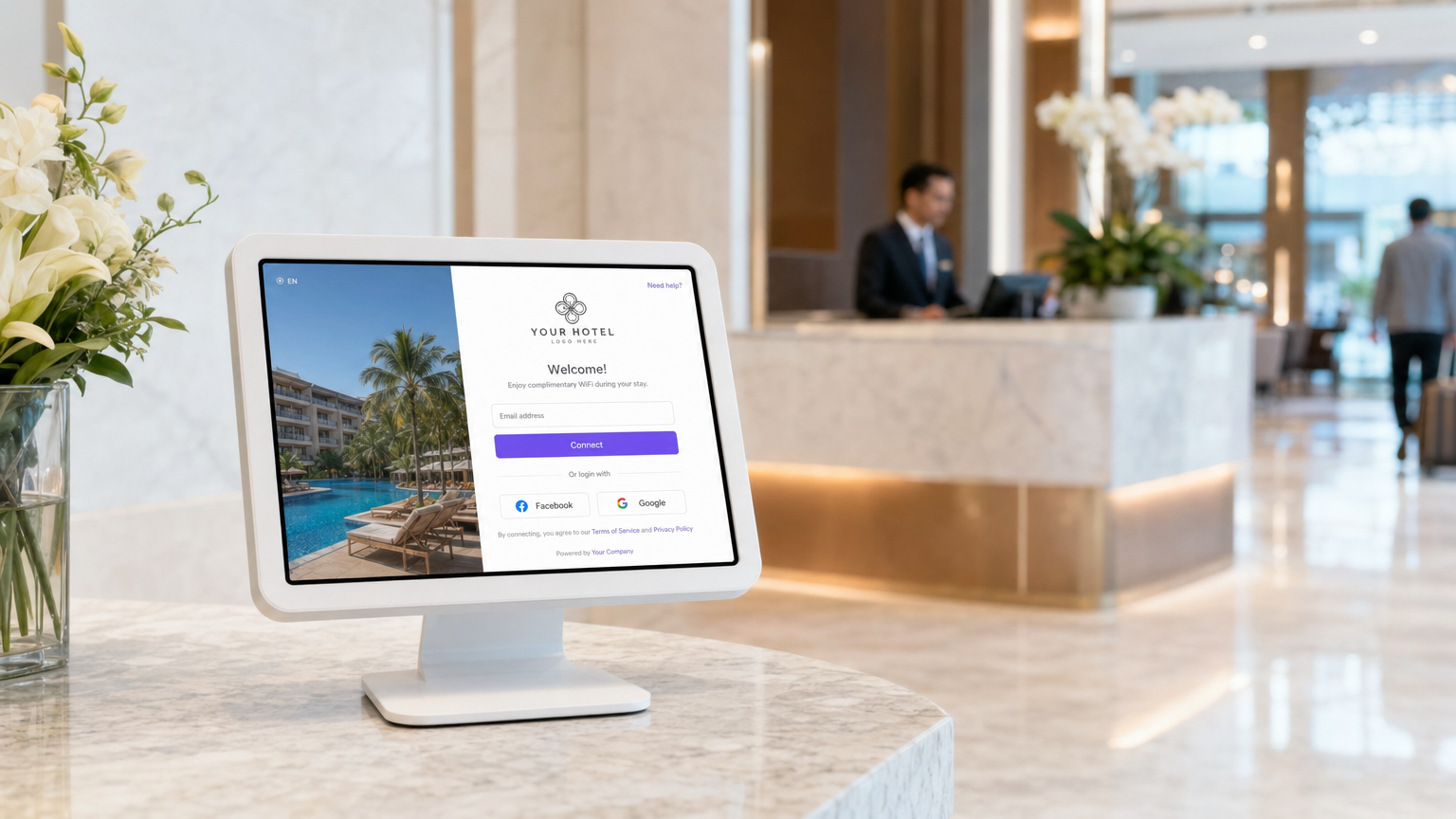
- Priorisieren Sie die Erfassung von First-Party-Daten: Nutzen Sie ein robustes Captive Portal, um Gäste per E-Mail oder Social Login zu authentifizieren. Dies wandelt anonymen Datenverkehr in bekannte Profile um und erstellt eine GDPR-konforme Datenbank für Marketingzwecke. Erfahren Sie mehr über unsere Guest WiFi -Lösungen.
- Implementieren Sie eine nahtlose Re-Authentifizierung: Nutzen Sie profilbasierte Authentifizierung (wie OpenRoaming), damit wiederkehrende Gäste sich automatisch verbinden können, ohne Anmeldeinformationen erneut eingeben zu müssen, was das Gästeerlebnis erheblich verbessert.
- Kontinuierlich überwachen und optimieren: WiFi ist keine statische Bereitstellung. Nutzen Sie die zentrale Cloud-Verwaltung, um AP-Assoziationszahlen, Client-Zustand und Uplink-Auslastung zu überwachen. Regelmäßige Anpassungen sind erforderlich, da sich die RF-Umgebung ändert.
Fehlerbehebung & Risikomitigation
- Die Beschwerde über „langsames WiFi“: Wenn Gäste langsame Geschwindigkeiten melden, liegt das Problem selten an der HF-Umgebung; es ist fast immer eine Uplink-Sättigung. Überwachen Sie die Auslastung Ihrer Internetleitung genau. Wenn der Uplink gesättigt ist, implementieren Sie eine Bandbreitenbegrenzung pro Client im Gast-VLAN.
- Unerlaubte Access Points: Implementieren Sie Wireless Intrusion Prevention Systems (WIPS), um unerlaubte APs zu erkennen und zu beheben, die von Gästen oder böswilligen Akteuren eingesetzt werden und schwerwiegende Störungen und Sicherheitsrisiken verursachen können.
- Captive Portal-Fehler: Stellen Sie sicher, dass Ihr Captive Portal über ein gültiges SSL-Zertifikat verfügt und dass die Walled-Garden-Konfiguration den Zugriff auf notwendige Authentifizierungsdomänen (z. B. Facebook- oder Google-Anmeldeserver) ermöglicht, bevor der Gast vollständig authentifiziert ist.
ROI & Geschäftlicher Nutzen
Der Return on Investment für Unternehmens-WiFi geht weit über die Reduzierung von Gästebeschwerden hinaus. Durch die Integration des Netzwerks mit einer Plattform wie Purple's WiFi Analytics können Betreiber von Veranstaltungsorten:
- Direktbuchungen fördern: Nutzen Sie erfasste E-Mail-Daten, um gezielte Pre-Stay- und Post-Stay-Kampagnen durchzuführen und die Abhängigkeit von OTAs zu reduzieren.
- Ausgaben vor Ort steigern: Lösen Sie automatisierte SMS- oder E-Mail-Angebote basierend auf dem Standort und der Verweildauer des Gastes aus (z. B. ein Spa-Rabatt, wenn sich ein Gast in der Nähe des Pools verbindet).
- Auslastung des Veranstaltungsortes messen: Analysieren Sie Besucherdaten, um den Personalbestand in Restaurants und Lobbys basierend auf den tatsächlichen Belegungsmustern zu optimieren. Für umfassendere Strategien zur digitalen Kundenbindung lesen Sie Kundenbindung: Digitale Strategien für physische Unternehmen .
Schlüsseldefinitionen
VLAN (Virtual Local Area Network)
A logical subnetwork that groups a collection of devices from different physical LAN segments.
Used to isolate guest traffic from staff and payment systems for security and PCI compliance.
Captive Portal
A web page that a user of a public-access network is obliged to view and interact with before access is granted.
The primary mechanism for capturing first-party guest data and securing marketing consent.
Client Isolation
A security feature that prevents devices connected to the same wireless network from communicating directly with each other.
Essential on guest networks to prevent guests from scanning or accessing other guests' devices.
BSS Colouring
A Wi-Fi 6 feature that adds a 'colour' identifier to transmissions, allowing APs to ignore traffic from overlapping networks.
Crucial for maintaining performance in high-density environments like conference centres where multiple APs operate on the same channel.
OFDMA
Orthogonal Frequency Division Multiple Access; a technology that allows a single AP to communicate with multiple devices simultaneously.
Dramatically reduces latency and improves throughput when hundreds of guests are connected in a concentrated area.
PoE (Power over Ethernet)
A standard that passes electrical power along with data on twisted-pair Ethernet cabling.
Used to power wireless access points, eliminating the need for separate electrical wiring to ceiling locations.
Leased Line
A dedicated, fixed-bandwidth, symmetric data connection connecting a business directly to the internet.
The recommended internet uplink for hotels over 100 rooms to guarantee performance and SLA.
WPA3-Enterprise
The highest level of Wi-Fi security, requiring each user to authenticate with unique credentials via an 802.1X server.
The mandatory security standard for hotel staff and corporate networks.
Ausgearbeitete Beispiele
A 250-room business hotel is experiencing severe guest complaints regarding WiFi speeds during the evening hours (7 PM - 10 PM). The hotel currently has a 500 Mbps broadband connection and APs deployed in the corridors.
- Upgrade the internet uplink to a 1 Gbps dedicated leased line to handle the peak concurrent streaming demand. 2. Redesign the wireless architecture to an in-room AP model (1 AP per room or per 2 rooms) to eliminate corridor signal attenuation. 3. Implement bandwidth throttling on the guest VLAN (e.g., 10 Mbps per client) to ensure fair distribution of the available uplink.
A stadium hotel needs to capture guest data for marketing purposes but must ensure strict compliance with GDPR regarding consent and data retention.
Deploy a captive portal integrated with a centralized analytics platform. Configure the splash page to require explicit, granular opt-in checkboxes for marketing communications, separate from the terms of service acceptance. Ensure the platform automatically logs the consent timestamp, IP address, and MAC address, and provides an automated mechanism for guests to request data deletion.
Übungsfragen
Q1. Your venue operations director wants to deploy a new wireless point-of-sale (POS) system on the outdoor terrace. They suggest connecting the POS tablets to the existing Guest WiFi network to save time. How should you respond?
Hinweis: Consider PCI DSS compliance and network segmentation.
Musterlösung anzeigen
You must refuse this request. Connecting POS terminals to the Guest WiFi violates PCI DSS compliance and exposes payment data to severe security risks. The POS tablets must be connected to a dedicated, encrypted Staff/POS VLAN with WPA3-Enterprise security, completely isolated from guest traffic.
Q2. A boutique hotel is planning a refit and the interior designer insists that access points must be hidden inside metal ceiling enclosures to maintain the aesthetic. What is the technical implication?
Hinweis: Consider how RF signals interact with different materials.
Musterlösung anzeigen
Metal enclosures will act as a Faraday cage, severely attenuating or completely blocking the RF signal. This will result in dead zones and poor performance. The APs must be mounted below the ceiling or behind RF-transparent materials (like plastic or drywall). If aesthetics are critical, APs can be painted or covered with vendor-approved vinyl skins.
Q3. The marketing team wants to automatically subscribe every guest who connects to the WiFi to the daily promotional newsletter. How should the captive portal be configured to handle this?
Hinweis: Consider GDPR and explicit consent requirements.
Musterlösung anzeigen
The captive portal cannot automatically subscribe guests. Under GDPR, marketing consent must be explicit, unbundled, and opt-in. The splash page must include a separate, unticked checkbox for marketing communications, distinct from the acceptance of the network Terms of Service.
Weiterlesen in dieser Reihe
Was ist eine Probe Request? Verstehen, wie Geräte Netzwerke entdecken
Dieser technische Leitfaden bietet einen tiefen Einblick in IEEE 802.11 Probe Requests, aktives versus passives Scannen und die Auswirkungen der MAC randomisation auf Standortanalysen. Er liefert umsetzbare Implementierungsstrategien für Netzwerkarchitekten zur Optimierung von High-Density-Bereitstellungen, zur Minderung von Probe Storms und zur Sicherstellung einer genauen, GDPR-konformen Datenerfassung mithilfe authentifizierter Identitätsschichten.
Wie man langsames WiFi behebt, ohne Ihr Internetpaket zu aktualisieren
Ein umfassender technischer Leitfaden für IT-Manager und Netzwerkarchitekten zur Optimierung der Unternehmens-WiFi-Leistung, ohne die ISP-Bandbreite zu erhöhen. Behandelt HF-Tuning, Client-Dichte-Management, QoS-Implementierung und wie man WiFi-Analysen nutzt, um Engpässe zu diagnostizieren und zu beheben.
Die Checkliste für die Migration von Legacy NAC zu Cloud-Native NAC
Dieser maßgebliche technische Leitfaden bietet eine strukturierte, dreiphasige Checkliste für die Migration von der traditionellen Netzwerkzugriffskontrolle (NAC) zu einer Cloud-nativen Architektur. Er stattet IT-Manager und Netzwerkarchitekten mit umsetzbaren Strategien aus, um die Identitätsintegration, Richtlinienkonsistenz und Compliance zu gewährleisten, ohne den Veranstaltungsbetrieb zu stören.