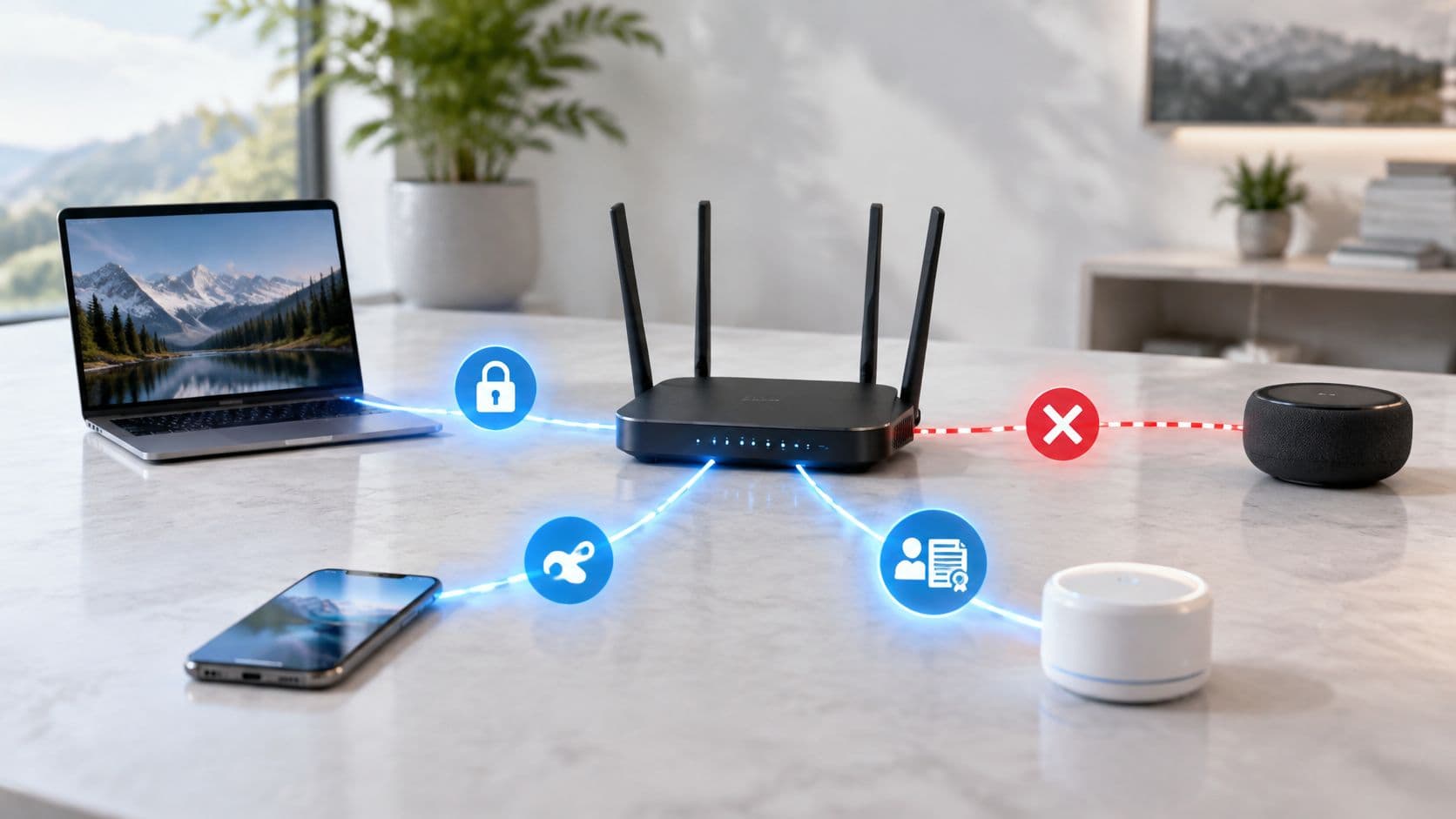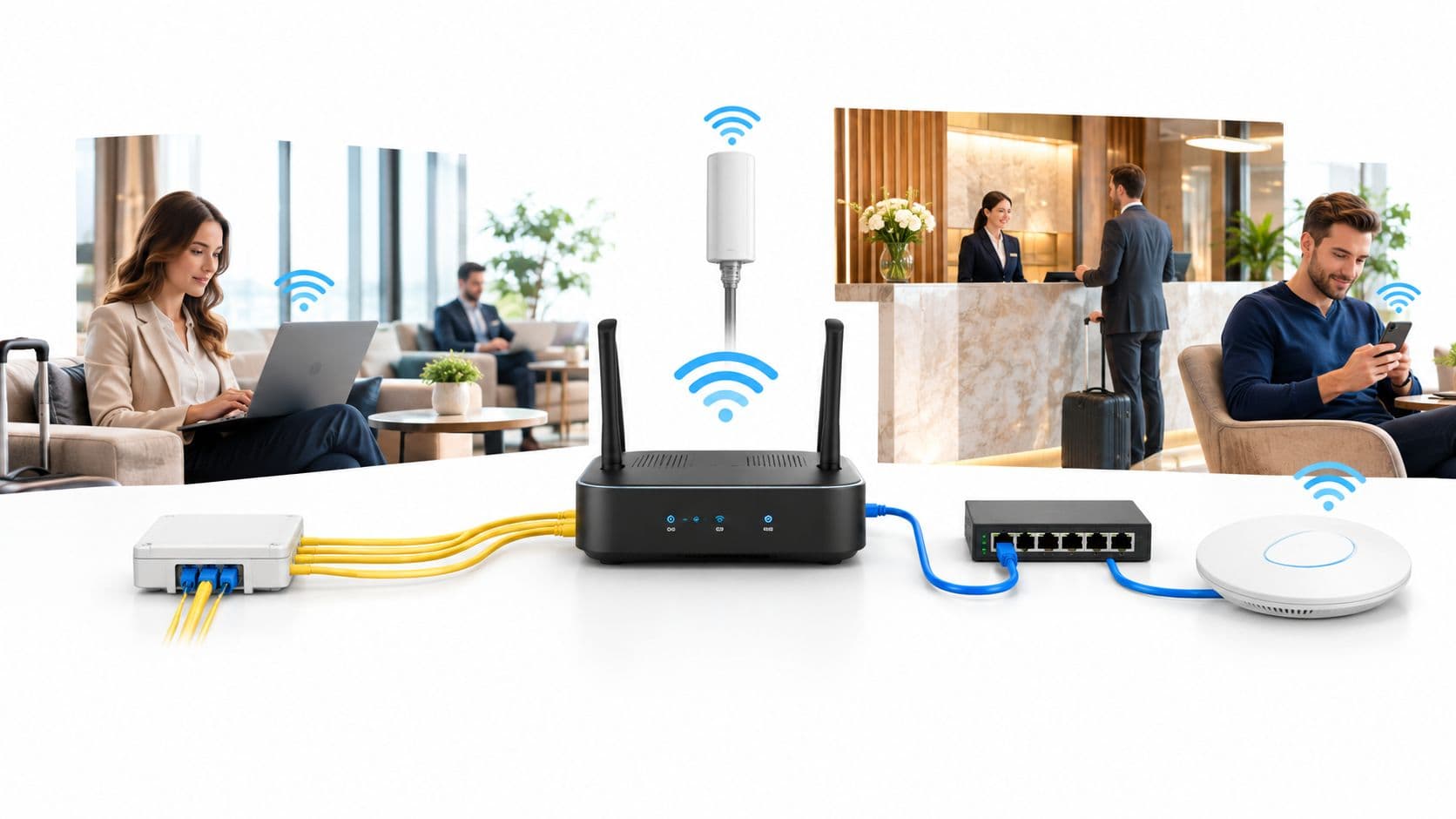
Passwordless WiFi security and ROI advisor
Model how transitioning from shared passwords and captive credentials to digital certificates and Passpoint profiles eliminates helpdesk tickets, strengthens zero-trust posture, and accelerates connection speed.
Projected savings across 1,400 active devices over a 12-month period.
- Baseline ticket volume:
- 1,008 tickets / year
- Tickets avoided with passwordless:
- 927 tickets / year
- Support desk cost reduction:
- £25,956 / year
- IT engineer capacity unlocked:
- 309 hours / year
User experience benefits and device lifecycle efficiencies.
- ✓Zero password resets: Endpoints authenticate silently using cryptographic device keypairs.
- ✓Instant connection latency: Handshake completes in under 3 seconds without web captive redirects.
- ✓Automated offboarding: Revoking a certificate in Intune or Cloud RADIUS terminates network access immediately.
The UK National Cyber Security Centre now treats passkeys as the preferred login method for online services, and it has pushed organisations to reduce reliance on passwords wherever they can. That matters for WiFi because the network is often the first place identity gets tested, and in too many estates it still depends on shared secrets, captive portals, or SMS codes that were never designed for scale. The question isn't whether passwordless is fashionable, it's where it changes business risk and operating cost on live networks.
Why Passwordless Matters for Network Access
Passwordless belongs in network design, not only in application login. On WiFi, a shared password expands the attack surface, while each rotation creates work for users, service desks, and site teams. The UK National Cyber Security Centre recommends reducing password reliance and using methods such as Windows Hello and passkeys where possible, because they use device-bound credentials rather than shared secrets (NCSC passkeys guidance).
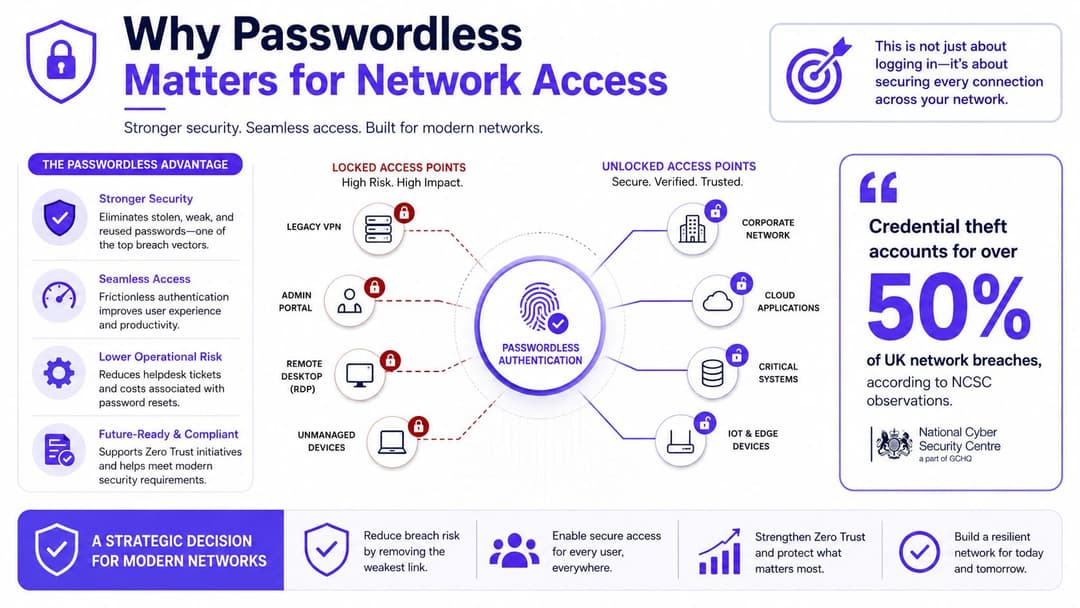
Hospitality, retail, and multi-site enterprise estates expose the operating problem quickly. Shared WPA2-PSK keys spread between tenants, contractors, and departing staff. Captive portal vouchers can be copied or forwarded. SMS one-time codes add delay and depend on a phone number that may be lost or hijacked. Each method creates another support path for routine network access.
Practical rule: if one credential must grant access to hundreds of devices across several sites, the design is distributing a secret rather than enforcing individual access control.
A stronger model ties access to the device, the user, and a policy decision at the RADIUS or NAC layer. Passwordless authentication uses device biometrics or a lock-screen PIN instead of a password, while enterprise WiFi can apply that identity to certificate-based access, managed network profiles, or an identity-provider flow. The result is not a different login screen. It changes who can connect, which device they can use, and how quickly access can be revoked.
Operational cost is the other reason to make the change. Fewer shared secrets means fewer rotations, fewer informal workarounds, and less dependence on help-desk recovery. The trade-off is implementation effort: teams must manage device enrolment, certificate or profile distribution, recovery paths, and exceptions for unmanaged equipment. Purple's enterprise WiFi security guide provides a useful reference for assessing those controls in a live estate.
Venue teams should also assess the guest journey. Network design affects queues, roaming, and service flow, so browse networking design examples for conferences before choosing an access pattern for events and shared sites.
Passwordless matters when it reduces exposure and recurring support work at the same time. It moves network access from credential sharing toward identity assurance, provided the surrounding device and policy controls are maintained.
What Passwordless Authentication Really Means
Passwordless authentication means the network stops asking users to type a secret it already expects to be stolen, reused, or forgotten. In practical terms, the user proves possession of a trusted device, and that device performs a cryptographic exchange, often authorized locally by a biometric or PIN. The password disappears from the flow, but the identity check doesn't become weaker, it becomes harder to phish.
Passwordless is not just another MFA layer
MFA still often begins with a password. That means the shared secret remains in play, and so does the recovery burden that comes with it. Passwordless is different because it is designed around phishing-resistant authenticators, which the NCSC explicitly encourages in its enterprise authentication guidance (NCSC enterprise authentication policy).
For WiFi, the most common building blocks look like this:
- EAP-TLS with device certificates, where the device proves itself with a certificate during 802.1X authentication.
- Passpoint and roaming federation profiles, where the device carries a trusted network profile and can join without retyping credentials.
- Federated captive portal flows, where the user signs in through an identity provider instead of typing a local password.
The key detail is that passwordless is enforced by the RADIUS server or NAC policy, not by the client device itself. The client can store the credential or activate it with a biometric, but the network decides whether that credential is valid, whether the device is compliant, and what level of access it gets.
Passwordless on WiFi isn't a UX trick. It's a credential model that moves trust from memory to cryptography.
That distinction matters in mixed estates. A guest on a managed phone, a contractor on a corporate laptop, and a staff member roaming between office floors can all authenticate differently while still landing in the same policy framework. The more the estate depends on shared credentials, the more each access decision becomes a guess. Passwordless cuts that guesswork down to a device-bound assertion backed by directory and network controls.
The Four Pillars of Passwordless Authentication Benefits
Passwordless authentication changes four parts of a network estate: security, operations, user experience, and cost. The business case is strongest when these effects are measured together, rather than treating passwordless as an authentication upgrade in isolation.
Security changes the threat model
A credential held in a device secure enclave, certificate store, or passkey container is harder to copy and replay than a shared password. That reduces the value of phishing and credential reuse, while giving access policy a stronger identity signal. The NCSC describes passkeys as phishing-resistant and reports that sign-in can be up to eight times faster than username, password, and 2SV (NCSC passkeys report).
The improvement is practical in mixed estates. Staff, contractors, and managed devices can use different credentials while the network applies consistent access rules. Shared passwords make every access event ambiguous. Device-bound credentials reduce that ambiguity and support a clearer zero trust design, alongside the controls set out in the NCSC enterprise authentication policy.
Operations changes the queue
Passwordless removes work that otherwise appears as resets, shared-password rotations, voucher administration, and repeated requests to join WiFi. That matters in hospitality and retail, where reception, service desks, and site teams handle access issues alongside their primary roles.
UK adoption coverage reports that more than half of surveyed UK IT leaders had some passwordless deployment. The figure does not prove that every rollout is mature, but it does show that passwordless has moved beyond a specialist use case (UK adoption coverage).
Purple's identity-based networking approach reflects the same operating model. The network uses identity and policy rather than relying on a shared passphrase, which gives teams better control over who receives access and how that access is managed.
Experience and ROI are linked
Users notice authentication at the point of connection. A fast tap or device prompt reduces delay. SMS verification, portal passwords, and repeated prompts create support conversations, especially when staff and guests move between sites or devices.
The financial return comes from several smaller reductions rather than one dramatic saving: fewer help-desk events, less SMS dependency, lower credential-theft exposure, and less manual administration. Track those measures during a pilot, then compare them with recovery, device replacement, and fallback-authentication requirements before expanding the rollout.
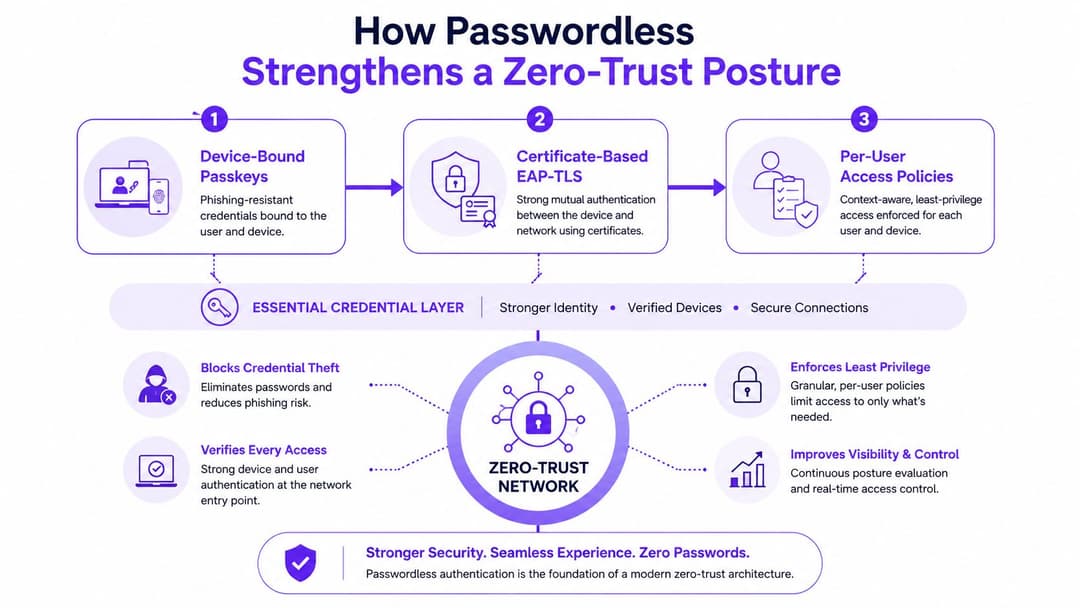
How Passwordless Strengthens a Zero Trust Posture
Passwordless delivers its strongest security benefit when it sits inside a zero-trust policy. Each access decision should evaluate an identity, a device, and the relevant policy conditions. Legacy WPA2-PSK relies on one shared key to represent many users and endpoints, so the network cannot tell whether the connection comes from an approved device or a borrowed credential.
Shared secrets don't belong in a zero trust design
A shared password confirms only that someone knows the secret. It does not show whether the device is managed, patched, assigned to the right person, or suitable for a particular network segment. Device-bound passkeys and certificates make the access event specific to both the user and endpoint.
UK enterprise guidance supports reducing reliance on passwords and using passwordless controls, including Windows Hello, within enterprise authentication policy and zero-trust architecture. The practical value is the link between authentication and later enforcement. Identity can feed decisions about device health, network segment, application access, and session response instead of ending at the login screen.
Policy gets sharper when identity is explicit
Integrating the identity provider with the wireless controller makes conditional access operational. Device compliance, location, time of day, and role can influence the decision at the network edge. The credential remains only one input, but it gives the policy engine a stronger starting point than a reusable shared secret.
Practical rule: if your access policy can't distinguish a managed laptop from a borrowed one, it's not zero trust yet.
Why this matters on real networks
A hospitality estate may place guest phones on a roaming profile while staff devices use certificate-based 802.1X. Both can still send identity and device context to a policy engine, which determines what each connection may reach. That separation limits the effect of a compromised guest device without adding manual work for reception or service teams.
In a multi-tenant office, a contractor can receive access to only the required wireless segment. If the device falls out of compliance, policy can restrict that access without changing a password for everyone else.
That is the distinction between credential checking and trust modelling. Passwordless does not replace the policy engine. It supplies identity and endpoint signals that let the engine apply narrower, more useful controls.
Real-World Deployments for Venues and Multi-Tenant Sites
The cleanest passwordless wins show up where access happens fast and often. In hospitality and retail, the guest wants a connection that just works. In offices and mixed-use estates, staff and contractors need consistent access without the admin overhead of manual provisioning.
Guest WiFi in venues
A guest should not need to remember a venue-specific password, wait for a text, or re-register every time they move between access points. With Passpoint, OpenRoaming, or identity-based social sign-in, the device can authenticate once and then roam across the venue with far less friction. That's valuable in bars, hotels, stadiums, and shopping centres, where queue pressure and front-of-house workload matter.
This is also where the internal experience changes. Reception staff stop acting as password distributors. Floor staff stop resetting vouchers. Guests connect faster, and the venue keeps the interaction inside a controlled identity flow rather than pushing people into ad hoc support.
Staff access in multi-tenant environments
Corporate and mixed-tenant estates need a different shape of control. A contractor in one building, a permanent employee in another, and a remote worker arriving for a one-day visit all need predictable access without someone sending a new WiFi password by email. That's where federated SSO with Azure Entra ID, Okta, or similar directory-backed workflows pairs well with device certificates.
Purple's multi-tenant WiFi guide is a useful reference if you're dealing with landlord, tenant, and contractor segmentation in the same estate. The operational point is simple, the network should recognise identity context before it lets the device anywhere near shared resources.
One practical gain is that onboarding can be standardised across sites. Instead of every branch inventing its own process, you give IT one policy model and one recovery path. That makes audit, support, and offboarding much cleaner.
Passwordless is easiest to justify where users move between spaces, devices, and trust zones. That's where shared passwords become most expensive.
The deployment pattern that works is rarely flashy. It's usually a controlled rollout, low-friction guest access first, then staff onboarding, then tighter policy on more sensitive segments. The point isn't novelty, it's fewer interruptions for the people who run the venue or estate every day.
Passwordless Versus Shared Passwords and SMS Verification
Shared passwords and SMS codes survive because they're familiar, not because they're good. They're cheap to start with, but they behave badly once an estate grows, especially when access is spread across multiple venues, tenants, or user groups. Passwordless removes a lot of that hidden mess.
Side-by-side comparison
| Dimension | Shared PSK / Password | SMS One-Time Code | Passwordless (Passkey/Cert) |
|---|---|---|---|
| Revocation | Hard to revoke cleanly when the secret is shared | Tied to the phone number, not the network identity | Device or identity can be removed centrally |
| Phishing resistance | Weak, the secret can be copied and reused | Better than nothing, but still phishable and delivery-dependent | Stronger, because the credential is device-bound |
| Help-desk load | High when passwords get reused or changed | Medium, with SMS delivery and lockout issues | Lower when recovery is designed properly |
| User friction | Re-entry, rotation, and forgotten secrets are common | Extra step and waiting time | Usually quicker once enrolled |
| Auditability | Limited, especially with shared credentials | Better than shared passwords, but still linked to a channel rather than a device | Stronger, because auth events map to identity and device |
Shared WiFi passwords are especially awkward because one leak affects every connected endpoint. SMS looks better on paper, but it still adds a dependency on carrier delivery and a number that can be moved or intercepted. In both cases, the network is still leaning on a weak join mechanism.
The NCSC's passkey guidance is the clearest UK signal that the old model is on the way out. It now treats passkeys as the preferred login method, and it explicitly describes passwordless authentication as secure login through biometrics or a lock-screen PIN instead of a traditional password (NCSC passkeys guidance). That's relevant because the same trust model is what makes WiFi access cleaner and less phishable.
If you want to test how resilient a current access flow really is, a white-labeled pentest can expose where shared secrets, portal logic, or fallback paths still leave gaps. The useful part isn't the report itself, it's seeing which path a real attacker would take when a passwordless policy is only half-built.
Common Misconceptions and a Practical Rollout Checklist
The objections are usually predictable. Someone says old devices won't work, migration will be too disruptive, or visibility will get worse once passwords disappear. In practice, those concerns are real, but they're manageable if you design the rollout around device classes, policy boundaries, and recovery paths instead of trying to flip everything at once.
The three objections that stall projects
Legacy device compatibility is the most common blocker, especially in mixed estates with older scanners, shared terminals, or specialist equipment. The answer isn't to force every endpoint onto the same method, it's to use the right fallback, such as certificate-based access for managed devices and a separate controlled path for legacy hardware. The NCSC's guidance supports the direction, because it frames passwordless as a preferred method while still allowing enterprise policy to decide where it fits best (NCSC passkeys guidance).
Migration effort looks larger than it is when teams imagine a big-bang cutover. It's more practical to start on low-risk guest networks, then extend to staff and contractor access once directory, MDM, and logging are stable. That phased approach keeps support pressure down and lets you learn where the recovery flow breaks before it affects the whole estate.
Loss of access visibility is usually a misunderstanding. Passwordless doesn't remove logs, it often improves them, because the access event now ties to a device and identity rather than a shared password. That gives the security team a clearer trail for audit and incident response.
A rollout that actually holds up
- Audit the current estate. Map every SSID, RADIUS policy, captive portal, and fallback path.
- Pick a phishing-resistant method. Align the choice with NCSC guidance and the device mix you support.
- Pilot on a low-risk network. Start with guest WiFi or a single staff segment.
- Connect directory and MDM. Make identity, device state, and policy speak to one another.
- Enforce access rules. Tighten access only after the logging and recovery paths are proven.
- Retire shared passwords. Remove the old path once the new one is stable enough to carry the load.
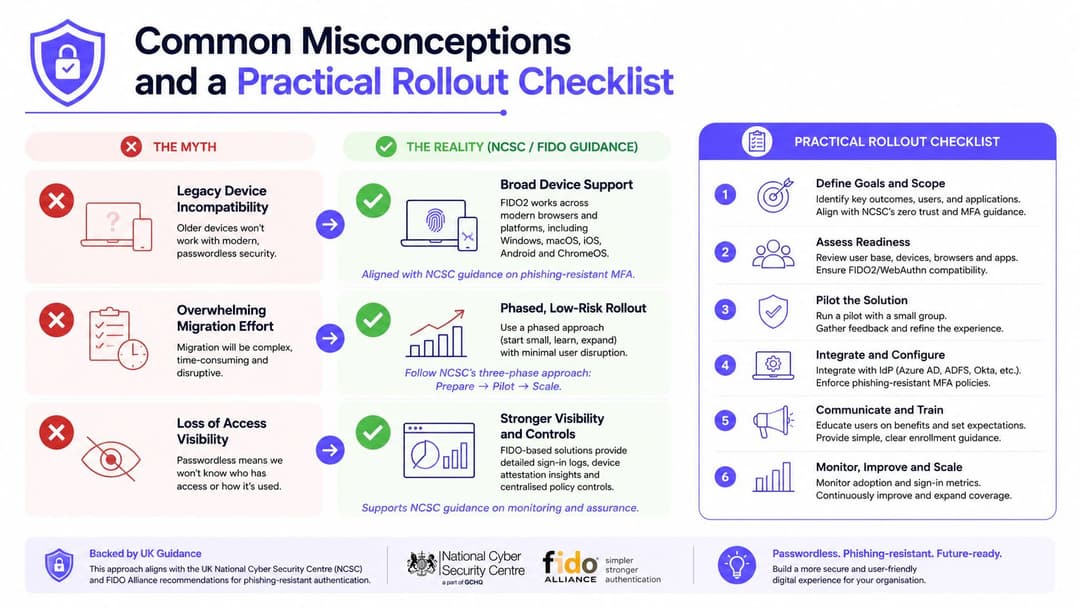
The organisations that do this well keep the change-management work honest. They don't pretend every device can move at the same pace, and they don't confuse a pilot with a finished rollout. Passwordless works when the policy is clear, the fallback is controlled, and the old shared secret is retired on purpose.
If you're planning a WiFi refresh, Purple can help you replace shared passwords with identity-based access for guests, staff, and multi-tenant environments. Its passwordless WiFi model connects access policy to identity, which is exactly the shift this article has focused on, so visit Purple if you want to see how that looks in a real deployment.