
Managed WiFi cost per door: a worked model for MDU operators
You will be able to build a defensible managed WiFi cost per door for an MDU scheme, line by line across cabling, access points, switching, licensing and support. You can then normalise managed service bids, test how scale and asset lives move the figure, and compare the fully loaded monthly cost with a retail broadband benchmark.
Video overview
Part of our core series: Multi-Tenant WiFi Guide →
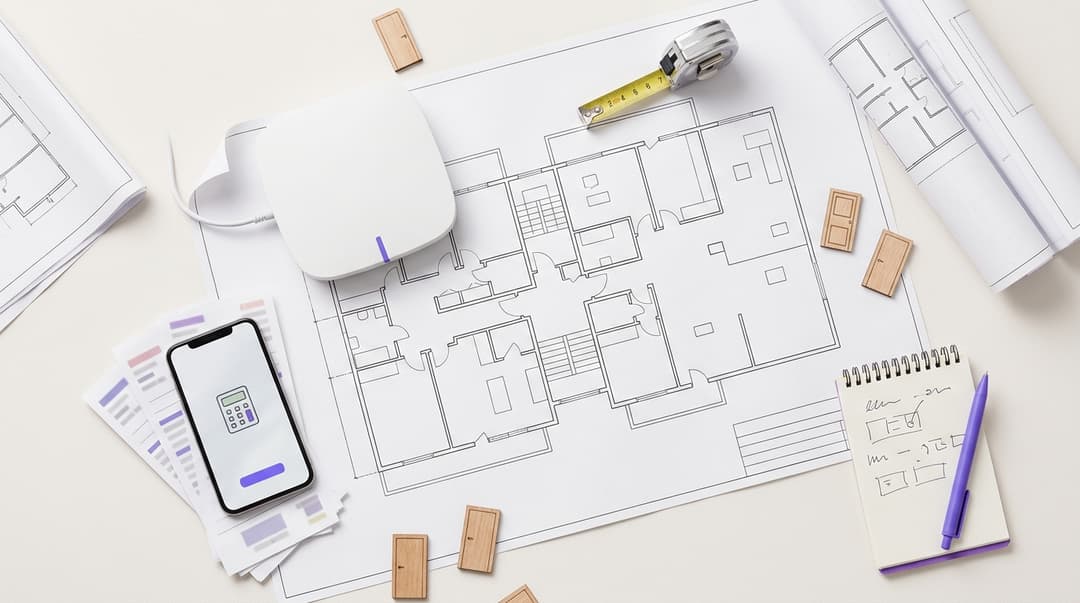
In our worked model, managed WiFi for a 250-unit build-to-rent scheme costs £900 per door in capex and £252 per door a year in opex. With capex amortised, that is £30.67 per door a month. Cabling is the largest capex line at 38%. Per-door cost falls with scale, from £40.25 a month at 100 units to £26.60 at 500.
What is managed WiFi cost per door?
Managed WiFi cost per door is the total cost of a building-wide network divided by the number of homes it serves. In a multi-dwelling unit (MDU), a door is one apartment. In purpose-built student accommodation (PBSA), operators usually count per bed instead.
The figure covers five layers of the stack:
- Cabling: Cat6A drops to each access point, fibre risers between floors, cabinets and containment.
- Access points (APs): the radios inside apartments and amenity spaces.
- Switching: Power over Ethernet (PoE) switches that power and connect each AP, plus core switches.
- Licensing: cloud management licences, and the identity platform that gives each resident a private network.
- Support: connectivity into the building, monitoring, a resident helpdesk and on-site break-fix.
The first three layers are capex: you pay once, then replace on a cycle. Licensing and support are opex: you pay every year. Connectivity also sits in opex. It is the leased line that brings the internet into the building.
Why does cost per door matter for your scheme?
It matters for three reasons.
Appraisal. Your finance team needs one per-door figure for the development appraisal. A line-by-line build-up lets you defend that figure at investment committee.
Comparing bids. Managed service providers quote different scopes. One bid includes connectivity and a resident helpdesk, another excludes both. If you normalise every bid against the same five lines, you compare like with like.
The resident comparison. Residents weigh WiFi included in the tenancy against what a retail broadband provider would charge them. You need to know where your number lands before they work it out.
One cost is partly fixed for you already. Part R of the Building Regulations requires gigabit-ready physical infrastructure in new dwellings in England. If you are building new, some ducting and containment sits in your base build regardless.
How does the 250-unit model work?
The building and the assumptions
The model uses a 250-apartment BTR scheme over eight residential floors. The ground floor holds a lounge, gym, co-working space and reception. These assumptions drive every number below:
- One AP in every apartment. Concrete floors, party walls and fire doors attenuate signal. That makes corridor-mounted designs a risk in many concrete-frame buildings, and a survey confirms which design your building needs.
- 20 APs in amenity spaces and back of house, giving 270 APs in total.
- One Cat6A drop per AP. Cat6A supports 10GBASE-T to 100 metres under IEEE 802.3an, so the cable outlasts several AP generations.
- PoE+ switching under IEEE 802.3at, which delivers up to 30W per port. That covers six 48-port access switches and two core switches.
- Asset lives: cabling over 15 years, active kit and design over six years.
- All prices exclude VAT. They are illustrative unit rates, not Purple pricing, so replace them with your own quotes.
Capex, line by line
| Line | Assumption | Total | Per door | Share |
|---|---|---|---|---|
| Structured cabling | 270 Cat6A drops at £180, plus £36,400 for fibre backbone, cabinets and containment | £85,000 | £340.00 | 37.8% |
| Access points | 270 WiFi 6 APs at £280 each, including mounting | £75,600 | £302.40 | 33.6% |
| Switching | Six 48-port PoE+ access switches and two core switches, £3,000 each | £24,000 | £96.00 | 10.7% |
| Gateway and firewall | One high-availability pair | £6,000 | £24.00 | 2.7% |
| Design, survey and commissioning | Predictive and on-site survey, configuration, testing | £34,400 | £137.60 | 15.3% |
| Total | 250 doors | £225,000 | £900.00 | 100% |
Shares are rounded to one decimal place.
How much of the cost is cabling?
In this new-build model, cabling is 38% of capex, the single largest line. Retrofit pushes it higher. Working in an occupied building means more labour, surface containment and making good after each drop.
Raise the drop rate to an illustrative £350 for a retrofit and cabling rises to £130,900. That is 48% of capex, and total capex rises to £1,083.60 per door.
The lesson is to cable once, with headroom. Cabling outlives your APs, so specify Cat6A and allow a spare drop where you expect future devices. Get the cabling specification fixed before the mechanical and electrical (M&E) package is let. Changing it after first fix costs more than any AP saving.
Opex, line by line
| Line | Assumption | Annual total | Per door a year |
|---|---|---|---|
| Connectivity | 10 Gbps primary leased line plus a diverse backup circuit | £24,000 | £96.00 |
| Cloud management licensing | 270 AP licences at £60, plus £1,800 for switch licences | £18,000 | £72.00 |
| Identity and onboarding platform | Per-resident private networks at an assumed £24 per door | £6,000 | £24.00 |
| Managed service and support | Monitoring, resident helpdesk, on-site break-fix | £15,000 | £60.00 |
| Total | £63,000 | £252.00 (£21.00 a month) |
What is the capex versus opex split?
Over a six-year AP cycle, you spend £225,000 in capex and £378,000 in opex. The split is 37% capex and 63% opex.
That split changes where you negotiate. Cutting £30 off each AP saves £8,100, once. Cutting 10% off connectivity saves £2,400 a year, or £14,400 over six years. Contract terms on connectivity and support move total cost more than hardware unit price.
To get a fully loaded monthly figure, amortise each capex line over its life:
- Cabling: £85,000 over 15 years is £5,667 a year.
- Active kit: £105,600 over six years is £17,600 a year.
- Design and commissioning: £34,400 over six years is £5,733 a year.
Amortisation totals £29,000 a year. Add opex of £63,000 and the building costs £92,000 a year. That is £368 per door a year, or £30.67 per door a month.
How does per-door cost change with building size?
Some costs scale with doors: drops, APs and per-device licences. Others are close to fixed: the leased line, core switching, gateway, design minimums and the helpdesk base. Small buildings carry those fixed costs across fewer doors.
The same unit rates, applied at three building sizes, give these results:
| Metric | 100 units | 250 units | 500 units |
|---|---|---|---|
| APs, including amenity | 112 | 270 | 530 |
| Total capex | £110,520 | £225,000 | £405,800 |
| Capex per door | £1,105 | £900 | £812 |
| Cabling share of capex | 36.3% | 37.8% | 37.1% |
| Annual opex | £33,900 | £63,000 | £107,000 |
| Opex per door a month | £28.25 | £21.00 | £17.83 |
| Fully loaded per door a month | £40.25 | £30.67 | £26.60 |
Cabling holds steady at 36% to 38% of capex across all three sizes. The per-door gains come mainly from opex. A 500-unit scheme still needs one leased line, one gateway pair and one helpdesk contract. A 100-unit scheme pays for the same things across a fifth of the doors.
If you run a portfolio of small buildings, ask bidders to price connectivity and support across the whole estate. That claws back some of the scale effect.
Is managed WiFi cheaper per household than retail broadband?
The model uses £30 a month as a retail broadband benchmark for one household. Check that figure against Ofcom's latest Pricing trends for communications services in the UK report before you present it.
| Retail broadband, per household | Managed WiFi, 250 units | Managed WiFi, 500 units | |
|---|---|---|---|
| Monthly cost per home | £30.00 benchmark | £21.00 opex, £30.67 fully loaded | £17.83 opex, £26.60 fully loaded |
| Who funds in-building infrastructure | Network operator, under a wayleave from you | You, as building owner | You, as building owner |
| Coverage | Inside the apartment | Apartment plus amenity spaces | Apartment plus amenity spaces |
| Connection on move-in day | Resident books an ISP activation | Live from first login | Live from first login |
| Contract held by | Resident | Operator | Operator |
| Network for building systems | Separate network required | Shared, segmented by VLAN | Shared, segmented by VLAN |
A VLAN (virtual local area network) is a logical segment that keeps traffic from different groups apart on the same hardware.
On running costs alone, managed WiFi sits below the retail benchmark at 250 units and above. Fully loaded, it reaches parity at 250 units and falls below the benchmark at 500. At 100 units it costs more than retail.
The comparison is not like-for-like in two ways. Managed WiFi covers amenity spaces and can carry building systems on segmented VLANs. Retail broadband covers one apartment. Also, model figures exclude VAT and retail prices include it. Whether you can recover VAT depends on how you supply WiFi to residents, so take tax advice before you compare the two directly.
Got questions about your specific setup?
Our team works with venue operators, IT managers, and network engineers across 80,000 venues. Book a 20-minute call and we will show you how others like you solved it.
Worked scenarios
The two scenarios below apply the model's unit rates to different buildings. The outcomes are modelled figures, not results from a named deployment.
Scenario 1: 400-bed university halls (public sector)
Situation. A university estates team is refurbishing a 400-bed hall of residence. It has 60 six-bed cluster flats, 40 studios, a common room and study spaces. The business case needs a per-bed figure, because rents and occupancy are reported per bed.
What was done. The team applied the model's unit rates. Each cluster flat gets two APs, because six bedrooms sit behind closed doors. Each studio gets one AP, and amenity spaces get 20, giving 180 APs. Support is priced at £15,000 a year to absorb the helpdesk spike at the September intake.
Outcome. Modelled capex is £161,800, or £404.50 per bed. Annual opex is £60,600, or £12.63 per bed a month. Capex per bed is 45% of the BTR capex per door, because six students share each cluster flat's cabling and switching. Studios cost closer to a BTR door, so the cluster-to-studio mix drives your WiFi cost per bed in PBSA.
Scenario 2: hotel floors converted to long-stay apartments (hospitality)
Situation. A 150-room hotel converts two floors, 40 rooms, into long-stay serviced apartments. Those floors already have Ruckus APs and Cat6 cabling. Long-stay guests want their own private network for smart TVs, consoles and laptops, not a shared hotel network.
What was done. The operator kept the existing cabling and Ruckus APs. A survey identified 10 rooms where in-room coverage fell short. The operator added 10 APs and 10 drops there, then layered per-apartment private networks on top through an identity platform. This is the reuse argument in Why your next WiFi upgrade doesn't need new hardware.
Outcome. Modelled incremental capex is £7,600: £2,800 for APs, £1,800 for drops and £3,000 for commissioning. That is £190 per door, against £900 in the new-build model. The saving comes almost entirely from not pulling a new cable backbone. Opex rises by the identity platform line, £960 a year at the assumed £24 per door. More on this kind of estate is on our Hotels page.
Where does Purple sit alongside the network you already run?
Purple Multi-Tenant WiFi occupies one line in the model: the identity and onboarding platform. It runs as a cloud overlay on your hardware, so it does not replace your cabling, APs or switching.
Purple is hardware-agnostic. Multi-Tenant WiFi runs on Cisco Meraki, HPE Aruba, Ruckus, Juniper Mist, Ubiquiti UniFi, Cambium, Extreme and Fortinet. That has two cost effects. On new build, you choose APs on price and fit rather than on platform lock-in. On an existing estate, you add per-resident networks with no rip and replace.
What the platform does:
- Identity-Based Networks. Each resident gets a Private Area Network (PAN), a private network bubble on shared infrastructure. Their devices connect at home and in the gym, lounge and co-working space without re-pairing.
- iPSK and 802.1X. An identity pre-shared key (iPSK) gives each resident a unique WiFi password on a shared network name. IEEE 802.1X is the port-based access control standard used for certificate or credential sign-in. Both rely on RADIUS, the protocol that checks who is connecting, which Purple runs as cloud RADIUS.
- Joiners, movers and leavers. You issue access at move-in and revoke it at move-out, from one place.
If you open the ground-floor café or co-working lounge to visitors, Guest WiFi and WiFi Analytics run on the same APs. Mixed-use schemes with ground-floor shops can serve shoppers on a segmented network too; see our Retail page.
The evidence behind the platform, from Purple's own data: 80,000+ live venues and 440 million logins in 2024. Purple is ISO 27001 certified, GDPR and CCPA compliant, Cyber Essentials certified and a certified B Corp.
What are the limits of this model?
Use the model to structure decisions, not to replace quotes. Five limits apply.
- Unit rates are illustrative. Labour rates, building height and M&E coordination move cabling and install costs. Use your own quotes.
- Connectivity depends on fibre reach. If fibre does not reach the building, excavation and wayleave costs can add to the first year.
- Asset lives change the fully loaded figure. Refresh APs every five years instead of six and the fully loaded cost at 250 units rises from £30.67 to £32.22 per door a month.
- Scope stops at WiFi. The model excludes IPTV, indoor mobile coverage, CCTV and access control hardware, even where they share the network.
- It covers cost only. Revenue recovery and the net operating income argument are separate questions, and this model deliberately leaves them out.
What should you do next?
- Survey first. Wall construction decides whether you need an AP in every apartment, and that is your biggest variable after cabling. WiFi Site Surveys: A Practical Planning Guide covers the method.
- Fix the cabling specification early. Agree Cat6A, one drop per apartment and spare capacity before the M&E package is let.
- Make bidders price five lines. Ask for cabling, APs, switching, licensing and support separately, with connectivity and helpdesk shown explicitly.
- Run the model at your unit count. Swap in your unit rates and asset lives, then compare the fully loaded monthly figure with your retail benchmark.
- Price the identity layer on the hardware you choose. If you already own Cisco Meraki, HPE Aruba or Ruckus APs, start from what is installed.
Frequently asked questions
How much does managed WiFi cost per apartment door?
In our worked model, a 250-unit BTR scheme costs £900 per door in capex and £252 per door a year in opex. Amortise the capex over the life of each asset and the fully loaded figure is £30.67 per door a month. Smaller buildings cost more per door, £40.25 a month at 100 units. Larger ones cost less, £26.60 at 500 units. Replace our unit rates with your own quotes.
Can we reuse existing cabling and access points to cut capex?
Yes, if the cabling and access points are sound. Purple Multi-Tenant WiFi runs as a cloud overlay on Cisco Meraki, HPE Aruba, Ruckus, Juniper Mist, Ubiquiti UniFi, Cambium, Extreme and Fortinet, so you keep the hardware you own. Cabling is the largest capex line, at 38% in our new-build model, so reusing it moves the number most. A survey confirms whether existing coverage reaches inside every apartment.
Is managed WiFi cheaper than retail broadband for residents?
On running costs, yes, at 250 units and above in our model. Opex is £21.00 per door a month against a £30 retail benchmark. Fully loaded with capex, it reaches parity at 250 units and falls to £26.60 at 500. At 100 units it costs more, at £40.25. Check the benchmark against Ofcom's latest pricing data, and take tax advice on VAT before comparing.
How does WiFi cost per bed in PBSA compare with cost per door in BTR?
Cost per bed is lower, because beds in a cluster flat share cabling, switching and access points. Our 400-bed halls scenario models £404.50 capex per bed and £12.63 opex per bed a month. The 250-unit BTR model comes to £900 capex per door. Studios cost closer to a BTR door, so your mix of cluster flats and studios drives the per-bed figure.
Who pays for managed WiFi in a build-to-rent scheme?
The operator funds the capex and the opex, and holds the connectivity contract. Residents receive WiFi as part of the tenancy rather than signing their own fixed-term ISP contract. How you recover the cost, through rent, an amenity fee or a separate charge, is a commercial and tax decision. Model the cost side first, then take advice on recovery and VAT treatment.
Does a per-apartment private network meet security and GDPR expectations?
Yes. Purple Identity-Based Networks give each resident a private network bubble on shared infrastructure, using iPSK or IEEE 802.1X, so one apartment's devices stay isolated from the next. Purple is ISO 27001 certified, GDPR and CCPA compliant and Cyber Essentials certified. You control when access is issued and revoked, so a departing resident loses access at move-out.
Which access point vendors work with Purple Multi-Tenant WiFi?
Purple is hardware-agnostic. Multi-Tenant WiFi runs on Cisco Meraki, HPE Aruba, Ruckus, Juniper Mist, Ubiquiti UniFi, Cambium, Extreme and Fortinet. You can choose access points on price, performance and your installer's experience, rather than on platform lock-in. An existing estate can also add per-resident networks without a rip and replace of the access layer.
Key Definitions
Cost per door
Total cost of a building-wide network divided by the number of homes it serves, where a door is one apartment in an MDU. In the model it combines amortised capex (cabling, APs, switching, gateway, design) with annual opex (connectivity, licensing, identity platform, support).
This is the single figure your finance team carries into the development appraisal and defends at investment committee.
MDU (multi-dwelling unit)
A residential building containing multiple separate homes on shared infrastructure, including build-to-rent (BTR) schemes. Network cost is counted per door, meaning per apartment.
You meet the term when scoping building-wide managed WiFi, where one network serves every apartment and amenity space.
PBSA cost per bed
In purpose-built student accommodation, network cost is divided by beds rather than doors, because rents and occupancy are reported per bed. Beds in cluster flats share cabling, switching and APs.
University estates teams need a per-bed figure for the business case, and the cluster-to-studio mix drives it.
Cat6A
Category 6A twisted-pair structured cabling that supports 10GBASE-T, the IEEE 802.3an Ethernet physical layer, at 10 Gbps over channels up to 100 metres.
Specifying Cat6A with spare drops means the cable outlasts several AP generations, which matters because cabling is amortised over 15 years.
IEEE 802.3an (10GBASE-T)
The IEEE Ethernet amendment defining 10 Gbps transmission over twisted-pair copper to 100 metres, the basis for running 10 Gbps links over Cat6A.
It justifies paying for Cat6A drops at first fix rather than recabling when faster APs arrive.
PoE+ (IEEE 802.3at)
The IEEE Power over Ethernet amendment that delivers up to 30W per switch port over the data cable, powering devices such as access points without a separate mains supply.
The model prices six 48-port PoE+ access switches and two core switches, £24,000 of capex at 250 units.
VLAN
A virtual local area network, a logical segment that keeps traffic from different groups apart on the same physical hardware, tagged under IEEE 802.1Q.
VLANs let one managed network carry resident traffic and building systems separately, which a retail broadband connection cannot do.
iPSK (identity pre-shared key)
A WiFi authentication method that gives each resident a unique password on a shared network name, with the RADIUS server mapping each key to that resident's private network.
It delivers per-apartment private networks without a separate network name per door, and sits in the identity and onboarding opex line.
IEEE 802.1X
The IEEE port-based network access control standard, which authenticates each device with certificates or credentials through an authentication server before granting network access.
It is the credential-based alternative to iPSK for resident sign-in, and supports isolation between apartments on shared infrastructure.
RADIUS
Remote Authentication Dial-In User Service, the AAA protocol specified in IETF RFC 2865, which checks who is connecting and returns authorisation decisions to the network.
Both iPSK and 802.1X rely on RADIUS, which Purple runs as cloud RADIUS so you host no on-premises server.
Part R of the Building Regulations
The requirement in the Building Regulations for England that new dwellings include gigabit-ready physical infrastructure, such as ducting and containment.
On new build, some containment costs sit in your base build regardless, which partly fixes the cabling line before WiFi design starts.
Cloud overlay
An identity and onboarding layer delivered from the cloud that runs on existing access points and switching, rather than replacing them.
It lets you add per-resident networks to an installed estate on Cisco Meraki, HPE Aruba, Ruckus and other vendors with no rip and replace.
Worked Examples
A university estates team is refurbishing a 400-bed hall with 60 six-bed cluster flats, 40 studios, a common room and study spaces. The business case needs a per-bed WiFi figure.
The team applied the model's unit rates. Each cluster flat got two APs, because six bedrooms sit behind closed doors. Each studio got one AP and amenity spaces got 20, giving 180 APs. Support was priced at £15,000 a year to absorb the September intake helpdesk spike. Modelled capex came to £161,800, or £404.50 per bed, with opex of £60,600 a year, or £12.63 per bed a month. Capex per bed is 45% of the BTR per-door figure, because six students share each cluster flat's cabling and switching. Studios cost closer to a BTR door, so the cluster-to-studio mix drives the per-bed cost.
A 150-room hotel converts 40 rooms on two floors into long-stay serviced apartments. The floors already have Ruckus APs and Cat6 cabling, and long-stay guests want their own private network.
The operator kept the existing cabling and Ruckus APs rather than pulling a new backbone. A survey found 10 rooms where in-room coverage fell short, so the operator added 10 APs and 10 drops there. Per-apartment private networks were then layered on top through an identity platform. Modelled incremental capex was £7,600: £2,800 for APs, £1,800 for drops and £3,000 for commissioning. That is £190 per door, against £900 in the new-build model, and the saving comes almost entirely from reusing cabling. Opex rose only by the identity platform line, £960 a year at the assumed £24 per door.
An operator is weighing a retrofit of an occupied 250-unit building and needs to know how cabling labour changes the capex figure.
Retrofit means more labour, surface containment and making good after each drop. Raising the drop rate from £180 to an illustrative £350 lifts cabling from £85,000 to £130,900. Cabling then becomes 48% of capex, up from 38%, and total capex rises from £900 to £1,083.60 per door. The response is to cable once with headroom: specify Cat6A, allow spare drops where future devices are expected and fix the specification early. Because cabling outlives several AP generations and is amortised over 15 years, getting it right moves total cost more than any saving on AP unit price.
Frequently asked questions
How much does managed WiFi cost per apartment door?
In our worked model, a 250-unit BTR scheme costs £900 per door in capex and £252 per door a year in opex. Amortise the capex over the life of each asset and the fully loaded figure is £30.67 per door a month. Smaller buildings cost more per door, £40.25 a month at 100 units. Larger ones cost less, £26.60 at 500 units. Replace our unit rates with your own quotes.
Can we reuse existing cabling and access points to cut capex?
Yes, if the cabling and access points are sound. Purple Multi-Tenant WiFi runs as a cloud overlay on Cisco Meraki, HPE Aruba, Ruckus, Juniper Mist, Ubiquiti UniFi, Cambium, Extreme and Fortinet, so you keep the hardware you own. Cabling is the largest capex line, at 38% in our new-build model, so reusing it moves the number most. A survey confirms whether existing coverage reaches inside every apartment.
Is managed WiFi cheaper than retail broadband for residents?
On running costs, yes, at 250 units and above in our model. Opex is £21.00 per door a month against a £30 retail benchmark. Fully loaded with capex, it reaches parity at 250 units and falls to £26.60 at 500. At 100 units it costs more, at £40.25. Check the benchmark against Ofcom's latest pricing data, and take tax advice on VAT before comparing.
How does WiFi cost per bed in PBSA compare with cost per door in BTR?
Cost per bed is lower, because beds in a cluster flat share cabling, switching and access points. Our 400-bed halls scenario models £404.50 capex per bed and £12.63 opex per bed a month. The 250-unit BTR model comes to £900 capex per door. Studios cost closer to a BTR door, so your mix of cluster flats and studios drives the per-bed figure.
Who pays for managed WiFi in a build-to-rent scheme?
The operator funds the capex and the opex, and holds the connectivity contract. Residents receive WiFi as part of the tenancy rather than signing their own fixed-term ISP contract. How you recover the cost, through rent, an amenity fee or a separate charge, is a commercial and tax decision. Model the cost side first, then take advice on recovery and VAT treatment.
Does a per-apartment private network meet security and GDPR expectations?
Yes. Purple Identity-Based Networks give each resident a private network bubble on shared infrastructure, using iPSK or IEEE 802.1X, so one apartment's devices stay isolated from the next. Purple is ISO 27001 certified, GDPR and CCPA compliant and Cyber Essentials certified. You control when access is issued and revoked, so a departing resident loses access at move-out.
Which access point vendors work with Purple Multi-Tenant WiFi?
Purple is hardware-agnostic. Multi-Tenant WiFi runs on Cisco Meraki, HPE Aruba, Ruckus, Juniper Mist, Ubiquiti UniFi, Cambium, Extreme and Fortinet. You can choose access points on price, performance and your installer's experience, rather than on platform lock-in. An existing estate can also add per-resident networks without a rip and replace of the access layer.
Sources
- IEEE P802.3an 10GBASE-T task force
- IEEE P802.3at DTE Power Enhancements (PoE+) task force
- IEEE 802.1 working group (802.1X port-based access control)
- IETF RFC 2865: Remote Authentication Dial In User Service (RADIUS)
- The Building Regulations 2010 (England), legislation.gov.uk
- Ofcom: Pricing trends for communications services in the UK
- WiFi site surveys: a practical planning guide
Continue reading in this series
Per-unit VLAN and PSK architecture: a design walkthrough for MDU networks
You will be able to choose between a VLAN per apartment and policy carried by each resident's unique key, using four factors: wired ports, churn, segment count and hardware support. You can then size DHCP scopes, count segments against your real platform limits and estimate running cost for BTR, PBSA and aparthotel sites.
Retrofit vs new build: planning MDU WiFi cabling and access point placement
Decide whether an apartment building needs corridor or in-unit access points, and plan the cabling, risers, fire-stopping and PoE budget each path demands. You will be able to scope an occupied-building retrofit around access limits, or bring network design into a new build by RIBA Stage 3 so every AP sits within the 90-metre permanent link.
How to deploy iPSK on Cisco Meraki, HPE Aruba and Ruckus
This hands-on reference guide shows how to deploy iPSK on Cisco Meraki, MPSK on HPE Aruba Central and DPSK on Ruckus SmartZone, with a short UniFi PPSK appendix. It focuses on key issuance, VLAN or policy placement, RADIUS decision flows and revocation tests that prove a deployment works in a live venue.
Got questions about your specific setup?
Our team works with venue operators, IT managers, and network engineers across 80,000 venues. Book a 20-minute call and we will show you how others like you solved it.