
Per-resident WiFi billing for MDU and student accommodation: platform options
You will be able to choose between bulk inclusion, landlord retail, third-party ISP retail and base-plus-upgrade WiFi billing for MDU, BTR and PBSA schemes. You can then check the UK VAT position of each model. You will also know which per-unit key, PMS integration and automatic revocation features to require in writing before you shortlist a platform.
Video overview
Part of our core series: Multi-Tenant WiFi →
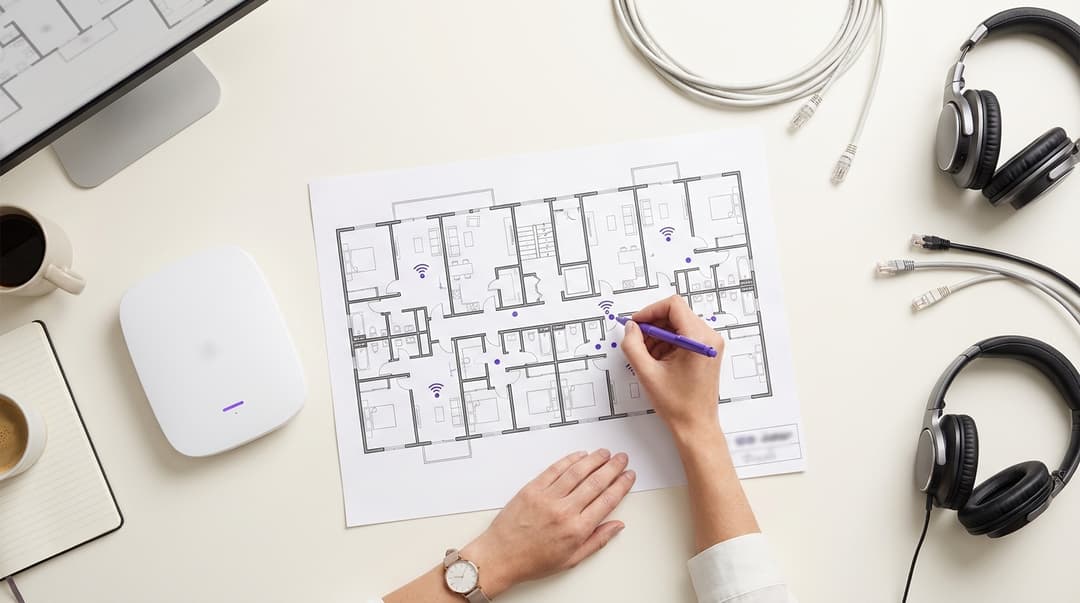
Landlords bill residents for WiFi in four ways: bulk inclusion in rent, retail subscriptions, paid speed upgrades on a free base tier, or a hybrid. Whichever model you pick, require a platform that gives each unit its own key. It should also start and stop access on tenancy dates pulled from your property management system.
Which WiFi billing model should you choose for residents?
The billing model is a commercial decision. Whether it works is a network decision. If you get the network wrong, the billing model generates helpdesk tickets, refund requests and residents sharing passwords across floors.
This guide covers three types of scheme:
- Multi-dwelling units (MDUs): apartment buildings with many separate homes.
- Build-to-rent (BTR): blocks designed and run for long-term rental.
- Purpose-built student accommodation (PBSA).
In all three, you supply WiFi to people who live on site, not visitors passing through. That changes your requirements. Residents bring smart TVs, games consoles and smart speakers. They expect the network to feel like home broadband. They also leave on a known date, and their access must stop when they do.
How do landlords bill residents for WiFi?
Four models cover almost every UK scheme:
- Bulk inclusion. You buy the backhaul and building network, then include WiFi in rent or a service charge. Every resident is connected from move-in.
- Landlord retail subscription. You sell WiFi to residents directly, usually monthly, as a charge separate from rent.
- Third-party ISP retail. An internet service provider contracts with residents directly, over your building network or its own. You may take a revenue share or wayleave fee.
- Base tier plus speed upgrades. Rent includes a base speed. Residents pay monthly to move up to a faster tier.
A hybrid of bulk inclusion and paid upgrades lets you keep an all-inclusive rent. You still earn from residents who want more speed.
Where bulk, retail and tiered WiFi billing genuinely differ
| Model | Who bills the resident | What the resident pays | Operator income | UK VAT position | Connected on move-in day | Best suited to |
|---|---|---|---|---|---|---|
| Bulk inclusion | You, inside rent or service charge | Nothing beyond rent | None direct; WiFi supports the rent | Follows the rent; single or multiple supply test applies | Yes, every unit | PBSA and BTR with all-inclusive rents |
| Landlord retail subscription | You, as a separate monthly charge | Monthly fee | Full subscription, less costs | Standard-rated at 20% | Only after sign-up and payment | MDUs where WiFi is an optional extra |
| Third-party ISP retail | The ISP | The ISP's monthly fee | Revenue share or wayleave fee, if negotiated | ISP accounts for VAT on the subscription | Only after the resident contracts with the ISP | Long leases where residents expect to choose |
| Base tier plus upgrades | You, or your payment provider | Base included; upgrade monthly | Upgrade fees | Base follows the rent; upgrade standard-rated at 20% | Yes, at base speed | BTR and PBSA with mixed demand |
Per-unit keys are the plumbing, not the price
Every model above needs the same thing underneath: a way to identify each unit or resident on the network. There are three common approaches.
A shared pre-shared key (PSK) means one password for a building or flat. It fails first. You cannot revoke one resident without changing the password for everyone. Neighbours can also see each other's devices.
IEEE 802.1X is the enterprise standard for per-person authentication. A RADIUS server checks each login and returns the access policy. RADIUS is the authentication protocol defined in RFC 2865. 802.1X works well for laptops and phones. Many smart TVs, consoles and printers only accept a password, so it fails for those devices.
Per-unit PSK is where most residential designs land. Each unit or resident gets a unique key on a single network name. Vendors name it differently:
- Cisco Meraki calls it Identity PSK (iPSK).
- HPE Aruba uses Multiple PSK (MPSK).
- Ruckus uses Dynamic PSK (DPSK).
Behind the key, RADIUS places the resident on their own VLAN and applies a speed policy. A VLAN, or virtual LAN, is a logically separate network segment. The resident gets a private network for their own devices. Chromecast and AirPlay work inside the unit and stay invisible to neighbours.
Check WPA3 support before you commit. Many per-unit PSK deployments still run on WPA2-Personal. Ask your vendor whether your hardware and firmware support per-unit keys under WPA3-Personal, which uses SAE (Simultaneous Authentication of Equals).
When bulk WiFi included in rent is the right call
Bulk inclusion fits when one or more of these is true:
- Tenancies start on fixed dates. In PBSA, hundreds of residents arrive in one weekend and want to be online before they unpack.
- Your market expects all-inclusive rents. If competing schemes include WiFi, a separate charge reads as a hidden cost.
- Tenancies are short. A monthly subscription on a 44-week let adds friction for little income.
- You own the building network. You control capacity and support instead of depending on an ISP.
The downside is that you pay for capacity whether residents use it or not. Without per-resident speed policy, a few heavy users can degrade service for everyone else. Plan capacity per bed, not per building. WiFi Site Surveys: A Practical Planning Guide covers the survey work.
Worked scenario: 1,200-bed university halls
Situation. A university runs 1,200 en-suite rooms across four halls. Each flat of six students shares a single PSK, which gives 200 shared keys. Accommodation staff reset every key by hand each summer. Students in the same flat can see each other's consoles and speakers.
What was done. The university moves to per-student keys on its existing access points. Its accommodation management system already holds each student's room and contract dates. Every night, the platform reads new and changed contracts:
- It issues each student a key before arrival.
- The key activates on the contract start date.
- It revokes the key on the contract end date.
WiFi stays inside the rent. As a university supply to its own students, it may sit within the education VAT exemption.
Measurable outcome. These figures are modelled from the scheme's own numbers, not taken from a published case study:
- All 1,200 keys exist before the first student arrives, so arrival weekend needs no manual key handling.
- The 200 shared flat keys disappear, along with the summer reset.
- At year end, all 1,200 revocations happen on contract end dates with no staff action.
- Each student's devices are visible only to that student.
When retail subscriptions and speed tiers are the right call
Retail fits when WiFi is genuinely optional. Long-lease MDUs often fall here, because residents on 12-month or longer leases may prefer their own provider. A third-party ISP takes billing, VAT and support off your books. In exchange, you lose control of the experience and the income.
Speed tiers fit when demand is mixed. Some residents browse and message. Others stream 4K video, game online or spend all day on video calls. A tiered model includes a base speed in rent and sells upgrades to the residents who want them.
How are speed tiers sold to residents?
- Define the tiers. Keep it to two or three, each with a download and upload cap, so residents can compare them at a glance.
- Present the upgrade where residents already look. Use the welcome email, the resident app or a web page reached from the network.
- Take payment through a hosted payment provider. If card data never touches your systems, your PCI DSS scope shrinks to Self-Assessment Questionnaire A (SAQ A).
- Apply the tier as a policy on the resident's identity. RADIUS returns the new speed limit. A Change of Authorisation (CoA) message, defined in RFC 5176, updates a live session. The resident does not have to reconnect.
- Handle the edge cases. Prorate mid-month upgrades. Drop back to base on cancellation or failed payment. End everything on the tenancy end date.
Keep billing and network control separate. Your payment provider or property management system (PMS) owns the money. The WiFi platform owns identity and policy. The two meet through an API.
Worked scenario: 160-apartment serviced residence
Situation. A serviced apartment operator runs 160 apartments for guests staying between one month and a year. Base WiFi is included in the rate. Guests who work remotely want more speed for video calls. The operator has no way to sell it without building a separate network for each guest.
What was done. The operator keeps its access points and adds a cloud overlay that issues per-apartment keys from the booking system. The base tier stays included. A faster tier costs £10 a month including VAT, bought through a hosted payment page linked from the welcome email. When a guest pays, a CoA message raises their speed on the live session. At check-out, the key and any upgrade end together. Operators who also run Hotels can apply the same model to long-stay rooms.
Measurable outcome. These figures are modelled. At 25% take-up across 160 occupied apartments, 40 guests buy the upgrade. That produces £400 a month gross. At the 20% standard rate, £66.67 is VAT due to HMRC and £333.33 is net income. Over a year, the upgrade earns £4,000 net from equipment already on the walls. Revoking access needs no front-desk action.
How is resident WiFi turned off at the end of a tenancy?
Resident WiFi should switch off automatically, on the tenancy end date held in your PMS, with no staff action. The tenancy record drives the network. Three events matter: joiners, movers and leavers.
Joiners: onboarding before move-in
When your PMS creates a tenancy, the platform:
- creates the resident's identity
- issues their key
- assigns their VLAN and speed tier
- schedules activation for the start date.
The resident receives the key by email or app before arrival, and their devices connect on day one.
Movers: room changes, extensions and tier changes
- Room move: the key follows the resident, so their devices reconnect without a new password.
- Extension: the platform updates the end date and access continues.
- Upgrade or downgrade: a CoA message changes the speed policy on the live session.
Leavers: revocation and data deletion
On the end date, the platform:
- revokes the key
- sends a RADIUS Disconnect-Request, also defined in RFC 5176, to drop active sessions
- cancels any paid upgrade and stops billing.
A short grace period, such as midnight on move-out day, covers late departures. Personal data is then deleted or anonymised on your retention schedule. UK GDPR Article 5(1)(e) requires storage limitation. Your lawful basis for processing during the tenancy is usually contract, under Article 6(1)(b).
What breaks the automation
- Missing or wrong end dates. Make the end date a mandatory field in your PMS.
- Early terminations recorded late. Access continues until someone updates the record.
- Summer conference guests in student halls. Short-stay visitors suit a captive portal better than a per-unit key. A captive portal is a web page shown before network access. Guest WiFi covers that use, including ground-floor amenity and Retail spaces in mixed-use schemes.
- Keys issued per flat, not per resident. One leaver then forces a reset for the flatmates who stay.
Got questions about your specific setup?
Our team works with venue operators, IT managers, and network engineers across 80,000 venues. Book a 20-minute call and we will show you how others like you solved it.
How does VAT apply to resident WiFi in the UK?
This section is general guidance, not tax advice. Confirm your position with your adviser or HMRC before you set prices.
- Residential rent is exempt. Letting of dwellings falls within Group 1, Schedule 9 of the Value Added Tax Act 1994. HMRC sets this out in VAT Notice 742.
- Separately priced, optional WiFi is standard-rated at 20%. It is a telecommunications service, not a supply of land.
- WiFi bundled into rent needs the single or multiple supply test. HMRC applies principles from case law of the Court of Justice of the European Union (CJEU), including Card Protection Plan (C-349/96) and Levob (C-41/04). If WiFi is ancillary to the letting, it can share the rent's exempt treatment. If it is a distinct supply, it is standard-rated and you must apportion the charge. Draft tenancy agreements with this in mind.
- Serviced apartments and hotels differ. Accommodation in hotels and similar establishments is standard-rated, as VAT Notice 709/3 explains.
- University halls may differ again. An eligible body supplying accommodation to its own students can treat it as exempt, because it is closely related to education. VAT Notice 701/30 covers this.
- WiFi sales count towards the registration threshold. From 1 April 2024, that threshold is £90,000 of taxable turnover. Exempt rent does not count, so WiFi upgrades can push a small landlord over the line.
- Partial exemption applies to mixed income. Once you make both exempt and taxable supplies, VAT you can reclaim on network costs follows VAT Notice 706.
- A third-party ISP moves the subscription off your VAT return entirely.
What each billing model costs to run
Hardware is rarely the deciding cost. Purple runs as a cloud overlay on Cisco Meraki, HPE Aruba, Ruckus, Juniper Mist, Ubiquiti UniFi, Cambium, Extreme and Fortinet. You can change billing models without replacing access points, as long as your vendor and firmware support per-unit keys. Why your next WiFi upgrade doesn't need new hardware explains the approach.
The real costs sit in operations:
| Cost driver | Bulk inclusion | Landlord retail | Third-party ISP | Base plus upgrades |
|---|---|---|---|---|
| Backhaul contract | You pay, per building | You pay, per building | ISP pays | You pay, per building |
| Billing administration | None beyond rent | Monthly invoicing, failed payments, refunds | None | Upgrades only, through payment provider |
| VAT accounting | Within rent treatment | 20% on every subscription | None on the subscription | 20% on upgrades only |
| PCI DSS scope | None | SAQ A with hosted payments | None | SAQ A with hosted payments |
| Resident support | You, every resident | You, subscribers | ISP | You, every resident |
| Income from WiFi | None direct | All subscription income | Revenue share, if negotiated | Upgrade income |
Manual key handling is the hidden cost in every model. If your team issues and revokes keys by hand, each term start and end consumes staff time. Automated onboarding and offboarding remove that work.
What should a per-resident WiFi billing platform include?
Require these features in writing before you shortlist:
- Per-unit keys on your hardware. Ask the vendor to name the implementation on your access points, such as iPSK, MPSK or DPSK, and the minimum firmware.
- PMS integration. Tenancy start and end dates should flow automatically, by API or scheduled sync, with the PMS as the single source of truth.
- Automatic joiners, movers and leavers. Keys should activate, move and revoke without staff action.
- A private network per resident. Device discovery should work inside the unit only.
- Per-resident speed policy. Changes should apply live through RADIUS CoA.
- Separation of billing and network control. Payments should run through a hosted provider to keep PCI DSS scope at SAQ A.
- Resident self-service. Residents should be able to view their key, add devices and change tier without calling you.
- A separate staff network. Staff should use 802.1X backed by Microsoft Entra ID, Okta or Google Workspace. Configuring 802.1X on Juniper Mist with cloud RADIUS shows one example.
- Roaming for amenity areas. Some operators add Passpoint or OpenRoaming. Passpoint, also called Hotspot 2.0, lets devices join automatically using a stored profile. OpenRoaming extends this across a federation of networks.
- Certified data handling. Ask for ISO 27001, Cyber Essentials and documented GDPR processes.
Purple Multi-Tenant WiFi is built on Identity-Based Networks. Each resident gets a Private Area Network: an at-home experience with enterprise security. Joiners, movers and leavers drive access automatically, layered on top of your existing infrastructure with no rip and replace. Purple was founded in 2012. On Purple's own data, it runs at 80,000+ live venues and handled 440 million logins in 2024. Purple is ISO 27001 and Cyber Essentials certified, GDPR compliant and a certified B Corp.
How to decide for your estate
| Your situation | Recommended model | Why |
|---|---|---|
| PBSA with fixed academic-year tenancies | Bulk inclusion with per-resident keys | Mass arrivals need connectivity before move-in |
| University-owned halls | Bulk inclusion | Possible education VAT exemption and no subscription friction |
| BTR with 12-month tenancies and mixed demand | Base tier plus upgrades | Keeps an all-inclusive rent and earns from heavy users |
| Older MDU with long leases | Third-party ISP retail | Removes billing, VAT and support from your books |
| Serviced apartments with stays of one to 12 months | Base tier plus upgrades | Remote workers pay for speed; access ends at check-out |
| Small landlord near the VAT threshold | Bulk inclusion or third-party ISP | Stops taxable WiFi turnover pushing you past £90,000 |
Then work through five steps:
- Audit your PMS data. Check unit identifiers, start dates and end dates across every live tenancy.
- Confirm per-unit key support. Check your access points and firmware with your vendor.
- Model VAT with your adviser. Do this before you publish prices or redraft tenancy agreements.
- Pilot one building. Run it through a full move-in and move-out cycle before you scale.
- Separate your networks. Put staff on 802.1X and short-stay visitors on a captive portal, away from residents.
Frequently asked questions
Is bulk WiFi better than per-resident billing?
Bulk WiFi is better when tenancies start on fixed dates and your market expects all-inclusive rents, as in purpose-built student accommodation. Per-resident billing suits long tenancies and mixed demand. You can also split the difference: include a base speed in rent and sell faster tiers. Whichever you choose, give each resident their own key. That lets you apply policy and revoke access one resident at a time.
How are speed tiers sold to residents?
Speed tiers are sold as monthly upgrades on top of a base speed included in rent. The resident picks a tier from a welcome email, app or web page and pays through a hosted payment provider. The WiFi platform then applies the new speed policy to their identity. A RADIUS CoA message changes the live session without reconnecting. The upgrade ends on cancellation, failed payment or tenancy end.
How is resident WiFi turned off at the end of a tenancy?
Resident WiFi should switch off automatically on the tenancy end date held in your property management system. The platform revokes the resident's key, disconnects active sessions, cancels any paid upgrade and stops billing. A short grace period covers late move-outs. Personal data is then deleted or anonymised on your retention schedule, in line with UK GDPR storage limitation. No staff action should be needed.
Do I have to charge VAT on WiFi I sell to residents?
Yes. If you sell WiFi as a separate, optional charge, it is standard-rated at 20%, even though residential rent is exempt. WiFi bundled into rent may follow the rent's treatment if it is ancillary to the letting. Hotels, serviced apartments and university halls each follow different rules. WiFi sales also count towards the £90,000 registration threshold. Confirm your position with a tax adviser.
Will a per-resident WiFi billing platform work with my existing access points?
Yes, if your access points come from a supported vendor. Purple runs as a hardware-agnostic cloud overlay on Cisco Meraki, HPE Aruba, Ruckus, Juniper Mist, Ubiquiti UniFi, Cambium, Extreme and Fortinet. Per-unit keys depend on your vendor's implementation, such as Cisco Meraki iPSK, HPE Aruba MPSK or Ruckus DPSK. They also depend on your firmware version. Confirm both before you commit.
Can residents use smart TVs, consoles and smart speakers on per-resident WiFi?
Yes. Per-unit PSK exists for exactly this reason. Many smart TVs, consoles and speakers only accept a password, not the 802.1X login used on enterprise networks. With a per-unit key, the resident enters one password on every device. Their devices sit on a private network segment, so casting and screen mirroring work inside the unit and stay hidden from neighbours.
What data does the platform need from my property management system?
The platform needs a unit identifier, the resident's name and email address, and tenancy start and end dates. For tiered models, it also needs the resident's current speed tier. Keep it to that. Data minimisation under UK GDPR means the WiFi platform should not hold rent, payment or referencing data. End dates matter most, because they drive automatic offboarding.
Should I let a third-party ISP bill residents directly?
Yes, if you want WiFi off your books entirely. A third-party ISP contracts with each resident, collects payment, accounts for VAT and handles support. You may negotiate a revenue share or wayleave fee. The trade-off is control: you cannot guarantee connectivity on move-in day, set speeds or bundle WiFi into an all-inclusive rent. This model suits long-lease MDUs better than PBSA or BTR.
Key Definitions
Pre-shared key (PSK)
The WPA2-Personal and WPA3-Personal authentication mode defined in IEEE 802.11, where every device on a network name derives its encryption keys from one shared passphrase.
A single PSK per flat or building is where most legacy halls start. It fails first, because you cannot revoke one resident without changing the password for everyone, and neighbours can see each other's devices.
Per-unit PSK (iPSK, MPSK, DPSK)
A vendor extension to IEEE 802.11 PSK authentication that issues a unique passphrase per unit or resident on one network name, with RADIUS returning the VLAN and policy for each key. Cisco Meraki calls it Identity PSK, HPE Aruba Multiple PSK and Ruckus Dynamic PSK.
This is where most residential designs land, because smart TVs, consoles and speakers that only accept a password still get their own private segment. Ask each vendor to name its implementation and minimum firmware.
IEEE 802.1X
The IEEE standard for port-based network access control, which carries EAP authentication between the device, the access point and a RADIUS server before granting network access.
It suits laptops and phones but fails for many smart TVs, consoles and printers. In resident schemes it belongs on the separate staff network, backed by Microsoft Entra ID, Okta or Google Workspace.
RADIUS
Remote Authentication Dial In User Service, the authentication protocol defined in RFC 2865, in which a server checks each login and returns attributes such as the VLAN and access policy.
RADIUS sits behind every per-unit key, placing the resident on their own VLAN and applying their speed tier. Your platform choice depends on how well its RADIUS service integrates with your access points.
VLAN
A virtual LAN, a logically separate network segment on shared switching infrastructure, tagged under IEEE 802.1Q.
Each resident lands on their own VLAN, so Chromecast and AirPlay work inside the unit and stay invisible to neighbours. Require a private network per resident in writing.
WPA3-Personal with SAE
The personal security mode that replaces the WPA2 four-way handshake password exchange with Simultaneous Authentication of Equals, specified in IEEE 802.11-2020.
Many per-unit PSK deployments still run on WPA2-Personal. Ask your vendor whether your hardware and firmware support per-unit keys under WPA3-Personal before you commit.
Change of Authorisation (CoA)
A RADIUS message defined in RFC 5176 that lets the server change the attributes of an active session, such as a bandwidth limit, without the device reconnecting.
CoA is how a paid speed upgrade, downgrade or failed-payment fallback takes effect on the live session. Require per-resident speed policy applied through CoA.
RADIUS Disconnect-Request
A RADIUS message, also defined in RFC 5176, that instructs the network access server to terminate one or more active sessions immediately.
On the tenancy end date the platform revokes the key and sends a Disconnect-Request, so a leaver's devices drop off the network without staff action.
PCI DSS SAQ A
Self-Assessment Questionnaire A under the Payment Card Industry Data Security Standard, the reduced validation for merchants that fully outsource card data handling to a compliant third-party payment page.
If upgrade payments run through a hosted provider and card data never touches your systems, your PCI DSS scope shrinks to SAQ A. Keep billing and network control separate, joined only by an API.
Captive portal
A web page shown to a device before network access is granted, typically used for terms acceptance, sign-in or payment on open guest networks.
Short-stay visitors, such as summer conference guests in student halls, suit a captive portal better than a per-unit key. Keep them on a separate network away from residents.
Single or multiple supply test
The HMRC test, drawn from CJEU case law including Card Protection Plan (C-349/96) and Levob (C-41/04), that decides whether an element such as WiFi is ancillary to an exempt letting under Group 1, Schedule 9 of the Value Added Tax Act 1994 or a distinct standard-rated supply.
It decides whether WiFi bundled into rent shares the rent's exempt treatment or must be apportioned at 20%. Draft tenancy agreements with your adviser with this test in mind.
Storage limitation
The UK GDPR principle in Article 5(1)(e) that personal data is kept in identifiable form no longer than necessary, alongside contract as the usual lawful basis under Article 6(1)(b).
After the tenancy ends and any grace period passes, resident data should be deleted or anonymised on your retention schedule. Limit the PMS feed to unit, name, email, dates and tier.
Worked Examples
A university runs 1,200 en-suite rooms across four halls. Each flat of six students shares one PSK, giving 200 shared keys that staff reset by hand every summer, and flatmates can see each other's consoles and speakers.
The university moved to per-student keys on its existing access points. Its accommodation management system already held each student's room and contract dates, so the platform reads new and changed contracts every night. It issues each key before arrival, activates it on the contract start date and revokes it on the end date. WiFi stays inside the rent, which may sit within the education VAT exemption for a university supplying its own students. On modelled figures, all 1,200 keys exist before arrival weekend and the 200 shared keys and summer reset disappear. All 1,200 revocations happen with no staff action, and each student's devices are visible only to that student.
A serviced apartment operator runs 160 apartments for guests staying one month to a year. Base WiFi is included in the rate, but remote workers want more speed for video calls, and the operator cannot sell it without building a separate network per guest.
The operator kept its access points and added a cloud overlay that issues per-apartment keys from the booking system. The base tier stays included, and a faster tier costs £10 a month including VAT, bought through a hosted payment page linked from the welcome email. A CoA message raises the guest's speed on the live session when they pay. At check-out, the key and any upgrade end together. On modelled figures, 25% take-up gives 40 upgrades and £400 a month gross. Of that, £66.67 is VAT due to HMRC and £333.33 is net income, so the upgrade earns £4,000 net a year from equipment already on the walls.
Frequently asked questions
Is bulk WiFi better than per-resident billing?
Bulk WiFi is better when tenancies start on fixed dates and your market expects all-inclusive rents, as in purpose-built student accommodation. Per-resident billing suits long tenancies and mixed demand. You can also split the difference: include a base speed in rent and sell faster tiers. Whichever you choose, give each resident their own key. That lets you apply policy and revoke access one resident at a time.
How are speed tiers sold to residents?
Speed tiers are sold as monthly upgrades on top of a base speed included in rent. The resident picks a tier from a welcome email, app or web page and pays through a hosted payment provider. The WiFi platform then applies the new speed policy to their identity. A RADIUS CoA message changes the live session without reconnecting. The upgrade ends on cancellation, failed payment or tenancy end.
How is resident WiFi turned off at the end of a tenancy?
Resident WiFi should switch off automatically on the tenancy end date held in your property management system. The platform revokes the resident's key, disconnects active sessions, cancels any paid upgrade and stops billing. A short grace period covers late move-outs. Personal data is then deleted or anonymised on your retention schedule, in line with UK GDPR storage limitation. No staff action should be needed.
Do I have to charge VAT on WiFi I sell to residents?
Yes. If you sell WiFi as a separate, optional charge, it is standard-rated at 20%, even though residential rent is exempt. WiFi bundled into rent may follow the rent's treatment if it is ancillary to the letting. Hotels, serviced apartments and university halls each follow different rules. WiFi sales also count towards the £90,000 registration threshold. Confirm your position with a tax adviser.
Will a per-resident WiFi billing platform work with my existing access points?
Yes, if your access points come from a supported vendor. Purple runs as a hardware-agnostic cloud overlay on Cisco Meraki, HPE Aruba, Ruckus, Juniper Mist, Ubiquiti UniFi, Cambium, Extreme and Fortinet. Per-unit keys depend on your vendor's implementation, such as Cisco Meraki iPSK, HPE Aruba MPSK or Ruckus DPSK. They also depend on your firmware version. Confirm both before you commit.
Can residents use smart TVs, consoles and smart speakers on per-resident WiFi?
Yes. Per-unit PSK exists for exactly this reason. Many smart TVs, consoles and speakers only accept a password, not the 802.1X login used on enterprise networks. With a per-unit key, the resident enters one password on every device. Their devices sit on a private network segment, so casting and screen mirroring work inside the unit and stay hidden from neighbours.
What data does the platform need from my property management system?
The platform needs a unit identifier, the resident's name and email address, and tenancy start and end dates. For tiered models, it also needs the resident's current speed tier. Keep it to that. Data minimisation under UK GDPR means the WiFi platform should not hold rent, payment or referencing data. End dates matter most, because they drive automatic offboarding.
Should I let a third-party ISP bill residents directly?
Yes, if you want WiFi off your books entirely. A third-party ISP contracts with each resident, collects payment, accounts for VAT and handles support. You may negotiate a revenue share or wayleave fee. The trade-off is control: you cannot guarantee connectivity on move-in day, set speeds or bundle WiFi into an all-inclusive rent. This model suits long-lease MDUs better than PBSA or BTR.
Sources
- RFC 2865: Remote Authentication Dial In User Service (RADIUS)
- RFC 5176: Dynamic Authorization Extensions to RADIUS
- Value Added Tax Act 1994, Schedule 9
- HMRC VAT Notice 742: Land and property
- HMRC VAT Notice 709/3: Hotels, holiday accommodation and VAT
- HMRC VAT Notice 706: Partial exemption
- PCI Security Standards Council
Continue reading in this series
Per-unit VLAN and PSK architecture: a design walkthrough for MDU networks
You will be able to choose between a VLAN per apartment and policy carried by each resident's unique key, using four factors: wired ports, churn, segment count and hardware support. You can then size DHCP scopes, count segments against your real platform limits and estimate running cost for BTR, PBSA and aparthotel sites.
Retrofit vs new build: planning MDU WiFi cabling and access point placement
Decide whether an apartment building needs corridor or in-unit access points, and plan the cabling, risers, fire-stopping and PoE budget each path demands. You will be able to scope an occupied-building retrofit around access limits, or bring network design into a new build by RIBA Stage 3 so every AP sits within the 90-metre permanent link.
Managed WiFi cost per door: a worked model for MDU operators
You will be able to build a defensible managed WiFi cost per door for an MDU scheme, line by line across cabling, access points, switching, licensing and support. You can then normalise managed service bids, test how scale and asset lives move the figure, and compare the fully loaded monthly cost with a retail broadband benchmark.
Got questions about your specific setup?
Our team works with venue operators, IT managers, and network engineers across 80,000 venues. Book a 20-minute call and we will show you how others like you solved it.