
Configuring 802.1X on Juniper Mist with cloud RADIUS
You will be able to configure a WPA2 or WPA3-Enterprise WLAN on Juniper Mist that authenticates against cloud RADIUS, decide between UDP RADIUS, RadSec and a Mist Edge proxy, and map RADIUS attributes to dynamic VLANs. You will also know where Mist's client insights timeline and Marvis show exactly where a failed authentication broke.
Part of our core series: Enterprise WiFi Security Guide →
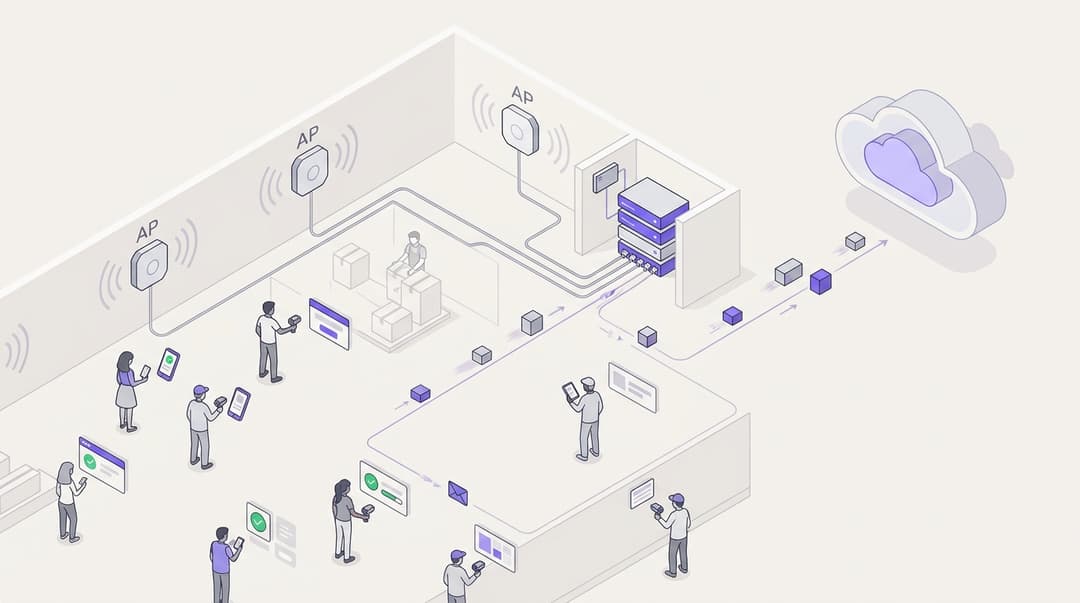
To configure 802.1X on Juniper Mist, create a WLAN with WPA2 or WPA3-Enterprise security. Add your cloud RADIUS servers for authentication and accounting, and enable RadSec if the service supports it. Set the VLAN to dynamic so RADIUS replies place each device on the right segment. Mist's client insights timeline and Marvis then show where any failed authentication broke.
What does 802.1X on Juniper Mist actually do?
IEEE 802.1X is port-based network access control. On a wireless network, it blocks a device's traffic until the device proves its identity to an authentication server. The access point acts as the authenticator. It relays Extensible Authentication Protocol (EAP) messages between the device and a RADIUS server. RADIUS is the authentication protocol defined in RFC 2865.
The RADIUS server checks the credential and returns Access-Accept or Access-Reject. An Accept can carry attributes, such as the VLAN the device should join. Each device then derives its own encryption keys, so no two staff members share a secret.
On Juniper Mist, every access point is a RADIUS client. Mist holds the WLAN configuration in its cloud and pushes it to every AP at every site. It also records each step of every connection attempt, which is what makes Mist useful when an authentication fails.
The EAP method decides what the device presents:
- EAP-TLS: the device and the server both present certificates. There is no password to phish, share or expire.
- PEAP with MSCHAPv2: Protected EAP wraps a password exchange inside a TLS tunnel. It is easier to roll out but weaker. Microsoft documents that Credential Guard, on by default in recent Windows 11 builds, blocks single sign-on for MSCHAPv2-based authentication.
- EAP-TTLS: a similar tunnelled method, common where the identity store is not Microsoft.
Mist does not negotiate the method. The device and the RADIUS server agree it between themselves, and the AP relays the exchange. That means you choose the EAP method on the RADIUS side and in your device profiles, not in the Mist console.
What do you need before you configure 802.1X on Mist?
Gather these before you open the console. Most failed rollouts trace back to a missing item on this list, not to the Mist configuration.
- Mist access. Organisation admin rights, with APs claimed and assigned to sites.
- Cloud RADIUS details. Server hostnames or IP addresses, ports, the shared secret, and RadSec details if your provider supports it.
- An identity source. Microsoft Entra ID, Okta or Google Workspace, connected to the RADIUS service, with groups that map to network roles.
- Certificates. A RADIUS server certificate that your devices trust. For EAP-TLS, client certificates issued through your MDM or PKI.
- Wired network. Switch ports to APs must trunk every VLAN that RADIUS might return. Each VLAN needs a DHCP scope.
- Firewall egress. UDP 1812 and 1813 for standard RADIUS, or TCP 2083 for RadSec, the ports IANA assigns to each.
- Device capability. WPA3-Enterprise requires Protected Management Frames (PMF, IEEE 802.11w). Older scanners, printers and handhelds may not support it.
- Coverage. Enterprise authentication adds round trips, so weak coverage shows up as authentication timeouts. If you have not validated coverage recently, our guide to WiFi site surveys covers the method.
Which RADIUS back end should a Mist WLAN point at?
The back end decides how APs reach RADIUS, what your firewall must allow and how the server identifies each site.
| Option | Transport from AP | Hardware on site | Firewall egress | How RADIUS identifies the site | Best suited to |
|---|---|---|---|---|---|
| On-premises RADIUS (Microsoft NPS, FreeRADIUS) | RADIUS over UDP, across LAN or VPN | Server at head office, plus VPN to each site | UDP 1812 and 1813 to head office | Source IP plus shared secret | A single campus with an existing server room |
| Cloud RADIUS over UDP | RADIUS over UDP, across the internet | None | UDP 1812 and 1813 outbound | Site public IP plus shared secret | Sites with static public IP addresses |
| Cloud RADIUS over RadSec | RADIUS inside TLS over TCP (RFC 6614) | None | TCP 2083 outbound | Mutual certificate authentication | Multi-site estates on broadband or dynamic IPs |
| Cloud RADIUS via Mist Edge proxy | AP to Mist Edge, then Mist Edge to RADIUS | Mist Edge appliance or virtual machine | RADIUS ports from the Mist Edge only | Mist Edge source IP | Large campuses wanting one egress point |
Juniper also sells Mist Access Assurance, its own cloud network access control service. This guide covers an external cloud RADIUS service, which keeps your authentication policy independent of the AP vendor.
How do you configure 802.1X on Juniper Mist with cloud RADIUS?
The Mist console changes regularly, so use Juniper's Mist documentation for the current field-by-field steps. The sequence below shows what each stage does and the decisions behind it.
Step 1: create the WPA2 or WPA3-Enterprise WLAN
Create the WLAN in an organisation-level WLAN template if you run more than one site. Templates apply to sites or site groups, so one change reaches the whole estate. Create it at site level for a single-site pilot.
Name the SSID and select the enterprise (802.1X) security type. Then choose WPA2 or WPA3.
- WPA3-Enterprise makes PMF mandatory and is the only enterprise option on 6 GHz radios. Choose it for managed laptops and current phones.
- WPA2-Enterprise still connects older devices. Keep it on a separate SSID if a legacy fleet cannot move yet, rather than weakening your main SSID.
Consider enabling fast roaming with IEEE 802.11r (Fast BSS Transition). It shortens reauthentication when a device moves between APs. Test it with voice handsets and older clients before enabling it estate-wide.
Step 2: point the WLAN at your cloud RADIUS service
In the WLAN's authentication server settings, add your provider's RADIUS servers.
- Authentication servers. Enter the host, port and shared secret for at least two servers. Mist fails over to the next server when one stops responding.
- Accounting servers. Add them separately. Accounting records session start and stop times, which your audit and incident teams will want.
- NAS identifier. Set a value the RADIUS service can use to tell sites apart. Your provider can then apply site-specific policy.
With standard RADIUS over UDP, requests leave each site from its public IP address after NAT. Your cloud RADIUS provider must register that address as a client. A site on a dynamic IP will lose authentication whenever its address changes. RadSec in Step 3 removes that dependency.
Treat the shared secret as a credential. Make it long and random, and store it in your password vault. In July 2024, researchers disclosed BlastRADIUS (CVE-2024-3596), a forgery attack against RADIUS over UDP. Confirm that your provider requires the Message-Authenticator attribute, as the advisory recommends, or move to RadSec.
Step 3: enable RadSec
Yes, Juniper Mist supports RadSec. RadSec, defined in RFC 6614, carries RADIUS inside a TLS session over TCP. Mist APs can open that session directly to your cloud RADIUS service.
Enable RadSec in the WLAN's RADIUS settings and enter the server hostname. The hostname must match the name on the server's certificate. Then set up trust in both directions:
- AP trusts server. Add the certificate authority that signed your RadSec server's certificate in Mist's organisation settings.
- Server trusts AP. Your RadSec server must trust the certificate Mist APs present. Juniper's documentation explains where to obtain it.
Open TCP 2083 outbound from every site. RadSec brings three practical gains:
- Encryption. It encrypts the whole RADIUS packet, including the identity and MAC address inside it. Standard RADIUS hides only the password.
- No IP registration. The certificate authenticates the AP, not the source address. Dynamic broadband IPs stop mattering.
- Reliable delivery. EAP-TLS messages carry certificate chains and often exceed one packet. Over UDP across the internet, fragments get dropped. TCP retransmits instead.
Step 4: map RADIUS attributes to dynamic VLANs
Dynamic VLAN assignment puts every role on one SSID and lets RADIUS decide the segment. In the WLAN's VLAN settings, select dynamic VLAN. List each VLAN ID or name the AP may receive, and set a default for replies that carry no VLAN.
Your RADIUS policy then returns three tunnel attributes, defined in RFC 2868 and applied to 802.1X in RFC 3580.
| Attribute | Value | What it does |
|---|---|---|
| Tunnel-Type | 13 (VLAN) | Tells the AP that the tunnel is a VLAN |
| Tunnel-Medium-Type | 6 (IEEE-802) | Specifies an IEEE 802 medium |
| Tunnel-Private-Group-ID | The VLAN ID or name listed on the WLAN | Selects the VLAN for this session |
Build the policy around identity groups. Housekeeping devices land on the housekeeping VLAN. Payment terminals land on an isolated segment. PCI DSS treats proper segmentation as a way to reduce the scope of the cardholder data environment. The same pattern isolates clinical devices from visitor traffic in healthcare.
Step 5: pilot, then scale through the template
Assign the template to one site first. Run the checks in the next section. Once they pass, assign the template to the remaining sites or site groups. Each new site inherits the WLAN, RADIUS servers, RadSec settings and VLAN list automatically.
How do you check 802.1X works on Mist?
Test every role, not just one account. A working accept for one group proves nothing about the VLAN mapping for another.
- Connect a test device per role. In Mist's client list, confirm the SSID, the identity used, the VLAN and an IP address in the expected subnet.
- Read the RADIUS logs. Confirm an Access-Accept carrying the expected tunnel attributes, followed by an accounting start record.
- Roam. Walk the device between APs and confirm the session holds, especially if you enabled 802.11r.
- Revoke. Disable a test account in your identity provider. Confirm that its next authentication is rejected.
- Watch the service levels. Mist's Successful Connects service level expectation (SLE) includes an authorisation classifier. Time to Connect shows whether authentication is slowing down joins.
Step 4 has a catch. Disabling an account stops the next authentication, not the current session. To end live sessions, check whether your RADIUS service and WLAN support Change of Authorization (CoA, RFC 5176). CoA lets the server disconnect a session on demand.
Got questions about your specific setup?
Our team works with venue operators, IT managers, and network engineers across 80,000 venues. Book a 20-minute call and we will show you how others like you solved it.
Where does Mist show why an authentication failed?
Reading the client insights timeline
Open the failing client and go to its Insights page. Mist lists each connection event in order: association, the EAP exchange, the RADIUS outcome, then DHCP. Read it left to right. The last successful event tells you which layer broke.
- Fails before any RADIUS event: a radio or association problem, not 802.1X.
- RADIUS timeout: a reachability or trust problem between the AP and the server.
- RADIUS reject: the server reached a decision. The reason sits in your RADIUS provider's logs.
- Authenticated, then DHCP fails: a VLAN or wired network problem.
Mist's dynamic packet capture records frames around connection failures automatically. Download the capture and open it in Wireshark to see the exact EAP message where the exchange stopped.
Marvis queries that shortcut triage
Marvis, Mist's conversational assistant, accepts plain-language questions and requires a Marvis subscription. Queries along these lines save the most time:
- "Troubleshoot [client name or MAC address]" returns the failure point and likely cause for one device.
- "Troubleshoot [site name]" shows whether failures cluster at one site, which points to firewall or WAN problems.
- "Which clients failed to connect at [site] today?" scopes the problem before you open individual timelines.
Scope comes first. One failing device is usually a device profile. Every device at one site is usually the network path. Every device everywhere is usually the RADIUS service or a certificate.
Common 802.1X failures on Mist and their fixes
| What Mist shows | Likely cause | Fix |
|---|---|---|
| RADIUS timeout, no reply | Firewall blocks UDP 1812 or TCP 2083, source IP not registered, or shared secret mismatch | Open egress, register the site IP or move to RadSec, re-enter the secret on both sides |
| Access-Reject | Wrong credentials, disabled account, or device outside every policy group | Read the reject reason in the RADIUS logs and correct the policy or account |
| EAP stops after the server certificate | Device does not trust the server CA, or the server name does not match | Push the CA and server name to devices through your MDM profile |
| Authenticated, no IP address | Returned VLAN not trunked to the AP, missing DHCP scope, or VLAN not on the WLAN list | Trunk the VLAN, add the scope, match the VLAN name exactly |
| RadSec session never establishes | CA untrusted on either side, expired certificate, or clock error | Recheck both certificates, expiry dates and NTP |
| Intermittent EAP-TLS failures over UDP | Fragmented packets dropped across the internet | Move to RadSec or shorten the certificate chain |
| WPA3 devices connect, older devices fail | Older devices lack WPA3 or PMF support | Move legacy devices to a separate WPA2-Enterprise SSID |
What does this look like in a real venue?
These two scenarios are illustrative. They show how the configuration changes measurable operational outcomes.
Worked scenario: a 200-room hotel retires shared staff keys
Situation. A 200-room hotel ran four staff SSIDs: front desk, housekeeping, management and engineering. Each used a shared password. When a housekeeper left, the team either rotated the key on dozens of devices or left it unchanged. Guests sat on a fifth SSID.
What was done. The team created one WPA3-Enterprise staff SSID in a Mist WLAN template. Managed devices used EAP-TLS, with certificates pushed through MDM. Cloud RADIUS read group membership from Microsoft Entra ID and returned a VLAN per department. A separate WPA2-Enterprise SSID was kept for older room-service tablets. Guests stayed on Guest WiFi.
Outcome. Four staff SSIDs became one, plus one legacy SSID, so the hotel broadcast three networks instead of five. Fewer SSIDs means fewer beacon frames competing for airtime. Shared staff keys fell from four to zero. A leaver's access now ends when HR disables the account, with no key rotation. The same approach fits most hotels running departmental PSK networks.
Worked scenario: a 120-store retail chain moves to RadSec
Situation. A 120-store chain ran Mist APs on business broadband. Authentication went to an on-premises RADIUS server at head office over site-to-site VPN. When a store's VPN dropped, staff devices and handheld scanners could not authenticate.
What was done. The chain moved to a cloud RADIUS service and enabled RadSec on the Mist WLAN template. Certificate trust was set once in Mist's organisation settings. Stores opened TCP 2083 outbound. Payment terminals received an isolated VLAN through dynamic assignment, supporting PCI DSS segmentation.
Outcome. The RADIUS server stopped tracking 120 per-store IP client entries; certificates replaced all of them. Authentication no longer depended on the VPN. A new store now gets 802.1X the moment its site joins the template. The model suits retail estates where store connectivity is broadband with changing IP addresses.
What does it cost, and what do you get back?
You do not need new access points. 802.1X, RadSec and dynamic VLANs run on the Mist APs you already own. Our article on why your next WiFi upgrade doesn't need new hardware covers that cloud overlay model in more depth.
The cost sits in four places:
- Juniper subscriptions. Service level expectations and Marvis depend on your Mist subscription tier. Confirm coverage with your Juniper partner.
- The RADIUS service. On-premises RADIUS costs servers, licences, patching and VPNs. Cloud RADIUS is a subscription with none of the hardware.
- Certificates. EAP-TLS needs a PKI and an MDM to issue certificates. Most organisations already run both.
- Engineering time. The Mist configuration is the quick part. Certificate distribution to devices sets the pace.
What you get back is measurable. Shared keys go to zero. Revocation follows the identity provider, not a key rotation project. SSID counts fall. Segmentation narrows PCI DSS scope. Triage starts from a timeline and a Marvis query instead of a site visit.
Purple's RADIUS-as-a-Service is one cloud RADIUS option for Mist. It is hardware-agnostic across Cisco Meraki, HPE Aruba, Ruckus, Juniper Mist, Ubiquiti UniFi, Cambium, Extreme and Fortinet. It ties network access to identity in Microsoft Entra ID, Okta or Google Workspace, so joiners, movers and leavers update automatically. Purple is ISO 27001 and Cyber Essentials certified and GDPR compliant. Our own data shows 99.999% uptime and 440 million logins in 2024 across 80,000+ live venues. Check RadSec support with any provider you shortlist, Purple included. If you are also costing the guest network, see our comparison of captive portal pricing models.
Frequently asked questions
Does Juniper Mist support RadSec natively?
Yes. Mist access points can open a RadSec session directly to a cloud RADIUS service, carrying RADIUS inside TLS over TCP as defined in RFC 6614. You enable it in the WLAN's RADIUS settings and manage certificate trust in organisation settings. Sites need outbound TCP 2083. RadSec encrypts the full RADIUS packet and removes the need to register each site's public IP address with your provider.
Do I need a Mist Edge to use cloud RADIUS?
No. Mist APs can send RADIUS or RadSec straight to a cloud service without extra hardware. A Mist Edge proxy helps on large campuses where you want every RADIUS request leaving through one controlled point. It also suits sites where APs cannot reach the internet directly. For most multi-site estates, direct RadSec from the APs is the simpler design.
Can I keep Microsoft NPS running while I move to cloud RADIUS?
Yes, but plan the cutover by group rather than by server order. Mist fails over between authentication servers only when one stops responding, not when one rejects a request. Listing NPS and a cloud service on the same WLAN therefore gives unpredictable results. Run a second SSID pointed at cloud RADIUS, move one department at a time, then retire NPS.
Does Purple's RADIUS-as-a-Service work with Juniper Mist?
Yes. Purple is hardware-agnostic and runs as a cloud overlay on Juniper Mist, as well as Cisco Meraki, HPE Aruba, Ruckus, Ubiquiti UniFi, Cambium, Extreme and Fortinet. It links network access to Microsoft Entra ID, Okta or Google Workspace, so access changes when an account changes. You keep your existing Mist APs, with no rip and replace required.
Is WPA3-Enterprise required for 802.1X on Mist?
No. 802.1X works with WPA2-Enterprise or WPA3-Enterprise. WPA3 adds mandatory Protected Management Frames and is the only enterprise option on 6 GHz radios. Use WPA3 for current laptops and phones. Keep a separate WPA2-Enterprise SSID for older scanners, printers or tablets that lack PMF support, rather than lowering security on your main SSID.
Does 802.1X on Mist need an extra Juniper licence?
No extra licence is needed for the WLAN itself. Pointing a Mist WLAN at an external RADIUS server is standard configuration. The troubleshooting tools differ: Marvis requires a Marvis subscription, and service level expectations depend on your Mist subscription tier. Juniper's own Mist Access Assurance is a separate product. Confirm your tier with your Juniper partner before relying on Marvis for triage.
How does 802.1X affect GDPR compliance?
RADIUS and accounting logs hold personal data: identities, device MAC addresses and session times. Under GDPR, you need a lawful basis, a defined retention period and a data processing agreement with your RADIUS provider. RadSec helps by encrypting identities in transit. Purple is GDPR compliant and ISO 27001 certified, and processes authentication data under a data processing agreement.
How long does an 802.1X rollout on Mist take?
The Mist configuration takes the least time; certificate distribution sets the pace. Creating the WLAN, adding RADIUS servers and enabling RadSec is a single change in one template. Issuing certificates to every managed device through MDM, and moving legacy devices, takes longer. Pilot at one site, test every role, then assign the template to the remaining sites.
Key Definitions
IEEE 802.1X
The IEEE standard for port-based network access control. It blocks a device's traffic until the device authenticates, with the access point acting as authenticator and relaying EAP messages to an authentication server.
Every Mist AP becomes a RADIUS client when you select the enterprise (802.1X) security type on a WLAN, replacing shared staff passwords with per-device keys.
RADIUS
Remote Authentication Dial-In User Service, defined in RFC 2865. The server checks a credential and returns Access-Accept or Access-Reject, and an Accept can carry attributes such as the VLAN to join.
You point the Mist WLAN at your cloud RADIUS servers for authentication and accounting, and the back end you choose sets your firewall rules and how sites are identified.
EAP-TLS
An Extensible Authentication Protocol method in which the device and the server both present certificates, so there is no password to phish, share or expire.
Recommended for managed devices, but it needs a PKI and MDM to issue client certificates, and certificate distribution usually sets the pace of a Mist rollout.
PEAP with MSCHAPv2
Protected EAP, which wraps an MSCHAPv2 password exchange inside a TLS tunnel. Microsoft documents that Credential Guard, on by default in recent Windows 11 builds, blocks single sign-on for MSCHAPv2-based authentication.
Easier to roll out than EAP-TLS but weaker. The EAP method is chosen on the RADIUS side and in device profiles, not in the Mist console.
RadSec
RADIUS carried inside a TLS session over TCP, defined in RFC 6614, using TCP port 2083 as assigned by IANA. It encrypts the whole RADIUS packet and authenticates each end by certificate.
Juniper Mist APs can open RadSec sessions directly to a cloud RADIUS service, which removes the need to register dynamic broadband IP addresses and stops EAP-TLS fragments being dropped.
Dynamic VLAN assignment
Placing each session on a VLAN (virtual LAN, a logically separate network segment) chosen by RADIUS, using the Tunnel-Type, Tunnel-Medium-Type and Tunnel-Private-Group-ID attributes from RFC 2868 as applied to 802.1X in RFC 3580.
Lets one Mist SSID serve every staff role, with payment terminals isolated to narrow PCI DSS scope. Every returnable VLAN must be listed on the WLAN, trunked to the AP and given a DHCP scope.
Protected Management Frames (PMF)
Protection for 802.11 management frames specified in IEEE 802.11w. WPA3-Enterprise makes PMF mandatory.
Older scanners, printers and handhelds may lack PMF support, which is why legacy fleets belong on a separate WPA2-Enterprise SSID rather than weakening the main one.
IEEE 802.11r (Fast BSS Transition)
The IEEE 802.11 amendment that shortens reauthentication when a device moves between access points.
Worth enabling on an 802.1X WLAN, since enterprise authentication adds round trips, but test it with voice handsets and older clients before enabling it estate-wide.
Change of Authorization (CoA)
A RADIUS extension defined in RFC 5176 that lets the server disconnect or change an active session on demand.
Disabling an account in your identity provider only stops the next authentication. CoA support on the RADIUS service and WLAN is what ends live sessions.
BlastRADIUS (CVE-2024-3596)
A forgery attack against RADIUS over UDP, disclosed in July 2024. The advisory recommends requiring the Message-Authenticator attribute.
If your Mist WLAN uses standard RADIUS over UDP, confirm your provider requires Message-Authenticator, or move to RadSec.
Service level expectation (SLE)
Mist's measured service metrics, including Successful Connects with an authorisation classifier and Time to Connect.
Used during the pilot to see whether authentication failures or slow joins are appearing. Availability depends on your Mist subscription tier.
Mist Edge
A Juniper appliance or virtual machine that can proxy RADIUS from APs, so requests leave through one controlled egress point identified by the Mist Edge source IP.
Suits large campuses or sites where APs cannot reach the internet directly. For most multi-site estates, direct RadSec from the APs is the simpler design.
Worked Examples
A 200-room hotel runs four staff SSIDs (front desk, housekeeping, management and engineering), each with a shared password, plus a guest SSID. When a housekeeper leaves, the team must rotate a key on dozens of devices or leave it unchanged. How should it move to 802.1X on Juniper Mist?
The team created one WPA3-Enterprise staff SSID in a Mist WLAN template. Managed devices used EAP-TLS, with certificates pushed through MDM. Cloud RADIUS read group membership from Microsoft Entra ID and returned a VLAN per department through dynamic assignment. A separate WPA2-Enterprise SSID was kept for older room-service tablets, and guests stayed on Guest WiFi. The hotel now broadcasts three networks instead of five, so fewer beacon frames compete for airtime. Shared staff keys fell from four to zero, and a leaver's access ends when HR disables the account, with no key rotation.
A 120-store retail chain runs Mist APs on business broadband and authenticates against an on-premises RADIUS server at head office over site-to-site VPN. When a store's VPN drops, staff devices and handheld scanners cannot authenticate. What should change?
The chain moved to a cloud RADIUS service and enabled RadSec on the Mist WLAN template. Certificate trust was set once in Mist's organisation settings, and stores opened TCP 2083 outbound. Payment terminals received an isolated VLAN through dynamic assignment, supporting PCI DSS segmentation. Certificates replaced all 120 per-store IP client entries on the RADIUS server, so changing broadband addresses no longer matter. Authentication no longer depends on the VPN, and a new store gets 802.1X the moment its site joins the template.
You run Microsoft NPS today and want to move your Mist WLANs to cloud RADIUS without an outage. Can you list both on the same WLAN?
Do not list NPS and the cloud service on the same WLAN. Mist fails over between authentication servers only when one stops responding, not when one rejects a request, so mixing them gives unpredictable results. Instead, run a second SSID pointed at cloud RADIUS and plan the cutover by identity group. Move one department at a time, test each role's VLAN mapping, roaming and revocation, then retire NPS once every group has moved. This keeps each group on a single, predictable policy source throughout the migration.
Frequently asked questions
Does Juniper Mist support RadSec natively?
Yes. Mist access points can open a RadSec session directly to a cloud RADIUS service, carrying RADIUS inside TLS over TCP as defined in RFC 6614. You enable it in the WLAN's RADIUS settings and manage certificate trust in organisation settings. Sites need outbound TCP 2083. RadSec encrypts the full RADIUS packet and removes the need to register each site's public IP address with your provider.
Do I need a Mist Edge to use cloud RADIUS?
No. Mist APs can send RADIUS or RadSec straight to a cloud service without extra hardware. A Mist Edge proxy helps on large campuses where you want every RADIUS request leaving through one controlled point. It also suits sites where APs cannot reach the internet directly. For most multi-site estates, direct RadSec from the APs is the simpler design.
Can I keep Microsoft NPS running while I move to cloud RADIUS?
Yes, but plan the cutover by group rather than by server order. Mist fails over between authentication servers only when one stops responding, not when one rejects a request. Listing NPS and a cloud service on the same WLAN therefore gives unpredictable results. Run a second SSID pointed at cloud RADIUS, move one department at a time, then retire NPS.
Does Purple's RADIUS-as-a-Service work with Juniper Mist?
Yes. Purple is hardware-agnostic and runs as a cloud overlay on Juniper Mist, as well as Cisco Meraki, HPE Aruba, Ruckus, Ubiquiti UniFi, Cambium, Extreme and Fortinet. It links network access to Microsoft Entra ID, Okta or Google Workspace, so access changes when an account changes. You keep your existing Mist APs, with no rip and replace required.
Is WPA3-Enterprise required for 802.1X on Mist?
No. 802.1X works with WPA2-Enterprise or WPA3-Enterprise. WPA3 adds mandatory Protected Management Frames and is the only enterprise option on 6 GHz radios. Use WPA3 for current laptops and phones. Keep a separate WPA2-Enterprise SSID for older scanners, printers or tablets that lack PMF support, rather than lowering security on your main SSID.
Does 802.1X on Mist need an extra Juniper licence?
No extra licence is needed for the WLAN itself. Pointing a Mist WLAN at an external RADIUS server is standard configuration. The troubleshooting tools differ: Marvis requires a Marvis subscription, and service level expectations depend on your Mist subscription tier. Juniper's own Mist Access Assurance is a separate product. Confirm your tier with your Juniper partner before relying on Marvis for triage.
How does 802.1X affect GDPR compliance?
RADIUS and accounting logs hold personal data: identities, device MAC addresses and session times. Under GDPR, you need a lawful basis, a defined retention period and a data processing agreement with your RADIUS provider. RadSec helps by encrypting identities in transit. Purple is GDPR compliant and ISO 27001 certified, and processes authentication data under a data processing agreement.
How long does an 802.1X rollout on Mist take?
The Mist configuration takes the least time; certificate distribution sets the pace. Creating the WLAN, adding RADIUS servers and enabling RadSec is a single change in one template. Issuing certificates to every managed device through MDM, and moving legacy devices, takes longer. Pilot at one site, test every role, then assign the template to the remaining sites.
Sources
- RFC 2865: Remote Authentication Dial In User Service (RADIUS)
- RFC 6614: Transport Layer Security (TLS) Encryption for RADIUS
- RFC 2868: RADIUS Attributes for Tunnel Protocol Support
- RFC 3580: IEEE 802.1X RADIUS Usage Guidelines
- RFC 5176: Dynamic Authorization Extensions to RADIUS
- CVE-2024-3596 (BlastRADIUS)
- Juniper Networks technical documentation
- PCI Security Standards Council
Continue reading in this series
iOS and macOS 802.1X troubleshooting: a deployment checklist for Intune, Jamf and Entra ID
Use this checklist to diagnose why iPhones, iPads and Macs fail 802.1X on Intune or Jamf Pro. Each failure maps to one of four causes: server trust, identity certificate, macOS mode or Entra ID group scoping. You will confirm the cause from eapolclient and RADIUS logs, apply the fix and stage future certificate rotations.
Intune WiFi profile server trust: certificate server names and root CA checklist for Entra ID
You will be able to configure the server validation half of an Intune WiFi profile so EAP-TLS and PEAP connect on Windows, Apple and Android. You will match certificate server names to the RADIUS certificate, deploy the correct root CA, align Entra ID group assignments, and stage certificate renewals before they silently break connections.
Android 802.1X and EAP-TLS troubleshooting: a deployment checklist for Intune and Entra ID
You will be able to pinpoint why managed Android phones fail EAP-TLS on your staff SSID and fix it in Intune. Match each symptom to the four usual causes - missing CA or domain, client certificate in the wrong profile, a mismatched RADIUS server names value, or an undelivered trusted root. Then apply a rollout checklist that stops repeat outages.
Got questions about your specific setup?
Our team works with venue operators, IT managers, and network engineers across 80,000 venues. Book a 20-minute call and we will show you how others like you solved it.