
Hotel guest WiFi platforms: PMS integration, Passpoint and tiered bandwidth compared
Decide which mix of PMS-verified login, Passpoint and tiered bandwidth suits your property or hotel group, and how each layer fits on your existing access points. You will be able to score platforms on identity, connection and policy, model cost drivers, and plan a two-property pilot before an estate-wide rollout.
By Iain JewittPublished
📖 15 min read3,322 words3 worked examples12 key definitions
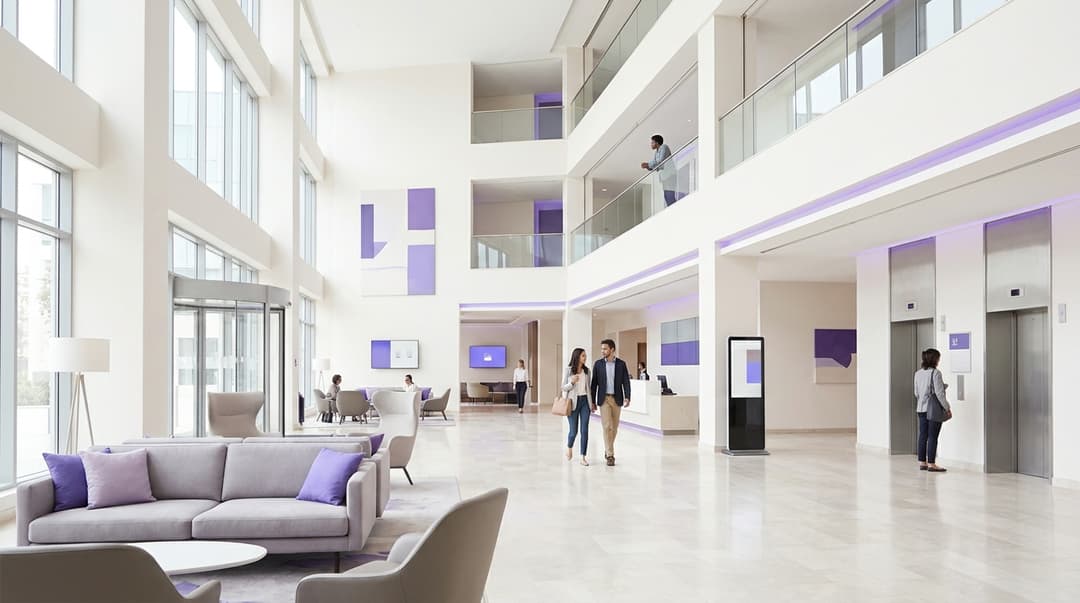
Hotel guest WiFi platforms differ on three capabilities. PMS integration checks room number and surname against Opera, Mews or Cloudbeds before granting access. Passpoint installs a credential once, so returning loyalty guests reconnect at any property without a splash page. Tiered bandwidth applies per-guest speed caps through RADIUS. A multi-property group needs all three, layered on its existing access points.
Which hotel guest WiFi setup should you choose: PMS login, Passpoint or both?
Choose by the guest you need to serve. PMS-verified login fits a property that must confirm every guest is in-house before granting access. Passpoint fits a group whose loyalty members stay repeatedly across properties. Tiered bandwidth sits beneath both and decides what each verified guest receives.
These are not rival products. They are three layers of one Guest WiFi design:
- Identity. Who is this guest, and are they staying tonight? Your property management system (PMS) holds the answer.
- Connection. How does the device join? A captive portal, the web page a device sees before it reaches the internet, handles the first visit. Passpoint handles every visit after that.
- Policy. What speed, session length and network segment does this guest get? RADIUS, the authentication protocol defined in RFC 2865, carries those instructions to your access points.
A hotel guest WiFi platform comparison that scores only the splash page misses two of those three layers. Score all three, and score how well they work together.
Where do PMS login, Passpoint and tiered bandwidth genuinely differ?
| PMS-verified captive portal | Passpoint and OpenRoaming | Tiered bandwidth and casting isolation | |
|---|---|---|---|
| What it does | Checks room number and surname against the PMS before granting access | Auto-connects devices holding an installed profile, with no splash page | Applies speed caps, session limits and per-room network segments |
| What it verifies | In-house status and stay dates | Credential identity, such as a loyalty membership | Nothing on its own; it enforces what identity and PMS data decide |
| Guest effort | One form per device, per stay | One profile install, then none at any participating property | None visible to the guest |
| Over-the-air encryption | None on an open SSID unless you add OWE (RFC 8110) | WPA2 or WPA3-Enterprise with IEEE 802.1X | Inherits from the SSID it runs on |
| Standards | HTTP redirect, RADIUS (RFC 2865) | IEEE 802.11u, Hotspot 2.0, 802.1X with EAP | RADIUS attributes (RFC 2865, RFC 2868), CoA (RFC 5176), mDNS (RFC 6762) |
| Hardware needed | Existing enterprise access points | Existing access points with Hotspot 2.0 enabled in firmware | Existing access points and controllers, plus casting devices in rooms |
| Data dependency | Live PMS connection | RADIUS identity store, with the PMS optional for in-house checks | PMS or loyalty data for tiers, room mapping for isolation |
| Best fit | Independent hotels, paid upgrades, in-house-only access | Loyalty-led groups with repeat stays across properties | Every property with mixed guest types or in-room streaming |
The sharpest difference is what each layer proves. A PMS lookup proves a stay: this guest holds room 412 until Thursday. A Passpoint credential proves identity: this device belongs to a Gold member. Neither proves the other. A loyalty member eating in your restaurant on a day off holds a valid profile but no reservation.
You resolve this at the RADIUS server. When a Passpoint device authenticates, the platform checks the PMS for an in-house stay under that member's profile. In-house members get the loyalty tier. Members without a stay get the standard visitor tier. One credential produces two outcomes, decided before the device finishes connecting.
Security differs too. A classic captive portal runs on an open SSID, so traffic between device and access point is unencrypted. Opportunistic Wireless Encryption (OWE) closes part of that gap. Passpoint runs on WPA2 or WPA3-Enterprise with IEEE 802.1X, the port-based access control standard. Every session gets its own encryption keys before any data flows.
When is PMS-verified login the right call?
How verification works against Opera, Mews and Cloudbeds
The guest-facing flow is the same whichever PMS you run. The guest joins the guest SSID, and the captive portal asks for a room number and surname, or a booking reference. The platform queries the PMS. A match returns the stay record, including departure date and guest profile. The platform then admits the device with a session that ends at checkout.
What differs is the connection behind it:
- Oracle OPERA. On-premises OPERA PMS properties traditionally connect through FIAS, the Fidelio Interface Application Specification, via an interface server on site. OPERA Cloud properties connect through REST APIs on the Oracle Hospitality Integration Platform (OHIP).
- Mews. A cloud-native PMS that publishes its Connector API for partner integrations, so you need no on-site interface server.
- Cloudbeds. Publishes a REST API for partners and lists approved integrations in its marketplace.
Ask every platform on your shortlist which path it uses for each PMS in your estate. Franchised and acquired properties often run a different PMS from the core brand. A platform that covers only one leaves gaps.
Reading loyalty status, not just room status
Room verification answers one question. Loyalty status answers the next: what should this guest receive? OPERA guest profiles can store membership type and level, which the platform reads in the same lookup. Many groups hold loyalty data in a separate CRM or loyalty engine instead. Then the platform needs a second lookup, keyed on the profile ID or email address the PMS returns.
Whichever source you use, define one mapping from membership level to WiFi tier for the whole group. Write it once and apply it at every property, regardless of PMS.
When it is the right call
PMS-verified login is the right primary method when:
- you must restrict access to in-house guests, for bandwidth, licensing or security reasons;
- you sell a premium tier and want the charge posted to the guest folio, where your PMS interface supports postings;
- most of your guests are one-off leisure or business visitors with no loyalty profile;
- you want access to end automatically at checkout, with no front-desk action.
Plan for the edge cases. Surnames break lookups: accented characters, double-barrelled names and rooms booked under a colleague's name. Offer a booking-reference fallback and a front-desk override code, so a mismatch never strands a guest at the login page. For a plain-language explainer your team can share, see How do I get on WiFi: Home, hotel and work networks.
Worked scenario: tiered access at a 200-room city hotel
This worked example calculates outcomes from stated assumptions.
Situation. A 200-room business hotel on a 1 Gbps line runs an open captive portal with no caps. At evening peak, a few devices downloading large updates can saturate the line for everyone else.
What was done. The hotel moves to PMS-verified login with two tiers. Standard gives every in-house guest 5 Mbps per device, matching Netflix's published recommendation for Full HD streaming. Premium, free for loyalty members and sold to other guests on the folio, gives 15 Mbps per device. That matches Netflix's recommendation for 4K.
Measurable outcome. At 85% occupancy, 170 rooms are occupied. Assume a peak of 120 active streaming devices: 100 on Standard and 20 on Premium. The worst-case load is 500 Mbps plus 300 Mbps, a total of 800 Mbps. The peak becomes bounded and predictable, leaving 200 Mbps of headroom on the existing line.
When is Passpoint the right call for returning loyalty guests?
How Passpoint reconnects guests without a splash page
Passpoint is the certification programme for Hotspot 2.0, built on the IEEE 802.11u amendment. Access points advertise Hotspot 2.0 support in their beacons. A device holding a Passpoint profile queries them using the Access Network Query Protocol (ANQP). It asks which roaming consortium identifiers (RCOIs) and realms the network accepts.
If the network advertises an identifier that matches the installed profile, the device joins on its own. It authenticates with 802.1X and an Extensible Authentication Protocol (EAP) method. EAP-TLS uses a certificate; EAP-TTLS carries a username and password inside an encrypted tunnel. The RADIUS server validates the credential. The guest is online before reaching the front desk, with no splash page, password or SSID choice.
Cross-property reconnection follows from the identifiers. Advertise the same RCOI or realm at every hotel in the group, and one profile works at all of them. A guest who installed the profile in Manchester reconnects automatically in Edinburgh months later.
Distributing and revoking profiles
Guests install the profile once. The three common routes are:
- an offer to "connect automatically next time" at the end of the first captive portal login;
- a download inside the hotel group's app, tied to the signed-in loyalty account;
- a link in the pre-arrival email.
Profiles are guest-held, so you cannot push them the way IT pushes certificates to managed laptops. Staff devices are a separate problem, covered in How to Use Microsoft Intune to Push WiFi Certificates to Devices.
Revocation happens at the RADIUS server. When a membership lapses or a guest reports a lost phone, disable the credential. The next connection attempt fails, and nothing on the device needs to change.
Where OpenRoaming fits
OpenRoaming, run by the Wireless Broadband Alliance (WBA), is a federation built on Passpoint. Participating networks accept credentials from federated identity providers. Devices carrying an OpenRoaming profile can join any participating network, including on a first visit to your hotel. Purple supports OpenRoaming as part of its Identity-Based Networks.
When it is the right call
Passpoint is the right call when:
- you run a loyalty programme and a meaningful share of stays are repeat visits;
- your properties span cities or countries, and frictionless cross-property access is part of the brand promise;
- you want guest traffic encrypted over the air by default;
- you have an app or pre-arrival email to distribute profiles.
It is the wrong primary method for a single independent hotel with few repeat guests. There, installing a profile costs the guest more effort than a one-time portal login.
Check support before you commit. Current iOS and Android releases support Passpoint profiles, but install flows differ by platform. Your access points also need Hotspot 2.0 enabled in current firmware.
Worked scenario: removing repeat logins across a 12-property group
This worked example calculates outcomes from stated assumptions.
Situation. A 12-property hotel group averages 150 rooms per hotel at 80% occupancy. Every stay begins at the captive portal, on every device, at every property.
What was done. The group offers a Passpoint profile after first login and in its app, advertising one RCOI across all 12 hotels. At authentication, the platform checks the PMS and assigns the loyalty tier to in-house members.
Measurable outcome. Twelve hotels, multiplied by 150 rooms, 80% occupancy and 365 nights, give 525,600 room nights a year. At an average two-night stay, that is 262,800 stays. If 40% are loyalty stays with two devices each, Passpoint removes about 210,000 portal logins a year once members hold the profile.
Got questions about your specific setup?
Our team works with venue operators, IT managers, and network engineers across 80,000 venues. Book a 20-minute call and we will show you how others like you solved it.
How do you enforce per-tier bandwidth and in-room casting isolation across properties?
Enforcing tiers through RADIUS
Once the platform decides a guest's tier, it tells the access point through attributes in the RADIUS Access-Accept message. Three attributes do most of the work:
- Session-Timeout (RFC 2865) ends the session at checkout or after a set period.
- Tunnel-Private-Group-ID (RFC 2868, applied to VLANs in RFC 3580) places the device on a specific VLAN. A VLAN is a virtual LAN that separates traffic logically on shared hardware.
- Filter-Id (RFC 2865) names a policy or role defined on the controller, such as a rate-limit profile.
Rate limits themselves are vendor-specific. Some controllers accept vendor-specific attributes (VSAs) carrying speeds directly. Others apply a named role or group policy returned in Filter-Id. Named policies travel best across an estate. Define "Standard" and "Premium" with identical limits on every controller, and the platform returns the same name everywhere.
Upgrading a guest mid-stay
A guest who buys Premium at 9pm should not have to reconnect. RADIUS Change of Authorization (CoA, RFC 5176) lets the platform push a new policy to an active session. The access point applies the higher cap at once, and the stream carries on. Confirm CoA support on every controller in your estate before you sell in-stay upgrades.
Isolating in-room casting
Client isolation stops guest devices seeing each other, which is the correct default on a shared network. It also breaks casting. Chromecast and AirPlay discover devices through multicast DNS (mDNS, RFC 6762), and isolation blocks that discovery.
The fix is a private segment per room. Two patterns work:
- Per-room keys. Identity PSK (iPSK), also called private PSK (PPSK), gives each room its own WiFi password on a shared SSID. Devices using that key, including the room's TV dongle, land in one segment and see only each other. BYOD WiFi Onboarding: Managing Unmanaged Devices in Hotels and Retail covers key-based onboarding in depth.
- Per-guest private networks. Purple's Private Area Network (PAN) builds a private network bubble around each guest's devices and the in-room casting device.
Isolation between rooms stays in place. The guest in 412 cannot see the TV in 414, and the guest in 414 cannot see the laptop in 412.
Keeping policy consistent across a mixed-hardware estate
Multi-property groups rarely run one access point vendor. Acquisitions and franchise agreements bring Cisco Meraki in one city and HPE Aruba or Ruckus in another. A hardware-agnostic platform holds policy centrally and translates it for each controller. Purple runs as a cloud overlay on Cisco Meraki, HPE Aruba, Ruckus, Juniper Mist, Ubiquiti UniFi, Cambium, Extreme and Fortinet. Tier names, PMS mappings and RCOIs stay identical across the estate.
What does each approach cost to run?
Platform pricing depends on your estate, so compare cost drivers rather than list prices. The table shows where money and effort go.
| Cost line | PMS-verified portal | Passpoint and OpenRoaming | Tiered bandwidth and casting isolation |
|---|---|---|---|
| Access points | Existing enterprise access points | Existing access points with Hotspot 2.0 firmware | Existing access points and controllers |
| PMS vendor terms | Interface or API access per property, on Oracle, Mews or Cloudbeds partner terms | Only if you check in-house status at authentication | Only if tiers read loyalty level from the PMS |
| Certificates | Hosted by the platform with the captive portal | Server certificate for EAP, renewed before expiry | None |
| In-room hardware | None | None | A casting device per room where TVs lack built-in casting |
| Ongoing operations | Front-desk help with failed surname lookups | Profile distribution and credential revocation | Identical policy names on every controller |
| Bandwidth effect | None on its own | None on its own | Caps peak load and defers line upgrades |
Hardware is usually the smallest line. If your access points support the standards above, none of these layers needs new hardware. Why your next WiFi upgrade doesn't need new hardware sets out that argument in full.
PMS access is the line buyers most often miss. Oracle, Mews and Cloudbeds each set their own terms for partner connections. On-premises OPERA may also need an interface licence. Get those terms in writing for every property before you sign.
Bandwidth is where tiering earns its place. In the 200-room scenario, caps hold the evening peak at 800 Mbps on a 1 Gbps line. Without them, the peak is whatever the hungriest devices demand, and the usual response is a costlier circuit. A premium tier posted to the folio adds a revenue line against the platform cost. Measure uptake by property through WiFi Analytics.
Operations cost scales with friction. Every failed surname lookup is a front-desk interaction, and every installed Passpoint profile removes future logins. Count both when you model total cost.
How do you decide on a guest WiFi setup for your hotel estate?
| Your situation | Recommended setup | Why |
|---|---|---|
| Single independent hotel, few repeat guests | PMS-verified portal with two bandwidth tiers | Confirms in-house status; profile installs cost more effort than they save |
| Hotel group with a loyalty programme | Passpoint for members, PMS-verified portal as fallback, tiers by membership level | Removes repeat logins across properties; the portal catches first-time guests |
| Mixed PMS estate after acquisitions | One platform connecting to OPERA, Mews and Cloudbeds, with one tier mapping | Keeps policy identical whatever the PMS |
| Resort or extended-stay property with in-room TVs | Per-room iPSK or Private Area Network, plus tiers | Restores casting without exposing devices across rooms |
| Hotel with heavy conference traffic | PMS-verified tiers for guests, a separate event SSID with its own caps | Stops delegate traffic consuming guest bandwidth |
| Mixed-use site with retail units | One platform, separate SSIDs and policies for guests and shoppers | Keeps hotel guest data and shopper traffic apart |
Then work through five steps:
- List every PMS and access point vendor in your estate, property by property.
- Write your tier mapping: membership level to speed, session length and device count.
- Decide where loyalty data lives, in the PMS profile or a separate loyalty engine.
- Pilot at two properties on different PMS platforms, with Passpoint enabled for members.
- Roll out one policy template, then measure tier uptake and login volumes by property.
The same tiering logic applies to shopping centres and high street estates, covered on our Retail page. For hospitality specifics, see Hotels.
Purple runs guest WiFi at 80,000+ venues in 90 countries, supporting 500 million users and logins a year. The platform is ISO 27001 certified, GDPR compliant and B Corp certified, with 99.999% uptime.
Frequently asked questions
Do we need new access points to add PMS integration, Passpoint or tiered bandwidth?
No. Purple runs as a cloud overlay on the access points you already own: Cisco Meraki, HPE Aruba, Ruckus, Juniper Mist, Ubiquiti UniFi, Cambium, Extreme and Fortinet. PMS integration and tiering need no hardware change. Passpoint needs Hotspot 2.0 enabled in your controller firmware, so confirm support on your current release before you plan a rollout.
Can a captive portal and Passpoint run side by side?
Yes, and most hotel groups should run both. Passpoint serves guests who hold a profile. The captive portal serves first-time guests and anyone who declines the profile. A common pattern is to offer the Passpoint profile at the end of the first portal login, so the portal becomes the enrolment point. Both routes can read the same PMS data and assign the same tiers.
Which PMS platforms can a hotel guest WiFi platform verify against?
Any PMS with a documented interface or API. Oracle OPERA connects through FIAS on premises, or through Oracle Hospitality Integration Platform APIs in the cloud. Mews publishes its Connector API, and Cloudbeds publishes a REST API for partners. Ask each vendor on your shortlist which path it uses for every PMS you run, and request a reference property on that PMS.
Is PMS-verified WiFi login compliant with GDPR?
Yes, when you design it for data minimisation. The lookup needs only a room number and surname, or a booking reference, to confirm a stay. Marketing data needs a separate, conscious-choice opt-in at login, never a pre-ticked box. Purple is GDPR compliant and ISO 27001 certified. You should still document the lawful basis for each data field in your records of processing.
How do we migrate from our current guest WiFi provider without downtime?
Migrate property by property, not in one cutover. Purple layers on your existing access points, so there is no rip and replace. Stand up the new captive portal configuration alongside the old one and test PMS lookups against live stays. Then switch the guest SSID during a quiet period, keeping the old configuration ready as a rollback.
Does client isolation stop guests casting to the in-room TV?
Yes. Client isolation blocks the multicast DNS discovery that Chromecast and AirPlay rely on, so the TV never appears on the guest's phone. Turning isolation off restores casting but exposes every device to every other guest. Use a private segment per room instead, through per-room iPSK keys or Purple's Private Area Network. Guests then see their own TV and nothing else.
What drives the running cost of a hotel guest WiFi platform?
Four lines drive it: the platform subscription, PMS partner terms, bandwidth and front-desk effort. Purple offers three plans: Connect, Capture and Engage. PMS vendors set their own partner terms per property, so get them in writing early. Tiered bandwidth caps peak load and defers line upgrades. Passpoint removes repeat logins, which reduces front-desk support across the estate over time.
Key Definitions
RADIUS
Remote Authentication Dial-In User Service, defined in RFC 2865. It carries authentication requests from access points to a central server and returns Access-Accept messages with attributes such as Session-Timeout and Filter-Id.
RADIUS is where the platform turns PMS and loyalty data into speed caps, session lengths and VLANs, so check which attributes each controller in your estate accepts.
Captive portal
A web page served by HTTP redirect that a device sees before it reaches the internet. On an open SSID it provides no over-the-air encryption unless Opportunistic Wireless Encryption (RFC 8110) is added.
The portal handles the first visit and PMS lookup, and works as the enrolment point where guests are offered a Passpoint profile.
Passpoint (Hotspot 2.0)
The certification programme for Hotspot 2.0, built on the IEEE 802.11u amendment. Devices holding an installed profile join automatically using IEEE 802.1X and an EAP method on WPA2 or WPA3-Enterprise.
Passpoint removes repeat logins for loyalty guests across properties, but your access points need Hotspot 2.0 enabled in current firmware.
ANQP
Access Network Query Protocol, part of IEEE 802.11u. A device uses it to ask an access point which roaming consortium identifiers (RCOIs) and realms the network accepts before associating.
Advertising the same RCOI or realm at every hotel is what lets one profile reconnect a guest in Manchester and Edinburgh.
IEEE 802.1X
The IEEE port-based network access control standard. It authenticates a device through EAP against a RADIUS server before any data flows, and each session gets its own encryption keys.
802.1X is why Passpoint traffic is encrypted over the air by default, unlike a classic open-SSID captive portal.
EAP-TLS and EAP-TTLS
Extensible Authentication Protocol methods used with 802.1X. EAP-TLS authenticates with a certificate; EAP-TTLS carries a username and password inside an encrypted tunnel.
Your Passpoint design needs a server certificate for EAP, renewed before expiry, which is a running cost line to plan for.
OpenRoaming
A federation run by the Wireless Broadband Alliance and built on Passpoint. Participating networks accept credentials from federated identity providers, so devices can join on a first visit.
OpenRoaming extends automatic connection beyond your own loyalty members, and Purple supports it as part of its Identity-Based Networks.
Change of Authorization (CoA)
A RADIUS extension defined in RFC 5176 that lets the server push a new policy to an active session without the device reconnecting.
CoA lets a guest who buys Premium at 9pm get the higher cap at once, so confirm support on every controller before selling in-stay upgrades.
VLAN assignment
A virtual LAN separates traffic logically on shared hardware. RADIUS assigns it through the Tunnel-Private-Group-ID attribute (RFC 2868), applied to VLANs in RFC 3580.
VLAN assignment places each guest tier or segment on the right network without separate physical infrastructure.
iPSK and PPSK
Identity PSK, also called private PSK, gives each room its own WiFi password on a shared SSID. Devices using that key form one segment and see only each other.
Per-room keys restore Chromecast and AirPlay discovery while keeping isolation between rooms in place.
mDNS
Multicast DNS, defined in RFC 6762. Chromecast and AirPlay use it to discover devices on the local network, and client isolation blocks it.
mDNS explains why client isolation breaks in-room casting and why a private segment per room is the fix.
FIAS
The Fidelio Interface Application Specification, the traditional interface for on-premises Oracle OPERA PMS, run through an interface server on site. OPERA Cloud uses REST APIs on the Oracle Hospitality Integration Platform instead.
Ask each platform which path it uses for every PMS in your estate, as on-premises OPERA may also need an interface licence.
Worked Examples
A 200-room business hotel on a 1 Gbps line runs an open captive portal with no caps. At evening peak, a few devices downloading large updates can saturate the line for everyone else. How do you bound the peak without buying a costlier circuit?
The hotel moves to PMS-verified login with two tiers. Standard gives every in-house guest 5 Mbps per device, matching Netflix's published recommendation for Full HD. Premium gives 15 Mbps per device, matching Netflix's 4K recommendation. It is free for loyalty members and sold to other guests on the folio. At 85% occupancy, 170 rooms are occupied. Assuming a peak of 120 active streaming devices, 100 on Standard and 20 on Premium, the worst case is 500 Mbps plus 300 Mbps. That totals 800 Mbps, leaving 200 Mbps of headroom on the existing line. The premium tier also adds a revenue line against the platform cost.
A 12-property hotel group averages 150 rooms per hotel at 80% occupancy. Every stay begins at the captive portal, on every device, at every property. How do you remove repeat logins for loyalty guests?
The group offers a Passpoint profile after first login and inside its app, advertising one RCOI across all 12 hotels. At authentication, the platform checks the PMS and assigns the loyalty tier to in-house members. The arithmetic: 12 hotels, multiplied by 150 rooms, 80% occupancy and 365 nights, give 525,600 room nights a year. At an average two-night stay, that is 262,800 stays. If 40% are loyalty stays with two devices each, Passpoint removes about 210,000 portal logins a year once members hold the profile. The captive portal stays in place as the fallback for first-time guests.
A Gold loyalty member with an installed Passpoint profile eats in your hotel restaurant on a day off. Their device connects automatically, but they hold no reservation. Which tier should they receive?
A Passpoint credential proves identity, not a stay, so the decision is made at the RADIUS server. When the device authenticates, the platform checks the PMS for an in-house stay under that member's profile. In-house members receive the loyalty tier. Members without a stay receive the standard visitor tier. One credential produces two outcomes, decided before the device finishes connecting. This keeps premium bandwidth reserved for guests who are staying tonight, while still giving the member a frictionless connection.
Frequently asked questions
Do we need new access points to add PMS integration, Passpoint or tiered bandwidth?
No. Purple runs as a cloud overlay on the access points you already own: Cisco Meraki, HPE Aruba, Ruckus, Juniper Mist, Ubiquiti UniFi, Cambium, Extreme and Fortinet. PMS integration and tiering need no hardware change. Passpoint needs Hotspot 2.0 enabled in your controller firmware, so confirm support on your current release before you plan a rollout.
Can a captive portal and Passpoint run side by side?
Yes, and most hotel groups should run both. Passpoint serves guests who hold a profile. The captive portal serves first-time guests and anyone who declines the profile. A common pattern is to offer the Passpoint profile at the end of the first portal login, so the portal becomes the enrolment point. Both routes can read the same PMS data and assign the same tiers.
Which PMS platforms can a hotel guest WiFi platform verify against?
Any PMS with a documented interface or API. Oracle OPERA connects through FIAS on premises, or through Oracle Hospitality Integration Platform APIs in the cloud. Mews publishes its Connector API, and Cloudbeds publishes a REST API for partners. Ask each vendor on your shortlist which path it uses for every PMS you run, and request a reference property on that PMS.
Is PMS-verified WiFi login compliant with GDPR?
Yes, when you design it for data minimisation. The lookup needs only a room number and surname, or a booking reference, to confirm a stay. Marketing data needs a separate, conscious-choice opt-in at login, never a pre-ticked box. Purple is GDPR compliant and ISO 27001 certified. You should still document the lawful basis for each data field in your records of processing.
How do we migrate from our current guest WiFi provider without downtime?
Migrate property by property, not in one cutover. Purple layers on your existing access points, so there is no rip and replace. Stand up the new captive portal configuration alongside the old one and test PMS lookups against live stays. Then switch the guest SSID during a quiet period, keeping the old configuration ready as a rollback.
Does client isolation stop guests casting to the in-room TV?
Yes. Client isolation blocks the multicast DNS discovery that Chromecast and AirPlay rely on, so the TV never appears on the guest's phone. Turning isolation off restores casting but exposes every device to every other guest. Use a private segment per room instead, through per-room iPSK keys or Purple's Private Area Network. Guests then see their own TV and nothing else.
What drives the running cost of a hotel guest WiFi platform?
Four lines drive it: the platform subscription, PMS partner terms, bandwidth and front-desk effort. Purple offers three plans: Connect, Capture and Engage. PMS vendors set their own partner terms per property, so get them in writing early. Tiered bandwidth caps peak load and defers line upgrades. Passpoint removes repeat logins, which reduces front-desk support across the estate over time.
Sources
- RFC 2865: Remote Authentication Dial In User Service (RADIUS)
- RFC 2868: RADIUS attributes for tunnel protocol support
- RFC 3580: IEEE 802.1X RADIUS usage guidelines
- RFC 5176: Dynamic authorization extensions to RADIUS
- RFC 8110: Opportunistic Wireless Encryption
- RFC 6762: Multicast DNS
- Wireless Broadband Alliance: OpenRoaming
- Netflix Help Centre: internet connection speed recommendations
Continue reading in this series
Hotel WiFi RFP checklist: authentication, content filtering and guest marketing
Use this checklist to write one hotel WiFi tender that scores vendors on staff authentication, content filtering and guest data capture together. You will be able to set pass or fail requirements, run six proof of concept tests at one property, and compare procurement models on contracts, hardware and data ownership before you sign.
Airport WiFi platform providers: what to require in the RFP
You will be able to choose between a hardware-agnostic cloud overlay, a bundled managed service and a concession model before writing scoring criteria. You can then set testable RFP clauses for peak concurrency, Passpoint and OpenRoaming, accessible multilingual portals, UK and EU GDPR, zone dwell analytics, app integration and service levels. A weighted table scores each vendor only on documented evidence.
Paid WiFi monetisation: vouchers, tiered access and payment gateways compared
Compare five ways to charge for WiFi - vouchers, tiered access, hosted card gateways, PMS posting and sponsorship - on PCI DSS scope, refund route, network requirements and running cost. You will be able to match your venue's money flow to a model and model the break-even against free WiFi with first-party data capture.
Got questions about your specific setup?
Our team works with venue operators, IT managers, and network engineers across 80,000 venues. Book a 20-minute call and we will show you how others like you solved it.