
Planning a WiFi 6 to WiFi 7 access point refresh when Cisco Meraki WiFi 6 reaches end of sale
This technical reference gives multi-site operators a decision framework for a Cisco Meraki WiFi 6 to WiFi 7 refresh before the 31 December 2026 last-order date. It pairs estate and backhaul planning with the Meraki Dashboard checks that protect Purple authentication and location-analytics continuity during every access point swap.
Video overview
Listen to this guide
View podcast transcript
Part of our core series: Guest WiFi Guide →
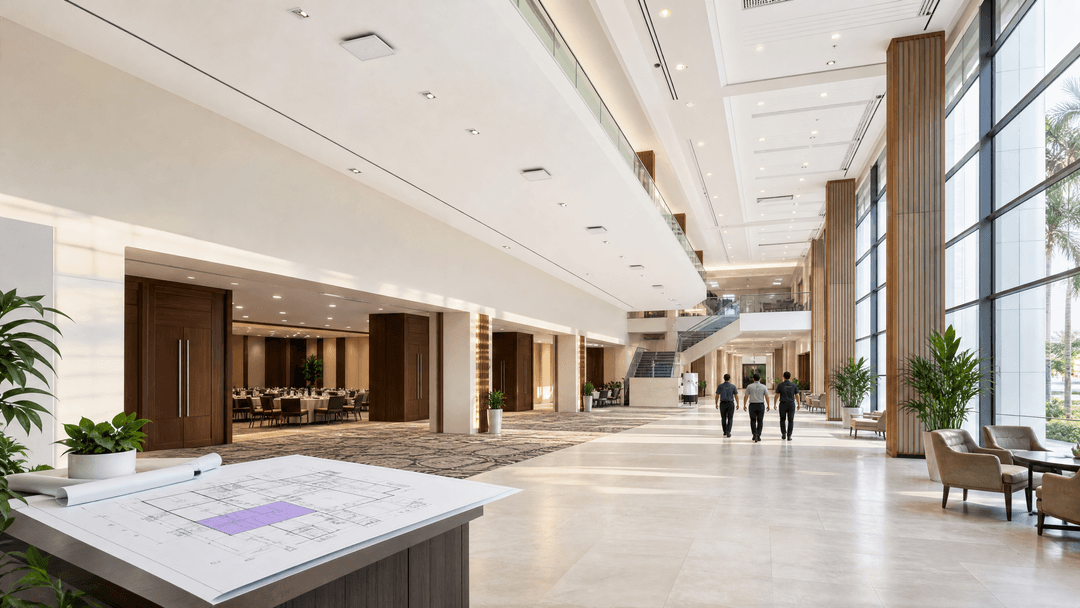
View the Cisco Meraki WiFi 6 end of sale as a segmented refresh decision. Cisco's last date to order is 31 December 2026, and the end of support date is 31 December 2031. Keep capable WiFi 6 running in low-density areas, prioritise WiFi 7 where demand and wired backhaul justify it, and maintain your Purple configuration. 1
Which refresh option is right for each part of your estate?
Cisco has announced the end of sale for affected Cisco and Meraki WiFi 6 indoor access points. The published last date to order is 31 December 2026. The end of support date is 31 December 2031. Cisco also lists other early lifecycle milestones, including the end of software maintenance releases on 29 March 2028 and the end of vulnerability and security support on 29 March 2030. This is a trigger point for purchasing decisions, not a deadline to rip out every working WiFi 6 access point. 1
Start with the service you want to deliver at each location. There is no need to rebuild your Guest WiFi and WiFi Analytics layer just because the radio hardware has changed. Purple operates as a cloud overlay on top of the access point estate. For Cisco Meraki MR access points, Purple provides support documentation for location services, paid WiFi, and SecurePass. 8
Use the matrix below in your first purchasing meeting. This turns the Cisco Meraki WiFi 6 end of sale and WiFi 7 upgrade question into an estate-level decision. It also helps avoid the classic mistake of buying high-capacity radios for a one-gigabit wired edge.
| Estate condition | Recommended action | Wired requirements for verification | Purple continuity focus | Purchase timing |
|---|---|---|---|---|
| Stadium concourse, conference hall, or transport waiting area with concurrent demand | Pilot and then refresh to WiFi 7 | Ensure serving port, PoE class, cabling, and upstream path match the selected AP | Maintain SSID, RADIUS, and location-scanning configurations | Include in phase one |
| Hotel ballroom or flagship retail floor with recurring peaks | Refresh to WiFi 7 where port audit supports it | Verify multi-gigabit or 10 Gbps capability per the selected model's data sheet | Verify both Guest WiFi and Staff WiFi after each change | Include in phase one or phase two |
| Standard guest room corridor or standard branch shop | Retain if WiFi 6 meets capability and support policies | Keep current uplink as-is where appropriate | Run the same configuration checklist | Replace on normal lifecycle |
| Back office, stock room, or low-use service area | Retain WiFi 6 and avoid speculative over-stocking | Ensure current link is stable and documented | Verify only if hardware is replaced | Schedule for later |
| Site with one-gigabit switching and immediate high-density requirements | Upgrade wired edge before, or alongside, WiFi 7 | Evaluate port speed, PoE, and access-switch uplinks as a single design | Test configuration in a pilot network | Treat as a combined capital project |
These categories are deliberately practical. A high-density venue does not become a candidate for WiFi 7 just because of a product label. It becomes one when the capital expenditure is justified by user density, client demand, radio conditions, and backhaul. The IEEE 802.11be standard, which is WiFi 7, defines extremely high throughput enhancements and includes backward compatibility with older 802.11 devices across the 2.4 GHz, 5 GHz, and 6 GHz bands. 2
Where WiFi 6 and WiFi 7 actually differ
WiFi 6 is the correct baseline option where current capacity is sufficient. Where you need more available capacity, lower latency capabilities, or greater flexibility across radio bands, WiFi 7 is the appropriate upgrade. Multi-Link Operation, commonly referred to as MLO, is one of those WiFi 7 capabilities worth evaluating. It can coordinate traffic across multiple bands for compatible devices. This is not a benefit you get from the AP alone. Clients, the RF environment, switch ports, and power sources all influence the outcome. 2 3
Cisco's CW9178I WiFi 7 data sheet illustrates the wired constraints. This model offers two 100M, 1G, 2.5G, 5G, and 10G BASE-T ports. Full operation requires 802.3bt power. Its lower power modes alter the available radio capabilities and link speeds. Therefore, a one-gigabit switch port will always remain a one-gigabit limit for the traffic leaving it. Select a model only after reading its data sheet and inspecting the physical port it will use. 3
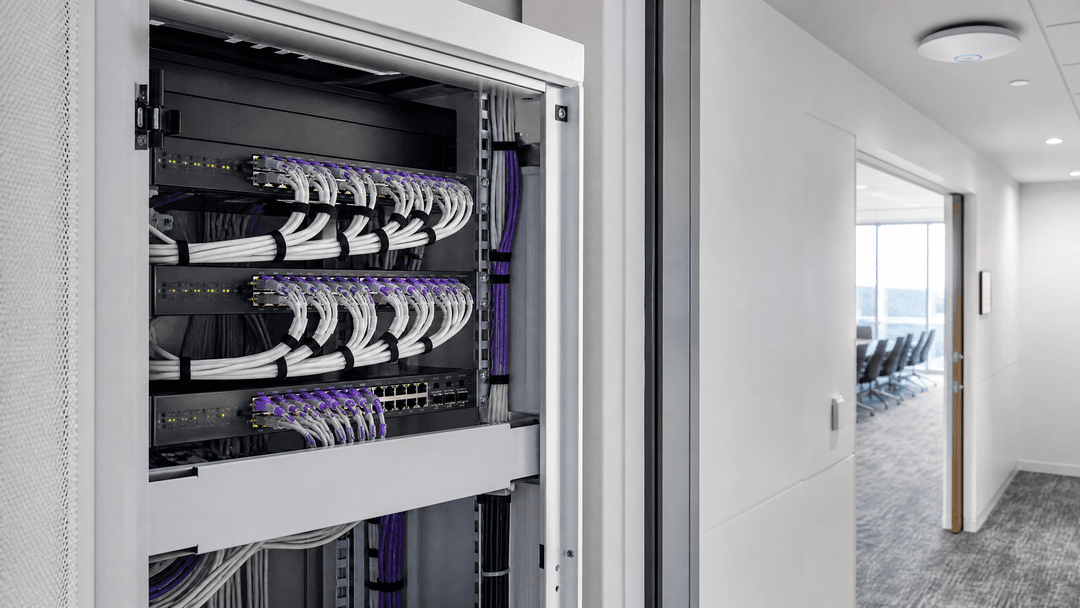
Build a backhaul schedule for each candidate AP. The table below is a field template only, not a substitute for the selected model's data sheet.
| Check on serving port | Record | Use for decision |
|---|---|---|
| Negotiated Ethernet speed | Current link speed and supported port speeds | Identifies if WiFi 7 capacity will be bottlenecked at the edge |
| PoE capability | Available IEEE 802.3 power class and negotiated power | Identifies if the AP can run its intended radio configuration |
| Cable and patch path | Cable type, length, patching, and known faults | Ensures a reliable physical path for higher link speeds |
| Access-switch uplink | Uplink speed and contention during peak hours | Prevents a fast AP port from feeding traffic into a congested switch uplink |
| Venue demand | Peak device count, service type, and event calendar | Prioritises expenditure by operational need rather than model age |
Run the audit by location type. In Hospitality, separate guest rooms from meeting spaces. In Retail, separate standard branches from flagship floors. In Transport, separate staff areas from passenger waiting zones. The same discipline applies in Healthcare, where clinical workflows and visitor access should never share an unverified change window.
When is taking a final stock of WiFi 6 the right decision?
Order final WiFi 6 stock only when you can articulate its operating reason. Examples include a low-density area requiring a like-for-like replacement, a site where a switch refresh is not imminent, or a location where the current WiFi 6 estate still meets measured demand. This decision should incorporate the 2031 support limit, your spare hardware policy, and a funded exit plan. It should not be a panic purchase triggered by a vendor notice in your inbox.
A useful test is simple. If a site does not qualify for WiFi 7 after checking client density, throughput demand, port speed, power, and the event calendar, it is unlikely to need WiFi 7 immediately. Keep the current WiFi 6 AP in service while it meets your service needs. Use the final order window only for planned exception stock.
A hospitality illustrative example. A 200-room hotel has six meeting rooms and a ballroom. The room corridors show stable, low demand. The ballroom experiences high-density spikes during conferences. The network team retains WiFi 6 in the corridors, pilots WiFi 7 in the ballroom, and inspects switch ports during live events. Their acceptance criteria are not just headline throughput numbers, but successful Guest WiFi and Staff WiFi authentication, correct port and power negotiation, and clean Purple data checks for each pilot AP.
When should you refresh to WiFi 7?
Refresh early where density and operational impact converge. Conference centres, stadium concourses, airport lounges, and retail flagships are reliable early candidates because their demand can spike within minutes. Cisco positions the CW9178I for high-density environments, documenting its 2.4 GHz, 5 GHz, and 6 GHz operation, MLO capabilities, and multi-gigabit interfaces. Your estate may require different WiFi 7 models. The key is matching the model and wired path to a defined venue role. 3
Before the change, formally sign off on Purple continuity. Purple's Cisco Meraki Staff WiFi guidance uses enterprise RADIUS configuration under Wireless > Access Control. IEEE 802.1X defines port-based network access control that restricts secure communications to authenticated and authorised devices. Keep the approved SSID and RADIUS authentication and accounting configurations aligned with the replaced AP's network. Do not copy sensitive server values into a generic deployment worksheet. Instead, use the controlled Purple Cisco Meraki Staff WiFi instructions. 6 9
If you use Purple location analytics via Cisco Meraki Location Based Services, check the Network-wide > General and Location and Scanning settings. Purple requires the analytics and Scanning API to be enabled. This also defines the Post URL, validator, and secret relationship that delivers location data to the Purple platform. Keep the approved values secure for the network. If your AP mapping or floor-plan arrangement changes, verify the change before closing. 7
The third check is the device's dashboard network. According to Cisco, an administrator can move an MR AP from Wireless > Monitor > Access Points by selecting the AP and the destination network. It advises of up to 15 minutes of downtime for the transferred device to update its configuration. It also notes that MR settings from the source network are lost, leaving only the name, geolocated address, management address, notes, and tags. Pre-configure the destination network. Then move, connect, and test carefully. 4

| Meraki Dashboard checkpoint | What to verify after swap | Why this protects Purple continuity | Proof of success |
|---|---|---|---|
| Wireless > Access Control | Intended SSID and approved RADIUS authentication and accounting configurations | Preserves Staff WiFi authentication design | Controlled staff authentication test completes successfully |
| Network-wide > General, Location and Scanning | Analytics, Scanning API, and approved location feed parameters | Preserves the location-data path used by Purple LBS | Expected venue data reaches the designated checkpoint |
| Wireless > Monitor > Access Points | New AP is in the correct, pre-configured Dashboard network | Applies the intended network configuration to the replaced AP | AP is online, provides expected SSIDs, and completes test connections successfully |
In a like-for-like hardware swap within the same intended network, Purple does not require a new platform build. You should still validate configurations and, where you use LBS, the AP-to-venue and floor-plan mapping. Purple's guidance states that the correct APs must be set up in the portal so that Meraki floor plans and APs match the venue. 7
A representative event scenario. A conference centre runs its first WiFi 7 wave across four public rooms. The team places each AP into the pre-configured Dashboard network in phases, changing one room at a time between events and keeping the previous AP available for back-out. They record the three Dashboard checks, authentication results, port negotiation, and data validation in the ticket. The measurable rollout target is 100% documented checks and no unresolved Purple continuity issues before opening the next room.
Got questions about your specific setup?
Our team works with venue operators, IT managers, and network engineers across 80,000 venues. Book a 20-minute call and we will show you how others like you solved it.
What is the operating cost of each approach?
Think of cost as a package of hardware, PoE, switching, installation, licensing, and change risk. If the cheapest AP later requires a switch project, it is not necessarily the lowest-cost deployment. Similarly, a WiFi 7 AP installed behind a one-gigabit port delivers little relevant capacity value. Build budgets at the site and port level.
| Cost area | Retain or purchase WiFi 6 | Refresh to WiFi 7 | What to decide now |
|---|---|---|---|
| Access points | Lower immediate hardware cost where WiFi 6 is fit for purpose | Higher upfront cost for targeted high-capacity venues | Align decisions with site role and demand |
| Switching and PoE | Existing edge may remain sufficient | May require multi-gigabit ports and higher PoE class | Audit ports and power before model selection |
| Installation | Like-for-like replacement can be minor | May require cable, switch, and AP work in a single window | Cost the entire physical path |
| Licensing | Confirm eligibility against your existing organisation model | Confirm eligibility against the replacement product and organisation model | Review before hardware arrives |
| Service risk | Maintains known performance limits | Improves capacity potential where the entire path supports it | Run a pilot against representative demand |
Cisco Meraki supports Subscription, Co-Termination, and Per-Device Licensing models at the organisation level. A cloud licence is required for each active Meraki hardware component. For MR wireless APs, Cisco states that licensing is uniform across all hardware models within that product class, and an unexpired existing wireless AP licence can be applied to a replacement MR model. Cisco also has a Cisco Wireless WiFi 7 unified licensing product class available. Determine the exact model and your organisation's licensing arrangement before placing a purchase order. This is more accurate than assuming every WiFi 7 replacement will automatically carry over. 5
For a broader operating model, see Cloud WiFi Management: Secure Enterprise Connectivity 2026. If you are reviewing segmentation or captive portal controls, use the Enterprise Guest WiFi Setup Guide: VLAN Segmentation, Security, and Captive Portals.
How should you make decisions across a multi-site estate?
Use a phased calendar. This creates a repeatable change control process rather than a series of ad-hoc AP replacements. Each phase should have a designated network owner, venue operations owner, and acceptance criteria.
| Timeline | Key activities | Exit condition |
|---|---|---|
| Weeks 1-2 | Inventory AP models, venue roles, switch port speeds, power, and event constraints | Decision class is defined for each candidate AP |
| Weeks 3-4 | Select pilot, verify model data sheets, finalise licensing, and pre-configure target networks | Pilot hardware, port design, and change records are approved |
| Weeks 5-6 | Install pilot in a controlled window and run the three Dashboard checks | Authentication, data checks, and operational acceptance are successful |
| Weeks 7-10 | Update high-density phase-one sites according to venue calendars | Each completed AP has a signed-off validation record |
| Weeks 11-16 | Review pilot outcomes, correct process errors, and plan low-density phase two | Remaining WiFi 6 sites have a documented lifecycle date |
Make the work visible to venue operations. Hotels require blackout dates during conferences. Retail chains require trading calendars. Stadiums require fixture lists. Public sector estates may require formal change approvals. Technical accuracy alone is insufficient if the timing of the change is wrong.
For current implementation context, see Cisco Meraki and guest WiFi: captive portal setup with Purple. For staff WiFi lifecycle work, see the distinct access-control process in How to revoke WiFi access when an employee leaves. A hardware refresh should preserve your approved policies, not weaken them.
Decision flow
flowchart TD
    A[Inventory each Meraki AP and venue role] --> B{Does the venue have high-density or performance demand?}
    B -->|No| C[Retain capable WiFi 6 and set a lifecycle date]
    B -->|Yes| D[Audit switch port speed, PoE, and upstream path]
    D --> E{Does the wired path support the selected WiFi 7 AP?}
    E -->|No| F[Fund wired-edge upgrades or defer AP refresh]
    E -->|Yes| G[Pre-configure the target Dashboard network]
    G --> H[Replace AP and verify Access Control, Location and Scanning, and network placement]
    H --> I[Verify Purple authentication and location data]
Frequently asked questions
What is the final order date for Cisco Meraki WiFi 6 indoor access points?
The final day to order affected Cisco and Meraki WiFi 6 indoor access points is announced as 31 December 2026. Cisco lists the end of support date as 31 December 2031. Do not let the support date delay planning. Use the final order date to categorise each site to retain, stock, or refresh. 1
Should I purchase final WiFi 6 stock or move directly to WiFi 7?
Purchase final WiFi 6 stock only for locations that still meet measured demand and have a defined exit plan. Move to WiFi 7 early where client density, performance demand, and backhaul readiness support it. Your estate can, and generally should, contain both decisions during the support window.
Do I need multi-gigabit switching for every WiFi 7 access point?
No, you need a wired path that matches the selected AP and venue demand. Cisco's high-density CW9178I supports ports up to 10 Gbps, but a low-density site may not require an AP or switch port of that class. Check the model, PoE class, cable, and upstream capacity together. 3
Will WiFi 7 Meraki APs work with my current Purple configuration?
Yes, like-for-like replacements can preserve Purple continuity when you maintain the intended Dashboard network, SSID, approved RADIUS configuration, and location-scanning configuration. Verify each setting after the change. If you use LBS, also check the AP-to-venue and floor-plan mapping before completing the change. 7 8
Which Meraki Dashboard settings should I verify after replacing an AP?
Verify Access Control, Location and Scanning, and the AP's Dashboard network placement. Access Control contains the SSID and RADIUS design. Location and Scanning contains the LBS feed where used. The destination Dashboard network applies the operational configuration to the new AP. 4 7 8
Do current Meraki licences cover new WiFi 7 APs?
Possibly, but confirm the product class and licensing model before ordering. Cisco states that unexpired wireless AP licences can apply to replacement MR models because MR licensing is not model-specific. Cisco also documents a Cisco Wireless WiFi 7 unified licensing class, so model selection and organisation licensing still matter. 5
How do I move a newly claimed Meraki AP into the correct Dashboard network?
From the existing MR network, open Wireless > Monitor > Access Points, select the AP, select Move, and choose the destination network. Pre-configure the destination network. Cisco advises allowing up to 15 minutes for configuration updates after the transfer. 4
References
Key Definitions
WiFi 7
The market name commonly used for IEEE 802.11be wireless LAN capability, including extremely high throughput enhancements.
Use it when evaluating high-density or performance-sensitive venue areas, not as a blanket replacement label.
Multi-Link Operation
A WiFi 7 capability that can coordinate traffic across more than one radio band for compatible clients.
It can improve throughput and latency potential, but needs compatible clients and an adequate wired path.
Backhaul
The wired network path from an access point through its switch port and uplinks into the rest of the network.
A high-capacity AP cannot deliver more traffic into the network than the backhaul permits.
Multi-gigabit Ethernet
Ethernet link speeds between 1 Gbps and 10 Gbps, such as 2.5 Gbps and 5 Gbps.
Check it where the selected WiFi 7 model and venue demand exceed a one-gigabit edge port.
PoE
Power over Ethernet, a method of providing electrical power to an access point through the Ethernet cable.
The selected AP data sheet specifies the power class required for its intended operating mode.
IEEE 802.1X
An IEEE standard for port-based network access control using authenticated and authorised devices.
It provides the standards context for enterprise RADIUS-based Staff WiFi access.
RADIUS
A protocol family used by network equipment to send authentication, authorisation and accounting requests to a server.
Retain the approved authentication and accounting configuration when replacing a Meraki AP.
RADIUS accounting
The reporting path that sends session and usage events from network equipment to the RADIUS infrastructure.
It must remain aligned with the approved Staff WiFi configuration after a hardware swap.
Scanning API
A Cisco Meraki Dashboard capability that enables location-scanning data to be sent through an API feed.
Purple LBS uses the configured feed for location analytics, so verify it after the swap where LBS is in use.
Validator
A Meraki Dashboard value used by the Purple LBS configuration to validate the location-data feed.
Preserve the approved value and follow Purple’s controlled LBS instructions rather than copying values into general documents.
Dashboard network
The Cisco Meraki Dashboard container that holds the configuration applied to the devices assigned to it.
The replacement AP must sit in the intended pre-configured network for the expected SSIDs and settings to apply.
Worked Examples
A 200-room hotel needs to improve conference WiFi without replacing every corridor AP.
Classify the ballroom and meeting rooms as high-density candidates, then retain capable WiFi 6 in guest-room corridors. Audit the serving ports, PoE and access-switch uplinks for the ballroom pilot. Stage the replacement AP in the intended Dashboard network, retain approved RADIUS and location-scanning configuration, then test Guest WiFi, Staff WiFi, port negotiation and Purple data during a representative event. Target 100% documented configuration checks before the next venue wave.
A conference centre needs to refresh four public rooms between events while protecting analytics continuity.
Pre-configure the destination Dashboard network and stage one WiFi 7 AP in a non-event room. At each swap, confirm Wireless > Access Control, Network-wide > General Location and Scanning, and the AP’s Dashboard network placement. Use an AP-by-AP change record for authentication result, location-data validation, negotiated port speed and back-out status. Move to the next room only when the record is complete and venue operations accepts the result.
A retail chain has one-gigabit edge ports at flagship stores and a mix of sales floor and stock-room demand.
Treat the flagship sales floor as a combined wired-edge and WiFi decision. Check whether the selected WiFi 7 AP needs multi-gigabit switching and a higher PoE class to meet its intended radio capability. Retain WiFi 6 in stock rooms where measured demand is low. Pilot after trading hours, preserve the approved Purple configuration, and use documented pass criteria before the programme reaches more stores.
Sources
- Cisco end-of-sale and end-of-life announcement for Cisco and Meraki WiFi 6 indoor access points
- IEEE 802.11be-2024
- Cisco CW9178I data sheet
- Cisco Meraki: how to move devices between networks
- Cisco Meraki general licensing FAQs
- Purple Support: Staff WiFi - Cisco Meraki
- Purple Support: Meraki LBS configuration
- Purple Support: supported hardware
- IEEE 802.1X-2020
Continue reading in this series
CCPA/CPRA and Guest WiFi: Compliance Guide for Venue Marketers and IT
This technical guide shows venue IT and marketing teams how to govern Guest WiFi data collection under the CCPA/CPRA, without turning a captive portal into a compliance blind spot. It separates network access, privacy information, optional marketing choices and CRM flows, then maps Purple Connect, Capture and Engage to those operational decisions.
Cisco Catalyst WLC and guest WiFi: captive portal setup with Purple
How a Cisco Catalyst 9800 (IOS-XE) wireless LAN controller works with Purple guest WiFi: external web authentication, RADIUS and a walled garden, with a link to Purple's step-by-step setup guide for the exact configuration.
The Enterprise Guide to Setting Up Guest WiFi: Security, Segmentation, and Speed
This enterprise technical guide provides actionable instruction for IT managers and network architects on deploying secure, segmented guest WiFi. It covers VLAN architecture, WPA3 encryption, 802.1X authentication, PCI DSS and GDPR compliance, and integrating Purple's hardware-agnostic captive portal layer.
Got questions about your specific setup?
Our team works with venue operators, IT managers, and network engineers across 80,000 venues. Book a 20-minute call and we will show you how others like you solved it.