WiFi channel width and capacity planner
Select your radio frequency band, venue environment, and traffic requirements to calculate the optimal channel width (20, 40, 80, or 160 MHz) and co-channel interference risk.
20 MHz
Designing or upgrading enterprise venue WiFi?
Channel width tuning is only one part of wireless performance. Purple automates Radio Resource Management, identity-based guest access, and venue location analytics across Cisco Meraki, HPE Aruba, Ruckus, Juniper Mist, Ubiquiti UniFi, Cambium, Extreme and Fortinet networks.
Request an enterprise venue WiFi consultation
Short answer: use 20 MHz channels where many access points share a space, such as offices, hotels and stadiums; 40 MHz as the default for most 5 GHz business networks; 80 MHz only where access points are well separated; and 160 or 320 MHz only on 6 GHz with WiFi 6E or WiFi 7 and little nearby traffic. Wider channels raise peak speed but leave fewer non-overlapping channels, which increases interference on busy sites. Keep 2.4 GHz at 20 MHz.
WiFi channel width determines how much spectrum a wireless access point (AP) uses to transmit data. In IEEE 802.11 standards - spanning WiFi 4 (802.11n), WiFi 5 (802.11ac), WiFi 6/6E (802.11ax), and WiFi 7 (802.11be) - channel widths range from 20 MHz up to 320 MHz. Choosing the right width requires balancing raw throughput against radio frequency (RF) co-channel interference (CCI).
Key takeaways: WiFi channel width selection
- 20 MHz for High-Density Venues: Use 20 MHz channel width in multi-AP environments like hotels, stadiums, and offices. 20 MHz provides up to 25 non-overlapping channels in 5 GHz and 59 in 6 GHz, minimizing co-channel contention.
- Never Use 40 MHz on 2.4 GHz: The 2.4 GHz band contains only 60 MHz of total spectrum. A 40 MHz channel consumes almost the entire band, causing destructive overlap with neighboring networks and Bluetooth devices.
- 40 MHz vs 80 MHz in 5 GHz: 40 MHz channels double throughput while preserving channel capacity. 80 MHz channels double speed again but reduce 5 GHz to only 5 non-overlapping channels (excluding Dynamic Frequency Selection / DFS bands).
- 6 GHz Unlocks 160 MHz and 320 MHz: WiFi 6E and WiFi 7 open 1200 MHz of clean spectrum in the 6 GHz band, allowing ultra-wide 160 MHz and 320 MHz channels without severe co-channel interference.
- Automate RF Management: Enterprise networks require automated Radio Resource Management (RRM) to adjust channel width based on real-time client density and interference. Learn how Purple WiFi Analytics provides venue-wide RF telemetry.
For network engineers and venue operators managing guest networks, hospital campuses, or corporate offices, wider is not always better. Increasing channel width increases potential physical layer (PHY) speed, but it cuts the number of usable non-overlapping channels and raises the noise floor by 3 dB with every channel doubling.
Understanding WiFi channel width and radio frequency bands
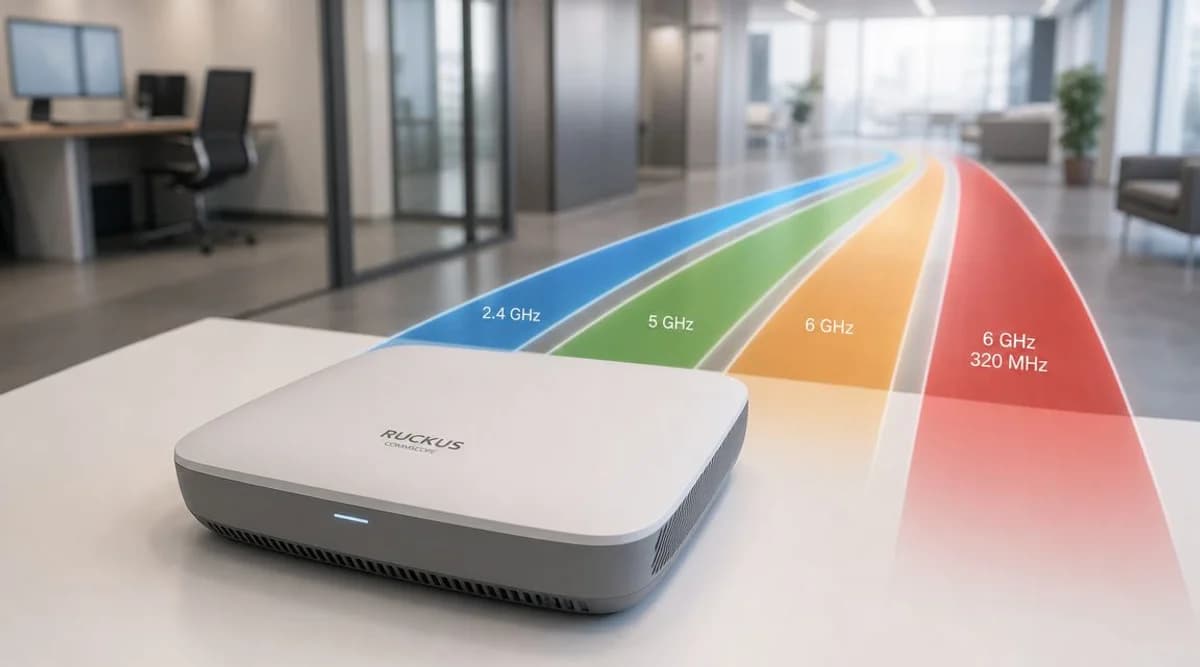
WiFi transmissions operate across three licensed and unlicensed frequency bands: 2.4 GHz, 5 GHz, and 6 GHz. The base channel unit in IEEE 802.11 is 20 MHz wide. Radio bonding combines adjacent 20 MHz channels into wider blocks (40 MHz, 80 MHz, 160 MHz, and 320 MHz).
- 2.4 GHz Band: Spans 2.412 GHz to 2.472 GHz (Channels 1 to 13). Only three channels do not overlap: 1, 6, and 11 (each 20 MHz wide).
- 5 GHz Band: Spans 5.150 GHz to 5.850 GHz, offering 25 non-overlapping 20 MHz channels across UNII-1, UNII-2 (DFS), UNII-2C (Extended DFS), and UNII-3.
- 6 GHz Band: Introduced with Wi-Fi 6E, providing 1200 MHz of continuous spectrum with 59 non-overlapping 20 MHz channels or 14 80 MHz channels.
WiFi channel width comparison table: 20 vs 40 vs 80 vs 160 MHz
Selecting an appropriate channel width requires analyzing your physical venue layout, access point density, and client application demands.
How channel width affects network throughput and interference
Widening channel bandwidth increases peak data rates by doubling the subcarriers available for Orthogonal Frequency Division Multiplexing (OFDM). However, radio physics introduces two major tradeoffs:
1. Co-Channel Interference (CCI)
Co-channel interference occurs when multiple access points transmit on the same frequency channel within hearing distance of each other. Because IEEE 802.11 uses Carrier Sense Multiple Access with Collision Avoidance (CSMA/CA), APs and client devices must wait until the channel is clear before transmitting. When you bond channels (e.g. turning two 20 MHz channels into one 40 MHz channel), you halve the number of independent channels. In multi-AP venues, wider channels force adjacent APs onto identical frequencies, creating airtime contention and latency spikes.
2. Thermal Noise Floor Increase
Every time you double channel width (from 20 MHz to 40 MHz, or 40 MHz to 80 MHz), the receiver captures twice as much background RF noise. This increases the thermal noise floor by 3 dB. A higher noise floor degrades the Signal-to-Noise Ratio (SNR), forcing client devices to step down to lower Modulation and Coding Scheme (MCS) rates. As a result, an 80 MHz channel with poor SNR often delivers lower actual throughput than a clean 20 MHz channel.
Best practices for enterprise, hospitality, and multi-family WiFi planning
When engineering wireless networks for commercial environments, follow these industry standards:
- Hospitality & Hotels: Deploy 20 MHz channel widths across 5 GHz and 2.4 GHz. In guest rooms and corridors, high AP density guarantees strong signal coverage (-65 dBm RSSI baseline), while 20 MHz width prevents inter-floor co-channel interference. Explore our guide to guest WiFi solutions for enterprise hospitality networks.
- Enterprise Corporate Offices: Use 40 MHz channels in 5 GHz if AP density permits 12 non-overlapping channels, or 20 MHz for open-concept floors. Combine with enterprise WiFi security standards for identity-based network access control.
- Multi-Tenant Residential & Student Housing: Enforce 20 MHz channel widths to mitigate rogue access point interference from student routers. Learn more about multi-tenant WiFi network design.
- 6 GHz WiFi 6E & WiFi 7 Migration: Standardize on 80 MHz channel width in the 6 GHz spectrum. With 14 non-overlapping 80 MHz channels available, enterprise networks can achieve gigabit speeds without channel overlap.
How to configure channel width in enterprise controllers
Most enterprise wireless vendors (Cisco Meraki, HPE Aruba, Ruckus, Ubiquiti UniFi) support dynamic Radio Resource Management (RRM) or Auto-RF. To configure channel width manually or adjust RRM policies:
- Log into your wireless LAN controller (WLC) or cloud dashboard.
- Navigate to Radio Management / RF Profiles.
- Under 5 GHz Radio Settings, set Channel Width to 20 MHz or 40 MHz (avoid static 80 MHz in multi-AP setups).
- Ensure 2.4 GHz Radio Settings are strictly locked to 20 MHz and restricted to channels 1, 6, and 11.
- Enable Dynamic Frequency Selection (DFS) to unlock channels 52 through 144 in 5 GHz. Check our guide on 5 GHz WiFi channels for channel allocation details.
Frequently asked questions about WiFi channel width
Is 40 MHz channel width better than 20 MHz?
40 MHz channel width provides higher theoretical throughput than 20 MHz by bonding two adjacent channels. However, 40 MHz is only better in low-density networks or clean 5 GHz/6 GHz spectrum. In high-density venues, 40 MHz reduces available channels and increases co-channel interference, making 20 MHz the superior choice.
Should I use 20 MHz or 40 MHz on 2.4 GHz WiFi?
Always use 20 MHz on 2.4 GHz WiFi. The 2.4 GHz band only has three non-overlapping channels (1, 6, and 11). Setting 2.4 GHz to 40 MHz causes severe overlap with almost all nearby networks, leading to packet retries, latency, and connection drops.
What is the best channel width for 5 GHz WiFi?
For enterprise venues, hotels, and office buildings, 20 MHz or 40 MHz is the best channel width for 5 GHz WiFi. For single-router home environments or isolated office zones, 80 MHz provides faster peak speeds.
Does wider channel width reduce WiFi range?
Yes. Wider channel widths (80 MHz and 160 MHz) raise the noise floor by 3 dB to 6 dB, which reduces the effective Signal-to-Noise Ratio (SNR) at longer distances. Consequently, client devices at the edge of coverage experience shorter range and slower speeds on wider channels.