Moving your RADIUS server to the cloud isn't, by itself, a WiFi security strategy. The popular advice to replace FreeRADIUS or Windows NPS with a hosted endpoint skips the harder questions: whose identity controls access, how a leaver loses it, and what happens when the venue can't reach the service.
RADIUS as a service is most useful as an identity-governance control, not just a server swap. For UK venues and enterprises, the right design often combines directory-linked staff authentication with unique keys for devices that can't use modern enterprise authentication. A certificate-only cutover isn't automatically the strongest option.
What RADIUS as a Service Changes for WiFi
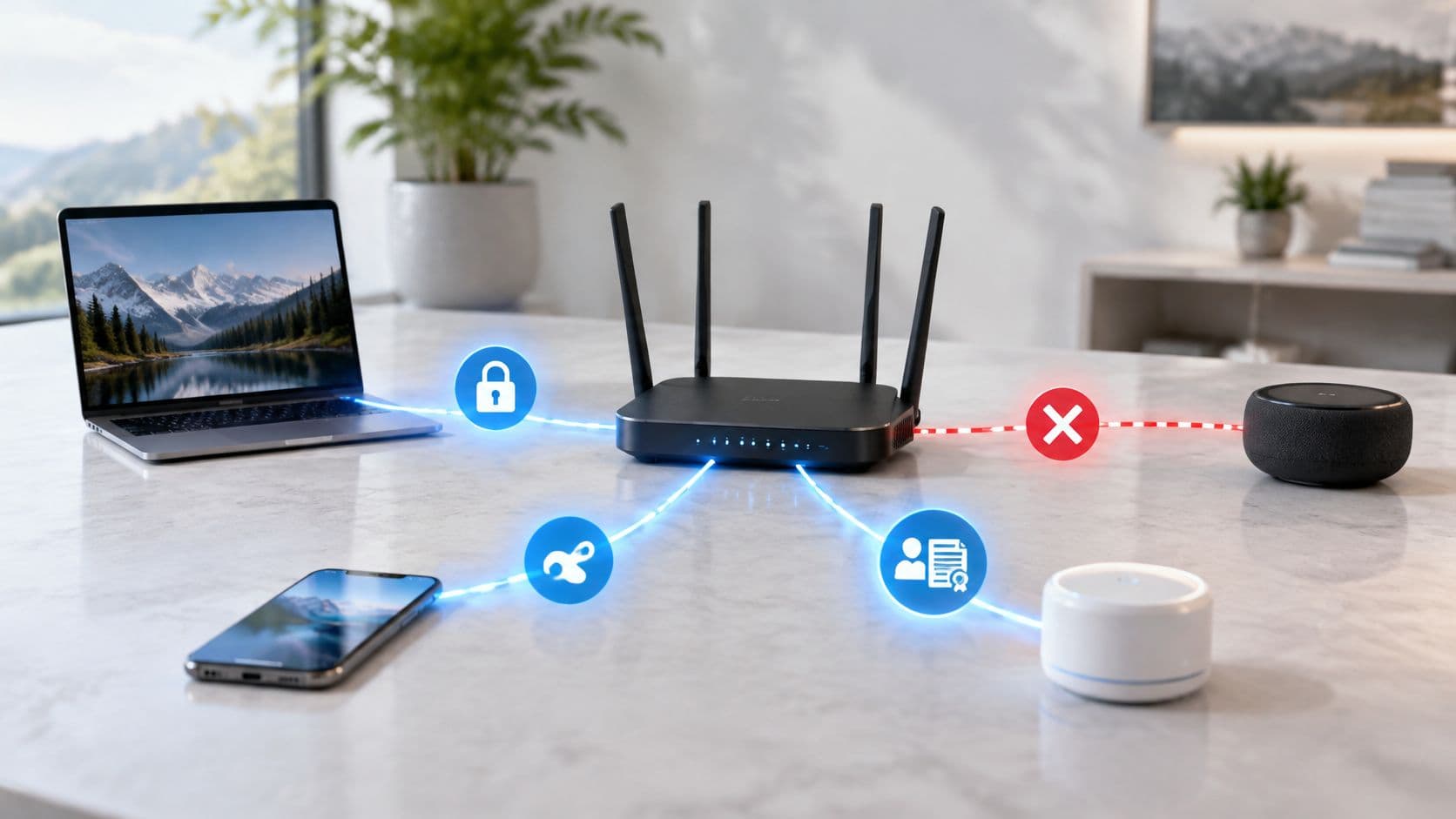
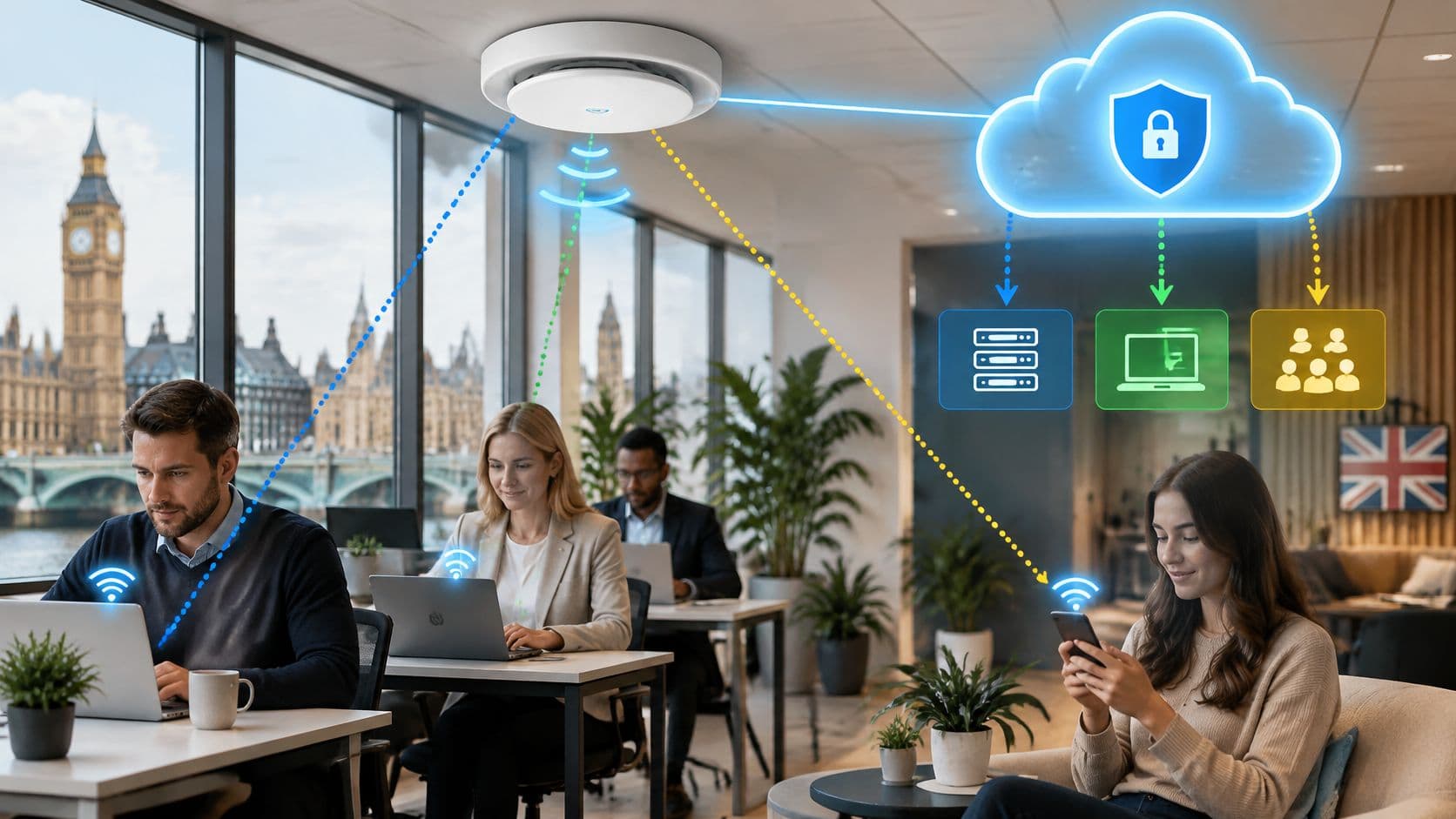
RADIUS as a service is a hosted authentication, authorisation and accounting control plane. Your access point or WLAN controller remains the enforcement point. The hosted service decides whether to admit a user or device and returns the network policy to apply.
On-premises, cloud and federated RADIUS compared
| Model | Who operates AAA | Identity source | Failover and growth | Best fit |
|---|---|---|---|---|
| On-premises FreeRADIUS or Windows NPS | Your team patches and monitors the service | Local directory or an identity provider reached through your server | You patch, cluster and monitor each instance, then configure additional sites | A single site with in-house RADIUS skills |
| Cloud RADIUS as a service | The provider patches and monitors the hosted service | Entra ID, Okta, Google Workspace or another supported identity provider | Provider endpoints and SLA, with new sites added without new authentication servers | Multi-site venues without a RADIUS team |
| Federated RADIUS proxy | Shared proxy operators plus the home identity provider | Home organisation credentials | National or shared proxy infrastructure connects participating sites | Roaming users across independently run sites |
Moving the server doesn't create zero trust. Security still rests on unique identities, prompt revocation and a written rule for whether access fails open or closed when authentication is unavailable.
A shared WiFi passphrase can't reliably name a person. Nor can you revoke one departing employee without changing that password for everyone else. Keeping guests away from staff systems also requires network policy, not just a different password.
Separate the operating model from the access policy
Cloud hosting changes who maintains the authentication infrastructure. At Purple, we operate the cloud RADIUS that replaces FreeRADIUS or Windows NPS, leaving no on-premises authentication servers for your team to patch or fail over. Your team still owns the access rules, directory groups and local network design.
Federation solves a different problem: allowing people to authenticate at independently managed locations. According to Jisc's eduroam management briefing, the UK service launched on 2 May 2006, redirecting visitors' authentication to their home institution rather than requiring visited sites to administer local guest accounts. That's delegated identity management, not merely remote server hosting.
Practical rule: Circle the model that matches who owns identity today, then decide whether that ownership should change.
Authentication also isn't a cure for poor radio coverage, congestion or a weak internet connection. Madeira Remote's guide to improve WiFi for smoother video calls is useful context for separating connection-quality work from access-control work. Fixing admission to the network won't repair an overloaded wireless channel.
The decision is therefore operational as well as technical. You can outsource server maintenance while retaining responsibility for exactly who gets onto which network.
How Cloud RADIUS Decides Access
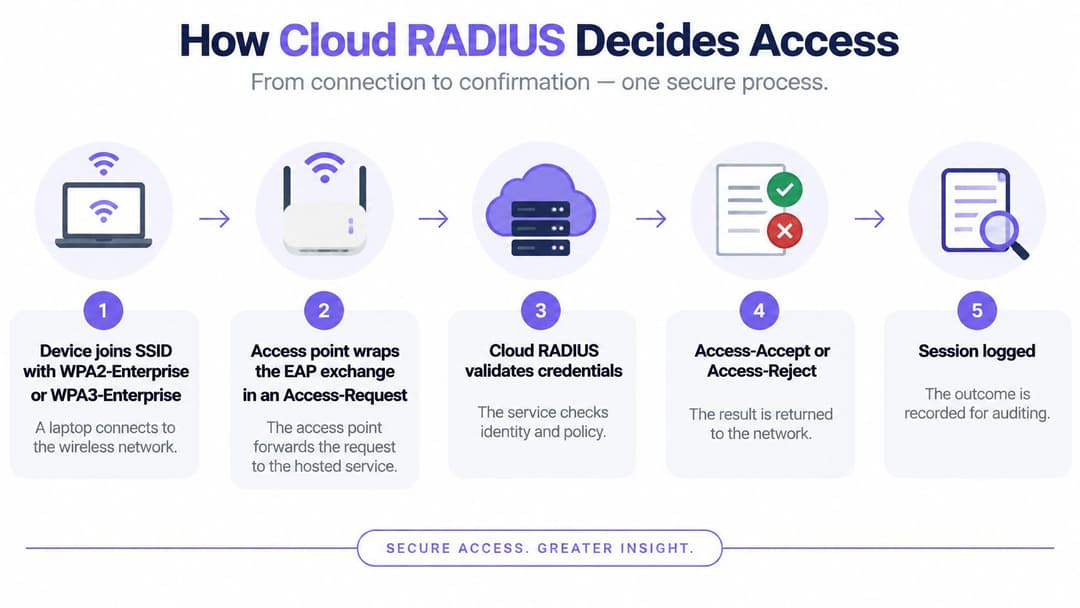
A managed laptop joins an SSID configured for WPA2-Enterprise or WPA3-Enterprise. Instead of proving knowledge of a building-wide passphrase, it begins an Extensible Authentication Protocol, or EAP, exchange through the access point.
The access point or controller packages that exchange into a RADIUS Access-Request and sends it to the hosted service. EAP may require several exchanges before the service has enough information to make a decision.
Test the separate AAA functions
The UK government's FreeRADIUS architecture documentation describes the service through authentication, authorisation and accounting. Treat these as separate acceptance tests, not interchangeable names for a successful login.
- Authentication establishes identity. The service evaluates the credential or certificate using the configured method. An Access-Challenge continues the exchange, an Access-Reject denies admission, and an Access-Accept permits it.
- Authorisation assigns permission. The response can include a VLAN, role, access-control list or session limit. The controller must understand and enforce those attributes.
- Accounting records the session. Collect session starts, interim updates and stops with stable identity and device identifiers, timestamps and session identifiers.
An Access-Accept doesn't prove that segmentation worked. Say a contractor authenticates successfully but lands on the employee VLAN because the controller ignores a role attribute. Authentication succeeded, but the access design failed.
Likewise, an authentication outcome in a provider dashboard isn't a substitute for session accounting. Investigators need to connect an identity to a device, venue and session, including when access began and ended.
Design for unreachable endpoints
Configure redundant service endpoints, health monitoring and bounded retry timers. Endless retries can leave clients hanging while making diagnosis harder. Our cloud RADIUS runs with multi-region failover behind a 99.9% uptime SLA, but venue connectivity and controller behaviour still need their own tests.
Write the outage rule before production. Fail-open behaviour can admit devices without the intended checks, potentially creating unrestricted access. Fail-closed behaviour denies new admission, which protects the boundary but may interrupt payment terminals or other operational equipment.
Don't assume existing sessions and new connections behave identically during an outage. Test initial authentication, reauthentication and endpoint recovery separately, and obtain the availability commitment and failover design in writing.
Finish the pilot with observable evidence:
- Accepted session: The client reaches the intended VLAN and only the permitted services.
- Disabled identity: A new authentication attempt receives a reject.
- Searchable accounting: An administrator can find the resulting session record afterwards.
Security Controls a Hosted Service Must Prove
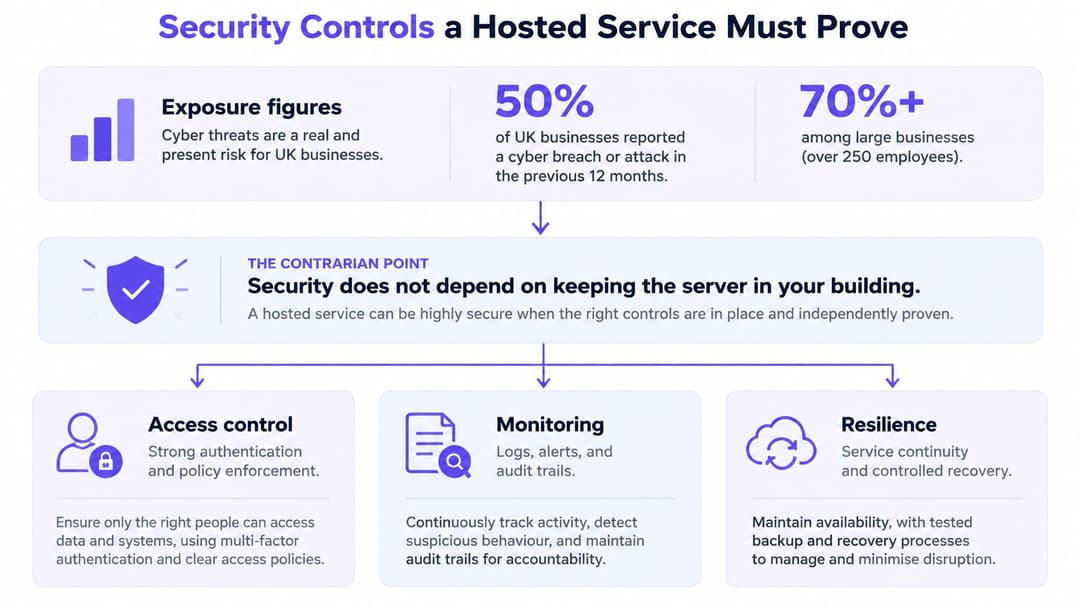
In 2024, 50% of UK businesses experienced a cyber breach or attack in the previous 12 months, with the rate exceeding 70% among medium and large businesses, according to Consultancy.uk's discussion of zero trust. A hosted login service doesn't answer that exposure on its own.
Zero trust means authenticating and authorising access rather than trusting a device because it reached the corporate SSID. A cloud service can still implement weak policy through shared credentials, missing device checks or broad permissions.
Require evidence at each boundary
Start with the credential, then examine transport, administration and enforcement. Each has a different failure mode.
- Named identities: Use individual accounts or device identities, with directory-driven removal rather than a manually maintained access list.
- Strong client authentication: Prefer certificate-based device authentication for managed endpoints. Use phishing-resistant methods where supported, and require MFA for administration and appropriate onboarding workflows.
- Protected transport: Protect the controller-to-service path with an appropriate encrypted transport, such as RadSec or a secured tunnel. A RADIUS shared secret alone doesn't encrypt the entire exchange.
- Separated administration: Keep privileged administrator identities separate from everyday accounts, and retain an audit trail of policy changes.
- Least-privilege roles: Give staff, contractors, clinical equipment and building-management systems only their required access.
Don't assume a cloud directory's browser-based MFA prompt can appear inside every EAP exchange. The chosen EAP method, client software and identity integration must support the intended authentication flow.
Check the wireless and operational controls too
Configure enterprise wireless security with server-certificate validation, mutual authentication and encrypted data frames. Require Protected Management Frames where supported and appropriate to the chosen WPA mode, rather than treating an enterprise label as proof that every protection is enabled.
For the broader policy design, our enterprise WiFi security guide provides a useful companion. Our employee WiFi provides enterprise-level security without the complexity of a NAC, but administrators must still define access boundaries and monitor their operation.
Physical infrastructure remains relevant even when authentication is hosted. ABCO Security Services Australia's guidance on strengthening data centre security offers complementary context for protecting the facilities that support network services.
A valid credential shouldn't grant a device permission to reach everything in the building.
Assign an owner to repeated-reject alerts, unexpected privilege changes and suspicious administrative activity. Logs only help when someone can interpret them and act.
Connecting Directories Without a Second User Store
The authoritative directory should remain the place where employment status and group membership are managed. Whether that's Entra ID, Okta or Google Workspace, the hosted RADIUS integration should translate identity into network permission, not create a disconnected password database.
The integration method matters. A connector may synchronise groups, validate credentials through a supported mechanism or associate certificates with directory identities. Don't assume every cloud directory exposes the same password-validation interface.
Follow the joiner, mover and leaver
Consider a new employee joining a facilities team. Once their directory membership is correct and their device is enrolled, the service should assign the facilities network role without an administrator creating a separate WiFi account.
When that employee moves into finance, the directory change should result in the appropriate VLAN or ACL at the next applicable policy evaluation. A successful design removes the need to edit individual controllers, but it must specify when cached memberships and existing sessions are refreshed.
For a leaver, disabling the directory account should prevent subsequent authentication within an agreed window. Change of Authorisation, or CoA, can disconnect or change a live session when the controller supports it and the integration triggers it. Certificate-based deployments also need an explicit process for certificate revocation or identity-status checks.
Acceptance condition: Agree how quickly a directory change reaches new authentications and active sessions. Test both, rather than accepting “automatic” as a timing commitment.
The NCSC's identity and access-control principle supports verifying and authorising users, devices and systems before granting access. Applied to WiFi, that makes lifecycle handling a security requirement rather than an onboarding convenience.
Confirm the integration boundary
CoA, dynamic roles and walled-garden behaviour rely on the venue controller. Across Meraki, Aruba, Ruckus, Mist and UniFi estates, confirm the exact model, firmware and feature support rather than relying on the vendor name alone.
Managed laptops can use EAP-TLS or another supported passwordless enterprise method. Guests shouldn't need the same managed-device certificate journey. SSO belongs on the administrative console and suitable staff onboarding flows, but it doesn't replace 802.1X over the wireless link.
For an Entra-led deployment, use our Entra ID integration overview to frame the identity requirements. Then run a small lifecycle test:
- Joiner: A correctly provisioned starter must connect.
- Mover: A group change must produce the intended network role.
- Leaver: An account disabled at a recorded test time must fail within the agreed revocation window.
Guest Staff and Multi-Tenant Access Patterns
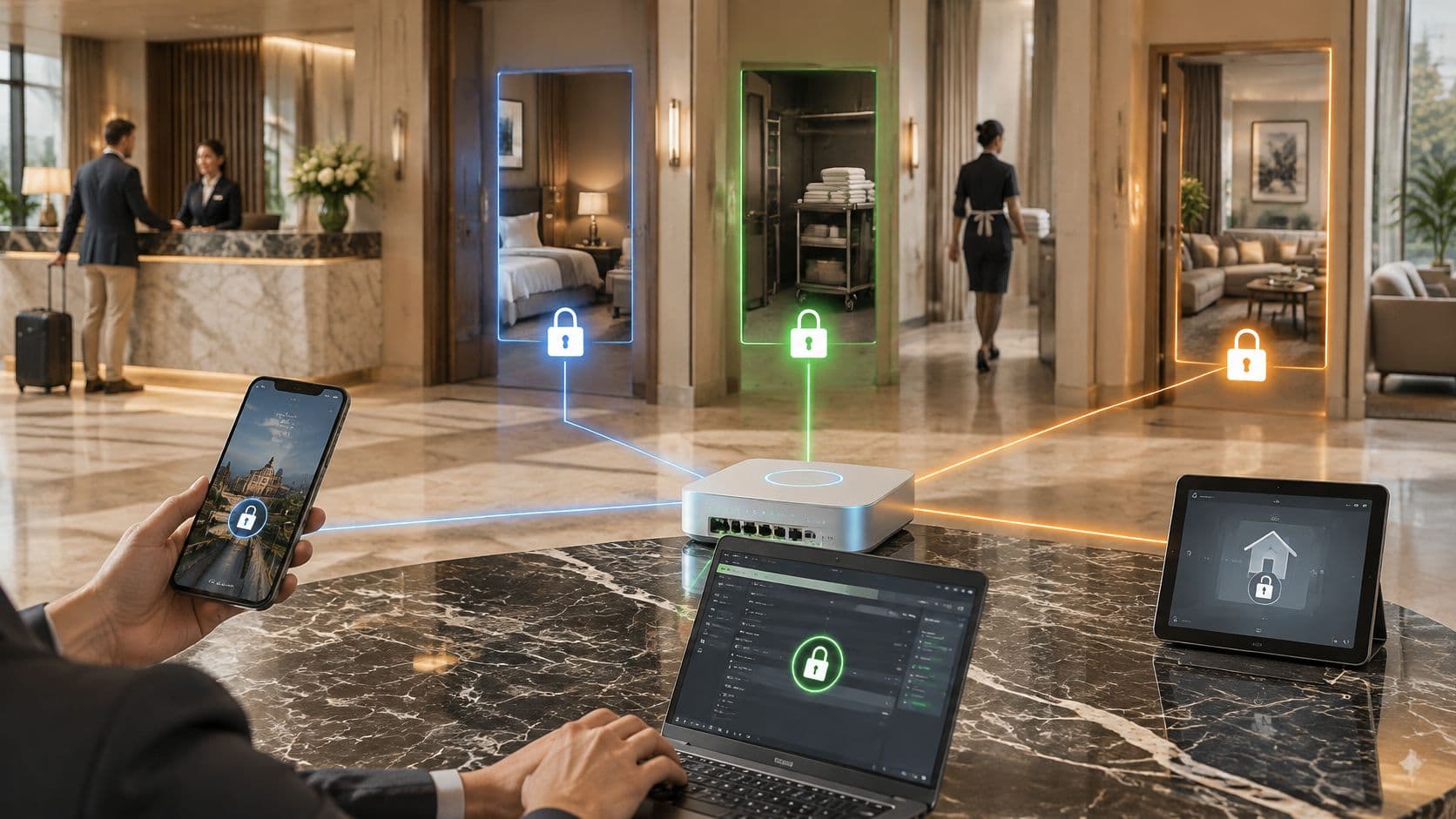
A building contains different populations with different trust boundaries. A hotel guest, an employee laptop and a tenant's television shouldn't inherit the same access policy just because they use the same access points.
Choose the population's row before choosing its onboarding screen. The method must work on the device, while the network must prevent access to unrelated users and systems.
Access pattern by population
| Population | Authentication method | Isolation | How access ends |
|---|---|---|---|
| Guest visitor | Email or one-time identity, with encryption where enterprise or Passpoint is used | Guest role or VLAN with no route to staff | Session expiry or portal policy |
| Staff and managed devices | Directory identity via EAP, often certificates or passwordless enterprise authentication | Role, VLAN or ACL from the directory group | Directory disable, plus CoA if the controller supports it |
| Contractor | Time-bound directory group | Narrow role, not the full staff VLAN | Group expiry or ticket end |
| Legacy and IoT devices | Unique PSK or another tightly scoped credential | Own segment with no lateral path beyond explicitly permitted services | Key rotation or unlinking from the owner |
| Multi-tenant resident | Unique PSK per person or dwelling | Private network isolated from other tenants | Key revocation on move-out |
Keep easy onboarding separate from broad access
Guests need low-friction onboarding, often through email identity. However, a splash page doesn't itself encrypt the wireless connection. Select an encrypted access method where supported, and don't use successful portal completion as permission to reach internal systems.
Staff need directory-linked enterprise authentication. Contractors need an expiry and a narrower role, even when they work alongside employees. Give operational sponsors responsibility for extending contractor access rather than leaving accounts active indefinitely.
Residents and commercial tenants have another requirement: their own devices must work together without exposing them to neighbours. Our multi-tenant WiFi guide examines that private-network model.
Use unique keys for constrained devices
Printers, TVs, consoles and scanners may not support the required EAP method. A unique pre-shared key, often called iPSK or xPSK, lets you associate their access with a person, dwelling or device without restoring a building-wide password.
The key alone doesn't create isolation. The controller and network must map it to the intended private segment and enforce the permitted paths. Treat the credential as transferable, record its owner and revoke it when that ownership ends.
We deliver guest WiFi, staff 802.1X security and xPSK Private Area Networks on a single cloud platform. Our xPSK and Multi-Tenant WiFi gives each resident, tenant or device a unique key with tenant isolation, including private connectivity for browserless consoles and TVs.
For residential operators, coordinate digital move-out with physical access removal. Nimbio's multifamily gate access control is a useful parallel for thinking about resident credential ownership. Neither a former resident's gate access nor their network key should remain active after departure.
How to Migrate Without a Shared Password Fallback
A migration should prove that each device population can connect safely before the old arrangement disappears. The operational mistake is treating every exception as a reason to preserve an emergency password for the whole building.
The need for deliberate planning extends beyond WiFi: Cyber Magazine's reporting on a Hiscox survey says two-thirds of surveyed firms plan to implement zero-trust architecture by 2030. That's a stated future intention, not evidence that their existing networks meet the model.
Run the cutover in a controlled sequence
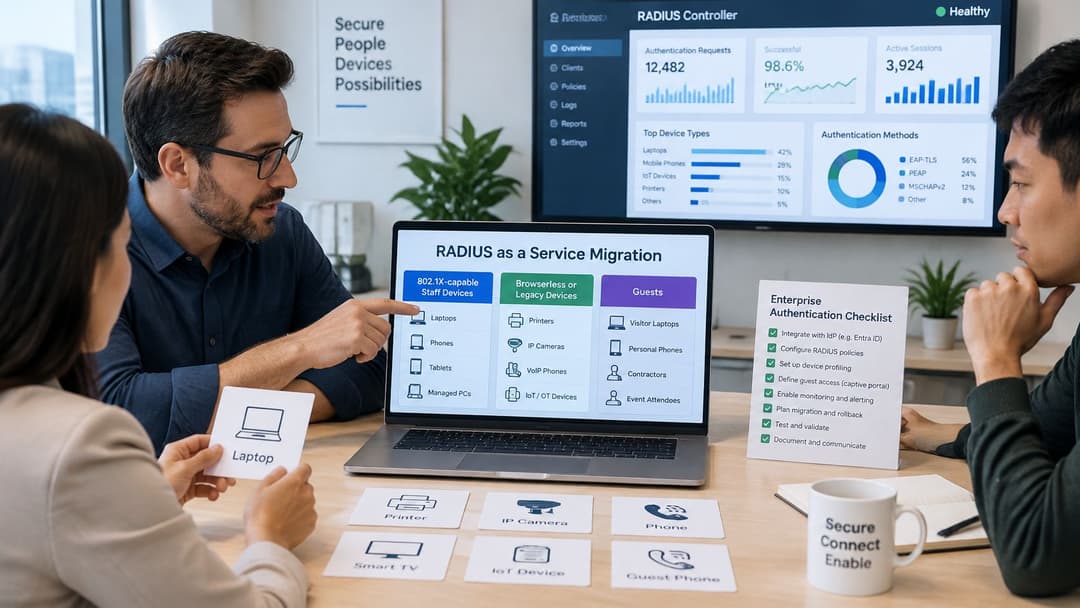
- Classify the clients. Separate 802.1X-capable staff endpoints, browserless or legacy equipment, and guests. Record device ownership and operational criticality.
- Validate controller capabilities. Confirm enterprise authentication, dynamic VLANs or roles, CoA and any required walled garden. Check the installed firmware, not just the product family.
- Pilot a limited SSID at a selected site. Connect it to the directory and document fail-closed behaviour. Include a representative operational device, not only an IT laptop.
- Provision managed staff devices. Use certificates or a supported passwordless enterprise method. Our Staff WiFi runs on existing access points with no customer PKI to build.
- Give constrained devices scoped credentials. Issue unique PSKs to printers, medical equipment and IoT where appropriate. Permit only their required destinations.
- Keep guests on a separate policy. Test that guest devices can't reach staff resources, even when onboarding and authentication share a management platform.
- Exercise the outage path. Interrupt identity-provider access and venue internet connectivity separately. Prove recovery without distributing a common password.
- Cut over progressively. Review accounting, segmentation and client behaviour at each site. Remove the old passphrase after the agreed acceptance checks succeed.
Know when not to move
Air-gapped sites can't rely on a cloud control plane. Controllers that can't consume the required RADIUS attributes may also block the intended design, even if basic authentication works.
An internal requirement to keep authentication metadata in the UK must be resolved through documented processing locations and subcontractor arrangements. It isn't satisfied by a provider having a UK office. Record retention, administrative access and recovery arrangements also belong in procurement approval.
Our service operates as a cloud overlay on existing access points, so it doesn't require a rip-and-replace deployment. Our xPSK and Multi-Tenant WiFi supports Meraki, Aruba, Ruckus and UniFi hardware, subject to the controller capabilities required by the design.
A hybrid of enterprise authentication and unique keys solves client compatibility, not necessarily cloud-outage dependency. Where local autonomy is essential, retain a suitable local authentication design or stay on premises. Don't disguise an unresolved resilience requirement as an exception password.
Decide if Cloud RADIUS Fits Your Estate
Choose cloud RADIUS when several sites need consistent identity-led access and your team doesn't want to maintain authentication servers. The strongest case is operational: directory changes should govern network access without creating another account-administration workload.
Stay on premises when your team already operates resilient RADIUS well, a hosted service conflicts with processing requirements, or the controller can't enforce the proposed policy. A migration that removes a server but weakens local availability isn't progress.
Make the decision from an estate inventory
Choose a hybrid access model when managed staff endpoints support 802.1X but the building also contains TVs, printers, scanners or clinical equipment requiring scoped keys. The aim is appropriate assurance for each population, not identical credentials for every device.
Build an inventory with:
- Wireless estate: SSIDs, controller vendor, model and firmware.
- Identity ownership: Authoritative directory, group owners and leaver process.
- Client capability: Which devices can use certificates and which can't.
- Operational dependencies: Systems that must remain available during connectivity loss.
Compare written commitments, not demonstrations
Put the same questions to every shortlisted service: what does the availability commitment cover during multi-site failures, how long are logs retained, where is authentication metadata processed, which subcontractors can access it, and how does recovery avoid a shared-password fallback?
Shortlist Purple alongside other providers when your estate matches the guest, staff and multi-tenant pattern. We've supported these environments since 2012 across retailers, healthcare organisations, stadiums, transport hubs and city centres. Our Staff WiFi pricing isn't published, so contact us for a quote based on the estate you're migrating.
Your next step is an inventory-backed acceptance plan. A polished demonstration should never substitute for your controller, your directory and your difficult devices passing it.
Purple offers hosted RADIUS for staff authentication alongside guest WiFi and isolated multi-tenant access. Visit Purple with your controller inventory, identity-provider requirements and legacy-device list to discuss a deployment and pricing grounded in your estate.