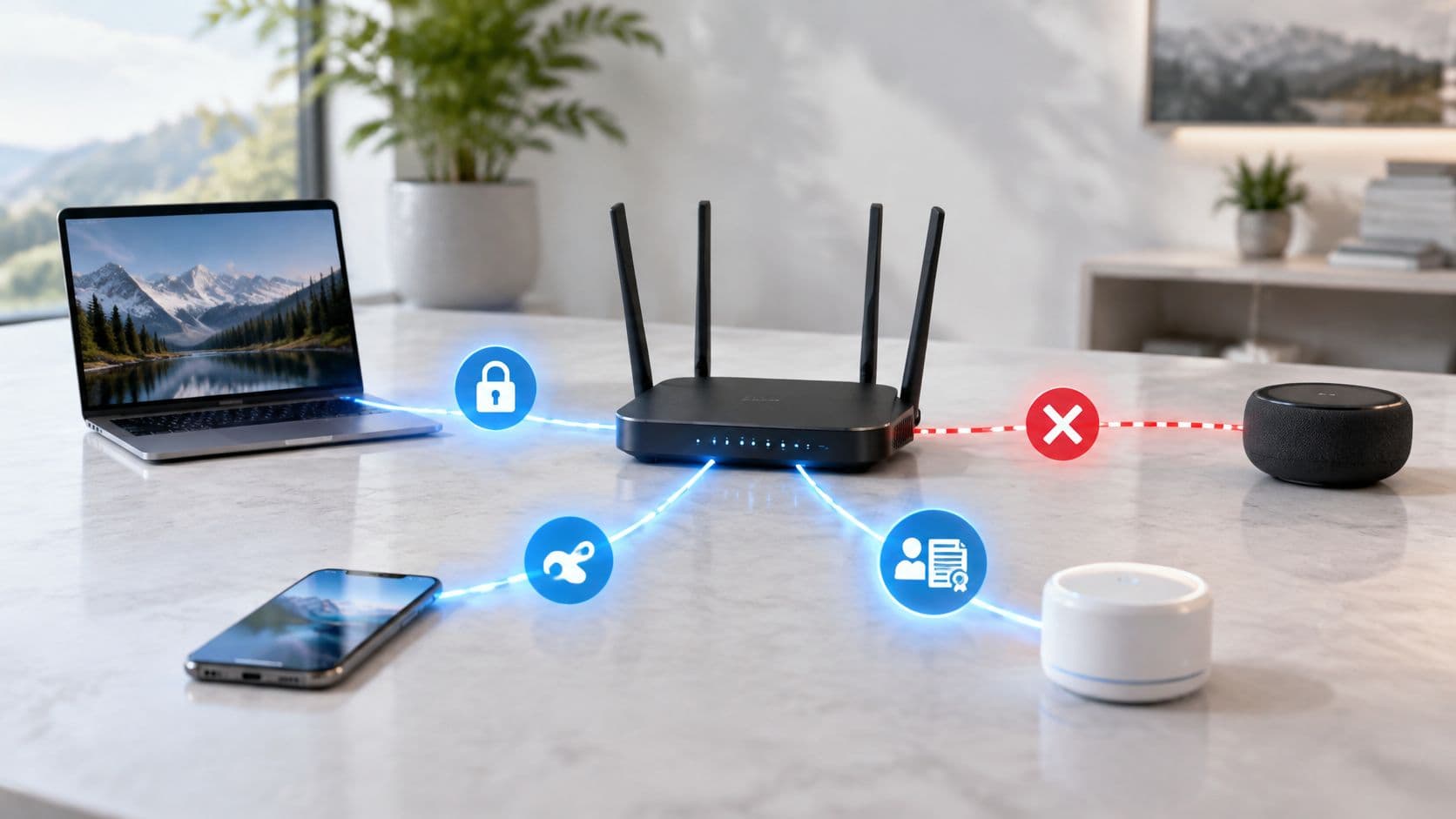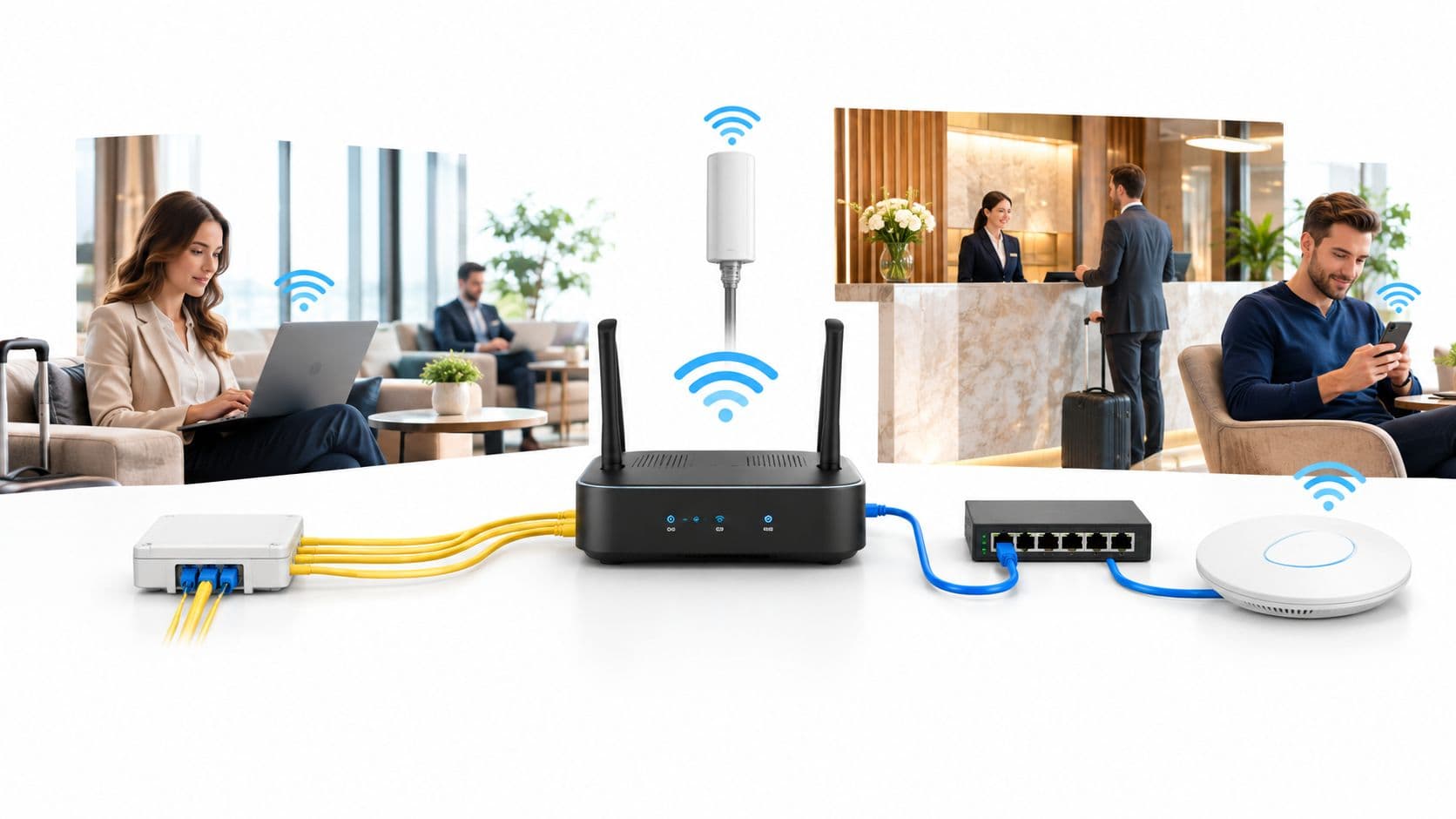
You've inherited a US estate where the corporate WiFi password is printed in a back-office folder, shared by reception, housekeeping, contractors and former employees. The guest network is managed separately, device onboarding depends on manual instructions, and an auditor wants to know which person authorized each connection. Meanwhile, the organization has moved its application identity to Microsoft Entra ID and expects WiFi to follow.
That expectation is understandable, but the architecture is often described incorrectly. Entra ID doesn't provide a native RADIUS service. Microsoft's documented position is that Entra-joined devices can't use RADIUS authentication based on an on-premises computer object and certificate, so modern designs rely on EAP-TLS, Intune-issued certificates and a separate RADIUS layer instead (Microsoft's Entra RADIUS guidance). Once that distinction is clear, the deployment becomes far easier to design, test and support.
Why Entra ID WiFi Authentication Is Worth the Effort
A shared pre-shared key may work at opening time, then remain active after a leaver departs, a contractor copies it to a personal device, or a guest reaches a network intended for staff. Changing that key creates its own operational problem. Every managed laptop, handset, cash register, tablet and other device must receive the new secret, often across hotels, hospitals and retail sites.
Entra ID WiFi authentication changes the unit of trust from the password to the identity and device. EAP-TLS uses a certificate-backed connection to identify an authorized user or device. Intune controls which managed endpoints receive that certificate and the matching WiFi profile. The access point still requires RADIUS, so Entra ID is the directory and policy source, not the wireless authentication endpoint. That architectural gap is the detail many simplified guides omit.
Practical rule: Treat WiFi as an identity-bound service: require a certificate and Intune scope, never an Entra username-and-password paste.
Onboarding becomes repeatable. A correctly scoped Intune profile can configure the SSID, trusted certificate chain and certificate selection without asking staff to type or share a key. Offboarding also gains a defined control path. Retiring a device can trigger certificate lifecycle actions, rather than leaving administrators to search for every location where a shared password was stored.
The compliance case is equally practical. US organizations must separate staff, guests, suppliers and unmanaged equipment across shared premises and regulated environments. A dedicated enterprise WiFi security guide provides useful background, while the production design needs clear decisions: keep guest access separate from staff EAP-TLS, record the identity presented to RADIUS, and define how access is removed.
The Entra admin center does not provide a single switch for this design. PKI, Intune, RADIUS policy and wireless settings must work together, and legacy Apple, Windows, Android and shared devices can expose different certificate or profile behavior. That integration work is real, but it replaces a fragile shared secret with a repeatable control that can be applied across a mixed US estate.
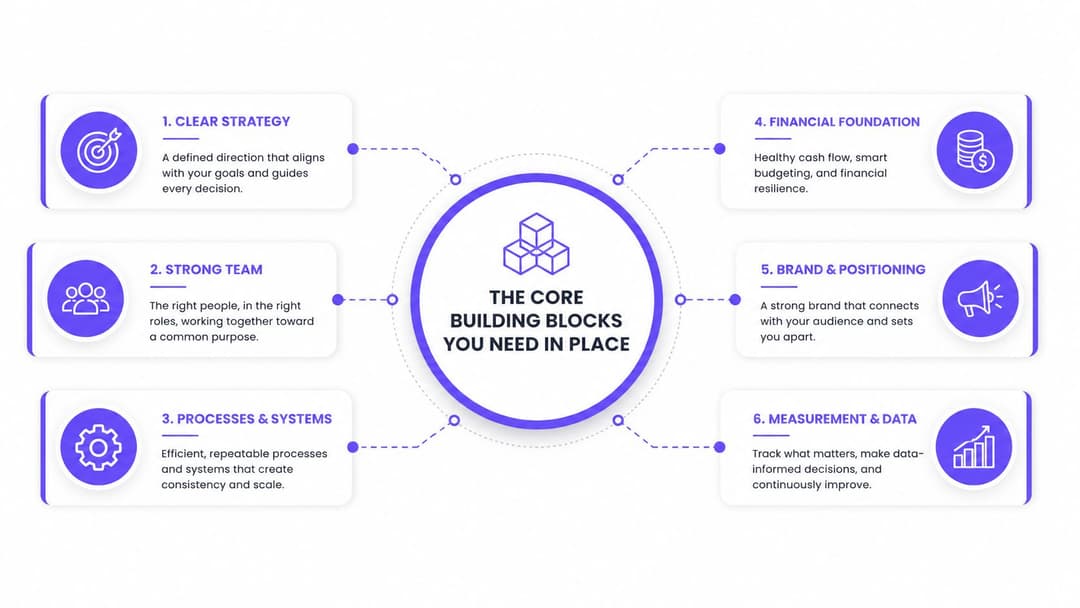
The Core Building Blocks You Need in Place
A hotel guest network, hospital ward, or retail branch can fail at the first certificate check while the access point still reports a healthy SSID. Prevent that confusion by defining the architecture before opening the Intune wizard. Four components must agree on one identity chain:
- A certificate authority. Start with Microsoft PKI, AD CS, or a managed certificate provider. The CA must issue certificates with Client Authentication EKU before RADIUS policy is tuned, and the RADIUS service must trust the issuing chain.
- A RADIUS layer. NPS, Aruba ClearPass, Cisco ISE or a RADIUS-as-a-Service platform terminates the 802.1X exchange from the access points. Entra ID has no native RADIUS feature. The NPS extension adapts RADIUS requests to Entra-backed checks, rather than turning Entra into a RADIUS server, as explained in the Microsoft Q&A on the RADIUS limitation.
- Intune. Intune delivers the trusted root, SCEP or PKCS certificate profile, and WiFi configuration. Its assignments also control device scope, so an unfinished profile does not reach the entire estate.
- Network policy. RADIUS must define what a successful certificate permits. That could be a staff VLAN, a clinical segment, a restricted retail network or a device-specific ACL.
Build in dependency order
Publish and validate the CA template before tuning RADIUS. Check the issuer, subject or SAN, certificate chain, and Client Authentication EKU. Otherwise, failed handshakes can look like an RF or SSID fault when the device has no usable certificate.
Trust must work in both directions. Managed devices trust the CA that signed the RADIUS server certificate, while RADIUS trusts the CA that issued the client certificate. Access points need the RADIUS server address and shared secret. They do not authenticate directly against Entra.
Decide where policy lives
NPS, ClearPass and ISE can enforce wireless policy, but their rule models and attribute handling differ. Select one source of truth for SSID-to-VLAN mapping, document it, and prevent AP dashboards and RADIUS rules from producing conflicting results.
A US public-sector listing describes Entra ID support for public key authentication, including TLS client certificates, alongside federation and multi-factor authentication (US public-sector Entra ID listing). The certificate model still depends on the separate PKI and RADIUS components.
Issuing Certificates and Pushing WiFi Profiles Through Intune
For managed devices, EAP-TLS succeeds or fails on certificate selection. Intune can deliver the profile without user interaction, but it can't compensate for a certificate template that lacks the correct usage, issuer or subject mapping.
Establish the certificate path
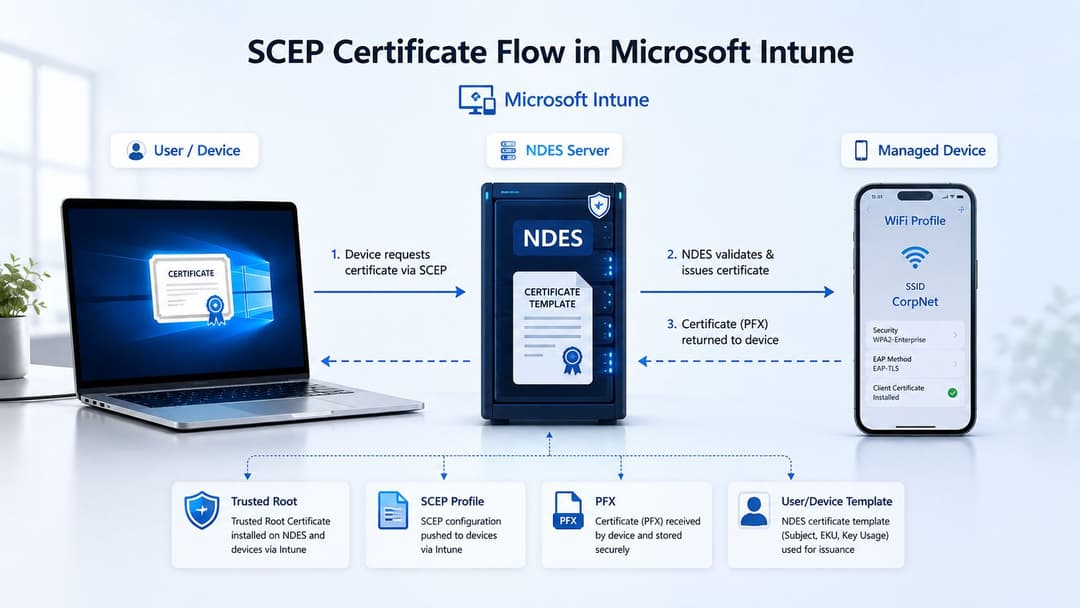
Deploy the trusted root CA profile first. With SCEP, create a certificate profile that points to the NDES service and uses the Intune Certificate Connector. The profile should reference the published SCEP endpoint, the correct certificate template, and a challenge mechanism that prevents unauthorized requests.
The certificate itself needs Client Authentication in its extended key usage. Decide whether the subject and SAN identify the device, the user or both. That decision affects RADIUS mapping, shared-device behavior and how you investigate an authentication event later.
A PFX profile can work where certificates are generated and packaged through an approved workflow, but SCEP is generally easier to operate across a varied managed estate because the device can request and renew its own certificate. The important point is consistency. Every platform must receive a chain and certificate that the RADIUS policy understands.
Configure the WiFi payload
Create the WiFi profile with the exact SSID, security mode and EAP method. Select EAP-TLS, bind the profile to the certificate issued by the SCEP configuration, and enable server certificate validation. Add the exact RADIUS server names so a device doesn't accept a lookalike service during the trust decision. Microsoft-aligned US deployment guidance recommends a trusted root, a SCEP client-certificate profile and precise RADIUS names in the WiFi profile (US Entra ID WiFi setup guidance).
The field that causes repeated failures is certificate matching. On Windows, macOS, iOS and Android, the WiFi profile must select the certificate issued by the expected CA and containing the intended EKU. If the profile deploys but the operating system can't select that certificate, the device may fall back to an unsuitable method or reject the connection.
Scope the SCEP and WiFi profiles to the same pilot device group. Check device logs for certificate installation, confirm the root is trusted, then inspect the selected client certificate before changing RADIUS policy. A certificate health check, such as this SSL certificate checker, can help validate the public-facing certificate side, but internal EAP-TLS troubleshooting still depends on device and RADIUS logs.
Wiring It Up to Your Network and RADIUS Layer
The access point sees an 802.1X supplicant. It doesn't see Entra ID. The device presents its client certificate, the AP forwards the EAP exchange to RADIUS, and the RADIUS service validates the certificate chain and applies network policy.
The usual flow is:
- The device associates with the enterprise SSID.
- The AP forwards EAP-TLS traffic to NPS, ClearPass, ISE or a hosted RADIUS service.
- RADIUS validates the client certificate against the trusted issuing CA.
- The policy engine maps the certificate identity to an account, device or group.
- The RADIUS response assigns the permitted VLAN or access policy.
Vendor configuration differences
Meraki dashboards typically require the RADIUS server details, shared secret and certificate validation settings, with AAA override used where the RADIUS response controls segmentation. Aruba deployments often depend on a RADIUS server group and server-derivation rules. Ruckus SmartZone needs AAA configuration with EAP-TLS selected, while Juniper Mist WLAN templates point to the RADIUS cluster. UniFi Network uses a RADIUS profile and may require careful handling where legacy EAP-TTLS remains alongside EAP-TLS.
Purple's RADIUS-as-a-Service is one hosted option for estates that want a separate RADIUS layer without operating the full server platform. NPS, ClearPass, ISE, and hosted services can all fit, but they won't interpret every certificate attribute or policy condition identically.
| Vendor | RADIUS auth server | EAP type | Cert attribute | Common gotcha |
|---|---|---|---|---|
| Meraki | NPS, ISE, ClearPass or hosted RADIUS | EAP-TLS | Issuer and SAN | AAA override can place a valid user in the wrong VLAN |
| Aruba | NPS, ClearPass, ISE or hosted RADIUS | EAP-TLS | SAN or UPN | Server-derivation rule order can send staff to guest policy |
| Ruckus | SmartZone-connected RADIUS | EAP-TLS | Subject and issuer | EAP type mismatch is easy to miss in AAA settings |
| Juniper Mist | RADIUS cluster | EAP-TLS | SAN or mapped identity | WLAN template may reference an incomplete server group |
| UniFi | Network application RADIUS profile | EAP-TLS or controlled legacy method | Certificate identity | Mixed EAP methods can obscure the actual failure |
On NPS, inspect the EAP-TLS certificate properties and define whether the issuer, subject, or SAN supplies the account mapping. A frequent error is assuming the common name is the username when the RADIUS service parses the SAN as a UPN. That breaks user mapping and can also disrupt device-only or shared-device flows.
Use a load-balanced RADIUS cluster where the estate requires resilience, and set sensible per-SSID failover timers. Don't assume a cloud RADIUS service enforces revocation in real time. Some hosted appliances lack reachable CRL or OCSP validation, so the certificate may remain accepted even after a directory account changes.
Instant Revocation and Conditional Access for Staff WiFi
The difficult question isn't whether a device can enroll. It's what happens after HR disables an account.
Conditional Access evaluates supported Entra sign-ins. It doesn't reach into an already-established 802.1X session and terminate it merely because a directory status changed. A certificate already installed on a laptop can remain cryptographically valid until it expires or the RADIUS service rejects it through certificate revocation checking. That makes the revocation design more important than the enrollment demo.
Reduce the certificate window
The first mitigation is a short certificate lifetime. Intune SCEP profiles can issue certificates that renew regularly, limiting how long a retired device can continue presenting an otherwise valid credential. The appropriate window depends on the threat model, device availability and operational tolerance. A shorter lifetime increases dependence on reliable renewal, so test devices that spend time offline or operate behind restricted networks.
The second mitigation is active revocation checking. Publish a reachable CRL or operate OCSP, then confirm the RADIUS servers consult it. NPS and ClearPass configurations can appear healthy while ignoring revocation because the check is disabled or the distribution point is unreachable from the RADIUS network.
The operational measure that matters is the gap between directory disablement and the first rejected wireless packet.
Intune retirement and wipe workflows are still valuable, particularly for lost or shared devices, but they don't magically erase a certificate from a powered-off endpoint. The certificate becomes unusable through expiry, revocation or removal when the device next receives management instructions. Teams should document that window and test it during offboarding exercises.
Entra Continuous Access Evaluation supports rapid control decisions for selected cloud application scenarios. It doesn't currently make EAP-TLS a browser-style Conditional Access transaction, so WiFi still depends on certificate validity and RADIUS revocation behavior. For readers reviewing the wider authentication model, this MFA guide for Edmonton users provides useful context on how stronger sign-in assurance differs from network certificate authentication.
Guest access needs its own control plane. US public-sector practice reinforces that visitors and shared access shouldn't be forced into the same staff certificate workflow (US Entra WiFi integration guidance).
Testing and Troubleshooting Common Failure Modes
A lab test proves that one device can connect. A production rollout proves that the wrong device can't connect, a revoked certificate is rejected, and a guest can't inherit staff policy.
Start with the certificate
For an EAP-TLS failure, inspect the client certificate before changing the AP. Confirm the chain, issuer, SAN, expiration, and Client Authentication EKU. Then check whether the WiFi profile selects that certificate and whether the device trusts the RADIUS server certificate.
SCEP loops usually indicate a mismatch between Intune, NDES and the certificate template. Verify the challenge URL, confirm the NDES connector account has the required template permissions, and compare the SCEP profile URI with the published NDES URL, including its trailing slash. A certificate issued from the wrong template can look like successful enrollment while remaining unusable for WiFi.
Test trust and segmentation
An Evil Twin can broadcast the same SSID before certificate validation occurs. Configure server certificate validation, specify the expected RADIUS names in the Intune WiFi profile, and use managed network settings so the operating system doesn't freely join an impostor. Enable Protected Management Frames where the client and AP estate support them, and use an organization-specific SSID rather than a generic name.
A revoked certificate that still authenticates usually points to the RADIUS server, not Entra. Check that CRL validation is enabled, then confirm the RADIUS subnet can resolve and reach the distribution point. If OCSP is used, inspect timeout and responder reachability rather than assuming the service is checking automatically.
Guest and staff crossover often comes from policy order. Put EAP-TLS staff rules ahead of PSK or MAC-based guest rules, then verify the returned VLAN attributes in the RADIUS log. A valid authentication with the wrong VLAN is a policy failure, not an enrollment failure.
Use a fixed triage order
Slow first connections can result from certificate renewal timing, unreachable revocation endpoints or the operating system selecting the wrong SSID. Don't begin by rebuilding the profile.
- Inspect the device certificate: Check chain, EKU, issuer, SAN and validity.
- Capture the wireless exchange: Confirm the AP forwards EAP traffic to the intended RADIUS target.
- Read the RADIUS event log: Use NPS logs, ISE event records or ClearPass access tracking to identify the rejected attribute.
- Check Intune state: Confirm the device is enrolled, receives the profiles and remains within the intended assignment group.
- Verify the returned policy: Confirm staff and guest sessions receive the correct VLAN and ACL.
That order keeps the investigation evidence-led. Changing three layers at once often hides the original fault.
A US-Flavored Rollout Checklist and What's Next
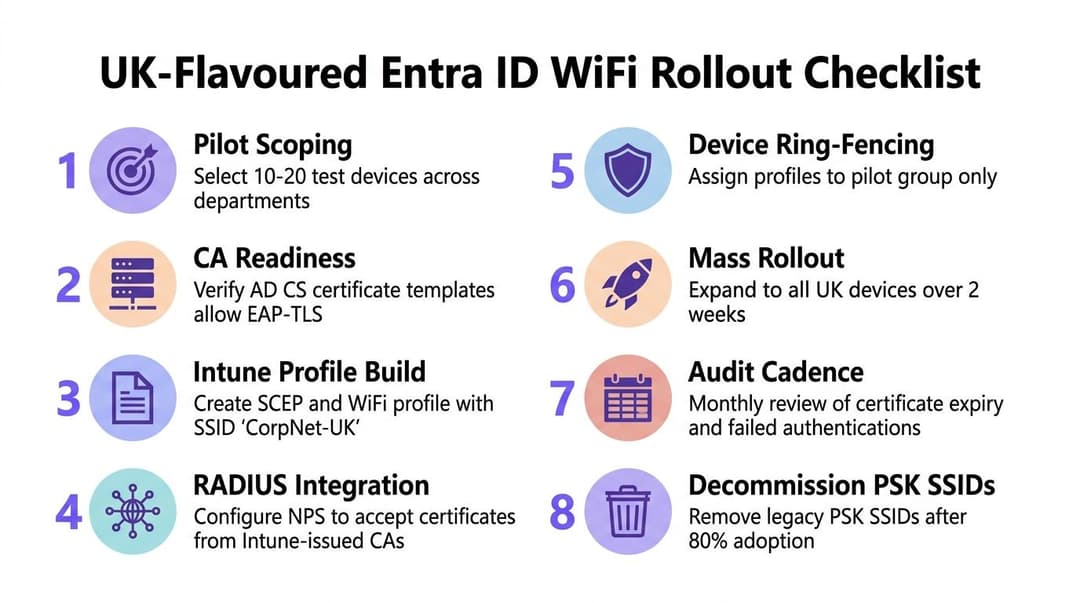
Run the rollout as a controlled service change, not a certificate experiment. Start with a small device group that represents the estate: a modern Windows laptop, Apple endpoints, Android hardware, shared devices and any operational equipment that must remain connected. A hotel's front desk, a hospital ward and a retail shop may all use the same identity platform but have very different recovery requirements.
The deployment sequence
- Pilot scoping: Select representative users, locations and device types, including sites with weak connectivity or restricted management paths.
- CA readiness: Confirm the issuing chain, template permissions, EKU and revocation endpoints before creating the WiFi profile.
- Intune profile build: Create the trusted root, SCEP or PFX certificate profile and EAP-TLS WiFi profile as a matched set.
- RADIUS integration: Add the APs, shared secrets, certificate trust and identity-mapping rules to the selected RADIUS platform.
- Device ring-fencing: Assign profiles to the pilot group, and keep the legacy SSID available as a documented fallback.
- Mass rollout: Expand by site or device ring only after certificate issuance, VLAN assignment and offboarding tests pass.
- Audit cadence: Review failed authentications, certificate expiration, revocation reachability and staff-versus-guest policy outcomes.
- PSK retirement: Remove shared-key SSIDs only after support teams have a tested break-glass process and the device estate has migrated.
US-specific checks are easy to overlook. Confirm that Apple BYOD devices trust the issuing chain through the intended management path. Define how RADIUS shared secrets are rotated, record where certificate telemetry is stored for CCPA/CPRA review, and align authentication logs with the organization's state-specific or sector-specific audit requirements. Hospitals and shared public-sector estates also need a documented outage SSID or alternate access process that doesn't become a permanent unmanaged network.
Passkeys are projected to become the default authentication method for Entra sign-in in 2026, according to Microsoft's ecosystem update (Microsoft Entra passkeys update). That doesn't make today's EAP-TLS work disposable. Passkeys address interactive identity sign-in, while WiFi still needs a machine-verifiable network credential, policy decision and RADIUS exchange. The CA, device management and policy discipline built for certificates remain useful foundations for the next identity model.
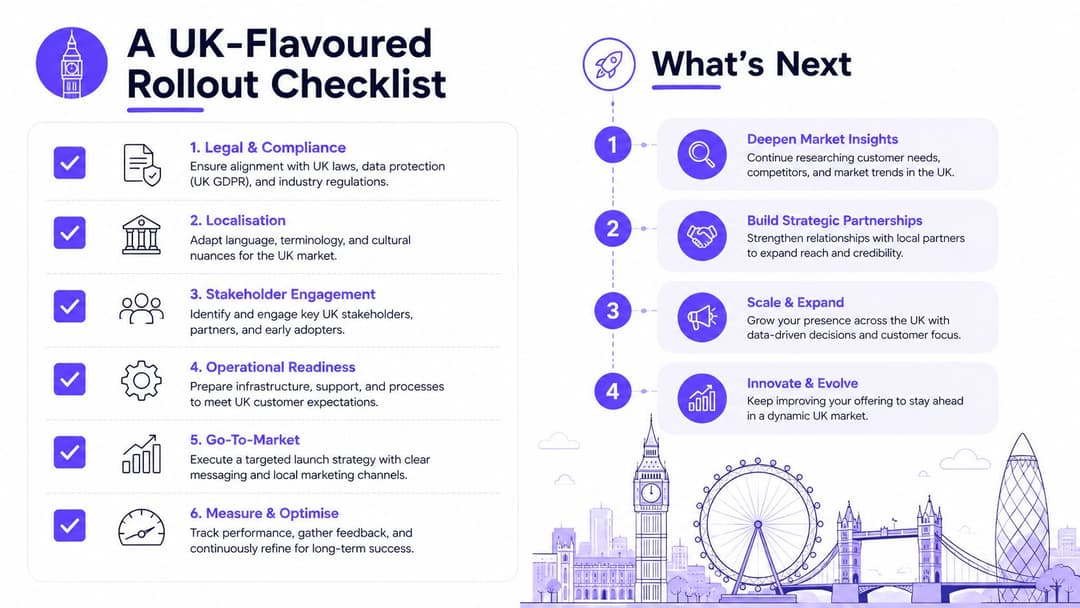
If your estate still depends on a shared key or assumes Entra ID can answer RADIUS requests directly, document the current SSIDs, certificate authority, device groups, and RADIUS policy first. Then pilot EAP-TLS with Intune on representative US devices, test revocation before expanding, and keep guest access separate from staff identity.
Purple provides a cloud RADIUS and identity-based WiFi platform that can connect Entra ID-backed staff access with network policy across mixed vendor estates. Visit Purple to review how its certificate-grade staff WiFi and guest access capabilities could fit your US rollout.