MAC address filtering vulnerability & architecture advisor
Audit your wireless network access controls against modern spoofing attacks and mobile MAC randomisation. Select your current configuration to model your exposure rating, administrative overhead, and zero-trust migration path.
Defines compliance standards and device diversity.
Primary mechanism controlling client association.
Determines private MAC randomisation behaviour.
Assessment results
Replace static MAC tables. Modern mobile operating systems (iOS 14+ and Android 10+ by default, Windows when enabled) present private MAC addresses, causing persistent authentication drops, and any allowed MAC can be spoofed in seconds. For corporate devices, transition to 802.1X EAP-TLS with Cloud RADIUS. For headless IoT hardware, deploy Identity PSK (iPSK) with dynamic VLAN steering.
In a corporate enterprise office, your team spends approximately 19 hours monthly adding MAC addresses and resolving false lockouts caused by randomised private addresses. ISO 27001 access control evidence covers who connected and on what credential.
Request an enterprise WiFi security architecture assessment
Consult with a Purple wireless security specialist to replace obsolete MAC filters with 802.1X Cloud RADIUS, Passpoint guest access, and dynamic iPSK segmentation.
Complete the details below to receive a personalised wireless security blueprint and zero-trust migration plan tailored to your network topology.
Most advice on what is mac address filtering still treats it like a sensible WiFi security setting. That's outdated.
MAC filtering isn't a modern security control. It's a device list. Your router or access point checks a hardware identifier, then decides whether that device gets on the network. That made sense when wireless networks were smaller, device counts were lower, and most admins were trying to keep out casual, nearby connections rather than manage staff, guests, contractors, tenants, and unmanaged endpoints at the same time.
In current business networks, that model breaks down fast. The identifier it relies on isn't secret, can be imitated, and often doesn't stay stable on modern devices. The admin work also grows in exactly the wrong direction. Every new cell phone, replaced laptop, swapped adapter, or guest device turns a "simple control" into manual list maintenance.
That's why most serious wireless designs now tie access to identity, certificates, SSO, or role-based policy, not to a mutable hardware address. MAC filtering still exists in products because some edge cases still need it. But treating it as a primary control for enterprise, hospitality, retail, or healthcare WiFi is a legacy habit, not a sound design choice.
Is MAC Address Filtering Still Relevant in 2026
If someone tells you MAC filtering is a strong way to secure WiFi, challenge that immediately.
In US wireless practice, MAC address filtering is best understood as an access-control list for devices rather than a strong security control. A router or access point checks a device's MAC address when it tries to join a WiFi network, then allows or blocks the connection based on an allowlist or blocklist. The problem is simple. The MAC address is not secret, is sent in plaintext during WiFi association, and can be spoofed, so the control helps with basic device admission rather than encryption or real identity assurance, as explained in this MAC filtering overview.
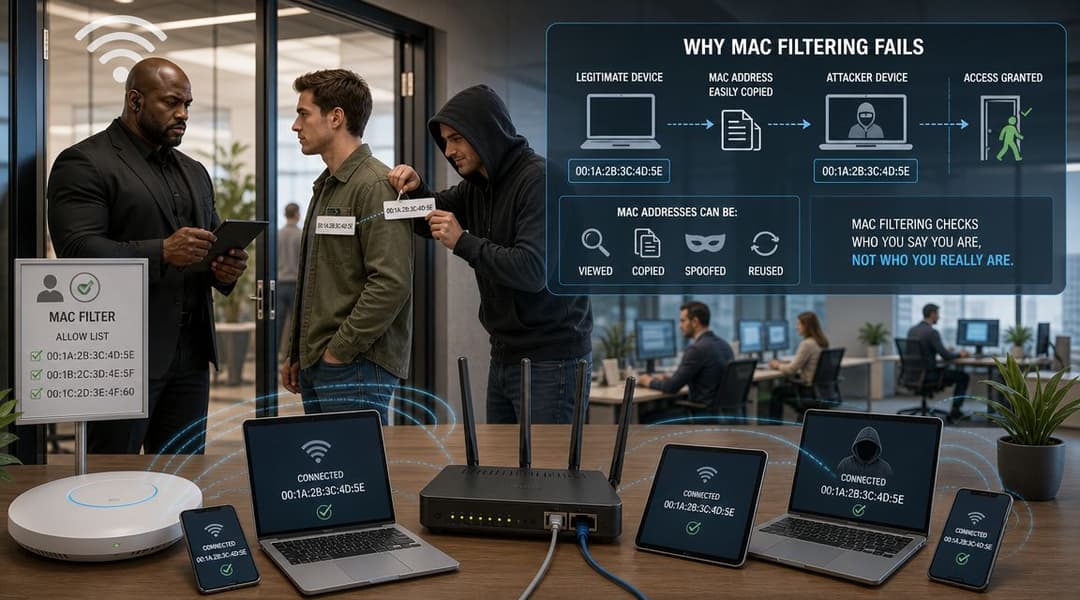
That single point changes how you should think about the feature. It's closer to a clipboard at the door than a trustworthy badge system. If the identifier can be observed and copied, the network isn't verifying who the user is. It's only checking whether a presented label matches one on the list.
Where it still fits
There are still narrow cases where MAC filtering can be useful:
- Small static setups where the device population rarely changes
- Basic admission control for legacy endpoints that can't do stronger authentication
- Administrative convenience when you want to keep accidental or casual connections off a local network
Those are limited use cases, not a broad security strategy.
MAC filtering can reduce casual access. It can't stand in for modern authentication.
Where it doesn't fit
For guest WiFi, staff networks, shared workspaces, venues, and multi-tenant sites, MAC filtering is the wrong primary tool. It doesn't prove user identity, doesn't replace encrypted authentication, and creates friction every time devices change.
By 2026 standards, the question isn't whether MAC filtering exists. It does. The key question is whether it should sit at the center of your access design. For most business networks, the answer is no.
How MAC Address Filtering Actually Works
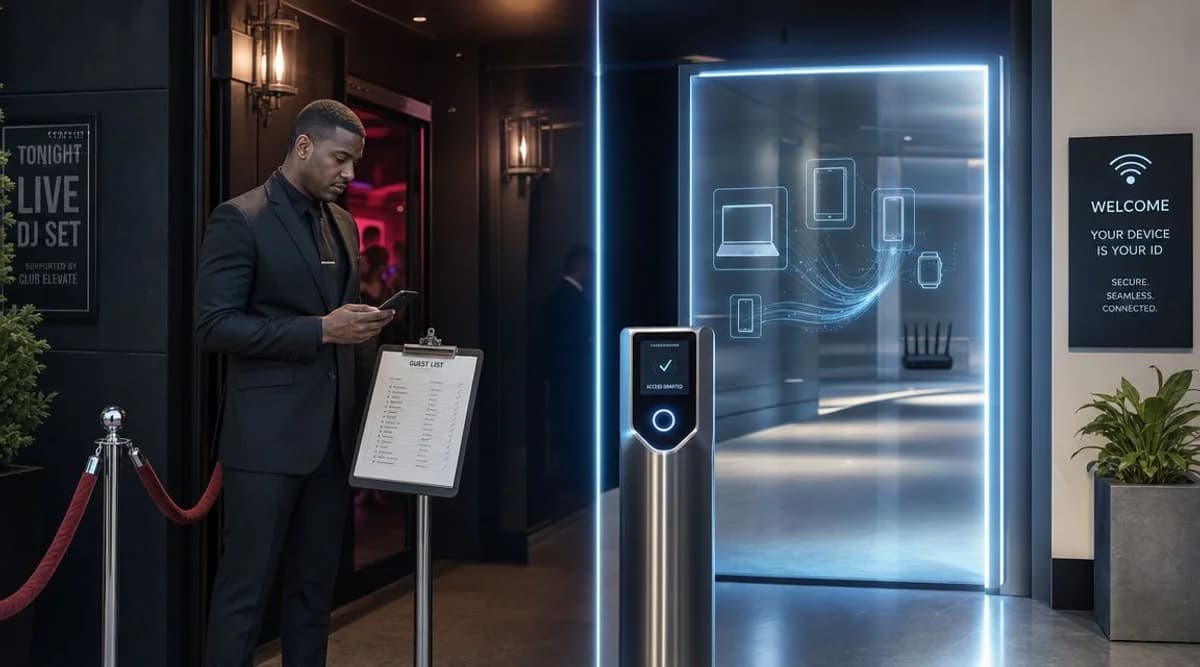
The cleanest way to explain MAC filtering is to think of a nightclub doorman using a paper guest list.
A device tries to join WiFi. The access point sees its MAC address and checks it against a stored list. If the address is approved, the device gets in. If it's on the deny list, or not on the allowlist, the device is rejected.
What a MAC address is
A MAC address is a hardware identifier associated with a network interface. In WiFi access control, it functions like a device label, not a secret credential.
That distinction matters. The access point isn't asking the device to prove deep trust. It's comparing a visible identifier to a local rule.
The two common modes
Most routers and access points support two broad styles of MAC filtering:
Allowlist mode
Only listed MAC addresses are permitted to connect. This is the stricter and more common option when admins use MAC filtering deliberately.Blocklist mode
Known MAC addresses are denied, while everyone else is allowed. This is easier to manage in some ad hoc scenarios, but it's weaker as a control because the default is still open to unknown devices.
What happens during connection
The actual process is straightforward:
- A client starts association with the WiFi network.
- The AP reads the client MAC address presented during that process.
- The AP checks its local policy to see whether the address is allowed or denied.
- The AP permits or blocks access based on that match result.
That's the whole mechanism. There's no magic behind it.
What it does not do
MAC filtering often gets credit for protections it doesn't provide.
It doesn't encrypt traffic. It doesn't verify the person using the device. It doesn't assure device posture, compliance state, or directory membership. It doesn't solve guest onboarding. It doesn't create useful identity trails for staff access decisions.
Practical rule: Treat MAC filtering as device admission logic, not as authentication.
That's why stronger methods such as WPA2 or WPA3 have long been recommended for actual wireless security in the same US-focused explanation of MAC filtering. Once you view it as a paper guest list rather than a trust system, the rest of its trade-offs become much easier to judge.
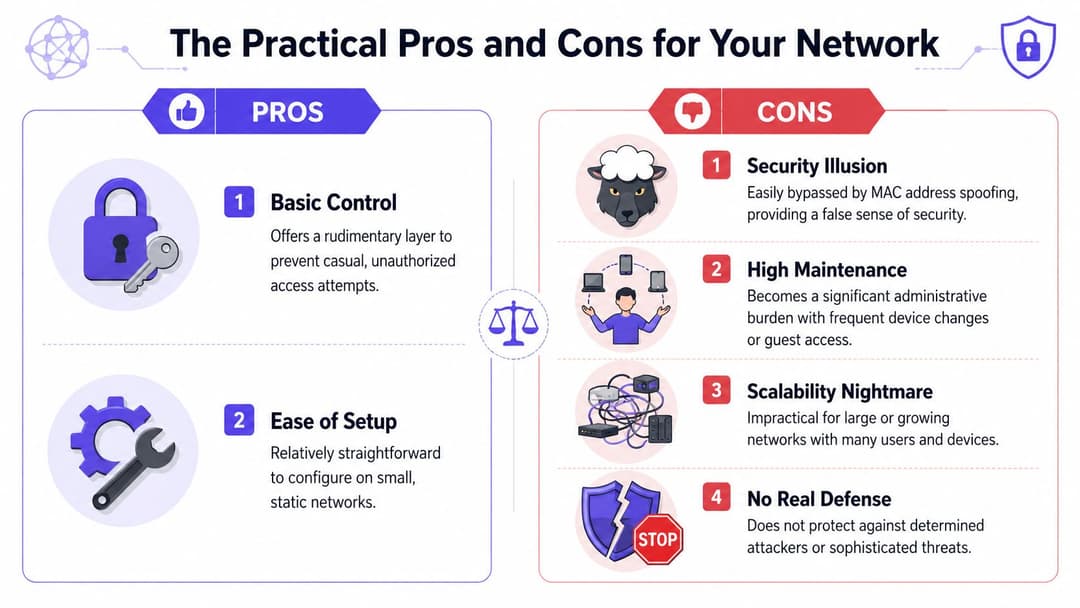
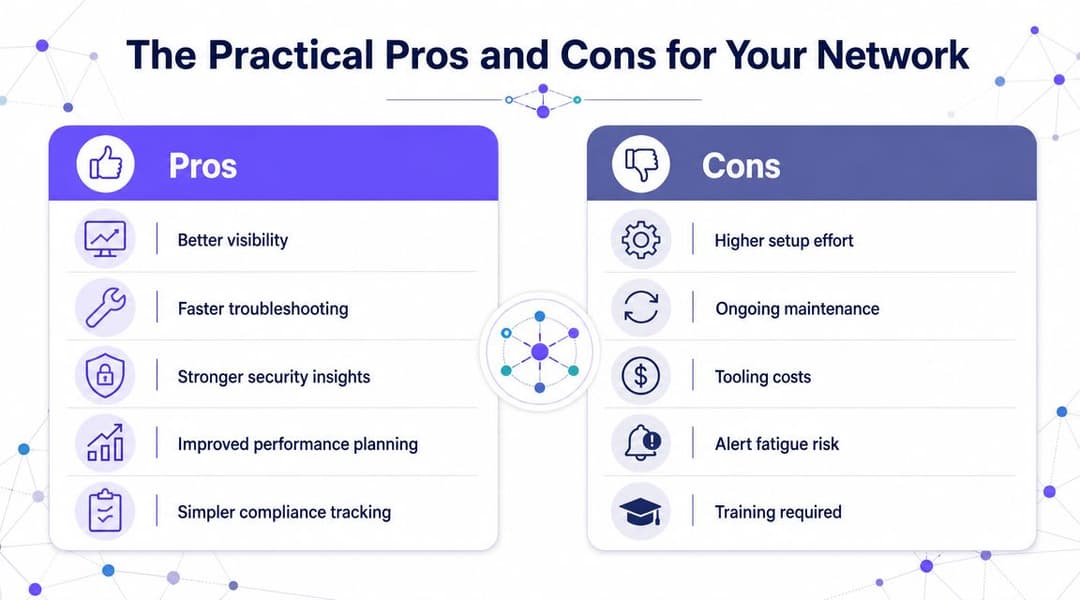
The Practical Pros and Cons for Your Network
The best argument against MAC filtering in business environments usually isn't theoretical security. It's operations.
A feature can be technically valid and still be the wrong answer because the admin cost never stops. MAC filtering falls into that category. Every permitted device has to be identified, entered, and maintained in an allowlist or blocklist. If a laptop is replaced, a wireless adapter changes, or a user brings a new cell phone, the list needs attention.
The few advantages
MAC filtering does have some practical strengths.
Simple concept
Junior admins and non-specialist managers usually understand it quickly. A device is either on the list or it isn't.Useful for small static environments
If you have a handful of fixed devices and almost no churn, it can be manageable.Good for limited policy exceptions
Some legacy endpoints still need a supplementary control when stronger methods aren't available.
The bigger operational problems
The trouble starts when the network reflects real life.
Vendor guidance requires administrators to identify every client MAC address in advance and add each one to the allowlist or blocklist. That's exactly why the feature is most practical only when the device population is small and static, as noted in Belkin's MAC filtering guidance.
Here's what that means in day-to-day administration:
- Staff churn creates ticket churn
New hires, departing employees, replacements, and temporary workers all trigger list changes. - BYOD turns into spreadsheet work
Cell phones, tablets, and personal laptops multiply the maintenance burden. - Guest access becomes absurd
A hotel, clinic, or retail venue can't sensibly pre-register transient devices one by one. - Hardware changes break access
A user swaps a device and suddenly “the WiFi is down” when the issue is really stale policy.
If your access method requires constant manual editing to keep ordinary users online, it isn't scaling. It's drifting.
Why identity-based access scales better
By contrast, modern access systems tie admission to the user, certificate, or directory state instead of a hardware identifier that may change. That means onboarding, revocation, and role changes follow identity systems such as Entra ID, Google Workspace, or Okta rather than handwritten device inventories.
For multi-device US business environments, the design rule is straightforward in that same vendor guidance on allowlists and blocklists. Use MAC filtering only as a supplementary policy for legacy endpoints, and prefer stronger controls for guests, staff, and shared environments.
Why MAC Filtering Fails as a Security Tool
The operational downsides are annoying. The security weaknesses are worse.
MAC filtering fails as a primary security tool because it trusts a value that attackers can imitate and modern devices increasingly change on purpose. That combination makes it weak both against active abuse and against ordinary device behavior.
Spoofing is the direct bypass
A MAC address can be spoofed. In practice, that means a device can present a different MAC address than the factory-assigned one. If an attacker learns an approved address, the filter may accept the impostor because the network is checking the label, not proving real identity.
For US networks, MAC filtering is weak as a standalone control because MAC addresses can be spoofed, and that makes the approach easier to bypass than passkey-based or certificate-based access methods, as explained in Portnox's discussion of MAC address filtering in 2026.
That weakness matters more in environments that need auditability. A venue or enterprise doesn't just want “a known device connected”. It wants to know which guest, employee, contractor, or tenant accessed which network and under what policy.
Randomization breaks the model from the other side
Modern devices also randomize MAC addresses for privacy. That means the identifier your filter depends on may not stay stable in the way older WiFi designs assumed.
This isn't a bug. It's a privacy feature. Device makers introduced it to make passive tracking harder. That's good for users, but it undermines any access model built on the idea that a hardware address is a durable identity anchor.
If you're dealing with current phones and laptops, understanding how randomized MAC addresses affect WiFi operations is now part of basic wireless administration.
Why the security story collapses
Put those two realities together and MAC filtering loses credibility fast:
- If the MAC is visible, it isn't secret
- If the MAC can be copied, it isn't trustworthy
- If the MAC changes for privacy, it isn't stable
- If it isn't secret, trustworthy, or stable, it can't be your main identity signal
Security that depends on a changeable device label will always be brittle.
That's why MAC filtering often creates a false sense of control. It may stop some casual connection attempts, but it doesn't hold up as a serious barrier for enterprise, guest, or shared-access WiFi.
Modern Alternatives for Secure Network Access
A better design starts by changing the question. Don't ask, “Which hardware address should I trust?” Ask, “How should this user or device prove who they are, and what access should follow from that?”
That shift leads to identity-based access. Instead of chasing device labels, you authenticate people and managed endpoints using methods that are designed for modern networks.
WPA3-Enterprise and 802.1X for staff access
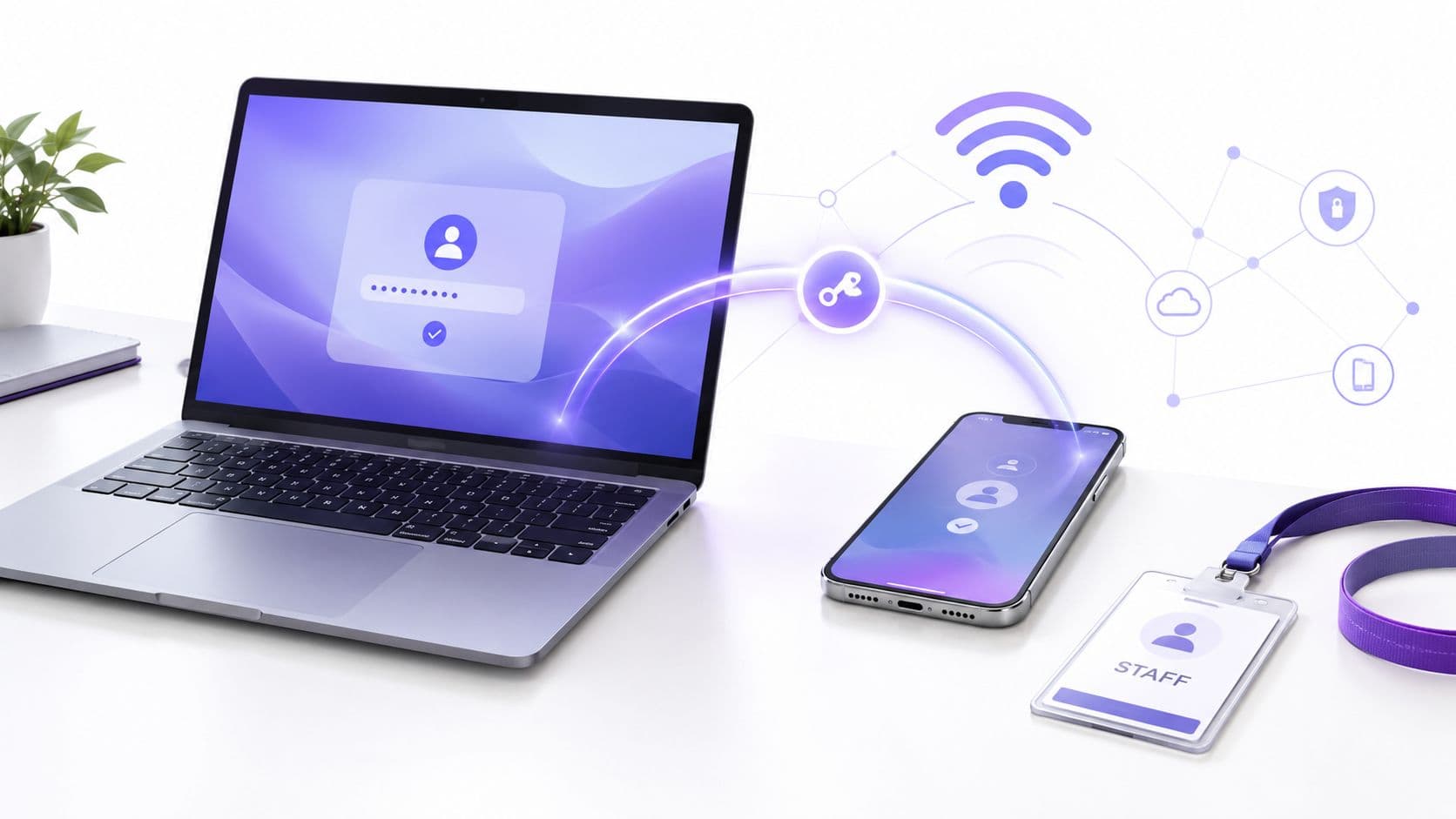
For employee WiFi, WPA3-Enterprise with 802.1X is the standard direction. Access ties to user credentials, certificates, or both, often backed by directory and SSO systems such as Entra ID, Okta, or Google Workspace.
This solves several problems MAC filtering never could:
- Access follows user identity
- Revocation happens when directory status changes
- Policy can vary by role, group, device type, or location
- Audit trails are far more meaningful than “MAC address seen on SSID”
OpenRoaming and Passpoint for guest and public WiFi
Guest WiFi needs both security and convenience. Traditional captive portals and shared passwords create friction. MAC filtering is even less suitable because guest devices are transient and often privacy-randomized.
OpenRoaming and Passpoint move the experience forward. Users authenticate once through a trusted identity flow and then connect securely and automatically in participating environments. That gives venues encrypted connectivity from the first packet without relying on brittle hardware-address logic.
For teams evaluating broader network access control approaches, this is the major dividing line. Device-list controls are static. Identity-based onboarding is dynamic and policy-driven.
iPSK for legacy and headless devices
Some devices still can't do 802.1X. Printers, sensors, scanners, signage units, and certain IoT endpoints often sit in that category.
That's where Individual Pre-Shared Keys (iPSK) help. Instead of one shared password for everything, each device or class of devices gets its own credential and policy. That gives you far better isolation, revocation, and operational control than a MAC allowlist.
Access control method comparison
| Feature | MAC Address Filtering | WPA3-Enterprise (802.1X) | OpenRoaming/Passpoint | Individual PSK (iPSK) |
|---|---|---|---|---|
| Primary trust model | Device address | User or device identity | Federated or platform identity | Per-device or per-policy credential |
| Suited to staff WiFi | Weak fit | Strong fit | Limited | Useful for non-802.1X devices |
| Suited to guest WiFi | Poor fit | Usually not the guest model | Strong fit | Limited |
| Handles device churn well | No | Yes | Yes | Better than MAC lists |
| Supports stronger policy control | Limited | Yes | Yes | Yes |
| Works well with privacy-randomized devices | Poorly | Better | Better | Better |
| Administrative burden | Manual list maintenance | Centralized identity management | Centralized onboarding | Managed per device or policy |
A practical migration path
If you're replacing MAC filtering in a live environment, don't think in absolutes. Think by user and device category:
- Staff and contractors move to 802.1X with directory-backed authentication.
- Guests and public users move to Passpoint or OpenRoaming-style onboarding.
- Legacy and headless devices move to iPSK or certificate-based alternatives where supported.
- Exceptional old endpoints may keep MAC-based rules temporarily, but only as a supplement.
One example in this space is Purple, which supports identity-based guest and staff access, OpenRoaming and Passpoint, plus options such as iPSK for legacy environments. That's the right category of solution to evaluate when your network has outgrown device lists.
Practical Guidance for Hospitality Retail and Healthcare
Different sectors hit the same MAC filtering limits for different reasons. Hotels struggle with guest turnover. Retailers need segmentation between customer, staff, and operational traffic. Healthcare organizations need stronger assurance around who and what is connecting.

Historically, MAC filtering emerged as an early WiFi access-control milestone before modern encrypted authentication became standard. It made sense when wireless networks were simpler and smaller. But by the 2010s, security educators were already highlighting its limits because MAC addresses can be manually changed, which is why current US enterprise and venue networks generally treat it as supplementary at most, as noted in Smallstep's explanation of MAC filtering limitations.
Hospitality
Hotels, restaurants, bars, and event venues can't run guest access on a curated MAC list. The user base is transient, devices are unmanaged, and the support burden would be constant.
A better pattern looks like this:
- Guest access through Passpoint or similar passwordless onboarding
- Staff access through 802.1X and SSO-backed identity
- Back-office devices separated with role-based policy or iPSK where needed
If you still see MAC filtering in hospitality, it's usually attached to a narrow legacy exception rather than the main network design.
Retail
Retail networks need clean separation. Point of sale, handheld inventory devices, staff cell phones, digital signage, and customer WiFi shouldn't be living behind a device list pretending to be access policy.
Use identity and segmentation instead:
- Staff identities map to staff networks
- Operational devices get tightly scoped access
- Customer traffic stays isolated from internal systems
MAC filtering may look tempting for fixed terminals, but iPSK or certificate-backed approaches are easier to manage and easier to revoke cleanly.
Healthcare
Healthcare environments have the least tolerance for weak identity. Clinical workflows, shared devices, roaming staff, and sensitive systems all demand stronger controls than hardware-address checks.
In healthcare, “known device” is not the same as “authorized user under the right policy.”
That's the key design principle. If a ward tablet is replaced, borrowed, or reconfigured, MAC filtering tells you very little about whether the connection should be trusted. Identity-backed access and segmented device policy are far safer choices.
Moving Beyond Device Lists to Identity-Based Security
MAC filtering isn't useless. It's just no longer adequate as the main answer.
It came from an earlier stage of WiFi administration when networks were smaller and the threat model was simpler. Today's environments are mobile, shared, privacy-aware, and policy-heavy. A control built around fixed device identifiers can't keep pace with that reality.
The broader lesson shows up outside networking too. Facilities teams have learned the same thing in physical access. Older systems relied on static lists and shared credentials, while newer platforms use identity, automation, and policy. If you want a non-network example, this guide to automated gym access solutions shows the same shift from manual admission rules to smarter access control.
For WiFi, the modern design principle is simple. Trust identity, not a mutable hardware label. Use methods that can prove who a person or managed device is, apply policy consistently, and revoke access cleanly when status changes. If you're reviewing your wireless roadmap, this broader perspective on secure wireless networking is the right place to start.
The practical outcome is better security and less admin pain. You spend less time editing lists and more time enforcing real policy across staff, guests, tenants, and devices.
If you're replacing MAC filtering with a more modern access model, Purple is one platform to evaluate for passwordless guest access, staff authentication tied to identity providers, OpenRoaming and Passpoint support, and policy options for legacy devices.