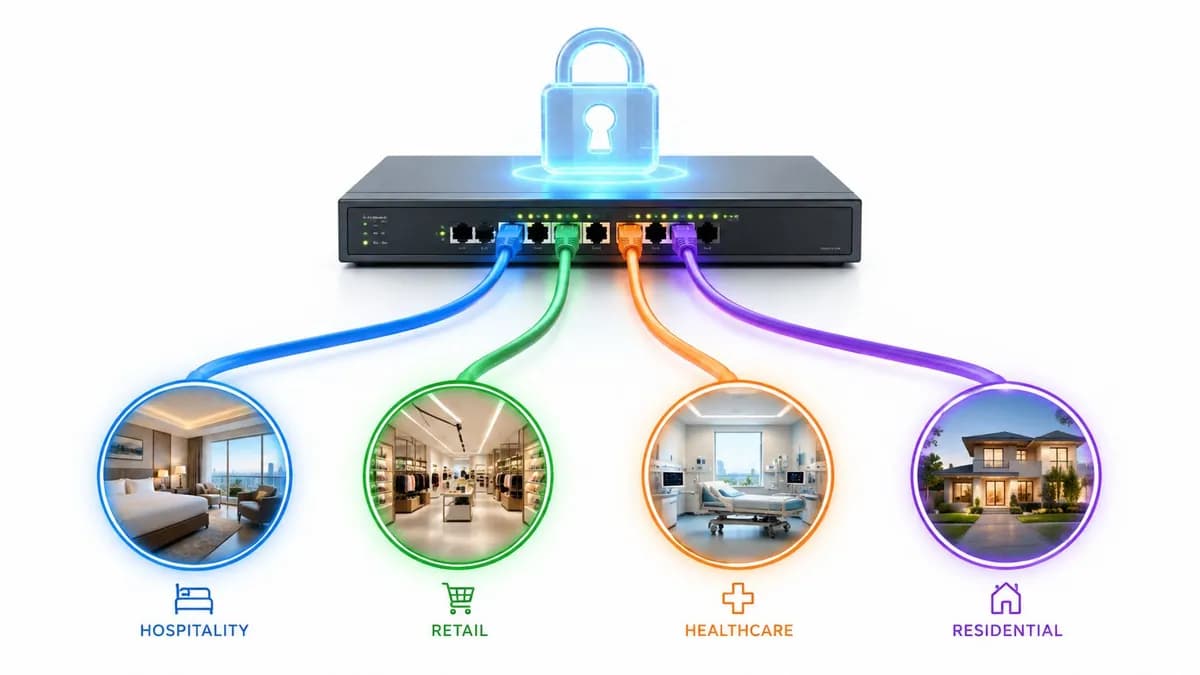
A guest arrives at reception after a long journey. The room is ready, the lobby looks right, and the first thing they ask for is WiFi. A new employee sits down on day one, opens a laptop, and expects secure access to work tools without chasing an IT ticket. In both moments, the network is doing more than providing internet. It’s handling a first impression.
When WiFi onboarding is clumsy, people notice immediately. They hit a splash page that won’t load, a certificate warning they don’t trust, or a password that has already been shared far beyond the intended audience. The technical team sees one problem. The guest, resident, shopper, or employee sees another. They think the business feels disorganized.
When WiFi onboarding is designed properly, the opposite happens. Access feels quick, security sits in the background, and the organization learns something useful about the connection without making the user fight for it. That’s why onboarding now belongs in the same conversation as identity, access policy, customer experience, and measurable commercial value.
Introduction The First Digital Handshake
A hotel guest can forgive a short queue at check-in. They rarely forgive bad WiFi. The same is true in offices, retail venues, hospitals, Student Housing, and Multi-Family properties. If the first digital interaction feels unreliable, confidence drops before the service has even begun.

There are two very different onboarding stories playing out in most organizations. In the first, the venue uses a shared password, staff write it on cards, and nobody really knows who connected, when, or whether that access should still exist. In the second, the network recognizes the user type, applies the right policy, and gets them online with as little friction as possible. One approach creates support overhead and weak accountability. The other turns access into a controlled, useful business process.
That shift matters because WiFi has stopped being a simple amenity. It now feeds analytics, customer journey tracking, staff access control, and tenant isolation. The broader market reflects that. The global WiFi analytics market was valued at USD 6.65 billion in 2023 and is projected to grow at a 23.9% CAGR through 2030, driven by adoption in retail, hospitality, and transport. Effective onboarding sits at the front of that value chain.
What people often miss
Business stakeholders often think of onboarding as a login screen. IT teams often think of it as an SSID and an auth flow. Both views are too narrow.
A sound onboarding design answers three practical questions at once:
- Who is this user or device
- What should they be allowed to reach
- How much friction is acceptable for that level of trust
Good WiFi onboarding doesn’t start with a portal design. It starts with deciding how identity, policy, and user experience should work together.
That’s why the right design differs between a guest in a café, a nurse on a managed handset, a contractor on a personal laptop, and a smart TV in a student housing apartment. They’re not the same risk. They don’t need the same journey. And they shouldn’t land on the same network path.
Why this is now a board-level issue
The network team usually owns the implementation, but the consequences spread far wider. Hospitality teams care about arrival experience. Retail marketers care about identified visitors rather than anonymous traffic. Property managers care about resident complaints and churn risk. Security leaders care about weak credentials and stale access.
WiFi onboarding sits right in the middle of all of that. It’s the first digital handshake, and in many environments, it’s one of the few moments when the organization can combine convenience, trust, and useful insight in a single interaction.
Understanding WiFi Onboarding Fundamentals
The simplest way to explain WiFi onboarding is to think of it as a digital receptionist. It doesn’t just open the door. It checks who’s arrived, decides what they should access, and sends them to the right place.
That sounds obvious, but many environments still treat onboarding as if every visitor were identical. They publish one SSID, apply one password, and hope policy can be sorted out afterward. That usually creates the opposite outcome. Security becomes weaker, support gets harder, and reporting loses meaning because identity was never captured properly at the point of entry.
The three jobs onboarding must do
Every onboarding flow, whether it’s simple or advanced, is trying to do three things.
Authentication
This is the “who are you?” step. The user might prove identity with a password, a portal form, corporate credentials, or a certificate.Authorization
This is the “what are you allowed to do?” step. A guest should not land on the same access path as payroll staff. A resident device shouldn’t be able to see a neighbor’s printer.Connection setup
This is the practical part. The device needs a stable, trusted path onto the right network segment with the right security controls and a low-friction user experience.
If one of those jobs is weak, the whole process suffers. Authentication without sensible authorization creates over-permissioned access. Authorization without a smooth connection flow creates drop-off and complaints. A simple setup that never identifies the user gives the business almost nothing to work with afterward.
Different users need different journeys
A one-size-fits-all approach worked when WiFi meant “internet in the lobby.” It doesn’t work now.
Here’s how the main user groups usually differ:
- Guests and visitors need speed, clarity, and minimal setup. They won’t tolerate enterprise-style complexity.
- Permanent staff need strong security and automatic repeat access. If they connect every day, the experience should improve after first setup.
- Contractors and temporary workers need controlled, time-bounded access tied to role and business need.
- IoT and legacy devices often can’t handle modern interactive login flows at all, so they need a separate strategy.
Practical rule: If your onboarding journey looks identical for guests, staff, contractors, and devices, the design is probably solving the wrong problem.
Why identity matters more than access
Mature WiFi onboarding proves strategically useful. The goal isn’t only to connect a device. The goal is to connect a known identity, or at least a defined user type, to an appropriate policy.
That identity link is what allows security teams to revoke access cleanly, property managers to separate tenants, and customer-facing teams to turn a WiFi session into useful first-party insight. Without it, the network only knows that “something” connected.
Some platforms package this as cloud-managed onboarding and identity-aware policy. Others tie it into NAC, RADIUS, or directory services. The product names differ. The design principle doesn’t. Access works better when identity is decided first. A useful overview of that operational model appears in Purple’s guide to streamlining user onboarding for secure network access.
A better mental model
Think less about a login page and more about a controlled arrival process.
A strong onboarding design does the following in order:
- Recognizes context such as guest, employee, tenant, contractor, or device
- Applies the right trust model rather than assuming all users deserve equal access
- Places the session correctly on the network with the right policy and isolation
- Records enough information to support security, operations, and business reporting
That’s the foundation. Once that model is clear, the choice of method becomes much easier.
Comparing Common WiFi Onboarding Methods
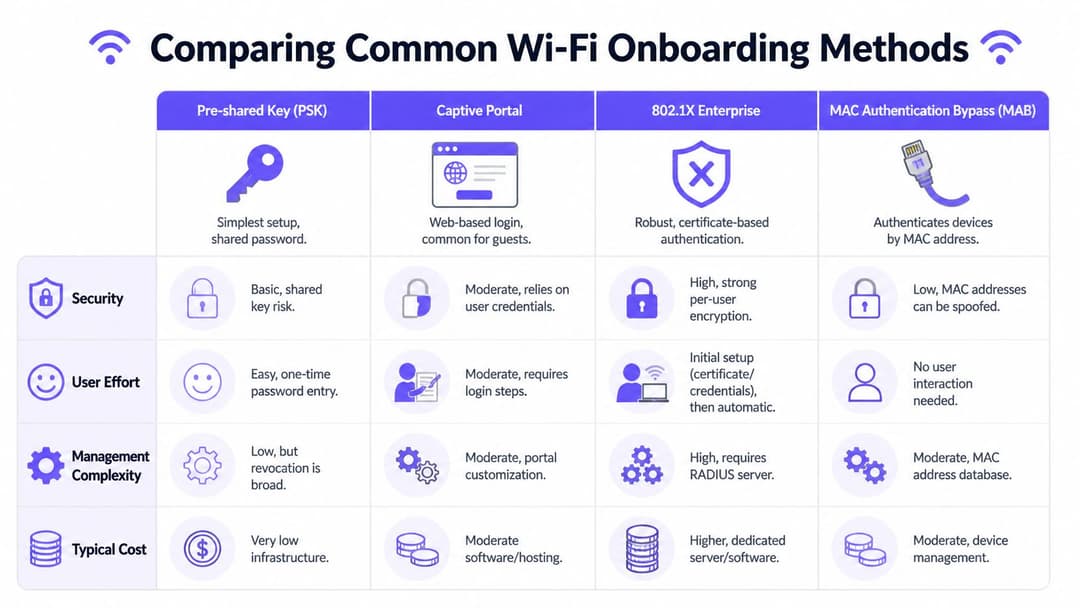
Choosing a WiFi onboarding method is really a policy decision disguised as a connectivity decision. The method determines who can get on the network, how quickly access can be changed, what the business can learn from the session, and how much operational effort lands on IT later.
That matters more in enterprise and multi-tenant environments than in a single small office. A hotel, managed workspace, student housing building, hospital, or mixed-use property rarely has one user type. It has employees, guests, residents, contractors, visitors, unmanaged devices, and building systems. One onboarding model will not serve all of them well.
The useful comparison is not "which method is popular?" It is "which method gives the right balance of security, user effort, administrative effort, and identity control for this access type?"
Open networks
Open SSIDs remove nearly all join friction. That can be useful in places where the service goal is fast public internet access and the network is tightly isolated from anything sensitive.
The trade-off is weak accountability. There is little or no trustworthy identity signal, limited policy precision, and very little value for audit, abuse handling, or customer insight. In business terms, open access is easy to offer and hard to govern.
Shared passwords and PSK
Shared PSKs stay common because they are quick to deploy and easy to explain. For a low-risk, low-change environment, that simplicity may be acceptable.
Problems show up as soon as the user base changes frequently. Passwords get passed around, offboarding becomes a mass reset, and support teams end up managing exceptions instead of a proper access model. Shared PSK works for basic connectivity. It does not work well for identity-led control.
Captive portals
Captive portals are still widely used for guest access because they can collect consent, basic user details, and marketing preferences before granting internet access. They also give the organization a branded entry point, which matters in hospitality, retail, healthcare, and shared venues.
They also fail in ways business stakeholders often underestimate. The user journey depends on browser behavior, operating system pop-up assistants, DNS and redirect handling, and valid certificate trust. If any of those break, the user does not see a minor technical issue. They see "the WiFi is broken".
I have seen this create a disproportionate support burden in venues with high visitor turnover. The portal may look fine in testing, yet still fail on enough real devices to hurt guest satisfaction and reduce sign-up rates. Teams designing these flows should treat them as part of the production service, not a branding exercise. Purple’s guide to WiFi onboarding and captive portal best practices is a useful reference for reducing those failure points.
802.1X enterprise access
For staff access, 802.1X remains the benchmark. It supports per-user or per-device authentication, maps cleanly into directory and policy systems, and gives security teams a controlled way to revoke access without affecting everyone else.
The trade-off is operational discipline. Certificate lifecycle management, supplicant behavior, RADIUS policy, and device onboarding all need to be set up properly. Organizations that commit to that model usually get better security and cleaner administration over time. Organizations that under-resource it often end up with a half-built design full of temporary exceptions.
Individual PSK and identity-based variants
Individual PSK sits in the middle ground. Each user, unit, or device gets its own credential, which improves accountability and makes revocation far less disruptive than a single shared password.
This model is often useful for IoT, legacy devices, corporate housing, student housing, and other environments where devices need stable credentials but cannot complete a richer authentication flow. It is not a substitute for segmentation. It is a practical way to make segmentation and lifecycle control easier to operate.
Passpoint and OpenRoaming style onboarding
Passpoint and OpenRoaming-style approaches reduce repeat login friction because devices can reconnect automatically after the initial trusted enrollment. For venues that rely on repeat foot traffic, that has clear commercial value. Returning users get a better experience, support requests drop, and the organization keeps a stronger link between identity, policy, and session history.
These models do need planning. The venue has to align identity, privacy, consent, and roaming relationships with the service it wants to provide. Where they fit, they move WiFi onboarding closer to an identity service than a one-time login page.
Comparison of WiFi Onboarding Methods
| Method | Security Level | User Experience | Best For |
|---|---|---|---|
| Open network | Low | Very easy at first | Public access with tightly limited expectations |
| Pre-shared key | Basic to moderate | Simple | Small sites, low-complexity environments |
| Captive portal | Moderate when designed well | Variable, can be poor if the flow is clunky | Guest access, branded journeys, consent capture |
| 802.1X enterprise | High | Strong after setup | Employees, managed devices, controlled BYOD |
| Individual PSK | Moderate with better accountability than shared PSK | Good for non-interactive devices | Legacy devices, IoT, segmented residential use |
| Passpoint or OpenRoaming style access | High-quality repeat experience with strong trust model | Very smooth after enrollment | Hospitality, retail, transportation, repeat visitors |
What works and what doesn’t
Good onboarding design matches method to audience.
Employees and managed devices usually justify 802.1X. Guests often need a low-friction portal or a roaming-based experience. IoT and operational systems often need individual credentials and tight segmentation. Multi-tenant sites usually need more than one model running at the same time, because resident access, staff access, and visitor access have different risk, support, and reporting requirements.
The common mistake is standardizing on the easiest method for IT on day one, then living with the security gaps, support tickets, and poor visibility for years. A better design starts by asking what identity the business needs to recognize, what policy should follow from that identity, and how quickly access must be changed when users, devices, or tenants change.
The right method is the one that keeps access easy enough to use, precise enough to govern, and visible enough to support both security and business reporting.
Balancing Security with a Seamless User Experience
Security and user experience are often treated as if one must damage the other. In well-designed WiFi onboarding, that isn’t true. The strongest environments increasingly use identity-aware methods that improve both.
The old trade-off came from weak tools. Shared passwords were easy but unsafe. Heavy manual setup was safer but irritating. Modern onboarding can do better if the organization is prepared to separate user types and automate the right parts of access.
Stronger security usually starts with identity
The most practical improvement many enterprises can make is moving away from broad shared credentials and towards certificate-based authentication for staff access. In the US, enterprises using WPA3-Enterprise with certificate-based authentication cut unauthorized access incidents by 78% compared with PSK, and reduced WiFi access helpdesk tickets by 65%.
Those results make sense operationally. A certificate tied to a user or managed device is harder to misuse than a password known by dozens of people. It can also be revoked in a controlled way when someone leaves, changes role, or loses a device.
Security design should also account for where sessions go after authentication. Staff, guests, contractors, residents, and IoT equipment should not share the same trust boundary solely because they used the same radio infrastructure.
What good security design looks like
A practical model usually includes:
- Directory-linked identity so access follows employment or tenancy status
- Segmentation by role or device class to contain lateral movement
- Repeatable onboarding policies rather than manual one-off exceptions
- Clear offboarding controls so old access doesn’t linger
That’s what turns WiFi from a convenience layer into a proper access-control layer.
Field note: The biggest security issue in many WiFi estates isn’t encryption strength. It’s the number of people and devices still using access methods nobody can revoke cleanly.
User experience fails at the small points
On the user side, onboarding usually breaks for mundane reasons. Instructions are unclear. The portal loads badly on mobile. The browser helper strips out part of the flow. The user can’t tell whether they’re connected, waiting, or blocked.
That’s why smooth onboarding is mostly about removing ambiguity.
Good UX design in this context means:
- Fewer steps for low-risk guest access
- Clear language about what the user needs to do
- Consistent behavior across common devices
- Automatic reconnection where trust has already been established
For guest access, that might mean a lightweight portal with sensible consent language and no unnecessary fields. For staff, it usually means a one-time setup that leads to automatic and secure future access. For residents, it means home-like simplicity backed by invisible isolation.
The sweet spot is policy with low friction
This is also where a platform approach can help. Rather than building separate login experiences, certificate workflows, and segmentation logic by hand for every environment, teams often standardize on tools that integrate identity providers, cloud-managed policy, and mixed onboarding methods. Purple is one example. It supports guest, staff, and multi-tenant onboarding with options such as captive portals, identity integration, and passwordless access paths.
The core lesson isn’t about any one vendor. It’s that security becomes easier to live with when the onboarding path is designed around user context instead of a single blunt rule for everyone.
A practical test
If you want to know whether your current setup balances security and UX, ask four questions:
- Can access be revoked quickly for one person or device without disrupting everyone else?
- Can a first-time user understand the connection process without staff intervention?
- Does the network assign users to the right policy automatically?
- Does the second connection feel easier than the first?
If the answer is no to most of these, the problem usually isn’t only the SSID. It’s the onboarding model behind it.
Deployment Considerations for Your Environment
The right WiFi onboarding design depends heavily on the setting. A hotel, a hospital, a head office, and a student housing facility may use similar infrastructure, but they do not have the same identity model, the same support burden, or the same tolerance for friction.
That’s why deployment decisions should start with the operating environment, not the preferred technology.
Hospitality and retail
In customer-facing venues, onboarding often serves two jobs at once. It must connect the guest quickly, and it must create a usable data point for the business.
That changes the design priorities. Marketing teams usually want consent capture, repeat visit visibility, and integration into CRM or automation workflows. Operations teams want fewer complaints at the front desk or on the sales floor. The network team wants a stable process that doesn’t collapse when devices behave differently.
In these environments, the main trap is over-designing the portal. Extra fields, awkward redirects, and confusing consent steps create abandonment. Branded doesn’t have to mean complicated.
A practical operating model is:
- Keep guest access lightweight and avoid long forms
- Map captured identity into downstream systems only if the data has a clear use
- Review the journey on common handset types because mobile is often the primary path
- Separate analytics ambition from access friction so marketing goals don’t break onboarding
Enterprise and corporate offices
Corporate environments usually care less about splash page branding and more about secure staff access, BYOD policy, and access lifecycle control.
That pushes the design toward integration with directory and identity providers such as Entra ID or Okta. The value is operational as much as technical. When access follows the user record, joiners, movers, and leavers become easier to manage. Security teams also get more reliable policy enforcement because identity is established before broad network access is granted.
For enterprises, good deployment planning usually comes down to role clarity:
- Employees should have the most effortless repeat access after a secure first enrollment
- Contractors need time-bound and limited access
- BYOD users need clear guardrails without turning onboarding into a helpdesk event
- Non-user devices should be isolated from user traffic wherever possible
Multi-tenant residential and Student Housing
This is the overlooked environment in many generic guides, and it has its own awkward constraints. Residents expect the service to feel like home broadband, not enterprise NAC. At the same time, operators need strong separation between tenants, staff access, and communal systems.
The pain is measurable. In the UK, 15% of multi-occupancy housing units report significant WiFi onboarding friction, and 28% of Multi-Family residents cite authentication delays as a top complaint. That points to a design gap, not just an installation issue.
In multi-tenant environments, the hardest requirement is psychological as much as technical. Residents expect simplicity, while operators need enterprise-grade isolation behind the scenes.
The practical challenge is that many properties have a mix of user-driven devices and stubborn legacy endpoints. Smart TVs, consoles, older IoT devices, building systems, and resident laptops all want different treatment. If the property only offers one onboarding path, somebody’s experience will suffer.
Good residential onboarding usually depends on three principles:
- Resident identity should map cleanly to a private policy boundary
- Staff and building operations should stay separate from resident traffic
- Legacy device support should exist without weakening the whole estate
Deployment is a policy exercise first
The biggest deployment mistake is to focus only on wireless coverage, controller settings, and login pages. Those matter, but they come after policy design.
Start by defining who connects, how their identity is established, what access they need, and how that access ends. The technology choice becomes far clearer once those questions are answered in business terms.
Measuring Onboarding Success and Proving ROI
A lot of WiFi projects are declared successful because the signal is strong and the SSID is visible. That’s not enough. If users can see the network but fail to complete onboarding, the business still carries the cost without receiving much value.
The right success measures combine technical completion with business usefulness.
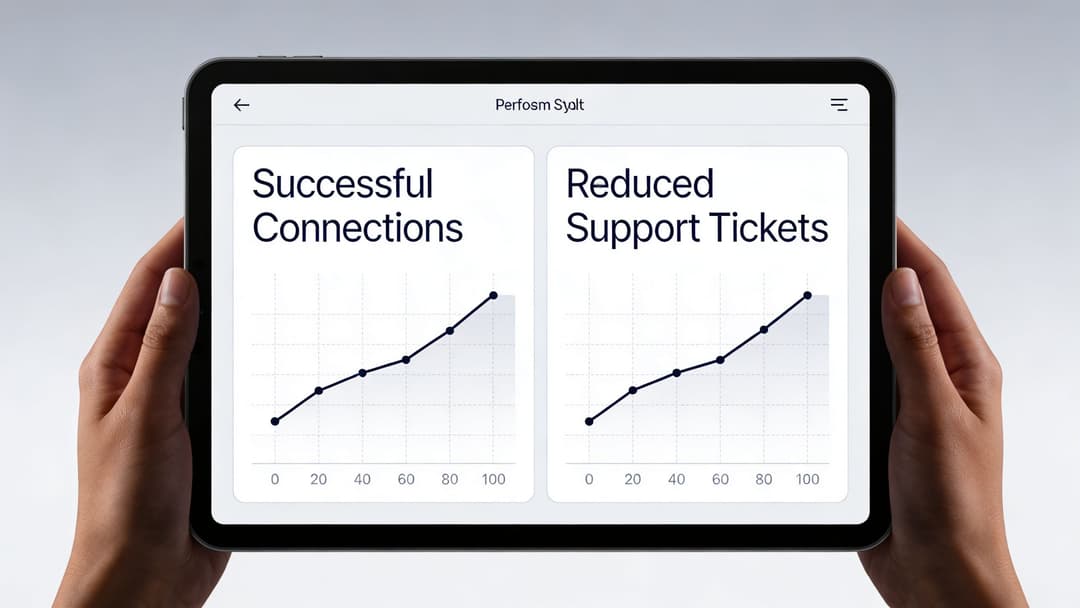
The first metric to watch
For guest-facing environments, one of the most revealing measures is engagement. In US retail, optimized WiFi onboarding achieves a 25 - 40% engagement rate, measured as authenticated connections versus total footfall, while venues below 15% typically indicate poor user experience.
That number matters because it shows where anonymous presence turns into known participation. If lots of devices are detected but very few people complete onboarding, the network may be “available” without being commercially useful. Marketing teams lose first-party data opportunities. Operations teams lose confidence in the experience. IT teams end up supporting a system that isn’t converting access into value.
What to measure besides engagement
A mature onboarding dashboard usually needs both network and service metrics.
| KPI | Why it matters | What it tells you |
|---|---|---|
| Connection completion | Basic operational health | Whether users can actually finish onboarding |
| Time to usable access | Experience quality | Whether the process feels fast or frustrating |
| Drop-off points in the journey | UX diagnosis | Which step causes abandonment |
| Repeat connection behavior | Loyalty and convenience | Whether the return experience is improving |
| Support ticket themes | Operational cost | Whether friction is shifting to the helpdesk |
| Identified users versus detected presence | Commercial value | Whether WiFi is generating usable first-party insight |
Notice what’s missing. Raw association counts on their own don’t say much. A device can see the SSID, attempt a connection, and still fail before the session becomes useful.
Translating technical data into business language
Different stakeholders need different interpretations of the same onboarding data.
- IT teams look for failed auth patterns, unstable flows, and support triggers.
- Marketing teams care about identifiable visitors, repeat behavior, and data capture quality.
- Operations leaders care about fewer complaints and smoother front-line delivery.
- Finance and leadership want to know whether the system is creating measurable return, not just consuming budget.
That’s where ROI work needs discipline. Don’t jump from “we upgraded the WiFi” to “the business improved”. Show the chain. Better onboarding leads to more completed sessions, more usable first-party data, fewer support interventions, and a clearer basis for analyzing return. Teams that need a planning framework can use tools such as Purple’s WiFi ROI calculator to structure that conversation.
The strongest ROI cases rarely come from one spectacular metric. They come from a clean story linking lower friction, better identity capture, and fewer operational problems.
A practical reporting rhythm
Weekly reporting is usually best for operational fixes. Monthly reporting works better for business review. The key is to compare like with like. Review one venue against its own baseline before benchmarking across a portfolio.
If onboarding success is improving, support friction should become more predictable and the business should gain a clearer picture of who converts from physical presence into authenticated use. That’s the point where WiFi stops being a utility line item and starts behaving like a managed business channel.
Your Next Steps in WiFi Onboarding
Most organizations don’t need a complete rebuild on day one. They need a clearer view of what their current onboarding process is doing, and where it’s creating friction, weak identity, or avoidable risk.
The biggest mindset shift is simple. WiFi onboarding is no longer just about getting people online. It’s about deciding how identity enters the network, how policy is applied, and how that interaction supports both security and business goals.
Start with an honest audit
Walk through the journey as if you were a guest, a new employee, a contractor, a resident, and a legacy device. Don’t rely on architecture diagrams alone. Test the actual experience on real devices.
Look for signs of design debt:
- Shared credentials that are difficult to rotate cleanly
- Portal steps that feel unclear or excessive
- User groups that are forced through the same flow despite different needs
- Access paths that remain active after the user or device should have been removed
Decide what matters most
Some organizations want stronger staff security first. Others need a smoother guest journey. Residential operators may care most about tenant isolation without resident frustration. Retailers may focus on turning connections into identifiable engagement.
Those priorities drive the right method. Without them, teams often end up choosing tools by habit rather than fit.
Modernize in controlled steps
A practical roadmap usually looks like this:
Audit the current onboarding flow
Identify where users fail, where access is too broad, and where support teams intervene most often.Define the primary objective
Decide whether the first priority is guest experience, staff access control, tenant isolation, analytics, or a mix with clear ranking.Adopt methods that fit each identity type
Use stronger identity-based access for staff, low-friction guest journeys for visitors, and separate handling for IoT or legacy devices.
The organizations that do this well don’t chase a single fashionable standard. They build an onboarding model that reflects how their environment works. That’s what makes the network easier to manage, safer to operate, and more useful to the business.
If you’re reviewing your current WiFi onboarding approach, Purple is worth a look as one option for combining guest access, staff identity integration, and multi-tenant policy control in a single platform. It’s particularly relevant for teams trying to move away from shared passwords and disconnected onboarding tools while keeping deployment practical across mixed environments.