
Footfall analytics for shopping centers: WiFi, cameras and sensors compared
You will be able to decide which footfall method your shopping center needs first: entrance counters for a defensible door count, WiFi presence analytics for dwell and zone movement, or mobile data panels for catchment. You can also cost each option per entrance, meet CCPA/CPRA duties and benchmark against national footfall series.
Video overview
Part of our core series: WiFi Analytics Guide →
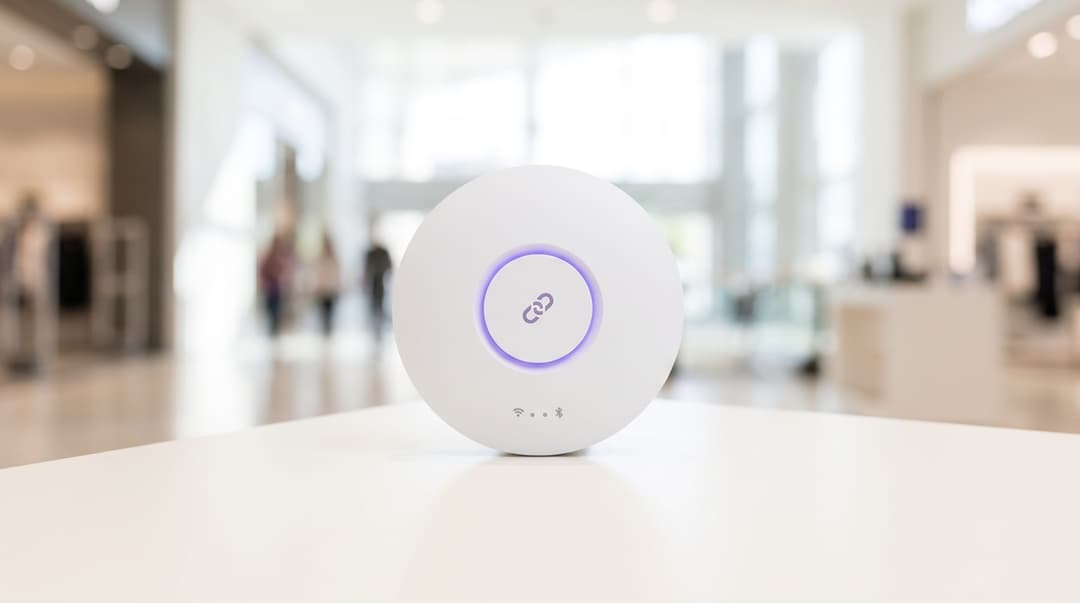
Shopping centers measure foot traffic best by combining entrance counters, such as stereo cameras or lidar, with cloud WiFi analytics on existing access points from Cisco Meraki, HPE Aruba, or Ruckus. Entrance counters deliver headline counts, while ISO 27001 certified WiFi analytics tracks dwell and zone movement across 80,000+ venues without requiring new hardware.
Which foot traffic measurement method should your shopping center choose?
When you buy foot traffic analytics for shopping centers, you are buying answers to three separate questions:
- How many people came in?
- Where did they go, and for how long?
- Where did they come from?
No single technology answers all three well, so the choice is rarely either-or.
- Entrance counters answer the first question. Stereo cameras, thermal sensors and lidar count people crossing a line, in both directions.
- WiFi presence analytics answers the second. Your access points detect phones across every mall, food court and parking lot they cover.
- Mobile data panels answer the third. They model visits from a sample of phones and show where visitors live and work.
Our recommendation follows the order of those questions:
- No reliable door count today? Install entrance counters at your main public entrances first. Valuations, CAM fee discussions and investor reports rest on that figure.
- Already counting your doors? Add WiFi presence analytics before you buy more sensors. It extends measurement into zones and tenants for the cost of software.
- Need catchment, acquisition or competitor comparison? Buy panel data.
Where do WiFi, cameras, sensors and mobile data genuinely differ?
Four things separate these options for an asset or center manager: accuracy, zone coverage, privacy exposure and cost. Cost follows from the first three, so start there.
Accuracy: people at a line versus devices in a zone
Entrance counters measure people.
- Stereo cameras use two lenses to judge height. That lets them filter out carts and strollers and separate adults from children.
- Thermal sensors count body heat crossing a line.
- Lidar fires laser pulses to build a 3D point cloud. It follows each shape across a wider area.
All three depend on correct mounting and regular validation against a manual count. A sensor knocked out of alignment during a storefront remodel can undercount for months unnoticed.
WiFi presence analytics measures devices, not people. Some shoppers carry no phone, some carry two, and some switch WiFi off. Apple and Google both document that modern phones randomize the hardware (MAC) address they broadcast. That makes phones that never connect hard to deduplicate across a single visit. WiFi is therefore strong on trends, dwell and zone share, and weak on exact headcount.
Connected visitors give a far cleaner signal. Some visitors sign in through a captive portal, the sign-in page shown before network access. Each of those visitors creates one consented record per visit. You can then measure their dwell and return frequency with confidence.
The practical fix for the device-versus-person gap is calibration:
- Run WiFi alongside your door count for four to eight weeks.
- Calculate the ratio of detected devices to counted entries.
- Apply that ratio to the doors you do not count.
- Recheck it every quarter.
Coverage: entrances versus zones and tenants
A door counter stops at the door. Take a center with 12 entrances and 150 units. Its counters show how many people came in, not which malls they used. Covering zones with sensors means another counting line at every mall junction and tenant entrance. Hardware, cabling and maintenance costs rise with every line you add.
WiFi covers wherever your access points do: malls, food court, leisure and parking lot lobbies. That makes it the practical route to location analytics in shopping centers. You can report:
- dwell time by zone
- movement between anchor stores
- the share of visits reaching an upper level
One access point often serves several units. Report by zone or mall rather than by individual store.
Privacy and CCPA/CPRA
Each method carries a different level of exposure under CCPA/CPRA and state privacy regulations.
- WiFi presence analytics. Guidance from the FTC and state attorneys general on WiFi location analytics treats device identifiers such as MAC addresses as personal data where they can single out an individual. Hashing pseudonymizes identifiers but does not anonymize them. Run a Data Protection Impact Assessment (DPIA). Display signage at entrances and explain how visitors can opt out.
- Stereo cameras. If the device processes images of identifiable people, CCPA/CPRA applies in full, as does relevant video surveillance guidance. Ask whether counting happens on the sensor and whether any image ever leaves it.
- Thermal and lidar. Neither captures a recognizable face, so the risk is lower. Document the processing in your DPIA anyway, because visitors cannot tell a sensor from a camera.
- Mobile data panels. The panel supplier is the controller for the source data, and you receive aggregates. Ask how panel members gave consent and what minimum group size the supplier reports.
You may also use WiFi sign-ins for email marketing. If so, the TCPA and CAN-SPAM require separate consent. Purple's conscious-choice opt-ins keep marketing consent apart from network access.
How the five methods compare
| Criterion | WiFi presence analytics | Stereo entrance cameras | Thermal sensors | Lidar sensors | Mobile data panels |
|---|---|---|---|---|---|
| What it counts | Phones detected or connected on your network | People crossing a door line | People crossing a line, by heat signature | People and their paths across an open area | Modeled visits from a phone panel sample |
| Best output | Dwell, zone flow, return visits | In and out counts per entrance | In and out counts in low light | Counts and flow across wide entrances and atria | Catchment, origin, cross-site comparison |
| Zone and tenant coverage | Every area with access point coverage | Doorway only | Doorway or narrow corridor only | One defined open zone per sensor | Whole site, little detail inside the building |
| New hardware | None where access points already cover the site | One or more ceiling units per doorway | One or more ceiling units per doorway | One or more high-mounted units per zone | None |
| Main accuracy limit | Counts devices, not people; MAC randomization | Mounting height and door geometry | Background heat near open doors | Line of sight and occlusion | Sample size and modeling |
| CCPA/CPRA exposure | Personal data; DPIA, signage and opt-out | Personal data if images are processed | Low; no identifiable image | Low; point clouds hold no faces | Supplier is controller; you receive aggregates |
| Who it suits | Asset and marketing teams needing zone and repeat-visit data | Center managers reporting headline footfall | Entrances with poor light or privacy concerns | Open-air schemes and wide entrances | Asset managers comparing catchments |
When are entrance cameras or sensors the right call?
Choose entrance counters when the number itself carries commercial weight. That applies in four situations:
- You report footfall to investors, lenders or valuers, who expect a people count from a named method.
- You benchmark against national series built on sensor counts, such as the BRC-Sensormatic IQ Footfall Monitor.
- Your entrances are defined doorways, where a single counting line captures everyone.
- You need in-and-out flow per entrance to plan cleaning, security and parking lot staffing.
Stereo, thermal or lidar: which entrance sensor fits?
Stereo cameras suit standard indoor mall entrances. Height filtering separates adults from children and carts. On-device processing keeps images out of your systems.
Thermal sensors suit entrances in low light, and sites where visible cameras would concern visitors or tenants. They need care at doors facing direct sun or overhead heaters, which shift the background temperature.
Lidar suits wide open entrances, atria and open-air schemes. One unit covers a larger area and follows paths, not just line crossings. It needs higher mounting points and a clear line of sight.
When is WiFi presence analytics the right call?
Choose WiFi presence analytics when your question is about behavior inside the center rather than the count at the door. It fits when:
- your malls, food court and parking lot already have WiFi coverage
- you need dwell time, zone flow and return-visit frequency for leasing, marketing or tenant mix decisions
- your scheme has no doors to count, such as a retail park with open frontages
- you want first-party data from consented sign-ins, so you can reach visitors after they leave
Purple's WiFi Analytics runs as a cloud overlay on the access points you already own. It is hardware-agnostic and works with Cisco Meraki, HPE Aruba, Ruckus, Juniper Mist, Ubiquiti UniFi, Cambium, Extreme and Fortinet. No rip and replace is required. See why your next WiFi upgrade doesn't need new hardware for the reasoning.
Visitors who sign in through Purple Guest WiFi make a conscious-choice opt-in to marketing. Your contact list is therefore first-party and consented.
Purple runs across 80,000+ live venues and handled 440 million logins in 2024 (Purple data). The platform is ISO 27001 and Cyber Essentials certified, with 99.999% uptime. For sector context, see Purple for Retail.
The limit is real: WiFi will not give you an audited headcount at the door. Pair it with counters at your main entrances, and use those counts to calibrate.
Got questions about your specific setup?
Our team works with venue operators, IT managers, and network engineers across 80,000 venues. Book a 20-minute call and we will show you how others like you solved it.
When do mobile data panels earn their place?
Panels draw on two sources:
- aggregated mobile network data
- location data from apps whose members agreed to share it
They answer catchment questions no on-site system can: home zip code districts, travel time and visits to competing schemes. They need no hardware on site.
They are the wrong tool for daily operations, for three reasons:
- Counts are modeled from a sample, so small zones and quiet hours carry wide error.
- Reports usually lag the period they describe.
- Panels cannot see which mall or level a visitor used.
Use panels for acquisition due diligence, leasing pitches and annual catchment reviews, alongside your own counts.
What does each footfall method cost per entrance to run?
Vendors price per unit, per site or per report, so headline quotes rarely compare directly. Normalize every quote to a five-year total cost per entrance. Include installation, cabling, licenses, maintenance and recalibration.
| Method | Upfront cost per entrance | Recurring cost | Cost buyers often miss |
|---|---|---|---|
| WiFi presence analytics | No per-entrance hardware where access points exist | Software subscription | Calibration against a door count |
| Stereo cameras | Unit, mounting, power and data cabling to each door | License or maintenance contract per unit | Re-aiming after refits and storefront changes |
| Thermal sensors | Unit, mounting and cabling per door | License or maintenance contract per unit | Checks on doors facing sun or heaters |
| Lidar sensors | Unit, high mounting and cabling per zone | License per sensor | Survey for suitable mounting points |
| Cell phone data panels | None | Subscription per site or per report | Lag between visit and data delivery |
Wide entrances change the arithmetic. A door that needs three stereo units costs roughly three times as much as a single-unit door. WiFi cost stays flat, because it scales with the venue rather than the doorway.
Worked scenario: extending a door count into zones (retail)
The figures below are illustrative.
Situation. An enclosed regional shopping center has 140 units and 11 public entrances. Stereo counters cover seven mall entrances, and four parking lot elevator lobbies have no counter. The asset manager needs dwell and visit share for the upper mall ahead of lease renewals. WiFi already covers every mall and the parking lot.
Approach. The team kept the seven counters and switched on WiFi presence analytics on the existing access points. Both systems ran side by side at the counted doors for six weeks. The team calculated the ratio of detected devices to counted entries at each door. They applied the average ratio to the four elevator lobbies, then reported dwell and visit share by zone.
Outcome. The center gained an estimated count for all 11 entrances without four new counter installations. Zone reporting covered all 140 units, grouped by mall and level. The monthly upper mall report showed visit share and median dwell, and fed the lease renewal pack. The team rechecks the ratio every quarter and after any network change.
How do you benchmark shopping center foot traffic against the main street?
Foot traffic benchmarking in the US typically draws on published market intelligence sources.
Reports typically track percentage change, which tells you how to compare. Follow five rules:
- Compare percentage change, not absolute volumes. Your 20,000 weekly entries mean nothing against a national index. Your year-over-year change does.
- Use like-for-like entrances. If you add a counter mid-year, exclude it until it has 12 months of history.
- Align calendars. Match trading weeks, Easter, federal holidays and school holidays. A moving Easter can swing a single month by several points.
- Never mix methods. Compare door counts with door-count benchmarks. Keep WiFi device counts for internal trends, dwell and zone share.
- Annotate local events. Roadwork, weather, a new competing scheme and anchor store closures all explain gaps that the index cannot.
Worked scenario: proving performance for a regeneration bid (public sector)
The figures below are illustrative.
Situation. A district council owns an open-air shopping precinct with nine street entrances and no doors. It is preparing a bid for regeneration funding. It needs evidence of how the precinct performs against national trends. Public WiFi already covers the precinct.
Approach. Doorway sensors were impractical, so the city council installed lidar at the three busiest pedestrian gateways. WiFi presence analytics covered the rest of the precinct, calibrated against the lidar counts. From month 13, the team calculated year-over-year change from the three lidar gateways only. They set that figure against the BRC-Sensormatic IQ main street and shopping center series.
Outcome. The city council gained a monthly, like-for-like series aligned to the national benchmark, plus dwell by street from WiFi. Suppose the precinct rose 3% year over year while the main street series fell 1%. That four-point gap is evidence a funding panel can read at a glance. Dwell by street showed which frontages needed investment first.
How to decide for your estate
Match your situation to a starting point, then fill gaps over time.
| Your situation | Recommendation |
|---|---|
| No door count, enclosed center with defined entrances | Stereo cameras at every public entrance first |
| Door counters installed, WiFi across the malls | Add WiFi presence analytics for zones, dwell and return visits |
| Open-air shopping center or precinct with no doors | Lidar at the main pedestrian gateways, plus WiFi across the scheme |
| Entrances in low light or with high privacy sensitivity | Thermal sensors at those entrances |
| Acquisition, valuation or leasing pitch | Mobile data panel for trade area, alongside your own door count |
| Portfolio of several centers | One door-count method and one WiFi platform across every site |
If you run several centers, standardize early. Different counting methods at different sites make portfolio reports impossible to compare. The same central-control principle applies as in multi-site guest WiFi for franchises.
Questions to ask every footfall vendor
- What is your audited accuracy figure, how was it measured, and over what period?
- How do you validate counts after installation, and how often?
- What happens to the data when a sensor or access point goes offline?
- Is any image or identifier stored, where, and for how long?
- Who is the data controller, and will you sign a data processing agreement?
- Can I export counts by 15-minute interval through an API?
- Can I share tenant-level reports without exposing personal data?
Extra questions for WiFi vendors
- Which access point vendors do you support today, by name?
- How do you handle MAC randomization and deduplicate devices?
- How do you keep marketing consent separate from network access?
Extra questions for camera and sensor vendors
- Does counting happen on the device, with no images leaving it?
- What door width does one unit cover at my mounting height?
Extra questions for panel vendors
- How many panel members fall in my trade area, and how did they consent?
- How do you model panel observations into total visits?
Frequently asked questions
Is WiFi footfall data accurate enough to replace door counters?
No, WiFi presence data should complement door counters at your main entrances rather than replace them. WiFi counts devices, not people, and phones randomize the address they broadcast, so absolute headcounts carry error. It is accurate for trends, dwell and zone share. Calibrate it against a door count over four to eight weeks. Then use the ratio to estimate uncounted doors and to measure the zones counters never reach.
Do we need new hardware to run WiFi analytics in our shopping center?
No, not if your malls already have WiFi coverage. Purple runs as a cloud overlay on Cisco Meraki, HPE Aruba, Ruckus, Juniper Mist, Ubiquiti UniFi, Cambium, Extreme and Fortinet access points. You add software, not sensors. Coverage gaps, such as parking lot levels or service corridors, need extra access points only if you want data from those areas.
Is WiFi presence analytics compliant with CCPA/CPRA?
Yes, when you run it with a lawful basis, a Data Protection Impact Assessment and clear signage. The FTC and state attorneys general treat device identifiers such as MAC addresses as personal data where they can single out an individual. Hashing does not make them anonymous. Report in aggregate, set retention limits and keep marketing consent separate from access. Purple is ISO 27001 certified and GDPR compliant, with conscious-choice opt-ins for marketing.
Can we share footfall data with tenants?
Yes, share aggregated counts and zone-level dwell, never device-level records. Tenants value entrance trends and the footfall passing their unit. One access point often covers several units, so WiFi reports work best by zone or mall. Write the sharing terms into the lease or a data sharing agreement. Confirm that your vendor contract allows you to pass reports to third parties.
How does the cost of entrance counters compare with WiFi analytics?
Entrance counters cost more per entrance, because every doorway needs its own unit, mounting, cabling and maintenance. WiFi presence analytics on an existing network adds no per-entrance hardware, only a software subscription. Wide entrances push sensor costs up further, as one doorway may need several units. Ask every vendor for a five-year total cost per entrance, including recalibration after refits.
How do we benchmark our center against the main street?
Compare percentage change, not absolute counts. The BRC-Sensormatic IQ Footfall Monitor publishes monthly year-on-year change for main streets, retail parks and shopping centers. Measure your own year-on-year change from the same entrances, using the same counting method in both years. Align trading weeks, Easter and federal holidays. Never benchmark WiFi device counts against sensor-based national figures.
Can we keep our existing camera counters and add WiFi?
Yes, and that combination gives you the most complete picture. Keep the counters as your headline entrance figure for reporting and benchmarking. Add WiFi presence analytics for dwell, zone flow and return visits, and use the counted doors to calibrate the WiFi ratio. Export both datasets by 15-minute interval into one reporting tool, so your center and marketing teams work from the same numbers.
Key Definitions
WiFi presence analytics
Measurement of phones detected by, or connected to, IEEE 802.11 access points to report dwell time, zone movement and return visits. It counts devices, not people, so it is calibrated against a people count.
You meet it when your malls, food court and parking lot already have WiFi coverage. It extends measurement into zones and tenants for the cost of software, with no new per-entrance hardware.
MAC address randomization
The practice, documented by Apple and Google, of phones broadcasting a randomized IEEE 802 hardware (MAC) address instead of their fixed one. It makes devices that never connect hard to deduplicate across a single visit.
It is the main accuracy limit on WiFi footfall data. Ask every WiFi vendor how they handle it, and treat unconnected device counts as trend data rather than exact headcount.
Captive portal
The sign-in page a WiFi network shows before granting network access. Each visitor who signs in creates one consented record per visit.
Connected visitors give a far cleaner signal than passively detected phones, so you can measure their dwell and return frequency with confidence and build a first-party contact list.
Data Protection Impact Assessment (DPIA)
An assessment required under CCPA/CPRA regulations for processing likely to result in high risk to individuals. It documents the purpose, lawful basis, risks and mitigations of the processing.
Run one for WiFi presence analytics and camera counters, and document thermal and lidar processing in it too, because visitors cannot tell a sensor from a camera.
Pseudonymization
Processing personal data so it cannot be attributed to an individual without additional information. Under CCPA/CPRA, pseudonymized data remains personal data, unlike anonymized data.
Hashing MAC addresses pseudonymizes them but does not anonymize them. The FTC and state attorneys general treat device identifiers as personal data where they can single out an individual, so CCPA/CPRA still applies.
The TCPA and CAN-SPAM
Federal regulations governing electronic marketing and automated communications in the US. They require specific consent before you send marketing emails or texts to individuals.
If you use WiFi sign-ins for email marketing, you need consent separate from network access. Purple's conscious-choice opt-ins keep the two apart.
Stereo camera counter
An entrance sensor using two lenses to judge height, so it can count people crossing a line in both directions while filtering out carts and strollers and separating adults from children.
It suits standard indoor mall entrances. If it processes images of identifiable people, CCPA/CPRA and official video surveillance guidance apply in full, so ask whether counting happens on the device.
Thermal sensor
An entrance sensor that counts body heat crossing a line. It captures no recognizable face, so its privacy exposure is low.
It suits entrances in low light or with high privacy sensitivity. It needs care at doors facing direct sun or overhead heaters, which shift the background temperature.
Lidar
A sensor that fires laser pulses to build a 3D point cloud, following each shape across a wider area rather than only counting line crossings. Point clouds hold no faces.
It suits wide entrances, atriums and open-air schemes with no doors. It needs higher mounting points and a clear line of sight, so budget for a mounting survey.
Mobile data panel
Modeled visit data drawn from aggregated mobile network data and location data from app users who agreed to share it. The panel supplier is the controller for the source data and you receive aggregates.
Use it for catchment, acquisition due diligence and competitor comparison. It is the wrong tool for daily operations, because counts are modeled, reports lag and it cannot see which mall or level a visitor used.
National Footfall Monitor Benchmark
A national footfall series built on sensor counts, reporting monthly year-over-year change for downtown corridors, shopping centers, and retail parks.
It is the usual benchmark for investor and funding reports. Compare your own year-over-year change from like-for-like door counts against it, never WiFi device counts.
Worked Examples
An enclosed regional shopping center has 140 units and 11 public entrances. Stereo counters cover seven mall entrances, but four parking lot elevator lobbies have none. The asset manager needs upper mall dwell and visit share for lease renewals, and WiFi already covers every mall and the parking lot. The figures are illustrative.
The team kept the seven counters and switched on WiFi presence analytics on the existing access points. Both systems ran side by side at the counted doors for six weeks. The team calculated the ratio of detected devices to counted entries at each door, then applied the average ratio to the four elevator lobbies. The center gained an estimated count for all 11 entrances without four new counter installations. Zone reporting covered all 140 units, grouped by mall and level, and the monthly upper mall report fed the lease renewal pack. The team rechecks the ratio every quarter and after any network change, because the calibration only holds while the network stays the same.
A local government agency owns an open-air shopping precinct with nine street entrances and no doors. It is bidding for regeneration funding and needs evidence of performance against national trends. Public WiFi already covers the precinct. The figures are illustrative.
Doorway sensors were impractical, so the agency installed lidar at the three busiest pedestrian gateways. WiFi presence analytics covered the rest of the precinct, calibrated against the lidar counts. From month 13, the team calculated year-on-year change from the three lidar gateways only, keeping the comparison like-for-like. They set that figure against national shopping center footfall series. If the precinct rose 3% year on year while the broader market series fell 1%, that four-point gap is evidence a funding panel can read at a glance. Dwell by street from WiFi showed which frontages needed investment first.
Frequently asked questions
Is WiFi footfall data accurate enough to replace door counters?
No, WiFi presence data should complement door counters at your main entrances rather than replace them. WiFi counts devices, not people, and cell phones randomize the address they broadcast, so absolute headcounts carry error. It is accurate for trends, dwell and zone share. Calibrate it against a door count over four to eight weeks. Then use the ratio to estimate uncounted doors and to measure the zones counters never reach.
Do we need new hardware to run WiFi analytics in our shopping center?
No, not if your malls already have WiFi coverage. Purple runs as a cloud overlay on Cisco Meraki, HPE Aruba, Ruckus, Juniper Mist, Ubiquiti UniFi, Cambium, Extreme and Fortinet access points. You add software, not sensors. Coverage gaps, such as parking lot levels or service corridors, need extra access points only if you want data from those areas.
Is WiFi presence analytics compliant with CCPA/CPRA?
Yes, when you run it with a lawful basis, a Data Protection Impact Assessment and clear signage. The FTC and state attorneys general treat device identifiers such as MAC addresses as personal data where they can single out an individual. Hashing does not make them anonymous. Report in aggregate, set retention limits and keep marketing consent separate from access. Purple is ISO 27001 certified and CCPA/CPRA compliant, with conscious-choice opt-ins for marketing.
Can we share footfall data with tenants?
Yes, share aggregated counts and zone-level dwell, never device-level records. Tenants value entrance trends and the footfall passing their unit. One access point often covers several units, so WiFi reports work best by zone or mall. Write the sharing terms into the lease or a data sharing agreement. Confirm that your vendor contract allows you to pass reports to third parties.
How does the cost of entrance counters compare with WiFi analytics?
Entrance counters cost more per entrance, because every doorway needs its own unit, mounting, cabling and maintenance. WiFi presence analytics on an existing network adds no per-entrance hardware, only a software subscription. Wide entrances push sensor costs up further, as one doorway may need several units. Ask every vendor for a five-year total cost per entrance, including recalibration after refits.
How do we benchmark our center against the downtown area?
Compare percentage change, not absolute counts. National retail footfall indexes publish monthly year-over-year change for downtown corridors, shopping centers, and retail parks. Measure your own year-over-year change from the same entrances, using the same counting method in both years. Align trading weeks, Easter, and federal holidays. Never benchmark WiFi device counts against sensor-based national figures.
Can we keep our existing camera counters and add WiFi?
Yes, and that combination gives you the most complete picture. Keep the counters as your headline entrance figure for reporting and benchmarking. Add WiFi presence analytics for dwell, zone flow and return visits, and use the counted doors to calibrate the WiFi ratio. Export both datasets by 15-minute interval into one reporting tool, so your center and marketing teams work from the same numbers.
Sources
- Information Commissioner's Office (ICO) guidance for organisations
- UK GDPR Article 35: Data protection impact assessment
- Data Protection Act 2018
- Privacy and Electronic Communications (EC Directive) Regulations 2003
- Apple Support: use private WiFi addresses on Apple devices
- British Retail Consortium (BRC)
Continue reading in this series
People counting: WiFi vs camera vs door sensor
Decide which people counting technology fits each question you need answered: door sensors for precise entrance totals, overhead cameras for live counts in one zone, and WiFi for venue-wide dwell time and repeat visits. You can then compare accuracy, cost lines and privacy work, pilot against a manual count, and choose a single method or a combination for your property portfolio.
Presence analytics vs engagement analytics
Decide whether your estate needs presence analytics, engagement analytics or both, based on the question you must answer this quarter. You will know what each layer measures, how MAC randomization limits presence data, which CCPA/CPRA lawful basis applies to each, and how to sequence deployment across multiple sites on the access points you already own.
WiFi 7 Venue Deployment: Infrastructure Readiness for Stadiums and Hospitality Sites
This operational guide helps venue IT teams validate WiFi 7 infrastructure before access-point orders are placed. It covers PoE, multi-gig switching, cabling, controller and licensing readiness, analytics validation and a transparent 200-AP planning model for stadium and hospitality environments.
Got questions about your specific setup?
Our team works with venue operators, IT managers, and network engineers across 80,000 venues. Book a 20-minute call and we will show you how others like you solved it.