
Cisco Meraki location analytics: what you get built in and where it stops
You will be able to decide which Meraki presence questions the built-in dashboard can answer, when to stream raw observations through the scanning API, and when you need a captive portal for identified visitors. You will also know why loyalty figures mislead, and which figures you can safely put in front of your board.
Video overview
Part of our core series: WiFi Analytics Guide →
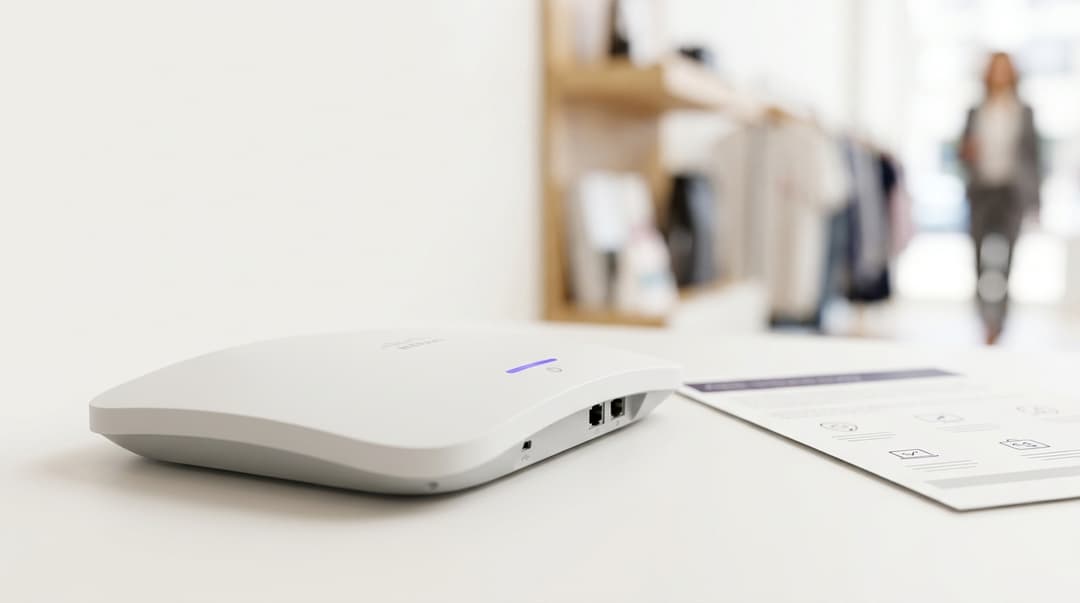
Cisco Meraki access points include location analytics with no separate license. You get proximity, engagement and loyalty views, a floor-plan heatmap and the scanning API for raw observations. It counts anonymous devices, not people. MAC randomization weakens repeat-visit figures, views are scoped per network, and you get no identified visitor without a captive portal.
What is Cisco Meraki location analytics?
Cisco Meraki location analytics is the presence reporting built into Meraki MR access points and the Meraki dashboard. Your access points listen for nearby devices, including their probe requests and their traffic. The dashboard turns those detections into counts, durations and repeat-visit patterns for each network.
Cisco includes the feature with Meraki wireless. That makes it the first place most Meraki estates look for foot traffic data. Out of the box, you get four things.
The proximity, engagement and loyalty views
The dashboard groups presence data into three views:
- Proximity splits detected devices into passersby, visitors and connected. Passersby are heard briefly or at low signal strength. Visitors are seen close enough, for long enough, to count as inside. Connected devices joined your WiFi.
- Engagement buckets visitors by dwell time: 5-20 minutes, 20-60 minutes, 1-6 hours and 6+ hours.
- Loyalty groups visitors by return frequency: first time, daily, weekly and occasional.
Cisco's location analytics documentation defines the signal and time thresholds behind each category. Read those definitions before you put a number in front of your board.
The Meraki location heatmap
Place your access points accurately on uploaded floor plans and the dashboard shows device density across the space. It estimates position from RSSI (received signal strength indicator), the strength at which each access point hears a device. Estimates improve when several access points hear the same device at once.
The Meraki scanning API
The scanning API pushes raw device observations from your access points to a server you run. It is the route out of the dashboard and into your own data pipeline. We cover how it works below.
Why does Meraki presence data matter for your venue?
Presence data answers questions that cash registers and ticket scanners cannot. How many people passed the entrance without coming in? How long did they stay? Which zones sat empty at 3pm on a Tuesday?
Retail teams read the passerby-to-visitor ratio as a proxy for frontage conversion. Hotels use dwell time in the lobby bar or spa to see where guests spend their evenings. Healthcare estates teams can size waiting areas against observed visitor volumes rather than appointment lists.
The appeal is obvious. The data is already being collected on hardware you own. The useful question is how far it carries you before you need more.
How does Meraki location analytics work?
Turning it on
Location analytics is a network-wide setting in the Meraki dashboard. You enable it per network, then place each access point on its floor plan. Without accurate placement, the heatmap and coordinate estimates are guesswork. Follow Cisco's current documentation for the steps, because dashboard menus move between releases.
Two checks before you trust any figure:
- Confirm every access point is pinned to the right floor and the right position.
- Collect a few weeks of baseline data before you compare periods or sites.
Access point density for location is a design decision, not a toggle. A network designed purely for coverage may leave devices heard by only one access point. That produces a count but a poor position. Our Network Best Practices for Venues and Enterprises in 2026 covers placement and density.
Reading the three views
Proximity. Watch the ratios, not the raw passersby count. Passersby include devices heard through walls and windows, and MAC randomization inflates the figure, as explained below. Visitor and connected counts are steadier.
Engagement. This is the most dependable view for operational decisions, especially for connected devices. A connected device usually keeps one private address on your network for the whole visit. Devices that never connect rotate their probe addresses, which can split one long visit into several short ones. Compare the same bucket week on week to judge whether a layout change held people longer.
Loyalty. Treat this view with the most caution. It depends on recognizing the same device address on a later day, and modern cell phones are designed to prevent exactly that. The limits section explains the effect.
Using the Meraki scanning API
The Meraki scanning API is how your data team gets raw observations into its own pipeline. Cisco's scanning API documentation sets out the current version and payload schema. In outline:
- You register a receiver URL in the dashboard. Meraki sends a validation request, and your server must return the validator string the dashboard displays.
- Meraki then posts JSON payloads of observations in batches, roughly once a minute per Cisco's documentation.
- Each payload carries a shared secret you set, so your receiver can reject anything that did not come from your network.
- WiFi and Bluetooth Low Energy (BLE) observations arrive as separate streams.
- Each observation includes the client MAC address, manufacturer and the nearest access point with its RSSI. Connected devices also report the SSID.
- Location estimates arrive as x/y coordinates and latitude/longitude, with a variance figure showing how confident the estimate is.
The API hands you control. You set your own visitor definition, using an RSSI threshold and minimum dwell that suit your building. You can discard positions whose variance is too wide to be useful. You can hash MAC addresses on arrival so raw identifiers never reach your warehouse.
It also hands you ownership. You host the receiver, keep it available, absorb schema changes between API versions and carry the CCPA/CPRA obligations for device identifiers. Budget engineering time for that, not just the initial build.
Where does it sit alongside what you already run?
Meraki's native views and the scanning API both measure devices. A captive portal measures people who chose to identify themselves. A captive portal is the web page a device sees before it gets internet access, where the visitor signs in or accepts terms. The two answer different questions, so most mature estates run both.
Purple runs captive portal and WiFi Analytics as a cloud overlay on your existing Meraki access points. Purple is hardware-agnostic, working across Cisco Meraki, HPE Aruba, Ruckus, Juniper Mist, Ubiquiti UniFi, Cambium, Extreme and Fortinet.
| Capability | Meraki dashboard views | Meraki scanning API | Purple on Meraki |
|---|---|---|---|
| What it measures | Anonymous device counts, dwell and return frequency | Raw per-device observations in batches roughly once a minute | Logged-in visitors with a profile and a consent record |
| Scope | One network at a time | Every network you point at your receiver | Every venue in a single pane of glass |
| History | Cisco's published retention window for location data | Whatever your own store keeps | Held in the Purple platform (ISO 27001 certified) |
| MAC randomization impact | Loyalty and passersby distorted | Same distortion, but you can model it | Repeat visits matched to the login profile |
| Identifies the visitor | No | No | Yes, through conscious-choice opt-ins |
| Marketing consent | Not captured | Not captured | Captured at login |
| Effort to run | Enable per network, place access points on floor plans | Build, host and maintain a receiver, store and data model | Configure the captive portal on Meraki, no new hardware |
| Cost | Included with Meraki wireless | Included, plus your hosting and engineering time | Purple subscription alongside your Meraki license |
Got questions about your specific setup?
Our team works with venue operators, IT managers, and network engineers across 80,000 venues. Book a 20-minute call and we will show you how others like you solved it.
What are the limits of Meraki location analytics?
Retention windows
The dashboard is built for recent operational views, not multi-year history. Cisco publishes retention periods in its Meraki data retention documentation. Check the current figure before you promise anyone a year-over-year comparison.
If you need long history, stream through the scanning API into your own store from day one. The API pushes observations in near real time. It does not replay history, so anything your receiver missed is gone.
Your own store then carries your own obligations. CCPA/CPRA's storage limitation principle requires you to keep personal data no longer than necessary. Set a retention period, document it and delete on schedule.
Site-level aggregation
The native views are built around a single network, which usually means a single site. An estate of 60 stores becomes 60 sets of charts. Cross-site comparison means exporting network by network or building your own pipeline on the scanning API.
The native views also cannot tell you that a shopper visited your Dallas and Chicago stores in the same week. Each network sees its own devices, and randomized addresses defeat any matching attempt across sites.
MAC randomization and the loyalty buckets
This is the limit that matters most for an insights analyst. Since iOS 14 and Android 10, phones use a private, randomized MAC address for each network by default. Probe requests from devices that never connect have used randomized, frequently changing addresses for longer still. Apple and Google both document this behavior.
The effects on Meraki presence data are predictable:
- Passersby inflate. One phone that never connects can appear as several devices as its probe address rotates.
- First-time visitors inflate. A returning phone that does not connect presents a new address, so the dashboard records a stranger.
- Daily and weekly loyalty deflate. Repeat visits go uncounted for the same reason.
Connected devices fare better, because the per-network private address usually persists on your SSID. Recent Apple releases add a rotating option that changes even that address over time. Expect connected-device loyalty to erode as adoption grows.
The practical rule: report loyalty as a trend for connected devices, never as an absolute share of repeat visitors. Never present it to the business as "repeat customers".
No identified visitor layer
Native analytics never knows who anyone is. It has no name, no email address, no consent record and no link to your CRM or property management system. You can see that dwell rose 12% in a zone. You cannot send those visitors anything or measure what they spent.
That layer needs a captive portal where visitors choose to identify themselves. Purple's Guest WiFi captures first-party data through conscious-choice opt-ins and integrates with CRM and marketing platforms. Repeat visits are then counted against the profile a visitor logs in with, not the device address alone. Purple processed 440 million logins across 80,000+ live venues in 2024 (Purple data).
How Meraki location analytics plays out at real venues
The two scenarios below are illustrative worked examples. Figures show the method, not a named venue's results.
Scenario 1: a 60-store fashion retailer comparing stores
Situation. The insights team wanted a weekly ranking of stores by shopper dwell. Each store ran its own Meraki network. Building the report meant opening 60 dashboards and copying engagement figures into a spreadsheet, roughly a day of work each week.
What was done. The IT team stood up a scanning API receiver and pointed all 60 networks at it. They hashed MAC addresses on arrival, applied one RSSI threshold across the estate and dropped observations with wide variance. They set a 13-month retention period, documented under their CCPA/CPRA records.
Outcome. The weekly report became an automated query covering all 60 stores. The team also confirmed what the loyalty buckets were hiding. In stores with little WiFi uptake, more than 80% of visitors registered as first-time, against a far lower figure in the retailer's own app data. Loyalty was removed from the board pack and replaced with dwell and visitor-to-passerby ratios.
Scenario 2: a 200-room hotel chasing repeat guests
Situation. The commercial team read the Meraki loyalty view as its repeat-guest measure. The view showed most devices as first-time. That contradicted the reservations system, which showed a large share of repeat bookings.
What was done. The team accepted that loyalty buckets measure device addresses, not guests. They added a Purple captive portal on the existing Meraki access points, with conscious-choice marketing opt-ins at login. They kept the Meraki engagement view for zone dwell in the bar, restaurant and spa.
Outcome. Repeat guests were now identified at login rather than inferred from addresses. Opted-in guests flowed into the CRM for pre-arrival offers. Engagement data still guided staffing in the bar. If you are specifying this for a new contract, our Hotel WiFi RFP checklist: authentication, content filtering and guest marketing lists the questions to ask.
What should you do next?
Start by deciding which question you are trying to answer. Device counts and identified visitors are different products.
| Your situation | What to use |
|---|---|
| One site, operational questions about busy zones and times | Meraki dashboard views and the location heatmap |
| Many sites, a data team, need for long history | Meraki scanning API into your own warehouse |
| Need to report repeat visits you can defend | Captive portal with logins, not device loyalty buckets |
| Need to contact visitors or link visits to spend | Purple Guest WiFi and WiFi Analytics on Meraki |
| Limited engineering capacity, many sites | Purple WiFi Analytics rather than a self-built pipeline |
Then work through four steps:
- Audit floor-plan placement on every network before you trust any heatmap.
- Strip loyalty figures from executive reporting until you can attribute them to logged-in visitors.
- Decide your retention period and stream through the scanning API now if you need history.
- Add an identified layer through a captive portal where you need people, not devices.
None of this needs new access points. Our blog Why your next WiFi upgrade doesn't need new hardware explains the overlay approach on Meraki.
Frequently asked questions
Is Cisco Meraki location analytics included in the Meraki license?
Yes, location analytics and the scanning API come with Meraki wireless at no separate charge. You pay nothing extra to enable the proximity, engagement and loyalty views or the location heatmap. The scanning API is also included. However, you carry the cost of hosting a receiver, storing observations and maintaining the pipeline. For a multi-site property portfolio, that engineering time is usually the larger cost.
Can Meraki location analytics tell me who my visitors are?
No, Meraki location analytics counts anonymous devices, not identified people. It records device addresses, signal strength and estimated position, with no name, email or consent record. To identify visitors, you need a captive portal where they choose to sign in. Purple adds that layer on your existing Meraki access points, capturing first-party data through conscious-choice opt-ins and linking visits to a profile.
How long does Meraki keep location analytics data?
Meraki keeps location data for the period set out in Cisco's published Meraki data retention documentation. Check the current figure there before planning year-over-year reporting. If you need longer history, stream observations through the scanning API into your own store from day one. The API does not replay past data. Your own store must then follow CCPA/CPRA's storage limitation principle.
Is Meraki presence data personal data under CCPA/CPRA?
Yes, MAC addresses can count as personal data under CCPA/CPRA, because they relate to a device carried by an identifiable person. The FTC and state attorneys general have addressed this in guidance on WiFi location analytics. Hash or truncate addresses on arrival, document your lawful basis, set a retention period and post clear signage. A captive portal adds explicit consent for marketing use.
How accurate is Meraki visitor loyalty data?
Meraki loyalty data is unreliable as an absolute measure because of MAC randomization. Since iOS 14 and Android 10, cell phones use randomized addresses that make returning devices look new. First-time counts inflate and repeat-visit counts deflate. Connected devices are steadier, because their per-network address usually persists. Use loyalty as a connected-device trend only, and count repeat visitors from logins.
Does Purple work with my existing Cisco Meraki access points?
Yes, Purple runs on your existing Cisco Meraki access points as a cloud overlay. You configure the captive portal on Meraki and keep your current hardware and licenses. Purple is hardware-agnostic, so the same approach works on HPE Aruba, Ruckus, Juniper Mist, Ubiquiti UniFi, Cambium, Extreme and Fortinet. Mixed-vendor estates report through one WiFi Analytics view.
Should I build on the Meraki scanning API or use an analytics platform?
Build on the scanning API if you have a data team and want full control over definitions and storage. Choose a platform if you lack engineering capacity or need identified visitors. The API gives raw device observations only, so you still face MAC randomization and have no consent record. Many estates use both: the API for device dwell, Purple for logged-in visitors.
Key Definitions
RSSI (received signal strength indicator)
A relative measure of received radio signal power reported by IEEE 802.11 radios. Meraki access points record the RSSI at which each one hears a device and use it to estimate position.
RSSI drives the heatmap and the passerby versus visitor split. When you build on the scanning API, you set your own RSSI threshold to define a visitor for your building.
Probe request
An IEEE 802.11 management frame a device transmits to discover nearby networks before it connects. It carries the sending MAC address, which modern cell phones randomize and rotate.
Meraki access points hear probe requests from devices that never join your WiFi. That is how passersby are counted, and why rotating probe addresses inflate those counts.
MAC randomization
Use of locally administered, randomized MAC addresses in place of the factory address. Apple iOS 14 and Android 10 onwards apply a private address per network by default, documented by Apple and the Android Open Source Project.
This is the main reason Meraki loyalty buckets mislead. Returning cell phones that do not connect look new, so first-time counts inflate and repeat visits go uncounted.
Meraki scanning API
Cisco Meraki's push interface that posts JSON batches of WiFi and Bluetooth Low Energy observations to a receiver you host, validated by a validator string and authenticated with a shared secret.
It is the route from the dashboard into your own pipeline for cross-site reporting and long history. You own hosting, availability, schema changes between API versions and CCPA/CPRA obligations.
Bluetooth Low Energy (BLE)
The low-power radio mode of the Bluetooth Core Specification, maintained by the Bluetooth SIG. Meraki access points report BLE observations as a stream separate from WiFi.
Your scanning API receiver needs to handle BLE and WiFi streams separately. Decide in advance whether BLE observations belong in your visitor definitions.
Location variance
A confidence figure returned with each scanning API x/y and latitude/longitude estimate, indicating how widely the true position may differ from the estimate.
Filtering out observations with wide variance stops poor position estimates polluting zone reports. This matters most where coverage-only designs leave devices heard by a single access point.
Captive portal
A web page presented to a device before it is granted internet access on a WLAN, where the visitor signs in or accepts terms. It is commonly detected through operating system connectivity checks.
It is the only layer in this guide that identifies a person and records marketing consent. Purple runs it as a cloud overlay on existing Meraki access points.
SSID (service set identifier)
The network name defined in IEEE 802.11 that identifies a WLAN. A device's per-network private MAC address is tied to the SSID it joins.
Connected devices report the SSID in scanning API payloads. Their address usually persists on your SSID, which is why connected-device dwell and loyalty are steadier than passerby figures.
Storage limitation principle
CCPA/CPRA requirements and privacy regulations requiring that personal data be kept in identifiable form no longer than necessary for the purposes it was processed for.
Once you stream Meraki observations into your own store, you must set, document and enforce a retention period for device identifiers.
Personal data (device identifiers)
Under privacy regulations such as the CCPA/CPRA, information relating to an identifiable natural person. Guidance from regulatory bodies like the FTC and state attorneys general treats MAC addresses as capable of being personal data.
Meraki presence data falls within scope. Hash or truncate addresses on arrival, document your lawful basis, set retention and post clear signage.
Conscious-choice opt-ins
Purple's term for marketing consent given actively by the visitor at captive portal login, aligned with compliance requirements that consent be a freely given, specific and unambiguous affirmative action.
These opt-ins turn anonymous device counts into identified visitors you can contact and count repeat visits against, which native Meraki analytics cannot do.
Worked Examples
A 60-store fashion retailer runs a separate Meraki network in each store. The insights team spends roughly a day each week opening 60 dashboards to rank stores by shopper dwell. How do they automate cross-store reporting?
The IT team stood up a scanning API receiver and pointed all 60 networks at it. They hashed MAC addresses on arrival, applied one RSSI threshold across the property portfolio and dropped observations with wide variance. They set a 13-month retention period and documented it in their CCPA/CPRA records. The weekly report became an automated query covering every store. The pipeline also exposed the loyalty distortion. In stores with little WiFi uptake, more than 80% of visitors registered as first-time, far above the retailer's own app data. Loyalty was removed from the board pack and replaced with dwell and visitor-to-passerby ratios, which hold up under MAC randomization.
A 200-room hotel's commercial team uses the Meraki loyalty view as its repeat-guest measure. It shows most devices as first-time, contradicting a reservations system that shows a large share of repeat bookings. What should they change?
The team accepted that loyalty buckets measure device addresses, not guests, and that MAC randomization makes returning cell phones look new. They added a Purple captive portal on the existing Meraki access points, with conscious-choice marketing opt-ins at login. No new hardware was needed. Repeat guests were then identified at login rather than inferred from addresses. Opted-in guests flowed into the CRM for pre-arrival offers. The team kept the Meraki engagement view for zone dwell in the bar, restaurant and spa, so presence data still guided bar staffing alongside the identified layer.
Frequently asked questions
Is Cisco Meraki location analytics included in the Meraki license?
Yes, location analytics and the scanning API come with Meraki wireless at no separate charge. You pay nothing extra to enable the proximity, engagement and loyalty views or the location heatmap. The scanning API is also included. However, you carry the cost of hosting a receiver, storing observations and maintaining the pipeline. For a multi-site estate, that engineering time is usually the larger cost.
Can Meraki location analytics tell me who my visitors are?
No, Meraki location analytics counts anonymous devices, not identified people. It records device addresses, signal strength and estimated position, with no name, email or consent record. To identify visitors, you need a captive portal where they choose to sign in. Purple adds that layer on your existing Meraki access points, capturing first-party data through conscious-choice opt-ins and linking visits to a profile.
How long does Meraki keep location analytics data?
Meraki keeps location data for the period set out in Cisco's published Meraki data retention documentation. Check the current figure there before planning year-over-year reporting. If you need longer history, stream observations through the scanning API into your own store from day one. The API does not replay past data. Your own store must then follow CCPA/CPRA's storage limitation principle.
Is Meraki presence data personal data under CCPA/CPRA?
Yes, MAC addresses can count as personal data under CCPA/CPRA, because they relate to a device carried by an identifiable person. The FTC and state attorneys general have provided guidance on WiFi location analytics. Hash or truncate addresses on arrival, document your lawful basis, set a retention period and post clear signage. A captive portal adds explicit consent for marketing use.
How accurate is Meraki visitor loyalty data?
Meraki loyalty data is unreliable as an absolute measure because of MAC randomization. Since iOS 14 and Android 10, cell phones use randomized addresses that make returning devices look new. First-time counts inflate and repeat-visit counts deflate. Connected devices are steadier, because their per-network address usually persists. Use loyalty as a connected-device trend only, and count repeat visitors from logins.
Does Purple work with my existing Cisco Meraki access points?
Yes, Purple runs on your existing Cisco Meraki access points as a cloud overlay. You configure the captive portal on Meraki and keep your current hardware and licenses. Purple is hardware-agnostic, so the same approach works on HPE Aruba, Ruckus, Juniper Mist, Ubiquiti UniFi, Cambium, Extreme and Fortinet. Mixed-vendor properties report through one WiFi Analytics view.
Should I build on the Meraki scanning API or use an analytics platform?
Build on the scanning API if you have a data team and want full control over definitions and storage. Choose a platform if you lack engineering capacity or need identified visitors. The API gives raw device observations only, so you still face MAC randomization and have no consent record. Many properties use both: the API for device dwell, Purple for logged-in visitors.
Sources
- Cisco Meraki documentation: location analytics
- Cisco Meraki developer hub: scanning API
- Cisco Meraki documentation
- Regulation (EU) 2016/679 (GDPR), EUR-Lex
- UK Information Commissioner's Office: guidance for organisations
- Apple Support: private network addresses on Apple devices
- Android Open Source Project: MAC randomisation behaviour
Continue reading in this series
Measuring the Business ROI of Guest WiFi and Location Analytics
This technical reference shows IT and venue teams how to measure the ROI of guest WiFi with a defensible chain from network health and consented data to validated operational or commercial outcomes. It separates measurable evidence from assumptions, maps Purple Connect, Capture, and Engage to the right measurement layer, and gives planning scenarios for hotels, retail estates, and event venues.
Privacy by Design: Anonymizing WiFi Data for GDPR Compliance
This authoritative guide details the technical architecture and implementation strategies for anonymising WiFi data to ensure GDPR compliance. It provides IT leaders and network architects with actionable frameworks for balancing robust venue analytics with strict data privacy requirements.
Heatmapping vs Presence Analytics: Technical Differences
This authoritative technical guide details the critical architectural and operational differences between WiFi heatmapping and presence analytics for enterprise venue operators. It provides IT leaders, network architects, and operations directors with actionable deployment frameworks, real-world implementation scenarios, and vendor-neutral best practices for extracting maximum ROI from their existing wireless infrastructure.
Got questions about your specific setup?
Our team works with venue operators, IT managers, and network engineers across 80,000 venues. Book a 20-minute call and we will show you how others like you solved it.