
Stadium and arena guest WiFi platforms: high-density onboarding and sponsor activation compared
Use this comparison to choose between a captive portal, Passpoint through your team app, or a hybrid of both for your stadium or arena. You will be able to size RADIUS and DHCP for halftime bursts, protect sponsor inventory and route consented fan data to ticketing and sponsor CRM in seconds.
By Tom HackettPublished
📖 14 min read3,153 words3 worked examples11 key definitions
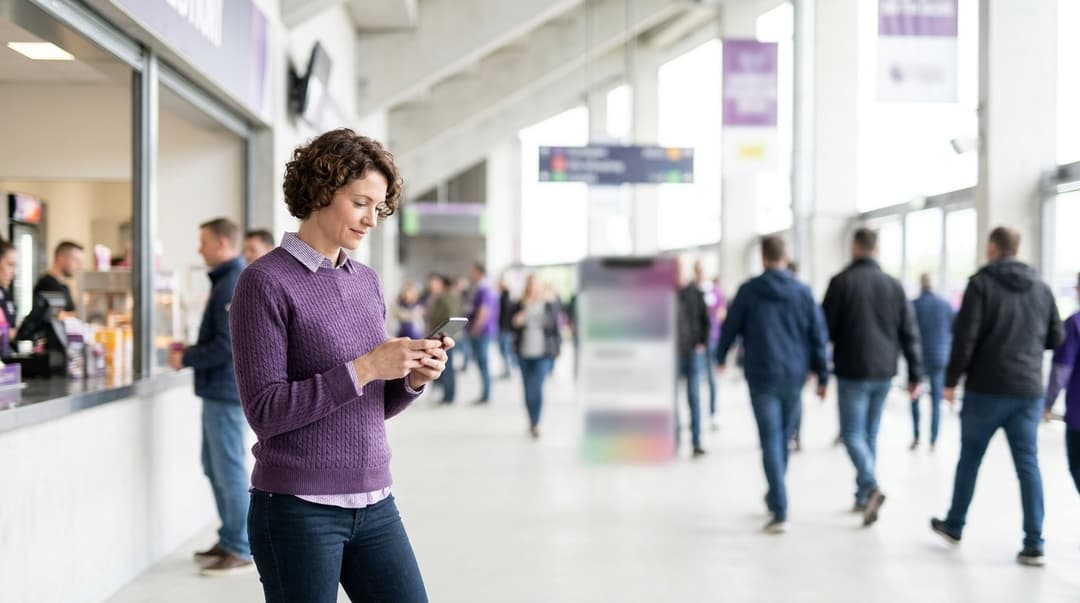
Most stadiums and arenas get the best result from a hybrid. Season-ticket holders receive a Passpoint profile through the club app and connect automatically, encrypted, with no login screen. Casual visitors use a lightweight captive portal. Size RADIUS and DHCP for peak concurrent devices, not seats. Route consented fan data to ticketing and sponsor CRM through event-driven APIs.
Which stadium guest WiFi platform approach should you choose?
Any stadium guest WiFi platform comparison comes down to three architectures:
- A captive portal on an open or encrypted-open network.
- Passpoint profiles delivered through the club app.
- A hybrid that runs both on the same access points.
If you have a season-ticket base and a club app, choose the hybrid.
Some definitions first. A captive portal is the web page a device shows before it grants internet access. On it, the fan logs in, registers or accepts terms. Passpoint, also called Hotspot 2.0, is a WiFi Alliance certification built on IEEE 802.11u. It lets a device find and join a network automatically, using credentials stored in a profile. Passpoint authenticates with IEEE 802.1X, the port-based access control standard. 802.1X checks each device against a RADIUS server (Remote Authentication Dial-In User Service, defined in RFC 2865).
The choice affects three things:
- How the network behaves when 20,000 cell phones unlock at halftime.
- How much first-party data you capture.
- How much sponsor inventory you can sell.
Each architecture wins on a different one of these, which is why the hybrid usually comes out ahead.
Purple runs all three as a hardware-agnostic cloud overlay. It supports Cisco Meraki, HPE Aruba, Ruckus, Juniper Mist, Ubiquiti UniFi, Cambium, Extreme and Fortinet access points. There is no rip and replace, as our piece on why your next WiFi upgrade doesn't need new hardware explains. Purple sees 500 million users and logins a year across 80,000+ venues in 90 countries.
Where captive portal, Passpoint and hybrid platforms genuinely differ
| Captive portal | Passpoint via club app | Hybrid | |
|---|---|---|---|
| Who connects | Every attendee with a browser | Fans who install the app and accept the profile | Both groups, on separate SSIDs |
| Onboarding steps | Join SSID, portal opens, log in or accept terms | None after a one-time profile install | None for app fans, portal for everyone else |
| Over-the-air encryption | None on an open SSID, per-device with OWE | WPA2-Enterprise or WPA3-Enterprise | Enterprise for app fans, open or OWE for portal |
| Halftime authentication load | Portal page loads plus one RADIUS exchange per login | Multi-step 802.1X exchange per device, no page loads | Portal load cut by the share of fans on Passpoint |
| First-party data at login | Name, email, consent choices, social profile if offered | Identity already known from the app account | App profile for members, portal data for visitors |
| Sponsor activation surface | Splash page and post-login redirect | In-app placements only, no splash page | Splash for visitors, app placements for members |
| Standards | RFC 8908 and RFC 8910 captive portal API, RFC 8110 OWE | IEEE 802.11u, IEEE 802.1X, EAP-TLS or EAP-TTLS | All of the above |
| Who it suits | Concert and conference venues with no club app | Clubs with an active app and members' areas | Clubs with a season-ticket base and one-off visitors |
The onboarding experience
On a captive portal, every fan meets your brand at the moment of connection. That matters most for arena guest WiFi onboarding. The phone's captive network assistant (CNA) is the mini-browser iOS and Android open automatically when they detect a portal. On a Passpoint network, the device connects before the fan has even taken the phone out of a pocket.
The security model
An open SSID carries traffic unencrypted over the air. OWE (Opportunistic Wireless Encryption, RFC 8110, certified by the WiFi Alliance as Enhanced Open) closes that gap. It encrypts each device's traffic with no password. Passpoint goes further: it uses WPA2-Enterprise or WPA3-Enterprise, with 802.1X authentication through an EAP method. EAP-TLS authenticates with a certificate. EAP-TTLS wraps a username and password in a TLS tunnel.
The data and sponsor model
This is the trade-off most vendors skip. Passpoint removes the splash page, so it also removes your most visible sponsor slot. A portal-only design maximizes sponsor impressions but leaves your most loyal fans going through a login every game day. The hybrid gives each audience the right experience.
How do stadium WiFi platforms absorb halftime authentication bursts?
A stadium network rarely fails on total capacity. It fails when thousands of devices ask for authentication, an IP address and a portal page in the same five minutes. Design for that concurrency.
Worked scenario: modeling a halftime burst in a 40,000-capacity stadium
This is a planning model, not a reported result. Change the assumptions to match your own login data.
Situation. A soccer team runs a 40,000-capacity stadium. Assume 60% of attendees try to connect at some point, which gives 24,000 devices. Assume 30% of those join for the first time in the first five minutes of halftime. That is 7,200 new logins in 300 seconds, or 24 per second.
The problem. Suppose the session timeout is 60 minutes. Fans who connected during pre-game arrival then expire and re-authenticate around halftime. In the worst case, all 24,000 devices hit the platform in that window: 80 authentications per second.
What was done:
- Set the session timeout longer than the full event, from gates opening to egress, so connected fans never re-authenticate mid-game.
- Moved 35% of connecting fans to Passpoint through the club app.
Outcome. The half-time peak falls from 80 to 24 authentications per second, a 70% reduction. Portal page loads fall from 7,200 to 4,680, because Passpoint fans skip the page entirely. Passpoint fans still send RADIUS requests. Those requests carry no web traffic, and roaming keys keep them from repeating.
Keep RADIUS fast and out of the queue
RADIUS runs over UDP. When a server answers slowly, access points retransmit, and the retransmissions add to the load that caused the delay. RFC 5080 documents this behavior. Four design choices prevent the spiral:
- Keep slow systems out of the authentication path. Never call your CRM or ticketing system synchronously during login. Accept the connection, then write to downstream systems asynchronously.
- Use fast roaming. IEEE 802.11r fast transition and PMK caching let a device move between access points without a full 802.1X exchange. In a bowl where fans walk to the concourse at half-time, that removes thousands of repeat requests.
- Control accounting traffic. RADIUS accounting (RFC 2866) sends interim updates on a fixed interval. A short interval across 24,000 sessions adds steady load at exactly the wrong moment.
- Scale the RADIUS tier horizontally. Purple's cloud RADIUS runs on infrastructure with 99.999% uptime (Purple's own figure).
Stop DHCP exhaustion before it starts
DHCP (Dynamic Host Configuration Protocol, RFC 2131) hands each device an IP address for a set lease time. Cell phones rarely release their lease when they walk out of coverage. Addresses therefore stay locked until the lease expires.
Worked scenario: an arena with two shows in one day
This is a planning model based on address arithmetic, not a reported result.
Situation. A 15,000-capacity arena runs a matinee and an evening show with different audiences. Assume 70% of each audience connects, which is 10,500 devices per show. The guest network uses a /18 pool, which holds 16,382 usable addresses.
The problem. With 24-hour leases, matinee addresses stay held through the evening show. The pool runs out 5,882 devices into evening arrivals. Late arrivals get no address and no connection.
What was done. The team shortened the lease time to less than the gap between the two shows.
Outcome. The pool now only needs to cover one audience at peak. The same /18 serves 10,500 devices with 5,882 addresses of headroom.
Dual-stack IPv6 relieves IPv4 pressure further, because devices configure their own addresses through SLAAC (RFC 4862). Confirm that your portal and walled garden handle IPv6 before you rely on it.
Make the portal light
A high-density venue captive portal should load fast on a congested radio. Four steps help:
- Serve portal assets from a content delivery network.
- Keep images small.
- Allow-list only the social login domains you actually offer.
- Advertise the portal URL through the captive portal API (RFC 8910 and RFC 8908). Supporting devices then find the portal directly, without HTTP interception.
When a high density venue captive portal is the right call
Choose a portal-only design when most of your audience visits once. Concerts, conferences and touring events fit this pattern. They bring a different crowd every night, and most attendees will never install a club app.
The portal is also your strongest sponsor asset. Every connecting attendee sees the splash page. You can follow it with a post-login redirect to a partner offer. Purple's Guest WiFi captures consented first-party data at that moment through conscious-choice opt-ins, where each purpose has its own unchecked box.
The same login data feeds WiFi Analytics. It measures dwell time in concourse, bar and merchandise zones, so you can sell sponsors placements backed by real presence data.
Run the portal on OWE in transition mode alongside an open SSID. Devices that support OWE connect encrypted, and older devices still join. That closes most of the gap between portal and Passpoint security without adding a step for the fan.
The portal also extends beyond the bowl. If your stadium has an on-site hotel, the same identity can carry across to guest rooms, as on our Hotels page. A club megastore follows the patterns on our Retail page, where every shopper who logs in becomes a known profile.
Got questions about your specific setup?
Our team works with venue operators, IT managers, and network engineers across 80,000 venues. Book a 20-minute call and we will show you how others like you solved it.
When stadium Passpoint WiFi is the right call
Choose stadium Passpoint WiFi for fans who attend repeatedly and already hold an account with you. Season-ticket holders, members and suite guests fit this profile. They want to connect without thinking about it, and you already know who they are.
The club app installs the profile once. From then on, the device joins automatically every gameday. iOS installs Passpoint credentials through a configuration profile. Android installs them through its Passpoint APIs. Before associating, the device uses ANQP (Access Network Query Protocol, part of IEEE 802.11u) to check the network supports its credentials.
When to combine Passpoint with a captive portal
Combine the two when your attendance splits into a loyal core and a casual fringe. A soccer club typically fits that pattern: season-ticket holders, visiting team fans and single-game visitors share the same bowl.
Members connect through Passpoint and receive sponsor content inside the app. Everyone else meets the portal. Broadcast two guest SSIDs at most, because each extra SSID consumes airtime with its own beacons.
You can also use the portal as a bridge to Passpoint. Offer a profile download after a fan's first portal login. Each fan who installs it moves off the portal for every future game.
Where OpenRoaming fits
OpenRoaming is a Wireless Broadband Alliance federation built on Passpoint. Devices holding a profile from a participating identity provider join automatically and securely. That covers visiting fans with no club app. OpenRoaming does not give you your own club's identity data, so treat it as wider coverage, not a replacement for your own profile.
Keep staff on a separate network
Stewards, concessions and broadcast crews need their own network. Purple's Identity-Based Networks authenticate Staff WiFi against Microsoft Entra ID, Okta or Google Workspace, with access revoked automatically when someone leaves.
For managed devices, our guide on how to use Microsoft Intune to push WiFi certificates to devices covers certificate delivery. For contractors' own devices, see BYOD WiFi onboarding: managing unmanaged devices in hotels and retail.
Segment point-of-sale terminals onto their own VLAN (virtual LAN, a logically separate network). PCI DSS treats segmentation as a way to reduce the scope of your cardholder data environment.
How does first-party fan data reach ticketing and sponsor CRM in real time?
Route data on events, not batches. When a fan logs in, the platform resolves their identity and checks their consent choices. It then emits an event that downstream systems consume within seconds. Ticketing matches the login to a booking on email or ticket reference. The sponsor CRM receives only fans who opted in to that specific sponsor.
Consent is the control point. Under CCPA/CPRA regulations, you must be able to demonstrate that each fan consented and provide clear opt-out mechanisms. The FTC and state attorneys general guidance specifies that you must name any third-party controllers who will rely on that consent. Under the TCPA and CAN-SPAM, a sponsor's email and SMS marketing needs that explicit named consent. A generic opt-in covers only your own similar products, not a partner's.
Purple integrates with CRM and marketing platforms. It records each opt-in separately, with its wording and timestamp. Purple is ISO 27001 and Cyber Essentials certified, GDPR and CCPA compliant, and a certified B Corp.
Worked scenario: a city-owned arena with a naming-rights partner
This is a planning model with stated assumptions, not a reported result.
Situation. A local government entity owns an 8,000-capacity multi-purpose arena. It hosts concerts, conferences and community sports. Promoters own concert ticketing data. The arena's naming-rights partner wants consented leads from every event.
What was done:
- Each login screen carries its own unchecked box that names the partner.
- A consented login triggers an event to the partner's CRM.
- A non-consented login goes only to the arena's own CRM.
- Ticketing matching runs only where the arena holds the booking data.
Outcome. Assume 5,000 attendees log in to an event and 20% check the partner box. The partner then receives 1,000 consented records per event. Each record arrives seconds after login, with its consent evidence attached. That replaces a monthly spreadsheet export, which loses the in-venue moment and weakens the audit trail.
What does each stadium WiFi approach cost to run?
License fees are only part of the cost. The bigger costs are build effort, recurring operations and airtime.
| Captive portal | Passpoint via club app | Hybrid | |
|---|---|---|---|
| Build cost driver | Portal design, walled garden, consent wording, CRM field mapping | App development, RADIUS realm setup, credential or certificate issuance | Both builds |
| Running cost driver | Platform license, portal hosting, internet backhaul | Platform license, credential lifecycle, app release cycle | Both, with one shared RADIUS tier |
| Hardware needed | Existing access points from any listed vendor | Access points with Hotspot 2.0 enabled in firmware | Hotspot 2.0-capable access points broadcasting two SSIDs |
| Per-event effort | Swap sponsor creative, review consent wording | No onboarding work, in-app content only | Portal creative plus app content |
| Airtime cost | One guest SSID | One guest SSID | Two guest SSIDs |
The hybrid costs most to build, but it lowers gameday risk. Every fan you move to Passpoint is one fewer page load at halftime.
How to decide for your venue
Match your situation to the row below.
| Your situation | Recommendation |
|---|---|
| No club app, one-off audiences such as concerts and conferences | Captive portal on OWE in transition mode, sponsor splash, conscious-choice opt-ins |
| Club app in active use by season-ticket holders | Hybrid: Passpoint in the app, captive portal for visitors |
| Members' areas, suites and premium seating | Passpoint profiles for members, plus portal access for their guests |
| Multi-use arena where promoters own ticketing | Captive portal with per-event, per-partner consent wording |
| Many visiting fans with no club account | Captive portal plus OpenRoaming for automatic secure access |
| Event staff, concessions and point-of-sale | Separate Staff WiFi on 802.1X with identity provider integration and VLAN segmentation |
Before your first live event, do three things:
- Load-test the design on a non-gameday.
- Replay your halftime model against real access point logs.
- Confirm that downstream systems accept events at your peak login rate.
Frequently asked questions
Does Purple work with the access points already installed in our stadium?
Yes, if they come from Cisco Meraki, HPE Aruba, Ruckus, Juniper Mist, Ubiquiti UniFi, Cambium, Extreme or Fortinet. Purple is a hardware-agnostic cloud overlay, so it layers on top of your existing infrastructure with no rip and replace. Your access points keep handling radio and roaming. Purple handles the captive portal, cloud RADIUS, consent capture and data routing. Passpoint also needs Hotspot 2.0 enabled in your access point firmware.
Do we need a club app to offer Passpoint to fans?
No, but the app is the smoothest delivery route. iOS installs Passpoint credentials from a configuration profile download. Android installs them through its Passpoint APIs or a web download. You can therefore offer the profile after a fan's first captive portal login. The app wins on adoption, because it ties the profile to an account the fan already holds and uses every gameday.
Can we share fan data from WiFi logins with our sponsors under CCPA/CPRA?
Yes, with separate, specific consent that names the sponsor. Regulations from the FTC and state attorneys general say you must name any third-party controllers relying on that consent. Rules require you to demonstrate it. Under the TCPA and CAN-SPAM, sponsor email marketing needs that consent, because the soft opt-in covers only your own similar products. Purple's conscious-choice opt-ins record each choice separately, with its wording and timestamp.
Will a captive portal cope with tens of thousands of fans connecting at halftime?
Yes, if you design for concurrency rather than total capacity. Set session timeouts longer than the event, so connected fans never re-authenticate mid-game. Keep CRM and ticketing writes out of the authentication path. Size DHCP pools for peak concurrent devices, with leases shorter than the gap between events. Serve portal assets from a content delivery network. Moving members to Passpoint removes their page loads entirely.
How do we migrate from our current stadium WiFi provider?
Migrate by changing where your access points send authentication and portal traffic, not by replacing hardware. Run Purple on a test SSID first. Validate the portal, RADIUS and CRM routing on a non-gameday, then cut over the production SSID. Export your existing opt-in records with their wording and timestamps. Consent collected under old wording may not cover the purposes you plan next.
Does OpenRoaming replace our own Passpoint profile?
No, it complements your own profile. OpenRoaming is a Wireless Broadband Alliance federation built on Passpoint. Devices holding a participating identity provider's profile join automatically and securely, which covers visiting fans with no club app. It does not give you your club's own identity data. Keep your own profile in the app for season-ticket holders, and use OpenRoaming to widen secure coverage.
Should the portal network be open or use OWE?
Use OWE wherever your access points support it, in transition mode alongside an open SSID. OWE, certified by the WiFi Alliance as Enhanced Open, encrypts each device's traffic with no password. Fans on a crowded concourse cannot read each other's sessions. Transition mode lets older devices join the open network while capable devices connect encrypted. Confirm firmware support across every access point before gameday.
How much effort does a stadium deployment take?
Most of the effort sits in configuration and integration, not hardware. Because Purple layers on your existing access points, the work covers portal design, consent wording, SSID and RADIUS configuration, and field mapping to ticketing and CRM systems. Passpoint adds club app development and a test cycle across iOS and Android devices. Plan a full load test on a non-game day before the first live event.
Key Definitions
Captive portal
The web page a device shows before it grants internet access, where the fan logs in, registers or accepts terms. RFC 8910 and RFC 8908 define the captive portal API, which lets supporting devices find the portal URL directly, without HTTP interception.
You meet it on every guest SSID that serves one-off visitors. It is your strongest sponsor asset, because every connecting attendee sees the splash page, but it also adds a page load per login at halftime.
Passpoint (Hotspot 2.0)
A WiFi Alliance certification built on IEEE 802.11u that lets a device find and join a network automatically using credentials stored in a profile, authenticating with IEEE 802.1X over WPA2-Enterprise or WPA3-Enterprise.
You deliver it through the team app to season-ticket holders and members. It removes onboarding steps and portal page loads, but also removes the splash page as a sponsor slot.
IEEE 802.1X
The IEEE port-based access control standard. It checks each device against a RADIUS server using an EAP method before granting network access.
It underpins Passpoint for fans and Staff WiFi for event staff and concessions. Each 802.1X exchange is multi-step, so it shapes your halftime authentication load.
RADIUS
Remote Authentication Dial-In User Service, defined in RFC 2865 and run over UDP. RFC 5080 documents how slow responses trigger access point retransmissions, and RFC 2866 defines RADIUS accounting and its interim updates.
Your RADIUS tier decides whether the network survives a half-time burst. Scale it horizontally, keep slow systems out of its path and control the accounting interval.
OWE (Enhanced Open)
Opportunistic Wireless Encryption, specified in RFC 8110 and certified by the WiFi Alliance as Enhanced Open. It encrypts each device's traffic over the air with no password.
Run it in transition mode alongside an open SSID so capable devices connect encrypted and older devices still join. It closes most of the security gap between portal and Passpoint.
EAP-TLS and EAP-TTLS
Extensible Authentication Protocol methods used inside 802.1X. EAP-TLS authenticates with a certificate; EAP-TTLS wraps a username and password in a TLS tunnel.
You choose one when you set up Passpoint credentials or certificate issuance for the club app, which drives build effort and the credential lifecycle cost.
ANQP
Access Network Query Protocol, part of IEEE 802.11u. A Passpoint device uses it before associating to check that the network supports its credentials.
It is why a member's phone joins automatically every gameday. Your access points need Hotspot 2.0 enabled in firmware for ANQP queries to succeed.
IEEE 802.11r fast transition
An IEEE 802.11 amendment that, together with PMK caching, lets a device move between access points without a full 802.1X exchange.
In a bowl where fans walk to the concourse at half-time, it removes thousands of repeat RADIUS requests from the peak.
DHCP lease
The time for which DHCP (Dynamic Host Configuration Protocol, RFC 2131) assigns an IP address to a device. Cell phones rarely release leases when they leave coverage, so addresses stay locked until expiration.
Lease length decides whether your address pool covers one audience or two. On multi-show days, set it shorter than the gap between events.
OpenRoaming
A Wireless Broadband Alliance federation built on Passpoint. Devices holding a profile from a participating identity provider join automatically and securely.
Use it to give visiting fans with no club app secure access. It does not give you your own club's identity data, so it complements your own Passpoint profile rather than replacing it.
Conscious-choice opt-ins
Purple's consent model, in which each purpose has its own unchecked box, recorded with its wording and timestamp. It supports the CCPA/CPRA duty to demonstrate consent and the TCPA and CAN-SPAM consent for sponsor email marketing.
It is the control point for sponsor data sharing. Only fans who check a box naming a specific sponsor reach that sponsor's CRM.
Worked Examples
A soccer team with a 40,000-capacity stadium models a halftime burst. With a 60-minute session timeout, fans who connected during pre-game arrival expire around halftime, so in the worst case all 24,000 connecting devices authenticate in five minutes: 80 per second.
This is a planning model, not a reported result. The team set the session timeout longer than the full event, from gates opening to egress, so connected fans never re-authenticate mid-game. It also moved 35% of connecting fans to Passpoint through the team app. The halftime peak falls from 80 to 24 authentications per second, a 70% reduction, covering only the 7,200 first-time logins. Portal page loads fall from 7,200 to 4,680 because Passpoint fans skip the page. Passpoint fans still send RADIUS requests, but those carry no web traffic and roaming keys stop them repeating.
A 15,000-capacity arena runs a matinee and an evening show with different audiences, each bringing 10,500 connecting devices. The guest network uses a /18 pool with 16,382 usable addresses and 24-hour DHCP leases, so matinee addresses stay held and the pool runs out 5,882 devices into evening arrivals.
This is a planning model based on address arithmetic, not a reported result. The team shortened the DHCP lease to less than the gap between the two shows. Matinee addresses now expire before evening arrivals begin, so the pool only needs to cover one audience at peak. The same /18 serves 10,500 devices with 5,882 addresses of headroom, and late arrivals no longer fail to get an address. Dual-stack IPv6 with SLAAC can relieve IPv4 pressure further, once you confirm the portal and walled garden handle IPv6.
A local government owns an 8,000-capacity multi-purpose arena hosting concerts, conferences and community sport. Promoters own concert ticketing data, and the naming-rights partner wants consented leads from every event.
This is a planning model with stated assumptions. Each login screen carries its own un-checked box that names the partner. A consented login triggers an event to the partner's CRM; a non-consented login goes only to the arena's own CRM. Ticketing matching runs only where the arena holds the booking data. If 5,000 attendees log in and 20% check the partner box, the partner receives 1,000 consented records per event, each arriving seconds after login with its consent evidence attached. That replaces a monthly spreadsheet export, which loses the in-venue moment and weakens the audit trail under the CCPA/CPRA.
Frequently asked questions
Does Purple work with the access points already installed in our stadium?
Yes, if they come from Cisco Meraki, HPE Aruba, Ruckus, Juniper Mist, Ubiquiti UniFi, Cambium, Extreme or Fortinet. Purple is a hardware-agnostic cloud overlay, so it layers on top of your existing infrastructure with no rip and replace. Your access points keep handling radio and roaming. Purple handles the captive portal, cloud RADIUS, consent capture and data routing. Passpoint also needs Hotspot 2.0 enabled in your access point firmware.
Do we need a team app to offer Passpoint to fans?
No, but the app is the smoothest delivery route. iOS installs Passpoint credentials from a configuration profile download. Android installs them through its Passpoint APIs or a web download. You can therefore offer the profile after a fan's first captive portal login. The app wins on adoption, because it ties the profile to an account the fan already holds and uses every gameday.
Can we share fan data from WiFi logins with our sponsors under CCPA/CPRA?
Yes, with separate, specific consent that names the sponsor. CCPA/CPRA and FTC guidance dictate that you must explicitly name any third-party controllers relying on that consent. Under the TCPA and CAN-SPAM, sponsor email marketing needs clear opt-in consent, as automatic inclusion covers only your own similar products. Purple's conscious-choice opt-ins record each choice separately, with its wording and timestamp.
Will a captive portal cope with tens of thousands of fans connecting at halftime?
Yes, if you design for concurrency rather than total capacity. Set session timeouts longer than the event, so connected fans never re-authenticate mid-game. Keep CRM and ticketing writes out of the authentication path. Size DHCP pools for peak concurrent devices, with leases shorter than the gap between events. Serve portal assets from a content delivery network. Moving members to Passpoint removes their page loads entirely.
How do we migrate from our current stadium WiFi provider?
Migrate by changing where your access points send authentication and portal traffic, not by replacing hardware. Run Purple on a test SSID first. Validate the portal, RADIUS and CRM routing on a non-gameday, then cut over the production SSID. Export your existing opt-in records with their wording and timestamps. Consent collected under old wording may not cover the purposes you plan next.
Does OpenRoaming replace our own Passpoint profile?
No, it complements your own profile. OpenRoaming is a Wireless Broadband Alliance federation built on Passpoint. Devices holding a participating identity provider's profile join automatically and securely, which covers visiting fans with no team app. It does not give you your team's own identity data. Keep your own profile in the app for season-ticket holders, and use OpenRoaming to widen secure coverage.
Should the portal network be open or use OWE?
Use OWE wherever your access points support it, in transition mode alongside an open SSID. OWE, certified by the WiFi Alliance as Enhanced Open, encrypts each device's traffic with no password. Fans on a crowded concourse cannot read each other's sessions. Transition mode lets older devices join the open network while capable devices connect encrypted. Confirm firmware support across every access point before gameday.
How much effort does a stadium deployment take?
Most of the effort sits in configuration and integration, not hardware. Because Purple layers on your existing access points, the work covers portal design, consent wording, SSID and RADIUS configuration, and field mapping to ticketing and CRM systems. Passpoint adds team app development and a test cycle across iOS and Android devices. Plan a full load test on a non-gameday before the first live event.
Sources
- IETF RFC 2865: RADIUS
- IETF RFC 5080: Common RADIUS implementation issues
- IETF RFC 8110: Opportunistic Wireless Encryption
- IETF RFC 8910: Captive portal identification in DHCP and RA
- WiFi Alliance: Passpoint
- Wireless Broadband Alliance: OpenRoaming
- UK GDPR Article 7: Conditions for consent
- PECR 2003 regulation 22
Continue reading in this series
Ruckus SmartZone and RUCKUS One guest WiFi vs external captive portal platforms
Decide whether native Ruckus SmartZone or RUCKUS One guest access covers your estate, or whether an external captive portal such as Purple is worth its subscription. You can map your sites, vendors and data ownership to a clear recommendation. You will also understand the WISPr, Northbound Interface and RADIUS integration, and the cost of each option.
Aruba Central guest WiFi vs dedicated captive portal platforms: CRM, Passpoint and reporting compared
Use this comparison to choose between Aruba Central's native Cloud Guest, ClearPass Guest and a dedicated cloud platform such as Purple for your HPE Aruba estate. You can match each option to who owns guest WiFi, where guest data must land, how you record CCPA/CPRA consent, whether returning guests need Passpoint and what each option costs over three years.
Juniper Mist guest WiFi portals vs external captive portal overlays: multi-site comparison
You will be able to decide, venue by venue, whether the native Juniper Mist guest portal is enough or an external captive portal overlay earns its license. You will also know how to forward a Mist WLAN to an overlay, configure RADIUS accounting and keep one guest record through a phased migration from legacy controllers.
Got questions about your specific setup?
Our team works with venue operators, IT managers, and network engineers across 80,000 venues. Book a 20-minute call and we will show you how others like you solved it.