
Managed WiFi for serviced offices and coworking: tenant isolation and billing
You will be able to choose a tenant isolation model for your serviced office or coworking space and keep the estate to three SSIDs. You can then design the VLANs and firewall rules behind it. You will also be able to set billing tiers the network enforces and trigger access changes from your workspace management system.
Video overview
Part of our core series: Multi-Tenant WiFi →
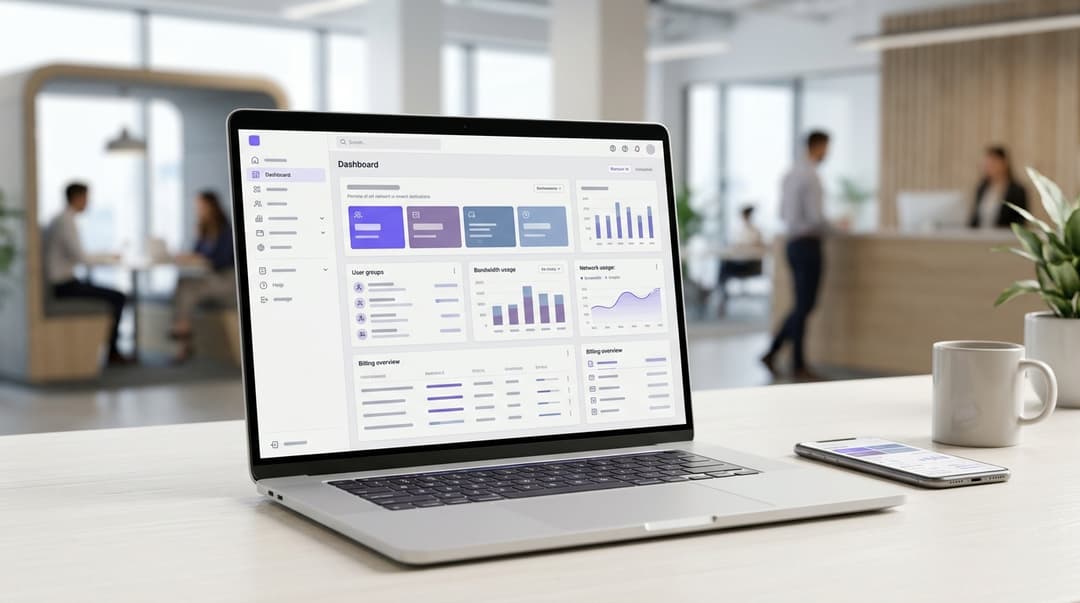
Serviced office and coworking operators isolate tenants by giving each member company its own network identity. That identity is a private WiFi key or an 802.1X login on one shared network, mapped to its own VLAN. Visitors, day passes and meeting rooms use a separate captive portal. Bandwidth tiers attach to each identity and bill through your workspace management system.
Which tenant isolation model should your serviced office choose?
For most operators, the right answer is a layered design with three parts:
- Give each member company a private key on one shared member network.
- Move enterprise tenants with managed laptops onto 802.1X.
- Put every visitor, day pass and meeting room booking on a separate captive portal network.
That design addresses the core problem of WiFi for serviced offices. Dozens of companies share the same access points, yet each expects a network that behaves like its own office. Members want to see their own printer and file server, and nobody else's. You want one property portfolio to manage, not one network per tenant.
Why one SSID per company breaks down
An SSID (service set identifier) is the network name a device sees. The obvious fix is one SSID per company, and it fails at scale. Each SSID broadcasts its own beacon frames, by default every 102.4 milliseconds under IEEE 802.11. Beacons go out at the lowest basic data rate, so they consume a lot of airtime. Ten tenants means ten sets of beacons on every radio. That airtime comes out of the capacity your members are paying for.
A shared password with client isolation is the other common shortcut. Client isolation blocks devices from talking to each other, including a company's own laptops and its printer. When one member leaves, you change the password and every other company reconfigures every device.
The model that scales: identity on a shared network
The scalable pattern separates the network name from the network identity. Every member company joins the same SSID. The credential it presents decides where it lands.
Two methods carry that identity:
- Identity pre-shared key (iPSK). Each company, or each device, gets its own password on one SSID. Vendors use different names. Cisco Meraki calls it iPSK, HPE Aruba calls it MPSK and Ruckus calls it DPSK. The generic term is PPSK (private pre-shared key).
- IEEE 802.1X. Each person or device authenticates individually. PEAP (Protected Extensible Authentication Protocol) uses a username and password. EAP-TLS (Extensible Authentication Protocol-Transport Layer Security) uses a digital certificate.
Both methods hand off to a RADIUS (Remote Authentication Dial-In User Service) server. RADIUS checks the credential and tells the access point which VLAN to use. A VLAN (virtual local area network) is a logically separate network segment. RFC 3580 defines the standard RADIUS attributes for that VLAN assignment. Traffic in one company's VLAN cannot reach another's without passing your firewall.
Purple Multi-Tenant WiFi runs this model as a cloud overlay on access points you already own. Each member company gets a Private Area Network, a private network bubble on shared infrastructure. Purple's Cloud RADIUS checks the identity and returns the VLAN, so you host no RADIUS server on site.
Where per-company PSK, 802.1X and captive portal access genuinely differ
The table compares the four models operators consider, on the axes that decide a multi-family or commercial multi-tenant deployment.
| Shared password | Per-company iPSK | 802.1X (PEAP or EAP-TLS) | Captive portal | |
|---|---|---|---|---|
| How a device connects | One password for every tenant | One password per company or per device | Personal login or device certificate | Web sign-in page after joining |
| What separates tenants | Client isolation only | RADIUS-assigned VLAN per company | RADIUS-assigned VLAN per company or role | Client isolation on a guest VLAN |
| Printers, screens and IoT | Supported | Supported | Limited on headless devices | Not suitable |
| Onboarding a new company | Share the existing password | Create one key | Create accounts or issue certificates | None, visitors self-serve |
| When a company leaves | Re-key the whole building | Delete one key | Disable accounts in the directory | Session expires on a timer |
| Security standard | WPA2 or WPA3-Personal | WPA2-Personal, WPA3-Personal where the vendor supports it | WPA2 or WPA3-Enterprise | Open or OWE, plus portal |
| Best fit | Not recommended for multi-tenant use | Small and mid-size member companies | Enterprise tenants with managed devices | Visitors, day passes, meeting rooms, events |
OWE (Opportunistic Wireless Encryption, RFC 8110) encrypts an open network without a password. It protects visitors on the guest SSID from passive eavesdropping.
What the VLAN design needs behind the access points
Purple controls identity and VLAN assignment. Your switches and firewall still enforce the separation, so the wired design matters as much as the wireless one.
- One VLAN per member company, each with its own DHCP (Dynamic Host Configuration Protocol) scope for IP addresses.
- Default-deny between VLANs at the firewall. Allow internet access, plus any shared service you choose to expose, such as a building printer.
- Matching wired ports. Ports in a company's private office land on the same VLAN as its WiFi. The desk dock and the laptop then see the same network.
- Client isolation on the guest VLAN, so visitors cannot reach each other's devices.
Plan for randomized device addresses
Apple devices from iOS 14 and Android devices from Android 10 use a randomized MAC address per network by default. Any design that recognizes members by hardware address will misfire, whether for day passes or billing. Tie access and billing to the key or the login, never to the MAC address.
When per-company iPSK is the right call
iPSK suits most coworking members. It works on any device that supports WPA2-Personal, including printers, smart TVs and conference room bars. Members need no IT department and no configuration beyond typing a password. You manage one record per company.
Decide early between per-company and per-device keys. A per-company key is simpler to issue. Per-device or per-person keys let you revoke one lost phone without changing everyone's password. Many operators combine them: a company key for shared hardware and personal keys for staff.
Check one detail before you buy. WPA3-Personal replaces the PSK handshake with SAE (Simultaneous Authentication of Equals). Confirm whether your access points support multiple keys per SSID under WPA3-Personal, not just WPA2-Personal.
The following scenarios are worked designs, with outcomes measured in the network itself.
Worked scenario: a hotel with an executive suite floor
Situation. A 180-room city hotel converted its second floor into 12 executive suites. All 12 tenants shared one password, separate from the guest network. When a tenant moved out, the hotel changed the password and 11 other companies reconfigured every device. One tenant's network printer was visible to the whole floor.
What was done. The hotel created one member SSID with 12 iPSKs, each mapped to its own VLAN. Wired ports in each office moved onto the matching VLAN. The hotel kept Guest WiFi on its own captive portal SSID for guests in rooms and the lobby.
Outcome. Companies affected by a departure fell from 12 to one. The hotel ran two SSIDs instead of the 13 a network-per-tenant design would need. Each printer became visible only inside its own company's VLAN. The same pattern applies to any of the Hotels adding workspace to their offer.
When 802.1X with member identity is the right call
Move a tenant to 802.1X when it has its own IT team and managed laptops. Do the same when its security policy demands certificate-based access, as is common for finance and healthcare members.
EAP-TLS removes shared passwords entirely. Each managed laptop holds a certificate, and revoking it removes that device's access. PEAP uses the tenant's directory credentials instead. That is easier to roll out, but it inherits password expiration and the helpdesk calls that follow.
Purple Identity-Based Networks tie network access to identity rather than to a shared secret. Purple connects to Microsoft Entra ID, Okta and Google Workspace. Joiners, movers and leavers are then handled at the identity layer. A leaver disabled in the tenant's directory loses WiFi at their next authentication, with no action from your team.
Personal and enterprise security cannot share one SSID, because they use different authentication methods. Enterprise tenants therefore need a second member SSID. Keep it to one, shared by every 802.1X tenant, with VLANs assigned per company.
For operators with several centers, consider Passpoint (Hotspot 2.0). It lets a device join a network automatically and securely using a stored profile. OpenRoaming is the Wireless Broadband Alliance federation built on Passpoint, and Purple supports it. With either, members move between your sites without signing in again.
Worked scenario: a local government enterprise hub
Situation. A city-run enterprise center hosts 40 start-ups and a local government economic development team of 25. City IT requires 802.1X for its managed laptops. The city team had installed its own access points alongside the center's, doubling hardware on two floors.
What was done. The center consolidated onto one access point estate with three SSIDs. The first is a member SSID with 40 iPSKs mapped to 40 VLANs. The second is an 802.1X SSID using EAP-TLS against the city's directory, mapped to the city VLAN. The third is a guest SSID with a captive portal.
Outcome. The second access point estate on two floors was removed. The center runs three SSIDs, against 41 for one per tenant. City leavers lose WiFi when IT disables them in the directory, with no change by center staff.
Got questions about your specific setup?
Our team works with venue operators, IT managers, and network engineers across 80,000 venues. Book a 20-minute call and we will show you how others like you solved it.
How do visitors, day passes and meeting rooms fit in?
Visitors never touch the member network. A captive portal is the web page a device sees before it gets internet access. It sits on its own guest SSID and VLAN with client isolation.
Three visitor types need different rules:
- Member visitors. Clients and interviewees arriving for a member company get time-limited guest access from reception or the portal. They do not get the company's key.
- Day-pass holders. Issue a credential at check-in that expires at closing time. A day-pass holder who converts to a hot-desk membership moves to a personal key on the member SSID.
- Meeting-room bookers. External bookers get a code valid for the booking window. Members booking a room already have their own network and need nothing extra.
Visitor logins are personal data under CCPA/CPRA, so collect only what you need. Ask for marketing consent through conscious-choice opt-ins rather than pre-checked boxes. Set retention periods for login records and network logs before go-live. CCPA/CPRA data retention for shared WiFi operators: how long you can keep guest login data and network logs covers the limits.
Day-pass and meeting-room visitors are your future members. Opted-in visitor data gives your sales team first-party data on who visits, how often and which spaces they book. WiFi Analytics shows visit frequency and dwell time across lounges and meeting rooms, which informs pricing and layout.
Worked scenario: an events space inside the workspace
Situation. A flexible workspace with a 300-capacity event hall hosts weekly evening events. Front-of-house staff handed attendees the member password, because the guest network had no event mode.
What was done. Each event got its own access code on the guest SSID, valid from 5:00 PM to 11:00 PM. A per-device cap of 10 Mbps protected member traffic on shared uplinks. The portal offered attendees a conscious-choice opt-in for follow-up from the organizer.
Outcome. No attendee received the member password from that point on. Access ended at 11:00 PM with zero manual changes. Every opt-in became first-party data the events team could use for its next booking.
What each model costs to run, and how billing works
Running costs by model
License fees aside, the real cost of each model is staff time and supporting infrastructure.
- iPSK has the lowest admin cost per tenant: one key per company, one deletion per leaver. Cloud RADIUS removes the server you would otherwise host and patch.
- 802.1X with PEAP depends on the tenant's directory. Expect helpdesk calls when passwords expire and devices drop off the network.
- 802.1X with EAP-TLS needs PKI (public key infrastructure) to issue certificates, plus device management to install them. Setup cost is the highest, and ongoing exposure is the lowest.
- Captive portal needs almost no admin per visitor. Your main cost is CCPA/CPRA compliance work on retention and consent.
Hardware is rarely the cost driver. A cloud overlay runs on the access points you have, as set out in Why your next WiFi upgrade doesn't need new hardware.
Billing models that the network can enforce
Billing is only defensible when the network enforces what the invoice says. Each model below maps a charge to a control and the data that proves it.
| Billing model | How you charge | What enforces it | Data you need |
|---|---|---|---|
| Bundled | WiFi included in the membership fee | Company key or login active while membership is live | Active or revoked status per company |
| Bandwidth tiers | Monthly add-on, for example 100 Mbps, 500 Mbps or 1 Gbps | Rate limit attached to the company identity | Throughput per company VLAN |
| Dedicated uplink | Pass-through of a dedicated line plus a margin | Policy routing sends the company VLAN to its own uplink | Uplink utilization per month |
| Day pass | Per day, at reception or online | Credential that expires at closing time | Issue and expiration log per credential |
| Meeting room | Folded into the room booking price | Code valid for the booking window | Booking reference linked to each code |
Rate limits attach per identity through RADIUS vendor-specific attributes or per-group policy on the access points. The mechanism differs by vendor, so test each tier on your own hardware before you price it.
Onboarding through your workspace management system
Your workspace management platform already holds the membership record. The goal is for each membership event to trigger the matching network event:
- A signed contract creates the company's key or enterprise VLAN.
- A tier upgrade changes the rate limit on that identity.
- A move-out date revokes the key at the end of the term.
Wired this way, a leaver loses access the day the contract ends, not the day someone remembers. Ask any vendor, Purple included, to demonstrate this flow against your platform before you sign. For wider context on running business-grade networks, see WiFi in business.
How to decide for your workspace: design and buyer checklist
Decision matrix
| Your situation | Recommendation |
|---|---|
| Up to 50 small member companies with mixed devices | One iPSK member SSID plus one guest portal SSID |
| Enterprise tenants with their own IT and managed laptops | Add one 802.1X SSID with EAP-TLS, VLAN per tenant |
| Several centers with members who roam | Identical SSIDs at every site, plus Passpoint or OpenRoaming |
| Heavy events and meeting-room trade | Time-limited codes on the guest SSID with per-device caps |
| Tenants that take card payments | Dedicated VLAN and documented firewall rules to limit PCI DSS scope |
PCI DSS guidance recognizes network segmentation as a way to reduce the scope of an assessment. Document the firewall rules that isolate a payment-taking tenant's VLAN, because its assessor will ask for them.
Design checklist
- Limit the estate to three SSIDs: member iPSK, member 802.1X and guest.
- Create one VLAN and DHCP scope per member company.
- Set default-deny between VLANs, with explicit allow rules for shared services.
- Map private office wired ports to each company's VLAN.
- Enable client isolation and OWE on the guest SSID.
- Define bandwidth tiers and test each rate limit on your access points.
- Tie day passes and billing to credentials, never MAC addresses.
- Set retention periods for visitor data and network logs before launch.
Buyer checklist
- Hardware support. Does the platform run on Cisco Meraki, HPE Aruba, Ruckus, Juniper Mist, Ubiquiti UniFi, Cambium, Extreme and Fortinet? Purple is hardware-agnostic across all eight.
- One platform for every model. Can it manage iPSK, 802.1X and captive portal access from a single pane of glass?
- Dynamic VLANs. Does its RADIUS return a VLAN per identity using standard RFC 3580 attributes?
- Per-identity rate limits. Can bandwidth tiers attach to a company rather than to an SSID?
- Lifecycle automation. Can membership events create, change and revoke network access without manual steps?
- Compliance. Look for ISO 27001, CCPA/CPRA, CCPA and Cyber Essentials. Purple holds all four, and is a certified B Corp.
- Availability. What uptime does the vendor commit to? Purple's platform runs at 99.999% uptime.
- Multi-site control. Can you apply one policy across every center with local branding? See Multi-site guest WiFi for franchises: central control with local branding.
Scale matters when you weigh a vendor's operational maturity. Purple was founded in 2012 and runs on 80,000+ live venues in over 90 countries. Our own data shows 440 million logins in 2024.
Frequently asked questions
Can Purple Multi-Tenant WiFi run on the access points we already own?
Yes. Purple is hardware-agnostic and runs as a cloud overlay on Cisco Meraki, HPE Aruba, Ruckus, Juniper Mist, Ubiquiti UniFi, Cambium, Extreme and Fortinet. You keep your access points, switches and firewall. Purple adds Cloud RADIUS, per-company identity and VLAN assignment on top, with no rip and replace. Confirm your model supports multiple pre-shared keys on one SSID before you plan an iPSK rollout.
Can members bring their own devices securely?
Yes, provided each company's devices land in their own VLAN. With iPSK, a member's cell phone, laptop and printer join using the company key and see only that company's network. With 802.1X, each person signs in with a personal credential or certificate. Either way, another tenant on the same access point cannot reach those devices without passing your firewall.
How is WiFi billed in flexible workspaces?
Most operators bundle standard WiFi into the membership fee and sell bandwidth tiers or dedicated uplinks as add-ons. Day passes are charged per day, and meeting-room WiFi is folded into the booking price. Billing holds up only when the network enforces it, so each rate limit must attach to the company's identity. Throughput per company VLAN then supports the invoice.
Do we need a separate SSID for every member company?
No. One member SSID with a key per company scales to dozens of tenants without adding beacon overhead. Add a second SSID only for 802.1X enterprise tenants, because personal and enterprise security cannot share a network name. Add one guest SSID for visitors. Three SSIDs cover most serviced offices, however many companies you host.
How do we move from one shared password without disrupting members?
Run the new member SSID alongside the old one, then migrate company by company. Issue each company its key, move its office ports to the matching VLAN, and confirm its devices work before you start the next. Retire the shared password once the last company has moved. List printers and AV kit per office first, because headless devices cause most disruption.
Is visitor login data on a coworking guest network CCPA/CPRA compliant?
Yes, if you collect it on a lawful basis and keep it only as long as you need it. Purple is CCPA/CPRA compliant and ISO 27001 certified, and its captive portal uses conscious-choice opt-ins for marketing consent. As the operator, you still set retention periods for login data and network logs. Agree those periods before launch and publish them in your privacy notice.
Should we choose iPSK or 802.1X for member companies?
Choose iPSK for most member companies and 802.1X for enterprise tenants with managed devices. iPSK works on every WPA2-Personal device, including printers and screens, and needs one key per company. 802.1X with EAP-TLS gives each device its own certificate and ties access to the tenant's directory, at the cost of certificate management. Many flexible workspaces run both on the same access points.
Key Definitions
SSID
Service set identifier, the network name an access point advertises in beacon frames under IEEE 802.11. Beacons are sent by default every 102.4 milliseconds at the lowest basic data rate, so each extra SSID adds airtime overhead on every radio.
You meet it when deciding whether to give each tenant its own network. One SSID per company fails at scale because beacon overhead eats the capacity members pay for.
iPSK (PPSK)
Identity pre-shared key: multiple WPA2-Personal passphrases on one SSID, each identifying a company or device. The access point or RADIUS server matches the key to a policy. Cisco Meraki calls it iPSK, HPE Aruba MPSK and Ruckus DPSK; the generic term is private pre-shared key.
The default model for small and mid-size members. It works on printers, smart TVs and conference bars, and a leaver means deleting one key rather than re-keying the building.
IEEE 802.1X
The IEEE standard for port-based network access control. It carries EAP between the device (supplicant), the access point (authenticator) and a RADIUS authentication server before any data traffic is allowed, and underpins WPA2 and WPA3-Enterprise.
Used for enterprise tenants with their own IT team and managed laptops. It needs its own SSID because personal and enterprise security cannot share a network name.
EAP-TLS
Extensible Authentication Protocol-Transport Layer Security, specified in IETF RFC 5216. Device and server authenticate each other with X.509 certificates, so no shared password exists and revoking a certificate removes that device's access.
Suits finance and healthcare tenants whose policy demands certificate-based access. It needs PKI and device management, giving the highest setup cost and the lowest ongoing exposure.
PEAP
Protected Extensible Authentication Protocol. It builds a server-authenticated TLS tunnel and runs an inner password method, typically MSCHAPv2, inside it, so users authenticate with directory usernames and passwords.
Easier to roll out than EAP-TLS because it reuses the tenant's directory credentials. It inherits password expiration, so expect helpdesk calls when devices drop off.
RADIUS
Remote Authentication Dial-In User Service, defined in IETF RFC 2865. It returns an Access-Accept or Access-Reject for each credential and can include attributes, including vendor-specific attributes, that tell the access point what policy to apply.
Both iPSK and 802.1X hand off to RADIUS, which decides the tenant's VLAN and can carry per-identity rate limits. Purple's Cloud RADIUS removes the on-site server you would otherwise host and patch.
Dynamic VLAN assignment
A VLAN is a logically separate network segment under IEEE 802.1Q. IETF RFC 3580 defines how RADIUS assigns one per session using the Tunnel-Type, Tunnel-Medium-Type and Tunnel-Private-Group-ID attributes.
This is what keeps one company's traffic from another's on shared access points. Ask every vendor whether its RADIUS returns a VLAN per identity using these standard attributes.
Captive portal
A web page a device is redirected to after associating with a network and before it is granted internet access. It is used for sign-in, terms acceptance and consent capture.
The right model for visitors, day passes, meeting rooms and events. It runs on its own guest SSID and VLAN with client isolation, and login data is personal data under CCPA/CPRA.
OWE
Opportunistic Wireless Encryption, specified in IETF RFC 8110. It uses a Diffie-Hellman key exchange during association to encrypt traffic on an open network without a password, protecting against passive eavesdropping.
Enable it on the guest SSID so visitors get encrypted sessions while still reaching the captive portal without a shared password.
SAE (WPA3-Personal)
Simultaneous Authentication of Equals, the password-authenticated key exchange in IEEE 802.11 that replaces the WPA2 pre-shared key handshake in WPA3-Personal. It resists offline dictionary attacks.
Before you buy, confirm your access points support multiple keys per SSID under WPA3-Personal, not just WPA2-Personal, or your iPSK design stays on WPA2.
Passpoint and OpenRoaming
Passpoint (Hotspot 2.0) lets a device discover and join a network automatically and securely using a stored profile with 802.1X authentication. OpenRoaming is the Wireless Broadband Alliance federation built on Passpoint.
Relevant to operators with several centers. Members move between sites without signing in again, and Purple supports OpenRoaming.
MAC address randomization
Devices present a locally administered, randomized hardware address per network instead of their factory IEEE 802 MAC address. Apple enables it by default from iOS 14 and Google from Android 10.
Any day-pass or billing logic keyed to MAC addresses will misfire. Tie access and billing to the key or login instead.
Worked Examples
A 180-room city hotel converted its first floor into 12 serviced offices. All 12 tenants shared one password, so every move-out forced 11 other companies to reconfigure every device, and one tenant's printer was visible to the whole floor. How should it isolate tenants?
The hotel created one member SSID with 12 iPSKs, each mapped by RADIUS to its own VLAN. It moved the wired ports in each office onto the matching VLAN, so desk docks and laptops saw the same network. Guest WiFi stayed on its own captive portal SSID for guests in rooms and the lobby. Companies affected by a departure fell from 12 to one, because a leaver now means deleting one key. The hotel runs two SSIDs instead of the 13 a network-per-tenant design would need. Each printer is now visible only inside its own company's VLAN.
A city-run enterprise center hosts 40 start-ups and a city economic development team of 25. City IT requires 802.1X for managed laptops and had installed its own access points, doubling hardware on two floors. How can the center consolidate?
The center moved onto one access point estate with three SSIDs. The first is a member SSID with 40 iPSKs mapped to 40 VLANs. The second is an 802.1X SSID using EAP-TLS against the city's directory, mapped to the city VLAN. The third is a guest SSID with a captive portal. Personal and enterprise security cannot share a network name, so the city needed its own SSID, but only one. The second access point estate on two floors was removed. The center runs three SSIDs against 41 for one per tenant, and city leavers lose WiFi when IT disables them in the directory.
A flexible workspace with a 300-capacity event hall hosts weekly evening events. Front-of-house staff were handing attendees the member password because the guest network had no event mode. How do you keep attendees off the member network?
Each event got its own access code on the guest SSID, valid from 5:00 PM to 11:00 PM. A per-device cap of 10 Mbps protected member traffic on the shared uplinks. The portal offered attendees a conscious-choice opt-in for follow-up from the organizer, which keeps consent capture in line with CCPA/CPRA. From that point, no attendee received the member password. Access ended at 11:00 PM with zero manual changes by staff. Every opt-in became first-party data the events team could use for its next booking.
Frequently asked questions
Can Purple Multi-Tenant WiFi run on the access points we already own?
Yes. Purple is hardware-agnostic and runs as a cloud overlay on Cisco Meraki, HPE Aruba, Ruckus, Juniper Mist, Ubiquiti UniFi, Cambium, Extreme and Fortinet. You keep your access points, switches and firewall. Purple adds Cloud RADIUS, per-company identity and VLAN assignment on top, with no rip and replace. Confirm your model supports multiple pre-shared keys on one SSID before you plan an iPSK rollout.
Can members bring their own devices securely?
Yes, provided each company's devices land in their own VLAN. With iPSK, a member's phone, laptop and printer join using the company key and see only that company's network. With 802.1X, each person signs in with a personal credential or certificate. Either way, another tenant on the same access point cannot reach those devices without passing your firewall.
How is WiFi billed in flexible workspaces?
Most operators bundle standard WiFi into the membership fee and sell bandwidth tiers or dedicated uplinks as add-ons. Day passes are charged per day, and meeting-room WiFi is folded into the booking price. Billing holds up only when the network enforces it, so each rate limit must attach to the company's identity. Throughput per company VLAN then supports the invoice.
Do we need a separate SSID for every member company?
No. One member SSID with a key per company scales to dozens of tenants without adding beacon overhead. Add a second SSID only for 802.1X enterprise tenants, because personal and enterprise security cannot share a network name. Add one guest SSID for visitors. Three SSIDs cover most flexible offices, however many companies you host.
How do we move from one shared password without disrupting members?
Run the new member SSID alongside the old one, then migrate company by company. Issue each company its key, move its office ports to the matching VLAN, and confirm its devices work before you start the next. Retire the shared password once the last company has moved. List printers and AV equipment per office first, because headless devices cause most disruption.
Is visitor login data on a coworking guest network CCPA/CPRA compliant?
Yes, if you collect it on a lawful basis and keep it only as long as you need it. Purple is CCPA/CPRA compliant and ISO 27001 certified, and its captive portal uses conscious-choice opt-ins for marketing consent. As the operator, you still set retention periods for login data and network logs. Agree those periods before launch and publish them in your privacy notice.
Should we choose iPSK or 802.1X for member companies?
Choose iPSK for most member companies and 802.1X for enterprise tenants with managed devices. iPSK works on every WPA2-Personal device, including printers and screens, and needs one key per company. 802.1X with EAP-TLS gives each device its own certificate and ties access to the tenant's directory, at the cost of certificate management. Many flexible offices run both on the same access points.
Sources
- IETF RFC 3580: IEEE 802.1X RADIUS usage guidelines
- IETF RFC 2865: Remote Authentication Dial In User Service (RADIUS)
- IETF RFC 5216: The EAP-TLS authentication protocol
- IETF RFC 8110: Opportunistic Wireless Encryption
- Wireless Broadband Alliance: OpenRoaming
- PCI Security Standards Council
- ICO: guidance for organisations on UK GDPR
Continue reading in this series
Per-unit VLAN and PSK architecture: a design walkthrough for MDU networks
You will be able to choose between a VLAN per apartment and policy carried by each resident's unique key, using four factors: wired ports, churn, segment count and hardware support. You can then size DHCP scopes, count segments against your real platform limits and estimate running cost for Multi-Family, Student Housing and aparthotel sites.
Per-resident WiFi billing for MDU and Student Housing: platform options
You will be able to choose between bulk inclusion, landlord retail, third-party ISP retail and base-plus-upgrade WiFi billing for MDU and Student Housing properties. You can then check the US tax position of each model. You will also know which per-unit key, PMS integration and automatic revocation features to require in writing before you shortlist a platform.
Retrofit vs new build: planning MDU WiFi cabling and access point placement
Decide whether an apartment building needs corridor or in-unit access points, and plan the cabling, risers, fire-stopping and PoE budget each path demands. You will be able to scope an occupied-building retrofit around access limits, or bring network design into a new build by AIA Phase 3 so every AP sits within the 90-meter permanent link.
Got questions about your specific setup?
Our team works with venue operators, IT managers, and network engineers across 80,000 venues. Book a 20-minute call and we will show you how others like you solved it.