
HIPAA Technical Safeguards for Hospital Staff WiFi: What the Security Rule Actually Requires
You will be able to map each of the five HIPAA technical safeguard standards at 45 CFR 164.312 to a specific staff WiFi control. You can then decide which SSID configurations survive an OCR audit, retire shared passphrases and assemble the evidence an auditor asks for before your next risk analysis.
Part of our core series: Staff WiFi →
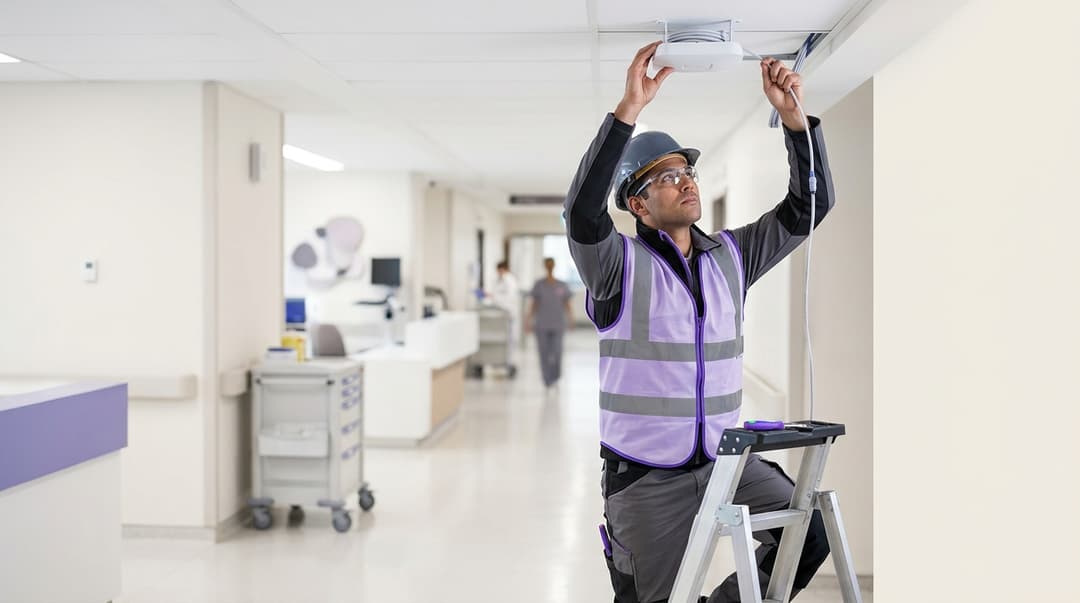
Five HIPAA Security Rule technical safeguard standards at 45 CFR 164.312 apply to hospital staff WiFi. They are access control, audit controls, integrity, person or entity authentication and transmission security. You meet them with 802.1X and certificate-based EAP-TLS identity, RADIUS Accounting as the audit log, and WPA3-Enterprise encryption on every staff SSID.
What do the HIPAA technical safeguards require of staff WiFi?
Staff WiFi is the wireless foundation of a HIPAA-compliant healthcare network. Clinicians open the electronic health record on workstations on wheels. They scan medication barcodes on handhelds and take calls on clinical communication badges. Most of that traffic crosses a staff SSID. Purple's Staff WiFi treats that SSID as an identity layer rather than a password, and the Security Rule pushes you in the same direction.
The Security Rule protects electronic protected health information (ePHI) that you create, receive, maintain or transmit (45 CFR 164.306(a)). It splits requirements into administrative, physical and technical safeguards. The technical safeguards contain five standards. Your staff WLAN transmits ePHI, so all five reach the wireless layer.
Two terms matter before you read further. A "required" implementation specification must be implemented as written. An "addressable" one must be implemented if reasonable and appropriate. If it is not, you document why and adopt an equivalent measure (45 CFR 164.306(d)). Addressable is not optional, and on an open radio link there is rarely a credible case against encryption.
In January 2025, HHS published a notice of proposed rulemaking that would remove the addressable category. It would make encryption of ePHI in transit and multi-factor authentication mandatory. Check its status when you scope your next risk analysis. Designing to the stricter text now avoids a second migration later.
Why does a shared WiFi passphrase fail the Security Rule?
A WPA2-PSK (pre-shared key) network authenticates the passphrase, not the person. Every nurse, transporter, agency locum and contractor who knows it looks identical to the network. "Unique user identification" at 164.312(a)(2)(i) is a required specification. It asks you to assign a unique name or number to each person, so you can identify them and follow their activity. A shared passphrase cannot do that, and no documentation changes the fact.
The failure spreads across the other standards:
- Audit controls. The log records a MAC address and an IP lease, not a named member of staff. Current iOS and Android releases randomize MAC addresses by default, which weakens even that.
- Person or entity authentication. Knowing a passphrase proves nothing about identity. Passphrases leak through sticky notes, shift schedules and group messages.
- Transmission security. Anyone holding the passphrase who captures a device's four-way handshake can derive its session keys. They can then decrypt that device's traffic. A former employee with the old passphrase stays inside the encryption boundary.
- Termination. 164.308(a)(3)(ii)(C) expects access to end when employment ends. With a shared key, removing one person means changing the key for everyone.
That last point turns PSK rotation into theater. Rotation disrupts every device, so it happens rarely. Every leaver between rotations keeps access.
How do the five standards map to wireless controls?
Access control - 164.312(a)(1)
The standard limits access to ePHI to people and software granted access rights. On the wireless layer, IEEE 802.1X is the implementation. It is a port-based access control standard that holds each device off the network until it proves its identity. A RADIUS (Remote Authentication Dial-In User Service) server checks that identity.
With EAP-TLS (Extensible Authentication Protocol - Transport Layer Security), the identity is an X.509 certificate issued to a named person or managed device. RADIUS then returns a policy: VLAN, role and access list. A ward nurse lands on the clinical VLAN. A facilities contractor lands on a segment that reaches building management only.
Two further specifications touch WiFi. Automatic logoff (addressable) maps to session timeouts and re-authentication intervals. Emergency access (required) means a documented plan for what happens if the RADIUS service becomes unreachable.
What the auditor looks for: your access control policy, a list of every SSID with its authentication method, and how a person gains and loses access. Expect to show that no SSID carrying ePHI uses a shared key.
Audit controls - 164.312(b)
The standard requires mechanisms that record and examine activity in systems containing or using ePHI. It has no implementation specifications, so the method is yours. For wireless, RADIUS Accounting (RFC 2866) is the audit log.
Every session produces Start, Interim-Update and Stop records. The attributes answer the auditor's questions directly:
- Who: User-Name, the certificate or directory identity.
- Which device: Calling-Station-Id, the client MAC address.
- Where: Called-Station-Id, the access point and SSID.
- When and for how long: Event-Timestamp and Acct-Session-Time.
- Why it ended: Acct-Terminate-Cause.
Recording is half the standard. Examining is the other half, and 164.308(a)(1)(ii)(D) requires regular review of information system activity. Stream accounting records into your SIEM (security information and event management) platform. Then schedule and document the review.
What the auditor looks for: an export for a sample date range and evidence that someone reviews it. 164.316(b)(2)(i) requires six-year retention of required documentation. Many organizations apply the same horizon to log evidence.
Integrity - 164.312(c)(1)
The standard protects ePHI from improper alteration or destruction. On the radio link, AES-CCMP adds a message integrity check to every frame. WPA3-Enterprise also makes Protected Management Frames (IEEE 802.11w) mandatory. These block forged deauthentication frames, a common way to knock clinical devices off the network. WPA3-Enterprise 192-bit mode moves to AES-GCMP-256.
TKIP, the legacy WPA cipher, relies on a weak integrity check. IEEE deprecated TKIP in 802.11-2012.
What the auditor looks for: controller cipher settings showing AES only, TKIP disabled and management frame protection on.
Person or entity authentication - 164.312(d)
The standard requires you to verify that a person or entity seeking access is the one claimed. This is the core argument for EAP-TLS over PEAP-MSCHAPv2.
PEAP (Protected EAP) wraps a username and password exchange inside a TLS tunnel. If a client skips server certificate validation, a rogue access point can impersonate your network. It captures the MS-CHAPv2 exchange, which can be cracked offline. Microsoft Security Advisory 2743314 documents this. It recommends server certificate validation or a move to certificate-based authentication. Microsoft also documents that Windows Defender Credential Guard blocks single sign-on for MS-CHAPv2 with saved credentials.
EAP-TLS performs mutual certificate authentication. The device proves it holds a private key, and the server proves its own identity. There is no password to phish. The private key can sit, non-exportable, in the device's TPM (Trusted Platform Module) or secure enclave. Medical devices count as entities too, and capable devices can carry their own certificates.
What the auditor looks for: how you verify identity on each access route. "Staff know the WiFi password" is not an answer. Show the certificate issuance procedure, linked to the HR new hire record, and the revocation step for departing employees.
Transmission security - 164.312(e)(1)
The standard guards against unauthorized access to ePHI in transit. Its two specifications, integrity controls and encryption, are both addressable. WPA2-Enterprise with TKIP fails, because the cipher is deprecated. IEEE 802.11n also excludes TKIP from high-throughput rates. WPA2-Enterprise with AES-CCMP is defensible today. WPA3-Enterprise is the configuration to deploy now.
HHS breach guidance treats ePHI in motion as secured when encryption follows NIST SP 800-52, 800-77 or 800-113. Those publications cover TLS, IPsec and SSL VPNs. WPA3 on the radio does not, on its own, place traffic in that safe harbor. Application-layer TLS still matters.
What the auditor looks for: encryption settings on every staff SSID and a record of legacy SSID retirement.
Which wireless configurations hold up?
iPSK (identity pre-shared key) gives each device or device group its own passphrase on a single SSID.
| Configuration | Unique identification | Audit trail | Authentication | Encryption in transit | Audit position |
|---|---|---|---|---|---|
| Shared WPA2-PSK, TKIP | None - one shared secret | MAC and IP only | Knowledge of passphrase | Deprecated cipher | Fails |
| Shared WPA2-PSK, AES | None - one shared secret | MAC and IP only | Knowledge of passphrase | AES; any key holder can decrypt captured sessions | Fails for staff access to ePHI |
| iPSK per device | Per device, not per person | Named device key | Possession of device key | AES-CCMP | Acceptable for headless clinical devices with documented compensating controls |
| WPA2-Enterprise, PEAP-MSCHAPv2 | Per person | Username per session | Password; exposed if certificate validation is off | AES-CCMP | Defensible with enforced validation and a migration plan |
| WPA2-Enterprise, EAP-TLS | Per person or device | Certificate identity per session | Mutual certificate | AES-CCMP | Strong |
| WPA3-Enterprise, EAP-TLS | Per person or device | Certificate identity per session | Mutual certificate | AES-CCMP plus mandatory PMF | Target configuration |
| WPA3-Enterprise 192-bit, EAP-TLS | Per person or device | Certificate identity per session | Mutual certificate, 384-bit ECC | AES-GCMP-256 plus PMF | Highest assurance; confirm device support first |
Got questions about your specific setup?
Our team works with venue operators, IT managers, and network engineers across 80,000 venues. Book a 20-minute call and we will show you how others like you solved it.
What does an OCR auditor look at on a hospital wireless network?
The HHS Office for Civil Rights (OCR) enforces HIPAA. Its reviews are mostly document-based. Auditors do not walk your wards with a spectrum analyzer. They ask for policies, configurations and records, then test whether the records match the policy.
Start with the risk analysis. OCR's 2016-2017 HIPAA Audits Industry Report, published in December 2020, found most audited covered entities failed to implement risk analysis and risk management effectively. A risk analysis that omits the WLAN is an easy finding.
| Requirement | What OCR asks to see | Wireless evidence that answers it |
|---|---|---|
| Risk analysis, 164.308(a)(1)(ii)(A) | Inventory of systems handling ePHI and threats to each | Every SSID, its authentication method, VLAN and device classes |
| Access control, 164.312(a)(1) | Proof each person has a unique identifier | 802.1X and EAP-TLS configuration; zero shared-key SSIDs carrying ePHI |
| Audit controls, 164.312(b) | Logs and evidence of review | RADIUS Accounting export for a sample date range; SIEM review records |
| Integrity, 164.312(c)(1) | How ePHI is protected from alteration | Controller cipher settings: AES only, PMF required |
| Authentication, 164.312(d) | How identity is verified on each route | Certificate issuance and revocation procedure linked to HR records |
| Transmission security, 164.312(e)(1) | Encryption decision, with justification if not implemented | WPA3-Enterprise configuration and legacy SSID retirement record |
| Termination, 164.308(a)(3)(ii)(C) | Proof departures lose access | Revocation timestamps set against HR departure dates |
Expect questions about the patient and visitor network as well. Auditors want to see that it cannot reach ePHI.
Where do medical devices and patient WiFi sit alongside staff WiFi?
Are infusion pumps and imaging equipment in scope?
This is the scoping question that trips up many healthcare IT teams. The test is whether the device creates, receives, maintains or transmits ePHI. Smart infusion pumps that exchange patient-linked orders with the EHR are in scope. So are imaging modalities sending DICOM studies to PACS and telemetry monitors streaming to a central station. A vaccine fridge temperature logger carries no patient data and sits outside ePHI scope.
The difficulty is that many in-scope devices cannot run 802.1X, EAP-TLS or WPA3. FDA's 2023 premarket cybersecurity guidance applies to new device submissions. Your installed base stays as it is.
How VLAN segmentation contains the risk
A VLAN (virtual LAN) is a logically separate network segment on shared hardware. Put clinical IoT on dedicated SSIDs or iPSK groups, mapped to one VLAN per device class. Firewall rules then let each class reach only its named servers, such as the pump server or PACS. Staff devices cannot reach pumps directly, and pumps cannot reach the staff VLAN.
The HHS 405(d) Health Industry Cybersecurity Practices publication recommends segmenting medical devices from general networks. Record segmentation in your risk analysis as the compensating control for devices that cannot authenticate by certificate. Keep RADIUS records for iPSK and MAC-authenticated devices too, so every device class appears in the audit log.
The patient and visitor network
Your patient and visitor network carries no ePHI, but it collects personal data at the captive portal. A captive portal is the web page a visitor sees before getting online. Auditors will ask how that network is isolated from clinical segments. SecurePass, the security add-on to Purple Guest WiFi, brings the same identity-based approach to patients and visitors.
Two worked scenarios
A county hospital retires its shared staff passphrase
Situation. Consider a 350-bed county-run hospital. Its staff SSID ran WPA2-PSK, and the passphrase had been shared with agency nurses for years. Infusion pumps sat on the same network. The annual risk analysis flagged unique identification as unmet.
What was done. Managed workstations and handhelds moved to EAP-TLS, with certificates issued through the MDM platform to Microsoft Entra ID identities. RADIUS policy assigned VLANs by Entra ID group. Accounting records streamed to the SIEM, with a weekly documented review. Pumps moved to iPSK on an isolated VLAN, permitted to reach the pump server only. Staff personal cell phones moved to an internet-only SSID.
Outcome. Shared secrets on networks carrying ePHI fell from two to zero. "Who was on the medication-room access point at 02:00?" became a single SIEM query. Previously it meant correlating DHCP leases with badge logs by hand. Leavers now lose access when their certificate is revoked and Entra ID group membership is removed. No other device is affected.
A pharmacy chain unifies staff access across 60 stores
Situation. Consider a regional pharmacy chain with 60 stores, each with a dispensary and clinic room. Pharmacies are HIPAA covered entities. Card payments also bring PCI DSS into scope. Each store ran one shared passphrase for dispensary terminals, tablets and staff phones. Newer stores ran Cisco Meraki and older stores ran Ubiquiti UniFi.
What was done. Every store gained an 802.1X staff SSID with EAP-TLS, authenticated against one cloud RADIUS service. No access points were replaced. Accounting records flowed to one central log. Retail shoppers stayed on a separate guest network.
Outcome. Store-level shared passphrases fell from 60 to zero, and so did passphrase rotation visits. One control set now answers HIPAA unique identification and PCI DSS v4.0 Requirement 8.2.1, which requires a unique ID for every person.
What are the limits of wireless controls in a HIPAA risk analysis?
WiFi controls protect one hop. EHR access controls, application-layer TLS and endpoint encryption carry the rest of the load. HIPAA is technology-neutral and names no wireless protocol, so your risk analysis must explain each choice.
Legacy devices set the floor. WPA3-Enterprise transition mode keeps WPA2 clients connected, but it also keeps WPA2 weaknesses on that SSID. Run a WPA3-only SSID for capable devices and retire the transition SSID on a dated plan.
Certificates need a lifecycle. An expired RADIUS server certificate takes every client offline at once. Automate renewal and monitor expiry dates.
Roaming needs tuning. A full 802.1X exchange at every access point adds delay, which voice badges notice first. Fast BSS transition (802.11r) shortens it. See 802.11r and 802.11k on Android: fast roaming deployment on Cisco Meraki, HPE Aruba and Ubiquiti UniFi. On Meraki estates, see Cisco Meraki 802.11r adaptive vs enabled: fixing roaming on MR access points.
Finally, Public Law 116-321 directs HHS to consider recognized security practices you had in place for the previous 12 months when setting penalties. Mapping your wireless controls to 405(d) practices helps here.
What should you do before your next risk analysis?
- Inventory every SSID, its authentication method, cipher and VLAN.
- Classify devices as managed staff, personal staff, clinical IoT or guest.
- Move managed devices to EAP-TLS, with policy driven by directory groups.
- Disable TKIP, require PMF and schedule WPA3-Enterprise.
- Stream RADIUS Accounting to your SIEM, document the review and set retention.
- Segment clinical IoT by device class and document compensating controls.
- Re-validate coverage after cipher and SSID changes. WiFi Site Surveys: A Practical Planning Guide sets out the method.
- Write each decision into the risk analysis, with evidence attached.
Purple's Staff WiFi delivers 802.1X with EAP-TLS, per-person VLAN policy and centralized cloud RADIUS accounting. It layers on Cisco Meraki, HPE Aruba, Ruckus, Juniper Mist, Ubiquiti UniFi, Cambium, Extreme and Fortinet hardware. Microsoft Entra ID, Okta and Google Workspace drive joiners, movers and leavers. Purple is ISO 27001 certified and runs across 80,000+ live venues, with 440 million logins in 2024 (Purple data). Read more on our Healthcare page and in Why your next WiFi upgrade doesn't need new hardware.
See also Purple's Staff WiFi overview, SecurePass for the patient and visitor network, and our ISO 27001 and SOC 2 staff WiFi compliance guides if you carry several frameworks at once.
Frequently asked questions
Does HIPAA require WPA3-Enterprise, or is WPA2-Enterprise acceptable?
No, HIPAA does not name WPA3-Enterprise or any other protocol. WPA2-Enterprise with AES-CCMP and EAP-TLS remains defensible in a risk analysis today. WPA2 with TKIP is not, because IEEE deprecated that cipher in 802.11-2012. Deploy WPA3-Enterprise on new staff SSIDs where devices support it, and document a dated plan for the rest. HHS's proposed Security Rule update would make encryption in transit mandatory, so design to that standard now.
Can we keep a shared passphrase for staff if we document it in the risk analysis?
No, not for staff access to ePHI. Unique user identification at 164.312(a)(2)(i) is a required specification, so documentation cannot replace it. A shared passphrase identifies nobody, and every leaver keeps access until the next rotation. Shared or per-device keys remain acceptable only for headless clinical devices. Those devices also need VLAN segmentation and the compensating controls written into your risk analysis.
Do we need new access points to move to 802.1X and EAP-TLS?
No, 802.1X and EAP-TLS run on the enterprise access points most hospitals already own. Purple's cloud RADIUS works with Cisco Meraki, HPE Aruba, Ruckus, Juniper Mist, Ubiquiti UniFi, Cambium, Extreme and Fortinet. The work sits in certificate issuance, directory integration and RADIUS policy, not hardware. Plan a radio check only if you are also moving to WPA3, since older access points may need firmware updates.
How long should we keep wireless access logs for HIPAA?
Keep them for six years if you want a defensible default. HIPAA's documentation rule at 164.316(b)(2)(i) requires six-year retention of required documentation. Many organizations apply the same period to the audit log evidence behind it. Confirm the period with your compliance lead, since state law can require longer. Store RADIUS Accounting records in a system you can query by person, device and date range.
Are medical devices on WiFi in scope for the technical safeguards?
Yes, if the device creates, receives, maintains or transmits ePHI. Smart infusion pumps linked to the EHR, imaging modalities sending studies to PACS and telemetry monitors all qualify. Devices that cannot run EAP-TLS belong on dedicated VLANs, using iPSK where possible. Firewall rules should limit each device class to its named servers. Record segmentation as the compensating control in your risk analysis.
Will an OCR auditor ask about our patient and visitor WiFi?
Yes, expect questions about the patient and visitor network alongside staff WiFi. Auditors want proof that it cannot reach clinical segments carrying ePHI. They may also ask how the captive portal handles personal data. Show the network design, the firewall rules and the data collected at sign-in. SecurePass, the security add-on to Purple Guest WiFi, extends identity-based access to patients and visitors.
Does Purple integrate with Microsoft Entra ID, Okta and Google Workspace?
Yes, Purple's Staff WiFi integrates with Microsoft Entra ID, Okta and Google Workspace. Directory groups drive RADIUS policy, so a person's role decides which VLAN they reach. Joiners gain access when added to the right group. Movers change VLAN when their group changes. Leavers lose access when you revoke their certificate and remove their group membership, with every step recorded for the audit trail.
Key Definitions
ePHI
Electronic protected health information: the data the HIPAA Security Rule protects when a covered entity creates, receives, maintains or transmits it, as set out at 45 CFR 164.306(a).
The scoping test for every SSID and device. If a staff WLAN, infusion pump or imaging modality transmits ePHI, the five technical safeguard standards reach the wireless layer.
Required vs addressable
Categories of HIPAA implementation specification under 45 CFR 164.306(d). Required specifications must be implemented as written; addressable ones must be implemented if reasonable and appropriate, or the decision documented with an equivalent measure adopted.
Decides whether you can justify a gap in your risk analysis. Unique user identification is required, so a shared passphrase cannot be documented away; encryption in transit is addressable but rarely defensible to omit on a radio link.
IEEE 802.1X
The IEEE port-based network access control standard. It holds each device off the network until it proves its identity to an authentication server, typically RADIUS, using an EAP method.
The wireless implementation of the access control standard at 164.312(a)(1). It replaces shared keys with per-person or per-device identity and lets RADIUS return a VLAN, role and access list.
EAP-TLS
Extensible Authentication Protocol - Transport Layer Security: an EAP method that performs mutual X.509 certificate authentication between the client and the RADIUS server, with no password exchanged.
The strongest answer to person or entity authentication at 164.312(d). The private key can sit non-exportable in a TPM or secure enclave, so there is no credential to phish.
PEAP-MSCHAPv2
Protected EAP wrapping an MS-CHAPv2 username and password exchange inside a TLS tunnel. Microsoft Security Advisory 2743314 documents that captured MS-CHAPv2 exchanges can be cracked offline if clients skip server certificate validation.
Common on existing hospital networks. Defensible only with enforced server certificate validation and a migration plan to EAP-TLS; Windows Defender Credential Guard also blocks single sign-on for MS-CHAPv2 with saved credentials.
RADIUS Accounting
Remote Authentication Dial-In User Service accounting, specified in RFC 2866. It produces Start, Interim-Update and Stop records carrying attributes such as User-Name, Calling-Station-Id, Called-Station-Id, Acct-Session-Time and Acct-Terminate-Cause.
Serves as the wireless audit log for 164.312(b). It answers who connected, on which device, at which access point, when and why the session ended, and feeds the activity review required by 164.308(a)(1)(ii)(D).
WPA3-Enterprise
The WPA3 enterprise security mode using 802.1X authentication with AES-CCMP and mandatory Protected Management Frames. Its 192-bit mode moves to AES-GCMP-256 with 384-bit ECC certificates.
The target configuration for transmission security at 164.312(e)(1). Transition mode keeps WPA2 clients connected but also keeps WPA2 weaknesses, so run a WPA3-only SSID and retire the transition SSID on a dated plan.
Protected Management Frames (IEEE 802.11w)
The IEEE 802.11w amendment that cryptographically protects management frames, blocking forged deauthentication frames. WPA3-Enterprise makes it mandatory.
Supports the integrity standard at 164.312(c)(1) by stopping attackers knocking clinical devices off the network. Auditors look for PMF required in controller settings.
TKIP
Temporal Key Integrity Protocol, the legacy WPA cipher with a weak integrity check. IEEE deprecated it in 802.11-2012, and 802.11n excludes it from high-throughput rates.
Any staff SSID still offering TKIP fails transmission security review. Controller cipher settings should show AES only with TKIP disabled.
iPSK
Identity pre-shared key: a configuration that gives each device or device group its own passphrase on a single SSID, identifying the device rather than the person.
Acceptable for headless clinical devices that cannot run 802.1X, provided they sit on isolated VLANs with documented compensating controls and RADIUS records keep them in the audit log.
VLAN
Virtual LAN: a logically separate network segment on shared hardware, assigned per device class or per RADIUS policy and bounded by firewall rules.
The compensating control for medical devices that cannot authenticate by certificate, recommended by the HHS 405(d) Health Industry Cybersecurity Practices. It also isolates the patient and visitor network from clinical segments.
Worked Examples
A 350-bed county-run hospital ran its staff SSID on WPA2-PSK, with the passphrase shared with agency nurses for years and infusion pumps on the same network. The annual risk analysis flagged unique identification as unmet. How should IT close the gap?
Managed workstations and handhelds moved to EAP-TLS, with certificates issued through the MDM platform to Microsoft Entra ID identities. RADIUS policy assigned VLANs by Entra ID group, and accounting records streamed to the SIEM with a weekly documented review. Pumps moved to iPSK on an isolated VLAN that reaches only the pump server, and staff personal phones moved to an internet-only SSID. Shared secrets on networks carrying ePHI fell from two to zero. Tracing who used the medication-room access point at 02:00 became a single SIEM query instead of manual correlation of DHCP leases and badge logs. Terminated employees now lose access through certificate revocation and Entra ID group removal, without disrupting any other device.
A regional pharmacy chain with 60 stores ran one shared passphrase per store for dispensary terminals, tablets and staff phones. Newer stores used Cisco Meraki and older stores Ubiquiti UniFi, and both HIPAA and PCI DSS applied. How can it unify staff access without replacing hardware?
Every store gained an 802.1X staff SSID with EAP-TLS, authenticated against one cloud RADIUS service across both hardware estates. No access points were replaced. Accounting records flowed to one central log, and shoppers stayed on a separate guest network. Store-level shared passphrases fell from 60 to zero, which also ended passphrase rotation visits. The approach works because one identity control answers two frameworks: HIPAA unique user identification at 164.312(a)(2)(i) and PCI DSS v4.0 Requirement 8.2.1, which requires a unique ID for every person.
Frequently asked questions
Does HIPAA require WPA3-Enterprise, or is WPA2-Enterprise acceptable?
No, HIPAA does not name WPA3-Enterprise or any other protocol. WPA2-Enterprise with AES-CCMP and EAP-TLS remains defensible in a risk analysis today. WPA2 with TKIP is not, because IEEE deprecated that cipher in 802.11-2012. Deploy WPA3-Enterprise on new staff SSIDs where devices support it, and document a dated plan for the rest. HHS's proposed Security Rule update would make encryption in transit mandatory, so design to that standard now.
Can we keep a shared passphrase for staff if we document it in the risk analysis?
No, not for staff access to ePHI. Unique user identification at 164.312(a)(2)(i) is a required specification, so documentation cannot replace it. A shared passphrase identifies nobody, and every leaver keeps access until the next rotation. Shared or per-device keys remain acceptable only for headless clinical devices. Those devices also need VLAN segmentation and the compensating controls written into your risk analysis.
Do we need new access points to move to 802.1X and EAP-TLS?
No, 802.1X and EAP-TLS run on the enterprise access points most hospitals already own. Purple's cloud RADIUS works with Cisco Meraki, HPE Aruba, Ruckus, Juniper Mist, Ubiquiti UniFi, Cambium, Extreme and Fortinet. The work sits in certificate issuance, directory integration and RADIUS policy, not hardware. Plan a radio check only if you are also moving to WPA3, since older access points may need firmware updates.
How long should we keep wireless access logs for HIPAA?
Keep them for six years if you want a defensible default. HIPAA's documentation rule at 164.316(b)(2)(i) requires six-year retention of required documentation. Many organizations apply the same period to the audit log evidence behind it. Confirm the period with your compliance lead, since state law can require longer. Store RADIUS Accounting records in a system you can query by person, device and date range.
Are medical devices on WiFi in scope for the technical safeguards?
Yes, if the device creates, receives, maintains or transmits ePHI. Smart infusion pumps linked to the EHR, imaging modalities sending studies to PACS and telemetry monitors all qualify. Devices that cannot run EAP-TLS belong on dedicated VLANs, using iPSK where possible. Firewall rules should limit each device class to its named servers. Record segmentation as the compensating control in your risk analysis.
Will an OCR auditor ask about our patient and visitor WiFi?
Yes, expect questions about the patient and visitor network alongside staff WiFi. Auditors want proof that it cannot reach clinical segments carrying ePHI. They may also ask how the captive portal handles personal data. Show the network design, the firewall rules and the data collected at sign-in. SecurePass, the security add-on to Purple Guest WiFi, extends identity-based access to patients and visitors.
Does Purple integrate with Microsoft Entra ID, Okta and Google Workspace?
Yes, Purple's Staff WiFi integrates with Microsoft Entra ID, Okta and Google Workspace. Directory groups drive RADIUS policy, so a person's role decides which VLAN they reach. Joiners gain access when added to the right group. Movers change VLAN when their group changes. Leavers lose access when you revoke their certificate and remove their group membership, with every step recorded for the audit trail.
Continue reading in this series
802.11r and 802.11k on Android: fast roaming deployment on Cisco Meraki, HPE Aruba and Ubiquiti UniFi
You will be able to decide whether to enable 802.11r, 802.11k and 802.11v for your Android fleet on Cisco Meraki, HPE Aruba or Ubiquiti UniFi, and which 802.11r strategy to run. You will also be able to pilot the change safely, confirm each handset model in a packet capture and fix the six most common association failures.
Microsoft Cloud PKI for WiFi: EAP-TLS certificate deployment with Intune and Entra ID
You will be able to decide whether Microsoft Cloud PKI, a Cloud PKI root or bring your own CA (BYOCA) fits your estate. You can then deploy EAP-TLS WiFi certificates to Intune-managed devices without NDES. The guide also covers making RADIUS trust the chain, revoking certificates through the CRL and fixing the eight most common failures.
Configuring 802.1X on Juniper Mist with cloud RADIUS
You will be able to configure a WPA2 or WPA3-Enterprise WLAN on Juniper Mist that authenticates against cloud RADIUS, decide between UDP RADIUS, RadSec and a Mist Edge proxy, and map RADIUS attributes to dynamic VLANs. You will also know where Mist's client insights timeline and Marvis show exactly where a failed authentication broke.
Got questions about your specific setup?
Our team works with venue operators, IT managers, and network engineers across 80,000 venues. Book a 20-minute call and we will show you how others like you solved it.