WPA2 est une norme de sécurité WiFi de longue date qui est devenue obligatoire pour les appareils certifiés WiFi de 2006 à 2020, et elle sous-tend encore 65 % du WiFi du secteur public dans la santé et les transports au Royaume-Uni. Elle utilise un chiffrement fort basé sur l'AES pour protéger le trafic, mais sa dépendance vis-à-vis de modèles d'authentification plus anciens, en particulier les mots de passe partagés, en fait un protocole hérité en 2026.
Si vous gérez le WiFi d'un hôtel, d'un parc de commerces, d'un hôpital, d'un pôle de transport ou d'un immeuble multi-locataires, vous avez presque certainement hérité de WPA2, que vous l'ayez choisi ou non. C'est le cadenas familier sur le SSID, le paramètre enfoui dans les modèles de contrôleurs et la posture de sécurité par défaut derrière d'innombrables réseaux d'invités et de personnel.
Cela compte parce que la question n'est plus seulement de savoir ce qu'est WPA2. C'est une question d'exploitation, de risque et, de plus en plus, de migration. WPA2 a fait son travail pendant des années. Le problème aujourd'hui est que de nombreux réseaux dépendent encore de ses hypothèses les plus anciennes, en particulier les secrets partagés, bien après que les attaquants ont appris à les exploiter.
L'héritage durable de WPA2 en 2026
Connectez-vous à presque n'importe quel WiFi d'entreprise établi et il y a de fortes chances que WPA2 soit toujours présent quelque part dans la pile. Pour de nombreuses équipes informatiques, c'est moins un choix délibéré qu'un héritage de ce qui fonctionnait, de ce que les appareils prenaient en charge et de ce que personne ne voulait casser pendant une semaine d'activité intense.
Pourquoi WPA2 est devenu le choix par défaut
WPA2 a été ratifié en 2004 et est devenu obligatoire pour les appareils certifiés WiFi de 2006 à 2020. Même aujourd'hui, une enquête de 2022 du Centre national de cybersécurité du Royaume-Uni a révélé que 65 % du WiFi du secteur public dans la santé et les transports repose toujours sur WPA2, ce qui montre à quel point il reste fermement ancré dans les réseaux de production ( Historique du Wi-Fi Protected Access ).
Son rôle d'origine était important. WPA2 a remplacé le WEP, qui présentait des faiblesses bien connues, et a apporté un chiffrement plus fort qui a rendu les réseaux sans fil grand public viables pour un usage professionnel. Sans WPA2, l'expansion d'un WiFi fiable dans les bureaux, les sites événementiels, les campus et les espaces publics aurait été beaucoup plus difficile.
Pourquoi son âge pose aujourd'hui problème
L'erreur que je constate encore consiste à traiter WPA2 de manière binaire. Sécurisé ou non sécurisé. Bon ou mauvais. Ce n'est pas ainsi que cela fonctionne dans la pratique.
Le modèle de chiffrement de WPA2 était une amélioration majeure, mais de nombreux déploiements réels associent encore ce chiffrement à des méthodes d'accès difficiles à gérer et faciles à détourner à grande échelle. Un hôtel utilisant un mot de passe unique partagé pour les tablettes du personnel, une chaîne de magasins avec des clés PSK copiées d'une succursale à l'autre, ou un parc mixte rempli d'anciens terminaux portables ne se trouvent pas dans la même situation qu'un réseau d'entreprise étroitement géré et basé sur des certificats.
Règle pratique : WPA2 n'est pas le problème en soi. C'est généralement la mauvaise conception de l'authentification appliquée à WPA2 qui l'est.
Pour les responsables informatiques, c'est là que réside la tension. WPA2 est encore omniprésent car il a résolu un problème réel de manière satisfaisante pendant longtemps. Mais en 2026, la discussion commerciale n'est plus de savoir "si le trafic est chiffré", mais plutôt "qui se connecte exactement, comment révoquer l'accès et quel niveau de complexité opérationnelle acceptons-nous pour maintenir de vieux flux de travail actifs ?"
Voici une façon utile d'envisager WPA2 :
- En tant que norme historique : il a été fondamental.
- En tant que contrôle actuel : il peut encore être acceptable dans une architecture appropriée.
- En tant que stratégie d'avenir : le WPA2 à mot de passe partagé est de plus en plus difficile à défendre.
Comment fonctionne réellement le chiffrement WPA2
Lorsque les gens demandent ce qu'est le WPA2, ils posent généralement deux questions différentes. Quelle est la politique appliquée au réseau, et qu'est-ce qui protège les données une fois qu'un appareil se connecte. C'est sur la deuxième question que WPA2 a bâti sa réputation.
AES est le coffre verrouillé
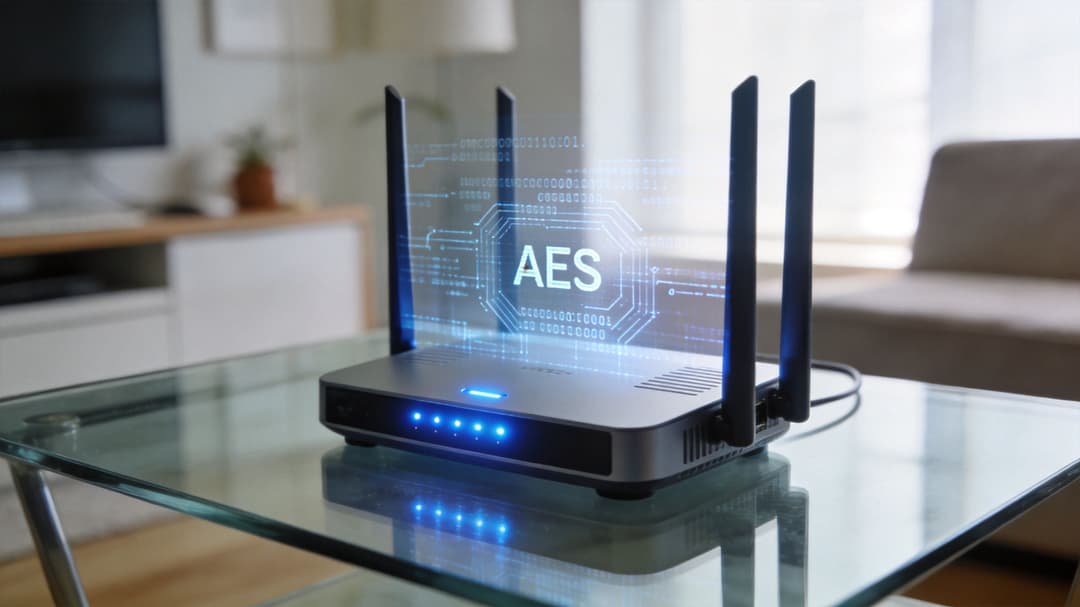
WPA2 utilise AES au sein de CCMP. En termes simples, AES gère le chiffrement, tandis que CCMP veille à ce que chaque paquet soit enveloppé, numéroté et vérifié correctement pour éviter que des attaquants ne puissent simplement rejouer l'ancien trafic en espérant que le réseau l'accepte. Le détail technique clé est que CCMP génère un flux de clés unique pour chaque paquet à l'aide d'un numéro de paquet de 48 bits, ce qui explique pourquoi WPA2 résiste aux problèmes de relecture qui affectaient les approches antérieures ( AES and CCMP overview ).
Il fonctionne comme un système de messagerie sécurisé.
AES est le conteneur verrouillé. Le contenu est illisible sans la bonne clé.
CCMP est le processus d'expédition qui attribue à chaque colis un numéro de série unique et vérifie si quelqu'un l'a altéré ou a tenté de renvoyer un ancien colis comme s'il était neuf.
Cette combinaison offre à WPA2 deux caractéristiques essentielles pour les administrateurs :
- La confidentialité, pour que le trafic ne soit pas lisible en transit
- L'intégrité, pour que les paquets modifiés ou rejoués puissent être rejetés
Si vous souhaitez obtenir une explication plus détaillée sur la façon dont les identifiants WiFi et le codage s'articulent, le guide de Purple sur ce qu'est la clé WPA est un complément utile pour comprendre la partie chiffrement.
Ce que le CCMP a amélioré par rapport à l'ancienne sécurité WiFi
La sécurité sans fil antérieure reposait sur des mécanismes plus faibles qui géraient mal la réutilisation et la manipulation des paquets. Le passage de WPA2 à AES avec CCMP a été une étape majeure car il traite chaque trame comme faisant partie d'une séquence contrôlée.
Voici l'effet pratique en termes simples :
| Composant | Ce qu'il fait | Pourquoi les administrateurs s'en soucient |
|---|---|---|
| AES | Chiffre la charge utile des données | Empêche l'interception fortuite de devenir des données lisibles |
| CCMP | Applique une numérotation des paquets et des contrôles d'intégrité | Aide à prévenir le rejeu et l'altération des données |
| Numéro de paquet 48 bits | Rend le flux de clés de chaque paquet unique | Réduit le risque de réutiliser le même contexte de chiffrement |
C'est pourquoi les vieilles affirmations générales telles que "WPA2 est obsolète" sont trompeuses. La conception du chiffrement de base n'était pas un échec trivial. Dans de nombreux environnements, le chemin des données lui-même reste suffisamment robuste. Le point faible se situe souvent ailleurs.
Où commence la confusion
De nombreuses organisations partent du principe que puisque WPA2 utilise un chiffrement fort, l'ensemble du déploiement est donc robuste. C'est une conclusion erronée.
Un chiffrement fort ne compense pas un accueil des utilisateurs insuffisant, des mots de passe partagés ou un contrôle d'accès défaillant.
Un réseau peut utiliser une protection solide basée sur AES et rester exposé parce que tout le monde saisit la même PSK, que les prestataires conservent leurs anciens identifiants ou que des appareils non gérés restent connectés bien plus longtemps qu'ils ne le devraient. C'est pourquoi les discussions sur WPA2 ne peuvent pas s'arrêter à la suite de chiffrement. Elles doivent inclure l'authentification, la gestion du cycle de vie et l'expérience utilisateur.
Personnel vs Entreprise : les deux variantes de WPA2
La distinction pratique la plus importante dans WPA2 n'est pas académique. Il s'agit de savoir si vous utilisez WPA2-Personal ou WPA2-Enterprise.
Elles peuvent sembler être des variantes mineures d'une même technologie. Sur le plan opérationnel, elles sont complètement différentes.
WPA2-Personal utilise un secret partagé unique
WPA2-Personal est la version couramment utilisée dans les foyers, les cafés et les petits bureaux. Elle utilise une clé pré-partagée Pre-Shared Key (PSK). Tout le monde saisit le même mot de passe. Chaque problème opérationnel découle de ce choix de conception unique.
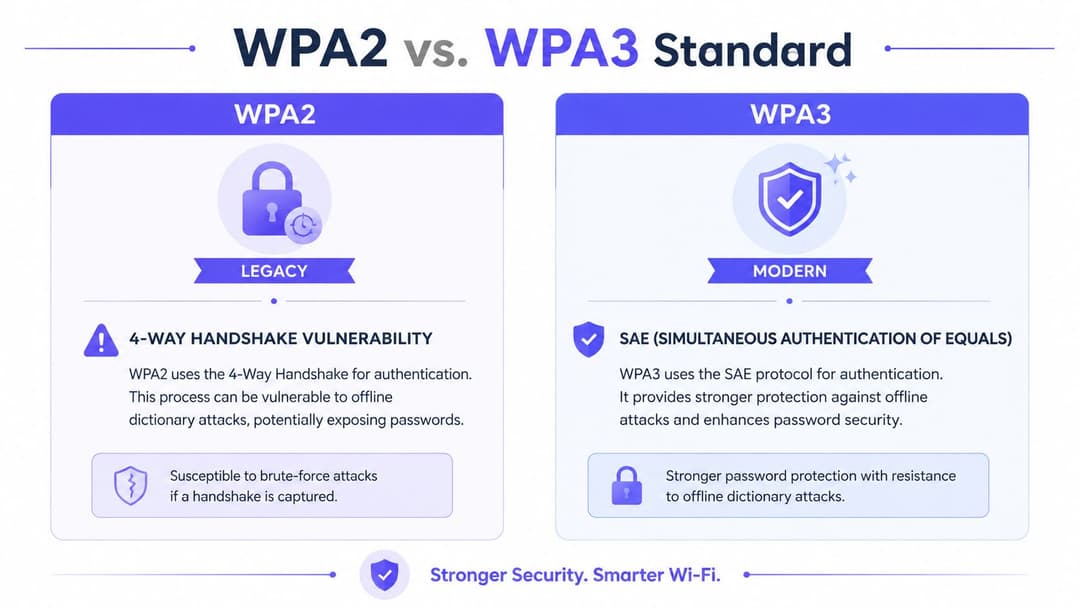
Si un membre du personnel s'en va, le mot de passe peut devoir être changé. Si un invité le partage, la limite de votre accès s'est concrètement déplacée. Si un attaquant capture le handshake, il peut tenter des attaques par dictionnaire hors ligne contre ce secret partagé.
Cette faiblesse n'est pas théorique. Le four-way handshake dans WPA2-Personal est vulnérable aux attaques par dictionnaire hors ligne contre la PSK. C'est la raison pour laquelle les équipes de sécurité luttent si fermement contre les mots de passe partagés faibles dans les environnements professionnels ( analyse de la sécurité WPA2-PSK ).
WPA2-Enterprise authentifie les utilisateurs individuellement
WPA2-Enterprise remplace la clé d'entrée unique par une authentification par utilisateur ou par appareil, généralement via 802.1X et un service RADIUS. Lorsqu'il est déployé avec EAP-TLS, les clients utilisent des certificats au lieu d'un mot de passe WiFi partagé.
Cela change complètement le profil de risque.
Un mot de passe du personnel volé ne équivaut pas à une phrase secrète WiFi volée pour l'ensemble du site. Un certificat révoqué peut supprimer un seul appareil sans contraindre chaque scanner, caisse, tablette et ordinateur portable à se reconnecter. C'est également pourquoi les directives du NCSC britannique imposent des clés dynamiques pour les environnements d'entreprise dans le document de référence mentionné ci-dessus.
Pour une comparaison utile des modèles de déploiement en entreprise, l'article de Purple sur WPA and WPA2 Enterprise mérite d'être examiné en parallèle de votre propre politique de réseau sans fil.
Le véritable compromis ne se résume pas à sécurité contre insécurité
Il est tentant de présenter le choix ainsi :
- Le Personal est simple
- L'Enterprise est sécurisé
C'est trop réducteur. Le véritable compromis réside entre la simplicité apparente et le contrôle gérable.
WPA2-Personal semble facile le premier jour. Vous saisissez un mot de passe et les appareils se connectent. Mais à grande échelle, ce modèle "facile" génère du travail :
- Rotation des mots de passe après le départ de collaborateurs
- Fuite d'accès invités lorsqu'une clé partagée se diffuse au-delà des utilisateurs prévus
- Aucune identité significative liée à la session WiFi
- Mauvaise isolation des locataires dans les environnements partagés
WPA2-Enterprise demande plus de planification, mais il offre aux administrateurs les contrôles dont ils ont besoin.
Si vous devez savoir qui s'est connecté, supprimer un utilisateur proprement ou séparer les utilisateurs sans modifier les paramètres de tout le monde, la PSK n'est pas la solution.
Un aperçu rapide pour décider
| Besoin de déploiement | WPA2-Personal | WPA2-Enterprise |
|---|---|---|
| Usage résidentiel ou bureau de base, petite taille, faible risque | Généralement gérable | Souvent superflu |
| Identité du personnel liée à l'accès | Peu adapté | Très adapté |
| Mot de passe invité partagé à grande échelle | Difficile à gérer sur le plan opérationnel | Mieux vaut le remplacer par un accès basé sur l'identité |
| Révocation rapide pour un utilisateur ou un appareil | Médiocre | Bonne |
| Résistance aux attaques PSK hors ligne | Non | Oui, avec EAP-TLS |
Pour la plupart des environnements d'entreprise, d'hôtellerie, de santé et multi-locataires, la question n'est pas de savoir si WPA2-Enterprise est plus sécurisé. Il l'est. La question la plus difficile est de savoir si votre équipe tolère encore des pratiques WPA2-Personal simplement parce qu'elles semblent simples dans l'interface utilisateur d'un contrôleur.
Vulnérabilités connues et risques modernes
La vulnérabilité majeure dont les gens se souviennent est KRACK. Elle est importante car elle a révélé une vérité difficile que de nombreuses équipes ne voulaient pas entendre : un chiffrement fort peut toujours être contourné si le protocole qui l'entoure est mal géré.
KRACK a exposé la poignée de main, pas seulement le mot de passe
L'attaque KRACK, révélée en 2017, a exploité une faille dans la poignée de main WPA2 et a permis à des attaquants d'intercepter et de déchiffrer le trafic WiFi. Elle a affecté plus de 50 % de tous les appareils WiFi dans le monde à l'époque, ce qui en a fait une alerte au niveau du protocole, et non un bug produit de niche.
La leçon pratique n'était pas que "AES a échoué". C'était que l'implémentation et la gestion des clés comptent tout autant que le chiffrement lui-même. Si un appareil peut être piégé pour réinstaller une clé pendant la poignée de main, un attaquant peut être en mesure d'observer un trafic que les administrateurs pensaient être protégé en toute sécurité.
Le risque le plus courant reste bien plus simple que ce que KRACK laisse entendre
La plupart des organisations ne sont pas touchées par un attaquant réalisant une attaque de protocole élégante dans un scénario de laboratoire parfait. Elles sont touchées par des défaillances bien plus ordinaires.
Le schéma classique ressemble à ceci :
- un PSK partagé est facile à deviner
- le mot de passe est réutilisé sur plusieurs sites
- les anciens employés le connaissent toujours
- l'accès invité non géré dérive vers une connectivité interne
- personne ne veut changer le mot de passe car trop d'appareils en dépendent
Ce ne sont pas des chaînes d'attaque spectaculaires. Ce sont des raccourcis opérationnels normaux. Et ils continuent d'apparaître parce que le WiFi à mot de passe partagé les génère par conception.
"Un seul mot de passe pour tout le monde" est pratique jusqu'au moment où vous avez besoin de responsabilisation.
Pourquoi cela devient un problème commercial
Pour un responsable informatique, le risque lié à WPA2 se manifeste rarement sous la forme de "votre suite de chiffrement est obsolète". Il se manifeste sous forme de tickets, de résultats d'audit et de conversations délicates avec les équipes opérationnelles.
Quelques exemples :
- Hôtellerie : la réception doit changer de mot de passe, mais l'équipe technique sait que la moitié des appareils des services internes vont se déconnecter.
- Vente au détail : les succursales utilisent des solutions de contournement locales car les terminaux de lecture de codes-barres, les tablettes et le WiFi invité ont tous évolué séparément.
- Santé et transports : les parcs conservent le support hérité car le remplacement des clients est plus lent que la feuille de route de sécurité.
C'est pourquoi je conseille aux équipes de séparer le risque de chiffrement du risque d'authentification. Le plus grand problème commercial quotidien de WPA2 n'est souvent pas la confidentialité des paquets. C'est le fait que trop de déploiements accordent encore l'accès au réseau via un secret partagé trop largement et modifié trop rarement.
Ce qui fonctionne encore
Le correction des clients et des points d'accès vulnérables est importante. Des mots de passe plus forts sont importants. La segmentation est importante. Le fonctionnement mixte WPA2/WPA3 peut aider là où le support des appareils est inégal.
Mais si le modèle d'accès reste "tout le monde utilise le même secret", vous n'avez fait qu'améliorer les symptômes.
Une réponse pratique comprend généralement :
- Supprimer les PSK partagés de l'accès du personnel partout où cela est possible.
- Migrer l'authentification d'entreprise vers des certificats ou des méthodes équivalentes basées sur l'identité.
- Isoler les appareils hérités plutôt que de les laisser dicter la politique pour l'ensemble du parc.
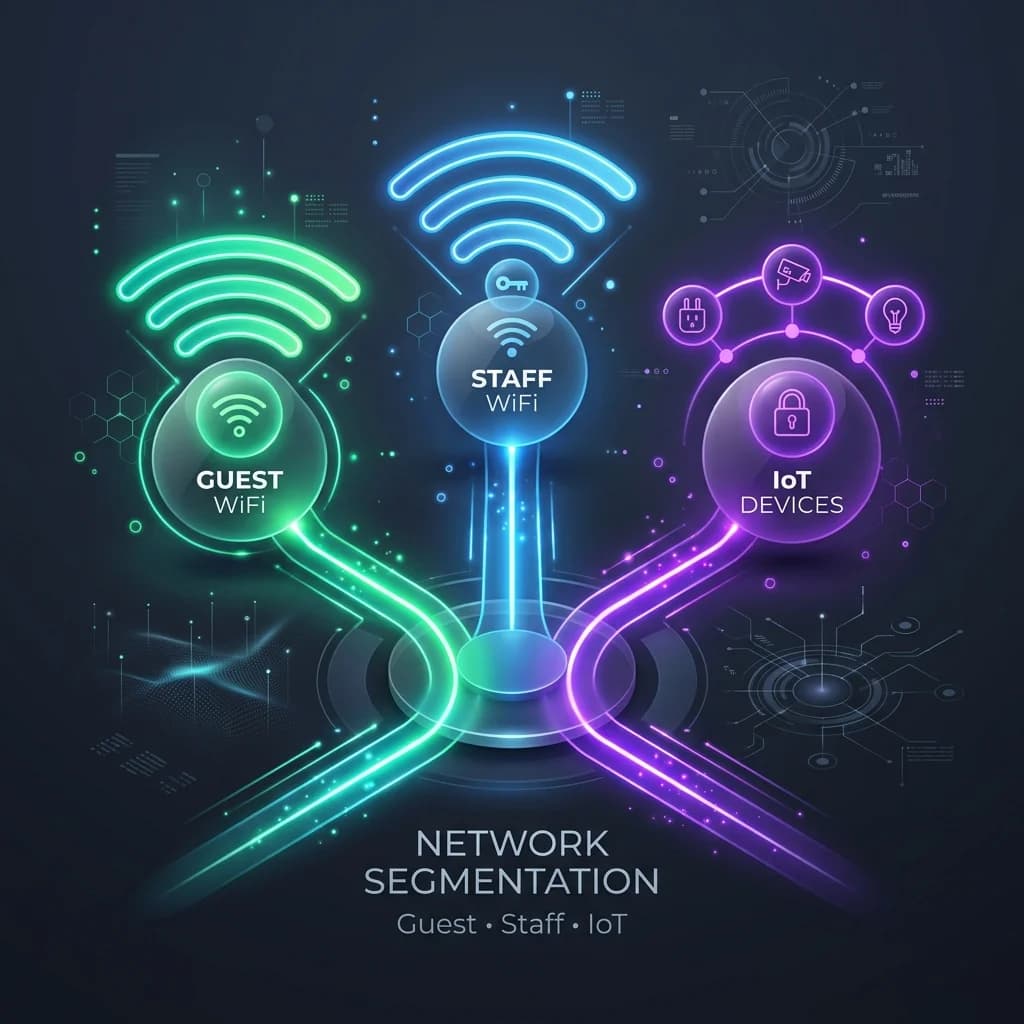
- Traiter l'accès invité séparément de l'accès interne, tant sur le plan technique qu'opérationnel.
Comment WPA2 se compare à la norme WPA3
La plupart des conversations sur la mise à niveau partent du même postulat. WPA3 est plus récent, donc la réponse doit être "remplacer WPA2 partout". Dans les environnements réels, ce n'est pas ainsi que se déroulent les migrations.
Là où WPA3 est plus fort
La plus grande amélioration pratique de WPA3 réside dans l'authentification, en particulier pour l'accès basé sur un mot de passe. Il a été conçu pour corriger les faiblesses qui rendaient WPA2-Personal vulnérable à la recherche de mots de passe hors ligne.
En termes simples, WPA3 protège mieux les réseaux même lorsque les utilisateurs pensent toujours en termes de "mot de passe WiFi". C'est une mise à niveau significative car elle réduit les dommages causés par une capture d'échange.
Un bon guide technique sur la décision plus large entre les modes de sécurité est le guide de Purple sur les types de sécurité WiFi .
Là où WPA2 reste d'actualité
Le défi n'est pas de comprendre que WPA3 est meilleur. Le défi est d'y amener un parc sans interrompre le support des appareils qui font tourner l'entreprise.
Un environnement typique comporte un mélange de :
- téléphones et ordinateurs portables modernes capables de supporter les normes plus récentes
- scanners, caisses enregistreuses, écrans, capteurs IoT ou dispositifs médicaux spécialisés qui sont très en retard
- les appareils invités que vous ne contrôlez pas du tout
- les modèles de contrôleurs conçus selon des hypothèses plus anciennes
C'est pourquoi de nombreuses équipes exploitent des environnements mixtes plus longtemps qu'elles ne le souhaiteraient. Elles ont besoin de compatibilité.
Une comparaison réaliste
| Question | WPA2 | WPA3 |
|---|---|---|
| Maturité | Profondément établi | Plus récent et plus robuste par conception |
| Accès par mot de passe | Plus exposé aux risques d'attaques hors ligne | Protection améliorée |
| Support des appareils hérités | Large | Peut être irrégulier sur les parcs plus anciens |
| Difficulté de migration | Déjà déployé | Souvent progressive, pas instantanée |
| Meilleur usage aujourd'hui | Compatibilité gérée avec l'existant et l'entreprise | Cible stratégique pour la sécurité sans fil moderne |
WPA3 est la direction à suivre. Ce n'est pas une baguette magique pour les parcs remplis d'anciens clients et d'habitudes de mots de passe partagés.
L'erreur pratique consiste à traiter WPA3 comme la seule voie de modernisation. Ce n'est pas le cas. Si vous améliorez l'identité, supprimez les secrets partagés et modernisez l'onboarding, vous pouvez considérablement améliorer la sécurité avant même que chaque point d'accès et terminal ne soit prêt pour une posture WPA3 complète.
Mettre à niveau la sécurité sans remplacer votre réseau
Pour la plupart des organisations, le gain le plus rapide ne consiste pas à remplacer chaque point d'accès. Il s'agit de remplacer l'élément le plus faible de la conception actuelle : les mots de passe partagés.
Arrêtez de traiter les mots de passe comme le centre de l'accès WiFi
Dans les espaces multi-locataires, la charge opérationnelle liée à la réinitialisation des mots de passe WPA2 partagés après le départ d'un employé ou une fuite d'invité est un coût caché qui ne disparaît jamais vraiment. Des données vérifiées indiquent également que les solutions sans mot de passe utilisant Passpoint et OpenRoaming éliminent ce cycle de réinitialisation et offrent une connectivité simple et continue dans plus de 80 000 sites à travers le monde ( contexte de l'accès WiFi sans mot de passe ).
C'est tout l'argument commercial moderne en une seule ligne. Le problème n'est pas seulement la cryptographie. Le problème est que les identifiants partagés créent une surcharge administrative permanente.
À quoi ressemble un plan de mise à niveau pratique
Vous n'avez pas besoin de reconstruire l'ensemble du parc pour améliorer cela. Dans de nombreux environnements, la meilleure séquence est la suivante :
Retirez d'abord le personnel des PSK
Utilisez un accès basé sur des certificats liés à votre fournisseur d'identité afin que chaque utilisateur ou appareil dispose de sa propre relation de confiance.Isolez les terminaux hérités
Les appareils plus anciens ne peuvent souvent pas faire la transition proprement. Isolez-les plutôt que de forcer l'ensemble du réseau à continuer d'utiliser des modèles faibles.Replace captive portal dependency for repeat guests
Passpoint et OpenRoaming réduisent les frictions tout en vous offrant un modèle d'authentification plus propre que la distribution ou le recyclage de mots de passe.Automate revocation
L'accès doit disparaître lorsqu'un utilisateur s'en va ou qu'un appareil n'est plus approuvé. Les modifications manuelles de mots de passe sont un piètre substitut à un véritable contrôle du cycle de vie.
What tends to work and what doesn't
Ce qui fonctionne, c'est un accès basé sur l'identité qui s'intègre aux systèmes que les administrateurs utilisent déjà, tels que Entra ID, Google Workspace, Okta, le RADIUS dans le cloud et l'intégration basée sur les certificats. Ce qui ne fonctionne pas, c'est de prétendre que la rotation périodique d'une clé partagée est une réponse sérieuse pour le personnel, les locataires, les sous-traitants et les invités.
Une option pratique dans cette catégorie est Purple, qui offre un accès sans mot de passe pour les invités, le personnel et les environnements multi-locataires en utilisant OpenRoaming, Passpoint et des intégrations d'identité plutôt que de s'appuyer sur des mots de passe WiFi partagés.
La mise à niveau la plus efficace n'est souvent pas de "passer de WPA2 à WPA3 demain", mais plutôt d' "arrêter d'accorder l'accès via un secret que tout le monde connaît".
Pour les responsables informatiques, c'est la reformulation utile. Conservez les parties du réseau qui vous servent encore. Changez le modèle d'accès qui ne vous sert plus.
Si vous examinez si votre parc WiFi actuel est toujours pertinent, Purple mérite d'être examiné pour les équipes qui souhaitent abandonner les mots de passe partagés et les Captive Portals sans pour autant remplacer leur réseau existant. Il prend en charge l'accès sans mot de passe pour les invités et le personnel, l'isolation multi-locataire et l'intégration basée sur l'identité via l'infrastructure sans fil existante.